
Where Flight Simulation Enthusiasts Gather from Around the World!
AVSIM Library - Search Results

| Category: Flight Simulator X - Original Aircraft | |
| Project Airbus A320 FD-FMC 2.0 |

|
Images related to this file:
File Description:
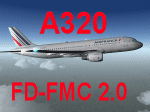
Project Airbus A320 FD-FMC 2.0 is the new version of the FD-FMC project for FSX / P3D. It comes with a new ehanced virtual cockpit (3 set of HD textures), new FMC gauge fully fonctionnal in virtual cockpit (and 2D window). A 550 airport database is provided in the pack with all SID, STAR and approaches procedures (updated monthly) and Waypoints update for FSX. Vertical navigation management with all real Airbus flight mode. TCAS and TAWS on ND. Cold and dark status. Holding pattern, DME-ARC and teardrop turns management. original sound set provided. This FMC is not only a GPS like, It controls engines and aircraft to a real vertical navigation to a realistic flight experience. New folder organisation to optimize file space, with other aircraft of the family (A319 - A320 and A321).
Aircraft 3D model edited to a right flightdeck position. CFM and IAE engine version. New airports added and navaids updated monthly on the freenavdbgroup website. User and install manuals provided in French and English. Have a good flight.
| Filename: | Project_Airbus_A320_FDFMC_20.zip |
| License: | Freeware, limited distribution |
| Added: | 2nd November 2019, 19:05:39 |
| Downloads: | 6,328 |
| Author: | Project Airbus / Francois Dore / Bjoern Kesten |
| Size: | 386.01 MB |
| Category: Flight Simulator 2004 - Panels | |
| Ultimate Airbus A32x V2 |
|
Images related to this file:
File Description:

Ultimate Airbus A32x V2 is an Advancement of the previous Version "Ultimate Airbus V1" and generally follows the same Idea: To ease flying the WILCO Airbus Volume 1 (models A318, A319, A320 and A321). This Package therefore introduces 6 smaller Sub-Panels (p.e. Engine Starter, ECAM Control, Flaps Lever, Radio etc. including Clickspots to handle those Panels) instead of allways using the Pedestal or Overhead Panel covering the complete View. It also includes a "Co-Pilot" functionality to automate certain Parts of Flight Procedures (Lights, Gear, Spoliers, Flaps etc.), Buttons for Panel Lights and Doors as well as new Views.
A detailed Tutorial Flight considering the a. m. added functionality - based on Airbus Original Procedure- and Checklist but modified to fit with the functionality available in WILCO's Airbus Volume 1 - is also Part of this Package. It is especially written for Beginners because there is no such detailed Tutorial currently available.
This zip-file contains the FS9 version only which is slightly different from the FSX version. More detailed information on this package as well as on installation you will find in the "Readme_ExtVers_FS9.pdf" file.
| Filename: | Ultimate_Airbus_A32x_V2.zip |
| License: | Freeware |
| Added: | 10th March 2010, 23:43:20 |
| Downloads: | 8,412 |
| Author: | Steffen Froemter / Rolf Fritze |
| Size: | 3.18 MB |
| Category: Flight Simulator X - Gauges | |
| Twin jet engine EICAS for Instrument Panel Version 2. |
|
Images related to this file:
File Description:
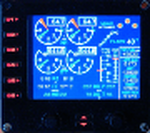
For Saitek Pro Flight Instrument Panel. This is the second version, you can delete previous one.
This folder contains 17 types of EICAS (Engine Indicating and Crew Alerting System) for Lear45, CRJ700, B737-800, B767-300, MD83, A300B1, A300B2, A350, CRJ100, CRJ300, B777-200, A320, A321, A310-100, A300B4, A350-800, B777-200ER, B787, A310 standard, A310-300, A330-200 and B777-200LR.
They replace older tje xml files, they have been improved and provide following utilities:N1, ITT, N2, fuel flow, Vibration, Oil pressure, Oil temperature, Landing gear position, Flaps positions, Pitch trim, Spoilers positions, Total, main tanks and auxiliaries tanks fuel.
The left knob activate spoilers, the right knob adjusts the N1 bug for autopilot.
Added two extra xml, if you do not find your favorite aircraft you can use the tje_full_range.xml which has total fuel of 6 digits, 5 digits for all tanks and full 8 flaps steps, this should fit with any twin jet engine aircraft. If this is not sufficient then use tje_extra_range.xml with 6 digits for all fuel and 8 steps for flaps. If you need more, that means you are flying a military tanker !
| Filename: | Twin_jet_engine_EICAS_for_Instrument_Panel_Version.zip |
| License: | Freeware |
| Added: | 7th September 2011, 22:24:35 |
| Downloads: | 1,121 |
| Author: | Philippe Verhaege |
| Size: | 567.42 KB |
| Category: Flight Simulator X - Panels | |
| Ultimate Airbus A32x V2 |
|
Images related to this file:
File Description:

Ultimate Airbus A32x V2 is an Advancement of the previous Version "Ultimate Airbus V1" and generally follows the same Idea: To ease flying the WILCO Airbus Volume 1 (models A318, A319, A320 and A321). This Package therefore introduces 6 smaller Sub-Panels (p.e. Engine Starter, ECAM Control, Flaps Lever, Radio etc. including Clickspots to handle those Panels) instead of allways using the Pedestal or Overhead Panel covering the complete View. It also includes a "Co-Pilot" functionality to automate certain Parts of Flight Procedures (Lights, Gear, Spoliers, Flaps etc.), Buttons for Panel Lights and Doors as well as new Views.
A detailed Tutorial Flight considering the a. m. added functionality - based on Airbus Original Procedure- and Checklist but modified to fit with the functionality available in WILCO's Airbus Volume 1 - is also Part of this Package. It is especially written for Beginners because there is no such detailed Tutorial currently available.
This zip-file contains the FSX version only which is slightly different from the FS9 version. More detailed information on this package as well as on installation you will find in the "Readme_ExtVers_FSX.pdf" file.
| Filename: | Ultimate_Airbus_A32x_V2.zip |
| License: | Freeware |
| Added: | 10th March 2010, 23:44:24 |
| Downloads: | 7,060 |
| Author: | Steffen Froemter / Rolf Fritze |
| Size: | 3.13 MB |
| Category: Flight Simulator X - AI Flight Plans | |
| Joon AI Flight Plans |
|
Images related to this file:
File Description:
Air France's new airline Joon flightplans - 100% flights accurate on the 26/03/2018.
The airline was launched on the 1st of december of 2017, based in Paris Charles de Gaule airport. It is now operating routes to the following destinations:
-Cairo
-Berlin
-Naples
-Rome
-Oslo
-Lisbon
-Porto
-Barcelona
-Istanbul
-Cape Town
The airline is now using 7 A320s, 5 A321s, and 2 A340s, all transfered from Air France.
The airline operated its operation on the 1st of december 2017 as a new subsidairy of AirFrance. All of the aircrafts are all former Air France, i.e. 3 days ago Joon received its first A321 from parent company. Joon seems to follow an hybrid airline with many goals: 1) be cheaper than air france to compete with growing low cost, 2) feed the air france hubs 3) as it is cheaper, fly on destinations where air france is not profitable - or else open new routes 4) try to sound attractive to the younger generations. For all these reasons, Joon is currently flying to Barcelona (lots competition on that route), Rome, Fortaleza (new route) or Mumbai (not profitable neither), have wifi on board and its staff wears hypster clothes ;)The enabler ia the staff having lower wages.
| Filename: | Joon_AI_Flight_Plans.zip |
| License: | Freeware |
| Added: | 27th March 2018, 17:16:41 |
| Downloads: | 548 |
| Author: | chris buty |
| Size: | 69.21 KB |
| Category: Prepar3D V1-4 - Utilities | |
| Flightplan Visualizer 1.09 |
|
Images related to this file:
File Description:
Flightplan Visualizer (FV) version 1.9.0. Copyright 2018-2019 by Pelle F. S. Liljendal ([email protected]), all rights reserved.
FV comes with 300 Commercial-, and +380 BizJet AI pre-imported flightplans which the creators of those flightplans have gracefully allowed me to include with the installer, however you are able to import additional (AI) flightplans if you want to. Once imported these (AI) flightplans can be visualized on a map-view, and the user will be able to search accross all these. Hence you can use the program as inspiration as to which routes to fly. E.g. you can search across all imported flightplans to find all flights in an A321 flying into/out from LDDU, or simply to look for all flights in a Boeing 747-8F.
Simply run the included installer to install the software. The program will be installed into "C:\Program Files (x86)\Flightplan Visualizer" and all datafiles will be installed into: "C:\Users\[UserName]\AppData\Roaming\FlightplanVisualizer". The program comes with a full manual explaining everything, and a 3 page quick manual to get you started. The first 3 times you run the program the quick manual will automatically open. The forum is hosted here: https://forum.aerosoft.com/index.php?/forum/919-flightplan-visualizer/
Version 1.9 is adding METAR and TAF-reports and decoding of these
Pelle
| Filename: | Flightplan_Visualizer_109.zip |
| License: | Freeware, limited distribution |
| Added: | 1st February 2019, 18:49:11 |
| Downloads: | 299 |
| Author: | Pelle Liljendal |
| Size: | 24.73 MB |
| Category: Microsoft Flight Simulator (2020) - Utilities | |
| Flightplan Visualizer 1.23.1 |
|
File Description:
Flightplan Visualizer (FV) version 1.23.1. Copyright 2018-2024 by Pelle F. S. Liljendal ([email protected]), all rights reserved.
FV comes with 1780 pre-imported AI flightplans (of which 815 are BizJet flightplans, the rest are commercial, government and military). However you are able to import additional (AI) flightplans yourself. Once imported these (AI) flightplans can be visualized on a map-view, and the user will be able to search accross all these. Hence you can use the program as inspiration as to which routes to fly. E.g. you can search across all imported flightplans to find all flights in an A321 flying into/out from LDDU, or simply to look for all flights in a Boeing 747-8F. As a new feature in version 1.23 you can now be employed by the airlines, and assigned flights to fly.
Simply run the included installer to install the software. The program will be installed into "C:\Program Files (x86)\Flightplan Visualizer" and all datafiles will be installed into: "C:\Users\[UserName]\AppData\Roaming\FlightplanVisualizer". The program comes with a full manual explaining everything, and a 3 page quick manual to get you started. The first 3 times you run the program the quick manual will automatically open. The forum is hosted here: https://forum.aerosoft.com/index.php?/forum/919-flightplan-visualizer/
| Filename: | Flightplan_Visualizer_1231.zip |
| License: | Freeware, limited distribution |
| Added: | 22nd January 2024, 16:41:38 |
| Downloads: | 101 |
| Author: | Pelle Liljendal |
| Size: | 47.86 MB |
| Category: Flight Simulator X - Utilities | |
| PJEZFSX |
|
File Description:
PETER JAMES' EZCAM .CAM FILES AS OF 3-25-10. I have made some great cams to share based on the new
Flight1 EZDOK software. Installation is a snap. Just copy these into your EZDOK root directory and you're
ready to go! As a real commercial pilot with over 7500 hours flying time, I can assure you these cams
give you the most realistic virtual cockpit views possible. I base this on proper seat position, as
well as a zoom level I have been fiddling with since the beginning of FSX.
I have here cams for the A319 by Project Airbus, the Default A321, default Beaver, the 739 by Ariane, the LDS 767-300ER,
and the great free biplane (Tigermoth) by ORBIX ...Whether you own the two payware products or not
does not matter. These cams will work well on any similar aircraft. Just use the EZDOK interface to import these cams,
and then you can edit them for any plane you want. The real thing I did was take the default cams that came with EZDOK and dampen
out the touchdown head wobble...but that's about it. I am still learning all the tweaks available
with vibrational effects, but have gotten good at setting up 9 viewpoints for each virtual cockpit
included... when you run the EZDOK interface you'll see the titles and number key for each position.
Enjoy!
Peter James / [email protected]
| Filename: | PJEZFSX.zip |
| License: | Freeware |
| Added: | 25th March 2010, 06:23:33 |
| Downloads: | 2,535 |
| Author: | Peter James |
| Size: | 16.85 KB |
| Category: Flight Simulator X - Scenery | |
| FSX-DTTJ-Djerba |
|
File Description:
Well it starts like always, I can't find a usable freeware airport in this
case for the DTTJ Djerba-Zarzis so I'll build it myself again.........
well what can I say here it is built as real as possible with many details
with the standard scenery after a lot of work ..........
So fly to Tunisia to the island of Djerba, of course with an Airbus A321 or
a Boeing 737. There you change to a helicopter or a smaller plane and
look around the area...Tip: Zarzis is near the port a helipad......
Installation:
copy the folder DTTJ Djerba Scenery into the addon folder of the FSX,
start the FSX go to settings, scenery library, add area, press OK, then
you can already start.............
Extras: to be able to see people, I deliver the file 3DPeoble_Lib, copy it
into the Addon Scenery folder and activate it in FSX as described during
the installation and you can already see people......
the same applies to all files that are supplied to see more details in the
FSX folder Addon Scenery copy individually and activate in FSX you
should have already activated one of these files! You don't need to install
it again! EZ-Scenery-Object Files ( for extra buildings and accessories )
...... RCJ-Neoplan............( Buses ). airport_restaurants_ss_fsx..........
( extra building ) Parking lots_large_ss_Fsx.Bgl........( vehicles and
parking lots) Lightobj.bgl......lights and light poles......... more about it on
my youtube channel https://www.youtube.com
/channel/UC7vHXQMa3hhU2iGtODXlkHw/videos
Support:Questions and help on my YouTube channel or by email to
[email protected] And now have fun In Djerba Jamaica
| Filename: | FSXDTTJDjerba.zip |
| License: | Freeware |
| Added: | 18th September 2023, 14:53:38 |
| Downloads: | 410 |
| Author: | Wagner Ewald alias Jamaika |
| Size: | 84.97 MB |
| Category: Flight Simulator X - Scenery | |
| FSX-LPMA-Funchal-Madeira |
|
File Description:
FSX-LPMA-Funchal-Madeira
well it starts as always, i can't find any usable freeware airport in this case for
the LPMA Madeira Funchal so I'll build it myself again...............well what can i
say here it is after a lot of work as real as possible with a lot of details with the
Default scenery built ..........So fly to Madeira with an Airbus A321 or a Boeing
737, of course There youchange to a heli or a smaller plane and see each other on
the premises at......
Installation:copy the folder LPMA-Madeira Scenery into the addon folder of the
FSX, start the FSX go to settings, scenery library , add area, press ok , after that
you can already start............
Extras:
to be able to see people I deliver the file 3DPeoble_Lib with you can also put it in
the Copy the addon folder and activate it in FSX as described during installation
and you'll see you people..............
the same applies to extra vehicles and extra buildings with the supplied files
ObjLib-Large-Car-Parking-FSX and you'll see more vehicles...........
Airport_Restaurants_ss_fsx.BGL + RCS_Cobus3000.BGL
! You don't need these extras if you already have them!
Extra bonus:
especially for the LPMA-Madeira, I'm adding the Airport AI Enhancer program so
that you can create your own AI traffic.........
more about it on my Youtube channel
https://www.youtube.com/channel/UC7vHXQMa3hhU2iGtODXlkHw/videos
Support:
Questions and help on my Youtube channel or by email to [email protected]
now have fun in Madeira Funschal
Jamaika
| Filename: | FSXLPMAFunchalMadeira.zip |
| License: | Freeware |
| Added: | 18th September 2022, 21:19:38 |
| Downloads: | 1,889 |
| Author: | Ewald Wagner |
| Size: | 71.29 MB |


© 2001-2026 AVSIM Online
All Rights Reserved
Privacy Policy |