
Where Flight Simulation Enthusiasts Gather from Around the World!
AVSIM Library - Search Results

| Category: Flight Simulator X - Miscellaneous Files | |
| 737NG Normal Procedures Non-APU version |

|
Images related to this file:
File Description:
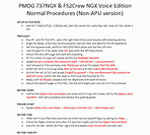
After some input and ideas from a fellow FS2Crew pilot here is a non-APU version of my flow and checklist to even closer mimic real world OPs the way many big airlines operate in real life every day at big airports around the world where the use of APU is limited to only a short period of time a couple of minutes before engine start. I also (don't I always ;-)) did some other changes and what I think improvements since my last version so give it a try and see what you think! About fitting the list on 2 A4 pages when printing it from WordPad please set all your margins to 25 mm in WordPad and uncheck the option to print the page numbers. This time I will not ask the AVSIM Library Managers to replace my old version with this one since some of you might still want the version where the APU is used depending on what kind of flights you do and to what kind of airports. Instead this will be uploaded as a new and separate version.
A flow/checklist for flying PMDG's 737NGX with FS2Crew Voice Edition. Did this mainly for my own use meaning the flow/checklist is adjusted for how I do my flying and with the addons I use like Aerosoft AES for example. Please also be aware this is not the kind of flow/checklist that includes all things you need to perform during a normal flight but instead you are expected to already have a general knowledge of both the NGX and FS2Crew. However I thought others might be helped by this too both newbies to get you going with the "flow" using FS2Crew but also for the more experienced users as a simple to print out and use memory note. It's also easy for you to change whatever you like to suit your own needs better since I created it in common rtf format using the standard Wordpad Windows application. I deliberately made it as compressed as possible leaving out stuff like all the answers to the checklists etc so it would fit on a single A4 sheet being easy to print and maybe also laminate if you like. Hope you'll enjoy it!
| Filename: | 737NG_Normal_Procedures_NonAPU_version.zip |
| License: | Freeware |
| Added: | 22nd June 2012, 03:34:37 |
| Downloads: | 1,085 |
| Author: | Richard Asberg (with input from Peter Wolf) |
| Size: | 6.36 KB |
| Category: Prepar3D V1-4 - Utilities | |
| Flightplan Visualizer 1.8 |
|
Images related to this file:
File Description:
Flightplan Visualizer (FV) version 1.8.0. Copyright 2018 by Pelle F. S. Liljendal ([email protected]), all rights reserved.
FV comes with 300 Commercial-, and +380 BizJet AI pre-imported flightplans which the creators of those flightplans have gracefully allowed me to include with the installer, however you are able to import additional (AI) flightplans if you want to. Once imported these (AI) flightplans can be visualized on a map-view, and the user will be able to search accross all these. Hence you can use the program as inspiration as to which routes to fly. E.g. you can search across all imported flightplans to find all flights in an A321 flying into/out from LDDU, or simply to look for all flights in a Boeing 747-8F.
Simply run the included installer to install the software. The program will be installed into "C:\Program Files (x86)\Flightplan Visualizer" and all datafiles will be installed into: "C:\Users\[UserName]\AppData\Roaming\FlightplanVisualizer". The program comes with a full manual explaining everything, and a 2 page quick manual to get you started. The first 3 times you run the program the quick manual will automatically open. Lacking a “proper forum†I have - for now - setup a Facebook group for support. This group is called “Flightplan Visualizerâ€, and you can seek membership via this link: https://www.facebook.com/groups/FlightplanVisualizer/
If you are installing this version on top of a version prior to 1.7 the program will start slower than ususal and display a lot of warnings. This is because it fileformat of the pre-imported flightplans was changed between version 1.6 and 1.7, so starting version 1.8 it will update all flightplans (and in the progress it will display all those warnings). The next time you start FV you will no longer see this warnings as all flightplans will have become updated.
Pelle
| Filename: | Flightplan_Visualizer_18.zip |
| License: | Freeware, limited distribution |
| Added: | 16th December 2018, 01:30:27 |
| Downloads: | 330 |
| Author: | Pelle Liljendal |
| Size: | 24.48 MB |
| Category: Prepar3D V1-4 - Utilities | |
| Flightplan Visualizer 1.7 |
|
File Description:
Flightplan Visualizer (FV) version 1.7.1. Copyright 2018 by Pelle F. S. Liljendal ([email protected]), all rights reserved.
FV comes with 300 Commercial-, and +380 BizJet AI pre-imported flightplans which the creators of those flightplans have gracefully allowed me to include with the installer, however you are able to import additional (AI) flightplans if you want to. Once imported these (AI) flightplans can be visualized on a map-view, and the user will be able to search accross all these. Hence you can use the program as inspiration as to which routes to fly. E.g. you can search across all imported flightplans to find all flights in an A321 flying into/out from LDDU, or simply to look for all flights in a Boeing 747-8F.
Simply run the included installer to install the software. The program will be installed into "C:\Program Files (x86)\Flightplan Visualizer" and all datafiles will be installed into: "C:\Users\[UserName]\AppData\Roaming\FlightplanVisualizer". The program comes with a full manual explaining everything, and a 2 page quick manual to get you started. The first 3 times you run the program the quick manual will automatically open. Lacking a “proper forum†I have - for now - setup a Facebook group for support. This group is called “Flightplan Visualizerâ€, and you can seek membership via this link: https://www.facebook.com/groups/FlightplanVisualizer/
If you are installing this version on top of a version prior to 1.7 the program will start slower than ususal and display a lot of warnings. This is because it fileformat of the pre-imported flightplans was changed between version 1.6 and 1.7, so starting version 1.7 it will update all flightplans (and in the progress it will display all those warnings). The next time you start FV you will no longer see this warnings as all flightplans will have become updated.
Pelle
| Filename: | Flightplan_Visualizer_17.zip |
| License: | Freeware, limited distribution |
| Added: | 27th November 2018, 17:23:12 |
| Downloads: | 463 |
| Author: | Pelle Liljendal |
| Size: | 23.28 MB |
| Category: Online ATC - Software | |
| Network Launcher Client |
|
Images related to this file:
File Description:

Ready to take your flight simulation hobby to the next level of realism and entertainment? Try flying online alongside your fellow flight simmers in this friendly online community! The POSCON Launcher enables users to download, install, launch, and auto-update all other software required to connect to the Positive Control Network. The Launcher auto-updates itself when a new version is released, so after the initial download from AVSIM, you will not need to download it again from here. /// WHAT IS POSCON? /// The Positive Control (POSCON) Network is a massively multiplayer online network that connects users of various flight simulator platforms (FSX, P3D, MSFS, and X-Plane) together with virtual air traffic controllers in an interactive, immersive, and realistic environment. Our team of highly skilled aviation professionals have developed a common error-based training system so that everyone, regardless of skill and knowledge level, can engage cooperatively together on the network. Consistency is ensured by gamification through a web-based point system solution where users compete for status. POSCON was designed to cater to both newbies and experienced flight simmers. This is a judgement free community, come try us out! /// NETWORK FEATURES /// - 15 Hz refresh rate multiplayer server - fast enough for precision formation flying - Voice over IP (VoIP) technology that allows users to realistically simulate Very High Frequency (VHF) radio communications - Custom model matching will draw other pilots' aircraft in your sim - ATC software that simulates the FAA En Route Automation Modernization (ERAM) radar system - Realistic ICAO flight plan (FPL) filing system that allow you file flight plans up to 5 days in advance of your flight - A live map that allows you to track your flight and other online activity (updates every second) - Statistics tracking - Passenger and cargo role-play system to give your flights purpose (Trips System) - Realistic Controller Pilot Data Link Communications (CPDLC) system - Weekly online events
| Filename: | Network_Launcher_Client.zip |
| License: | Freeware |
| Added: | 12th February 2022, 02:06:13 |
| Downloads: | 60 |
| Author: | POSCON |
| Size: | 76 MB |
| Category: Flight Simulator 2004 - Utilities | |
| FlightSim Manager 2.7.2 |
|
File Description:
Compatible with both FS2002 and FS2004
FlightSim Manager is a great tool for managing add-ons to Microsoft Flight Simulator. Using easy to Wizard - FSM can install various addins from distribution ZIP files that you may have downloaded, with easy uninstaller. FSM has lots of feature to offer, from an easy to use Aircraft editor to add/edit aircraft variants, to an comprehensive Hangar management that allows you to manage and configure your add-ons off your live FS installation. You can create Virtual Fleets, and enable/disable the complete fleet with ease. For serious pilots, there is also a complete Logbook.
If you have access to networked PCs, you can use FSM Lan View feature to create virtual cockpits with as many different views as you like. FSM also make it very easy to control Flight Simulator with speech commands, with additional support for auto-saving flight, warning system, and your own custom event sounds.
Using a powerful Editor, you can now edit your AI Flight Plans - plans can be saved as sets, which then in turn can be enabled in Flight Simulator. With FSM, you can create Texture Sets ( your own custom texture installer ) - capture screenshots, complete Benchmark with log, launching Flight Simulator with Random Screens, and fly from anywhere in the world using an map view.
Finally with a comprehensive Diagnostic Tools and Repository feature, FSM keeps your FS installation clean. Apart from the usual Missing and unused gauges, FSM can also locate Aircraft problems, Missing and unused effects, and Scenery Problems with a LandClass File relocate feature - say bye-bye to all the memory leaks.
There are still a lot more features that you will need to discover by yourself.
You can find the latest version from: http://www.ranainside.com/
| Filename: | FlightSim_Manager_272.zip |
| License: | Freeware |
| Added: | 18th December 2004, 21:56:49 |
| Downloads: | 20,538 |
| Author: | Rana Hossain |
| Size: | 5.45 MB |
| Category: Flight Simulator 2004 - Utilities | |
| FlightSim Manager 2.8.5 |
|
File Description:
Compatible with both FS2002 and FS2004. FlightSim Manager is a great tool for managing add-ons to Microsoft Flight
Simulator. Using easy to Wizard - FSM can install various addins from
distribution ZIP files that you may have downloaded, with easy uninstaller. FSM
has lots of feature to offer, from an easy to use Aircraft editor to add/edit
aircraft variants, to an comprehensive Hangar management that allows you to
manage and configure your add-ons off your live FS installation. You can create
Virtual Fleets, and enable/disable the complete fleet with ease. For serious
pilots, there is also a complete Logbook. If you have access to networked PCs, you can use FSM Lan View feature to create
virtual cockpits with as many different views as you like. FSM also make it very
easy to control Flight Simulator with speech commands, with additional support
for auto-saving flight, warning system, and your own custom event sounds. Also
FSM introduces a new ViewMode that replaces the existing boring tower view into
exciting camera view. Using a powerful Editor, you can now edit your AI Flight Plans - plans can be
saved as sets, which then in turn can be enabled in Flight Simulator. With FSM,
you can create Texture Sets ( your own custom texture installer ) - capture
screenshots, complete Benchmark with log, launching Flight Simulator with Random
Screens, and fly from anywhere in the world using an map view.
Finally with a comprehensive Diagnostic Tools and Repository feature, FSM keeps
your FS installation clean. Apart from the usual Missing and unused gauges, FSM
can also locate Aircraft problems, Missing and unused effects, and Scenery
Problems with an unique LandClass File relocate feature - say bye-bye to all
those memory leaks. There are still a lot more features that you will need to discover by yourself. You can find the latest version from: http://www.ranainside.com/
| Filename: | FlightSim_Manager_285.zip |
| License: | Freeware |
| Added: | 20th November 2005, 03:15:59 |
| Downloads: | 48,580 |
| Author: | Rana Hossain |
| Size: | 5.48 MB |
| Category: Flight Simulator 2004 - Utilities | |
| FlightSim Manager 2.5.1 |
|
File Description:
Compatible with both FS2002 and FS2004
FlightSim Manager is a great tool for managing add-ons to Microsoft Flight Simulator. Using easy to Wizard - FSM can install aircraft, panels, textures and scenery directly from distribution ZIP files you may have downloaded, with proper uninstallation of add-ons. From an easy to use Aircraft editor to add or remove aircraft variants, to an comprehensive Hangar management allows you to manage and configure your add-ons off your live FS installation.
You can now create Virtual Fleets, and enable/disable the complete fleet with ease. For serious pilots, FSM also offers a complete Logbook.
Using FSM, you can create Texture Sets - i.e.. different Tree Sets, and you can install any set with a single click, capture screenshots from Flight Simulator, Benchmark with log, launch it with Random Splash Screens, and fly from anywhere in the world using an map view.
You can also control Flight Simulator with speech commands using FSM. It also supports auto-saving flight, warning sytem, and custom event sounds.
Finally with a comprehensive Diagnostic Tools and Repository feature, FSM keeps your FS installation clean. Apart from the usual Missing and unused gauges, FSM can also locate Aircraft problems, Missing and unused effects, Scenery Problems with a LandClass File relocate feature - say bye-bye to all the memory leaks.
To provide you - the user with the best Freeware FS-Addon, I need your help... if you have any suggestions, recommendations or problem using this software, please contact me through our Forum at:
http://softwares.ranainside.com/forum/
You can find the latest version from -
http://www.ranainside.com/
| Filename: | FlightSim_Manager_251.zip |
| License: | Freeware |
| Added: | 27th August 2004, 17:26:52 |
| Downloads: | 4,307 |
| Author: | Rana Hossain |
| Size: | 4.3 MB |
| Category: Flight Simulator 2004 - Scenery | |
| Glacier Bay - Alaska/Canada, Version 2, Part 1 of 2 |
|
Images related to this file:
File Description:

Glacier Bay v2 is a complete replacement of the default FS2004 landscape and scenery of more than 90,000 square kilometers (36,000 sq miles) of Southeast Alaska and adjacent areas of Yukon and British Columbia. File 1 of 2 (also requires glbayv2b.zip)
Landscape enhancements include high-resolution terrain mesh, detailed shorelines, rivers, lakes, and glaciers, and accurate land cover data with custom seasonal ground textures. Inland water bodies can be made to "freeze over" via an on/off switch. Other landmarks include the settlements of Juneau, Haines, Skagway, Yakutat, Atlin, and Carcross as well as road and railroad networks, cabins, lodges, and lighthouses. We modeled or enhanced 16 main airfields (plus one fictitious airstrip), 20 unlisted airstrips, 16 seaplane bases, and seven heliports. We've also included AI ship traffic in various locations as well as optional flightplans for GA and floatplane AI traffic.
Glacier Bay v2 is fully compatible with other third-party add-ons, including terrain mesh (FSGlobal, FS Genesis, etc.), ground textures (Ground Environment, BEV, FScene, etc.), and landscape enhancements (Ultimate Terrain Canada/Alaska, Misty Fjords, Tongass Fjords, Freight Dogs). A configurator panel (requires .Net Framework!) allows users to set compatibility options and to choose levels of scenery detail. We provide an autoinstaller and detailed documentation with a sectional map of the coverage area and a list of weblinks to real-world information.
For feedback and questions, please visit the Glacier Bay v2 support forum at http://forums.fsaddon.eu/viewforum.php?f=10. This project is a collaboration of nine FS developers from Germany, Austria, USA, and Canada, logging more than 1000 hours of work over the past 14 months. We acknowledge the kind support of FSAddon.com. However, this project is independent of any commercial company or product. Enjoy!
| Filename: | Glacier_Bay__AlaskaCanada_Version_2_Part_1_of_2.zip |
| License: | Freeware, limited distribution |
| Added: | 28th May 2010, 19:34:54 |
| Downloads: | 41,284 |
| Author: | Holger Sandmann, Rainer Duda, Michael Eder, Scot Fraser, Manfred Herz, Jay Langham, Jon Patch, Larry Silsbee, and Jim Vile |
| Size: | 56.46 MB |
| Category: Flight Simulator 2004 - Scenery | |
| Glacier Bay - Alaska/Canada, Version 2, Part 2 of 2 |
|
Images related to this file:
File Description:

Glacier Bay v2 is a complete replacement of the default FS2004 landscape and scenery of more than 90,000 square kilometers (36,000 sq miles) of Southeast Alaska and adjacent areas of Yukon and British Columbia. File 2 of 2 (also requires glbayv2a.zip)
Landscape enhancements include high-resolution terrain mesh, detailed shorelines, rivers, lakes, and glaciers, and accurate land cover data with custom seasonal ground textures. Inland water bodies can be made to "freeze over" via an on/off switch. Other landmarks include the settlements of Juneau, Haines, Skagway, Yakutat, Atlin, and Carcross as well as road and railroad networks, cabins, lodges, and lighthouses. We modeled or enhanced 16 main airfields (plus one fictitious airstrip), 20 unlisted airstrips, 16 seaplane bases, and seven heliports. We've also included AI ship traffic in various locations as well as optional flightplans for GA and floatplane AI traffic.
Glacier Bay v2 is fully compatible with other third-party add-ons, including terrain mesh (FSGlobal, FS Genesis, etc.), ground textures (Ground Environment, BEV, FScene, etc.), and landscape enhancements (Ultimate Terrain Canada/Alaska, Misty Fjords, Tongass Fjords, Freight Dogs). A configurator panel (requires .Net Framework!) allows users to set compatibility options and to choose levels of scenery detail. We provide an autoinstaller and detailed documentation with a sectional map of the coverage area and a list of weblinks to real-world information.
For feedback and questions, please visit the Glacier Bay v2 support forum at http://forums.fsaddon.eu/viewforum.php?f=10. This project is a collaboration of nine FS developers from Germany, Austria, USA, and Canada, logging more than 1000 hours of work over the past 14 months. We acknowledge the kind support of FSAddon.com. However, this project is independent of any commercial company or product. Enjoy!
| Filename: | Glacier_Bay__AlaskaCanada_Version_2_Part_2_of_2.zip |
| License: | Freeware, limited distribution |
| Added: | 28th May 2010, 19:36:31 |
| Downloads: | 40,558 |
| Author: | Holger Sandmann, Rainer Duda, Michael Eder, Scot Fraser, Manfred Herz, Jay Langham, Jon Patch, Larry Silsbee, and Jim Vile |
| Size: | 85.99 MB |
| Category: Flight Simulator X - Flight Plans | |
| Chas mod of Stearmandriver RNP RNAV Approach into PAJN Rwy 26 for 737NGX |
|
Images related to this file:
File Description:
Modded StearmanDriver(SD) RNP RNAV Rwy 26 into PAJN, Juneau, Alaska. SD gave us a cool little route that while not LATLONG nor Fixname accurate, it couldn't be without legal and occupational liabilities...and it worked, but if you look at his FixNames and the LATLONG from the PAJN.txt file for the 737 NGX...it did work pretty nicely...at least as nicely as the charted RNAV course into Rwy 8. So I created my own procedure LATLONG rightly or wrongly in a multi-step procedure as follows:
1. I took the raw info provided by SD and flew to each of his waypoints,(if you look, almost all of his FIXs were rounded off...to avoid company or legal problems) noting safe altitude, starting out at 7000ft, creating user waypoints in my GTN750, looking around for first, vertical, then horizontal safety...keeping in mind that Ultimately...I would not be using this data for my Duke, but for the Procedure page of my PMDG 737 NGX..which you already saw me fly with SD's fixes.
2. I took my Turbine Duke up and noted the REAL LATLONG as reported by slewing and world map...transposed those numbers into the format that PMDG's procedures needed DDD.mm fractional minutes. I converted using http://www.directionsmag.com/site/latlong-converter/
3.I created my own mid-point user waypoints from the west CHRTRN,and the NNE CHRTS so we could have approaches from those directions.
4. I put my Duke into autopilot, knowing the lateral info...my flightplan was correct, but I would have to handle the Vnav manually. Turns out its rather manageable with the following info: CHRTRN 5000FT - MARMN 3500FT - TRDWL 2500FT - SALMN 1500 - LEMNN 500 - PAJN5 50
My MOD OF SDs RNP RNAV PAJNRwy 26, will be up on Avsim as ChasModRNP RNAV PAJN Rwy 26.zip
Contact:[email protected] - Support: http://forum.avsim.net/topic/466094-any-interest-in-updated-se-alaska-rnav-rnp-approach-procedures-including-juneau/
| Filename: | Chas_mod_of_Stearmandriver_RNP_RNAV_Approach_into_.zip |
| License: | Freeware |
| Added: | 8th May 2015, 11:35:16 |
| Downloads: | 340 |
| Author: | Chas Reed |
| Size: | 144.78 KB |


© 2001-2026 AVSIM Online
All Rights Reserved
Privacy Policy |