
Where Flight Simulation Enthusiasts Gather from Around the World!
AVSIM Library - Search Results

| Category: Flight Simulator X - Aircraft Repaints, Textures and Modifications | |
| Airbus A318 FD Special Version V2 |

|
Images related to this file:
File Description:
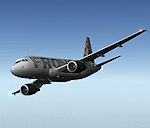
After my initial work on the Project airbus A318 (V1.2) and on the project Airbus A319 (A319 Special Version V2), I present my special version of the Project Airbus A318 Version 2, which includes many improvements and new features.
The instrument panel has been adapted of the Stefan Liebe work, on which I have added many changes. I created a vertical navigation gauge (VNAV gauge) which manages automatically the climb of the aircraft like a FMC (it can be work in several stage), with pre-programmed data according the weight of the aircraft and the altitude. The autopilot is constant MACH, with a transition altitude of 25000ft, thus avoiding the risk of overspeed. The ND will display information page in real time on the flight plan, an information page on the destination airport and display the radar map of the terrain, with AI traffic in real time.
All instruments are active in the VC and 2D panel. The instruments were completed by a multitude of small details. I have improved the autolanding function, with a soft landing (rounded). There is a complete operating manual in PDF format, in English and in French. Of course, TOGA mode and Autobrake mode works. Only compatible with FSX SP2 or Acceleration. See the readme file and the user manual for information and copyright. This version is also a big upgrade on the A318 special version 1.0 and 1.2. This is not an update, but a new aircraft. Francois Dore.
| Filename: | Airbus_A318_FD_Special_Version_V2.zip |
| License: | Freeware, limited distribution |
| Added: | 6th April 2012, 19:59:27 |
| Downloads: | 11,992 |
| Author: | Francois Dore, Project Airbus, Stefan Liebe |
| Size: | 134.71 MB |
| Category: Miscellaneous Files - Demos from Commercial Vendors | |
| Virtual Sailor 6.5 |
|
File Description:
Virtual Sailor simulates the whole sailing experience, it's main features are:
Accurate wave dynamics above sea and below.
Accurate sailboat and motorboat dynamics.
Accurate and dynamic sailing sounds.
Fully adjustable weather and sea conditions by day and night.
Photorealistic land and sea based on real topographic data.
Diverse and adjustable marine life.
Global land and sea area allows global navigation and sailing.
Simulates saileboat racing including wind shadow effects.
Multiplayer online sailing and racing over the net.
Uses the latest DirectX8 technology in 3D graphics, sound and multiplay.
Advanced and simple to use virtual environment.
Fully interactive 3D instrument panel for boats.
Advanced and simple to use program.
Built to expand, allowing third party sceneries and boats.
Full documentation for making all files of scenery and boats.
New features in version 6.5
Deep ocean waves model added, based upon measured sea spectrum.
Sea graphics is more advanced and containes more options.
Fully functional GPS based upon an actual instrument.
Fully functional RADAR screen based upon a simple radar.
Fully functional EchoSounder which detects land, animals and objects.
New contour map added, shows depth contours and navigation aids in scenery.
Submarines have better dive model and also a true flight model.
Autopilot improved for better handling of sailboats and navigation.
Support for hydrofoil boats added.
Support for smoke sources on boats added.
Support for multiple types of navigation aids in scenery added.
Improved user inteface with more panels and options.
Improved panel activation, and boat changing during play.
Improved joystick input supports additional joystick types.
| Filename: | Virtual_Sailor_65.zip |
| License: | Commercial demo |
| Added: | 23rd May 2003, 10:34:37 |
| Downloads: | 1,095 |
| Author: | Ilan Papini |
| Size: | 5.82 MB |
| Category: Flight Simulator 2004 - Miscellaneous Files | |
| GoTo any Airport Version 4 |
|
File Description:
Go To Any Airport.- Now 4 Airports Included.
Always wanted to return to your favourite local Airport from anywhere in the world? simply - with no fuss? Look no Further.
Start at your Designated Airport, [in this case London Gatwick,Innsbruck,Dublin or Edinburgh in a 737], then Goto any Airport! - via the FS9 World menu and return to the Original Designated Airport - every time! - By Just turning the GPS/nav switch to GPS and Flight Director and autothrottle on whilst still on the ground.Click on the Autopilot and Nav Hold switch once above 1000ft - thats it !! . Set Weather as required and dont forget Altitude and Speed in autopilot and away you go. Use the FS9 ATC as You Travel, call into designated Airport when close and receive the curent ATIS and Runway approach in use.
HAVE FUN.
(This is different to the great circle direct routes that you can programme into the very good FS9 GPS - each and every time you start from a new airport).
As A bonus you can also use the designated flight files provided to take of and circle your Airport,using autopilot again with GPS/nav switch on gps setting and nav hold switch on. This is a good way to observe the airfield and your aircraft especially from tower view - set tower position using map window and pointing and dragging tower icon also set the tower altitude.Some Example flights worded "AJT Circuit of......." are also enclosed.- these particular flights can make good moving screen savers!
| Filename: | GoTo_any_Airport_Version_4.zip |
| License: | Freeware |
| Added: | 7th March 2004, 18:21:48 |
| Downloads: | 1,001 |
| Author: | Alan Trussell |
| Size: | 54.91 KB |
| Category: Flight Simulator 2004 - Utilities | |
| FlightSim Manager 2.4.0 |
|
File Description:
Compatible with both FS2002 and FS2004
Please ensure you are downloading the very latest version by doing a search on my name first.
FlightSim Manager is a great tool for managing add-ons to Microsoft Flight Simulator. Using easy to Wizard - FSM can install aircraft, panels, textures and scenery directly from distribution ZIP files you may have downloaded, with proper uninstallation of add-ons. From an easy to use Aircraft editor to add or remove aircraft variants, to an comprehensive Hangar management allows you to manage and configure your add-ons off your live FS installation.
Using FSM, you can create Texture Sets - i.e.. different Tree Sets, and you can install the texture with a single click, capture screenshots from Flight Simulator, and launch it with random Splash Screens, and fly from anywhere in the world using an map view.
You can also control Flight Simulator with speech commands using FSM. Other features include Benchmark Flight Simulator, Repository support and set of diagnostics tools.
Version 2.4 also enhaces the Pilot-mode, with auto-saving flight, warning sytem, and voice recognition.
Installation -
Please use the setup.exe file. If you wish to uninstall the software, you can do so from Control Panel - Uninstall software.
You can find the latest version from -
http://www.ranainside.com/
To request any new feature, or to submit bugs, please visit our forum at
http://softwares.ranainside.com/
| Filename: | FlightSim_Manager_240.zip |
| License: | Freeware |
| Added: | 4th August 2004, 20:55:28 |
| Downloads: | 2,978 |
| Author: | Rana Hossain |
| Size: | 3.77 MB |
| Category: Flight Simulator 2004 - Utilities | |
| FlightSim Manager 2.4.0 |
|
File Description:
FlightSim Manager 2.4.0
Compatible with both FS2002 and FS2004
FlightSim Manager is a great tool for managing add-ons to Microsoft Flight Simulator. Using easy to Wizard - FSM can install aircraft, panels, textures and scenery directly from distribution ZIP files you may have downloaded, with proper uninstallation of add-ons. From an easy to use Aircraft editor to add or remove aircraft variants, to an comprehensive Hangar management allows you to manage and configure your add-ons off your live FS installation.
Using FSM, you can create Texture Sets - i.e.. different Tree Sets, and you can install the texture with a single click, capture screenshots from Flight Simulator, and launch it with random Splash Screens, and fly from anywhere in the world using an map view.
You can also control Flight Simulator with speech commands using FSM. Other features include Benchmark Flight Simulator, Repository support and set of diagnostics tools.
Version 2.4 also enhaces the Pilot-mode, with auto-saving flight, warning sytem, and voice recognition.
Installation -
Please use the setup.exe file. If you wish to uninstall the software, you can do so from Control Panel - Uninstall software.
You can find the latest version from -
http://www.ranainside.com/
To request any new feature, or to submit bugs, please visit our forum at
http://softwares.ranainside.com/
Programmer
Rana Hossain
[email protected]
| Filename: | FlightSim_Manager_240.zip |
| License: | Freeware |
| Added: | 4th August 2004, 20:49:50 |
| Downloads: | 11,172 |
| Author: | Rana Hossain |
| Size: | 3.77 MB |
| Category: Flight Simulator 2004 - Scenery | |
| Lake Hood LHD and Z41 in Anchorage Alaska UPDATED |
|
Images related to this file:
File Description:
This is an updated version that is complete in itself and which greatly upgrades Lake Hood Airstrip Z41 and also makes minor modifications to LHD. Lake Hood is right next door and to the north of Ted Stevens Anchorage International Airport, and there is a second airfield on the north side of the lake called Lake Hood Airstrip. The airstrip is coded Z41, the International is PANC, and Lake Hood itself is LHD. You will need Ultimate Terrain Alaska Canada for this to work, and you should also download and install Anchorage International (verson 4?) by William Morgan of FRFStudio. LHD/Z41 includes a fair proportion of the 780 float planes that are based there and which make Lake Hood the largest and busiest float plane base in the world, averaging 190 flights per day during the year and a lot more than that per day during the summer months. There is fuel at two places on the lake, and a lot of maintenance help available. The documentation showing the VFR routes to Lake Hood is also included in the Lake Hood VFR procedures folder, and basically, if you listen to the ATC chatter, planes either route via the Ball Park or the Gravel Pit, which gets abbreviated to something like "You want the park or the gravel?" which wouldn't mean a whole lot to an unrehearsed stranger. Unfortunately FS doesn't reach that level of sophistication, but you can still take the right route. There is a google marked map showing the locations of the checkpoints.
| Filename: | Lake_Hood_LHD_and_Z41_in_Anchorage_Alaska_UPDATED.zip |
| License: | Freeware, limited distribution |
| Added: | 18th July 2010, 08:16:48 |
| Downloads: | 984 |
| Author: | Roger Wensley |
| Size: | 9.25 MB |
| Category: Flight Simulator 2004 - Aircraft Repaints, Textures and Modifications | |
| Hellenic Air Force, Lockheed F-104 Starfighter |
|
Images related to this file:
File Description:
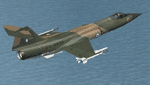
Hellenic Air Force F-104 textures for the ALPHASIM F-104 payware model. The F-104 has gained many 'nick-names' through-out its long career in many air forces around the world. Some of these include 'Widow Maker', 'Manned Missile', and 'Flying Coffin'!
The Hellenic Air Force had a very good track record with this aircraft. Greece originally received 45 F-104Gs and 6 TF-104Gs under the US MAP (Military Assistance Program) in 1964. In 1972 used planes started to be bought with nine more F-104Gs and one TF-104G aircraft acquired from Spain, ten more F-104Gs from the Netherlands in 1982. The largest purchase came when a further thirty eight F-104Gs, twenty two RF-104Gs and twenty TF-104Gs were bought from West Germany. The West German planes were acquired mainly between 1981 and 1988. With one hundred second hand planes, some were mothballed and used as spare parts. Originally flown with just the natural metal finish they eventually were given a camouflage 3 color paint scheme on top of olive drab / dark green / sand, the bottom was a light grey.These planes were flown by two Greek squadrons, the first being 335 Mira from the 114 Pterix (Wing) based at Tanagra AB. The second was 336 Mira, also based at Tanagra AB at the time. December 21st 1966 saw 336 Mira move to a new base at 116 Pterix at Araxos AB.
The F-104 went on in the Hellenic Air Force service until 1993 when 336 "Olympus" Mira Diokseos Bombardismou (Fighter-Bomber Squadron) was deactivated March 31.
| Filename: | Hellenic_Air_Force_Lockheed_F104_Starfighter.zip |
| License: | Freeware |
| Added: | 4th May 2010, 09:49:57 |
| Downloads: | 625 |
| Author: | Leonidas Theofilopoulos |
| Size: | 3.55 MB |
| Category: Flight Simulator X - Aircraft Repaints, Textures and Modifications | |
| Boeing B-52H CONECT |
|
File Description:
In July 2013, the Air Force began a fleet-wide technological upgrade of its B-52 bombers called Combat Network Communications Technology (CONECT) to modernize electronics, communications technology, computing, instrumentation, and avionics on the flight deck. CONECT upgrades include software and hardware such as new servers, modems, radios, data-links, receivers, digital flight deck and workstations for the crew. Making the B-52 compatible with 21st century flight and combat roles.
Items reworked for FSX/P3D:
1. True FSX Native modeling, converted to FSX using ARNO'€™s MDLX program.
2. All new paints.
3. New blank bump mapping
4. All paints are in DDS format.
5. Multiple Liveries.
6. New air configuration file.
7. New HD VC textures.
8. FSX Air File installed.
9. Camera views added.
10. Transparency issue with VC model addressed.
11. All new digital cockpit created.
12. FSX coded gauges and sub panels.
13. Default and custom GPS.
14. Working Traffic Radar.
There are multiple popup windows that can be activated with-in the VC, they include the following. A full sized Horizontal Situational Indicator. A full sized Attitude Indicator. A full sized custom GPS. A full sized Radar Screen. Icon controlled Radio popup. Icon controlled over head electrical engine start panel. Icon controlled Throttle Panel. Icon controlled default GPS, Icon controlled Map, Icon controlled ATC, Mouseable Autopilot, Mouseable Flaps, Mouseable Landing Gears, Mouseable Warning lamps.
Video available here: https://www.youtube.com/watch?v=M2ii2uxSbNA
Based on the Alphasim freeware B-52 model.
| Filename: | Boeing_B52H_CONECT.zip |
| License: | Freeware |
| Added: | 3rd January 2016, 12:54:03 |
| Downloads: | 420 |
| Author: | David Robles |
| Size: | 36.28 MB |
| Category: Flight Simulator 2004 - Utilities | |
| FlightSim Manager 2.7.0 |
|
File Description:
FlightSim Manager 2.7.0
Compatible with both FS2002 and FS2004. FlightSim Manager is a great tool for managing add-ons to Microsoft Flight Simulator. Using easy to Wizard - FSM can install various addins from distribution ZIP files you may have downloaded, with uninstallation when applicable. From an easy to use Aircraft editor to add/edit aircraft variants, to an comprehensive Hangar management that allows you to manage and configure your add-ons off your live FS installation
You can now create Virtual Fleets, and enable/disable the complete fleet with ease. For serious pilots, FSM also offers a complete Logbook.
Lan View feature allows you to create virtual cockpits with multiple monitor support, using networked PCs.
You can also control Flight Simulator with speech commands using FSM. It also supports auto-saving flight, warning sytem, and custom event sounds.
Using a powerful Editor, you can now edit your AI Flight Plans - plans can be saved as sets, which then in turn can be enabled in Flight Simulator.
With FSM, you can create Texture Sets - i.e.. different Tree Sets, and you can install any set with a single click, capture screenshots from Flight Simulator, Benchmark with log, launch it with Random Splash Screens, and fly from anywhere in the world using an map view.
Finally with a comprehensive Diagnostic Tools and Repository feature, FSM keeps your FS installation clean. Apart from the usual Missing and unused gauges, FSM can also locate Aircraft problems, Missing and unused effects, Scenery Problems with a LandClass File relocate feature - say bye-bye to all the memory leaks.
You can find the latest version from: http://www.ranainside.com/
| Filename: | FlightSim_Manager_270.zip |
| License: | End User License Agreement |
| Added: | 10th December 2004, 14:05:30 |
| Downloads: | 7,056 |
| Author: | Rana Hossain |
| Size: | 5.41 MB |
| Category: Microsoft Flight Simulator (2020) - Utilities | |
| Flightplan Visualizer 1.19 |
|
Images related to this file:
File Description:
Flightplan Visualizer (FV) version 1.19.0. Copyright 2018-2021 by Pelle F. S. Liljendal ([email protected]), all rights reserved.
FV comes with 1164 pre-imported AI flightplans (of which +380 are BizJet flightplans, the rest are commercial). However you are able to import additional (AI) flightplans yourself. Once imported these (AI) flightplans can be visualized on a map-view, and the user will be able to search accross all these. Hence you can use the program as inspiration as to which routes to fly. E.g. you can search across all imported flightplans to find all flights in an A321 flying into/out from LDDU, or simply to look for all flights in a Boeing 747-8F.
Simply run the included installer to install the software. The program will be installed into "C:\Program Files (x86)\Flightplan Visualizer" and all datafiles will be installed into: "C:\Users\[UserName]\AppData\Roaming\FlightplanVisualizer". The program comes with a full manual explaining everything, and a 3 page quick manual to get you started. The first 3 times you run the program the quick manual will automatically open. The forum is hosted here: https://forum.aerosoft.com/index.php?/forum/919-flightplan-visualizer/
Version 1.19 Contains the following changes:
- The release-version of the application is now aimed at 64-bit (granting access to more memory if needed). Enabling 64-bit adds a memory overhead of approx 50% compared to 32-bit, but its the "price to pay" to have access to more memory (for those of you with many active flightplans loaded into memory at the same time).
- FV can now connect to your simulator using FSUIPC (tested both with P3D and MSFS). By default you will have to manually connect/disconnect (using new menu-items in the File-menu). However in settings you can choose to do it automatic. When automatic-connection is selected the connect/disconnect menu-items becomes inactive.
- When connected to a sim, the location/heading of your aircraft can be displayed on the map, using an orange aircraft-marker, and hoovering the mouse over this marker will display some key data (GPS-location, altitude, heading, speed and so on).
- Added abillity to playback audio-files. In settings you can choose which audio-device to use, and set the volume at which these files are played (defaults to 50%). If volume>0 these files will automatically be played back whenever FV connects to/disconnects from the Sim.
- Added additional icons that are automatically selected to indicate when the program is connected to the simulator. Hence the icon in the main-form will indicate if FV is connected to a simulator or not.
- In the form for editing (user)-airlines and in the form for searching airlines the context menu now have a menu-item called "Show usage". When selected, it will generate a report showing all the (active) flightplans in which the airline is used.
- Added a new "Manual" check-box next to the load-factor when editing user-airlines. This check-box needs to be checked if you want to manually enter a load-factor. When not checked (default) the load-factor will automatically be set to the default value of the selected country.
- When editing user-airlines, the airline just added/edited will be visible and selected in the list-view. Likewise when deleting an airline, the previous item will be be visible/selected (in stead of always scrolling to the top afterwards, as in previous versions).
- The Insert/Delete keyboard-keys can now be used as shortcuts adding/deleting user-airlines and user-aircraft (both owned and types).
- The gate-map context-menu (Airport Info), now allows you to re-center the map (in case your have been panning the map, and can't locate the airport again).
- Added a new menu-item/form to calculate head/cross-wind from manually entered flight/runway-heading and wind-direction/speed. Don't forget the runways tab-page in the Airport-info form already calculates this for each runway (and wind-direction/speed is automatically obtained from METAR).
- Added a new menu-item/form to convert plain-text into morse-code. There is also a button that lets you listen to the generated morse-code, so you can practice your morse-code listening skills (e.g. entering an ILS/VOR-ident, to know which morse-code to listen for in the aircraft, to verify the correct ident is reqeived).
- The "Cruise speed" column have been removed from the aircraft tab-page of the Edit Flightplan form to make more room for the Carrier/Operator-columns. In the past these simply contained the ICAO for the airlines. Now it both contains: ICAO, IATA (if not blank) and Name.
- The criteria in the leg-search window now allows you to filter on departure/arrival week-days (e.g. only include flights departing a particular airport on a Saturday or Sunday).
- When using the flightplan-filter on the main-form, it will favour the current active flightplan (as in previous versions), however if not able to, it will select the first flightplan included in the filtered list (in stead of choosing "[None]").
- Improved import of AIGFP-flightplans where the airport is not contained within the embedded airport.txt file and is using a different ICAO-code in route-files (observed for "AIG_UTair_Summer2018v6" and "AIG_S7Airlines_Winter2019-2020v3").
- Added runway-info (for both Departure/Destination-airports) to the flightplan leg-report. For ILS-eqiupped runways its lists the ID (both as text, as morse-code), frequency and ils-slope.
- Morse-code also added to ILS-ID column on the "Runways" tab-page of the airport-info form. Above the list-view there is also a label showing the morse-code (using a larger font), and next to it there is a button that lets you listen to the morse-code.
- Traffic-pattern direction (for take-off and landing) are now displayed for each runway. These data are extracted from the scenery by MakeRunways, hence the info can't be "better" than the info in the scenery (hence most default airports simly shows 'Left').
- Current/peak- memory usage is now logged at various stages while running, and when closing the program. These values can also be observed opening the about-box, which will also forcefully append these values to the log.
- When using MkRwy with MSFS it can't obtain the country-name, hence these are taken from the airport-database embedded with FV. However the name for USA ("United States of America") is too long to be shown together with state-name, hence code have beed added it to shorten it to "United States" (which was the default country-name used in FSX/P3D).
- Changed font in Comments-box for user-aircraft to a fixed font, in case some users what to enter text "in columns" (e.g. if you make "tables" with speed-restrictions).
- Changed the color of the splitter-bars in the Airport-info and leg-search forms to a draker color, to better indicate where it is.
- The build-part of the version-number can now be ignored when performing the automatic version-check at start-up. This new setting is by default disabled. If enabled it will ignore changes from version 1.x.0 to 1.x.1 (e.g. an update from 1.19.0 to 1.19.1). However major/minor versions-updates (e.g. from 1.19.x to 1.20.x) will not be ignored.
- Fixed: Excessive logging while importing AIGFP flightplans removed (leftover from fixing a bug before the release of version 1.18).
- Fixed: When using kg in the leg-info report, the weight of Luggage incl. pax weight (shown in parentees) was wrong.
- Fixed: Button to open filter-manual on Gate-page of the Airport-info form was not visible/position was not fixed.
- Fixed: The wind-speed obtained from the METAR and used to calc head/tail-wind on the Runway tab-page of the Airport-info form, did not considder the unit (e.g. Khp or meters-per-second).
- Data: A VERY BIG THANK YOU to Bruce Nicholson for assistance updating the Airline-database, both with new/missing entries and marking defunct airlines as such.
- Data: A lot of "fictios airlines" was added as well. These are used for companies without official ICAO/IATA codes. To indicate they are fictios the ICAO-code is set to "---" and the IATA-code is used to indicate the kind of traffic (e.g. the combination "---/BZ" is used for biz-jet flights).
- Data: Also thanks to Bruce for pointing out that a few aircraft were not being detected as they should. So this version should do a better job with Cessna T206H, Cessna Citation SII/S550 and Global 7500.
- Flightplans: The bundled AIG flightplans have been updated to the latests versions/revisions available from AIG (there were a few defunct that was removed, a few new versions that was added, and a lot of new revisions being updated).
- Flightplans: Eric Steinmetz's Bizjet (AI) flightplans that have previously been available as a separate download are once again bundled with the installer (they are only installed if you choose the option during installation). These have all been updated to use the new "---/BZ" airlines (for companies without official ICAO/IATA-codes), and the Author/Provider have been set to "Eric Steinmetz"/"ESAI" (the previous/separate download was created before adding author/provider to the software).
Pelle
| Filename: | Flightplan_Visualizer_119.zip |
| License: | Freeware, limited distribution |
| Added: | 2nd May 2021, 00:02:01 |
| Downloads: | 280 |
| Author: | Pelle Liljendal |
| Size: | 35.71 MB |


© 2001-2026 AVSIM Online
All Rights Reserved
Privacy Policy |