
Where Flight Simulation Enthusiasts Gather from Around the World!
AVSIM Library - Search Results

| Category: Flight Simulator X - Gauges | |
| FLTInfo V2 |

|
Images related to this file:
File Description:
This gauge has been developed for FSX Flight Simulator SP2 or SP1. It should also work with Acceleration, but this is not guaranteed by the author.
The gauge provides flight information for the pilot regarding the destination airport in terms of frequencies, runway conditions, altitude, bearing and distance, and basic information about the flight plan like current travelled miles and a estimated calculation about the Top Of Descent (TOD ) decision point.
This Version 2 includes 3 additional information pages for the runway layouts of the destination and the departure airport, and a page which provides graphical information about the terrain level relative to the aircraft on the selected flight plan.
For more information and installation instructions see the documentation inside the zip file.
| Filename: | FLTInfo_V2.zip |
| License: | Freeware, limited distribution |
| Added: | 12th October 2012, 18:05:11 |
| Downloads: | 1,553 |
| Author: | Dietmar Loleit |
| Size: | 853.38 KB |
| Category: Flight Simulator X - Gauges | |
| A330/A340 Gauge Upgrade v2 |
|
File Description:
This is v2 of the OVERLAND SMS gauges upgrade pack.
It fixes several problems found on the first package and adds a few more features.
NEW FEATURES
1. It adds TERRAIN ON ND function, i.e. you can see the map at the ND (see screenshots). It is not very realistic, compered to the real thing, however it does add more realism and eliminates the use of the GPS for ground reference.
2. It adds a complete ILS CAT II & III autoland function to the aircraft. The original file belongs to Stefan Liebe, being modified by Francois
Dore, and finally being fine tuned for use with SMS A330 and A340 by me. It has been tested many times and this is the closest it can get
to the real thing. Now you can have a completely zero visibility landing performed automatically.
3. It provides new style square monitor 2d panels.
| Filename: | A330A340_Gauge_Upgrade_v2.zip |
| License: | Freeware |
| Added: | 9th June 2012, 06:29:25 |
| Downloads: | 3,146 |
| Author: | Dimitrios Moschos |
| Size: | 6.06 MB |
| Category: Flight Simulator X - Gauges | |
| Baron Digital Engine Panel for FIP |
|
Images related to this file:
File Description:
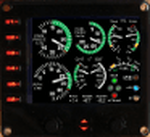
For Saitek Pro Flight Instrument Panel. This folder contains two engine panels, digital type, for Beech Baron. The difference between the two panels is the position of the fuel tank gauge, oil gauges, trims, flaps and gears lights. The package includes a serie of coloured needles that can be changed easily, just replace the default needle by the one of your choice. Default needles are white for left engine parameters and blue for right engine parameters. Left tank needle is green (more visible), right tank needle is blue.
Both Baron_digit_engine.xml provide: Manifold pressure, Fuel flow, Oil temperature, Oil pressure, Propeller RPM, Cylinder Head Temperature, Exhaust Gas Temperature, Fuel level for the left and right tanks, Pitch, Rudder and Aileron trims, Gears down and in transit lights, flaps positions and in transit lights.
| Filename: | Baron_Digital_Engine_Panel_for_FIP.zip |
| License: | Freeware |
| Added: | 31st March 2012, 14:35:58 |
| Downloads: | 505 |
| Author: | Philippe Verhaege |
| Size: | 928.81 KB |
| Category: Flight Simulator X - Gauges | |
| DC3 Engine Panel for FIP v2 |
|
Images related to this file:
File Description:
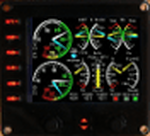
For Saitek Pro Flight Instrument Panel. This folder contains a second version of the engine panel, digital type, for the DC3. After some comments I added a tail wheel warning light which light up in blue when the tail wheel is unlocked. If you already use the DC3 FIP, I recommend to overwrite the previous needles by those coming with this version and which are updated. The package includes a serie of coloured needles that can be changed easily, just replace the default needle by the one of your choice.
DC3_engine_v2.xml provides: Manifold pressure, Exhaust Gas Temperature, Fuel flow, Oil temperature, Oil pressure, Propeller RPM, Fuel quantity for the left, right and center tanks, Flaps position needle, trims for Pitch, Rudder and Aileron, Gears down green light and Gears in transit red light and tail wheel warning light.
.
| Filename: | DC3_Engine_Panel_for_FIP_v2.zip |
| License: | Freeware |
| Added: | 31st March 2012, 16:22:06 |
| Downloads: | 296 |
| Author: | Philippe Verhaege |
| Size: | 836.37 KB |
| Category: Flight Simulator X - Gauges | |
| Beaver Engine Panel for FIP v2 |
|
Images related to this file:
File Description:
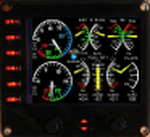
For Saitek Pro Flight Instrument Panel. This is folder contains a second version of the engine panel, digital type, for De Haviland Beaver DHC2. After some comments I added a water rudder warning light which light up in blue when the water rudder is unlocked and in down position. If you already use the Beaver FIP, I recommend to overwrite the previous needles by those coming with this version and which are updated. The package includes a serie of colored needles that can be changed easily, just replace the default needle by the one of your choice. Beaver_engine_v2.xml provides: Manifold pressure, Exhaust Gas Temperature, Fuel flow, Oil temperature, Oil pressure, Propeller RPM, Fuel quantity for center tanks 1, 2 and 3, Flaps position, Pitch, Rudder and Aileron trims, Water rudder warning light.
| Filename: | Beaver_Engine_Panel_for_FIP_v2.zip |
| License: | Freeware |
| Added: | 31st March 2012, 16:22:19 |
| Downloads: | 299 |
| Author: | Philippe Verhaege |
| Size: | 813.78 KB |
| Category: Flight Simulator X - Gauges | |
| FIX For A330/40 Gauge Upgrade |
|
File Description:
Fix for the Overland/SMS A330 and A340 Gauge upgrade uploaded previously.
| Filename: | FIX_For_A33040_Gauge_Upgrade.zip |
| License: | Freeware |
| Added: | 19th April 2012, 21:23:22 |
| Downloads: | 325 |
| Author: | Dimitrios Moschos |
| Size: | 7.32 KB |
| Category: Flight Simulator X - Gauges | |
| Cessna C208 GPU Upgrade |
|
Images related to this file:
File Description:
This gauge add a GPU to the carenado C208, that can be used to charge the battery.
Credit to Doug Dawson for his battery charger dll gauge that made this possible.
| Filename: | Cessna_C208_GPU_Upgrade.zip |
| License: | Freeware |
| Added: | 22nd April 2012, 23:15:34 |
| Downloads: | 709 |
| Author: | J Bellardi, Carenado |
| Size: | 597.97 KB |
| Category: Flight Simulator X - Gauges | |
| Beechcraft King Air C90 GPU Upgrade |
|
Images related to this file:
File Description:
This gauge add a GPU to the carenado C90, that can be used to charge the battery.
Credit to Doug Dawson for his battery charger dll gauge that made this possible.
| Filename: | Beechcraft_King_Air_C90_GPU_Upgrade.zip |
| License: | Freeware |
| Added: | 22nd April 2012, 23:15:42 |
| Downloads: | 921 |
| Author: | J Bellardi, Carenado |
| Size: | 398.46 KB |
| Category: Flight Simulator X - Gauges | |
| Piper P46T GPU Upgrade |
|
Images related to this file:
File Description:
This gauge will add the functionality to have a GPU (battery charger) available for the P46T.
Credit to Doug Dawson for his Battery charger Dll gauge that made this all possible.
| Filename: | Piper_P46T_GPU_Upgrade.zip |
| License: | Freeware |
| Added: | 22nd April 2012, 23:16:39 |
| Downloads: | 355 |
| Author: | J Bellardi, Carenado |
| Size: | 389.81 KB |
| Category: Flight Simulator X - Gauges | |
| FLTInfo |
|
Images related to this file:
File Description:

This gauge has been developed for FSX Flight Simulator SP2 or SP1. It should also work with Acceleration, but this is not guaranteed by the author. The gauge provides flight information for the pilot regarding the destination airport in terms of frequencies, runway conditions, altitude, bearing and distance, and basic information about the flight plan like current traveled miles and a estimated calculation about the Top Of Descent (TOD ) decision point. For more information and installation instructions see the documentation inside the zip file.
| Filename: | FLTInfo.zip |
| License: | Freeware |
| Added: | 9th July 2012, 17:18:07 |
| Downloads: | 1,415 |
| Author: | Dietmar Loleit |
| Size: | 498.91 KB |


© 2001-2026 AVSIM Online
All Rights Reserved
Privacy Policy |