
Where Flight Simulation Enthusiasts Gather from Around the World!
AVSIM Library - Search Results

| Category: Flight Simulator X - Utilities | |
| FS Remote version 1.0 |

|
File Description:
Email: [email protected]
Name: Hans Elzer
Current version 1.0
Version 1.0 contains various little bug fixes plus Fuel management in the Engines dialog
FS-Remote a utility for remotely controlling FSX
The Zip file contains:
* Readme text file
* .NET 2.0 FS-Remote executable
* Configuration file for FS-Remote
* Document file in MSWord format
What you need to run FS-Remote:
* .NET 2.0 or 3.0 installed on the computer where you want to run FS-Remote
* FSUIPC4 (registered) on the computer where you run FSX
* WideClient (FSUIPC4 FSWide remote) if you want to run FS-Remote on a remote computer
It does what the title says FS-Remote controls FSX remotely through FSUIPC.
Just take a look at the (word) document that is contained in the zip file and look at some screen shots.
It can view and control the following items in FSX through FSUIPC:
* Aircraft - Control aircraft switches like Lights, Doors, Pushback, De-Ice and Jetway plus call fuel truck
* Auto Pilot - Control auto pilot switches plus reset altimeter and heading indicator instruments
* Radio - Control radio stack switches and push buttons plus view navigation status information
* Attitude - View attitude information and warnings plus convert and view various items in feet, meter, knots, mph and km/p
* Engines - Control engines auto start and stop plus fuel management
* Weather - not implemented jet (next version)
* Environment - View the local date, time and position environment information
* Date Time - Control and view the flight simulator date and time
* Message - View and send messages to flight simulator message bar
* FPS - View real-time flight simulator frames per second FPS rate
* About - View version information about FS-Remote, FSUIPC4 and FSX
Hope that you like it.
| Filename: | FS_Remote_version_10.zip |
| License: | Freeware |
| Added: | 9th September 2007, 15:26:14 |
| Downloads: | 1,439 |
| Author: | Hans Elzer |
| Size: | 353.2 KB |
| Category: Flight Simulator X - Utilities | |
| FSRemote 2.0 |
|
File Description:
Current version 2.0
Version 2.0 contains a new more graphical interface
Version 1.0 contains various little bug fixes plus Fuel management in the Engines dialog
FS-Remote a utility for remotely controlling FSX
The Zip file contains:
* Readme text file
* .NET 2.0 FS-Remote executable
* Configuration file for FS-Remote
* Document file in MSWord format
What you need to run FS-Remote:
* .NET 2.0 or 3.0 installed on the computer where you want to run FS-Remote
* FSUIPC4 (registered) on the computer where you run FSX
* WideClient (FSUIPC4 FSWide remote) if you want to run FS-Remote on a remote computer
It does what the title says FS-Remote controls FSX remotely through FSUIPC.
Just take a look at the (word) document that is contained in the zip file and look at some screen shots.
It can view and control the following items in FSX through FSUIPC:
* Aircraft - Control aircraft switches like Lights, Doors, Pushback, De-Ice and Jetway plus call fuel truck
* Auto Pilot - Control auto pilot switches plus reset altimeter and heading indicator instruments
* Radio - Control radio stack switches and push buttons plus view navigation status information
* Attitude - View attitude information and warnings plus convert and view various items in feet, meter, knots, mph and km/p
* Engines - Control engines auto start and stop plus fuel management
* Weather - not implemented jet (next version)
* Environment - View the local date, time and position environment information
* Date Time - Control and view the flight simulator date and time
* Message - View and send messages to flight simulator message bar
* FPS - View real-time flight simulator frames per second FPS rate
* About - View version information about FS-Remote, FSUIPC4 and FSX
Hope that you like it.
| Filename: | FSRemote_20.zip |
| License: | Freeware |
| Added: | 9th November 2007, 22:24:52 |
| Downloads: | 1,674 |
| Author: | Hans Elzer |
| Size: | 620.8 KB |
| Category: Flight Simulator X - Aircraft Repaints, Textures and Modifications | |
| Iris F-16D Viper Aerodynamic Performance Modification and Repaint Texture Package |
|
Images related to this file:
File Description:
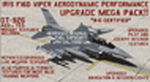
This performance modification and repaint texture package is for the IRIS "Pro Series" F-16D Viper. The performance modifications will upgrade ALL FOURTEEN (14) of your Iris F-16D/CFT models and make them fly like real F-16's! Think of this as an AWESOME tune-up job for your IRIS F-16D's...you'll be amazed at how GREAT your jets fly after this! Go from the runway to 40,000 feet in 90 seconds at Mach 1+, then reach a max Mach of 2.05. Go from 200-600 kts in under 30 sec. Pull 9g (sustained) turns in the CAT-1 jets and 7g turns in the CAT-3 jets. Perform precise aerobatic maneuvers and enjoy smooth "fly by wire"-like control! I also increased the internal fuel capacity to now hold 1,044 gallons (7,000lbs) like the real jet, and adjusted the weight and balance figures for the fuel and weapon loads. But I didn't stop there...I ALSO made a bunch of "visual" upgrades for the Iris F-16D/CFT jets as well! I repainted some of the "COMMON" texture files so now the buttons on the ICP pad look more used/worn, the Annunciator/Warning lights are now easier to read (ie, "MASTER CAUTION"), upgraded the ACESII ejection seat, reduced the amount of "pilot reflection" on the interior canopy glass in the "Virtual Cockpit" for a MUCH clearer view, painted pilot textures for either Desert Tan or OD Green flight suits (you choose!), PLUS repainted/upgraded the "LIVE" weapon textures and ALSO painted textures for "INERT" blue weapons (you choose!). The installation for both the "Aerodynamic Performance Modification" and the cockpit, pilot & weapon texture upgrades are quick and easy, and you'll find the installation instructions in those folders.
| Filename: | Iris_F16D_Viper_Aerodynamic_Performance_Modificati.zip |
| License: | Freeware |
| Added: | 8th February 2024, 04:01:21 |
| Downloads: | 139 |
| Author: | Daniel Gregory |
| Size: | 9.46 MB |
| Category: Flight Simulator X - Scenery | |
| KAFW Fort Worth Alliance Airport - Texas, US |
|
Images related to this file:
File Description:
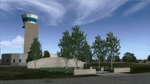
Ft. Worth Alliance Airport opened in 1989 and was billed as the world's first purely industrial airport. It is located around 14 miles North of the central business district of Ft. Worth and is also nearby the Dallas/Ft. Worth International Airport (KDFW). The airport serves general aviation, corporate jet, cargo, and military air traffic on a daily basis and it's proximity to the Texas Motor Speedway (only a few miles) brings extra dense traffic on race weekends. The airport is home to the American Airlines 777 and 767 maintenance base, FedEx Southwest Regional Sort Hub, Bell-Helicopter Training Center, DEA Air Operations Center and DynCorp International. Sadly the American Airlines maintenance base is set to close at the end of 2012 but is being kept alive in FSX!
This scenery features custom 3d buildings and objects bringing you a very accurate rendition of Ft. Worth Alliance Airport. Requires FSX Acceleration for the all scenery objects to display correctly.
Note: These files MUST be installed for the scenery to work correctly (otherwise there will be missing scenery objects at the airport):
-Filename: fsx_lts.zip - Ramp Lighting for FSX by Jim Dhaenens
-Filename: dlfcorelibraries2fsx.zip - Dan French Core Library Vol. 2
-Filename: lightstoo.zip - Jim Dhaenens Airfield Lighting
-Filename: objlib-jgse-fsx.zip - John Stinstrom JGSE Yellow Objects - this newer file replaces the older FS9 libraries with FSX versions
-Filename: objlib-ggse-fsx.zip - John Stinstrom GGSE Green Objects - this file also replaces FS9 libraries with FSX versions
| Filename: | KAFW_Fort_Worth_Alliance_Airport__Texas_US.zip |
| License: | Freeware, limited distribution |
| Added: | 12th December 2012, 16:56:36 |
| Downloads: | 2,939 |
| Author: | Brandon Thetford |
| Size: | 439.24 MB |
| Category: Flight Simulator X - AFCAD Files | |
| FSX North Korea DMZ, UGF and Ballistic Missile Base Addon Scenery Package |
|
Images related to this file:
File Description:
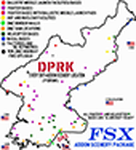
I titled this a "DMZ, UGF and Ballistic Missile Base" scenery package because that's how this whole project started, but then it SNOWBALLED onto 80+ scenery areas for ALL of North Korea!
This package includes scenery AFCADs for 2 DMZ "Border Wall Areas", 8 DMZ SAM/EW radar sites (TacPack users can "spawn" SA-2s there!), 5 "secret" ballistic missile bases, two "secret" UnderGround Facility (UGF) locations like "TOPGUN 2", 5 navy bases/dockyards along the east coast, 2 nuclear facilities, 2 machine factories, and an Oil Refinery.
BUT WAIT! For the city of Pyongyang I added the Pyongyang Thermal Power Plant, the Pyongyang-Dong Power Plant, 2 power grid "sub stations" with SA-6 SAM sites, the Pyongyang rail yard, and the "VIP Airport" on the SE side of the city.
THERES MORE! (somebody STOP me!) I also did 23 fighter bases along with 12 helicopter bases (grass strips), and ALL of the fighter & helicopter bases have active runways, taxiways, and plenty of "Mil_Combat" parking available for AI aircraft.
For those who like "Carrier Ops", I put 4 "Naval Waypoints" off the coast of N Korea...2 in the Yellow Sea and 2 in the Sea of Japan. ALL FOUR have static aircraft carriers at their locations, or you can spawn/start an AI Carrier there instead!
Installation is SUPER easy and I've included instructions to install this SUPER-SIZED package as a stand-alone "Scenery Area" in your FSX Scenery Library. That way you can just click it on or off as needed, instead of clogging up your "Addon Scenery/Scenery" file with 200+ AFCAD files!
| Filename: | FSX_North_Korea_DMZ_UGF_and_Ballistic_Missile_Base.zip |
| License: | Freeware |
| Added: | 14th March 2024, 00:59:31 |
| Downloads: | 153 |
| Author: | Daniel Gregory |
| Size: | 22.5 MB |
| Category: Miscellaneous Files - Demos from Commercial Vendors | |
| AirFxEz Smoke System effects generator. Version 1.0.6.6 |
|
Images related to this file:
File Description:

Re-upload. People who are new to FlightSim often ask; "Can you shoot guns, drop bombs, etc.?"
Unfortunately, FlightSim has no way to add these things.
AirFxEz was made to easily add these features and more to FlightSim 2002/2004.
1. Quickly and easily add effects to your Fs2002 / Fs2004 smoke system.
2. New effects including FxPax #1: Bomb, Flak, Engine fire, Machine gun, Water dump, Crop duster, Smoke in 5 colors, longer lasting smoke for Skywriting.
Just $8.99 / FREE for registered AirFx users.
Included Effects Templates w/images:50Cal
50Cal_x2 fireball range 500ft
50Cal_x2 fireball range 700ft
50Cal_x2 fireball range 1000ft
50Cal_x2
Bomb200ft Timer with flak
Bomb200ft Timer
Bomb2000ft Timer with flak
Bomb2000ft Timer
Bombing Run with Flak
Bombing Run
C182 Engine Fire
Shooting Gallery
Smoke Blue
Smoke Green
Smoke Red White Blue
Smoke Red
Smoke White Smoke Yellow
SmokeWriter 5 Minute
SmokeWriter 10 Minute
SmokeWriter 30 Minute
Strafe
Water Dump
737 Engine 1 Fire
737 Engine 2 Fire
747 Engine 1 Fire
747 Engine 2 Fire
747 Engine 3 Fire
747 Engine 4 Fire
747 Engine 4 Fire
777 Engine 1 Fire
777 Engine 2 Fire
Beech Baron Engine 1 Fire
Beech Baron Engine 2 Fire
Beech KingAir Engine 1 Fire
Beech KingAir Engine 2 Fire
FREE FXPAX INCLUDED
01. Colored contrail sets with long-lasting smoke for skywriting.[Available as of 04/26/2004]
02. Colored water dump sets.
03. High and low wing effect offsets sets for all smokes and fires.
04. High and low wing jet engine afterburner and heat distortion effects.
05. Distance-based targeting reticules for strafing.
06. Multiple sized bombs and explosion effects for different sized aircraft.
07. Guns and bomb systems with effect placement based on distance/altitude from target.
08. Plasma weapons, Explosion sets, Cluster bomb sets, Squirt gun, Laser.
09. Monster sized Bowling ball.
10. Sounds for the effects
| Filename: | AirFxEz_Smoke_System_effects_generator_Version_106.zip |
| License: | Check within download |
| Added: | 15th July 2010, 01:34:41 |
| Downloads: | 2,167 |
| Author: | grant bovee |
| Size: | 7.49 MB |
| Category: Flight Simulator X - AFCAD Files | |
| Ocean City Municipal Airport (26N), NJ |
|
File Description:
Located 02 miles SW of Ocean City, New Jersey on 60 acres of land, Ocean City Municipal Airport is host to quite a few GA aircraft, and has plenty of room for anyone looking to fly in for a few days. Around 60 tiedown spots are available on the tarmac. The main tarmac can host planes with wingspans up to 40 feet. If you managed to fly in anything larger than that head for the west end of the field to tie down. FSX may spawn some AI craft in that area but it is not attached to the main taxi network so no planes will leave from there - the majority of planes FSX spawns in that larger spot can't handle the runway length! Be sure to check your aircraft can handle takeoffs without freezing temps and a ton of headwind before you fly in. You can gas up by stopping near the fuel truck by the terminal or by the gas tank at the west end of the tarmac. Don't ask me what that yellow circle is on the tarmac - if anyone knows you can tell *me* :P It's in the airport photos so its there. Runway touchdown markings are enabled as in real life, but apparently FSX decides not to draw them because the runway is too thin.
Scenery constructed with use of satellite images/streetview, the author has not been there in person.
This scenery is meant to be used in conjunction with MegaScenery Earth New Jersey/Delaware 003. It is not required, but apron use is minimized to allow satellite scenery to show through as much as possible, and objects are placed based on the MSE textures - lack of it may make scenery look out of place.
| Filename: | Ocean_City_Municipal_Airport_26N_NJ.zip |
| License: | Freeware |
| Added: | 10th October 2010, 13:25:12 |
| Downloads: | 320 |
| Author: | Drew Sikora |
| Size: | 443.39 KB |
| Category: Prepar3D V1-4 - Utilities | |
| Flightplan Visualizer 1.11 |
|
Images related to this file:
File Description:
Flightplan Visualizer (FV) version 1.11.0. Copyright 2018-2019 by Pelle F. S. Liljendal ([email protected]), all rights reserved.
FV comes with 540 pre-imported Commercial AI flightplans (+380 BizJet flightplans are available as a separate download). However you are able to import additional (AI) flightplans yourself. Once imported these (AI) flightplans can be visualized on a map-view, and the user will be able to search accross all these. Hence you can use the program as inspiration as to which routes to fly. E.g. you can search across all imported flightplans to find all flights in an A321 flying into/out from LDDU, or simply to look for all flights in a Boeing 747-8F.
Simply run the included installer to install the software. The program will be installed into "C:\Program Files (x86)\Flightplan Visualizer" and all datafiles will be installed into: "C:\Users\[UserName]\AppData\Roaming\FlightplanVisualizer". The program comes with a full manual explaining everything, and a 3 page quick manual to get you started. The first 3 times you run the program the quick manual will automatically open. The forum is hosted here: https://forum.aerosoft.com/index.php?/forum/919-flightplan-visualizer/
Version 1.11 Contains the following changes: The file-format of the Flightplan-files was changed to accommodate some planed changes. The program remains backward compatible, so "old" flightplans can still be loaded. I wanted to implement these changes BEFORE I began importing new flightplans, to ensure these new/updated flightplans are all utilizing the new format. On startup the old flightplans will automatically be converted to the new format. The new installer now comes bundled with 540 commercial flightplans (schedules:22291, legs:699158) whereas the old one "only" contained 300 commercial flighplans (schedules:16786, legs:536198). All BizJet flightplans were removed from the installer and are now available as a separate download. A new settings-form have been added to eliminate the need to manually edit the settings-file using a text-editor. A new menu-item have been added which opens an explore window browsing the content of the UserData folder. Individual (disabled) flightplan-files can now be permanently deleted via the "Enable/disable flightplans" form. Flightplan sub-folders (with exception of "Disabled") can now be marked as "enabled" (using a check-box). Meaning that the flightplans in these will be also loaded on startup (along with the files in the root-folder). Using the "Enable/disable flightplans" form you can now both move and copy flightplans (based on the value of the radio-buttons). A creator-field have been added to flightplans, which can be entered when you import/edit a flightplan. The name of the creator is displayed as a tool tip when hoovering the mouse over the combo-box in the bottom of the main-form. When importing new Flightplans the program will try to grab creator and provider from the files bundled with the flightplan. Likewise a button is added to the import-form which list the content of the text-files (e.g. "ReadMe.txt"), in case you need to manually grab the creators name from this file. Both when importing- and editing flightplans a new column have been added to the airport list-view containing comments regarding airports that have been redirected (from one ICAO to another), or airports classified as pseudo-airports (in case the airport does not exists in the flightsim). The elevation-column from previous versions was removed to make more room for the comment-column. Added a new form to edit airport-redirections (redirect from one ICAO to another on import). In the airport-info form you can now switch between showing flights for the selected flightplan/last search and all flights to/from the airport being displayed. Added a new "Nearby Airports" tab-sheet to the Airport-info form, which shows a distance-sorted list of nearby airports. In the previous versions all new aircraft were automatically added to the selection of favorite aircraft. From version 1.11 you must manually choose which are your favorites (upgrading from a previous version, your current selection of favorites will NOT be changed). First letter of decoded-metar is now changed to uppercase, and a checkbox lets you decide if you want to perserve line-breaks in the decoded text copied to the clipboard. Switched position of "Save" and "Cancel" buttons in airport-info form, to match layout of other forms. Like elsewhere in the program, the airport search-browser now lists the icao-codes with an asterisk (*) for each airport that is a pseudo airport. Greatly improved the responsiveness/performance of the browser-forms, when searching for : Airports, Airlines and Aircraft. Managed to shave off a few 10th of a second loading/processing data at startup. Added support for additional Aircraft. Many of the Airports in the supplied data-files were updated likewise some new Airlines were added as well. Made the importer stronger to import flightplans where aircraft names are not in quotes, and multiweek days are written as "1/3" in stead of "10". Fixed: When manually redirecting an airport during import, the flightplan was not visualized corretly until re-loading the flightplan (e.g. restarting the program). Fixed: Closing the Enable/Disable-flightplan using other means than the close-button would not make the program re-load active flightplans afterwards. Fixed: Several of the combo-boxes on the airport-info form allowed text being entered into them. Fixed: Corrected an issue with map-caching.
Pelle
| Filename: | Flightplan_Visualizer_111.zip |
| License: | Freeware, limited distribution |
| Added: | 7th July 2019, 18:15:30 |
| Downloads: | 227 |
| Author: | Pelle Liljendal |
| Size: | 29.95 MB |
| Category: Prepar3D V1-4 - Utilities | |
| Flightplan Visualizer 1.12 |
|
Images related to this file:
File Description:
Flightplan Visualizer (FV) version 1.12.0. Copyright 2018-2019 by Pelle F. S. Liljendal ([email protected]), all rights reserved.
FV comes with 540 pre-imported Commercial AI flightplans (+380 BizJet flightplans are available as a separate download). However you are able to import additional (AI) flightplans yourself. Once imported these (AI) flightplans can be visualized on a map-view, and the user will be able to search accross all these. Hence you can use the program as inspiration as to which routes to fly. E.g. you can search across all imported flightplans to find all flights in an A321 flying into/out from LDDU, or simply to look for all flights in a Boeing 747-8F.
Simply run the included installer to install the software. The program will be installed into "C:\Program Files (x86)\Flightplan Visualizer" and all datafiles will be installed into: "C:\Users\[UserName]\AppData\Roaming\FlightplanVisualizer". The program comes with a full manual explaining everything, and a 3 page quick manual to get you started. The first 3 times you run the program the quick manual will automatically open. The forum is hosted here: https://forum.aerosoft.com/index.php?/forum/919-flightplan-visualizer/
Version 1.12 Contains the following changes: ⦠Ability to automatically check for available program-updates. The actual download of the new installer is still a manual process, but the program will at least list the download-URL. However You cannot see this feature in action until the next version will be released ;-) Updated the flightplan file-format to accommodate changes in the latest versions of (AI) flightplans. The program remains backward compatible and can still read older flightplans, however these might “miss†some (at this time) non-essential information. As a result all “Wi18-19†and “Su19†(and a few “Su18) flightplans have been re-imported and have been bundled with the version 1.12 installer, using the new file-format. Added new "Generate redirection report" button to the redirection edit form. Pressing this button will generate- and display a report of all active pseudo airports and redirections per flightplan. Added new menu-item to re-process all flightplans, according to specified airport-redirections. The "UserAirportRedirect.xml" file bundled with the installer have been updated, based on output from the new "Generate redirection report". These updated airport-redirections have been used to re-process/update all flightplans bundled with the installer. Buttons have been added to the "Leg Info" which allows you to transfer data for a particular leg/flight from FV to SimBrief in order to kick-start your "paper work" for a flight to fly. The "Leg Info" form also got buttons to show decoded METAR/TAF, and the raw METAR/TAF is also embedded in the text copied to the clipboard (when pressing the appropriate button). In settings you can now speficy the path of the folder holding the files that MakeRunway generates (if not specified it will use the UserData folder). Once set to the folder where MakeRunway generates its files (e.g. the P3D folder), you only have to run MakeRunway, you no longer have to copy the 3 files to the UserData folder. A few new traffic-charts were added to the "Airport Info" form (traffic per: region, sub-region and country), and a combo-box was added to switch between inbound- and outbound-traffic. The "Nearby Airport" form that can be opened from the "Flightplan Import" form now have an extra comment-column with information about the non-pseudo/pseudo airports. The comment column on the airport tab-sheet of the "Flightplan Import" form now also contains more info about non-pseudo/pseudo airports. The Generic Randomizer form got a new button called "Pick random flight", which will display info for a flight, randomly picked from all flights for the selected flightplan, or last search. In the "Search legs" form, you can now enter multiple ICAO-codes (separated by comma) to search for flights to/from these (e.g. search for all flights to/from EBLG or ELLX, by entering "EBLG,ELLX"). If you press SHIFT while clicking the airport browser button, the selected airport will be added to the comma separated list. If you do not hold SHIFT, the list will only contain the newly selected airport. Added support for using FS Global Real Weather (FSGRW) as a Weather provider for METAR-messages (FSGRW does not support TAF-messages). To use FSGRW you must go to settings and specify a full path (including filename) of the file generated by FSGRW. When editing a flightplan the user will be warned if trying to close the form, if changes were made. The menu-item to generate report with all defuct-/obsolete flightplans have been removed from the main-menu, but can now be generated using a button on the "Enable/disable flightplans" form. Now all applicable authors are shown when hoovering the mouse over the flightplan combo-box when a search is active. In previous versions the "Edit" buttons next the flightplan combo-box (on the main form) was only active when a flightplan was selected. Now its also active when "[Last Search]" is selected. However it will instead launch the "Search Legs" form, where you can then edit the criteria of the search. A few airports and airlines have been added/updated in the data-files bundled with the updated installer to accommodate the additional bundled flightplans. The Beluga XL Freighter was added as well as many of the other aircraft were updated with various changes. Added support for a bunch of military aircraft: A6/AE6, A10, C5, C17, E2, E3, EF2000, F14, F15, F16, F18, F22, F35, F111, F117, JAS39, KC10, KC135, MiG 21/23/25/27/29/31, Mirage III/5/2000, Rafale, SU 17/20/22/24/25/27/30/32/34, V22. New "Exclude military aircraft" setting have been added (defaults to true). When true military aircraft will not be shown (can be changed in the settings form). Added new menu-item to load/display current log-file. FV tend to be somewhat memory-hungry while (re)loading all active flightplans, and you might see a peek in memory consumption. But from this release and forward it will try to free up most of the memory once all flightplans have been loaded. Minor changes to the "Enable/disable flightplans" form, to make it more responsive, and added a progressbar that is visible while flightplans are being moved, copied or deleted. Fixed: issue when trying to import a flightplan zip-file containing multiple "Flightplan_XXX" files. If the same zip contains multiple sets of matching files (Flightplan, Aircraft and Airport) the user will now be presented with a combo-box from where the user can pick which set of files to import (only the flightplan-file will be shown). Fixed: The file "f5.csv" was missing from previous installers. Fixed: issue with pseudo-airports when using the "Nearby airports" tab-sheet in the Airport Info form. Fixed: Saving a flightplan that was edited, it would try to save it in the (flightplan) [ROOT] folder even if it was loaded from a sub-folder. Now it will always try to save it in the same location with the same filename. If you want it saved elsewhere/with another filename use the "Save As" button in stead. Imported flightplans will still be saved to the [ROOT] flightplan folder. Fixed: Pressing ENTER in the Flightplan import/edit-form while the comments-field had focus, would close the form (saving the flightplan). Fixed: Result-viewer will no longer display with all text selected. Fixed: METAR/TAF decoder will no longer display with raw-message selected. Fixed: In some cases the program needed to be restarted if changes were made to the weather-provided data in the settings-form. Installer: Comes with +30 new pre-imported (Summer 2019) flightplans of which some are replacements of obsolete flightplans (from previous installers), and 2 of the "old" flightplans have been marked as defunct.
Pelle
| Filename: | Flightplan_Visualizer_112.zip |
| License: | Freeware, limited distribution |
| Added: | 23rd August 2019, 17:15:13 |
| Downloads: | 195 |
| Author: | Pelle Liljendal |
| Size: | 30 MB |
| Category: Prepar3D V1-4 - Flight Plans | |
| CargoJet Flight Plans |
|
File Description:
Attached is an Excel Flight Planner including recent (Jan/Feb 2019) scheduled flight plans for CargoJet for use with the CaptainSim 757-III Freighter expansion.
A couple of weeks ago, I made two CargoJet liveries for the CS 757-III Freighter, available at Avsim:
https://library.avsim.net/esearch.php?DLID=&Name=&FileName=&Author=meier&CatID=p3dacrp
To use these files, copy the attached .rt files to your Captain Sim route directory:
*\Lockheed Martin\Prepar3D v4\Captain_Sim\757-III\Routes\
These accompanying route files (60+) DO NOT include any SID or STAR data, nor do they include any performance information (cargo/fuel weights)...I've intentionally tried to keep these files customizable with any ATC program you may be using.
The Excel spreadsheet use should be pretty straight forward (it was designed using MS Excel 2019...you'll need MS Excel 2013 or newer for the macros to work correctly).
The spreadsheet will open to a worksheet containing CargoJet's current, scheduled route network. From this worksheet, simply select a departure location from the buttons on the world map.
Once a departure location is selected, a second "Flight Planning" worksheet will open with a UserForm Box directing you to select an airport destination based upon your selected departure location.
The UserForm box is pre-populated only with current destinations from that departure airport (based upon current CargoJet Jan/Feb 2019 schedules obtained from online flight tracking data).
I've included a weather snapshot download from each of the departure and destination airports into the flight planning worksheet.
I have not yet included enroute weather information...that may come in a "V2" of this flight planner.
As I have not yet included enroute weather information, flight fuel calculations/fuel burn are only approximate for now. Down the road, I may also include calculations for derate temperatures...that will take considerable more work.
I think this Flight Planner is a pretty good version 1 for sharing. In the absence of a website dedicated to a "CargoJet Virtual Airline", I thought this Excel spreadsheet and accompanying flight plans may be of benefit to anyone who might enjoy flying the CS757-III Freighter expansion with CargoJet livery.
Personally, I was fortunate to already have the full compliment of SimAddon airports (Canada wide) which makes for enhanced enjoyment of the CaptainSim 757-III add-on and this flight planning spreadsheet. (That statement wasn't intended as a promotion for people to go out and buy the SimAddons software!!!)
I haven't had a chance to test all the flight plans yet...I'm hoping I haven't made any errors!
Anyhow, I hope this spreadsheet and flight plans can be of benefit to others.
Feedback always appreciated!
Rob
February 15, 2019
| Filename: | CargoJet_Flight_Plans.zip |
| License: | Freeware |
| Added: | 16th February 2019, 22:00:12 |
| Downloads: | 170 |
| Author: | Rob Meier |
| Size: | 1.93 MB |


© 2001-2026 AVSIM Online
All Rights Reserved
Privacy Policy |