
Where Flight Simulation Enthusiasts Gather from Around the World!
AVSIM Library - Search Results

| Category: Prepar3D V1-4 - Utilities | |
| Flightplan Visualizer 1.13 |

|
Images related to this file:
File Description:
Flightplan Visualizer (FV) version 1.13.0. Copyright 2018-2019 by Pelle F. S. Liljendal ([email protected]), all rights reserved.
FV comes with 586 pre-imported Commercial AI flightplans (+380 BizJet flightplans are available as a separate download). However you are able to import additional (AI) flightplans yourself. Once imported these (AI) flightplans can be visualized on a map-view, and the user will be able to search accross all these. Hence you can use the program as inspiration as to which routes to fly. E.g. you can search across all imported flightplans to find all flights in an A321 flying into/out from LDDU, or simply to look for all flights in a Boeing 747-8F.
Simply run the included installer to install the software. The program will be installed into "C:\Program Files (x86)\Flightplan Visualizer" and all datafiles will be installed into: "C:\Users\[UserName]\AppData\Roaming\FlightplanVisualizer". The program comes with a full manual explaining everything, and a 3 page quick manual to get you started. The first 3 times you run the program the quick manual will automatically open. The forum is hosted here: https://forum.aerosoft.com/index.php?/forum/919-flightplan-visualizer/
Version 1.13 Contains the following changes: Flightplans can now be exported in AIFP/TrafficTool-format (the same format that FV is able to import). It means if you have made any changes to a flightplan (e.g. redirected some airports) the flightplan can be exported from FV, and imported into AIFP (AI Flight Planner, by Don Grovestine) where it can be compiled into an AI-traffic bgl-file (traffic "scenery"). A new setting called "Adjust flight-time on airport-redirect" have been added. This setting defaults to "false" (un-checked), however if changed to "true" (checked) the flight-time will be changed if/when departure/destination-airports are changed due to airport-redirections (both automatic and manually). The flight-time is the result of the difference between departure-/destination-time, hence if the flight-time is changed either- or both departure-/destination-time will change as well. The original flight-time is scaled based on the original- and the redirected distance between the departure/destination-airports. When importing/editing flightplans you can now select one or multiple aircraft and delete them. When deleting an aircraft all schedules attached to that aircraft will be deleted as well. One use of this feature could be to remove aircraft you don't have a AI aircraft, prior to exporting the flightplan in AIFP/TT-format, and loading it into AIFP. When importing/editing flightplans a "Similar" button will appear next to the flightplan name if a similar named flightplan exists (e.g. "same name", but different season), or other flighplans exists for the same airline (ICAO). Hoovering the mouse over this button will show the names of these flightplans as a tool-tip, and if you click the button the list will be shown in a window (with some additional information), from where it can be copied to the clipboard if you need to. On the Edit/Import-flightplan form, the Aircraft- and Airport tab-sheets have been swapped, and a new tab-sheet was added to list all routes of the flightplan. For each route the distance is listed along will all aircraft types of the flightplan servicing that route. The "Aircraft" tabsheet of the form to import/edit flightplans now contains a button called: "Fleet report". Pressing this button will generate a report showing the fleet of an airline (based on the flightplan), that is sorted by Aircraft type and registration. For each aircraft it will show a list of all the airports served by that particular aircraft. A "Word-wrap" check-box have been added to the Result-viewer to toggle word-wrap on/off (word-wrap defaults to "on"). In previous versions any changes made in the settings form resulted in all flightplans having to reload (while showing the splash-screen). Changing the path for MakeRunway-files still results in an automatic "reboot" of the program. The combo-box for choosing default direction (outbound/inbound/both) for the leg-search (on reset) have been removed from settings, and it now defaults to "Outbound or Inbound". However in the search legs form you can now save your own preferred "Reset" criteria. When you press the reset-button, it will load this Reset-file (with your preferred reset criteria). If you hold SHIFT while pressing the reset-button (or you have not saved a personal reset-file), it will reset to the default factory-criteria. In the traffic tabsheet of the airport info form there is a combo-box letting you switch between "Selected flightplan" or last-search on main-form" and "All flights to/from this airport". In previous versions it did not perform the search of flights to-/from- the viewed airport until you selected the 2nd item from the combo-box. Now this search is performed in the background as soon as the form is opened, hence choosing the 2nd item in the combo-box is now instantaneous. The "Nearby Airports" tab-sheet in the "Airport Info" form, now have a column listing direction (from the airport to the nearby airports). When listing number of runways and gates (e.g. in the form showing nearby airports, or in the redirection-report), the radius of the largest gate is now included, as there is no need to redirect any 747 traffic to an airport where the largest gate is 23m (a 747 requires a gate with a radius of at least 36m). The frequency-count was removed from the before mentioned listing of runways and gates, to make more room for listing the aircraft serving each airport. The search for airport browse now have a new optional column listing comments (e.g. length of longest rwy and largest gate). The "show" combo-box lets you choose to show comments in stead of "Size/Rank/Traffic" or "Hint-text". Opening the search airport browser from the import/edit flightplan form, will automatically choose to show the comments column, as information regarding rwy length/gate radius can be relevant when redirecting airports. Form "Nearby Airports" now show the GPS-position in the caption of the form. Added runway/gate summary to caption-bar of airport info form, so you no longer need to look at both the runway- and gate- tab-sheet in order to see: number of runways, longest runway, number of gates and largest rate (radius). New check-box added to settings allowing you to include the before mentioned runway/gate info in the airport marker tool-tip on the main map. Region/sub-region added to "Airport Info" form (top/left corner). A new setting (default to disabled) lets you add region/sub-region to the airport marker-hint on the map as well. Added a button to the "airport info" to show the airport at flightradar24 (opens the default browser), and the button on the leg info form to show route the route at flightaware (also using the browser) have been replicated on the route info form. The METAR-/TAF-buttons on the leg info form now shows the raw METAR/TAF-message - as a tool tip - when you hoover the mouse over the buttons. As before, when you press these buttons it will open a window showing the decoded messages. Various minor changes to the leg info form: added info regarding longest runway and largest gate for each airport, and re-positioned some of the fields. Likewise the info copied to the clipboard when you click the appropriate button have been re-ordered as well. Changed flightplan format to accommodate additional information, but the format remains backward compatible. Button added to about-box allowing the user to copy version-info to the clipboard. Managed to "shave off" approx ½ a second during start-up (on my pc). Not a lot but still an improvement :-) Fixed: In the form for importing/editing flightplans the leg-page showed the original distance even if the airports were redirected. Fixed: On leg info form "Dest.Country" and "Dest.Apt" column-order were swapped. Fixed: Tweaked aircraft type detecting to better detect 740-400 and 767-200/300 freighters. In previous versions a few aircrafts were wrongly detected as pax, when they should have been detected as freighter. Data: Airbus 330-800/900 Neo, Boeing 747-400LCF (Dreamlifter), and Embraer 175/190/195-E2 have been added as supported aircraft, and a few additional airlines and airports were added as well. Flightplans: Installer comes with +70 new pre-imported (Summer 2019) flightplans of which some are replacements of obsolete flightplans (from previous installers), and 2 of the "old" flightplans have been marked as defunct, as "Adria Airways" and "Aigle Azur" have filed for bankruptcy and ceased their operations. Flightplans: Among the added flightplans you will find the first flightplan I have made myself, a flightplan for Airbus Transport International covering their 5 Beluga's an 2 Beluga XL's (the latter 2 are stil performing test-flights and have yet to be implemented into their "normal schedule").
| Filename: | Flightplan_Visualizer_113.zip |
| License: | Freeware, limited distribution |
| Added: | 13th October 2019, 17:50:53 |
| Downloads: | 355 |
| Author: | Pelle Liljendal |
| Size: | 30.45 MB |
| Category: Flight Simulator 2004 - Miscellaneous Files | |
| Shoot 1.6.3' Voice Contro File |
|
File Description:
"Shoot 1.6.3" voice control file for use with FS2004. You will need to download the main "freeware" program from http://clans.gameclubcentral.com/shoot/downloads.php which will allow you to make use of this control file for FS2004. The program is brilliant and allows you to control FS2004 by voice and it's totally free! All I have done is made a config file that works very well with FS2004.
It will allow you to; speak to ATC and instead of fighting with the keyboard or yoke/stick so you can fly more like a real pilot and keep your hands on the yoke more of the time. For example a commercial jet pilot calls out to the co-pilot to get the gear up and simply says "gear up". That's just what you will have to do, just like the real thing; the gear will go up when you make the call. When FS2004 ATC controller tells you to reply you can just say "roger" or "hello" or "ATC" or "air traffic" etc, etc, and the ATC window will pop up. Then all you have to do is call out the command instead of pushing buttons that real pilots don't use. Does a real pilot push a button to look out of the window or use a "mouse" to engage the autopilot?
Similarly you can call out "autopilot engage" or "autopilot master" or "autopilot disengage" and that's just what happens; the autopilot comes on/off. The best part though is when you try looking around the cockpit. If you want to move your head up you just say "move up" and presto you are higher up in your seat. You can move to the left or
Right, back or forward. You can say "zoom in" and that's what happens. You can say "reset zoom" and so on. You can say "next view" and then the view may be outside or another panel. Alternatively, you can say "panel 2" and the radio panel will come up in the 737 so you can tune the radios. If you have FS navigator installed all you have to
do is say "navigator" and the map comes up, and then say navigator again and off it goes. Just for once it is easy and possible to make full use of FS2004. Using this program has afforded me the opportunity of making better use of the views available, (and I have CH products yoke so if was never hard) but now it's even easier.
All the panels can be activated in this way, and control of the autopilot and control of FS2004. It's probably the best kept secret. I've made a file so we can all share in this freebie of a program. I've included a readme and instructions of how to make the best use of the program.
Config file for FS2004 only is provided.
| Filename: | Shoot_163_Voice_Contro_File.zip |
| License: | Freeware |
| Added: | 7th January 2004, 19:52:26 |
| Downloads: | 8,796 |
| Author: | Peter Wilding |
| Size: | 21.83 KB |
| Category: Flight Simulator X - AFCAD Files | |
| KLVN - Airlake Airport - Lakeville, MN, USA |
|
File Description:
KLVN - Airlake Airport beta version .3 - by Jason Boche
This is an update of the default FSX KLVN airport. Aside from the original 12/30 runway, everything else at this airport has been completely ripped and replaced.
Enhancements include:
-Extended runway on each end to depict current configuration
-Accurate taxiways including Hamburg Ave. and buildings representing the current general aviation hangars
-Added navigational equipment on the field
-Added a few asphault and dirt service roads
-Added FBO and other buildings as close as I could match them
-Added some general aviation aircraft, civilians, vehicles at the FBO and hangars, and two fuel trucks
-Moved fuel station to where I believe it is currently according to Google maps with 100LL fuel trigger functional
-Moved the windsock to accurate location
-Moved the beacon to accurate location
-Moved GA parking spots
-Added trees around FBO and beacon
-Added utility poles
-Added a few square miles of Lakeville city, farm, and residential land class and autogen according to Google maps. This is probably the biggest improvement. It now looks like people live, work, and shop north/northwest of KLVN.
-Reworked the runway 12/30 blast pads to what I believe is the "proper" method. Instead of freehand polygon asphault, they are now actual runway extensions on both ends with yellow chevron markings
-Reworked the land class on the southwest end of the airport where I believe hangar expansion is intended. Prior to this, there was a sharp contrast between where the KLVN airport boundary ended and where generic farm landclass began which was right in the middle of the southwest taxiways and it looked bad. Now that whole region is grass and looks to be part of the airport parcel.
-Minor building adjustments west of the FBO to better match actual placement. Will only be shown on high scenery detail.
-Fixed a gap on the southeast end of Hamburg ave taxiway where it rounds the corner for the rwy 30 hold short line
-Randomized the directional facing of some of the cars parked at GA hangars
-Renumbered the parking spots 1-4 with #5 being the refueling spot
-Reversed the start direction of parking spots 1-3.
-Pulled the refueling parking "start" spot back because on start the engine cowling & prop were too far forward inside the fuel pump equipment
-Added an autogen exclusion to the rwy 12 short final due to trees popping up on short final path.
-KLVN tower viewpoint 25 meters above FBO.
-Removed the perimeter fence around the entire field
| Filename: | KLVN__Airlake_Airport__Lakeville_MN_USA.zip |
| License: | Freeware |
| Added: | 22nd November 2013, 23:26:10 |
| Downloads: | 225 |
| Author: | Jason Boche |
| Size: | 446.33 KB |
| Category: X-Plane - Scenery | |
| XP11 German Scenery EDHK 2018+ Kiel-Holtenau |
|
File Description:
The small Zip-file will include a link for scenery download, because the scenery file size is above 500 Mbyte. Just follow the link and download EDHK 2018. This is an "install and fly" version, everything you need is already included (*see info below) and I will continously update the scenery. The story, in November 2012 the German MFG5 (Marineflieger-Geschwader) was relocated to Nordholz (ETMN). This was the end of the main military use in the southern and eastern part of the airport. Because the German harbor city Kiel needs living space for their citizens, opponents of the airport tried to convince citizens and politics to close the airport and to create there living space instead. In 2018 the citizen of Kiel voted with a citizen’s decision with the result that the majority voted for the preservation of the traditional airport. Personally, I am very happy with this decision. On the area of the airport some companies are settled, their employees should be able to sleep a little better now. In addition, there will certainly be future investments in the airport due to the election results. Since the airport has been financially in the red for years, the operator of the airport, the Port of Kiel Flughafen GmbH & Co. KG has converted large areas of the airport as parking area. These parked vehicles are part of the constantly increasing cruise ship operations within Kiel, making it possible for passengers to safely park their vehicles for extended periods of time. The taxiways “A†and “D†of EDHK are no longer in operation. This was of course taken into account in my scenery. The access to this taxiway was marked as in the original by yellow "X". The taxiway lighting was also turned off there. The on-site Luftsportverein (LSV) uses above the runway 08/26 an individually marked grass runway (not official), I called it 08S/26S and it is for the winch launch of their gliders only. The size of this provisional winch runway is about 820x20m. A glider takeoff by towing aircraft is usually handled by the Runway 08/26.(*) There is no copyright infringement, since I have received all the needed permissions to use the listed objects/libraries full or in parts within my scenery, the same for the single objects or non-Library bound objects/elements. I got all these permissions in writing from each individual author/rights holder. Take the time and read the full, included descritpion, please. If you have question, ask me first!
| Filename: | XP11_German_Scenery_EDHK_2018_KielHoltenau.zip |
| License: | Freeware |
| Added: | 28th November 2018, 22:46:11 |
| Downloads: | 70 |
| Author: | Marco Moschet |
| Size: | 1.3 KB |
| Category: X-Plane - Scenery | |
| XP11 German Scenery EDHK 2018+ Kiel-Holtenau |
|
Images related to this file:
File Description:
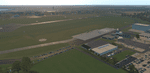
The small Zip-file will include a link for scenery download, because the scenery file size is above 500 Mbyte. Just follow the link and download EDHK 2018. This is an "install and fly" version, everything you need is already included (*see info below) and I will continously update the scenery. The story, in November 2012 the German MFG5 (Marineflieger-Geschwader) was relocated to Nordholz (ETMN). This was the end of the main military use in the southern and eastern part of the airport. Because the German harbor city Kiel needs living space for their citizens, opponents of the airport tried to convince citizens and politics to close the airport and to create there living space instead. In 2018 the citizen of Kiel voted with a citizen’s decision with the result that the majority voted for the preservation of the traditional airport. Personally, I am very happy with this decision. On the area of the airport some companies are settled, their employees should be able to sleep a little better now. In addition, there will certainly be future investments in the airport due to the election results. Since the airport has been financially in the red for years, the operator of the airport, the Port of Kiel Flughafen GmbH & Co. KG has converted large areas of the airport as parking area. These parked vehicles are part of the constantly increasing cruise ship operations within Kiel, making it possible for passengers to safely park their vehicles for extended periods of time. The taxiways “A†and “D†of EDHK are no longer in operation. This was of course taken into account in my scenery. The access to this taxiway was marked as in the original by yellow "X". The taxiway lighting was also turned off there. The on-site Luftsportverein (LSV) uses above the runway 08/26 an individually marked grass runway (not official), I called it 08S/26S and it is for the winch launch of their gliders only. The size of this provisional winch runway is about 820x20m. A glider takeoff by towing aircraft is usually handled by the Runway 08/26.(*) There is no copyright infringement, since I have received all the needed permissions to use the listed objects/libraries full or in parts within my scenery, the same for the single objects or non-Library bound objects/elements. I got all these permissions in writing from each individual author/rights holder. Take the time and read the full, included descritpion, please. If you have question, ask me first!
| Filename: | XP11_German_Scenery_EDHK_2018_KielHoltenau.zip |
| License: | Freeware |
| Added: | 29th November 2018, 19:24:38 |
| Downloads: | 66 |
| Author: | Marco Moschet |
| Size: | 1.3 KB |
| Category: Prepar3D V1-4 - Scenery | |
| KLVN - Airlake Airport - Lakeville, MN, USA |
|
File Description:
KLVN - Airlake Airport beta version .4 - by Jason Boche
This is an update of the default P3Dv4.5 KLVN airport. Aside from the original 12/30 runway, everything else at this airport has been completely ripped and replaced.
Enhancements include:
-Extended runway on each end to depict current configuration
-Accurate taxiways including Hamburg Ave. and buildings representing the current general aviation hangars
-Added navigational equipment on the field
-Added a few asphault and dirt service roads
-Added FBO and other buildings as close as I could match them
-Added some general aviation aircraft, civilians, vehicles at the FBO and hangars, and two fuel trucks
-Moved fuel station to where I believe it is currently according to Google maps with 100LL fuel trigger functional
-Moved the windsock to accurate location
-Moved the beacon to accurate location
-Moved GA parking spots
-Added trees around FBO and beacon
-Added utility poles
-Added a few square miles of Lakeville city, farm, and residential land class and autogen according to Google maps. This is probably the biggest improvement. It now looks like people live, work, and shop north/northwest of KLVN.
-Reworked the runway 12/30 blast pads to what I believe is the "proper" method. Instead of freehand polygon asphault, they are now actual runway extensions on both ends with yellow chevron markings
-Reworked the land class on the southwest end of the airport where I believe hangar expansion is intended. Prior to this, there was a sharp contrast between where the KLVN airport boundary ended and where generic farm landclass began which was right in the middle of the southwest taxiways and it looked bad. Now that whole region is grass and looks to be part of the airport parcel.
-Minor building adjustments west of the FBO to better match actual placement.
-Fixed a gap on the southeast end of Hamburg ave taxiway where it rounds the corner for the rwy 30 hold short line
-Randomized the directional facing of some of the cars parked at GA hangars
-Renumbered the parking spots 1-4 with #5 being the refueling spot
-Reversed the start direction of parking spots 1-3.
-Pulled the refueling parking "start" spot back because on start the engine cowling & prop were too far forward inside the fuel pump equipment
-Added an autogen exclusion to the rwy 12 short final due to trees popping up on short final path.
-KLVN tower viewpoint 25 meters above FBO.
-Removed the perimeter fence around the entire field
| Filename: | KLVN__Airlake_Airport__Lakeville_MN_USA.zip |
| License: | Freeware |
| Added: | 13th May 2020, 17:18:40 |
| Downloads: | 84 |
| Author: | Jason Boche |
| Size: | 14.81 KB |
| Category: Prepar3D V1-4 - Aircraft Repaints, Textures and Modifications | |
| Cessna 421 advanced physics |
|
File Description:
C421C advanced physics
Modification for the Alabeo C421 C Golden Eagle
Version: tested for P3DV4; should work also with P3DV5 (and probably FSX)
1. Why I developed the advanced physics version
I was asked via this forum, via PMs and also by e-mails to provide a modified version of the Alabeo C421C which can be used for serious multi-engine training. It should have accurate type specific performance for both AEO (all engine operative) and OEI (one engine inoperative), the latter for either a windmilling prop at various speeds and for a feathered engine. Feathering should work as realistic as possible.
Thus, I developed an advanced physics version of the Alabeo C421C. It shows realistic physics for negative thrust (prop drives engine). This is necessary for OEI training and more realistic idle power simulation.
2. Modified files
Modification includes “c421.air†and “aircraft.cfg†files. Data is based on real world Cessna 421C, N100L, 421C-0313.
Aircraft data, equipment list, checklist and other documents for N100L,
as well as some images of C421C, registration N100L, can be found here, too.
Unfortunately, due to copyrights, I can’t upload the full files and can’t provide the AFM and other copyright protected documents.
3. How to install
To update “c421.airâ€:
- Copy the original Alabeo C421 to another aircraft folder, e.g. “C421C advanced physicsâ€.
- Use AirEd (freeware) and open the original “c421.airâ€.
Open AirEd a second time and open “modifications advanced physics c421.airâ€.
Copy the modified tables 511 and 512 to the original .air file
(right click in modification file -> copy -> right click on original file -> replace from clipboard)
To update “aircraft.cfgâ€:
Just copy the modifications to the corresponding position in the original file.
4. Legend of modifications
Modifications in aircraft.cfg:
- Basic Empty Mass (actual mass for N100L 5,154 lbs inserted; most C421C are more heavy, ours is on diet)
- correct basic data for engines + props
- engine friction included (necessary for all negative thrust scenarios)
- flaps lift + drag scalar adjusted (split flaps)
- 2 vacuum pumps
- VMO = 151 KIAS; VNE= 240 KIAS
- cabin: max. differential pressure: 5.0 psi
Modifications in c421.air:
- implemented negative thrust scenarios in prop thrust and efficiency curves (tables 511 + 512); adjusted thrust curves for high TAS at high ALT
5. Side effects of modifications:
- more realistic engine starting:
starting the engine needs the throttle to be 2 cm above idle (see checklist) for the first 15 seconds
- if you start the engine and don’t retard the prop to medium RPMs immediately, you will overstress engine and prop. So be careful when doing an air start, you might lose the prop and the aircraft. (In the real aircraft, these effects are less severe, but you have to avoid high RPMs until the engine is warmed up and have to avoid rapid change of RPM.)
6. Additional Notes:
- Basic aircraft data as published by the manufacturer, like range and service ceilings, especially OEI, are based on MTOM.
- The use of high payloads close to MTOM and higher ambient temperatures are making for a more challenging OEI training.
- In the sim, climb power is too low compared to full power (about 65 % instead of 75 %). I have to find a way to adjust that.
- I have buttons for engine failure under the mixture (see images)
- Seat Position is, like in many Aircraft, higher than as per Default by the sim. For the C421C and me being 5 ft 7 in, that's about 7 clicks arrow up.
| Filename: | Cessna_421_advanced_physics.zip |
| License: | Freeware |
| Added: | 20th March 2021, 01:09:34 |
| Downloads: | 191 |
| Author: | Andreas Kunzi |
| Size: | 18.06 KB |
| Category: Prepar3D V1-4 - Utilities | |
| Flightplan Visualizer 1.16 |
|
Images related to this file:
File Description:
Flightplan Visualizer (FV) version 1.16.0. Copyright 2018-2020 by Pelle F. S. Liljendal ([email protected]), all rights reserved.
FV comes with 765 pre-imported Commercial AI flightplans (+380 BizJet flightplans are available as a separate download). However you are able to import additional (AI) flightplans yourself. Once imported these (AI) flightplans can be visualized on a map-view, and the user will be able to search accross all these. Hence you can use the program as inspiration as to which routes to fly. E.g. you can search across all imported flightplans to find all flights in an A321 flying into/out from LDDU, or simply to look for all flights in a Boeing 747-8F.
Simply run the included installer to install the software. The program will be installed into "C:\Program Files (x86)\Flightplan Visualizer" and all datafiles will be installed into: "C:\Users\[UserName]\AppData\Roaming\FlightplanVisualizer". The program comes with a full manual explaining everything, and a 3 page quick manual to get you started. The first 3 times you run the program the quick manual will automatically open. The forum is hosted here: https://forum.aerosoft.com/index.php?/forum/919-flightplan-visualizer/
Version 1.16 Contains the following changes:
- First of all a big THANK YOU to AIG (Alpha India Group) for allowing me to add features to both download their flight-plans (actually a feature suggested by Kai Kamjunke who is one of the developers of AIG AIM and other AIG tools) and access their list of defunct/renamed flightplans. While giving thanks, I also want to thank all (AI) aircraft-model creators, repainters and those who create all the flightplans ... our virtual sky would not be the same without your hard and dedicated work.
- Added new form to download or install AIG flightplans (downloaded directly from the AIG-servers). The form will identify all flightplans that are newer than those already installed or flightplans that are not currently installed. You can simply double-click a flightplan and it will be directly installed without the need to first download the file, and then choose to import this file.
- Both the new flightplan download- and the enable/disable flightplan- form contains a button which download- and show a list of defunct/renamed flightplans (obtained directly from the AIG forum).
- If you create a user-Airline while importing a flight-plan, when you return to the import-form you will be asked if you want to use that newly created flightplan (saves you from having to open the airline-browser and search-for/select that user-airline).
- Added Flightplan-, Airline- and Aircraft-filter to the top of the leg-search form to filter the items shown in the listviews.
- The "Select All" and "Select None" buttons now only (de)select visible items (if a filter is active there might be more items not displayed). However holding SHIFT while pressing these buttons, ALL items will be (de)selected no matter if they are shown or not.
- Replaced the two airport entry fields (in the leg-search form) with filter combo-boxes (MRU) so you can now enter a filter-text to filter which airports to include (the default filter is usign ICAO-codes so the old functionallity is preserved).
- Added filters to search for legs with specific flight-numbers and/or served by aircraft with specific registrations.
- When setting up a filter, sub-elements of the same type can now be separated by "/" so you only have to enter the type-name once (e.g. "country=dnk/nor/swe"). The pipe-char ("|") can be uses in stead if you prefer (e.g. "country=dnk|nor|swe").
- Now both "?" and "%" can be used as a single char wildcard in the filters ("?" is a DOS wildcard, whereas "%" is a SQL-wildcard).
- Added "#" as a wildcard for a single numeric value (0-9) in filters.
- Added "@" as a wildcard for a single alpha value (A-Z) in filters.
- Improved detection of invalid filter-text, which changes the text-color into red, to indicatet that the filter is invalid.
- The ISO3 country-code is now visible in the country combo-boxes in the leg-search form (these codes can be used in the airline- and airport- filters).
- Likewise 3-char Region- and Sub-region -codes have been added to their respective combo-boxes (these codes can also be used in the airline- and airport- filters).
- Saving the leg-search criteria will no longer require the input to be validated. E.g. you can now save the criteria where no aircraft have been selected. If you want to make sure that the criteria is valid for a search, please perform a search before you save the criteria.
- Flightplan-filter added to the "Re-process flightplans" form.
- Aircraft-filter added to the "Choose favorite aircraft-types" form. Also a few extra columns were added to the aicraft list-view.
- The Decode-METAR/TAF form now allows the user to manually enter METAR/TAF messages, and the form can now be opened directly from the main-menu (in case you optain METAR/TAF from other sources and need to decode it).
- Added a new button to the Randomizer form which lets you pick a random route (there is already a button to pick a random flight). The difference is the statistical chance of the chosen route.
- Added 2 columns to the runways listview in the Airport-info form showing head/cross-wind based on selected wind-direction/speed (automatically updated from the obtained METAR report).
- When accepting the result of a leg-search the previous used criteria (if different) are now archived. So you are able to load the 5 last used search criteria.
- The Result-viewer form now have a "Top-most" check-box. When checked that form will be shown on top of all other windows. This allows you to have this form shown on top of other forms (e.g. if you need to enter data from a metar-message into the FMC in the simulator).
- Many of the result-viewer forms now opens non-modal, meaning it can be displayed next to the window form where it was opened and you can switch between the two (you might need to use the new "Top-most" check-box for the best result). When closing the form from where the result-viewer was opened, the result-viewer will be closed as well.
- Likewise the Unit Conversion form also got the "Top-most" check-box in case you want to display this window on top of another program (e.g. if you have paper-work with weight based on kg and you need to enter the weights into a FMC/MCDU that only accepts lbs (or vice versa).
- The "Copy to clipboard" buttons on the METAR/TAF-decode form, and the Leg-Info form have been replaced by a "Show Report" button in stead. This new button will in stead show the text in the Result-viewer form (if you need to, it can be clipped to the clipboard from there).
- Below the (left/right) list-views in the "Enable/disable flightplans" form you now find a label showing two numbers. The 1st number shows the number of items (flightplans) shown in the list-view, and the 2nd number (in the parentheses) shows the number of selected items.
- When importing a flightplan where the aircraft-type can not be detected, the "lines" assigned to the "DUMMY AIRCRAFT" are now all automatically selected. So it is easy to just hit the "Change Aircraft type" button in case there is just a single, or multiple that should have the same type assigned.
- Hoovering the mouse over the gate-markers in the Airport-info form, the tool-tip now contains the GPS-position of the gate. Likewise editing the gate the caption of the edit window contains the GPS-position.
- Added airport size to "FS Comment" column in the "Nearby Airports" form.
- Added line-breaks to the METAR/TAF tool-tips displayed in the Leg-info form (line-breaks also included in the report).
- Fixed: There was a nasty bug in the "Legs" tab-page of the Airport-Info form where the same time-zone was used for both departure- and destination-airport when showing the departure-/destination-times as local times, even if departure- and destination-airports were in different time-zones.
- Fixed: The value of the "Calculated flighttime" check-box in the leg-search form was not set to the loaded value.
- Fixed: If one of your user-airlines had a blank callsign, it would list all airlines with a blank callsign as alternatives. Now it will only try to match non-blank callsigns.
- Fixed: The METAR/TAF decoder was not able to correctly detect a fraction visibility if following variable wind (e.g. "210V290 3/8SM").
- Fixed: Some of the combo-boxes in the leg-search form were enabled for text-entry, where the user should only be able to pick a value.
- Fixed: If "[None]" was selected and you executed a leg-search the "Edit" button remained disabled when you returned to the main form.
- Data: While testing some of the new filters I saw a few erros in the aircraft data (e.g. a few freight aircraft had a non-zero passenger count and other minor issues like that), which were fixed.
- Data: Thanks to Bruce Nicholson for bringing it to my attention that DC-9-15F was not being detected in version 1.15. Now all the DC-9 sub-variants should be detected correctly (e.g. 9-11/12/13/14...51 both pax and freight). The same better sub-variant detection was added to the DC-8's and DC-10's as well.
- Data: Thanks to Aucery for bringing it to my attension that some of the (BizJet) aircraft were not being detected, or not being detected correctly. The King Air 250/300 should now be detected correctly as are Hawker-700/1000, Mitsubishi MU-300, IAI Astra Jet 1125, Cessna T210/T303, and Dornier 328JET/PROP.
- Flightplans: All new/updated flightplans have been added to the installer, and all obsolete have been removed. A total of 765 active flightplans are bundled with the installer.
Pelle
| Filename: | Flightplan_Visualizer_116.zip |
| License: | Freeware, limited distribution |
| Added: | 2nd May 2020, 23:15:38 |
| Downloads: | 318 |
| Author: | Pelle Liljendal |
| Size: | 29.27 MB |


© 2001-2026 AVSIM Online
All Rights Reserved
Privacy Policy |