
Where Flight Simulation Enthusiasts Gather from Around the World!
AVSIM Library - Search Results

| Category: Flight Simulator X - Aircraft Repaints, Textures and Modifications | |
| Boeing B-52H CONECT |

|
File Description:
In July 2013, the Air Force began a fleet-wide technological upgrade of its B-52 bombers called Combat Network Communications Technology (CONECT) to modernize electronics, communications technology, computing, instrumentation, and avionics on the flight deck. CONECT upgrades include software and hardware such as new servers, modems, radios, data-links, receivers, digital flight deck and workstations for the crew. Making the B-52 compatible with 21st century flight and combat roles.
Items reworked for FSX/P3D:
1. True FSX Native modeling, converted to FSX using ARNO'€™s MDLX program.
2. All new paints.
3. New blank bump mapping
4. All paints are in DDS format.
5. Multiple Liveries.
6. New air configuration file.
7. New HD VC textures.
8. FSX Air File installed.
9. Camera views added.
10. Transparency issue with VC model addressed.
11. All new digital cockpit created.
12. FSX coded gauges and sub panels.
13. Default and custom GPS.
14. Working Traffic Radar.
There are multiple popup windows that can be activated with-in the VC, they include the following. A full sized Horizontal Situational Indicator. A full sized Attitude Indicator. A full sized custom GPS. A full sized Radar Screen. Icon controlled Radio popup. Icon controlled over head electrical engine start panel. Icon controlled Throttle Panel. Icon controlled default GPS, Icon controlled Map, Icon controlled ATC, Mouseable Autopilot, Mouseable Flaps, Mouseable Landing Gears, Mouseable Warning lamps.
Video available here: https://www.youtube.com/watch?v=M2ii2uxSbNA
Based on the Alphasim freeware B-52 model.
| Filename: | Boeing_B52H_CONECT.zip |
| License: | Freeware |
| Added: | 3rd January 2016, 12:54:03 |
| Downloads: | 420 |
| Author: | David Robles |
| Size: | 36.28 MB |
| Category: Flight Simulator 2004 - Scenery Design | |
| FSDEM 1.1 |
|
File Description:
FSDEM is a graphical tool designed to help on the editing and correction of NASA SRTM (Shuttle Radar Topography Mission) terrain elevation meshes, and to create terrain mesh scenery to be used in Microsoft Flight Simulator 2002/2004.
Program main features:
This version fixes some bugs and adds minor improvements. See the included file history.htm for details.
| Filename: | FSDEM_11.zip |
| License: | Freeware, limited distribution |
| Added: | 4th August 2004, 20:51:02 |
| Downloads: | 5,125 |
| Author: | Emerson de Oliveira |
| Size: | 377.03 KB |
| Category: Flight Simulator X - Utilities | |
| FS Remote version 1.0 |
|
File Description:
Email: [email protected]
Name: Hans Elzer
Current version 1.0
Version 1.0 contains various little bug fixes plus Fuel management in the Engines dialog
FS-Remote a utility for remotely controlling FSX
The Zip file contains:
* Readme text file
* .NET 2.0 FS-Remote executable
* Configuration file for FS-Remote
* Document file in MSWord format
What you need to run FS-Remote:
* .NET 2.0 or 3.0 installed on the computer where you want to run FS-Remote
* FSUIPC4 (registered) on the computer where you run FSX
* WideClient (FSUIPC4 FSWide remote) if you want to run FS-Remote on a remote computer
It does what the title says FS-Remote controls FSX remotely through FSUIPC.
Just take a look at the (word) document that is contained in the zip file and look at some screen shots.
It can view and control the following items in FSX through FSUIPC:
* Aircraft - Control aircraft switches like Lights, Doors, Pushback, De-Ice and Jetway plus call fuel truck
* Auto Pilot - Control auto pilot switches plus reset altimeter and heading indicator instruments
* Radio - Control radio stack switches and push buttons plus view navigation status information
* Attitude - View attitude information and warnings plus convert and view various items in feet, meter, knots, mph and km/p
* Engines - Control engines auto start and stop plus fuel management
* Weather - not implemented jet (next version)
* Environment - View the local date, time and position environment information
* Date Time - Control and view the flight simulator date and time
* Message - View and send messages to flight simulator message bar
* FPS - View real-time flight simulator frames per second FPS rate
* About - View version information about FS-Remote, FSUIPC4 and FSX
Hope that you like it.
| Filename: | FS_Remote_version_10.zip |
| License: | Freeware |
| Added: | 9th September 2007, 15:26:14 |
| Downloads: | 1,439 |
| Author: | Hans Elzer |
| Size: | 353.2 KB |
| Category: Flight Simulator X - Utilities | |
| FSRemote 2.0 |
|
File Description:
Current version 2.0
Version 2.0 contains a new more graphical interface
Version 1.0 contains various little bug fixes plus Fuel management in the Engines dialog
FS-Remote a utility for remotely controlling FSX
The Zip file contains:
* Readme text file
* .NET 2.0 FS-Remote executable
* Configuration file for FS-Remote
* Document file in MSWord format
What you need to run FS-Remote:
* .NET 2.0 or 3.0 installed on the computer where you want to run FS-Remote
* FSUIPC4 (registered) on the computer where you run FSX
* WideClient (FSUIPC4 FSWide remote) if you want to run FS-Remote on a remote computer
It does what the title says FS-Remote controls FSX remotely through FSUIPC.
Just take a look at the (word) document that is contained in the zip file and look at some screen shots.
It can view and control the following items in FSX through FSUIPC:
* Aircraft - Control aircraft switches like Lights, Doors, Pushback, De-Ice and Jetway plus call fuel truck
* Auto Pilot - Control auto pilot switches plus reset altimeter and heading indicator instruments
* Radio - Control radio stack switches and push buttons plus view navigation status information
* Attitude - View attitude information and warnings plus convert and view various items in feet, meter, knots, mph and km/p
* Engines - Control engines auto start and stop plus fuel management
* Weather - not implemented jet (next version)
* Environment - View the local date, time and position environment information
* Date Time - Control and view the flight simulator date and time
* Message - View and send messages to flight simulator message bar
* FPS - View real-time flight simulator frames per second FPS rate
* About - View version information about FS-Remote, FSUIPC4 and FSX
Hope that you like it.
| Filename: | FSRemote_20.zip |
| License: | Freeware |
| Added: | 9th November 2007, 22:24:52 |
| Downloads: | 1,674 |
| Author: | Hans Elzer |
| Size: | 620.8 KB |
| Category: Flight Simulator X - Utilities | |
| Gauges Recovery 1.2 for FSX |
|
File Description:
New ! Since version 1.2 Gauges Recovery also fix the problem of compatibility from FS9 add-ons which display all gray and without texture !!!
DESCRIPTION:
For years I worked on Flight Simulator I realized that many people have problems with showing the gauges panel (black screen) or special effects such as afterburner, smoke or line of condensation occurring after uninstalling an add-on or accidentally deleted files of the simulator.
In your Flight Simulator X there is a folder named 'Gauges' it contains files 'gauges' representative board instrumentation for each add-on, such as the autopilot, the horizon indicator etc, if you delete one of these files, your panel will not display the gauge that it was programmed. It is the same for the folder 'Effects' that contains all the special effects in FSX, it sometimes happens that some files in these folders disappear leaving your simulator in a situation where you no longer see your instrument panel (black screens) and afetburner invisible. Under these conditions, you reinstall FSX and lose a lot of time (and patience).
So I created Gauges Recovery, a small free utility that will restore all your gauges and effects of origin in less than 10 seconds. With Gauges Recovery, you're sure to get the display of all gauges and effects.
This program does restore the original files from Microsoft FSX FSX SP1, FSX SP2 and not the files from other publishers, no changes will be made to these files.
Some people see the gauges all black (black screens), unless FSX is installed correctly. The solution to this problem is to install the files MSVCP70.DLL and msvcr70.dll in your 'system32', Gauges Recovery does this automatically for you.
Do not look if Gauges Recovery is installed because there is no installation, the program only updates files in FSX and nothing else.
| Filename: | Gauges_Recovery_12_for_FSX.zip |
| License: | Freeware |
| Added: | 19th January 2010, 10:47:17 |
| Downloads: | 4,887 |
| Author: | Erik BENDER |
| Size: | 11.43 MB |
| Category: Flight Simulator X - Gauges | |
| TCAS and Traffic Display Gauge V2.0 |
|
Images related to this file:
File Description:
This TCAS and Traffic Display Gauge Version 2.0 includes significant improvements from V1.0. It has been developed for the FSX Flight Simulator SP1/2 also. It should also work with Acceleration.The functionality for the TCAS part is based on general specs for commercial aircrafts. It does not provide in detail the function for a specific aircraft model. It is a generic gauge, and can be simple added to any aircraft as a standalone popup window.
In addition the gauge provides a AI traffic display in the ranges of 10,20, and 40 miles.Within this display mode, no TCAS rules are valid, which means all AI aircraft are displayed independent of any altitude or distance.
Improvements in V2.0 are: 1: Full TCAS and traffic display capability is provided even though your aircraft is on the ground. Only the trigger of the alarm/warn sound and the blinking lamp display willbe blocked. 2: An AI HDG pointer will be displayed. It shows in which direction the AI is moving. 3: A bearing pointer has been introduced. It allows the pilot to point to a specific AI.4: The AI additional text info display follows the structure of an ATC text.5:The AI additional text can be selected individually per AI with a mouse click.
6: Each AI display contains a ID index number (0 � 20).7: The design of the TCAS and Traffic Display Box has been updated.8: Increased the number of AIs displayed on the screen in display mode.
For installation and functional description look at the doc inside the ZIp.
CREDIT goes to :
Stefan Schneider for his support on special XML issues and TCAS functionality.
Bob Familton for his review of the documentation and testing for SP1 FSX.
Doug Dawson for his dsd-XML-sound interface in order to generate the sounds.
| Filename: | TCAS_and_Traffic_Display_Gauge_V20.zip |
| License: | Freeware |
| Added: | 25th October 2010, 13:37:36 |
| Downloads: | 3,760 |
| Author: | Dietmar Loleit |
| Size: | 981.32 KB |
| Category: Flight Simulator 2004 - Aircraft Repaints, Textures and Modifications | |
| W91 Smith Mountain Lake Airport in Virginia |
|
File Description:
W91 Smith Mountain Lake Airport near Lynchburg, Virginia (MY soon to be NEW HOME)
This project is nearly ALL RWY12 ... I did use the Lago Scenery enhancer for the
trees.. so if you have LAgo.. the .SE2 is included, but you really don't need it.
But you will need RWY12 with all the latest additions... all freeware and all
available here at avsim.
Instructions... best to unzip to a temp directory... then do the following..
if you use Lago's Scenery Enhancer... place the .SE2 file in (Your flightsim main
folder)\LAGO\FSE\Data. Unziping will create a folder titled "Smith Mountain Lake" .. in that folder is one titled "scenery" Simply place Smith Mountain Lake in (your flightsim main folder)\Addon scenery\ folder then start the simulator.. go to settings, the library.. and - well most all know the drill .... add the folder Spring Mountain Lake then exit.. and restart.. and blamo... it is there... (Hopefully- LOL) ALSO in the scenery folder are two exclude .bgl.. this got rid of the default buildings and an AFCAD .bgl... this modified the airport properity a bit.. just leave all the .bgls where they are in the scenery folder.. all should work well.
oh.. for those who use RWY12 for scenery making... I have included the .XML file.. so you are welcome to add..subtract or change anything you find at Smith Mountain Lake.
if you have any questions or comments.. PLEASE do drop me a line.
Oh.. since I have your attention... a question for YOU... whether you download this
scenery or not.... How in the world does one get rid of that idiot "Flying Tips"
translucant window that appears.. telling you among other things .. your engines are not started... hit control E ... you ever notice how it ONLY appears when you have set up a screen shot and are ready to shoot?????? Write me and PLEASE tell me how to get rid of it.. I remember reading how somewhere, but for the life of me ..can't remember where.
| Filename: | W91_Smith_Mountain_Lake_Airport_in_Virginia.zip |
| License: | Freeware |
| Added: | 18th March 2005, 22:37:05 |
| Downloads: | 330 |
| Author: | Dale Caruso |
| Size: | 563.31 KB |
| Category: Flight Simulator X - Panels | |
| Eurofighter Typhoon Panel |
|
Images related to this file:
File Description:
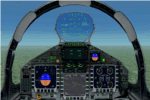
The panel has been developed for FSX Flight Simulator SP1 or SP2. It has also been tested with Microsoft Acceleration, but compatibility is not guaranteed by the author.
This panel has been designed according to a large number of technical documents, descriptions, and pictures out of the Internet. The design goal was to develop a panel and gauges as close as possible to the original aircraft. It was, however by far not possible to programming all the functions and displays, because of the complexity of the real Eurofighter panel, and also because of limitations in FSX.
However, I believe, that the panel with the MFD screen displays gives a good impression on how the real Eurofighter cockpit looks inside.The aircraft model, development by ALPHA/VIRTAVIA, has been used as the base for this panel development. The aim was to go with one model version only , the two seater air to air model. A number of parameter of the aircraft.cfg have been modified to achieve a best possible result of the flight dynamics for the model. It is up to the user to use any other model as this one, and use this panel for it.
For this package, panel and model, I decided to call it the X -Version which shall be seen as an experimental military test version, or if you like, a " Proof of Concept " version. So, you will see a neutral paint with just the Typhoon letters on the aircraft tail. This approach allows to go with deviations and differences to the current technical implementations for the cockpit displays and functions for the Eurofighter.
The panel includes gauges for the afterburner effects, sonic sound effect, callout sounds, weapon explosions effects, and a full functioning TCAS gauge (A future requirement for the Eurofighter), A2A fuel functions, target radar tracking functions and more. The panel has been developed for widescreen monitors only. No VC panel is part of this package.
This is not a load and fly package. Please take your time to read the included panel documentation carefully. Do not skip chapters because you may think, they are not important for you.
For copyrights and credits please look at the documentation for this panel.
| Filename: | Eurofighter_Typhoon_Panel.zip |
| License: | Freeware, limited distribution |
| Added: | 13th April 2016, 20:37:48 |
| Downloads: | 395 |
| Author: | Dietmar Loleit |
| Size: | 24.77 MB |
| Category: Flight Simulator X - Utilities | |
| Graphic Realism and FSX Optimization |
|
File Description:
The add-ons configuration step by step
Not configured FSX is a pain in the neck for many people. A small number of fps and frequent CTD (crash to desktop) can be extremely annoying or even depressing to some users. A lot of you probably came to a conclusion that it was going to be a losing battle and you gave up after a few fruitless days or you spent money on the FSPS-XTREME FSX PC V2 program, which can automatically do practically everything for us. But what's the point of spending money on something that we can do by ourselves with the help of this handbook?
I myself was dealing with the FSX platform three times before I gave up FS9. Microsoft gave out the engine to us, but in order to make sense, our passion involves radical tuning of the device. On the ground of one's own experience and thousands of hours devoted by people to diving into the core of the platform, I'll present a way of installation, add-ons selection and their configuration starting from the installation of the system. Having done the procedures described below, FSX will look beautiful and it'll work smoothly even with challenging sceneries. The entirety is based on quite a popular hardware configuration, which will let us use 85% of the graphic potential of Microsoft Flight Simulator X. We want t to achieve the goal of minimum 25 fps in VC B738 PMDG NGX, with challenging sceneries, flying in the window mode. For the mode the full screen efficiency should reach 33 fps.
In this handbook, I'm neither going to describe each and every change made in cfg nor explain what the alterations are to conduce. You will be given a simple and ready recipe which I use myself. I can't guarantee a 100% satisfaction for the poorer equipment computers. I can assure you, however, that FSX will definitely work so much better and playing with FSX sliders or with the size of textures in REX you will be able to obtain the desired effect.
| Filename: | Graphic_Realism_and_FSX_Optimization.zip |
| License: | Freeware, limited distribution |
| Added: | 15th November 2013, 20:33:26 |
| Downloads: | 5,750 |
| Author: | Grzegorz Trzoch |
| Size: | 3.96 MB |
| Category: Prepar3D V1-4 - Utilities | |
| FS Flight Builder |
|
Images related to this file:
File Description:

New version: Updated installer and auto-update functionality along with chart downloaded changes to support browser updated security measures.
FS Flight Builder is a utility for general aviation flying that will build flight files for FSX (flt), FSX Steam Edition (flt), and Prepar3D (fxml) based on waypoints and other data either entered manually or imported from SkyVector using the Plain Text Link information. Among other things, you can select your starting position, aircraft, and VFR or IFR flight plan.
One of the most interesting features of the application is that it will include a Briefing file, added to the aircraft's built-in kneedboard, that will include departure and destination airport information (runways, frequencies, weather, and charts) as well as navigation frequencies along the route.
Have you ever started up flight simulator and wondered “where do I want to go today� The new Destination Chooser functionality can help to solve that problem. The screen allows you to enter your departure airport and choose various parameters for your destination (like min and max distance, tower availability, ILS availability, runway length requirements, etc.).
How to install:
***************
Run Setup.exe and simply follow the installation wizard.
When you run the application for the first time (make sure your flight simulator is not running), it will build the database from your flight sim data. Be patient. It could take a few minutes.
It will attempt to locate your flight sim folder and flight plan folders automatically. If it can't find them, however, you'll need to select them from the options menu.
IMPORTANT!
Because FS Flight Builder saves to your Flight Sim directories, it MUST be run in Administrator mode. To do this, right-click on the desktop icon, select the Compatibility tab, and check the Run as administrator checkbox.
IMPORTANT!
The airport and navaid databases for FS Flight Builder are built using Peter Dowson's excellent Make Runway utility and the equally excellent BGL2XML utility from ScruffyDuck Software. The links to these utilities are below. They must be added to the main FSX or Prepar3D folder.
Peter Dowson's website: http://www.schiratti.com/dowson.html
ScruffyDick Software website: http://www.scruffyduck.org/bgl2xml/4584282773
It's also important to note that Version 1.7 of BGL2XML is required for Prepar3D V3 and higher.
Author:
*******
Tom Arduini
The latest installer can always be found at
http://www.arduiniwebdevelopment.com/fsflightbuilder/fsflightbuilder.zip
| Filename: | FS_Flight_Builder.zip |
| License: | Freeware |
| Added: | 24th December 2018, 02:41:36 |
| Downloads: | 409 |
| Author: | Tom Arduini |
| Size: | 69.56 MB |


© 2001-2026 AVSIM Online
All Rights Reserved
Privacy Policy |