
Where Flight Simulation Enthusiasts Gather from Around the World!
AVSIM Library - Search Results

| Category: Navigation and ATC - Navigation | |
| ChartMap 5.0 |

|
File Description:
ChartMap 5.0 is a small stand-alone Windows utility for Flight Simulators allowing a number of airport charts to be stored and available on screen whilst still flying.
The use of the program is very simple and intuitive. You insert only the Airport ICAO Code and the program will show all the data stored.
The ChartMap 5.0 is a program completely rebuilding with a new graphics power and a new database.
Now is possible to use the PDF format for every kind of charts. You can everywhere download it.
The important thing is to use the conventional letter below in this tutorial (vds IMPORTANT NOTE).
Differences with the previous version:
- Corrected some bugs.
IMPORTANT NOTE:
TO USE THIS PROGRAM YOU NEED DOWNLOAD the charts from Flight Simulator website FOR Italian airport download "Italian Airports Charts and Procedures Series 1, 2 and 3" and unzip in ICAO CODE FOLDER.
| Filename: | ChartMap_50.zip |
| License: | Freeware |
| Added: | 24th November 2013, 16:07:51 |
| Downloads: | 331 |
| Author: | Carlo Chiappisi |
| Size: | 1.51 MB |
| Category: Flight Simulator 2004 - Utilities | |
| Active Camera 2004 Update To Version 1.1 |
|
File Description:
Update to Active Camera 2004 version 1.1. For those who downloaded and installed Active Camera 2004 version 1.0 (ac2004.zip). New feature: Dynamic padlock view like in combat simulators. We have programmed a built-in TCAS (Traffic alert and Collision Avoidance System) in the Active Camera 2004 module. With this option enabled you can track any AI traffic flying in the vicinity of your aircraft (the pilot's head will track automatically the nearest AI). The user can monitor next traffic, lock the traffic view on the current AI or revert to the nearest AI. Operational purpose: It can be used if you wish to look out or if you suspect a traffic conflict. This is useful when, for example, ATC asks you to report traffic in sight or ATC reports you traffic. Ability to assign one of the 49 key events through a graphic interface. Fix: 3rd party windows in full screen mode are now properly displayed.
| Filename: | Active_Camera_2004_Update_To_Version_11.zip |
| License: | Commercial demo |
| Added: | 1st October 2003, 15:25:25 |
| Downloads: | 16,590 |
| Author: | Serge Baye - Guillaume Darier |
| Size: | 669.02 KB |
| Category: Flight Simulator 2004 - Aircraft Repaints, Textures and Modifications | |
| Mid East Jet Boeing 777-24Q-ER |
|
File Description:
This is a repaint of Meljet the 777-200er GE in Mid East Jet. This is my first repaint and i would like to hear from you about the quality. I also would like to hear suggestion on how to make it better. I created this repaint for those of you who are registered pilots of HRW and have a signed number from David. I also created because I hated flight triple seven's in an airlines paint scheme to places they don't go. Please inform me if this repaint appears on any other flight sim site other than AVSIM. Please send me screen shots for a website i am creating where this and other future repaints of mine are flown and add the flight plan flown. YOU WILL NEED TO CHANGE THE PANEL AND SOUND FOLDERS. THEY ARE SETUP FOR MY SYSTEM.
Thanks,
Bryan Hobbs HRW 41
[email protected]
some interior texture credit goes to Dickson Chan
[email protected]
| Filename: | Mid_East_Jet_Boeing_77724QER.zip |
| License: | Freeware |
| Added: | 4th August 2004, 14:42:57 |
| Downloads: | 319 |
| Author: | Bryan Hobbs |
| Size: | 8.67 MB |
| Category: Flight Simulator 2004 - Miscellaneous Files | |
| GoTo Any Airport |
|
File Description:
GoTo Any Airport.
Inclued here Heathrow and London Luton. Always wanted to return to your favourite local Airport from anywhere in the world? simply - with no fuss? Look no Further.
Start at these Designated Airports,then Goto any Airport! - via the FS9 World menu and return to the Original Airport - every time! - By Just turning the GPS/nav switch to GPS and Flight Director and autothrottle on whilst still on the ground.Click on the Autopilot, IAS, ALT and Nav Hold switches once above 1000ft - thats it !! . Set Weather and Altitude as required and Speed in autopilot and away you go. Use the FS9 ATC as You Travel, call into Airport when close and receive the curent ATIS and Runway approach in use.
The added circuit flights are on Autopilot and allow you to observe the airport befor landing.They make good moving screen savers - but make sure you have plenty of fuel!compatible with UK2000 Airports & VFR scenery for UK.
| Filename: | GoTo_Any_Airport.zip |
| License: | Freeware |
| Added: | 19th June 2004, 07:12:30 |
| Downloads: | 690 |
| Author: | Alan Trussell |
| Size: | 38.37 KB |
| Category: Orbiter - Miscellaneous Files | |
| 3D-Screens for red/cyan eye glases |
|
File Description:
Some 3D Screens from Orbiter
for red / cyan eye glasses
FILES:
*K.jpg - Lines, best 3D-view
*M.jpg - Monocrome, verry good 3D-view
*C.jpg - Couloured, nice 3D-view
How to:
1.
download stereo photo maker ( http://stereo.jpn.org/eng/stphmkr/ )
2.
Take 2 screenshoots from orbiter:
- go to youre screen shoot position
- select "camera ground view"
- unselect "targed track mode"
- take the first shoot for the left eye, copy it to any picture
editor (for example use MS Paint), paste the shoot and save the file
- go back to orbiter, move the camera a little bit right (linear, down'T rotate !)
- take a second screenshoot and
- paste it again in youre picture editor,
- save the file againt (with a new name)
- open spm
- select: File > open Left Right picture, select the 2 pictures u have saved
- select the 3d mode you want (color, b/w, red cyan,...)
- and: there is youre picture !
- save it and enjoye
rg
Topper
| Filename: | 3DScreens_for_redcyan_eye_glases.zip |
| License: | Freeware |
| Added: | 7th August 2006, 00:34:59 |
| Downloads: | 292 |
| Author: | Topper |
| Size: | 4.08 MB |
| Category: Flight Simulator X - Utilities | |
| SplashSpinner v1.0 - Splashscreen Randomizer |
|
File Description:
SplashSpinner v1.0 – A Flight Simulator splash screen randomizer
This program will allow you to see a different splashscreen in Flight Simulator each time you load it. The program should work with ANY release of Microsoft® Flight Simulator that uses the splashscreen called “dlgsplash.bmp” located in the “uires” folder of the main Flight Simulator directory. Versions beyond FSX won’t automatically run the Flight Simulator program but if everything else is the same it should randomize the splash anyway. On first run, you'll pick what folder Flight Simulator is in. After that it will run, randomize and load Flight Simulator automatically. You can use this program as a shortcut for whichever version of Flight Simulator you have. You should also be able to use this same program on multiple versions. After install just copy the SplashSpinner folder to a new name and delete the SplashSpinner.config file.
The program may require Microsoft .net v1.11 or greater to be installed on your computer.
| Filename: | SplashSpinner_v10__Splashscreen_Randomizer.zip |
| License: | Freeware, limited distribution |
| Added: | 8th December 2006, 10:43:46 |
| Downloads: | 3,086 |
| Author: | Randy Alexander |
| Size: | 1.69 MB |
| Category: X-Plane - Scenery | |
| Zaragoza AB update - LEZG for XP10.5-11 |
|
Images related to this file:
File Description:
UPDATED version of earlier (Feb. 2017) LEZG AB. All adjusted for use with orthographic and HD material. Extensive Read Me is in the package. However: I used many "Libraries" as defined in the Read Me file to get the best scenery with optimized scaling of objects. Added visual beacons about 20 nm E and W from runways to make it easier to navigate this "rare" airport. Zaragoza city is improved and more "real". I have done all I could to keep frame-rates low (on my NV960: locked to screen refresh always between 50-60 fps) and temperatures low. See the images as well to orient yourself. LEZG comprises 5 platforms and now is expanded with a new engine test plate and a new GA platform. It is a huge airbase with civil part. I am still looking for a good F-18 static model, to replace the F-4's I had to use now.
| Filename: | Zaragoza_AB_update__LEZG_for_XP10511.zip |
| License: | Freeware |
| Added: | 9th March 2017, 18:45:18 |
| Downloads: | 239 |
| Author: | John v. Kampen |
| Size: | 18.96 MB |
| Category: Flight Simulator X - Gauges | |
| GPS2020 – V12.0 |
|
Images related to this file:
File Description:
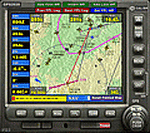
Major upgrade for V10.3, with focus on zooming, Direct-To, inserting waypoints in the flight plan, and User waypoints (waypoints not present in FSX/P3D database).
Key improvements:
- Zooming maps with the mouse wheel now finally like in Google Maps, Google Earth, Bing Maps, Garmin BaseCamp, Little Navmap (FSX utility), etc..
- Direct-To Track Updating: dark red track line continuously follows aircraft movements. For proper operation, the user should install XMLVARS/XMLTools in FSX/P3D (most users will already have done this).
- Visual indication of "Direct-To Active".
- Flight plan: multiple POI's (points clicked on a map) can be inserted in the FPL, they will be named sequentially as TARGET1 to TARGETnnnn.
- Inserting in the flight plan, all sorts of waypoints from all possible sources, can be done with a quicker method with the green buttons alone, without needing to open the Direct-To page.
- Other refinements in code and screen layout since V10.3.
It is recommended to replace V10.3 with this V12.0!
| Filename: | GPS2020__V120.zip |
| License: | Freeware |
| Added: | 29th June 2020, 17:50:18 |
| Downloads: | 562 |
| Author: | Hugo Jansen |
| Size: | 15.7 MB |
| Category: Flight Simulator 2004 - Scenery | |
| Santa's Sleigh & 8 Reindeer- AI Version |
|
Images related to this file:
File Description:
Santa's Sleigh & 8 Reindeer - AI Version.
It is rumored that Rudolph is ill and may not be able to lead the Reindeer this Christmas so Santa is making some test flights with just the original eight reindeer. He has chosen a remote airfield near Steamboat Springs, Colorado (81CO) named Mesa 1. Of course you can place this AI version at the location of your choice. I have taken the original flyable model by Dundee Prototypical Simulations (available here as santa.zip) and tweaked it for use as an AI craft, using parameters usually associated with Helicopters to let Santa practice shorter takeoffs and landings.
ALL necessary files are included. Please unzip to a temporary folder and follow the simple installation instructions. As a bonus, there is also a set of instructions showing how to set this up as a continuously running display on your screen - a nice option for the Holidays. Compiled for Kids of all ages by David "Opa" Marshall.
| Filename: | Santas_Sleigh__8_Reindeer_AI_Version.zip |
| License: | Freeware |
| Added: | 2nd December 2009, 13:43:26 |
| Downloads: | 996 |
| Author: | David "Opa" Marshall |
| Size: | 1.05 MB |
| Category: Prepar3D V1-4 - Utilities | |
| MultiTool Prepar3D v3.2 |
|
Images related to this file:
File Description:
Multi-Tool Prepar3D v3.2 is a collection of tools, a number of them unique, extending the capabilities of P3D.
New features in v3.2 :
- Adjustable Horizon/Aircraft banking
- Bug fixes/Improvements on previous functions
Previous features include :
- Custom Flybys, user defined camera flyby paths.
- Roaming Flybys, computer generated camera flyby paths.
- Active Observers views placeable by clicking on a top-down view
- Find My Way Home random aircraft positioning.
- 3D Native Stereoscopic Output.
- Head tracking additions: Ordinals, Take off lock, View switching by head movement , Spot up/down tracking.
- Camera Shake + Vibration : Turbulence, G, ground roll, side slip, spoilers.
- Easy 2D & 3D custom cameras definitions.
- XYZ Position (Eyepoint) Mouse Move similar to the Mouse Look pan function, i.e. hold down a key and reposition your eyepoint with your mouse.
- POV conversion to multiple controller buttons.
- Keystroke macros to perform menu functions. - Landing lineup with runway camera.
- Multi screen VC setup. - Save/Recall view setup by aircraft.
- Recallable position autosaving. and more....
Youtube Channel https://www.youtube.com/channel/UCnFQCGMTB7eL-MFTHf8NFbA
| Filename: | MultiTool_Prepar3D_v32.zip |
| License: | Freeware |
| Added: | 22nd December 2016, 07:47:21 |
| Downloads: | 917 |
| Author: | Richard Barry |
| Size: | 3.74 MB |


© 2001-2026 AVSIM Online
All Rights Reserved
Privacy Policy |