
Where Flight Simulation Enthusiasts Gather from Around the World!
AVSIM Library - Search Results

| Category: Flight Simulator 2004 - Scenery | |
| Prince George CYXS in British Columbia, Canada |

|
File Description:
Prince George is centrally located in British Columbia, mid way between the border with the USA in the south and the northern border with the Northern Territories, and around 100 miles west of the eastern border with Alberta. The town now has a population of around 74,000 and is regarded as the province's northern capital. It is at the meeting point of the Fraser and Nechako rivers and the crossroads of highways 16 and 97. It started out as Fort George in the early 1800's when a trading post was established by the Northwest Company,serviced by paddle boats on the rivers. The railway arrived in the area in 1914 and growth continued, albeit slowly due to wars and the financial collapse of the 1930's. Timber and timber products were and still are the mainstay of the area, along with a military and governmental presence.
The date for this scenery is around 2010. I have made some new buildings from memory and the available information online. They are not totally accurate reproductions; for instance I know that the terminal building is brick faced and also has parts that are stone (or metal?) faced, but where? So I used brick everywhere. The control tower is also brick faced, but is not exactly the right shape. The airport management team have continued to grow the activity and services provided with the result that flights and passenger numbers continue to increase. The 15-33 runway was lengthened to the south, (in the period 2003 to 2005) from the original FS9 scenery 7,400 feet to my updated 11,450 feet with central lighting and ILS at the northern end. This made it the third longest runway in Canada. At the same time a loading/unloading cargo area was created with professionally run storage and also a large scale refueling storage. If DHL want to refuel their 737 then they can do so without making prior arrangements.
The AI included here is for Air Canada Jazz and an Air Canada 737, Westjet 737 and Dash8, a helicopter company that is based there, Pacific Coastal, Central Mountain Air, and GA. The range of airlines and planes reflects the "northern capital" status of the town.
| Filename: | Prince_George_CYXS_in_British_Columbia_Canada.zip |
| License: | Freeware, limited distribution |
| Added: | 11th November 2022, 23:10:19 |
| Downloads: | 165 |
| Author: | Roger Wensley |
| Size: | 28.04 MB |
| Category: Microsoft Flight Simulator (2020) - Utilities | |
| FSTramp v8.84 for MSFS, FSX(-SE), Prepart3D, X-Plane (Win) |
|
Images related to this file:
File Description:
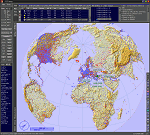
This add-on is an EXE application for Microsoft Flight Simulator and a DLL module for all other simulators. The DLL variant is activated via hotkeys or the simulator menu add-ons or plugins. Window size and layout are configurable for one or more screens. To avoid dazzling, the brightness of the entire application is customizable. Primarily it is a flight management system (FMS) with automatic control from start to landing. This also includes the observance of SID, STAR and Approaches in unmatched quality. The flight plan required for the FMS can be created manually or automatically, interactive changes and additions during the flight are possible. The basis of the flight planner is the 3D world map and the search function for airfields and navigation aids. The FMS by FSTramp relies on the autopilot of the aircraft. In case of incompatibility, the autopilot integrated in FSTramp will be used. This allows FSTramp to control almost all aircraft from airport to airport. The altitude profile of the flight plan, SID, STAR and approach is taken into account. This means that FSTramp extends the often incomplete airport procedures to and from the runway so that they can be flown completely automatically. During the fully automatic flight, the autopilot values ​​for HDG, ALT, VSPEED, SPD and MACH can be manually overridden. This is e.g. useful for being able to react to the instructions of the tower in the final approach without completely stopping the automatic flight. The rotating or north pointing 3D world map with numeric display of the terrain elevation under the mouse arrow is another special feature. It does not need an internet but is synthesized from included height profiles of the globe. The Data of continents, mountains and rivers are included in the setup. Airspaces, Airways, Waypoints and SID, STAR and Approaches are also included in the setup, but can be updated by installing additional AIRAC cycles. Airfields and navigation stations are taken from the simulator. NVIDIA: If the frame rate of the simulator drops sharply about 20 seconds after FSTramp's visibility, the power management of the GPU slows down prematurely. In the NVIDIA Control Panel, change the 'Manage 3D settings - Power management mode' option to 'Adaptive'.
| Filename: | FSTramp_v884_for_MSFS_FSXSE_Prepart3D_XPlane_Win.zip |
| License: | Shareware, time limited |
| Added: | 7th July 2023, 04:35:12 |
| Downloads: | 111 |
| Author: | Helge Schroeder |
| Size: | 358.21 MB |
| Category: Prepar3D V5 - Utilities | |
| FSTramp v8.84 for Prepart3D 2-6, MSFS, FSX(-SE), X-Plane (Win) |
|
Images related to this file:
File Description:
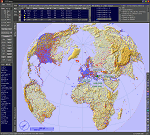
This add-on is an EXE application for Microsoft Flight Simulator and a DLL module for all other simulators. The DLL variant is activated via hotkeys or the simulator menu add-ons or plugins. Window size and layout are configurable for one or more screens. To avoid dazzling, the brightness of the entire application is customizable. Primarily it is a flight management system (FMS) with automatic control from start to landing. This also includes the observance of SID, STAR and Approaches in unmatched quality. The flight plan required for the FMS can be created manually or automatically, interactive changes and additions during the flight are possible. The basis of the flight planner is the 3D world map and the search function for airfields and navigation aids. The FMS by FSTramp relies on the autopilot of the aircraft. In case of incompatibility, the autopilot integrated in FSTramp will be used. This allows FSTramp to control almost all aircraft from airport to airport. The altitude profile of the flight plan, SID, STAR and approach is taken into account. This means that FSTramp extends the often incomplete airport procedures to and from the runway so that they can be flown completely automatically. During the fully automatic flight, the autopilot values ​​for HDG, ALT, VSPEED, SPD and MACH can be manually overridden. This is e.g. useful for being able to react to the instructions of the tower in the final approach without completely stopping the automatic flight. The rotating or north pointing 3D world map with numeric display of the terrain elevation under the mouse arrow is another special feature. It does not need an internet but is synthesized from included height profiles of the globe. The Data of continents, mountains and rivers are included in the setup. Airspaces, Airways, Waypoints and SID, STAR and Approaches are also included in the setup, but can be updated by installing additional AIRAC cycles. Airfields and navigation stations are taken from the simulator. NVIDIA: If the frame rate of the simulator drops sharply about 20 seconds after FSTramp's visibility, the power management of the GPU slows down prematurely. In the NVIDIA Control Panel, change the 'Manage 3D settings - Power management mode' option to 'Adaptive'.
| Filename: | FSTramp_v884_for_Prepart3D_26_MSFS_FSXSE_XPlane_Wi.zip |
| License: | Shareware, time limited |
| Added: | 7th July 2023, 04:35:26 |
| Downloads: | 43 |
| Author: | Helge Schroeder |
| Size: | 358.21 MB |
| Category: Flight Simulator X - Utilities | |
| FSTramp v8.84 for MSFS, FSX(-SE), Prepart3D, X-Plane (Win) |
|
Images related to this file:
File Description:
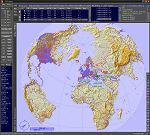
This add-on is an EXE application for Microsoft Flight Simulator and a DLL module for all other simulators. The DLL variant is activated via hotkeys or the simulator menu add-ons or plugins. Window size and layout are configurable for one or more screens. To avoid dazzling, the brightness of the entire application is customizable. Primarily it is a flight management system (FMS) with automatic control from start to landing. This also includes the observance of SID, STAR and Approaches in unmatched quality. The flight plan required for the FMS can be created manually or automatically, interactive changes and additions during the flight are possible. The basis of the flight planner is the 3D world map and the search function for airfields and navigation aids. The FMS by FSTramp relies on the autopilot of the aircraft. In case of incompatibility, the autopilot integrated in FSTramp will be used. This allows FSTramp to control almost all aircraft from airport to airport. The altitude profile of the flight plan, SID, STAR and approach is taken into account. This means that FSTramp extends the often incomplete airport procedures to and from the runway so that they can be flown completely automatically. During the fully automatic flight, the autopilot values ​​for HDG, ALT, VSPEED, SPD and MACH can be manually overridden. This is e.g. useful for being able to react to the instructions of the tower in the final approach without completely stopping the automatic flight. The rotating or north pointing 3D world map with numeric display of the terrain elevation under the mouse arrow is another special feature. It does not need an internet but is synthesized from included height profiles of the globe. The Data of continents, mountains and rivers are included in the setup. Airspaces, Airways, Waypoints and SID, STAR and Approaches are also included in the setup, but can be updated by installing additional AIRAC cycles. Airfields and navigation stations are taken from the simulator. NVIDIA: If the frame rate of the simulator drops sharply about 20 seconds after FSTramp's visibility, the power management of the GPU slows down prematurely. In the NVIDIA Control Panel, change the 'Manage 3D settings - Power management mode' option to 'Adaptive'.
| Filename: | FSTramp_v884_for_MSFS_FSXSE_Prepart3D_XPlane_Win.zip |
| License: | Shareware, time limited |
| Added: | 7th July 2023, 04:35:43 |
| Downloads: | 130 |
| Author: | Helge Schroeder |
| Size: | 358.21 MB |
| Category: Flight Simulator X - Scenery Design | |
| (Version 2.0) KEFD -Ellington 2025 Refresh FSX (Circa 2006-2010)- Johnson Space Center Houston |
|
Images related to this file:
File Description:
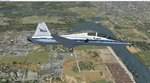
Version 2.0 covers landclass across the entire greater Houston area, with a large increase in LOD. This version significantly tightens up and improves the landclass from version 1.0, and adds a vast amount of scenery objects that brings the Bay Area-KEFD area into the modern era. This improves and adds a highly accurate runway 17 approach with accurate placement of buildings and scenery around the year 2011-modern day. In addition, includes several new files including a new airport/helipad via Houston Clear lake regional airport, T41 La Porte Municipal and surrounding shipping ports, Kemah Boardwalk, and a giant improvement to Johnson Space Center Houston. Rundway 35 and Runway 22 landclass is significantly increased, and more accurate as well. You can fly an accurate VFR approach or set up an ILS for any one of KEFD's runways with ease with this improvement.List of Version 2.0 additions and changes: - I added a ton of scenery objects and tightened up the landclass at Johnson Space Center Houston- NASA Control Center--- Added Talon Park with T38s (via static objects)--- Added Gemeni V rocket and 747 for the shuttle transporter--- And a whole bunch of vegetation, new buildings, and tour buses.- Added Kemah boardwalk and several boat docks- Removed a TON of highrise textures and replaced with medium and large city suburb landclass.- Added Clear Lake regional Hospital with helipad and surrounding scenery by Walter Reed Park- Added El Jardin or "Bayport Container port" with several scenery objects and significantly tightened up landclass.-- Looks great when setting up ILS approach for RWY 22- Tightened up Bay Area BLVD landclass, "adding" University of Houston Clear Lake"-- UHCL was semi already present, just made it more pronounced.- Made Red Bluff road landclass super recognizable!-- Red Bluff road is used to set up VFR approach and or field break for RWY 22 and RWY 17 R.----- Its common to see private jets and the USAF doing a break along Red Bluff road.- Added First Baptist Church, and water tower to Pasadena Convention center- Made Fairmont Parkway pronounced with landclass- Added Houston Port Authority at Morgan's Point--- Another Landmark for the RWY 22 ILS approach, NASA religiously uses this to line up the 10 mile ILS.- Tightened up landclass at Village Grove East and along Fairmont Parkway- Added a TON of scenery objects and landclass corrections for approach of RWY 17 L and 17 R.---- Added Home Depot, Lowes, Walmart Super center, Guitar center etc.---- added South Main Baptist Church--- Bondy Jr High, Turner Elementary, and Pasadena Memorial High School--- Added Saint Luke's Hospital--- Added Hampton Inn Suites and HCA rehab hospital--- Added a ton to the container facility behind best buy and storage facility--- Added smaller churches on RWY 17 approach--- Added a ton of scenery at the base of RWY 17 R, i.e., concrete plant, containers, trucks-- Added gas stations on the corner of beltway 8 and genoa red bluff-- Significantly changed and tightened up landclass at the base of RWY 22 and RWY 17 L and 17 R-- Made several roads and Beltway pronounced------ This decision looks AWESOME at night, really adds demarcation to the roads.**All of this makes the RWY 17 approach super recognizable** RWY 22 approach landclass is much more accurate.- Significantly changed and tightened up landclass near southbelt ellington and interstate 45.- Added Grace Church-- I wanted to do San Jacinto College south, but seemed over kill at that point.- SIGNIFICANTLY tightened up landclass for RWY 35 approach and near baybrook mall.-- Along I45- Added TDECU stadium at the University of Houston Main Campus---- So you can practice flybys for Cougar games!- Added the Battleship at San Jacinto Monument- I also "borrowed" T41 La Porte Municipal's tower camera to make a SWEET view of KEFD.- I included landclass for Sealy Texas this time, as well as my significant enhancements of Austin, Texas greater area as well (optional, but recommended!)---------------------------------------------------------------------------Version 1.0 originally added:- Added the Johnson Space Center Houston, which is now greatly enhanced and blended.- San Jacinto Community College-Central- Pasadena Convention Center- Pasadena Water Treatment Facility- NASA Bouncy Lab- Pasadena Shopping center, now greatly enhanced and blended.- Baybrook Mall and other shopping spots.- Significant Landclass improvements across the entire greater Houston Area File also includes landclass and scenery improvements for the greater Austin, Texas Area (optional), KIAH, KDWH, and Sealy, Texas. Each of these projects combined covers roughly 15,000 square miles of landclass improvement. Allowing you to fly entirely from Houston to Austin, or Houston to San Antonio in accurate landclass. -Enjoy!DJN
| Filename: | Version_20_KEFD_Ellington_2025_Refresh_FSX_Circa_2.zip |
| License: | Freeware |
| Added: | 12th October 2025, 16:15:47 |
| Downloads: | 72 |
| Author: | Dan Nelson |
| Size: | 277.28 MB |
| Category: Flight Simulator X - AFCAD Files | |
| Essex County Airport (KCDW), NJ |
|
File Description:
Located 02 miles N of Caldwell, New Jersey on 275 acres of land, Essex County Airport is a public airport with two asphalt runways, the longest of which is 4552'. Major changes include Runway 9/27 updated to the current 10/28; Runway 4/22 markings are custom made to match the real world, with threshold stripes on Runway 22 only; the beacon has been relocated to its real world location atop the control tower. Additionally, 221 parking locations have been accurately placed around the airport, broken up into 6 sections. See the included airport diagram that labels the various parking areas. 89 of these parking spaces are labeled RAMP_GA and these spaces are occupied by static aircraft. Collision with all static aircraft is disabled but still, if you do not want to start occupying the same space as another airplane, do not choose parking spots labeled RAMP_GA. Instead, all user aircraft should choose either RAMP_GA_SMALL (for wingspans up to 40') or RAMP_GA_MEDIUM (for wingspans up to 60' and only available in East Parking). Also, only 86 of these parking spaces are available for AI aircraft to spawn in. There are hangars available to transient aircraft: the two in South and Southeast parking are able to accommodate small craft with wingspans up to 40'; the one in Northeast parking is able to accommodate larger aircraft with wingspans up to 54'. Helicopters can start either on Taxiway P (South helipad), Taxiway N (North helipad) or in front of the main terminal (East helipad). Fuel is available in both the East and South parking areas by stopping anywhere on the concrete next to the fuel tank/pump. Take note that the runway patterns are both Left and Right and the pattern altitude varies for aircraft type. There are known issues with the AI for this airport, see the ReadMe for more details.
Scenery constructed with use of satellite images/streetview/aerial photos - the author has not been there in person.
This scenery is meant to be used in conjunction with MegaScenery Earth New York 005. It is not required, but apron use is minimized to allow satellite scenery to show through as much as possible, and objects are placed based on the MSE textures - lack of it may make scenery look out of place.
| Filename: | Essex_County_Airport_KCDW_NJ.zip |
| License: | Freeware |
| Added: | 14th April 2011, 01:50:13 |
| Downloads: | 416 |
| Author: | Drew Sikora |
| Size: | 2.4 MB |
| Category: Prepar3D V1-4 - Utilities | |
| FS Flight Builder |
|
Images related to this file:
File Description:
New version: Updated installer and auto-update functionality along with chart downloaded changes to support browser updated security measures.
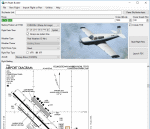
FS Flight Builder is a utility for general aviation flying that will build flight files for FSX (flt), FSX Steam Edition (flt), and Prepar3D (fxml) based on waypoints and other data either entered manually or imported from SkyVector using the Plain Text Link information. Among other things, you can select your starting position, aircraft, and VFR or IFR flight plan.
One of the most interesting features of the application is that it will include a Briefing file, added to the aircraft's built-in kneedboard, that will include departure and destination airport information (runways, frequencies, weather, and charts) as well as navigation frequencies along the route.
Have you ever started up flight simulator and wondered “where do I want to go today� The new Destination Chooser functionality can help to solve that problem. The screen allows you to enter your departure airport and choose various parameters for your destination (like min and max distance, tower availability, ILS availability, runway length requirements, etc.).
How to install:
***************
Run Setup.exe and simply follow the installation wizard.
When you run the application for the first time (make sure your flight simulator is not running), it will build the database from your flight sim data. Be patient. It could take a few minutes.
It will attempt to locate your flight sim folder and flight plan folders automatically. If it can't find them, however, you'll need to select them from the options menu.
IMPORTANT!
Because FS Flight Builder saves to your Flight Sim directories, it MUST be run in Administrator mode. To do this, right-click on the desktop icon, select the Compatibility tab, and check the Run as administrator checkbox.
IMPORTANT!
The airport and navaid databases for FS Flight Builder are built using Peter Dowson's excellent Make Runway utility and the equally excellent BGL2XML utility from ScruffyDuck Software. The links to these utilities are below. They must be added to the main FSX or Prepar3D folder.
Peter Dowson's website: http://www.schiratti.com/dowson.html
ScruffyDick Software website: http://www.scruffyduck.org/bgl2xml/4584282773
It's also important to note that Version 1.7 of BGL2XML is required for Prepar3D V3 and higher.
Author:
*******
Tom Arduini
The latest installer can always be found at
http://www.arduiniwebdevelopment.com/fsflightbuilder/fsflightbuilder.zip
| Filename: | FS_Flight_Builder.zip |
| License: | Freeware |
| Added: | 24th December 2018, 02:41:36 |
| Downloads: | 409 |
| Author: | Tom Arduini |
| Size: | 69.56 MB |
| Category: Flight Simulator 2004 - Scenery | |
| CYCE - James T. Field Memorial at Centralia, Ontario, Canada V1 updated |
|
Images related to this file:
File Description:
This is an updated version of the original post, revising and adding to AI, parking, rear fences, paths from apron to hangar doors, etc. The Lockheed Constellation was downloaded from the web site California Classics, and with the knowledge and permission of Tom Gibson the modified plane is included here complete with its Air Alaska textures and a modified .cfg file so that it will imitate a lightly loaded plane and squeeze the landing run to suit the runway length of 10-28. The airfield is in southern Ontario, 55 miles west of Kitchener and 25 miles northwest of London, close to the shore of Lake Huron. The airfield is ex-military and was previously listed as Huron Airpark before being officially named the James T. Field Memorial; for me it will always be Huron Airpark. The field is owned by Goderich Aircraft Inc, a company that fits out aircraft with new interiors including instrumentation, seating, and paint schemes. Their main customers are business jet owners, which is why the AI here is oriented towards Lear etc. There are now two runways in use, the third being closed and marked as such (though still listed in the AI for you to select one to land on). The main runway is 10-28 and just over 5,000 feet. The second runway is 16-34 and 4,400 feet, with only identification numbers and centreline markings. There appear to be no apron lights, taxiway lights or runway signage currently installed. There is a small club hangar (and club room) adjacent to the main apron at the southern end, with GA parking, and there are two large hangars (one new) used by Goderich at the northern end. The remainder of the original large hangars are now in use as light industrial units unrelated to aviation, the most obvious of which is a garbage collection company with numerous parked garbage trucks. One of the hangars adjacent to the apron does incorporate what appears to be a new set of hangar doors (the red one) but it is unclear if this is actually in use for a plane. The control tower is no longer in use, and there is only limited snow clearance in the winter by Goderich; presumably they only clear it when they need to use it themselves.
| Filename: | CYCE__James_T_Field_Memorial_at_Centralia_Ontario_.zip |
| License: | Freeware, limited distribution |
| Added: | 24th November 2016, 22:20:37 |
| Downloads: | 326 |
| Author: | Roger Wensley |
| Size: | 13.92 MB |
| Category: Flight Simulator X - AFCAD Files | |
| KLVN - Airlake Airport - Lakeville, MN, USA |
|
File Description:
KLVN - Airlake Airport beta version .3 - by Jason Boche
This is an update of the default FSX KLVN airport. Aside from the original 12/30 runway, everything else at this airport has been completely ripped and replaced.
Enhancements include:
-Extended runway on each end to depict current configuration
-Accurate taxiways including Hamburg Ave. and buildings representing the current general aviation hangars
-Added navigational equipment on the field
-Added a few asphault and dirt service roads
-Added FBO and other buildings as close as I could match them
-Added some general aviation aircraft, civilians, vehicles at the FBO and hangars, and two fuel trucks
-Moved fuel station to where I believe it is currently according to Google maps with 100LL fuel trigger functional
-Moved the windsock to accurate location
-Moved the beacon to accurate location
-Moved GA parking spots
-Added trees around FBO and beacon
-Added utility poles
-Added a few square miles of Lakeville city, farm, and residential land class and autogen according to Google maps. This is probably the biggest improvement. It now looks like people live, work, and shop north/northwest of KLVN.
-Reworked the runway 12/30 blast pads to what I believe is the "proper" method. Instead of freehand polygon asphault, they are now actual runway extensions on both ends with yellow chevron markings
-Reworked the land class on the southwest end of the airport where I believe hangar expansion is intended. Prior to this, there was a sharp contrast between where the KLVN airport boundary ended and where generic farm landclass began which was right in the middle of the southwest taxiways and it looked bad. Now that whole region is grass and looks to be part of the airport parcel.
-Minor building adjustments west of the FBO to better match actual placement. Will only be shown on high scenery detail.
-Fixed a gap on the southeast end of Hamburg ave taxiway where it rounds the corner for the rwy 30 hold short line
-Randomized the directional facing of some of the cars parked at GA hangars
-Renumbered the parking spots 1-4 with #5 being the refueling spot
-Reversed the start direction of parking spots 1-3.
-Pulled the refueling parking "start" spot back because on start the engine cowling & prop were too far forward inside the fuel pump equipment
-Added an autogen exclusion to the rwy 12 short final due to trees popping up on short final path.
-KLVN tower viewpoint 25 meters above FBO.
-Removed the perimeter fence around the entire field
| Filename: | KLVN__Airlake_Airport__Lakeville_MN_USA.zip |
| License: | Freeware |
| Added: | 22nd November 2013, 23:26:10 |
| Downloads: | 225 |
| Author: | Jason Boche |
| Size: | 446.33 KB |
| Category: Flight Simulator 2004 - Scenery | |
| PAMR (Merrill Field, Anchorage), 5HO (Hope), 9Z9 (Lawing) - Alaska, USA |
|
Images related to this file:
File Description:
This stand-alone combined V2 version of Merrill Field 2016 includes: windsocks, a parked Fedex 727 that was recently donated to the University of Alaska, some missing taxiway lights, and small corrections to the apron layout. It also includes Hope 5HO and Lawing 9Z9. The 2016 version of Merrill Field PAMR dealt with a spectacular malfunction reported by one recent downloader; see the two screenshots. Merrill Field is in Anchorage Alaska, between Anchorage International to the southwest and and Elmendorf Air Force Base to the north. It caters for general aviation and is the land equivalent of the Lake Hood float plane base, with fuel and numerous maintenance facilities, and several hundred parking spots for small planes. There are three runways, and the longest is 4,000 feet of 100 feet wide asphalt, the second 2,635 feet of asphalt 75 feet wide, and the third 2,000 feet of 60 feet wide gravel. The first two have runway lights. It is a controlled airfield with a relatively new control tower to cater for the numerous flights and to coordinate with Elmensdorf and Anchorage International, the latter also controlling flights from Lake Hood and the adjacent gravel strip Z41 (see my Lake Hood scenery). The gravel runway at Merrill Field is not connected with active taxiways to the rest of the airfield; this avoids you being ordered to land on it when flying a plane too large to do so. The enclosed layout shows the runways and the taxiways complete with their assigned letters to help you find your way around, but note that this shows the current gravel runway with its wandering magnetic headings, not the ones prevailing when I made Merrill. The signage on the airfield is not total. The main taxiways are signed and each entry to a runway has a runway sign, but intermediate taxiways to or from a runway are not; if you have turned off the runway at the first possible exit you could then whether it is R or T is, I suppose, irrelevant. Try not to turn onto Merrill Field Drive at an intersection, this is a road that runs through the field. There are almost 50 buildings on the field and threequarters of them have been modelled from photographs specifically for this scenery; some of them were modelled from photos that were of not very good quality, but when the photos were taken I wasn't thinking that I would ever model the field. Which explains why there are buildings I had no photos of at all, of any sort of quality.
| Filename: | PAMR_Merrill_Field_Anchorage_5HO_Hope_9Z9_Lawing__.zip |
| License: | Freeware, limited distribution |
| Added: | 26th February 2016, 09:54:17 |
| Downloads: | 761 |
| Author: | Roger Wensley |
| Size: | 22.64 MB |


© 2001-2026 AVSIM Online
All Rights Reserved
Privacy Policy |