
Where Flight Simulation Enthusiasts Gather from Around the World!
AVSIM Library - Search Results

| Category: Flight Simulator 2004 - Scenery | |
| Kuujjuarapik CYGW in northern Quebec, Canada |

|
Images related to this file:
File Description:
Kuujjuarapik is in northern Quebec at the southern end of Hudson Bay, 90 miles east of James Bay and on the north shore of the Great Whale River; Kuujjuarapik means Small Great River in Inuktitut. Once again the Hudson Bay trading post that opened (in 1820) was the catalyst for the establishment of first a seasonal encampment and then the beginnings of a town in the late 1930's.
The two adjacent villages that now form the town have a total population (mainly Cree and Inuit) of around 1,500. When the Quebec hydo-electric project was under construction in the early 1980's a large portion of the Inuit population voted to move to a new settlement called Umiujaq (my post) 100 miles to the north.
The airport is to the west of the town, between the town and the sea. The gravel and sand runway (which I have made as gravel as there is no convincing way to mix the two) is 5,500 feet long, 150 feet wide, and aligned 17/35, which is approximately parallel to the coast. There is fuel available, both 100LL and JetA, delivered by truck. The AI included here is for Air Inuit and Wasaya, with Air Inuit making three flights per day plus a fourth flight by the Air Inuit Twotter C-GNDO that is based at the airport, and private flights by various aircraft. Yes, there really is a golf course to the south of the airport, and the last thing to note is that Kuujjuarapik has a mandatory radio frequency and that taking into consideration the scheduled flights I have included the tower radio frequency that makes this a controlled airport in FS9.
| Filename: | Kuujjuarapik_CYGW_in_northern_Quebec_Canada.zip |
| License: | Freeware, limited distribution |
| Added: | 16th February 2013, 00:33:20 |
| Downloads: | 311 |
| Author: | Roger Wensley |
| Size: | 2.8 MB |
| Category: Miscellaneous Files - Demos from Commercial Vendors | |
| QuickPlan for Windows |
|
Images related to this file:
File Description:

QuickPlan for Windows is a visual point and click flight planner that makes it easy to generate flight plans in native FSX, FS2004 or X-Plane formats.
The entire route is generated visually, by tapping the map to add the departure airport, intermediate waypoints and arrival airport in the same order that you intend flying the plan.
During plan creation and after adding the final arrival waypoint you also have the opportunity to remove any of the intermediate waypoints before saving the plan in your preferred format.
QuickPlan utilises a new mapping engine and includes 12 world-wide map styles and has support for FSWidgets Cloud Based Aero Charts (free Cuba/Puerto Rico WAC Cloud Based Chart included) and FSWidgets Cloud Based World Nav Data (Free KSFO - San Francisco Bay area Nav Data included).
QuickPlan can be used in Freeform Mode, Advanced Mode, or a combination of both.
FREEFORM MODE: Simply click anywhere on the map and QuickPlan will allow you to add it as a generic waypoint. VFR pilots often use towns, lakes and other unique geographic features and with QuickPlan you can add any geographical location shown on the base map. Plans created this way label the waypoints automatically with generic names (e.g. DEP, WP1, WP2, ARR).
If desired, the entire route from departure to arrival can be created without reference to any navigational aids or official airports. This is handy for bush pilots who often use unlicensed airfields and small landing strips (or seaplane landing areas). Helicopter pilots can also quickly create plans that depart from off-airport locations like building rooftops or land on a road.
ADVANCED MODE: If you own the FSWidgets Cloud Based World Nav Data product you can create more advanced flight plans by clicking on any of the icons displayed on the map to add them as waypoints - airports, VOR's, NDB's and intersections (data for the KSFO area is included free). Plans created this way label the waypoints automatically with airport and navigational aid identifiers taken from the Nav Data (e.g. KSFO, OSI, LV, FABLA). FEATURE LIST:
- Generates native FSX (.pln), FS2004 (.pln) and X-Plane (.fms) format flight plans
- Saves flight plans to any folder (preferred folder set in Preferences)
- Search for airport by ICAO identifier
- Map powered by CloudMade Leaflet API (using OpenStreetMap data)
- Includes 12 world-wide maps styles
- Supports FSWidgets Cloud Based AERO CHARTS
- Free Cuba/Puerto Rico WAC Cloud Based Chart included
- Supports FSWidgets Cloud Based WORLD NAV DATA
- Free KSFO (San Francisco Bay) area Nav Data included
- World-wide Metar and TAF Data icons
- US Nexrad (Next-Gen Radar) Data
| Filename: | QuickPlan_for_Windows.zip |
| License: | Commercial demo |
| Added: | 27th October 2012, 09:22:33 |
| Downloads: | 523 |
| Author: | Fermin Fernandez - FSWidgets |
| Size: | 1.95 MB |
| Category: Flight Simulator X - Scenery | |
| MYXY - Duncan Town, Ragged Island Chain, Bahamas - Version 2 |
|
File Description:
The Ragged Island Chain consists of a string of small islands in the Bahamas. Only one island, Ragged Island, has a settlement on it which is known as Duncan Town. This FSX scenery improves the airstrip at Duncan Town and creates a new private airstrip on Nurse Cay. The airstrip at MYXY (Duncan Town) has been lengthened by 500 feet and widened by 25 feet. Six parking ramps now exist as well as a fuel pump and helipad. Additional taxiways have been added and lights for the runway, taxiways and apron. A small building has been added to serve as a combined terminal, control tower, and customs office. There is also a hangar to protect your plane from tropical storms. These improvements were necessary to accomodate the increased air traffic due to the new high rise tropical hotel, the Ragged Island Resort. There is also a lighthouse on the island and a cruise ship with helipad just off to the east. A large private yacht just to the north also has a helipad. You can watch dolphins swim at both of those locations - the helipads make great viewing spots. About 20 miles north of Ragged Island is Nurse Cay (MYXN). This is where my private airstrip and villa are located. The airstrip has a 2500 ft concrete runway and a parallel taxiway as well as a helipad. The runway, taxiways, and apron are all lit for night operations. The airstrip was built right on a marsh so wandering off the runway or taxiways could result in getting wet. You will find a variety of birds flying around at various locations throughout this scenery. A flight plan is also included for a dusk flight from Ragged Island (MYXY) to Nurse Cay (MYXN). So come on out to Ragged Island, because it's better in the Bahamas! This is version 2 and supercedes my original file - this version corrects the runway numbers at MYXN.
| Filename: | MYXY__Duncan_Town_Ragged_Island_Chain_Bahamas__Ver.zip |
| License: | Freeware |
| Added: | 24th August 2007, 15:55:49 |
| Downloads: | 2,408 |
| Author: | Mike Lanza |
| Size: | 13.43 KB |
| Category: Flight Simulator X - Scenery | |
| Kiwi360 (KiwiFruit Country)- Custom buildings, helipad, Hi Res photoreal, Aerius R22 Repaint. Te Puke, New Zealand |
|
File Description:
Kiwi360 (formally know as Kiwifruit Country) is a theme park based around the Kiwifruit (AK.A Chinese Gooseberry or Zespri- The trade name) which is a major export of New Zealand grown predominately in the Bay of Plenty Region. The park is situated about midway between Tauranga and Whakatane, about 5km east of the township of Te Puke.
The Bay of Plentys sunny climate ensures good growing conditions for the delicious fruit and has also spawned a mini tourist industry of tours of the orchards and sorting/packing/coolstores. These include tourist flights by Aerius (http://www.aerius.co.nz ) using a Robinson R44 helicopter.
This scenery was made after a visit when carrying out a GPS survey: I took a few photos and whacked it up. It isn't perfect but will be useful for flights in small helos (I.e. Robinson R22, R44 or Hughes 300/269).
It includes the famous giant Kiwifruit slice, the helipad next to it; the main Kiwi 360 building; a large coolstore/packhouse and the backpackers next to the park. It also includes a lot of library objects (especially trees- If these are adversely affecting performance, you can disable this bgl)
This is placed on a high resolution aerial photo provided by Environment Bay of Plenty.
The scenery also has reflection maps and night maps for those who like getting up at the crack of dawn or simulating frost protection work (although I don't believe the pad is certified for night operations in real life).
The download also includes a repaint of the default Robinson R22 in the colours of ZK-HJZ (in actual fact an R44) kindly provided by James Eden from the ARNZ Forums (see the readme for the .cfg entry to add this repaint)
This helipad isn't in controlled airspace but Tauranga Tower is nearby and will need to be called before entering their airspace (above 2500ft LL for the CTA or within about 10nm of Tauranga for the CTZ) Radio procedures are carried out on Christchurch Information 125.5 for flight following/planning.
| Filename: | Kiwi360_KiwiFruit_Country_Custom_buildings_helipad.zip |
| License: | Freeware, limited distribution |
| Added: | 29th June 2008, 06:05:29 |
| Downloads: | 2,455 |
| Author: | Tim Barnes, James Eden |
| Size: | 11.63 MB |
| Category: Flight Simulator 2004 - AFCAD Files | |
| Default New York JFK with Active Runways |
|
File Description:
A High quality AFCAD2 file for the default FS2004 New York JFK. This file has been completely rebuilt from scratch using information from the latest FAA charts (17th March 2005). All Aprons have been completely rebuilt and are modelled to be as near real as possible. Improvements have been made to the taxiways, including slight realignments where needed to avoid building collisions. The 'crosswind runway technique' has been applied to this airport to activate all runways for simultaneous use. This means all 4 runways at this airport will be used for simultaneous take-offs and landings, all the time. Full night lighting has been provided for taxiways and runways. On the default setup, more than 1 runway shared the same ILS frequency and these frequencies have now been altered by +.05 MHz to avoid conflicts. Approach lighting has been upgraded to "ALSF-2" on all runways to better assist your approaches in poor visibility. Displaced thresholds have also been modified to enable better traffic flow for landing aircraft. A 'Tower View' is now available. All real life gates at at each terminal within the airport are now available for use and they are correctly numbered as per real life and have the correct airlines assigned to them. Extra parking can be found at the GA Terminal, cargo bases and maintenance areas, and all real life helipads have been added to the airport. Additional overflow parking (remote stands) can be found at Terminal 4, UA Terminal 7 and AA Terminal 8/9. This AFCAD2 has been fully tested and all traffic flows as it should. If you have a large amount of traffic flowing thru JFK, this file will certainly bring the airport to life. Note: There are 2 versions included within this package: (1) Terminal 5 out of use as per real life (no gates added), (2) Terminal 5 in use, with gates allocated to TWA (as it was back then). See images for info. Enjoy!!
| Filename: | Default_New_York_JFK_with_Active_Runways.zip |
| License: | Freeware |
| Added: | 7th April 2005, 13:44:37 |
| Downloads: | 6,430 |
| Author: | Lee Brompton |
| Size: | 282.56 KB |
| Category: Flight Simulator 2004 - Scenery | |
| EPGO Goraszka 2010 - The Airshow Challenge |
|
Images related to this file:
File Description:
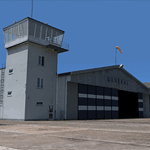
EPGO Goraszka 2010 - The Airshow Challenge is a freeware, extremely detailed scenery of a general aviation airport located 12nm (20km) south-east of Warsaw downtown and Warsaw Frederic Chopin International Airport, Poland. EPGO Goraszka airfield was built in 1994 and currently belongs to a General Aviation company, which offers aero-taxi flights, air transport and special flights (air photo, patrol) and airport services. The airport has a 800m-long runway and a lightened helipad, which can be used by helicopters of up to 5700kg weight. General Aviation's fleet includes Antonov AN-2, PZL-104 Wilga 80, Bell 407 and 427. Since 1996 the International Air Picnic Goraszka is organized every year by the "Polish Eagles" foundation created on initiative of Zbigniew Niemczycki.
The scenery is equipped with an automatic installer. Currently we support a safe, manual way of adding new sceneries to the Scenery Library in Flight Simulator. This is just one thing users need to do for themselves. Detailed instructions will be given during the installation process.
Scenery features:
-Compatible with FS2004 only
-Highest level of accuracy in geographic positioning, modeling and texturing
-Incredibly high quality photoreal textures of all airport buildings. Textures are based on over 300 real world -photographs made for this project.
-Hundreds of 3D objects like tents, exhibitions, airport buildings and surrounding buildings
-Life in the airport: people and cars will enhance your feelings
-AI traffic, animations and effects, designed specifically for FS2004
-Some buildings include interior (control tower)
-High quality aerial photos of the airport surroundings (5 seasons + night) with autogen and water mask
-Ultra high quality aerial photos of the airport (with seasons)
-Plain airport scenery with no airshow objects available too (details in the manual)
-Product includes manual and airport charts in PDF format
EPGO Goraszka 2010 - The Airshow Challenge scenery is compatible with almost every payware add-on, including Ultimate Terrain Eastern Europe and Warsaw Photo Scenery by Simdesign.
Scenery by Drzewiecki Design - www.drzewiecki-design.net
| Filename: | EPGO_Goraszka_2010__The_Airshow_Challenge.zip |
| License: | Freeware |
| Added: | 14th July 2010, 09:49:07 |
| Downloads: | 3,760 |
| Author: | Drzewiecki Design - Stanislaw Drzewiecki, Jakub Paczek |
| Size: | 132.03 MB |
| Category: Flight Simulator X - Scenery | |
| EPGO Goraszka 2010 - The Airshow Challenge |
|
Images related to this file:
File Description:
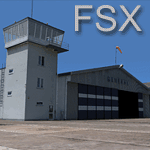
EPGO Goraszka 2010 - The Airshow Challenge is a freeware, extremely detailed scenery of a general aviation airport located 12nm (20km) south-east of Warsaw downtown and Warsaw Frederic Chopin International Airport, Poland. EPGO Goraszka airfield was built in 1994 and currently belongs to General Aviation company, which offers aero-taxi flights, air transport and special flights (air photo, patrol) and airport services. The airport has a 800m-long runway and a lightened helipad, which can be used by helicopters up to 5700kg weight. General Aviation's fleet includes Antonov AN-2, PZL-104 Wilga 80, Bell 407 and 427. Since 1996 the International Air Picnic Goraszka is organized every year by "Polish Eagles" Foundation created on initiative of Zbigniew Niemczycki.
The scenery is equipped with an automatic installer. Currently we support a safe, manual way of adding new sceneries to Scenery Library in Flight Simulator. This is just one thing users need to do for themselves. Detailed instructions will be given during the installation process.
Scenery features:
-Compatible with FSX only
-Highest level of accuracy in geographic positioning, modelling and texturing
-Incredibly high quality photoreal textures of all airport buildings. Textures are based on over 300 real world -photographs made for this project.
-Hundrieds of 3D objects like tents, exhibitions, airport buildings and surrounding buildings
-Life in the airport: people and cars will enchance your feelings
-AI traffic, animations and effects, designed specifically for FSX
-Some buildings include interior (control tower)
-High quality aerial photos of the airport surrondings (5 seasons + night) with autogen and water mask
-Ultra high quality aerial photos of the airport (with seasons)
-Plain airport scenery with no airshow objects available too (details in the manual)
-Product includes manual and airport charts in PDF format
EPGO Goraszka 2010 - The Airshow Challenge scenery is compatible with almost every payware add-on, including Ultimate Terrain Eastern Europe and Warsaw Photo Scenery by Simdesign. Scenery by Drzewiecki Design - www.drzewiecki-design.net .
| Filename: | EPGO_Goraszka_2010__The_Airshow_Challenge.zip |
| License: | Freeware |
| Added: | 16th July 2010, 12:31:42 |
| Downloads: | 4,718 |
| Author: | Drzewiecki Design - Stanislaw Drzewiecki, Jakub Paczek |
| Size: | 237.18 MB |
| Category: Flight Simulator 2004 - AFCAD Files | |
| Default Las Vegas McCarran with activated X-Wind Runways |
|
File Description:
A High quality AFCAD2 file for the default FS2004 Las Vegas McCarran airport. This file has been completely rebuilt from scratch using information from the latest FAA charts (17th March 2005). All Aprons have been completely rebuilt and are modelled to be as near real as possible. Improvements have been made to the taxiways, and newly built taxiways 'Romeo' and 'Zulu' have been added to the airport.
The 'crosswind runway technique' has been applied to this airport to activate all runways for simultaneous use.
Runways 01R/19L and 7L/25R will both be used for simultaneous take-offs whilst 01L/19R and 7R/25L will both be used for simultaneous landings, all dependent on wind direction.
Full night lighting has been provided for taxiways, runways and aprons and a 'Tower View' is now available. Full 'ALSF-2' approach lighting has been added to the landing runways to assist your approaches in poor visibility. The final runway modification is a 200ft overrun area at each end of runway 7R/25L only. All real life gates at this airport are now available for use, they are correctly numbered as per real life and have the correct airline assigned to them.
A new 'RJ' area with 12 stands for America West Express has also been added to the main apron, near the B concourse. Terminal 2 now has overflow parking to provide more space during peak periods. The 'Janet' (Area 51) shuttle area has been represented and has 8 coded stands for the 737s that use the terminal. Random parking has also been placed on the Executive Terminal area and also at 'Signature Parking' on the south west side.
Finally, there are a number of parking stands provided on the cargo area also. This file has been fully tested and all traffic flows as it should. If you have a large amount of traffic flowing thru LAS, this file will certainly bring the airport to life. Enjoy!!
| Filename: | Default_Las_Vegas_McCarran_with_activated_XWind_Ru.zip |
| License: | Freeware |
| Added: | 2nd April 2005, 22:00:16 |
| Downloads: | 4,842 |
| Author: | Lee Brompton |
| Size: | 81.04 KB |
| Category: Flight Simulator X - Scenery | |
| Freeware Project Kobe X (RJBE) Japan |
|
Images related to this file:
File Description:
Freeware project KOBE X (RJBE) Japan. Contains fully detailed airport with custom ground polygons. Accurate 3d model and texture of all the building of the airport including the terminal, control tower, hangars, bridge and many more. Please note that this project was my initial experience in many fields of scenery design so take it as it is and enjoy flying in Japan. The design is never done but I think it was ready to be released. Still have some work to do with the animated jetways and night lighting for my next "payware" project (KSAN, San Diego Intl). It's going to be far better than this freeware.
You can download the world of ai installer and install the All Nippon Airways package and maybe the JAL too. The jetways are not animated but you can park a 747 in gate 1, a 767 in gate 5 and a 737 in gate 6 and be perfectly aligned with the jetway door.
Also I've not try this scenery in a less powerful computer than mine. I run a Windows 7, I7-950 @ 3.8 GHz and a GTX 570. So don't get mad if you're having bad performances :). With all sliders in the "display settings" set to max I've around 20 fps in the virtual cockpit of the level-d 767. You'll get a nicer airport with also the global texture resolution set to max, water effects set to High 2.x and traffic to ultra-high. Do not turn on Ground scenery shadows as it will make a shadow for the entire airport (ground poly).
I've some tutorial on my YouTube channel (n170toga) on how to make fsx sceneries if you are interested. Don't forget to subscribe there and have updates for the upcoming scenery. Please review this airport if you like as I will learn a lot for my next
project and it's only going to be better.
This scenery is a freeware and should be considered as a freeware. Arigato, Sagga Toure (Devinci), Devinci Design and Development (3De)
| Filename: | Freeware_Project_Kobe_X_RJBE_Japan.zip |
| License: | Freeware |
| Added: | 12th June 2011, 08:28:51 |
| Downloads: | 6,660 |
| Author: | Sagga Toure |
| Size: | 66.48 MB |
| Category: Flight Simulator X - Scenery | |
| Merrill Field PAMR |
|
Images related to this file:
File Description:
This is a version for FSX of the Merrill Field made by Roger Wensley (me) for FS9, converted by John B Loney jnr. "PAMR read this first" explains this but I have modified John's original procedure, and instead of first installing the Merrill Field original plus two updates I have included here the current FS9 version as installed on my computer. Note that to see the apron lighting working in FS9 it was necessary to have Sidney Schwartz's light library installed, along with his updated textures (to avoid severe blurries caused by a faulty texture). The original installation instructions are included giving file library priorities etc. Just ignore the bits that do not apply, such as installing AI that is not included. I have of course omitted the original AI as this is replaced by John's version. I have no comment to make on installing in FSX as I have not done so, and I have not tested it in FSX. If you have comments or questions I will respond as much as I am able. Merrill Field is in Anchorage Alaska, between Anchorage International to the southwest and and Elmendorf Air Force Base to the north. It caters for general aviation and is the land equivalent of the Lake Hood float plane base, with fuel and numerous maintenance facilities, and several hundred parking spots for small planes. There are three runways, and the longest is 4,000 feet of 100 feet wide asphalt, the second 2,635 feet of asphalt 75 feet wide, and the third 2,000 feet of 60 feet wide gravel. The first two have runway lights. It is a controlled airfield with a relatively new control tower to cater for the numerous flights and to coordinate with Elmensdorf and Anchorage International, the latter also controlling flights from Lake Hood and the adjacent gravel strip Z41. (See my Lake Hood scenery). The gravel runway at Merrill Field is not connected with active taxiways to the rest of the airfield; this avoids you being ordered to land on it when flying a plane too large to do so.
| Filename: | Merrill_Field_PAMR.zip |
| License: | Freeware, limited distribution |
| Added: | 3rd July 2017, 18:00:19 |
| Downloads: | 452 |
| Author: | Roger Wensley and John B loney jnr |
| Size: | 21.73 MB |


© 2001-2026 AVSIM Online
All Rights Reserved
Privacy Policy |