
Where Flight Simulation Enthusiasts Gather from Around the World!
AVSIM Library - Search Results

| Category: Flight Simulator X - Miscellaneous Files | |
| 737NG Normal Procedures Non-APU version |

|
Images related to this file:
File Description:
After some input and ideas from a fellow FS2Crew pilot here is a non-APU version of my flow and checklist to even closer mimic real world OPs the way many big airlines operate in real life every day at big airports around the world where the use of APU is limited to only a short period of time a couple of minutes before engine start. I also (don't I always ;-)) did some other changes and what I think improvements since my last version so give it a try and see what you think! About fitting the list on 2 A4 pages when printing it from WordPad please set all your margins to 25 mm in WordPad and uncheck the option to print the page numbers. This time I will not ask the AVSIM Library Managers to replace my old version with this one since some of you might still want the version where the APU is used depending on what kind of flights you do and to what kind of airports. Instead this will be uploaded as a new and separate version.
A flow/checklist for flying PMDG's 737NGX with FS2Crew Voice Edition. Did this mainly for my own use meaning the flow/checklist is adjusted for how I do my flying and with the addons I use like Aerosoft AES for example. Please also be aware this is not the kind of flow/checklist that includes all things you need to perform during a normal flight but instead you are expected to already have a general knowledge of both the NGX and FS2Crew. However I thought others might be helped by this too both newbies to get you going with the "flow" using FS2Crew but also for the more experienced users as a simple to print out and use memory note. It's also easy for you to change whatever you like to suit your own needs better since I created it in common rtf format using the standard Wordpad Windows application. I deliberately made it as compressed as possible leaving out stuff like all the answers to the checklists etc so it would fit on a single A4 sheet being easy to print and maybe also laminate if you like. Hope you'll enjoy it!
| Filename: | 737NG_Normal_Procedures_NonAPU_version.zip |
| License: | Freeware |
| Added: | 22nd June 2012, 03:34:37 |
| Downloads: | 1,085 |
| Author: | Richard Asberg (with input from Peter Wolf) |
| Size: | 6.36 KB |
| Category: Flight Simulator 2004 - Original Aircraft | |
| Eurocopter Tiger (EC 665) - HAP/HCP, UHT and ARH variants |
|
Images related to this file:
File Description:
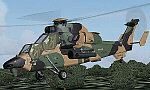
The Tiger HAP/HCP (Helicoptere d'Appui Protection / Helicopter for Close Protection) is a medium-weight air-to-air combat and fire support helicopter built for the French Army. The Tiger HAP is an air-to-air combat and fire support medium-weight (6 tonnes) helicopter fitted with 2 MTR 390 engines. It is daytime and night combat capable and is operable in NBC environments. Three basic parameters were taken into account right from the start of the development phase: low (visual, radar and infrared) detectability, which provides excellent survivability on the battlefield, maximum efficiency of the weapons and the associated fire control systems without heavier workload for the crew, and an optimized logistic concept offering minimum possession costs. The Tiger HAP is fitted with a 30-mm gun turret; 68-mm submunition rockets, and air-to-air Mistral missiles. It also features a firing sight with 3 sensors: infrared, TV camera and direct optical channel. The complete avionics suite includes multi-purpose colour displays and radar/laser warning receivers.
The Tiger UHT (from Unterstuetzungshubschrauber Tiger; Ger. supporting helicopter Tiger) is a medium-weight multi-role fire support helicopter built for the Bundeswehr (German Army).The Tiger UHT is a multi-role fire support helicopter. The Trigat Fire and Forget missiles and/or the Hot missiles it carries offer anti-tank capability, while 68-mm rockets ensure air-to-ground fire support. A 12.7 mm air-to-air gun pod and air-to-air Stinger missiles can also be installed. The helicopter also features a mast-mounted sight with a second-generation IRCCD infrared channel and a TV channel, as well as a nose-mounted IRCCD control FLIR for the pilot. Countermeasures include radar/laser/missiles launch/missile approach warning receivers and decoy launchers.
The Tiger ARH (Armed Reconnaissance Helicopter) is the version ordered by the Australian Army to replace its OH-58 Kiowas and UH-1 Iroquois-based Bushranger gunships. The Tiger ARH is a modified and upgraded version of the Tiger HAP with upgraded MTR390 engines as well as a laser designator incorporated in the Strix sight for the firing of Hellfire II air-to-ground missiles. Instead of SNEB unguided rockets, the ARH will operate 70 mm (2.75 in.) rockets from Belgian developer, Forges de Zeebruges (FZ).
Model, textures by www.afs-design.de - Author: A.Meyer. (Ex-payware package, now released as freeware).
| Filename: | Eurocopter_Tiger_EC_665__HAPHCP_UHT_and_ARH_varian.zip |
| License: | Freeware, limited distribution |
| Added: | 12th January 2013, 19:07:14 |
| Downloads: | 923 |
| Author: | Andreas Meyer |
| Size: | 11.72 MB |
| Category: Flight Simulator 2004 - Original Aircraft | |
| Caproni-Vizzola C-22J Ventura |
|
Images related to this file:
File Description:

The Machine:
A fully aerobatic, very-light Jet that compares to the Bede BD-5J, but heavier and sporting two instead of one TRS-18 turbojets. Up to Mach 0.47 and 650 NM of range, with a service ceiling of 25000ft. A low stall speed (for a jet) makes the aircraft good for short field operations.
Certified for VFR operations only, yet includes a good avionics suite.
This is a "Classic" aircraft featuring "Steam" gauges and radios. Yet, controls and systems are easy to operate.
The History:
The C-22J is the last aircraft to be adorned with the legendary Caproni name. Originally known as "Caproncino", then marketed as "Ventura". A very-light jet developed in the 1980s as a military trainer, surveillance and reconnaissance aircraft. Powered by two TRS-18 turbojets fed from a dorsal NACA intake, the aircraft reached Mach 0.47 and was fully aerobatic. The airframe shows its origin in a glider design, the Caproni A-21 Calif. After the merger with SIAI Marchetti, the project was cancelled in favor of the SF-260.
The Simulation - 3D Model:
This aircraft ships with a 3-D cockpit, that incorporates realistic night lighting, in the form of a dim dome flood light, backlit gauges and luminous digital displays. The flight crew of 2 is affected by your input in the payloads menu of Flight Simulator, allowing to choose between male, female or empty seats. The Copilot Figure can be hidden with a quick click in the internal 3D view as well.
The Simulation - Realism:
This aircraft has been tuned with the invaluable help of Engineer Carlo Ferrarin, who created the real aircraft. Unique and one-off documentation has been kindly provided, and used extensively, for the creation of this product!
Just like the real aircraft, the systems are simple and of easy operation. Engines can be started with the press of a button. Systems modelling allows the following of real-world checklists as closely as Flight Simulator allows. An in-sim checklist is included, as well as a full flight manual.
The flight model is tuned with advanced aerospace techniques, resulting in a highly realistic aircraft, yet, it is very pleasant to fly, both during aerobatic displays or "A to B" cruising.
Highlights:
- High-Resolution 3D cockpit
- Full Documentation
- Aerobatic
FS-2004 Version comes with limited support and is free due to platform limitations. See Readme. FS-X & P3Dv4 (64-bit) versions are commercial products.
| Filename: | CaproniVizzola_C22J_Ventura.zip |
| License: | Freeware, limited distribution |
| Added: | 7th November 2020, 18:31:45 |
| Downloads: | 677 |
| Author: | Mario Noriega |
| Size: | 157.85 MB |
| Category: Flight Simulator X - Original Aircraft | |
| JELAIR - Maersk Air, Boeing 737-2L9 (OY-MBZ) - version 3 |
|
Images related to this file:
File Description:

This aircraft (for FSX, with update-patch #2) is a simulated replica of Maersk Air's 'Pocket Rocket' OY-MBZ (a Boeing 737-2L9 a.k.a. 737-200/Advanced) anno 1989. It is designed for a screen-resolution of 1280x1024. Other resolutions have not been tested. It will NOT work correctly in FS2004 (FS9). It has been tested on Windows XP (32bit) and Windows 7 (64bit) only. It is designed to be as realistic as possible, and flight-experience from the real aircraft, as well as large amounts of documentation, have been used to get it as accurate as possible. It has a fairly advanced panel with many systems simulated, such as a passenger oxygen system, a cabin pressure system, anti-skid brakes, EPR control of each engine (with the possibility of asymmetric thrust), IVSI with TCAS, Sperry SP177 autopilot with working CWS and level-change button, active yaw-damper, Quality-of-flight index (so you can see how well you operate the aircraft), windshield wiper, custom flight-computer, automatic Vspeeds for takeoff and landing, takeoff trim calculator, master caution system, PAX simulator (if you make a mistake they may die), a JT8D-17 engine with slow spin-up time (do not idle it on approach). It features a relatively realistic random-failures/error simulation which will trigger, or de-trigger, any of a variety of possible failures/errors (from small gauge-errors to large engine-failures or cabin de-compression). The chance of a failure/error is very low (you may never even get one, but they can happen, so stay alert), maybe less than 1 percent chance per 24 hours of flight-time. It features engine-management simulation, so overheating an engine will cause it to fail (now you actually need to pay attention to the EGT during engine-startup, and have your finger ready at the fuel-cutoff switch just in case you need to save the engine from heat-damage). It features sounds recorded from the actual aircraft (OY-MBZ).
This is the third release of this JELAIR addon. A very big thank you to all the following very talented people that participated directly or in-directly in the production of this add-on: Original Model by Erick Cantu, Original Panel by Pablo Contouris, Original Panel BMP by Bob Scott, Original Panel Gauges by Ken Mitchell, Doug Dawson, Pierre Fasseaux, SPanel, www.FS2X.com, Original Sound by Christoffer Petersen, Original Textures by Henry William, FDE, various modifications and adjustments for aircraft type, as well as additional gauges and sounds by JELAIR
| Filename: | JELAIR__Maersk_Air_Boeing_7372L9_OYMBZ__version_3.zip |
| License: | Freeware |
| Added: | 16th April 2011, 13:52:24 |
| Downloads: | 7,035 |
| Author: | Erick Cantu, Pablo Contouris, Bob Scott, Ken Mitchell, Doug Dawson, Pierre Fasseaux, Christoffer Petersen, Henry William, Jacob Larsen |
| Size: | 80.51 MB |
| Category: Flight Simulator X - Scenery | |
| RAF Keevil |
|
File Description:
The airfield was built on a site previously ear-marked for the purpose in the mid-1930s. Consisting of 3 long concrete
runways the airfield was used by the Royal Air Force and the United States Army Air Forces Eighth and Ninth Air
Forces.
In 1942 Keevil airfield was provided to the USAAF and it was assigned USAAF designation 471 (KV). Squadrons based at
the unit transported military freight and supplies using C-47 and C-53 aircraft.
RAF Fighter Command use
Short Stirlings of Nos. 196 and 299 Squadrons RAF lining the runway at RAF Keevil on the evening of 5 June 1944 before
emplaning paratroops of the 5th Parachute Brigade Group for the invasion of Normandy With the departure of the
Americans, the RAF used Keevil beginning in March 1944 for 196 and 299 Squadron Short Stirling glider tugs of No. 38
Group RAF arrived followed by a large number of Horsa gliders, crewed by Army pilots of the Glider Pilot Regiment.
The RAF Stirling aircraft were crewed by RAF, RCAF, RAAF, RNZAF and SAAF personnel and were engaged in SOE and SAS
drops. largely in France, and in glider towing. Their involvement in the Normandy invasion of France and Operation
Market-Garden is well remembered by Keevil and Steeple Ashton villagers. Casualties of army and air force personnel
were heavy and a number of aircraft were lost.
With the end of military control, Keevil airfield is virtually complete with all of its runways, perimeter track and
many of the hardstands still in place. It is used occasionally for British Army and RAF exercises. The airfield is
still frequently used by the RAF for training purposes such as air drops and parachuting, the gate is always locked
and access is restricted to authorized key holders only. Ref ~ http://www.wdrcfc.org.uk/wp/about-2/clubrules/
Since 1992 it has been home to the Bannerdown Gliding Club, an RAF Gliding and Soaring Association Club, affiliated to
RAF Brize Norton since the closure of nearby RAF station at Lyneham. The airfield is also used as a motorsport circuit
for various events. It is also the home of the Warminster and District Radio Control flying club.
In September 1994 the Keevil Society, organised by Paul Vingoe, held a Commemorative Day to mark the 50th anniversary
of the D-Day and Arnhem operations and to dedicate a memorial to all who served at Keevil, especially those who flew
from there and lost their lives.
Source:Wikipedia
| Filename: | RAF_Keevil.zip |
| License: | Freeware |
| Added: | 5th February 2017, 19:55:43 |
| Downloads: | 174 |
| Author: | Terry Boissel |
| Size: | 24.39 KB |
| Category: Prepar3D V1-4 - AI Flight Plans | |
| California Pacific 2019 AI Flightplans |
|
File Description:
California Pacific was the pet-project of eccentric millionaire Ted Vallas who was determined to overcome a near-decade of obstacles to bring scheduled jet service to the Northern San Deigo\Carlsbad area. The airline was founded in 2009, but ran into a laundry list of problems over the years. Initially, the airline had acquired an EMB-170 which was painted in the airlines own colors and kept at the airlines Carlsbad base(CLD\KCRQ). The initial plan called for 3-class service to destinations including SJC, OAK, PHX, SMF, and even SJD. However, a US government shut down ill-timed during the scheduled proving runs and certification process for the airline delayed the process indefinitely. After months of waiting, and paying for staff and the aircraft to the dismay of investors, the E170 was returned and used as a cooperate shuttle in Arizona in full California Pacific colors, though it never would return. The founder did not give up, however, and years later was able to circumvent the certification process by purchasing the operating certificate of ADI's Essential Air Service operation which connected Watertown and Pierre, South Dakota with Denver with a pair of EMB-145s. One of the EMB-145s was painted in full California Pacific colors and used to launch scheduled flights, this time initially to SJC, RNO and LAS with AZA instead of PHX later being added. However, the other EMB-145 was damaged after being struck by ground equipment in Pierre, SD and was grounded for the rest of the airline's life, causing all EAS flights to cancel soon after California Pacific had acquired the flying. The airline was stretched so thin when service started in November 2018 that the departure of a pilot in January 2019 shut the airline down, after just 2 months in operation. Flights were for months considered "suspended", with airport signage being retained at the destinations, but soon after the website was taken down and all hopes of re-starting the company seemed abandoned. These flights are based on an early 2019 schedule I found online, but the EAS flights were not listed. As the flights did not operate anyway for the most part as California Pacific, I elected not to include them. The schedule was changed several times in the airline's short history as it struggled to maintain an aggressive 30 minute ground-time between flights with just 1 aircraft. The repaint for the AIM ERJ-145 may be found here: https://fsai-repaints.com/?p=1095
| Filename: | California_Pacific_2019_AI_Flightplans.zip |
| License: | Freeware, limited distribution |
| Added: | 9th December 2019, 18:02:01 |
| Downloads: | 61 |
| Author: | Chasen Richardson\Bayviation |
| Size: | 14.58 KB |
| Category: Prepar3D V1-4 - AI Aircraft | |
| AI Click Mexicana Ai Aardvark Fokker 100 Fleet Pack |
|
Images related to this file:
File Description:
This is the Third Oldest Airline in the world, the Second Oldest Airline in Latin America, and the First Oldest Airline in Mexico, Mexicana Airlines (Mexicana de Aviacion), this is the Airbus A318-111 for now the pack have the Last New Livery (2010) and the Old Livery (2005), more later will upload the Older Liveries, the Old Livery but with the Thin Logo and No Wingtips Logos, and the most popular and old Mexicana´s livery, (1997-2005). For the 100th Anniversary I´ll upload all the fleet, since 1940´s with the DC-2 to the last fleet that had when it flies, the Mark and Airline still exists, BUT It doesn´t fly since 2011. In this case this is the Mexicana Click the low cost airline by Mexicana Airlines, founded in 1972 as Aerovias Caribe S.A. de C.V. (Aerocaribe), in 2005 Aerocaribe changed as Click Mexicana/Mexicana Click, the fleet consisted in 2010 in Fokker 100 and Boeing 717-2BL. The textures are Mexicana Click Fokker 100, the registrations of this aircraft are: N109MN, N305MX, N347MX, N388DF, XA-JXT (With Old Colors, White Colors included), XA-JXW (With New Colors, Old Colors, White Colors, Grupo Mexicana sticker included), XA-KXJ (With Old Colors, Grupo Mexicana sticker, No paint included), XA-KXR, XA-LXG (With New Colors, Old Colors, No Tail Logo included), XA-MQC (With New Colors, No Tail Logo included), XA-MQJ (With New Colors, Old Colors, No Tail Logo, White Colors included), XA-MQK, XA-MRA (With New Colors, No Tail Logo, White Colors, included), XA-MRB, XA-MRE (With New Colors No Tail Logo included), XA-MRG (With New Colors, No Tail Logo included), XA-MRH (With Old Colors, New Colors, White Colors included), XA-SGE (With Old Colors, No Paint, Grupo Mexicana sticker included), XA-SGF (With Old Colors, Grupo Mexicana sticker included), XA-SHI (With Old Colors, New Colors, No Tail Paint, Grupo Mexicana sticker included), XA-SHJ (With Old Colors, New Colors, White Colors included), XA-SHK, XA-SHL (With Old Colors, White Colors included), XA-TCG (With Old Colors, Grupo Mexicana sticker included), XA-TCH (With Old Colors, Grupo Mexicana sticker included), XA-TCM, XA-TCP (With New Colors Old Colors, No Tail Logo), XA-TKP (With Old Colors, Grupo Mexicana sticker, No Paint included), XA-TKR (With New Colors, Old Colors, No Paint Logo, White Colors, Grupo Mexicana sticker included). The model is AI Aardvark (AIA) Fokker 100 Basepack. I hope you enjoy it!.
| Filename: | AI_Click_Mexicana_Ai_Aardvark_Fokker_100_Fleet_Pac.zip |
| License: | Freeware |
| Added: | 22nd May 2025, 22:57:41 |
| Downloads: | 27 |
| Author: | Jesus Gibran Soriano Solleiro |
| Size: | 264.28 MB |
| Category: Flight Simulator 2004 - Scenery | |
| Cyprus: Airfields plus landmarks and land class for all of Cyprus and AI |
|
Images related to this file:
File Description:
Cyprus, an island in the eastern Mediterranean. Without the benefit of Ultimate Terrain, which does not exist for Cyprus, the land class provided by FS9 stands out as hopelessly inadequate. I have added the extensive farmland and the larger towns and villages, plus the major roads. Four completely new airfields are included here, three in the north and one in the south. Ercan LCEN is in the north and functions as the airport for all of the north. It was recently closed for two years while a new terminal was built and the runway updated and an apron extended etc, and during that time Gecitkale LCGK functioned (barely) as the airport for the north. Gecitkale is now hardly used at all. The third northern airfield is Ilker Karter LCIK and this functions as the HQ base of the Turkish Army Corp in northern Cyprus. The last of the new airfields is Kingsfield LCRE, which is in the Sovereign Base area to the east of Larnaca and is now used for recreational purposes. Ercan is now undergoing further expansion with a new runway and a new terminal building and apron, so this scenery is for the period between 2010 to 2015. My set up of Cyprus already included a payware Larnaca by Aerosoft (now only 12 euros) plus a freeware Paphos, Nicosia, and Akrotiri; that was my starting point. Larnaca has been the major airport for Cyprus since the mid 1970's, with a huge tourist trade that peaks in the summer but which is year long (almost a million Brits visit every year, let alone the other nationalities). I have adapted this (gate sizes etc) to allow parking by a multitude of B737's and others. Nicosia is freeware (posted in 2010) and I have included modifications to reflect its now total disuse. Paphos is at the far western end of the island and freeware, and I have modified this to allow larger and military ai aircraft to function properly; the poster improved his first version to better cater for ai but I was unaware of this and I have stayed with my modifications. Akrotiri is freeware and includes a lot of library object input from MAIW. I have modified the parking somewhat and added further residential areas and munitions storage. The AI is based upon recorded take offs and landings in April, with some further additions in later months. At Ercan the visible gate numbers on the apron are as per real life, but the numbers within FS9 reflect the fact that planes are directed to gates at the centre of the terminal building and not at the far ends. Follow the pink line and obey ATC when it says taxi to gate number 2 even if it is visibly numbered 4.
| Filename: | Cyprus_Airfields_plus_landmarks_and_land_class_for.zip |
| License: | Freeware, limited distribution |
| Added: | 13th August 2017, 21:21:46 |
| Downloads: | 943 |
| Author: | Roger Wensley |
| Size: | 29.61 MB |
| Category: Prepar3D V1-4 - Utilities | |
| Flightplan Visualizer 1.15 |
|
Images related to this file:
File Description:
Flightplan Visualizer (FV) version 1.15.0. Copyright 2018-2020 by Pelle F. S. Liljendal ([email protected]), all rights reserved.
FV comes with 738 pre-imported Commercial AI flightplans (+380 BizJet flightplans are available as a separate download). However you are able to import additional (AI) flightplans yourself. Once imported these (AI) flightplans can be visualized on a map-view, and the user will be able to search accross all these. Hence you can use the program as inspiration as to which routes to fly. E.g. you can search across all imported flightplans to find all flights in an A321 flying into/out from LDDU, or simply to look for all flights in a Boeing 747-8F.
Simply run the included installer to install the software. The program will be installed into "C:\Program Files (x86)\Flightplan Visualizer" and all datafiles will be installed into: "C:\Users\[UserName]\AppData\Roaming\FlightplanVisualizer". The program comes with a full manual explaining everything, and a 3 page quick manual to get you started. The first 3 times you run the program the quick manual will automatically open. The forum is hosted here: https://forum.aerosoft.com/index.php?/forum/919-flightplan-visualizer/
Version 1.15 Contains the following changes:
- As a first, you can now import flightplans even if one or more aircraft-types cannot be automatically detected during import. These will instead be assigned to a dummy-type during import, however you need to manually assign substitute aircraft-type(s) before being able to save the imported flightplan. If/when the program gets support for the aircraft-type(s) that were missing during import, the substitute aircraft-types can either be re-detected manually or by using the "Re-process aircraft/airport-redirects" menu-item.
- Added a combo-box that can be used to filter the flightplans that are shown in the flightplan combo-box on the main-form (e.g. enter "west" to see only flightplans containing "west" in the name). Hovering the mouse over this new filter combo-box will show examples of the more complex filters (e.g. filter by provider, author, season, year, and so on).
- In version 1.14 user-airlines were added, and these could be accessed via a menu-item on the main-form. However in version 1.15 you can now also add user-airlines from the import-flightplan form, so you don't have to abort a pending import, and go to the main form in case you find you are missing a user-airline.
- Added MRU-lists (Most Recent Used) to the browser-forms used to search for: Airport, Aircraft and Airline. The text-edit in the top of these forms have been replaced by a combo-box holding up to 20 items (in chronological order, with the most recent at the top).
- Added a new chart to the Airport Info form showing: "Daily flights per international/domestic/same state".
- Added Utilization-pct to the fleet report (both total for the entire fleet, and per aircraft). The Utilization-pct is also visible for the displayed schedule (for a single aircraft) in the Leg-Info form. This value tells the pct of time the aircraft spends servicing the schedule (the remaining time the aircraft "sits at the gate", including the time spend loading/unloading passenger and cargo, loading fuel, being serviced by ground-crew and what not).
- On the main-form, renamed menu-item "Re-process airport-redirects" into "Re-process flightplans".
- Distance from selected airport to mouse-position on main-map moved from the bottom of the form to the upper/right-corner of the form (where info of selected airport is listed).
- Using the (right-click) context-menu on the main-form airports can now be toggled (on/off) as being favorites.
- A few minor changes were made to the default leg search criteria. If you have saved your own default, you should go to the leg search form, press-and-hold SHIFT while clicking the "Reset" button (to reset to "factory default"), then set the criteria to your perferences, and finally press the "Save Reset" button to re-save your preferences.
- Added MRU-list (Most Recent Used) to fuel-density combo-box on Unit Conversion form. If empty, the list will be preloaded with the values 0.7850 (old default), 0.8040 (often used as a standard for Jet-A), 0.8200 (often used as a standard for Jet-A1). The user is still able to enter another value.
- The values used in the unit-conversion form are saved with the settings file, so each time you open the form will contain the values entered last time you used the form.
- Tweaked the method for calculated flight-time. In previous version the same parameters were used for calculating flight-time for all flights. Now these parameters are dependant on distance, resulting in calculated flight times that are closer to those used in the flight-plans (based on statistic-data from +700.000 AI flights).
- Some of the aircraft have been marked as "Retro", and in settings you can choose to exclude the "Retro" (they are enabled by default).
- Improved (Boeing) aircraft-type detection when importing flightplans using non-standard naming, such as "B744F" in stead of "747-400F" or "B736" in stead of "737-600".
- Updated all libraries in use to the latest versions, and addressed some minor issues with the map.
- Fixed: Newer versions of MyRwy are outputting airport elevation as a floating point value (e.g. "629.92") whereas older versions were outputting it as an integer value (e.g. "630"). In previous versions of FV the floating point value "629.92" was wrongly read as an elevation of 62992 ft. The program can now both handle floating point and integer values, hence can be used with both old- and new versions of MkRwy.
- Fixed: When adding new user-airlines in version 1.14, callsign was being set to the name of the airline, in stead of the entered callsign. If you added any user-airlines in version 1.14, you should edit these with version 1.15, and set the callsigns again.
- Fixed: If a Leg search was active (combo-box in bottom of main-form showing "[Last Search]") and all flightplans were disabled in "Enable/Disable -flightplans" the program would shut-down with an exception.
- Fixed: The list of the airline-codes (gate-tab on Airline-Info form) started with a comma, however comma should only be used to separate the items when multiple airline-codes were associated with the same gate (3rd party scenery only).
- Fixed: In some cases the cruise-speed was not shown correctly in the Aircraft search form.
- Fixed: Some of the menu-items for launching the (YouTube) tutorial-videos were missing the tool-tip text ("Hold SHIFT to copy url to clipboard").
- Fixed: About-box can now be closed with ESC, like most other forms.
- Fixed: potential issue reading xml-data, perhaps with a the benefit of a slightly better performance.
- Data: Added support for flightplans using "retro" aircraft types such as: Aerospatiale SE-210 Caravelle, British Aerosapce ATP/BAC One Eleven, Concorde, DC-3, DC-4, DC-6, DC-8, De Havilland Comet, Fokker F28, Hawker Siddeley HS 121 Trident, Ilyushin Il-18/20/22/24/86, Lockheed Constellation/L-188 Electra, Shorts SC-5, Tupolev TU-134, Vickers VC10/Viscount, and thanks to user Aucery Lockheed 1011.
- Data: Support for additional aircraft-types added as well: BN-2A Trislander, CASA C-212/C-235, CubCrafters XCub, DHC-2 Beaver/Turbo-Beaver, DHC-3 Otter, DHC-5 Buffalo, Diamond DA-42/62, Extra EA-300, Honda HA-420, ICON A5, NAMC YS-11, Mooney, Mudry CAP 10, Pilatus PC-6/PC-24, Piper Cub/Super Cub, Robin DR-300/400, Shorts SC-7, Tecnam P2012/P2006T
- Data: Some of the aircraft-types, for which multiple ICAO/IATA-codes exists, were split into two (one for Pax and one for Freight), e.g. Convair 580, DC-9-10/30/40, and Il-96. As a result you should execute "Re-process flightplans" (found in the "Flightplan" menu), and "Re-detect all" aircraft.
- Data: A few missing aircraft IATA/ICAO codes were added, and some "behind the screen" data for multiple aircraft were updated as well.
- Data: A few Airlines were added/updated (a big THANK YOU to Bruce Nicholson for the assistance keeping these data up-to-date).
- Flightplans: The good people over at AIG (Alpha India Group) have once again been VERY busy since the last release, hence the installer comes with 298 new/updated pre-imported flightplans, bringing the total of flightplans bundled with the installer to 738.
- Flightplans: A few flightplans were bundled with the program in duplicates (2 slightly different names, or 2 different seasons). These duplicates have been marked as obsolete, and have been removed from the installer. Using the "Select all obsolete flightplans" menu-item in "Enable/disable-flightplans" you can mark these flightplans and move them to the "Disabled" folder, from where they can be deleted.
Pelle
| Filename: | Flightplan_Visualizer_115.zip |
| License: | Freeware, limited distribution |
| Added: | 20th March 2020, 17:08:52 |
| Downloads: | 378 |
| Author: | Pelle Liljendal |
| Size: | 28.9 MB |
| Category: Prepar3D V1-4 - Utilities | |
| Flightplan Visualizer 1.13 |
|
Images related to this file:
File Description:
Flightplan Visualizer (FV) version 1.13.0. Copyright 2018-2019 by Pelle F. S. Liljendal ([email protected]), all rights reserved.
FV comes with 586 pre-imported Commercial AI flightplans (+380 BizJet flightplans are available as a separate download). However you are able to import additional (AI) flightplans yourself. Once imported these (AI) flightplans can be visualized on a map-view, and the user will be able to search accross all these. Hence you can use the program as inspiration as to which routes to fly. E.g. you can search across all imported flightplans to find all flights in an A321 flying into/out from LDDU, or simply to look for all flights in a Boeing 747-8F.
Simply run the included installer to install the software. The program will be installed into "C:\Program Files (x86)\Flightplan Visualizer" and all datafiles will be installed into: "C:\Users\[UserName]\AppData\Roaming\FlightplanVisualizer". The program comes with a full manual explaining everything, and a 3 page quick manual to get you started. The first 3 times you run the program the quick manual will automatically open. The forum is hosted here: https://forum.aerosoft.com/index.php?/forum/919-flightplan-visualizer/
Version 1.13 Contains the following changes: Flightplans can now be exported in AIFP/TrafficTool-format (the same format that FV is able to import). It means if you have made any changes to a flightplan (e.g. redirected some airports) the flightplan can be exported from FV, and imported into AIFP (AI Flight Planner, by Don Grovestine) where it can be compiled into an AI-traffic bgl-file (traffic "scenery"). A new setting called "Adjust flight-time on airport-redirect" have been added. This setting defaults to "false" (un-checked), however if changed to "true" (checked) the flight-time will be changed if/when departure/destination-airports are changed due to airport-redirections (both automatic and manually). The flight-time is the result of the difference between departure-/destination-time, hence if the flight-time is changed either- or both departure-/destination-time will change as well. The original flight-time is scaled based on the original- and the redirected distance between the departure/destination-airports. When importing/editing flightplans you can now select one or multiple aircraft and delete them. When deleting an aircraft all schedules attached to that aircraft will be deleted as well. One use of this feature could be to remove aircraft you don't have a AI aircraft, prior to exporting the flightplan in AIFP/TT-format, and loading it into AIFP. When importing/editing flightplans a "Similar" button will appear next to the flightplan name if a similar named flightplan exists (e.g. "same name", but different season), or other flighplans exists for the same airline (ICAO). Hoovering the mouse over this button will show the names of these flightplans as a tool-tip, and if you click the button the list will be shown in a window (with some additional information), from where it can be copied to the clipboard if you need to. On the Edit/Import-flightplan form, the Aircraft- and Airport tab-sheets have been swapped, and a new tab-sheet was added to list all routes of the flightplan. For each route the distance is listed along will all aircraft types of the flightplan servicing that route. The "Aircraft" tabsheet of the form to import/edit flightplans now contains a button called: "Fleet report". Pressing this button will generate a report showing the fleet of an airline (based on the flightplan), that is sorted by Aircraft type and registration. For each aircraft it will show a list of all the airports served by that particular aircraft. A "Word-wrap" check-box have been added to the Result-viewer to toggle word-wrap on/off (word-wrap defaults to "on"). In previous versions any changes made in the settings form resulted in all flightplans having to reload (while showing the splash-screen). Changing the path for MakeRunway-files still results in an automatic "reboot" of the program. The combo-box for choosing default direction (outbound/inbound/both) for the leg-search (on reset) have been removed from settings, and it now defaults to "Outbound or Inbound". However in the search legs form you can now save your own preferred "Reset" criteria. When you press the reset-button, it will load this Reset-file (with your preferred reset criteria). If you hold SHIFT while pressing the reset-button (or you have not saved a personal reset-file), it will reset to the default factory-criteria. In the traffic tabsheet of the airport info form there is a combo-box letting you switch between "Selected flightplan" or last-search on main-form" and "All flights to/from this airport". In previous versions it did not perform the search of flights to-/from- the viewed airport until you selected the 2nd item from the combo-box. Now this search is performed in the background as soon as the form is opened, hence choosing the 2nd item in the combo-box is now instantaneous. The "Nearby Airports" tab-sheet in the "Airport Info" form, now have a column listing direction (from the airport to the nearby airports). When listing number of runways and gates (e.g. in the form showing nearby airports, or in the redirection-report), the radius of the largest gate is now included, as there is no need to redirect any 747 traffic to an airport where the largest gate is 23m (a 747 requires a gate with a radius of at least 36m). The frequency-count was removed from the before mentioned listing of runways and gates, to make more room for listing the aircraft serving each airport. The search for airport browse now have a new optional column listing comments (e.g. length of longest rwy and largest gate). The "show" combo-box lets you choose to show comments in stead of "Size/Rank/Traffic" or "Hint-text". Opening the search airport browser from the import/edit flightplan form, will automatically choose to show the comments column, as information regarding rwy length/gate radius can be relevant when redirecting airports. Form "Nearby Airports" now show the GPS-position in the caption of the form. Added runway/gate summary to caption-bar of airport info form, so you no longer need to look at both the runway- and gate- tab-sheet in order to see: number of runways, longest runway, number of gates and largest rate (radius). New check-box added to settings allowing you to include the before mentioned runway/gate info in the airport marker tool-tip on the main map. Region/sub-region added to "Airport Info" form (top/left corner). A new setting (default to disabled) lets you add region/sub-region to the airport marker-hint on the map as well. Added a button to the "airport info" to show the airport at flightradar24 (opens the default browser), and the button on the leg info form to show route the route at flightaware (also using the browser) have been replicated on the route info form. The METAR-/TAF-buttons on the leg info form now shows the raw METAR/TAF-message - as a tool tip - when you hoover the mouse over the buttons. As before, when you press these buttons it will open a window showing the decoded messages. Various minor changes to the leg info form: added info regarding longest runway and largest gate for each airport, and re-positioned some of the fields. Likewise the info copied to the clipboard when you click the appropriate button have been re-ordered as well. Changed flightplan format to accommodate additional information, but the format remains backward compatible. Button added to about-box allowing the user to copy version-info to the clipboard. Managed to "shave off" approx ½ a second during start-up (on my pc). Not a lot but still an improvement :-) Fixed: In the form for importing/editing flightplans the leg-page showed the original distance even if the airports were redirected. Fixed: On leg info form "Dest.Country" and "Dest.Apt" column-order were swapped. Fixed: Tweaked aircraft type detecting to better detect 740-400 and 767-200/300 freighters. In previous versions a few aircrafts were wrongly detected as pax, when they should have been detected as freighter. Data: Airbus 330-800/900 Neo, Boeing 747-400LCF (Dreamlifter), and Embraer 175/190/195-E2 have been added as supported aircraft, and a few additional airlines and airports were added as well. Flightplans: Installer comes with +70 new pre-imported (Summer 2019) flightplans of which some are replacements of obsolete flightplans (from previous installers), and 2 of the "old" flightplans have been marked as defunct, as "Adria Airways" and "Aigle Azur" have filed for bankruptcy and ceased their operations. Flightplans: Among the added flightplans you will find the first flightplan I have made myself, a flightplan for Airbus Transport International covering their 5 Beluga's an 2 Beluga XL's (the latter 2 are stil performing test-flights and have yet to be implemented into their "normal schedule").
| Filename: | Flightplan_Visualizer_113.zip |
| License: | Freeware, limited distribution |
| Added: | 13th October 2019, 17:50:53 |
| Downloads: | 355 |
| Author: | Pelle Liljendal |
| Size: | 30.45 MB |


© 2001-2026 AVSIM Online
All Rights Reserved
Privacy Policy |