
Where Flight Simulation Enthusiasts Gather from Around the World!
AVSIM Library - Search Results

| Category: Flight Simulator 2004 - Gauges | |
| JetDock control gauge for Simflyers airports |

|
File Description:
This gauge set is a modified version of Jeff Thomas' freeware Hangar Opener gauge. These gauges set both the NAV2 & COM1 frequencies to dock & undock aircraft using simflyers (www.simflyers.net) airports.
| Filename: | JetDock_control_gauge_for_Simflyers_airports.zip |
| License: | Freeware |
| Added: | 7th August 2004, 22:17:27 |
| Downloads: | 1,283 |
| Author: | Jose Bustos |
| Size: | 4.49 KB |
| Category: Flight Simulator 2004 - Utilities | |
| Shoot! control file for FS2004 & FSHotSeat |
|
File Description:
A voice control command file for use with
Shoot! voice recognition program, FS2004,
and FSHotSeat V3.4 Co-pilot. Adds reponses
to ATC using voice recognition, and the
ability to talk to your co-pilot and have
them respond to you! By Richard Edwards
(aka Space), with grateful thanks to the
FSHotSeat team and the authors of Shoot!
| Filename: | Shoot_control_file_for_FS2004__FSHotSeat.zip |
| License: | Freeware |
| Added: | 12th September 2005, 22:01:57 |
| Downloads: | 1,094 |
| Author: | Richard Edwards |
| Size: | 7.52 KB |
| Category: Flight Simulator 2004 - Gauges | |
| APU System and Sound Control SDK |
|
File Description:
This is a new gauge designed to correct a flaw that FS9 has that there is no APU. This gauge recreates the APU Power, RAT, and Hydraulics while on the ground. The only flaw in this gauge is that it doesn't use any of the fuel. This also has the ability to play APU sounds that range from the start up and shut down.
Note: This is an SDK, this does not include APU sounds. This is intended for sound and panel developers to include in their works.
| Filename: | APU_System_and_Sound_Control_SDK.zip |
| License: | Freeware, limited distribution |
| Added: | 10th March 2009, 16:25:30 |
| Downloads: | 1,311 |
| Author: | Andrew Quintal, TDA |
| Size: | 11.75 KB |
| Category: Flight Simulator X - Miscellaneous Files | |
| L1011 Information Document - Direct Lift Control |
|
Images related to this file:
File Description:

An explanation of the Direct Lift Control (DLC) developed by Lockheed for the L1011.
Designed for the excellent Captain Sim L1011 expansion for FSX.
| Filename: | L1011_Information_Document__Direct_Lift_Control.zip |
| License: | Freeware, limited distribution |
| Added: | 3rd February 2014, 14:25:19 |
| Downloads: | 323 |
| Author: | Aaron Graham |
| Size: | 478.8 KB |
| Category: Flight Simulator 2004 - Helicopters | |
| Helicopter HUD with Auto Pilot control. |
|
File Description:
This is a update of my HeliHUD for FS2004 with the added bonus of Antti Pankkonen's Auto Pilot. No need for complicated joystick setup very simple to add to any helicopter as an extra window. Default Bell206 files included. Now you can fly those long Nav legs with no problems, let the auto pilot do the work.
| Filename: | Helicopter_HUD_with_Auto_Pilot_control.zip |
| License: | Freeware |
| Added: | 29th November 2003, 11:20:30 |
| Downloads: | 3,710 |
| Author: | Tom Woods |
| Size: | 230.5 KB |
| Category: Flight Simulator X - Gauges | |
| Groundhandling gauges (Pushback, Taxispeed control, etc) |
|
File Description:
This archive contains version 5.0 of my "groundhandling" gauges, like automated pushback with conversation sounds, a Taxispeed controller using throttle AND brakes, and more; it can added to any aircraft.
New in V5.0:
1. Only for FSX !!
2. Accurate interworking with the new FSX pushback tugs. YES, finally :-) !!!
3. Reworked Brakes gauge.
4. Taxispeed gauge now has a built-in ARM function.
Easy to install, and fully documented.
| Filename: | Groundhandling_gauges_Pushback_Taxispeed_control_e.zip |
| License: | Freeware, limited distribution |
| Added: | 22nd October 2006, 03:13:21 |
| Downloads: | 22,360 |
| Author: | Rob Barendregt |
| Size: | 445.4 KB |
| Category: Flight Simulator X - Gauges | |
| CS737-200 ISG FMS Control Gauge |
|
Images related to this file:
File Description:
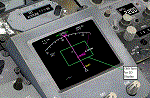
You must own Integrated Simavionics Group 1 (ISG1) ver 1.8.0 Update/Patch for this gauge to function properly.
This gauge allows the ISG Smiths FMS to function with Captain Sim's 737-200.
Additionally, the heading bug will automatically adjust while in 'LNAV' mode.
A Navigation Display can optionally be integrated in the virtual cockpit placed in the radar display location.
| Filename: | CS737200_ISG_FMS_Control_Gauge.zip |
| License: | Freeware, limited distribution |
| Added: | 13th March 2017, 00:01:24 |
| Downloads: | 980 |
| Author: | Paul Tally |
| Size: | 234.42 KB |
| Category: Flight Simulator X - Utilities | |
| NpC - Numpad Control for FSX v2.2.1 |
|
File Description:
NpC v2.21 - some small changes from v2.2 including a script you can use to switch autopilot input from Nav to GPS and instructions on moving and re-sizing and re-positioning the NpC message window.
NumPad Control (NpC) is a program for entering Com, Nav and ADF radio frequencies, Transponder codes, VOR OBS/CRS settings, Auto-throttle airspeed, and Autopilot altitude, vertical speed, and heading values in FSX using the keyboard number-pad instead of mouse click spots. NpC is programmed primarily for aircraft with default FSX avionics (radios, transponders, and autopilots that were developed within standard FSX programming guidelines). However, this updated version of NpC also supports a number of third party add-on aircraft such as the PMDG 737NGX / B777, Flight1 King Air B200 and the A2A Cherokee 180. NpC is a set of Lua scripts and thus requires a registered copy of FSUIPC4 to work.
An installation and configuration manual is also included in the file set.
For a video that gives an overview of NpC function see: https://www.youtube.com/watch?v=P2p6CHxMOl8&list=PL_NnG_PN8zwnEI59uGxlhgp11rJQbQ_gJ&index=2
| Filename: | NpC__Numpad_Control_for_FSX_v221.zip |
| License: | Freeware |
| Added: | 4th December 2015, 20:03:34 |
| Downloads: | 699 |
| Author: | Al Klayton, Dan Sullivan |
| Size: | 801.63 KB |
| Category: Flight Simulator 2004 - Scenery Design | |
| Rwy12 files for RAF Control Towers |
|
File Description:
Files need for Rwy12 users of my RAF Control Tower Library
| Filename: | Rwy12_files_for_RAF_Control_Towers.zip |
| License: | Freeware |
| Added: | 17th November 2008, 17:55:30 |
| Downloads: | 2,079 |
| Author: | Ted Andrews |
| Size: | 803.21 KB |
| Category: Flight Simulator 2004 - Aircraft Repaints, Textures and Modifications | |
| Eurowings Professional updated aircraft cfg files |
|
File Description:
These files replace the standard aircraft.cfg files that came with the Aerosoft Eurowings PRO 2004 package. They now include correct air traffic control airline callsigns and ICAO parking codes for all the planes included in the package. To benefit from this you will need to have 'EditVoicepack' running by Lars Møllebjerg.
| Filename: | Eurowings_Professional_updated_aircraft_cfg_files.zip |
| License: | Freeware |
| Added: | 6th September 2008, 17:41:52 |
| Downloads: | 241 |
| Author: | John O'Leary |
| Size: | 70.83 KB |


© 2001-2026 AVSIM Online
All Rights Reserved
Privacy Policy |