
Where Flight Simulation Enthusiasts Gather from Around the World!
AVSIM Library - Search Results

| Category: Flight Simulator 2004 - Scenery | |
| Airstrips East of the Adriatic |

|
Images related to this file:
File Description:
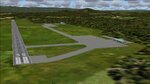
A collection of about 60 small airfields in Albania, Bosnia & Herzegovina, Kosovo, North Macedonia and Serbia & Montenegro, many of which aren't featured in FS2004, each enhanced with taxiways, parking spaces, buildings etc. and aprons as appropriate, to fill in a few gaps to the east of Italy. Most of these airfields are relatively "rural", often little more than a shed and a grass runway in a field, but they allow the generation of lightweight GA AI traffic in this area and into the adjacent countries.Again, there's no photo-realism here, just a selection of basic 'generic' buildings, more or less accurately sized and placed to reflect the airfield layout as seen on on-line satellite imagery and aerial photography. These buildings have minimal effect on frame-rates, so are ideal for this kind of job. The airfields are aligned as well as possible with the default roads etc. and the Genesis Europe mesh, but should mostly be fine in a default installation or other configuration.As before, the files for each airfield can be easily identified by the ICAO code, even if the airfield names vary slightly, so you can pick and choose and mix and match to suit any sceneries you already have, should you so wish. There is no requirement for any other download. Each airfield will exist as a stand-alone entity should you only want a few of them. A few default airfields have had new ICAO codes allocated, in these instances I've provided files to remove the default scenery from the landscape, though the original airfield will still appear on the maps and menu.
| Filename: | Airstrips_East_of_the_Adriatic.zip |
| License: | Freeware |
| Added: | 20th October 2025, 11:48:25 |
| Downloads: | 61 |
| Author: | Chris Eve |
| Size: | 525.71 KB |
| Category: Flight Simulator X - Sounds | |
| Boeing 737NG CFM56-7B Ultra Effects Edition |
|
File Description:
SkyHigh Audio Simulations is proud to present what is quite possibly the most realistic sounding Boeing 737NG sound pack available! This sound pack is designed specifically for the PMDG 737NGX, and will not work properly in any other 737NG aircraft add-ons in MS FSX, or Prepar3D. Seperate 737NG versions for the freeware TDS, Vistaliners/Kittyhawk, default 737-800, and other 737NG add-ons will follow shortly.
We have gone through great lengths to make this sound as realistic as possible through all stages of flight and through all dimensions of the exterior view, as well as the interior points of view. These sounds will raise the bar for all future jet sounds for Flight Simulator X!
One new and amazing feature in this sound is the interior 3D Sound Cone environment specifically for the PMDG 737NGX version. The sound environment will change inside as you 'scroll' back towards the engines and wings in the 3D interior view (virtual cockpit view).
Perhaps the best part of these sounds is the exterior fly-by! Using 3D Sound Cone technology, there are two exterior buzzsaw sounds, one distant and one up close. Two jet whine sounds, one for front and rear, and one for side-on to the plane. There are three powerful sounding rumble/exhaust sounds, one 'whooshing' sound effect for side one, one powerful blast sound for behind the engine, and one low rumble for when the plane is flying overhead at a distance. All in all, this will create one of the most realistic sounding in-game jet fly-by sound experiences for Flight Simulator X, especially for the CFM56-7B 737NG in FSX.
We hope you enjoy these new ultra-realistic 737NGX sounds for FSX. Actually we know you will enjoy them!
| Filename: | Boeing_737NG_CFM567B_Ultra_Effects_Edition.zip |
| License: | Freeware |
| Added: | 8th December 2014, 12:03:20 |
| Downloads: | 15,512 |
| Author: | Adam Murphy and Jesse Casserly - Skyhigh Audio Simulations |
| Size: | 79.16 MB |
| Category: Flight Simulator 2004 - Scenery | |
| Airstrips of North-West Europe |
|
Images related to this file:
File Description:
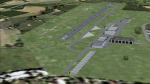
The sales blurb for FS2004 announced the inclusion of over 23,000 airfields ... unfortunately a significant number of those consisted of little or nothing more than a runway on a flatten with a rectangular background polygon.
To enable the addition of an amount of lightweight GA AI traffic, without overloading those airfields that were designed with parking spaces and taxi-ways, (and are probably already busy), I herewith include over 140 small sceneries, of mostly default airfields, from NW France, up the English Channel and the North Sea coast through Belgium, the Netherlands and NW Germany to Denmark, all with added taxiways and parking spots, aprons, generic buildings and background polygons as appropriate, to enable AI traffic to be generated without interrupting things at the more major airports.
A few of the French airfields are "new", not included originally with FS2004, and a couple have been updated to suit more recent developments :- for example, LFES "Scaer Guiscriff" is now LFES "Bretagne Atlantique", LFOR "Chartres Champhol" is now LFOR "Chartres Metropole", EHSE "Seppe" is now EHSE "Breda International" and EKVH "Vesthimmerlands" was previously EKVH "Aars".
There's no photo-realism here, just a selection of basic 'generic' buildings, more or less accurately sized and placed to reflect the airfield layout as seen on on-line satellite imagery and aerial photography. These buildings have minimal effect on frame-rates, so are ideal for this kind of job.
The airfields are aligned as well as possible with the roads etc. in UT Europe and the Genesis Europe mesh, but should mostly be fine in a default installation or other configuration.
Please read the rest of this "waffle" in the included text file ... it might save some confusion ;)
Enjoy :)
| Filename: | Airstrips_of_NorthWest_Europe.zip |
| License: | Freeware |
| Added: | 14th June 2024, 13:44:58 |
| Downloads: | 292 |
| Author: | Chris Eve |
| Size: | 9.95 MB |
| Category: Flight Simulator X - Scenery | |
| Freeware Project Kobe X (RJBE) Japan |
|
Images related to this file:
File Description:
Freeware project KOBE X (RJBE) Japan. Contains fully detailed airport with custom ground polygons. Accurate 3d model and texture of all the building of the airport including the terminal, control tower, hangars, bridge and many more. Please note that this project was my initial experience in many fields of scenery design so take it as it is and enjoy flying in Japan. The design is never done but I think it was ready to be released. Still have some work to do with the animated jetways and night lighting for my next "payware" project (KSAN, San Diego Intl). It's going to be far better than this freeware.
You can download the world of ai installer and install the All Nippon Airways package and maybe the JAL too. The jetways are not animated but you can park a 747 in gate 1, a 767 in gate 5 and a 737 in gate 6 and be perfectly aligned with the jetway door.
Also I've not try this scenery in a less powerful computer than mine. I run a Windows 7, I7-950 @ 3.8 GHz and a GTX 570. So don't get mad if you're having bad performances :). With all sliders in the "display settings" set to max I've around 20 fps in the virtual cockpit of the level-d 767. You'll get a nicer airport with also the global texture resolution set to max, water effects set to High 2.x and traffic to ultra-high. Do not turn on Ground scenery shadows as it will make a shadow for the entire airport (ground poly).
I've some tutorial on my YouTube channel (n170toga) on how to make fsx sceneries if you are interested. Don't forget to subscribe there and have updates for the upcoming scenery. Please review this airport if you like as I will learn a lot for my next
project and it's only going to be better.
This scenery is a freeware and should be considered as a freeware. Arigato, Sagga Toure (Devinci), Devinci Design and Development (3De)
| Filename: | Freeware_Project_Kobe_X_RJBE_Japan.zip |
| License: | Freeware |
| Added: | 12th June 2011, 08:28:51 |
| Downloads: | 6,660 |
| Author: | Sagga Toure |
| Size: | 66.48 MB |
| Category: Flight Simulator 2004 - Scenery | |
| Victoria, Canada area scenery |
|
File Description:
This is a complete upgrade of vicenh05, Victoria, Canada area scenery for FS9. New in this version: automated installer and configurator from Ken Peters; several detailed models including the Empress Hotel, the Legislature, the Regent Hotel and the Johnson St. Bridge; greatly enhanced Inner Harbour; many generic buildings representing buildings throughout the area; 7 new small airfields with sloping runways; seven new floatplane bases (owners of Vancouver+ get extensive floatplane traffic in local liveries); 7 new heliports (Vancouver+ users get additional heli AI traffic) and a myriad of minor fixes and improvements. Included from previous versions are revised shorelines, landclass and 19m mesh and buffer meshes for South-Eastern Vancouver Island; boat docks with static boats, seaplane docks and terminal buildings for Harbour Air, Kenmore Air and West Coast Air; piers, buildings, breakwater and other components of the Ogden Point Terminal; dock, service building and pilot boats of the Pacific Pilotage Authority; Odgen Point Cafe and Dive Shop; marine navigational lights for Victoria Harbour and area, including Esquimalt harbour and Oak Bay; antennae location corrections for the area; AFCADs included: Land based (CML2), Floatplane (CAB3, CAP5, CAP8, CAV8, CAW7, CAX6, CMAP, CYWH), Heli (CAL7, CBF5, CBF7, CBK8, CBW7, CBW9, CBZ7, CMBH); AI craft models and repaints (Cruise ships are repaints of Asuka model by Mitsuya Hamaguchi: MS Amsterdam of the Holland America Line travelling from Victoria to Vancouver, MS Summit of the Celebrity Cruise Line travelling from Seattle to Victoria); S-61 Sea-King helicopter in Helijet colours; Pacific Pilot custom vessel working from the Pilot dock; 22, 30 and 40 foot vessels plying the harbour and nearby Straight of Juan de Fuca. Effects included for lights, water, smoke effects. Many flights are offered, including two flights for owners of the Aerosoft Beaver (not required). Ultimate Terrain compatible (not required). Users of Misty Fjords will also get additional cruise ship traffic: the Island Princess and the Volendam alternating with the Amsterdam and Summit. Fully compatible with Don Grovestine's excellent CYYJ 2007. Replaces viflat.zip, ve4_tr1.zip, vicenh02.zip, vicenh03.zip, vicenh04.zip and vicenh05.zip. Detailed documentation included. By Jon Patch and Holger Sandmann.
| Filename: | Victoria_Canada_area_scenery.zip |
| License: | Check within download |
| Added: | 29th January 2010, 21:22:09 |
| Downloads: | 5,324 |
| Author: | Jon Patch and Holger Sandmann |
| Size: | 24.28 MB |
| Category: Flight Simulator X - Scenery Design | |
| (Version 2.0) KEFD -Ellington 2025 Refresh FSX (Circa 2006-2010)- Johnson Space Center Houston |
|
Images related to this file:
File Description:
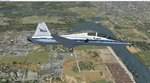
Version 2.0 covers landclass across the entire greater Houston area, with a large increase in LOD. This version significantly tightens up and improves the landclass from version 1.0, and adds a vast amount of scenery objects that brings the Bay Area-KEFD area into the modern era. This improves and adds a highly accurate runway 17 approach with accurate placement of buildings and scenery around the year 2011-modern day. In addition, includes several new files including a new airport/helipad via Houston Clear lake regional airport, T41 La Porte Municipal and surrounding shipping ports, Kemah Boardwalk, and a giant improvement to Johnson Space Center Houston. Rundway 35 and Runway 22 landclass is significantly increased, and more accurate as well. You can fly an accurate VFR approach or set up an ILS for any one of KEFD's runways with ease with this improvement.List of Version 2.0 additions and changes: - I added a ton of scenery objects and tightened up the landclass at Johnson Space Center Houston- NASA Control Center--- Added Talon Park with T38s (via static objects)--- Added Gemeni V rocket and 747 for the shuttle transporter--- And a whole bunch of vegetation, new buildings, and tour buses.- Added Kemah boardwalk and several boat docks- Removed a TON of highrise textures and replaced with medium and large city suburb landclass.- Added Clear Lake regional Hospital with helipad and surrounding scenery by Walter Reed Park- Added El Jardin or "Bayport Container port" with several scenery objects and significantly tightened up landclass.-- Looks great when setting up ILS approach for RWY 22- Tightened up Bay Area BLVD landclass, "adding" University of Houston Clear Lake"-- UHCL was semi already present, just made it more pronounced.- Made Red Bluff road landclass super recognizable!-- Red Bluff road is used to set up VFR approach and or field break for RWY 22 and RWY 17 R.----- Its common to see private jets and the USAF doing a break along Red Bluff road.- Added First Baptist Church, and water tower to Pasadena Convention center- Made Fairmont Parkway pronounced with landclass- Added Houston Port Authority at Morgan's Point--- Another Landmark for the RWY 22 ILS approach, NASA religiously uses this to line up the 10 mile ILS.- Tightened up landclass at Village Grove East and along Fairmont Parkway- Added a TON of scenery objects and landclass corrections for approach of RWY 17 L and 17 R.---- Added Home Depot, Lowes, Walmart Super center, Guitar center etc.---- added South Main Baptist Church--- Bondy Jr High, Turner Elementary, and Pasadena Memorial High School--- Added Saint Luke's Hospital--- Added Hampton Inn Suites and HCA rehab hospital--- Added a ton to the container facility behind best buy and storage facility--- Added smaller churches on RWY 17 approach--- Added a ton of scenery at the base of RWY 17 R, i.e., concrete plant, containers, trucks-- Added gas stations on the corner of beltway 8 and genoa red bluff-- Significantly changed and tightened up landclass at the base of RWY 22 and RWY 17 L and 17 R-- Made several roads and Beltway pronounced------ This decision looks AWESOME at night, really adds demarcation to the roads.**All of this makes the RWY 17 approach super recognizable** RWY 22 approach landclass is much more accurate.- Significantly changed and tightened up landclass near southbelt ellington and interstate 45.- Added Grace Church-- I wanted to do San Jacinto College south, but seemed over kill at that point.- SIGNIFICANTLY tightened up landclass for RWY 35 approach and near baybrook mall.-- Along I45- Added TDECU stadium at the University of Houston Main Campus---- So you can practice flybys for Cougar games!- Added the Battleship at San Jacinto Monument- I also "borrowed" T41 La Porte Municipal's tower camera to make a SWEET view of KEFD.- I included landclass for Sealy Texas this time, as well as my significant enhancements of Austin, Texas greater area as well (optional, but recommended!)---------------------------------------------------------------------------Version 1.0 originally added:- Added the Johnson Space Center Houston, which is now greatly enhanced and blended.- San Jacinto Community College-Central- Pasadena Convention Center- Pasadena Water Treatment Facility- NASA Bouncy Lab- Pasadena Shopping center, now greatly enhanced and blended.- Baybrook Mall and other shopping spots.- Significant Landclass improvements across the entire greater Houston Area File also includes landclass and scenery improvements for the greater Austin, Texas Area (optional), KIAH, KDWH, and Sealy, Texas. Each of these projects combined covers roughly 15,000 square miles of landclass improvement. Allowing you to fly entirely from Houston to Austin, or Houston to San Antonio in accurate landclass. -Enjoy!DJN
| Filename: | Version_20_KEFD_Ellington_2025_Refresh_FSX_Circa_2.zip |
| License: | Freeware |
| Added: | 12th October 2025, 16:15:47 |
| Downloads: | 72 |
| Author: | Dan Nelson |
| Size: | 277.28 MB |
| Category: Prepar3D V1-4 - Utilities | |
| AIFlow SimConnect Utility for P3D v4 |
|
Images related to this file:
File Description:
AIFlow v1.1 is a simconnect utility designed to ease AI congestion and go-arounds at the airport the user is departing from and arriving at. AIFlow does this by enforcing spacing minimums between arriving AI aircraft resulting in more orderly arrival patterns. AIFlow also supports spacing spacing minimums between the AI aircraft and the USER’s aircraft when the user is flying (during all phases of the user's flight). For added realism, AIFlow adds landing effects (e.g., micro bank and pitch corrections that scale up during crosswind conditions) to the AI on short final approach. The user can also briefly squawk 1234 in their aircraft to temporarily suspend landings so that the user can find a slot to depart a busy runway. AIFlow is designed to compliment the default P3D AI program and thus is fully compatible with any AI-related program that is compatible with the default AI program (e.g., AIG, Ultimate Traffic Live, Radar Contact, etc.). AIFlow is targeted to Prepar3D version 4.5 or 5.0, specifically SimConnect Version 4.5.0.0 or later. AIFlow operates externally via simconnect and thus makes no changes to the P3D sim. NEW for v1.1: (1) detect and correct AI performing poor approaches (e.g., dive-bombing, descent into terrain) under control of the P3D AI engine, (2) user can specify minimum and maximum AI approach speeds in terminal area, (3) prevent AI from stopping on runway when user landing, (4) AI plane spotting mode only, (5) external database fallback in case simconnect fails to provide local airport data, (6) adjustable in-sim message level, (7) periodic read of .ini file to tweak parameters more easily, (8) AIFlow starts minimized. FIXES for v1.1 include: sequencing in heavy AI traffic would sometimes cause excessive go-arounds, going around AI would sometimes improperly hold, changing AI spacing from default value did not have any effect, sometimes user aircraft would get controlled, .ini file would sometimes get confused reading parameter values having whites spaces.
| Filename: | AIFlow_SimConnect_Utility_for_P3D_v4.zip |
| License: | Freeware |
| Added: | 3rd July 2020, 23:57:52 |
| Downloads: | 2,024 |
| Author: | Roland Foster |
| Size: | 1.18 MB |
| Category: Flight Simulator X - Original Aircraft | |
| Antonov AN225-210 "Colossus" |
|
Images related to this file:
File Description:
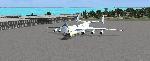
The AN225-210 is the result of a proposed 1 to 2-year projected modernization program which will
convert the current AN225 into a much more useful and capable aircraft than the already infamous
ÐœÑ€Ñ–Ñ (Mriya) . The latter First flew on December 21, 1988, and is currently 33 years old. There have
been a few maintenance periods and 1 major avionics modification, but otherwise is too old for reliable
future use. The 2 year process involves reconstructing the landing gear system to support much more weight. The
new engines are much more powerful, but lighter in weight, and much more fuel efficient. The wings
are replaced with similar wings with more wing-area built of modern light-weight material which gives
her higher lift capacity. The cargo hold area is reinforced for heavier weight limits. The crew areas
(upper deck, fore/aft main wing) are modernized for long duration flight, and two galleys are included.
The fuel tanks (9) now also involve 3 tanks in the upper center portion of the fuselage in order to put
less stress on the wings. The pressure system is modernized to achieve 6,000 feet cabin pressure up to
FL470. The internal and external lighting is fully modernized, the former for a pleasing effect and the
latter for distinct recognition during flight. Overall, the aircraft does not appear different to the
common observer.
Originally Created by:
Thomas Ruth & Alexander Kvitta (2009)
RB-211 Sounds by Sanjay Blair
Panel by: Philippe Wallaert
Auto Smoke Effects by: Richard Wisman
Camera Definitions by: Marc Renaud
Real World Aero/Engine Dynamics, EVP Mods, Effects and Data by:
Douglas E. Trapp
[email protected]
April 2021
All modifications herein are authorized by Thomas Ruth as contained within the AN225-210 Document pdf file.
This aircraft is designed for educational use protected by the Fair Use Doctrine:
http://www.expertlaw.com/library/intellectual_property/fair_use.html
| Filename: | Antonov_AN225210_Colossus.zip |
| License: | Freeware |
| Added: | 12th April 2021, 23:47:59 |
| Downloads: | 672 |
| Author: | Douglas Edward Trapp |
| Size: | 49.92 MB |
| Category: Flight Simulator 2004 - Scenery | |
| Airstrips of North-East Germany |
|
Images related to this file:
File Description:
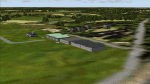
Moving towards completing my Airstrips of Western Europe project, herewith 50+ sceneries for smaller airfields in NE Germany, that I haven't included in my previous uploads, each enhanced with taxiways, parking spaces, buildings etc. and aprons as appropriate, to further facilitate the generation of lightweight AI traffic in the area, without overloading the more major airfields. If you have my "German Airstrips" folder from my previous uploads, these are in addition to that and the folders can be merged. Any apparent duplicates will be (minor) updates and can be over-written.
Again, there's no photo-realism here, just a selection of basic 'generic' buildings, more or less accurately sized and placed to reflect the airfield layout as seen on on-line satellite imagery and aerial photography. These buildings have minimal effect on frame-rates, so are ideal for this kind of job. The airfields are aligned as well as possible with the roads etc. in UT Europe and the Genesis Europe mesh, but should mostly be fine in a default installation or other configuration.
As before, the files for each airfield can be easily identified by the ICAO code, even if the airfield names vary slightly, so you can pick and choose and mix and match to suit any sceneries you already have, should you so wish. There is no requirement for any other download. Each airfield will exist as a stand-alone entity should you only want a few of them.
Very few basic library objects are used ... you can add "eye-candy" to suit your own taste should you wish, or just leave them as vague shapes in the scenery that can put a few more small aircraft into the air. As with other airfields in this series, now these are "ai-activated" you can expect to see the occasional little aircraft turn up at some of them if you've got any third-party traffic installed.
Please read the rest of this "blurb" in the enclosed text file ... there may be some details of interest.
| Filename: | Airstrips_of_NorthEast_Germany.zip |
| License: | Freeware |
| Added: | 14th April 2025, 19:55:20 |
| Downloads: | 85 |
| Author: | Chris Eve |
| Size: | 2.11 MB |
| Category: Flight Simulator 2004 - Scenery | |
| Dawson Creek CYDQ in British Columbia, Canada UPDATED |
|
Images related to this file:
File Description:
This is a revised version of Dawson Creek CYDQ and the floats base CBD3, made primarily to provide one of the parked planes with it's textures but also to improve the apron markings and the AI. The float AI now includes Beavers and I also removed two planes that were not properly showing their textures in my current FS9 installation. The Beavers were included in my post of Nimpo Lake CAF8 and will need to be installed to show up here. This version is complete in itself and can be installed as-is if you do not have the original scenery. Dawson Creek is at 2,148 feet asl just east of the Rocky Mountains, less than 10 miles west of the BC/Alberta border and where the Rockies are at their narrowest. The population grew when the Northern Alberta Railway was extended to Dawsons Creek in 1932, and grew even more more when the Alaska Highway was built in 1942, starting from Dawsons Creek. In the 1950's the town was linked through the Rockies by a railway and a road to the BC interior, and the town grew again. Now it is static at just under 12,000 and once again has become a farming centre, with Fort St John and Grand Prairie winning out for new industry and commerce. The airport is just to the east of the town. The runway is 5,000 feet of wide asphalt (150 feet) aligned 06/24, lit, and with PAPI and approach lights. There is also a water runway for float planes, separately designated as Dawson Creek CBD3. The two effectively operate as one; traffic for both use the mandatory frequency of 122.2 and talk to one controller in one control tower. However, in FS9 the ATC for two separately designated airfields (or float fields) operates as if they are nowhere near each other and takes no notice of near misses between the two lots of planes. As a result I have put them both in un-manned tower mode so you will announce your position and intentions and select your own parking spots, either next to one of the hangars or on the grass. The aprons vary from asphalt, to concrete, onwards to gravel, and then further onwards to some gravel amid the bare dirt; I have replicated this variation as far as FS9 permits.
| Filename: | Dawson_Creek_CYDQ_in_British_Columbia_Canada_UPDAT.zip |
| License: | Freeware, limited distribution |
| Added: | 17th December 2018, 17:50:08 |
| Downloads: | 208 |
| Author: | Roger Wensley |
| Size: | 26.71 MB |


© 2001-2026 AVSIM Online
All Rights Reserved
Privacy Policy |