
Where Flight Simulation Enthusiasts Gather from Around the World!
AVSIM Library - Search Results

| Category: Flight Simulator 2004 - Panels | |
| C172 Panel using AVG, a NEW Gauge Technology - DEMO |

|
Images related to this file:
File Description:
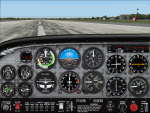
TAKE ADVANTAGE OF SUB-PIXEL RESOLUTION, ANTI-ALIASING AND SMOOTH ANIMATION FOR ALL YOUR ANALOG INSTRUMENTS. The AVG technology is designed for Flight Simulator analog gauges and provides smooth animation, especially for rotating parts (no more degree-per-degree rotation), no impact on performance and full compatibility with FS2004 and FSX, 2D or 3D panel. The panel provided here is a technology demonstrator. It is a C172 modified panel with AVG-based gauges that use the same graphics as the standard C172 gauges to let you compare the gauge animation and rendering. For more information, see this website: http://emarciano.free.fr/AVGHome
The usage of the panel is limited to 30 minutes after FS has started!
| Filename: | C172_Panel_using_AVG_a_NEW_Gauge_Technology__DEMO.zip |
| License: | Freeware, limited distribution |
| Added: | 12th December 2010, 14:11:16 |
| Downloads: | 314 |
| Author: | Eric Marciano |
| Size: | 1.07 MB |
| Category: Flight Simulator X - Panels | |
| C172 Panel using AVG, a NEW Gauge Technology - DEMO |
|
Images related to this file:
File Description:
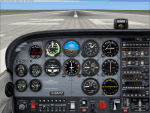
TAKE ADVANTAGE OF SUB-PIXEL RESOLUTION, ANTI-ALIASING AND SMOOTH ANIMATION FOR ALL YOUR ANALOG INSTRUMENTS. The AVG technology is designed for Flight Simulator analog gauges and provides smooth animation, especially for rotating parts (no more degree-per-degree rotation), no impact on performance and full compatibility with FS2004 and FSX, 2D or 3D panel. The panel provided here is a technology demonstrator. It is a C172 modified panel with AVG-based gauges that use the same graphics as the standard C172 gauges to let you compare the gauge animation and rendering. For more information, see this website: http://emarciano.free.fr/AVGHome
The usage of the panel is limited to 30 minutes after FS has started!
| Filename: | C172_Panel_using_AVG_a_NEW_Gauge_Technology__DEMO.zip |
| License: | Freeware, limited distribution |
| Added: | 12th December 2010, 14:26:01 |
| Downloads: | 576 |
| Author: | Eric Marciano |
| Size: | 1.81 MB |
| Category: Flight Simulator X - Gauges | |
| Air to Air refueling gauge - Tanker Side version 1.4 |
|
File Description:
This gauge will help you to simulate a realistic air to air refueling transfer by removing fuel gradually from your tanks based on the type of transfer that you choose Boom or DROGUE. Fuel will be removed at fixed rate each seconds and the weight and fuel of your airplane reduced accordingly. Enjoy the feeling of your tanker being lighter.
| Filename: | Air_to_Air_refueling_gauge__Tanker_Side_version_14.zip |
| License: | Freeware |
| Added: | 29th September 2010, 00:23:50 |
| Downloads: | 869 |
| Author: | Chris DUB |
| Size: | 22.69 KB |
| Category: Flight Simulator X - Gauges | |
| V-One Gauge for Captain Sim L-1011/F |
|
Images related to this file:
File Description:
List of features: Approximately 40 sounds integrated into gauge.
Take-off V-Speeds calculated for Flaps 10, 18 or 22.
Take-off command speed automatically set for V2 + 15.
Maneuvering speed for each flap selected.
Optimum altitude and optimum EPR (EPR calc for M.84) continually calculated.
Take-off trim calculated for current gross weight.
Current Altitude, EPR, Speed (knts), Flaps and Trim displays via toggle.
Display units can be toggled between LB and KG (default LB).
Re-settable flight timer. Re-settable fuel use.
Selectable Vref landing configurations, Vref33 (default) or Vref42.
ZFW, Fuel, CG, Gross Weight and Barometric Pressure MSL (QNH) displayed.
| Filename: | VOne_Gauge_for_Captain_Sim_L1011F.zip |
| License: | Freeware, limited distribution |
| Added: | 20th July 2014, 21:01:19 |
| Downloads: | 1,194 |
| Author: | Paul Tally, Stefan Liebe, Jimmy Foong |
| Size: | 5.28 MB |
| Category: Flight Simulator X - Gauges | |
| Update for HSI gauge for FIP - speed stripe added |
|
Images related to this file:
File Description:
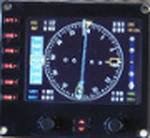
This is an update of hsi_glass.zip which provides a speed stripe on the left side and ADF bearing window is moved just below the course window (left up side).
This update has to be used with HSI_glass.zip file.
Two xml files are available for speed stripe. First with main steps of 5 KTS and up to 600 KTS. The xml file is named HSI_glass_IAS05_2011.xml and is convenient for light aircraft and heavy liner. Second with main steps of 10 KTS and up to 1200 KTS. The xml file is named HSI_glass_IAS10_2011.xml and is convenient for fighter.
| Filename: | Update_for_HSI_gauge_for_FIP__speed_stripe_added.zip |
| License: | Freeware |
| Added: | 9th April 2011, 20:36:25 |
| Downloads: | 734 |
| Author: | Philippe Verhaege |
| Size: | 106.63 KB |
| Category: Flight Simulator X - Gauges | |
| V-One Gauge for Boeing 737-200/Adv Update |
|
Images related to this file:
File Description:

Update includes KG, LB, degrees C and degrees F functionallity. V-speed calculation accuracy improved.
| Filename: | VOne_Gauge_for_Boeing_737200Adv_Update.zip |
| License: | Freeware, limited distribution |
| Added: | 9th August 2012, 20:06:58 |
| Downloads: | 597 |
| Author: | Paul Tally |
| Size: | 14.27 KB |
| Category: Flight Simulator X - Panels | |
| RDP AutoPilot Gauge and Mods for Just Flight HS748 |
|
Images related to this file:
File Description:

This project was born out of necessity to improve a very fun and an amazing aircraft, the Just Flight HS748. The objectives were to depict out of sight, hard to reach or sensitive information in an easier to read alternative. The lower panel is not based on any real panel or gauge, it was simply designed as so by me for easier reading of pertinent flight data. Whilst the top panel, is designed to replicate as close as possible, including how it functions, the 3D panel available on Just Flight HS748.
These include:
+ Autopilot and its various dependencies.
+ Elevator, Aileron and Rudder Trim, and their information.
+ NAV1 and NAV 2, with a DME (Only available for NAV1).
+ Flight Director Trim.
+ Outside and Total Air Temperature in Celsius and Fahrenheit.
+ Aircraft Heading and Vertical Speed ft/min.
+ Autopilot Vertical Speed numbers from the Autpilot VS wheel in Degrees and ft/min.
+ Pilot Input Heading and Course (Only for NAV1).
+ KOHLSMAN Setting, or Barometer in Millibars or inHg.
+ Left and Right Pitot switches.
+ GPS Icon for easier access.
+ Radios Icon.
+ Nav and GPS switch.
+ Indicated Aircraft Airspeed.
+ Indicated Altitude(Feets).
| Filename: | RDP_AutoPilot_Gauge_and_Mods_for_Just_Flight_HS748.zip |
| License: | Freeware |
| Added: | 26th February 2017, 08:07:59 |
| Downloads: | 406 |
| Author: | Ricardo de Paula |
| Size: | 1.31 MB |
| Category: Flight Simulator 2004 - Gauges | |
| Replacement Gauge for Project Fokker V2 cockpit at night |
|
File Description:
This is a replacement gauge for those people who fly the Project Fokker V2 and have problems with the cockpit bitmap at night - it does not fit with the places of the gauges - I assume, it is the bitmap from the V1. In V2 they changed the daylight bitmap in the cockpit and unfortunately the forgot to do something with the night bitmap.
| Filename: | Replacement_Gauge_for_Project_Fokker_V2_cockpit_at.zip |
| License: | Freeware |
| Added: | 1st March 2005, 14:07:49 |
| Downloads: | 10,336 |
| Author: | Georg Aubele |
| Size: | 429.55 KB |
| Category: Flight Simulator 2004 - Miscellaneous Files | |
| A Simple Analysis of Alpha in FS9 Gauge Images |
|
File Description:
This is a pdf formatted guide to using alpha in images for FS9's panels and gauges. It is intended to help developers be able to utilize alpha channels in their work without driving the poor developers insane.
| Filename: | A_Simple_Analysis_of_Alpha_in_FS9_Gauge_Images.zip |
| License: | Freeware |
| Added: | 13th May 2006, 20:44:18 |
| Downloads: | 637 |
| Author: | Scott Stoll (aka: Vorlin) |
| Size: | 193.15 KB |
| Category: Flight Simulator X - Gauges | |
| V-One Gauge for B707-300 with Call-Outs |
|
Images related to this file:
File Description:
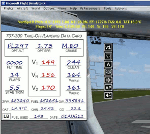
This gauge is written specifically for Captain Sim's B707-300 aircraft (http://www.captainsim.com/products/x707/). It will inform you of appropriate take-off speeds (V-speeds), take-off trim units, Vref landing speeds, elapsed flight time, fuel used, optimum cruise altitude and optimum EPR setting. It will also indicate when the aircraft's max gross weight and TOW has been exceeded by displaying in red text. Take-off speeds are adjusted for altitude and temperature values. Flight time and fuel used can be reset at any time by clicking on their respective displays. Pounds (LB), Kilograms (KG), Celsius (C) and Fahrenheit (F) are toggled by a mouse click. Provisions have been made to allow user adjustments to Optimum Altitude, Optimum EPR and Center of Gravity values. Seven F/O take-off call-outs are included: 80 knots, V1, VR, V2, Gear-up, Flaps-up and Slats Retract.
| Filename: | VOne_Gauge_for_B707300_with_CallOuts.zip |
| License: | Freeware, limited distribution |
| Added: | 3rd August 2012, 18:17:03 |
| Downloads: | 1,234 |
| Author: | Paul Tally |
| Size: | 1.04 MB |


© 2001-2026 AVSIM Online
All Rights Reserved
Privacy Policy |