
Where Flight Simulation Enthusiasts Gather from Around the World!
AVSIM Library - Search Results

| Category: Flight Simulator 2004 - AFCAD Files | |
| 113 AFCAD Files. FINAL RELEASE |

|
File Description:
M and K Studios is Very Proud to present our final release... However, not so final, we have descided to release this package, in order to anticipate and build off for our next release.... Includes over 113 AFCAD Files.... These files took over 2 months to complete and each airport was manually and painstakingly put together. Airports like KDEN (Denver) now have Runway 34L/16R, it is a 16000X200 FT Runway, that we designed with accurate Taxiways and with FULL Autoland, LAND3 ILS Certified Runway. Even better, each airport below has accurately parking spots aligned with their respective gates, EVEN BETTER THAN THAT. each airport has accurate Airline and parking spot placing in accordance with the FAA Database... The following airports below are the airports included in this file.... KABQ KADW KAFW KIAD KALB KAPA KBDL KBGR KBIL KBKL KBOI KBTL KBUR KCAE KCHS KCLE KCLT KCMH KCRP KCWF KCYS KDAL KDAY KDEN KDFW KDPA KDTW KEDW KELM KELP KEWR KFTW KFWA KGRR KGSO KGTF KHND KHPN KHWD KIAD KIAH KICT KILG KIND KIWA KJFK KLAN KLAS KLAX KLFT KLGA KLGB KLNK KLSV KLTS KLZU KMCN KMCO KMHR KMHT KMIA KMKE KMMU KMOT KMSP KMSY KMTN KNIP KOAK KOKC KONT KORD KPDX KPHL KPHX KPIT KPNS KPTK KPWM KRBD KRDU KRIV KSAF KSAN KSAT KSAV KSDF KSEA KSFO KSJC KSMF KSNA KSTP KSYR KTEB KTOL KVGT KVNY KCVG KMDW KBNA KMEM KSTL KTPA KDAB KPBI KATL KDCA KIAD KBWI KPHL KLGA KCHS KRNO KSLC... If that isnt alot of airports i dont know what is.... thank you for your download..... Thanks you. By Kylan Walters, Marcus Mosby, Our Beta Team, and the rest of the Team... (Origonal File Held 3274 Downloads in all)
| Filename: | 113_AFCAD_Files_FINAL_RELEASE.zip |
| License: | Freeware |
| Added: | 2nd August 2007, 03:18:05 |
| Downloads: | 25,921 |
| Author: | By: Kylan Walters |
| Size: | 3.88 MB |
| Category: Flight Simulator 2004 - Scenery | |
| CPR5 - Woodstock - Ontario, Canada |
|
Images related to this file:
File Description:
This is the first of a south Ontario series. Woodstock is a town with a population of around 38,000, located 50 miles west of Lake Ontario. The airfield is 3 miles west of the town, with a single grass runway just over 3,000 feet long and 100 plus feet wide, aligned 05/23 in FS9 (in fact it is now 06/24 due to the magnetic north wandering off during the last 10 years). There have been at different times varying amounts of gravel mixed in with the grass on both runway and taxiway; the majority surface by far is grass and I have left it all as such, as there is no visually convincing way to mix the two without unreal sharp edges. The apron is on the northern side of the runway, and is now modified in shape to maximise the area available for crops. There are 10 "T" hangars and a small clubhouse in a single long building. There is no fuel, runway lighting, or taxiway or apron lights so usage is effectively restricted to daylight hours. To the east of CPR5 and on the edge of the town is a private airstrip with 2,800 feet of asphalt runway; I have added this as a visual reference, along with several large grain silos on the other side of the road. Hidden in plain sight amid the surrounding farmland, the first sighting of CPR5 is actually always of the adjacent and far more visible buildings just to the east of the apron, which are owned by a company that deals with everything to do with boats, up to and including fishing gear. These have been included. As ditches cannot be effectively duplicated in FS9 I have included some fences which do not exist in real life, to give some needed visual clues.
| Filename: | CPR5__Woodstock__Ontario_Canada.zip |
| License: | Freeware, limited distribution |
| Added: | 8th July 2015, 13:36:05 |
| Downloads: | 185 |
| Author: | Roger Wensley |
| Size: | 5.57 MB |
| Category: Prepar3D V1-4 - Utilities | |
| GENav pro Navigation |
|
Images related to this file:
File Description:

Previous payware product at SimMarket, now 100% free.
With GENav pro you will view all AIRAC navigation data and terminal procedures inside Google Earth. GENav pro run under Windows and require only Google Earth for displaying. You can also edit your own routes or just copy routes into GENav to view in Google Earth. You can search for example an airport or a fix by short or long name, Google Earth will take you there.
You can connect to Microsoft Flight Simulator to view your aircraft. Moving map and heading is available.
GENav pro is highly optimized for best performance and clear views without clutter. There are smart filters to select relevant data to display, all AIRAC items are available. You will find all data such as nav-aid frequencies, airport runways with ILS frequencies by click the displayed icons in Google Earth.
You can edit routes visual direct inside Google Earth by click. The database can always be updated with Navigraph's latest AIRAC data.
With GENav you can easy build valid routes. Unlike other common autorouting program, GENav is the tool for you to build routes with correct airway direction and correct connected to SID/STAR's. You will easy draw your routes most stright and correct to destination. It is also excellent for visual and instrument navigation flights.
FEATURES:
*** Display airports, nav aids, waypoints
*** Display High/Low airways and airways direction
*** Display SID/STAR, Approaches and Transitions
*** Display ARTCC/FIR border
*** AIRAC data available by click
*** Search airport and fixes
*** AIRAC data compatible Navigraph data
*** Visual editable routes
*** VOR to VOR route navigation data
*** Display your aircraft
BASIC SYSTEM REQUIREMENTS:
*** Windows with Google Earth installed
( Notice, no flightsim program required )
OPTIONALLY REQUIREMENTS:
*** SID/STAR require the Navigraph purchase or an alternative free source
*** Airways direction & high/low info require the Navigraph purchase
*** To display aircraft, Microsoft Flight Simulator or Prepare3D v1/v2, with free FSUIPC is required.
*** To display aircraft at a separate computer, also the payware WideFS is required.
| Filename: | GENav_pro_Navigation.zip |
| License: | Freeware |
| Added: | 25th May 2016, 11:24:52 |
| Downloads: | 654 |
| Author: | Lennart Vedin |
| Size: | 4.5 MB |
| Category: Flight Simulator X - Aircraft Repaints, Textures and Modifications | |
| Tradewinds Airways Canadair CL-44 1977 |
|
Images related to this file:
File Description:
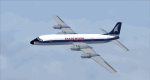
This is a repaint of the Canadair CL-44 in Tradewinds Airways colors. You need the freeware Canadair CL-44 by Mike Stone. Tradewinds was a British air cargo company. In November 1968, Transglobe Airways ceased operations, leaving a fleet of Canadair CL-44s lease-purchased from Seaboard World Airlines in limbo. Later in the month, Bobwood was formed to takeover the aircraft lease. Bobwood's name was changed to Tradewind Airways in January 1969 and all three ex-Transglobe Airways CL-44s were transferred over to the new company. Due to Seaboard World Airlines (a U.S. Cargo airline) having a large interest in Tradewinds, the British Government would not issue a license. Thus, in April, a British group was put together to take over the company. Consequently, a route network was developed primarily to Africa and North America in 1971–1976. Also in 1972, the carrier began flying from London Heathrow, often on all-cargo subcontracts for foreign airlines. In January 1977, Tradewinds became a wholly owned subsidiary of the multinational Lonrho Group. They received the 707-320Cs soon after. In 1978–1979, Tradewinds offered scheduled jet freight services from London to points in Africa, USA, and Canada. Unfortunately, in January 1986, Tradewinds ceased operations, citing overcapacity, undercutting by competing charter services, and stringent new noise abatement rules as cause of the demise. Its assetts were purchased by Tal Air, a British business travel airline, and tried to revive Tradewinds with freight services to Africa and the Middle East, however it was not to be, and they finally shut down for good in 1990.
Textures are 32bit bmp. This aircraft was tested on FSX-SE. It should work on FSX and FS2004.
*This is strictly an FS2004 model. However, I used it on FSX-SE by replacing the FS2004 panel and gauges with an FSX 2D panel, and it worked well. I have included two internet links for users of FSX, who wish to fly the aircraft, with easy instructions on how to go about replacing the FS2004 panels with FSX ones.
| Filename: | Tradewinds_Airways_Canadair_CL44_1977.zip |
| License: | Freeware |
| Added: | 24th January 2019, 05:08:24 |
| Downloads: | 74 |
| Author: | Ted Giana |
| Size: | 711.33 KB |
| Category: Flight Simulator X - Aircraft Repaints, Textures and Modifications | |
| FSX/P3Dv3 Alisarda F-27-200 1973 |
|
Images related to this file:
File Description:
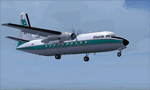
This is a repaint of the F-27-200 in Alisarda colors. The freeware FSX Native with VC F-27-200 by Bjorn Kesten is needed for this repaint. It was converted from Mike Stone's and Tom Gibson's models. The textures are 32bit DDS. It was tested on FSX-SE, but should work on FSX & P3Dv3.
Alisarda was an Italian airline based at Olbia, in Sardinia. It was established on March 28, 1963 as an air taxi company registered under the official name Linee Aerea della Sardegna SpA. Their first aircaft were two Beech 18s and Alisarda only provided a charter service. However, one year later,in 1964, they opened their fist scheduled service from Olbia to Rome. 1965 proved to be a pivotal year for the carrier. A reorganization was carried out whereby an agreement was concluded with Algenova for technical and commercial support. New investors were found, and in February 1965 two new Nord 262s were ordered from Nord Aviation. Due to this greater transport capacity, the transport figures increased strongly and in 1966 a total of 5,640 passengers were transported. The passenger loads increased dramatically in 1968 and 1969, so, Alisarda purchased three F-27 Friendships to take up the extra loads. The airline entered the 1970s with strength, and in January 1974 they received their first pure jets with the purchase of two DC-9-14s from Delta Airlines, I-SARJ and the I-SARV. 1977 saw them purchase two DC-9-32s, followed by three DC-9-50s in 1983, which replaced the aging DC-9-14s. In 1984 they received two new Maddog 82s. Their route network by 1989 consisted of domestic flights to many cities in Italy, plus international routes to Zurich, Geneva, Munich, Frankfurt, Paris, and Nice. In 1991 Alisarda merged with the Spanish carrier Universair, as the shareholders wanted to become a bigger players on the European market. The new carrier was named Meridiana. Thus, the name Alisarda ceased to exist.
| Filename: | FSXP3Dv3_Alisarda_F27200_1973.zip |
| License: | Freeware |
| Added: | 21st January 2020, 17:49:09 |
| Downloads: | 80 |
| Author: | Ted Giana |
| Size: | 4.79 MB |
| Category: Flight Simulator 2004 - AFCAD Files | |
| Default Las Vegas McCarran with activated X-Wind Runways |
|
File Description:
A High quality AFCAD2 file for the default FS2004 Las Vegas McCarran airport. This file has been completely rebuilt from scratch using information from the latest FAA charts (17th March 2005). All Aprons have been completely rebuilt and are modelled to be as near real as possible. Improvements have been made to the taxiways, and newly built taxiways 'Romeo' and 'Zulu' have been added to the airport.
The 'crosswind runway technique' has been applied to this airport to activate all runways for simultaneous use.
Runways 01R/19L and 7L/25R will both be used for simultaneous take-offs whilst 01L/19R and 7R/25L will both be used for simultaneous landings, all dependent on wind direction.
Full night lighting has been provided for taxiways, runways and aprons and a 'Tower View' is now available. Full 'ALSF-2' approach lighting has been added to the landing runways to assist your approaches in poor visibility. The final runway modification is a 200ft overrun area at each end of runway 7R/25L only. All real life gates at this airport are now available for use, they are correctly numbered as per real life and have the correct airline assigned to them.
A new 'RJ' area with 12 stands for America West Express has also been added to the main apron, near the B concourse. Terminal 2 now has overflow parking to provide more space during peak periods. The 'Janet' (Area 51) shuttle area has been represented and has 8 coded stands for the 737s that use the terminal. Random parking has also been placed on the Executive Terminal area and also at 'Signature Parking' on the south west side.
Finally, there are a number of parking stands provided on the cargo area also. This file has been fully tested and all traffic flows as it should. If you have a large amount of traffic flowing thru LAS, this file will certainly bring the airport to life. Enjoy!!
| Filename: | Default_Las_Vegas_McCarran_with_activated_XWind_Ru.zip |
| License: | Freeware |
| Added: | 2nd April 2005, 22:00:16 |
| Downloads: | 4,841 |
| Author: | Lee Brompton |
| Size: | 81.04 KB |
| Category: Miscellaneous Files - General Utilities | |
| Random Airport Generator |
|
Images related to this file:
File Description:
I can be contacted at [email protected] for any help required or different drive versions needed.
[ABOUT THE PROGRAM]
This program will read a text file from the route of your hard drive depending on the version you run, and select a random line and display that line. The file must be a text file named "Airports.txt". This program was designed with ease of use in mind for selecting a random airport for the Flight Sim community, though can be used for any purpose with any text file called "Airports.txt". The program will display the airport ICAO code then co-ordinates.
[ABOUT ME]
I am a 16 year old aviation enthusiast that loves flying and ATC, but hate having to choose an airport to depart from and arrive at, or to controll. This program has now removed this to make my flight more random with less decisions to make. I also like to explore areas I haven't been before, again this selects a random airport, from thousands of different ones, so exploring is inevitable.
[INSTALLATION]
The only installation required is to copy the Airports.txt file to the route of your hard drive C: or D: (for more drives e-mail me as above), then run the respective program for that drive from any folder you wish.
[ABOUT THE AIRPORTS.TXT FILE]
This file was collected from my FS2004 and contains every airport in it. Currently the program selects a line at random and displays it, whether a large international airport or small grass field. You could edit the file just to contain your favourite airports and it will NOT affect the running of the program as long as the file remains as Airports.txt. I am hoping in future versions to allow you to select a type of airfield, i.e. large, medium or small or select from runway length, though this will take a while to produce, if ever.
For now i hope everyone enjoys the program and happy flying :)
| Filename: | Random_Airport_Generator.zip |
| License: | Freeware |
| Added: | 9th June 2010, 02:41:14 |
| Downloads: | 210 |
| Author: | Alexander Aschacher |
| Size: | 254.45 KB |
| Category: Flight Simulator X - Original Aircraft | |
| American Airlines Boeing 787-900 |
|
Images related to this file:
File Description:
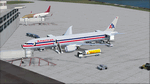
The Boeing 787 is one of the most sophisticated aircraft ever designed, and I have worked on several FS models from even before the real aircraft was ever built. I have accumulated so much data relating to this plane that I can now incorporate real world dynamics for it based on extremely realistic information. The aircraft offered here has been modified to offer all of that realism. In the real world, the 787 is flown primarily with autopilot controls, and this model is no different. It doesn't take a lot to fly this plane, and if I were to be offered the challenge I think I'd be up and flying within a few minutes, in a real 787. Because of this, I offer no advise other than normal flight rules.
If you are new to FSX, please learn through the on-board tutorials. I am not a tutor. I do not have anything to do with cosmetics. I do not design panels. All I do is help educate you about the realism of aircraft design. You can look at the aircraft.cfg and the .air file (Airfile Editor Required) to see what I've done in comparison to the original model, but I will not really help you with tutorial related issues. If you find something you think is wrong, let me know. Otherwise, enjoy this model and fly her like the real thing.
Everything I've done here is for educational purposes without any expectation of any monetary gain, and offered publicly for free. What I offer here is protected by the Fair Use Doctrine of International Copyright Law, and you are free to study this as follows:
https://www.law.cornell.edu/uscode/text/17/107
All persons involved with this and the original design are credited, unless they are unknown and have offered no credit details.
Model Designer: Camil Valiquette
Sound: Emil Serafino
Panel: Marco Spada
Real World Dynamics, Effects and Data: Douglas E. Trapp, [email protected]
July 2017
| Filename: | American_Airlines_Boeing_787900.zip |
| License: | Freeware |
| Added: | 15th July 2017, 16:46:49 |
| Downloads: | 861 |
| Author: | Douglas E. Trapp |
| Size: | 41.65 MB |
| Category: Flight Simulator 2004 - Scenery | |
| Iles de la Madeleine CYGR in Quebec Canada |
|
Images related to this file:
File Description:
The Iles de la Madeleine are a group of spit islands linked by bridges in the Gulf of St Lawrence. They are east of New Brunswick, north of Cape Breton Island, west of the Island of Newfoundland, and south of the mainland coast of Quebec. On a southwest to northeast axis they are 40 miles in length and the airport CYGR is pretty much at the midpoint of the southern line of islands. Take a look at the overhead from FS9 to see what I mean. CYGR has two runways, one is aligned 08-26 and is just under 4,400 feet long and 150 feet wide with lighting and PAPI at both ends. The second is aligned 16-34 and is 3,600 feet long and 150 feet wide, without lights or PAPI. Both are asphalt. The apron is not huge, and a newish (in 2010) hangar was built with separate access to the 16-34 runway. There are daily flights by Air Canada and Pascan Aviation included in the AI. The AI also includes some boats and a ferry, and I first used these with my Dutch Harbor scenery, so if you have that already.... This scenery also includes Cindy Hook, a small boat harbour just 2 miles southwest of the airport, and the larger harbour at Cap aux Meules a further 3 miles away that accommodates the daily ferry trips, along with fishing boats etc. Also included here is a further addition to the Homer PAHO scenery in the shape of a boat that is included in the Homer Spit harbour. Just add the contents of the scenery folder to the Homer scenery folder of your Homer installation, and the texture folder contents to the Homer texture folder. This is hopefully the last PAHO addition, and again apologies. If you find an error email me please, and note that my email address has been changed to rogwens at Gmail dot com.
| Filename: | Iles_de_la_Madeleine_CYGR_in_Quebec_Canada.zip |
| License: | Freeware, limited distribution |
| Added: | 28th July 2021, 17:02:18 |
| Downloads: | 188 |
| Author: | Roger Wensley |
| Size: | 26.7 MB |
| Category: Flight Simulator 2004 - AFCAD Files | |
| Default New York JFK with Active Runways |
|
File Description:
A High quality AFCAD2 file for the default FS2004 New York JFK. This file has been completely rebuilt from scratch using information from the latest FAA charts (17th March 2005). All Aprons have been completely rebuilt and are modelled to be as near real as possible. Improvements have been made to the taxiways, including slight realignments where needed to avoid building collisions. The 'crosswind runway technique' has been applied to this airport to activate all runways for simultaneous use. This means all 4 runways at this airport will be used for simultaneous take-offs and landings, all the time. Full night lighting has been provided for taxiways and runways. On the default setup, more than 1 runway shared the same ILS frequency and these frequencies have now been altered by +.05 MHz to avoid conflicts. Approach lighting has been upgraded to "ALSF-2" on all runways to better assist your approaches in poor visibility. Displaced thresholds have also been modified to enable better traffic flow for landing aircraft. A 'Tower View' is now available. All real life gates at at each terminal within the airport are now available for use and they are correctly numbered as per real life and have the correct airlines assigned to them. Extra parking can be found at the GA Terminal, cargo bases and maintenance areas, and all real life helipads have been added to the airport. Additional overflow parking (remote stands) can be found at Terminal 4, UA Terminal 7 and AA Terminal 8/9. This AFCAD2 has been fully tested and all traffic flows as it should. If you have a large amount of traffic flowing thru JFK, this file will certainly bring the airport to life. Note: There are 2 versions included within this package: (1) Terminal 5 out of use as per real life (no gates added), (2) Terminal 5 in use, with gates allocated to TWA (as it was back then). See images for info. Enjoy!!
| Filename: | Default_New_York_JFK_with_Active_Runways.zip |
| License: | Freeware |
| Added: | 7th April 2005, 13:44:37 |
| Downloads: | 6,430 |
| Author: | Lee Brompton |
| Size: | 282.56 KB |


© 2001-2026 AVSIM Online
All Rights Reserved
Privacy Policy |