
Where Flight Simulation Enthusiasts Gather from Around the World!
AVSIM Library - Search Results

| Category: Flight Simulator 2004 - Panels | |
| New Vickers VC10 panel, Part 1 |

|
File Description:
This is part 1 of two downloads.
This project is based on David Maltby's panel for the Vickers VC10, model available here: www.dmflightsim.co.uk/vickers_vc10.htm.

The project's aim is to enhance the cockpit experience by re-activating numerous gauges, switches and lights that previously had no function. It also introduces some new gauges and windows that are not in the original model. And, to bring the cockpit procedures as close as possible to the real checklists. To this end it contains voicechecklist files, a cockpit briefing and interactions with the cabin crew including a safety briefing.
The cockpit instrumentation has also been brought up to date with modern requirements and practices. And, as well as a number of new additional windows there is also a new night cockpit. The checklists are taken from the original BOAC flight manual and are extremely detailed as they are designed for a three man crew! So, as a single "sim" pilot you will be very busy! I have made well over 100+ additions and changes making this a comprehensive update. The original model was very similar to how one drives a car. That is get in, turn on the ignition and drive off!! You will find this update very different as it intentionally brings you much much closer to the reality of handling a high performance heavy jet especially one as complex as the elegant VC10!
| Filename: | New_Vickers_VC10_panel_Part_1.zip |
| License: | Freeware |
| Added: | 31st August 2011, 09:45:19 |
| Downloads: | 3,325 |
| Author: | Nicholas Weber |
| Size: | 144.76 MB |
| Category: Flight Simulator 2004 - Scenery | |
| CNZ3 - Chatham-Kent - Ontario, Canada V1 |
|
Images related to this file:
File Description:
This is partly part of the Small Ontario Fields series. The airport ICAO was changed from CNZ3 to CYCK in November 2012; I have left it as it was. The runway too remains as it was a few years ago. Chatham is located 50 miles east of Detroit and 150 miles southwest of Toronto, between Lake St. Clair and Lake Erie, and the airfield is southeast of the town. There is a single asphalt runway 5,000 feet long and 75 feet wide, aligned 05/23 in FS9 but in fact in real life now 06/24 due to the wandering magnetic north. The apron is on the northern side of the runway at the eastern end, with added taxiways to cater for newer hangars wearing identical colour schemes. There is fuel, runway lighting, some taxiway lights, visitor parking on the grass, and plane maintenance in the large hangar beside the small terminal building on the north side of the apron. There is a train station in the middle of the town, and no scheduled flights to the airport that is 8 miles away; these two facts may be connected. Ditches along the road and around much of the airfield provide separation, which is why the fences are not continuous. If you are on the runway and find your path to the apron blocked by another plane that is stationary at the hold short, continue past the first turnoff to the threshold markers and turn off the runway and wait. The AI plane will then taxi out and you will have a clear path.
| Filename: | CNZ3__ChathamKent__Ontario_Canada_V1.zip |
| License: | Freeware, limited distribution |
| Added: | 27th August 2015, 21:02:59 |
| Downloads: | 341 |
| Author: | Roger Wensley |
| Size: | 9.89 MB |
| Category: Miscellaneous Files - General Utilities | |
| Flight plan management table |
|
File Description:
THe Flight management table is an excel file which will help you to monitor weights and time of your flight plan.
You can insert the following info:
-Departure
-Arrival
-Callsign
-Flight number
-Route distance
-Number of pax
-Cost index
-Cruise altitude
-Block fuel, taxi fuel, trip fuel, extra fuel, reserve fuel
You can also manage time by inserting simulation date, start time, cockpit preparation time and many more.
The file also gives you an advice if you make a mistake and will calculate the fuel you have to burn if you have to perform an emergency landing but you are above the max landing weight.
The excel file will then calculate zero fuel weight, gross weight, takeoff and landing weights based on the "active aircraft management table".
It will also calculate off and on block time as well as takeoff and landing time.
You can use this file with any aircraft by adding tamplates to it or using one that is already in the file. At present the tamplates available are:
X plane
-Flight Factor A320 Ultimate
-Zibo mod B738
-IXEG B733
-Aerobask Eclipse 550NG
Prepar3d/Flight sim X
-PMDG B738 NGX
-Majestic Dash 8 Q400
Creating a new tamplate is easy. All you need to do is having weights info about the aircraft you wish to add in hand.
The file is under development which means that I am going to add new feature to it.
A good breefing is the first step for a good flight.
| Filename: | Flight_plan_management_table.zip |
| License: | Freeware |
| Added: | 9th August 2018, 14:21:41 |
| Downloads: | 336 |
| Author: | Luca Tessieri |
| Size: | 17.92 KB |
| Category: Flight Simulator X - Aircraft Repaints, Textures and Modifications | |
| Boeing B-17G 91st BG (LL-B) "General Ike" |
|
Images related to this file:
File Description:
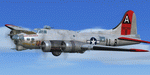
This folder contains a repaint for the A2A WoP2 B-17G in the colors of B-17G 42-97061 LL-B General Ike" of the 401st BS/ 91st BG based in Bassingbourne UK. One of the more well known B-17's of the 91st BG, was originally assigned to the 457th BG, but came to the 91st after only 3 days there, on the 16th March 1944. The aircraft was christened by Genral Eisenhower himself, when he visited the 91st BG on 11 April 1944. The noseart was painted by Cpl. Tony Starcer, with the lettering being done by Cpl. Elvis White. Both artists signed their work, though Cpl White's name later disappeared from the aircraft. Eisenhower liked the painting, but remarked to Cpl Starcer that his eyes were not blue-grey at all. "General Ike" survived the war and returned to Kingman Az, where she was scrapped. On its 65th mission, prop 3 started windmilling and sheared off, hitting the fuselage just below the co-pilots feet, but the only damaged was to the noseart, which was quickly repainted by Cpl Starcer. "General Ike" flew many missions as lead ship, because, as Capt John Davis said after returning from its 21st mission: "She's a mighty sweet plane, not too hot or fast, she moves steadily along. You don't want a fast aircraft for group lead."Ike" gets you over the target and brings you back again", which she did, again and again until the end of the war.
Repaint by Jan Kees Blom, based on the paintkit by A2A.
| Filename: | Boeing_B17G_91st_BG_LLB_General_Ike.zip |
| License: | Freeware |
| Added: | 7th October 2019, 18:19:56 |
| Downloads: | 84 |
| Author: | Jan Kees Blom |
| Size: | 18.8 MB |
| Category: Flight Simulator 2004 - Utilities | |
| FlightSim Manager 2.4.0 |
|
File Description:
Compatible with both FS2002 and FS2004
Please ensure you are downloading the very latest version by doing a search on my name first.
FlightSim Manager is a great tool for managing add-ons to Microsoft Flight Simulator. Using easy to Wizard - FSM can install aircraft, panels, textures and scenery directly from distribution ZIP files you may have downloaded, with proper uninstallation of add-ons. From an easy to use Aircraft editor to add or remove aircraft variants, to an comprehensive Hangar management allows you to manage and configure your add-ons off your live FS installation.
Using FSM, you can create Texture Sets - i.e.. different Tree Sets, and you can install the texture with a single click, capture screenshots from Flight Simulator, and launch it with random Splash Screens, and fly from anywhere in the world using an map view.
You can also control Flight Simulator with speech commands using FSM. Other features include Benchmark Flight Simulator, Repository support and set of diagnostics tools.
Version 2.4 also enhaces the Pilot-mode, with auto-saving flight, warning sytem, and voice recognition.
Installation -
Please use the setup.exe file. If you wish to uninstall the software, you can do so from Control Panel - Uninstall software.
You can find the latest version from -
http://www.ranainside.com/
To request any new feature, or to submit bugs, please visit our forum at
http://softwares.ranainside.com/
| Filename: | FlightSim_Manager_240.zip |
| License: | Freeware |
| Added: | 4th August 2004, 20:55:28 |
| Downloads: | 2,978 |
| Author: | Rana Hossain |
| Size: | 3.77 MB |
| Category: Flight Simulator X - AFCAD Files | |
| Salem Airfield Airport (NJ74), NJ |
|
File Description:
Located 01 miles E of Salem, New Jersey on 14 acres of land, Salem Airfield is a private turf strip 2200' in length. The hard surface runway has been removed so have your mesh settings as high as possible to get the most out of landing/taking off on actual terrain. The surrounding area has been highly detailed with as much forestation as possible included to block out the horizon as much as possible considering the many open spaces surrounding the airport. Tie downs are located next to the middle of the runway, look for the marker cones or start in any RAMP_GA_SMALL parking locations. A hangar is available as well, and attendant is on call on NAV2 to open the door. You can start inside the hangar in the DOCK_GA parking spot or outside the hangar in the RAMP_GA parking spot. All parking is for aircraft with wingspans no greater than 40 feet. There is no fuel available. The field is lit for night use, but the windsock is not so check your weather before flying in!
Scenery constructed with use of satellite images/streetview/aerial photos - the author has not been there in person.
This scenery is meant to be used in conjunction with MegaScenery Earth New Jersey/Delaware 004. It is not required, but apron use is minimized to allow satellite scenery to show through as much as possible, and objects are placed based on the MSE textures - lack of it may make scenery look out of place.
| Filename: | Salem_Airfield_Airport_NJ74_NJ.zip |
| License: | Freeware |
| Added: | 10th August 2011, 02:05:51 |
| Downloads: | 176 |
| Author: | Drew Sikora |
| Size: | 910.96 KB |
| Category: Flight Simulator 2004 - Utilities | |
| FlightSim Manager 2.4.0 |
|
File Description:
FlightSim Manager 2.4.0
Compatible with both FS2002 and FS2004
FlightSim Manager is a great tool for managing add-ons to Microsoft Flight Simulator. Using easy to Wizard - FSM can install aircraft, panels, textures and scenery directly from distribution ZIP files you may have downloaded, with proper uninstallation of add-ons. From an easy to use Aircraft editor to add or remove aircraft variants, to an comprehensive Hangar management allows you to manage and configure your add-ons off your live FS installation.
Using FSM, you can create Texture Sets - i.e.. different Tree Sets, and you can install the texture with a single click, capture screenshots from Flight Simulator, and launch it with random Splash Screens, and fly from anywhere in the world using an map view.
You can also control Flight Simulator with speech commands using FSM. Other features include Benchmark Flight Simulator, Repository support and set of diagnostics tools.
Version 2.4 also enhaces the Pilot-mode, with auto-saving flight, warning sytem, and voice recognition.
Installation -
Please use the setup.exe file. If you wish to uninstall the software, you can do so from Control Panel - Uninstall software.
You can find the latest version from -
http://www.ranainside.com/
To request any new feature, or to submit bugs, please visit our forum at
http://softwares.ranainside.com/
Programmer
Rana Hossain
[email protected]
| Filename: | FlightSim_Manager_240.zip |
| License: | Freeware |
| Added: | 4th August 2004, 20:49:50 |
| Downloads: | 11,171 |
| Author: | Rana Hossain |
| Size: | 3.77 MB |
| Category: Flight Simulator 2004 - Sounds | |
| Realistic Boeing 757 Rolls-Royce RB211-535E4 Sound Pack |
|
File Description:
I am proud to present to you my new realistic and accurate (And probably the most realistic and accurate) Boeing 757 Rolls-Royce RB211-535E4 sound pack for Microsoft Flight Simulator 2004 and X. This is intended for use on Project Opensky's models, but should work decent on other freeware and payware 757s in FS. The interior sounds are from a passenger perspective (As if you were in first class). Once you load your aircraft with these sounds, you'll hear the APU System in the cabin. You hear the famous RB211 whistle sound at idle after you have started the engines. You spool up the engines at takeoff and then hear the buzzsaw-like sound of the RB211 engine's fans at full throttle. As you throttle down for climb power the buzzsaw intensifies like on a real plane! Pretty much every engine sound in this sound pack has been recorded from a real RB211-535E4 engine! Once you lift off and put up the landing gear, you will hear a chime from the cabin. It features realistic cockpit sounds like the autopilot deactivation siren, stall clicker, overspeed siren, gear up warning sound buzzer, flaps, rattles and bumps with tire-roll on takeoff/landing, and rattles on touch-down. I am sure that if you are a frequent Boeing 757 aircraft flyer, or if you're a pilot or flight crew on board a RB211-powered 757 aircraft, that you will be very impressed by these sounds! Give this sound pack a try, I promise you won't be disappointed!
| Filename: | Realistic_Boeing_757_RollsRoyce_RB211535E4_Sound_P.zip |
| License: | Freeware |
| Added: | 18th October 2010, 07:32:49 |
| Downloads: | 8,035 |
| Author: | Adam Murphy - Skyhigh Sound Systems |
| Size: | 101.89 MB |
| Category: Flight Simulator X - Aircraft Repaints, Textures and Modifications | |
| Agusta Westland EH-101 v2 - Updated |
|
Images related to this file:
File Description:
FSX Agusta Westland EH 101 v2 Updated. The EH101 one of the world's best helicopters, but Microsoft did not put much effort into this model and it lacked a lot of stuff. The helicopter has been reworked to make it more like the real world aircraft. Reworked the aircraft configuration flight dynamics to stabilize the engine surging that occurs with the default aircraft. Reworked the air file to make the aircraft handle more realistically. Added a couple of landing lights on the rear struts found on the Asian and S.O.P. operators of aircraft. Added heat and exhaust effects to all three engines. Added new reflective strobes that double flash off body of aircraft. Added two working radars that will track aircraft. First the pilot's radar has tracking for aircraft only. Second the co-pilot's Radar has tracking for airports, land mass terrain following, aircraft, NDBs, VORs, airport ID. Added radar controls for both systems within the VC. Added easy to read MFD and PFD screens. Moved engine read gauges to lower level. Added Helmet Mount Display (HMD or HmountD) with mouse clickable switches with ground speed that will read in negative (reverse) flight and useable timer. Added radios (default Extra 300). Added pop-up GPS. Added pop-up door control gauge, for quick access to aircraft. Added pop-up light switch. Added switch-able vocal ground proximity warning system with fire alert, rotor low / high alert, under carriage alert, altitude alert Added auto-hover gauge. Added pop-up radar control for ground track system.
| Filename: | Agusta_Westland_EH101_v2__Updated.zip |
| License: | Freeware |
| Added: | 22nd August 2013, 22:49:01 |
| Downloads: | 1,684 |
| Author: | David Robles |
| Size: | 118.15 MB |
| Category: Flight Simulator 2004 - Panels | |
| New Vickers VC10 panel, Part 2 |
|
File Description:
This is part 2 of a two part download.
This project is based on David Maltby's panel for the Vickers VC10, model available here: www.dmflightsim.co.uk/vickers_vc10.htm.
The project's aim is to enhance the cockpit experience by re-activating numerous gauges, switches and lights that previously had no function. It also introduces some new gauges and windows that are not in the original model. And, to bring the cockpit procedures as close as possible to the real checklists. To this end it contains voicechecklist files, a cockpit briefing and interactions with the cabin crew including a safety briefing.
The cockpit instrumentation has also been brought up to date with modern requirements and practices. And, as well as a number of new additional windows there is also a new night cockpit. The checklists are taken from the original BOAC flight manual and are extremely detailed as they are designed for a three man crew! So, as a single "sim" pilot you will be very busy! I have made well over 100+ additions and changes making this a comprehensive update. The original model was very similar to how one drives a car. That is get in, turn on the ignition and drive off!! You will find this update very different as it intentionally brings you much much closer to the reality of handling a high performance heavy jet especially one as complex as the elegant VC10!
| Filename: | New_Vickers_VC10_panel_Part_2.zip |
| License: | Freeware |
| Added: | 31st August 2011, 09:53:11 |
| Downloads: | 2,429 |
| Author: | Nicholas Weber |
| Size: | 172.82 MB |


© 2001-2026 AVSIM Online
All Rights Reserved
Privacy Policy |