
Where Flight Simulation Enthusiasts Gather from Around the World!
AVSIM Library - Search Results

| Category: Flight Simulator X - Scenery | |
| OERK Photoreal - King Khalid International Airport - Riyadh, Saudi Arabia |

|
File Description:
This is a Photoreal Scenery for Riyadh's King Khalid International Airport. Note that this is only a Photoreal Scenery and not an AFCAD (airport design file). Tested on FSX and P3D. Might work on FS2004 as well, you might want to give it a try. Read "readme.txt" for more information.
| Filename: | OERK_Photoreal__King_Khalid_International_Airport_.zip |
| License: | Freeware, limited distribution |
| Added: | 7th December 2015, 22:08:36 |
| Downloads: | 3,726 |
| Author: | Shafat Hasan |
| Size: | 2.19 MB |
| Category: Flight Simulator X - Scenery | |
| Innsbruck Airport - Innsbruck - Austria (LOWI) |
|
Images related to this file:
File Description:
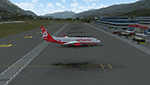
Frame rate friendly LOWI fix for the default airport. Designed to work with Orbx Vector and OpenLC Europe. The gates 1 to 10 are at the exact position as to Google Earth. In case of problems, mail me at "[email protected]". More airports and more information on https://sites.google.com/site/fsxvideosairports/.
| Filename: | Innsbruck_Airport__Innsbruck__Austria_LOWI.zip |
| License: | Freeware |
| Added: | 2nd February 2017, 15:25:01 |
| Downloads: | 9,943 |
| Author: | Rene Scharlach |
| Size: | 2.13 MB |
| Category: Flight Simulator 2004 - Aircraft Repaints, Textures and Modifications | |
| World Airways AI Fleet |
|
File Description:
Repaint of the FSPainter DC-10 in World Airways classic livery and repaints of the AI Aardvark B727-200 and FSPainter DC-10 in World Airways interim billboard livery circa 1986 for use with flight plans from Retro AI Traffic Group. Textures only. See readme file(s) for more information.
| Filename: | World_Airways_AI_Fleet.zip |
| License: | Freeware, limited distribution |
| Added: | 8th January 2004, 01:05:42 |
| Downloads: | 1,454 |
| Author: | Henry Tomkiewicz / AI Aardvark / FSPainter |
| Size: | 1.09 MB |
| Category: Miscellaneous Files - General Utilities | |
| FS Time Sync |
|
File Description:
Version 0.2.2 is a fixed version of v0.2. This last one had a little bug that showed a wrong time on some systems. FS Time Sync was developed with the intention of providing a tool capable of synchronizing the FS time with the real time. For more information visit www.lanvirtual.com
| Filename: | FS_Time_Sync.zip |
| License: | Freeware |
| Added: | 24th February 2006, 04:27:20 |
| Downloads: | 2,702 |
| Author: | Tomás Contreras |
| Size: | 742.98 KB |
| Category: Flight Simulator 2002 - Scenery | |
| Alaska Bush Scenery: Coghill Lake |
|
File Description:
Situated off College Fiord at the upper end of Prince William Sound, Coghill Lake is conveniently positioned for stopping off en-route between the Anchorage & Valdez areas. It's the actual location of a holiday cabin owned by the US Forest Service which can only be reached by floatplane, however I've added 2 airstrips to the area for extra interest. Coghill's main landing strip is sandy & partially overgrown, but has a good available length of 635m/2100' and some low-intensity edge lights. Ample parking for visitors is provided in a separate ramp area amongst the trees, reached via a basic but lit & signposted taxiway. Adjacent access by floatplane is possible using the small lagoon, as well as by College Fiord itself for larger loads. The other strip, a mile southwest across the river, only gets seasonal use by agricultural aircraft for spraying the local conifer plantations; its narrow gravel runway is slightly shorter at 588m/1930' & is a more challenging proposition with the surrounding trees and heavy brush all encroaching on the landing strip. Includes 2 versions: 1 for Eddie Denney's FS2002 mesh (recommended as this makes the airstrip profiles uneven), and another for both Eddie Denney's FS2000 mesh and the default mesh.
| Filename: | Alaska_Bush_Scenery_Coghill_Lake.zip |
| License: | Freeware, limited distribution |
| Added: | 28th May 2003, 19:07:22 |
| Downloads: | 1,933 |
| Author: | James Belk |
| Size: | 2.98 MB |
| Category: Flight Simulator 2004 - Scenery | |
| Farallon Island Chain, Version 4 |
|
File Description:
Beta version 4: Combines North, Middle, and Southeast Farallon Islands into one download. Lighthouse added to Southeast Farallon Island along with the water catchment pad (also serves as helipad). These islands were mysteriously absent from the FS2004 default scenery, probably owing to their small size. When I went to look for them I found a small mountain of water instead of the islands. Most people don't seem to be aware of the Farallon Islands. Located off the coast of California, near San Francisco, they are home to thousands of birds, seals, and some of the largest Great White sharks known to man. All of this is within a very short distance of the city. Today, it is a wildlife refuge and is off limits to visitation by the general public. Those of you interested in more info might check out "The Devil's Teeth" by Susan Casey. These islands were created as scenery objects instead of traditional terrain in order to preserve detail. The terrace on the Southeast Farallon Island is landable now but the terrain is pretty rough. If you're in Timberwolf Aviation and you're doing the multiplayer session on 03/26/2006, this is the version you should get.
| Filename: | Farallon_Island_Chain_Version_4.zip |
| License: | Freeware, limited distribution |
| Added: | 26th March 2006, 21:32:24 |
| Downloads: | 1,834 |
| Author: | Glen Gordon (Prof K.) |
| Size: | 1.51 MB |
| Category: Flight Simulator X - Scenery | |
| KFHR Friday Harbor Photoreal |
|
Images related to this file:
File Description:
This Scenery consists of the FSX default airport of Friday Harbor, set on photorealistic terrain. Although the scenery has been compiled with night masks, night terrain has been excluded to reduce the file size. It has been designed for Megasceneryearth photorealistic scenery of the San Juan Islands but will also work with the default terrain. Seasonal variations are not included. The main scenery file has been subdivided into several smaller files, which can be switched off according to user preference. Full night textures are included with wash lighting in the terminal and carpark areas. All buildings have been custom modelled using real photographs, and include open hangers with interiors.
Next to the fuel station you will find Ernie's Cafe, much loved by resident and visiting pilots. Close to the airport you will find US style houses modelled on real photographs from the San Juan island. Surfaced airport taxiways and aprons have been kept to a minimum to allow the photoreal textures to show through. The scenery also includes sound effects and high definition people, these can be switched off if they place too much strain on your system. Please enjoy, and I hope you like my scenery as much as I enjoyed making it.
| Filename: | KFHR_Friday_Harbor_Photoreal.zip |
| License: | Freeware, limited distribution |
| Added: | 9th January 2012, 00:46:11 |
| Downloads: | 4,073 |
| Author: | George Keogh |
| Size: | 65.88 MB |
| Category: Flight Simulator X - Utilities | |
| FSTramp v8.84 for MSFS, FSX(-SE), Prepart3D, X-Plane (Win) |
|
Images related to this file:
File Description:
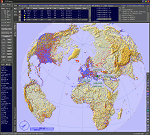
This add-on is an EXE application for Microsoft Flight Simulator and a DLL module for all other simulators. The DLL variant is activated via hotkeys or the simulator menu add-ons or plugins. Window size and layout are configurable for one or more screens. To avoid dazzling, the brightness of the entire application is customizable. Primarily it is a flight management system (FMS) with automatic control from start to landing. This also includes the observance of SID, STAR and Approaches in unmatched quality. The flight plan required for the FMS can be created manually or automatically, interactive changes and additions during the flight are possible. The basis of the flight planner is the 3D world map and the search function for airfields and navigation aids. The FMS by FSTramp relies on the autopilot of the aircraft. In case of incompatibility, the autopilot integrated in FSTramp will be used. This allows FSTramp to control almost all aircraft from airport to airport. The altitude profile of the flight plan, SID, STAR and approach is taken into account. This means that FSTramp extends the often incomplete airport procedures to and from the runway so that they can be flown completely automatically. During the fully automatic flight, the autopilot values ​​for HDG, ALT, VSPEED, SPD and MACH can be manually overridden. This is e.g. useful for being able to react to the instructions of the tower in the final approach without completely stopping the automatic flight. The rotating or north pointing 3D world map with numeric display of the terrain elevation under the mouse arrow is another special feature. It does not need an internet but is synthesized from included height profiles of the globe. The Data of continents, mountains and rivers are included in the setup. Airspaces, Airways, Waypoints and SID, STAR and Approaches are also included in the setup, but can be updated by installing additional AIRAC cycles. Airfields and navigation stations are taken from the simulator. NVIDIA: If the frame rate of the simulator drops sharply about 20 seconds after FSTramp's visibility, the power management of the GPU slows down prematurely. In the NVIDIA Control Panel, change the 'Manage 3D settings - Power management mode' option to 'Adaptive'.
| Filename: | FSTramp_v884_for_MSFS_FSXSE_Prepart3D_XPlane_Win.zip |
| License: | Shareware, time limited |
| Added: | 7th July 2023, 04:35:43 |
| Downloads: | 130 |
| Author: | Helge Schroeder |
| Size: | 358.21 MB |
| Category: Prepar3D V5 - Utilities | |
| FSTramp v8.84 for Prepart3D 2-6, MSFS, FSX(-SE), X-Plane (Win) |
|
Images related to this file:
File Description:
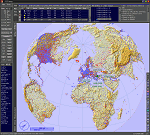
This add-on is an EXE application for Microsoft Flight Simulator and a DLL module for all other simulators. The DLL variant is activated via hotkeys or the simulator menu add-ons or plugins. Window size and layout are configurable for one or more screens. To avoid dazzling, the brightness of the entire application is customizable. Primarily it is a flight management system (FMS) with automatic control from start to landing. This also includes the observance of SID, STAR and Approaches in unmatched quality. The flight plan required for the FMS can be created manually or automatically, interactive changes and additions during the flight are possible. The basis of the flight planner is the 3D world map and the search function for airfields and navigation aids. The FMS by FSTramp relies on the autopilot of the aircraft. In case of incompatibility, the autopilot integrated in FSTramp will be used. This allows FSTramp to control almost all aircraft from airport to airport. The altitude profile of the flight plan, SID, STAR and approach is taken into account. This means that FSTramp extends the often incomplete airport procedures to and from the runway so that they can be flown completely automatically. During the fully automatic flight, the autopilot values ​​for HDG, ALT, VSPEED, SPD and MACH can be manually overridden. This is e.g. useful for being able to react to the instructions of the tower in the final approach without completely stopping the automatic flight. The rotating or north pointing 3D world map with numeric display of the terrain elevation under the mouse arrow is another special feature. It does not need an internet but is synthesized from included height profiles of the globe. The Data of continents, mountains and rivers are included in the setup. Airspaces, Airways, Waypoints and SID, STAR and Approaches are also included in the setup, but can be updated by installing additional AIRAC cycles. Airfields and navigation stations are taken from the simulator. NVIDIA: If the frame rate of the simulator drops sharply about 20 seconds after FSTramp's visibility, the power management of the GPU slows down prematurely. In the NVIDIA Control Panel, change the 'Manage 3D settings - Power management mode' option to 'Adaptive'.
| Filename: | FSTramp_v884_for_Prepart3D_26_MSFS_FSXSE_XPlane_Wi.zip |
| License: | Shareware, time limited |
| Added: | 7th July 2023, 04:35:26 |
| Downloads: | 42 |
| Author: | Helge Schroeder |
| Size: | 358.21 MB |
| Category: Microsoft Flight Simulator (2020) - Utilities | |
| FSTramp v8.84 for MSFS, FSX(-SE), Prepart3D, X-Plane (Win) |
|
Images related to this file:
File Description:

This add-on is an EXE application for Microsoft Flight Simulator and a DLL module for all other simulators. The DLL variant is activated via hotkeys or the simulator menu add-ons or plugins. Window size and layout are configurable for one or more screens. To avoid dazzling, the brightness of the entire application is customizable. Primarily it is a flight management system (FMS) with automatic control from start to landing. This also includes the observance of SID, STAR and Approaches in unmatched quality. The flight plan required for the FMS can be created manually or automatically, interactive changes and additions during the flight are possible. The basis of the flight planner is the 3D world map and the search function for airfields and navigation aids. The FMS by FSTramp relies on the autopilot of the aircraft. In case of incompatibility, the autopilot integrated in FSTramp will be used. This allows FSTramp to control almost all aircraft from airport to airport. The altitude profile of the flight plan, SID, STAR and approach is taken into account. This means that FSTramp extends the often incomplete airport procedures to and from the runway so that they can be flown completely automatically. During the fully automatic flight, the autopilot values ​​for HDG, ALT, VSPEED, SPD and MACH can be manually overridden. This is e.g. useful for being able to react to the instructions of the tower in the final approach without completely stopping the automatic flight. The rotating or north pointing 3D world map with numeric display of the terrain elevation under the mouse arrow is another special feature. It does not need an internet but is synthesized from included height profiles of the globe. The Data of continents, mountains and rivers are included in the setup. Airspaces, Airways, Waypoints and SID, STAR and Approaches are also included in the setup, but can be updated by installing additional AIRAC cycles. Airfields and navigation stations are taken from the simulator. NVIDIA: If the frame rate of the simulator drops sharply about 20 seconds after FSTramp's visibility, the power management of the GPU slows down prematurely. In the NVIDIA Control Panel, change the 'Manage 3D settings - Power management mode' option to 'Adaptive'.
| Filename: | FSTramp_v884_for_MSFS_FSXSE_Prepart3D_XPlane_Win.zip |
| License: | Shareware, time limited |
| Added: | 7th July 2023, 04:35:12 |
| Downloads: | 111 |
| Author: | Helge Schroeder |
| Size: | 358.21 MB |


© 2001-2026 AVSIM Online
All Rights Reserved
Privacy Policy |