
Where Flight Simulation Enthusiasts Gather from Around the World!
AVSIM Library - Search Results

| Category: Prepar3D V1-4 - Scenery | |
| EPBK - Bialystok-Krywlany 2020 |

|
File Description:
EPBK - Białystok-Krywlany 2020 - P3D V4.5 Scenery
PL:
Prosta sceneria lotniska Białystok-Krywlany i landclass miasta oraz okolic.
EPBK:
- zaktualizowane wymiary pasa trawiastego 9L/27R i odpowiednie położenie
- dodany nowy asfaltowy pas 9R/27L - uzyska certyfikat z dniem 23 maja 2020 - do tej daty wyłączony z użytku
- dodana płyta postojowa przed hangarem
- dodane 2 helipady
- dodane obiekty i ogrodzenie lotniska z domyślnej biblioteki obiektów
MIASTO I OKOLICE:
- dodany domyślny obiekt stadionu w miejscu Stadionu Miejskiego
- dodane najważniejsze ulice i drogi w okolicy lotniska - min. Ciołkowskiego, Mickiewicza, nowa obwodnica miasta - Trasa Niepodległości
- zaktualizowany landclass terenów wokół lotniska
- zaktualizowany kształt lasów na terenie całego miasta oraz w jego okolicach - min. Las Turczyński, Las Solnicki, Las Bacieczkowski
Najlepsze wrażenia wizualne z ORBX Global + Vector i openLC Europe.
ENG:
Simple scenery of the Bialystok-Krywlany airport and the landclass of the city and the surrounding area.
EPBK:
- updated grass runway 9L / 27R
- new asphalt 9R / 27L runway added - will be certified on May 23, 2020 - out of service until this date
- parking apron added
- 2 helipads added
- added objects and airport fence from the default object library
CITY AND VICINITY:
- default stadium object added in place of the City Stadium
- the most important streets and roads around the airport have been added - min. Ciołkowskiego, Mickiewicza, the new city beltway - Independence Route
- updated landclass of areas around the airport
- updated shape of forests throughout the city and in its vicinity - Turczyński Forest, Solnicki Forest, Bacieczkowski Forest and others
| Filename: | EPBK__BialystokKrywlany_2020.zip |
| License: | Freeware |
| Added: | 26th April 2020, 19:05:34 |
| Downloads: | 177 |
| Author: | Åukasz Tyszkiewicz |
| Size: | 8.34 KB |
| Category: Flight Simulator X - Scenery | |
| Frankfurt Main Airport (EDDF) v8 - Manual installation |
|
Images related to this file:
File Description:
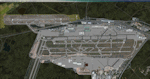
This major update represents EDDF in the July 2015 timeframe.
This version includes further expansion of the Terminal 3 area now in use as extended apron parking, with new J and K ramps for airline, general aviation and cargo aircraft, new apron night lighting, vehicular traffic/roadways as well as support for 70+ airlines coded for AI traffic.
In addition, this update features some brand new taxiways and updated airport navaids including use of the secondary 3.2 degree ILS approach paths for the Northwest runway.
For visual improvements, a new sound wall for the northern perimeter is included along with improvements in landclass to match Orbx FTX Global and inclusion of an optional 200Mb ground photo scenery layer providing even more realism.
Extended compatibility is also provided for P3D and GSX v1.9 (Ground Services for FSX) with the latter providing customized service vehicle parking for each parking position across the whole airport and in some cases, custom GSX pushback operations have been introduced at selected gates. The associated GSX airport .ini file is supplied in this package.
Last of all, more flexibility is delivered. This new scenery now comes supplied with 3 separate .BGL files - the standard .BGL AFCAD file together with the exclusions file ( _CVX) and the separate airport objects file ( _OBJ) so that the airport AFCAD can continue to be updated independently from the airport objects and exclusion files by users wishing to modify the airport layout to their own needs.
Default FSX scenery is required.
Please consult the readme and the comprehensive help manual prior to installation and for more information.
| Filename: | Frankfurt_Main_Airport_EDDF_v8__Manual_installatio.zip |
| License: | Freeware |
| Added: | 5th August 2015, 18:49:53 |
| Downloads: | 7,198 |
| Author: | Mark Aldridge |
| Size: | 230.24 MB |
| Category: Flight Simulator 2004 - Scenery | |
| Gjoa Haven CYHK, on King William Island, Nunavut, Canada, |
|
Images related to this file:
File Description:
Gjoa Haven is a village of 1,200 or so inhabitants at N 68 38 W 95 51 on the southeast corner of King William Island, around 155 miles north of the Arctic Circle. It's Inuit name is Uqsuqtuuq; the Gjoa Haven name was given by the Norwegian explorer Roald Amundsen when he spent two years there from 1903 to 1905 during his exploration of the northwest passage from east to west. His boat was called Gjoa and the cove was named Gjoa Harbour, in Norwegian. The village has been added in this scenery with approximately the right shape; though the coastline with Ultimate Terrain does have the small cove that serves as a harbor the coast shape is wrong. The airfield runway is 4,400 feet of gravel 100 feet wide at 154 feet above sea level. There is no LL100 available, only JetA1, delivered once a year by ship along with all the other requirements of the town. There is also a nearby CAM-B remotely operated defence radar station with its three protective domes. The old terminal building is still there, albeit repainted and spruced up, along with the far larger and newer one alongside it.
One of the screen shots shows Gjoa Haven as it appears for at least 8 months of the year, with snow on the ground and sea ice all around. If you want the ice then download my recent post of All Canada frozen lakes, rivers, and the northern seas, reversible with an untick in the FS scenery library.
| Filename: | Gjoa_Haven_CYHK_on_King_William_Island_Nunavut_Can.zip |
| License: | Freeware, limited distribution |
| Added: | 19th February 2011, 15:42:51 |
| Downloads: | 550 |
| Author: | Roger Wensley |
| Size: | 2.68 MB |
| Category: Miscellaneous Files - General Utilities | |
| Flight plan management table |
|
File Description:
THe Flight management table is an excel file which will help you to monitor weights and time of your flight plan.
You can insert the following info:
-Departure
-Arrival
-Callsign
-Flight number
-Route distance
-Number of pax
-Cost index
-Cruise altitude
-Block fuel, taxi fuel, trip fuel, extra fuel, reserve fuel
You can also manage time by inserting simulation date, start time, cockpit preparation time and many more.
The file also gives you an advice if you make a mistake and will calculate the fuel you have to burn if you have to perform an emergency landing but you are above the max landing weight.
The excel file will then calculate zero fuel weight, gross weight, takeoff and landing weights based on the "active aircraft management table".
It will also calculate off and on block time as well as takeoff and landing time.
You can use this file with any aircraft by adding tamplates to it or using one that is already in the file. At present the tamplates available are:
X plane
-Flight Factor A320 Ultimate
-Zibo mod B738
-IXEG B733
-Aerobask Eclipse 550NG
Prepar3d/Flight sim X
-PMDG B738 NGX
-Majestic Dash 8 Q400
Creating a new tamplate is easy. All you need to do is having weights info about the aircraft you wish to add in hand.
The file is under development which means that I am going to add new feature to it.
A good breefing is the first step for a good flight.
| Filename: | Flight_plan_management_table.zip |
| License: | Freeware |
| Added: | 9th August 2018, 14:21:41 |
| Downloads: | 336 |
| Author: | Luca Tessieri |
| Size: | 17.92 KB |
| Category: Flight Simulator 2004 - Scenery | |
| Big Creek U60 public use airfield in Idaho USA |
|
File Description:
This airfield is in the mountains of Idaho, 30 miles south of Dixie A05, which was the first in the series to be posted. Big Creek is now regularly used for picnic fly-ins and overnight camping, or for just a day of fishing in the creek; the creek does not appear in FS9 as it is not exactly huge, and within the Ultimate Terrain USA settings I have in fact turned streams off as in some cases they cross the grass or (in conjunction with the roads) left insufficient runway space. The U60 runway is at 5,743 feet ASl, 3,550 feet long, aligned 01-19, and in good condition. At the southern end there is the new replica of the old original Big Creek Lodge which was built in 1935. This burned down in 2008, and is now being rebuilt by a group of pilots, pilots having formed a large part of the early clientel courtesy of the grass strip. It is shown here as still under construction. There are also Forest Service buildings on the west side of the runway. All of this is located in the Frank Church Wilderness area and the Payette National Forest. The AI is increased at the weekends, reflecting reality, and also revised to use Boise as one of the starting places. Dixie is also reissued here with a revised positioning to fit with the roads. I had concluded that the roads were wrong, while in fact the position of the airstrip was at fault.
| Filename: | Big_Creek_U60_public_use_airfield_in_Idaho_USA.zip |
| License: | Freeware, limited distribution |
| Added: | 25th May 2017, 17:53:58 |
| Downloads: | 132 |
| Author: | Roger Wensley |
| Size: | 11.06 MB |
| Category: Flight Simulator 2004 - Scenery | |
| Lake Hood LHD and Z41 in Anchorage Alaska UPDATED |
|
Images related to this file:
File Description:
This is an updated version that is complete in itself and which greatly upgrades Lake Hood Airstrip Z41 and also makes minor modifications to LHD. Lake Hood is right next door and to the north of Ted Stevens Anchorage International Airport, and there is a second airfield on the north side of the lake called Lake Hood Airstrip. The airstrip is coded Z41, the International is PANC, and Lake Hood itself is LHD. You will need Ultimate Terrain Alaska Canada for this to work, and you should also download and install Anchorage International (verson 4?) by William Morgan of FRFStudio. LHD/Z41 includes a fair proportion of the 780 float planes that are based there and which make Lake Hood the largest and busiest float plane base in the world, averaging 190 flights per day during the year and a lot more than that per day during the summer months. There is fuel at two places on the lake, and a lot of maintenance help available. The documentation showing the VFR routes to Lake Hood is also included in the Lake Hood VFR procedures folder, and basically, if you listen to the ATC chatter, planes either route via the Ball Park or the Gravel Pit, which gets abbreviated to something like "You want the park or the gravel?" which wouldn't mean a whole lot to an unrehearsed stranger. Unfortunately FS doesn't reach that level of sophistication, but you can still take the right route. There is a google marked map showing the locations of the checkpoints.
| Filename: | Lake_Hood_LHD_and_Z41_in_Anchorage_Alaska_UPDATED.zip |
| License: | Freeware, limited distribution |
| Added: | 18th July 2010, 08:16:48 |
| Downloads: | 981 |
| Author: | Roger Wensley |
| Size: | 9.25 MB |
| Category: Flight Simulator X - Scenery | |
| Toulouse Blagnac (LFBO) v1 |
|
File Description:
This is an addon scenery for FSX of the Toulouse Blagnac Airport LFBO. It has been made using the excellent freeware tool Airport Design Editor for the layout. I have used Sketchup from Google and Model Converter X to design the buildings of the airport.
You will find all the terminals of LFBO and the control tower, as well as the Airbus facilities of the A380 Lagardere plant North East of LFBO, the A380 delivery center Henry Ziegler North West of LFBO, and some buildings of the Airbus facilities in Blagnac, West of LFBO. All buildings have photo textures, most of them taking with my camera, as I am working in the area. All buildings include night textures. You have two landing pads for helicopters like in reality South East of LFBO.
I used google earth for some items position, but the current view not being up to date, I used my knowledge of the area to correctly position the taxiways, parkings, gates and building position.
I used the FSX generic buildings for the other missing buildings, however they have the size and position which corresponds as far as possible to the position of the real buildings. The surroundings of the airport not being too realistic with Ultimate Terrain X or with FSX, I have modified the landclass of the surroundings to make them look more in accordance with reality. I have changed the parking assignment to make sure that the usual traffic will park on the parkings E, F D AB, V and U.
| Filename: | Toulouse_Blagnac_LFBO_v1.zip |
| License: | Freeware |
| Added: | 21st December 2011, 13:09:29 |
| Downloads: | 23,243 |
| Author: | Jose Mauriz |
| Size: | 34.72 MB |
| Category: Prepar3D V1-4 - Scenery | |
| Madonna della Corona Verona Italy N45.39.64 E10.53.34 |
|
File Description:
Madonna della Corona Verona Italy N45.39.64 E10.53.34 A sanctuary set in the Rock of Monte Baldo at about 1350 Ft in the Adige valley.The Corona Sanctuary is a place of silence and meditation, suspended between heaven and earth, hidden in the heart of the Baldo rocks. Medieval documents attest that already around the year 1000 in the Baldo area lived hermits linked to the Abbey of San Zeno in Verona and that at least from the second half of 1200 there existed a monastery and a chapel dedicated to S. Maria di Montebaldo accessible through a narrow and dangerous path in the rock. During the sixteenth century the two access stairs still visible were made: the widest, of 556 steps, which from the source of Spiazzi, then called "Fonte dell'Indipendenza", descended to the bridge of the lime tree, and the narrower one, of 234 steps, carved into the rock along the original narrow path that led from the bridge to the church. In 1974 the architect Guido Tisato was entrusted with the task of drawing up a project for a global intervention that envisaged the demolition of the existing Church, the preservation of the most valid and significant parts and the construction of a broader structure. Demolition and reconstruction of the Sanctuary were carried out between 1975 and 1978 and on June 4, 1978 the Bishop Giuseppe Carraro was able to proceed with the dedication of the new Sanctuary and the new altar. In 1982 the sanctuary was given the title "minor basilica". On April 17, 1988, Pope John Paul II visited and prayed to Our Lady of the Crown. Important VFR point for approaching airport Verona Villafranca e Verona Bosco Mantico. Within the downloaded package you will find readme files for scenery installatio, photos of site an flight plan. Good fly VFR. Pasquale Marrulli.
| Filename: | Madonna_della_Corona_Verona_Italy_N453964_E105334.zip |
| License: | Freeware |
| Added: | 4th May 2018, 04:44:39 |
| Downloads: | 154 |
| Author: | Pasquale Marrulli |
| Size: | 38.05 KB |
| Category: Microsoft Flight Simulator (2020) - Utilities | |
| Random Flight Database 3.5.2 |
|
File Description:
Random Flight Database is a simple and easy to use application.
​
It will allow you to randomly choose one or more VFR, IFR flights according to your criteria (type of plane, flight time, company, distance, departure airport, .....).
​
These flights are chosen at random from a default database, a user base created by yourself or according to the world aviation POIs.
​
A default database is already included, but also the possibility for each user to create his own database.
​
But that's not all, you can also extract the flights of the day for an airport, or extract the flights for a whole week.
Why Use RFD ?
The advantage of RANDOM FLIGHT DATABASE:
Extracted from FlightRadar but also from other databases, it chooses randomly among those where these databases according to your choices.
You can also make many other possible combinations, such as leaving each time from the arrival airport for each flight generated, but also selecting your favorite planes and airports.
Simply choose the departure airport, he chooses the arrival airport for you, choose the arrival airport, he chooses the departure airport for you and all this according to the real data of the airlines.
A tab for generating non-real flights is available, it will allow you to generate random flights from over 58,000 global aviation POIs.
​
Full of possibilities, including the possibility to choose the flight time but also to generate several flights while leaving the arrival airport.
You also have the option of creating your own data for inclusion in this software.
And one of the most important is that once the flight (s) are generated, you can send them to SIMBRIEF or PFPX to schedule this.
https://www.youtube.com/channel/UC8y3mSeP-gj-h2MbMT59AOw
| Filename: | Random_Flight_Database_352.zip |
| License: | Freeware |
| Added: | 28th December 2020, 18:47:26 |
| Downloads: | 148 |
| Author: | mikoulprostgrandprix |
| Size: | 181.97 MB |
| Category: Microsoft Flight Simulator (2020) - Utilities | |
| Random Flight Database 3.5.2 |
|
File Description:
Random Flight Database is a simple and easy to use application.
​
It will allow you to randomly choose one or more VFR, IFR flights according to your criteria (type of plane, flight time, company, distance, departure airport, .....).
​
These flights are chosen at random from a default database, a user base created by yourself or according to the world aviation POIs.
​
A default database is already included, but also the possibility for each user to create his own database.
​
But that's not all, you can also extract the flights of the day for an airport, or extract the flights for a whole week.
Why Use RFD ?
The advantage of RANDOM FLIGHT DATABASE:
Extracted from FlightRadar but also from other databases, it chooses randomly among those where these databases according to your choices.
You can also make many other possible combinations, such as leaving each time from the arrival airport for each flight generated, but also selecting your favorite planes and airports.
Simply choose the departure airport, he chooses the arrival airport for you, choose the arrival airport, he chooses the departure airport for you and all this according to the real data of the airlines.
A tab for generating non-real flights is available, it will allow you to generate random flights from over 58,000 global aviation POIs.
​
Full of possibilities, including the possibility to choose the flight time but also to generate several flights while leaving the arrival airport.
You also have the option of creating your own data for inclusion in this software.
And one of the most important is that once the flight (s) are generated, you can send them to SIMBRIEF or PFPX to schedule this.
| Filename: | Random_Flight_Database_352.zip |
| License: | Freeware |
| Added: | 21st December 2020, 20:47:04 |
| Downloads: | 163 |
| Author: | mikoulprostgrandprix |
| Size: | 181.97 MB |


© 2001-2026 AVSIM Online
All Rights Reserved
Privacy Policy |