
Where Flight Simulation Enthusiasts Gather from Around the World!
AVSIM Library - Search Results

| Category: Flight Simulator 2002 - Aircraft Repaints, Textures and Modifications | |
| Frontier Airlines Convair 340 |

|
File Description:
Gmax Frontier Airlines Convair 340 with panel and sounds.
| Filename: | Frontier_Airlines_Convair_340.zip |
| License: | Freeware, limited distribution |
| Added: | 10th April 2003, 00:58:25 |
| Downloads: | 1,478 |
| Author: | Built by Greg Pepper and Tom Gibson. Repainted by David Grogg. Panel by Greg Pepper, Allen Jennings, and Tom Gibson. Flight Dynamics by FSAviator. |
| Size: | 11.67 MB |
| Category: Flight Simulator 2004 - Original Aircraft | |
| Yakolev 52 |
|
Images related to this file:
File Description:

Re-upload following Avsim hack. Quoting from Wikipedia: "The Yakovlev Yak-52 is a Soviet primary trainer aircraft. It first flew in 1976 and is still being produced in Romania, by Aerostar, they gained manufacturing rights under agreement within COMECON socialist trade organisation now defunct. The Yak-52 was designed originally as an aerobatic trainer for students in the Soviet DOSAAF training organisation. That organisation trained both civilian sport pilots and military pilots.
Since the early 1990s and the fall of the Soviet Union, many Yak 52s have been exported to the west. Of the approximately 1,800 produced to date, most now fly in the United States, United Kingdom, New Zealand, Australia and other western countries.
A descendant of the single-seat competition aerobatic Yakovlev Yak-50, the all-metal Yak-52 is powered by a 360 hp, 9-cylinder radial engine, the Vedeneyev M14P. The aircraft has inverted fuel and oil systems permitting inverted flight for as long as two minutes. The engine drives a two-bladed counter-clockwise rotating, constant-speed, wood and fiberglass laminate propeller.
The tricycle landing gear is fully retractable, but it remains partially-exposed in the retracted position, affording both a useful level of drag in down manoeuvres and a measure of protection should the plane be forced to land "wheels up." Curiously the main wheels retract forward into the slipstream."
It has has been constructed using Gmax v1.2. The aircraft is constructed with as few polygons as possible and with a single texture file to ensure the absolute minimum impact on your framerates. The model has six LODs.
As usual, I have made three different textures for the aircraft. These are accurate textures which also includes the actual registration number of the aircraft as this seems to be what many desire to have.
It is designed specifically to enhance the AI aircraft population and to use with the marvellous GA-Traffic programme by Markus Brunner . It is also very flyable as a normal aircraft.
| Filename: | Yakolev_52.zip |
| License: | Freeware, limited distribution |
| Added: | 31st August 2010, 23:45:54 |
| Downloads: | 3,128 |
| Author: | Mike Cronin |
| Size: | 304.03 KB |
| Category: Microsoft Flight Simulator (2020) - Utilities | |
| FSTramp v8.84 for MSFS, FSX(-SE), Prepart3D, X-Plane (Win) |
|
Images related to this file:
File Description:

This add-on is an EXE application for Microsoft Flight Simulator and a DLL module for all other simulators. The DLL variant is activated via hotkeys or the simulator menu add-ons or plugins. Window size and layout are configurable for one or more screens. To avoid dazzling, the brightness of the entire application is customizable. Primarily it is a flight management system (FMS) with automatic control from start to landing. This also includes the observance of SID, STAR and Approaches in unmatched quality. The flight plan required for the FMS can be created manually or automatically, interactive changes and additions during the flight are possible. The basis of the flight planner is the 3D world map and the search function for airfields and navigation aids. The FMS by FSTramp relies on the autopilot of the aircraft. In case of incompatibility, the autopilot integrated in FSTramp will be used. This allows FSTramp to control almost all aircraft from airport to airport. The altitude profile of the flight plan, SID, STAR and approach is taken into account. This means that FSTramp extends the often incomplete airport procedures to and from the runway so that they can be flown completely automatically. During the fully automatic flight, the autopilot values ​​for HDG, ALT, VSPEED, SPD and MACH can be manually overridden. This is e.g. useful for being able to react to the instructions of the tower in the final approach without completely stopping the automatic flight. The rotating or north pointing 3D world map with numeric display of the terrain elevation under the mouse arrow is another special feature. It does not need an internet but is synthesized from included height profiles of the globe. The Data of continents, mountains and rivers are included in the setup. Airspaces, Airways, Waypoints and SID, STAR and Approaches are also included in the setup, but can be updated by installing additional AIRAC cycles. Airfields and navigation stations are taken from the simulator. NVIDIA: If the frame rate of the simulator drops sharply about 20 seconds after FSTramp's visibility, the power management of the GPU slows down prematurely. In the NVIDIA Control Panel, change the 'Manage 3D settings - Power management mode' option to 'Adaptive'.
| Filename: | FSTramp_v884_for_MSFS_FSXSE_Prepart3D_XPlane_Win.zip |
| License: | Shareware, time limited |
| Added: | 7th July 2023, 04:35:12 |
| Downloads: | 111 |
| Author: | Helge Schroeder |
| Size: | 358.21 MB |
| Category: Prepar3D V5 - Utilities | |
| FSTramp v8.84 for Prepart3D 2-6, MSFS, FSX(-SE), X-Plane (Win) |
|
Images related to this file:
File Description:
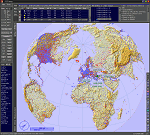
This add-on is an EXE application for Microsoft Flight Simulator and a DLL module for all other simulators. The DLL variant is activated via hotkeys or the simulator menu add-ons or plugins. Window size and layout are configurable for one or more screens. To avoid dazzling, the brightness of the entire application is customizable. Primarily it is a flight management system (FMS) with automatic control from start to landing. This also includes the observance of SID, STAR and Approaches in unmatched quality. The flight plan required for the FMS can be created manually or automatically, interactive changes and additions during the flight are possible. The basis of the flight planner is the 3D world map and the search function for airfields and navigation aids. The FMS by FSTramp relies on the autopilot of the aircraft. In case of incompatibility, the autopilot integrated in FSTramp will be used. This allows FSTramp to control almost all aircraft from airport to airport. The altitude profile of the flight plan, SID, STAR and approach is taken into account. This means that FSTramp extends the often incomplete airport procedures to and from the runway so that they can be flown completely automatically. During the fully automatic flight, the autopilot values ​​for HDG, ALT, VSPEED, SPD and MACH can be manually overridden. This is e.g. useful for being able to react to the instructions of the tower in the final approach without completely stopping the automatic flight. The rotating or north pointing 3D world map with numeric display of the terrain elevation under the mouse arrow is another special feature. It does not need an internet but is synthesized from included height profiles of the globe. The Data of continents, mountains and rivers are included in the setup. Airspaces, Airways, Waypoints and SID, STAR and Approaches are also included in the setup, but can be updated by installing additional AIRAC cycles. Airfields and navigation stations are taken from the simulator. NVIDIA: If the frame rate of the simulator drops sharply about 20 seconds after FSTramp's visibility, the power management of the GPU slows down prematurely. In the NVIDIA Control Panel, change the 'Manage 3D settings - Power management mode' option to 'Adaptive'.
| Filename: | FSTramp_v884_for_Prepart3D_26_MSFS_FSXSE_XPlane_Wi.zip |
| License: | Shareware, time limited |
| Added: | 7th July 2023, 04:35:26 |
| Downloads: | 43 |
| Author: | Helge Schroeder |
| Size: | 358.21 MB |
| Category: Flight Simulator X - Utilities | |
| FSTramp v8.84 for MSFS, FSX(-SE), Prepart3D, X-Plane (Win) |
|
Images related to this file:
File Description:
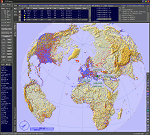
This add-on is an EXE application for Microsoft Flight Simulator and a DLL module for all other simulators. The DLL variant is activated via hotkeys or the simulator menu add-ons or plugins. Window size and layout are configurable for one or more screens. To avoid dazzling, the brightness of the entire application is customizable. Primarily it is a flight management system (FMS) with automatic control from start to landing. This also includes the observance of SID, STAR and Approaches in unmatched quality. The flight plan required for the FMS can be created manually or automatically, interactive changes and additions during the flight are possible. The basis of the flight planner is the 3D world map and the search function for airfields and navigation aids. The FMS by FSTramp relies on the autopilot of the aircraft. In case of incompatibility, the autopilot integrated in FSTramp will be used. This allows FSTramp to control almost all aircraft from airport to airport. The altitude profile of the flight plan, SID, STAR and approach is taken into account. This means that FSTramp extends the often incomplete airport procedures to and from the runway so that they can be flown completely automatically. During the fully automatic flight, the autopilot values ​​for HDG, ALT, VSPEED, SPD and MACH can be manually overridden. This is e.g. useful for being able to react to the instructions of the tower in the final approach without completely stopping the automatic flight. The rotating or north pointing 3D world map with numeric display of the terrain elevation under the mouse arrow is another special feature. It does not need an internet but is synthesized from included height profiles of the globe. The Data of continents, mountains and rivers are included in the setup. Airspaces, Airways, Waypoints and SID, STAR and Approaches are also included in the setup, but can be updated by installing additional AIRAC cycles. Airfields and navigation stations are taken from the simulator. NVIDIA: If the frame rate of the simulator drops sharply about 20 seconds after FSTramp's visibility, the power management of the GPU slows down prematurely. In the NVIDIA Control Panel, change the 'Manage 3D settings - Power management mode' option to 'Adaptive'.
| Filename: | FSTramp_v884_for_MSFS_FSXSE_Prepart3D_XPlane_Win.zip |
| License: | Shareware, time limited |
| Added: | 7th July 2023, 04:35:43 |
| Downloads: | 130 |
| Author: | Helge Schroeder |
| Size: | 358.21 MB |
| Category: Flight Simulator X - Flight Plans | |
| Flight plan Beijing Capital International Airport to King Khalid International Airport iFly 747-8 sp 3a for FSX and FSX SE |
|
File Description:
This file contains information for the route for a flight between Beijing, china and Riyadh, Saudi Arabia using the following airports:
Departure: Beijing Capital International Airport
IATA: PEK
ICAO: ZBAA
WMO: 54511
Destination: King Khalid International Airport
IATA:RUH
ICAO: OERK
WMO: 40437
| Filename: | Flight_plan_Beijing_Capital_International_Airport_.zip |
| License: | Freeware |
| Added: | 21st March 2025, 20:36:07 |
| Downloads: | 8 |
| Author: | David M. Long |
| Size: | 9.68 KB |
| Category: Flight Simulator X - Scenery | |
| Tindari Geographic Coordinates N 38.08.27 E 15.02.48.Important VFR reference point for planes coming from Palermo and heading to Reggio Calabria |
|
File Description:
I wanted to realize the scenery of the sanctuary of Maria Santissima of Tindari village of Patti, in the province of Messina. It rises on the summit of the homonymous hill and overlooks Marinello's ponds in the homonymous nature reserve. Important VFR reference point for planes coming from Palermo and heading to Reggio Calabria. Geographic Coordinates N 38.08.27 E 15.02.48. For more information on the site search on google. In the Package you will also find instructions for installing the scenery.
| Filename: | Tindari_Geographic_Coordinates_N_380827_E_150248Im.zip |
| License: | Freeware |
| Added: | 24th August 2017, 05:08:31 |
| Downloads: | 256 |
| Author: | Pasquale Marrulli |
| Size: | 1.6 KB |
| Category: Flight Simulator 2004 - Scenery | |
| Kotzebue PAOT on the northwestern coast of Alaska |
|
Images related to this file:
File Description:
There are four main northwestern Alaska towns which have good airports and are serviced by Alaska Airlines. From these airports local flights connect to nearby villages, "nearby" in Alaska meaning up to 150 miles away. The northernmost is Barrow. Southwest of Barrow is Kotzebue, then Nome, and the furthest south is Bethel. The town of Kotzbue is north of the Bering Strait on the northwestern coast, 320 miles southwest of Barrow. The population is just over 3,000 people. The location was for a long time a base for trading in furs, with three rivers emptying into the sea and providing routes into the interior land and villages; a meeting place between hunters and traders from Russia and elsewhere. The Kotzebue airport is called the Ralph Wien Memorial and has two runways. The modern one is aligned 08-26 and is 5,880 feet of 150 feet wide asphalt built across a shallow lagoon, with an ILS on 08 and PAPI on both ends. The second and older runway is originally military and gravel, aligned 17-35 and 3,786 feet long and used (wind allowing) by the GA planes that park alongside the runway. The prevalent wind is from the west; when the wind is from the east it is generally relatively feeble and with a much lower cloud base, possibly to the ground, hence the need for an ILS. All AI aircraft in FS9 much prefer to use a runway that has an ILS and so will continue to use 08-26 even if the wind is from the south until it reaches 30+ knots, even if they are a Cessna 150 flying VFR. So for AI realism in FS9 a northern or southern wind needs to be a strong one so that the runway is actually used. However, as Alaska Airlines, Northern Air Cargo, and Everts Air also fly to Kotzebue and can only use the east-west runway (as less than 4,000 feet of asphalt would be seriously inconvenient for a Boing 737 or DC6) it is necessary to have the northern or southern wind UNDER 30 knots at the times when they are landing or taking off. Your choice. I suppose a permanent strong wind from the west would be the most realistic on a daily basis, deterring all planes from ever using 17-35. The AI will develop along with further scenery additions in the neighbourhood.
| Filename: | Kotzebue_PAOT_on_the_northwestern_coast_of_Alaska.zip |
| License: | Freeware, limited distribution |
| Added: | 2nd August 2016, 16:47:52 |
| Downloads: | 462 |
| Author: | Roger Wensley |
| Size: | 19.32 MB |
| Category: Flight Simulator X - Original Aircraft | |
| Antonov AN225-210 "Colossus" |
|
Images related to this file:
File Description:
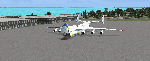
The AN225-210 is the result of a proposed 1 to 2-year projected modernization program which will
convert the current AN225 into a much more useful and capable aircraft than the already infamous
ÐœÑ€Ñ–Ñ (Mriya) . The latter First flew on December 21, 1988, and is currently 33 years old. There have
been a few maintenance periods and 1 major avionics modification, but otherwise is too old for reliable
future use. The 2 year process involves reconstructing the landing gear system to support much more weight. The
new engines are much more powerful, but lighter in weight, and much more fuel efficient. The wings
are replaced with similar wings with more wing-area built of modern light-weight material which gives
her higher lift capacity. The cargo hold area is reinforced for heavier weight limits. The crew areas
(upper deck, fore/aft main wing) are modernized for long duration flight, and two galleys are included.
The fuel tanks (9) now also involve 3 tanks in the upper center portion of the fuselage in order to put
less stress on the wings. The pressure system is modernized to achieve 6,000 feet cabin pressure up to
FL470. The internal and external lighting is fully modernized, the former for a pleasing effect and the
latter for distinct recognition during flight. Overall, the aircraft does not appear different to the
common observer.
Originally Created by:
Thomas Ruth & Alexander Kvitta (2009)
RB-211 Sounds by Sanjay Blair
Panel by: Philippe Wallaert
Auto Smoke Effects by: Richard Wisman
Camera Definitions by: Marc Renaud
Real World Aero/Engine Dynamics, EVP Mods, Effects and Data by:
Douglas E. Trapp
[email protected]
April 2021
All modifications herein are authorized by Thomas Ruth as contained within the AN225-210 Document pdf file.
This aircraft is designed for educational use protected by the Fair Use Doctrine:
http://www.expertlaw.com/library/intellectual_property/fair_use.html
| Filename: | Antonov_AN225210_Colossus.zip |
| License: | Freeware |
| Added: | 12th April 2021, 23:47:59 |
| Downloads: | 670 |
| Author: | Douglas Edward Trapp |
| Size: | 49.92 MB |
| Category: Fly! II - Aircraft | |
| Beechcraft Staggerwing, BC1, Finland |
|
File Description:
This is a repaint of the original Beechcraft Staggerwing for FLY2 made by Laurent Claudet and Jean Sabatier (ROTW).
It illustrates the Staggerwing BC1 wich was flying and based in Finland.Details about the plane and installation-instructions in the readme.txt.
DO NOT FORGET to read the Readme.txt !! A detailed explanation about the (NON-NAZI)swastikas is present in the readme.txt.
| Filename: | Beechcraft_Staggerwing_BC1_Finland.zip |
| License: | Freeware, limited distribution |
| Added: | 11th August 2003, 18:05:44 |
| Downloads: | 342 |
| Author: | Jean Sabatier and Laurent Claudet (ROTW), Repaint by Leen de Jager (ROTW) |
| Size: | 2.4 MB |


© 2001-2026 AVSIM Online
All Rights Reserved
Privacy Policy |