
Where Flight Simulation Enthusiasts Gather from Around the World!
AVSIM Library - Search Results

| Category: Flight Simulator 2004 - Gauges | |
| Icom Communications Radios for General Aviation |

|
File Description:
The first of our FS9 addons for General Aviation aircraft, the Icom A200 Communications radios.
This XML gauge is supplied as Comm 1 and Comm 2. This gauge also is fully functional in FS2K2. For more addons for GA, see our website at http://www.srclink.net/sim/
| Filename: | Icom_Communications_Radios_for_General_Aviation.zip |
| License: | Freeware |
| Added: | 9th February 2005, 02:34:29 |
| Downloads: | 1,207 |
| Author: | Ric Ryburn, SRCsim |
| Size: | 165.82 KB |
| Category: Flight Simulator 2004 - Panels | |
| Digital trim Gauge on 2D panel of Boeing 767 |
|
File Description:
A minor modification to the panel cfg of the Level D Boeing 767 places a small and very useful digital trim gauge on the 2d panel. This file does not include the gauge, but the instructions give links to the sites from which it can be downloaded.
| Filename: | Digital_trim_Gauge_on_2D_panel_of__Boeing_767.zip |
| License: | Freeware |
| Added: | 1st February 2009, 12:11:47 |
| Downloads: | 578 |
| Author: | Ken Lawson |
| Size: | 245.76 KB |
| Category: Miscellaneous Files - General Utilities | |
| P3D FSX FS2004 Flight Analyzer Utility FsQC V6.19 |
|
File Description:
Flight Data Recorder - with Logbook.
Now with a graphical Chart from the entire flight.
Also Prepar3D, FS2004 and FSX Steam supported.
Very easy to use, just make a flight plan in the simulator or in this utility. (But please read the readme.txt file)
What this program does: quickly change the settings of P3D/FSX/FS2004, such as time, date, fuel, weight, traffic etc. Start a failure sytem, such as gear, flaps, engine, etc. runway detecting system to see wich runways are in use.
Quickly look at Airport Info for all possible info such as: ILS, Radio, RW length, Elevation, etc, etc.
This is all fully freeware.
Only Limited demo for: The flight analyzing/data recording, Logbook and the PDF Flightreport.
Flight analysis start recording at the moment when you begin taxiing.
It gives you huge information such as:
- takeoff- and landing-weight.
- takeoff- and landing-roll in m. and ft.
- separate fuel consumption in taxi, climb, cruise and descent.
- maximum banking in flight.
- which speed you using the flaps and gear.
- when autopilot on or off.
- vertical speed on touchdown.
- reverser set after landing.
- wich speed you cancel reverser.
- bouncing at landing.
- graphical landingchart.
- and lots of more.
You can better look the example of the pdf document.
Requirements:
Computer with Windows7 or higher and internet access.(XP also supported look in the help/manual)
Flightsimulator P3D FSX or 2004 and FSUIPC installed.
Note: requires paid activation for full use of the Flight Analyzer.
Register and you have 1 month free.
Program fully works without registration at airport Athens and Iraklion (Greece). By Evander Tholen.
| Filename: | P3D_FSX_FS2004_Flight_Analyzer_Utility_FsQC_V619.zip |
| License: | Shareware, time limited |
| Added: | 29th July 2020, 18:39:49 |
| Downloads: | 79 |
| Author: | Evander Tholen |
| Size: | 3.9 MB |
| Category: Flight Simulator X - Gauges | |
| Head Up Display (HUD) |
|
Images related to this file:
File Description:
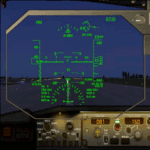
This gauge has been developed for FSX Flight Simulator SP1 or SP2. It
has also been tested with Microsoft Acceleration but compatibility is not guaranteed by the
author. The functionality of this gauge is based on the Rockwell Collins HGS which is
designed for the Bombardier CRJ 700. However, this gauge is not following the Rockwell
Collins design completely. It is created to be used as a generic HUD for all commercial
aircraft. It can be programmed to work on any FSX aircraft as a stand alone pop up
window. The gauge is available in the frame color of gray and beige.
For installation and configuration look at the documentation inside the zip file.
Credit goes out to: Kaj O. Hallstrom for his outstanding support on
documentation, pre beta and beta testing and improvement recommendations
for the gauge and control panel.
Credit also goes to Doug Dawson for his config.gau generating dsd-XML
interface.
| Filename: | Head_Up_Display_HUD.zip |
| License: | Freeware |
| Added: | 14th October 2011, 16:57:19 |
| Downloads: | 5,224 |
| Author: | Dietmar Loleit |
| Size: | 2.68 MB |
| Category: Flight Simulator 2004 - Gauges | |
| RwyInfo 2 Data Update |
|
File Description:
The purpose of this download is to allow you to update the data used by Ernie Alston's Runway Info gauge (RwyInfo version 2.0, available from http://www.fsbuild.com/rwyinfo/). This is an excellent little gauge that allows you to retrieve, through a gauge on your panel, information for all the runways at an airport (selected by ICAO code), and optionally automatically load frequency and course for an ILS into your NAV1 radio and MCP. However the usefulness of the gauge is somewhat restricted by the fact that it comes with a text database of 'info' to be displayed, and does not include any method for updating this info, other than by going into the text file and typing changes yourself (carefully, character by character). This is not really a practical method of getting the data to match your current FS configuration. What I have done is created a little utility that will create a new text database for the RwyInfo 2 gauge, based on your current scenery configuration.
| Filename: | RwyInfo_2_Data_Update.zip |
| License: | Freeware |
| Added: | 30th October 2011, 21:24:00 |
| Downloads: | 471 |
| Author: | Ken Leedham |
| Size: | 4.39 KB |
| Category: Flight Simulator 2004 - Flight Plans | |
| Pre-set Landing Practice (for default: 737-400, 747-400, and 777-300) |
|
File Description:
Ever wanted a good set-up landing for the 737, 747 or 777? Well I've made 3 files with each aircraft at the EXACT same position, in their CORRECT landing configuration, (weight, flaps, speed, autobrakes, autospoilers, landing gear, lights, etc). As well as good practice, this is a good way to compare the 3 aircraft as they are in the same positions. You are landing at an airport on an island in the middle of the atlantic, with a nice lengthy runway, and no traffic ;) Have fun!
| Filename: | Preset_Landing_Practice_for_default_737400_747400_.zip |
| License: | Freeware |
| Added: | 8th October 2005, 15:29:03 |
| Downloads: | 1,563 |
| Author: | Stavros Kokkinos |
| Size: | 41.65 KB |
| Category: Flight Simulator X - Scenery | |
| Grise fiord New 2017+A full approach and landing video+Grise Fiord village! |
|
File Description:
This is Grise Fiord a beautiful small airport in Nunavut, Canada. I hand placed every single object and re-positioned the runway, aprons and parking spaces too make it 99.9% accurate! This scenery features Grise Fiord Airport and Grise Fiord village, with a static First Air ATR-72-300. As well as that, I included a video showing you how to land at the airport without crashing (easier said than done!) I hope you have lots of fun with this airport and expect high quality freeware scenery in the future-Ols. Requires UTX Canada
| Filename: | Grise_fiord_New_2017A_full_approach_and_landing_vi.zip |
| License: | Freeware |
| Added: | 22nd December 2017, 18:09:52 |
| Downloads: | 477 |
| Author: | Ollie Seaward |
| Size: | 90.46 MB |
| Category: Flight Simulator X - Gauges | |
| Spool-Down and RMS Reset Fix Gauge Boeing B767 For Acceleration |
|
File Description:
This small invisible gauge, when added to the Level-D Simulations B767 panel, will prevent the spool-downs and FMS resets during engine start that occur when running the add-on in FSX with the Acceleration Pack installed. Requires registered FSUIPC V4.60 or later.
| Filename: | SpoolDown_and_RMS_Reset_Fix_Gauge_Boeing_B767_For_.zip |
| License: | Freeware, limited distribution |
| Added: | 2nd February 2011, 05:48:26 |
| Downloads: | 767 |
| Author: | Bob Scott |
| Size: | 8.06 KB |
| Category: Flight Simulator X - AFCAD Files | |
| Houari Boumediene - DAAG - Algeria |
|
File Description:
This airport was designed with the latest version of ADE and made only for the FSX default airport: one file with the Crosswind runway activated and in full operation where both runway's will be used for takeoff/landing and one file as the default runway operation: International Terminal 1 now added, assigned parking with extra parking, Taxiways and Taxi signs updated, extra fuel trucks, support vehicle roads rebuilt and many other improvements, airport views are from the roof of the control tower (when in tower view) please view the readme before installation
| Filename: | Houari_Boumediene__DAAG__Algeria.zip |
| License: | Freeware |
| Added: | 15th January 2011, 02:47:34 |
| Downloads: | 1,581 |
| Author: | Ray Smith |
| Size: | 37.63 KB |
| Category: Prepar3D V1-4 - Scenery | |
| EBBR - Brussels National Airport, Belgium |
|
Images related to this file:
File Description:
This is Ray Smith's FSX file. Ray has given me permission to modify his file for P3Dv4. This is an accurate version and reflect today's situation with two optional files: one version with the Crosswind runway operating where all 3 runways will be used for takeoff/landing and one version as the default airport runway operation. Assigned parking at the terminals now as per their website. New control tower, helipad, taxiways, taxi signs updated and corrected to the latest charts. Extra fuel trucks, support vehicle roads rebuilt and many other scenery improvements and objects added.
| Filename: | EBBR__Brussels_National_Airport_Belgium.zip |
| License: | Freeware |
| Added: | 12th March 2018, 22:16:38 |
| Downloads: | 25,350 |
| Author: | Robert Catherall |
| Size: | 2.73 MB |


© 2001-2026 AVSIM Online
All Rights Reserved
Privacy Policy |