
Where Flight Simulation Enthusiasts Gather from Around the World!
AVSIM Library - Search Results

| Category: Flight Simulator X - AFCAD Files | |
| Sussex Airport (KFWN), NJ |

|
File Description:
Located 01 miles SW of Sussex, New Jersey on 96 acres of land, Sussex Airport is a public asphalt strip 3515' in length. The airport is not in the best of condition and there are no markings on the taxiways. The taxiway south of the hangar towards the end of Runway 03 is closed indefinitely due to disrepair. You will have to back-taxi on the runway if you need more room to take off. Hangars and tiedowns are both available to aircraft with wingspans of 40' or less. Anything bigger will have to find a spot in the large empty area of the tarmac and make sure if you're starting out with something larger you start on the runway or in the one MEDIUM_GA parking spot. Hangar parking is identified by DOCK parking types. North Parking is located in the grass tiedown area and regular Parking is located on the main tarmac. South Parking is the one hangar towards the end of Runway 03. Jet-A fuel is available from parking in front of the fuel truck by the terminal building or in either of the hangar spots. Collision is disabled with all static aircraft to make it easier to park between them if you choose a tiedown instead of a hangar. REIL and approach lighting for Runway 03/12 are out of service indefinitely as is the approach lighting for Runway 03. The traffic pattern height has been changed to 1220' MSL (heavy aircraft use 1420').
Scenery constructed with use of satellite images/streetview/aerial photos - the author has not been there in person.
This scenery is meant to be used in conjunction with MegaScenery Earth New York 006. It is not required, but apron use is minimized to allow satellite scenery to show through as much as possible, and objects are placed based on the MSE textures - lack of it may make scenery look out of place.
| Filename: | Sussex_Airport_KFWN_NJ.zip |
| License: | Freeware |
| Added: | 9th May 2011, 09:02:01 |
| Downloads: | 317 |
| Author: | Drew Sikora |
| Size: | 1.09 MB |
| Category: Flight Simulator 2004 - Scenery | |
| Replacement Dynamic Water Textures Version 8 |
|
File Description:
Replacement dynamic water texture-sets for FS2004 (VERSION 8). This is the full version 8. The default reflections and water colors leave a lot to be desired in FS2004. As an example; The default milky "white/green" texture is highly unrealistic in overcast conditions. The replacement textures will change this dramactically to a much more convincing and realistic "blue/grey", cast, with improved lighting and refections in respect to the sun. These replacement textures will generally give a much more realistic tone and color to the water effects in FS2004. The change is quite dramactic and transforms the flight sim experience to a much greater level of realism. Fully compatible with my earlier versions of "overcast" texture modifications. Textures included are; Clear weather; High noon, mid-sun, low sun, sun-rise and sun-set with a choice of four "overcast" tones and a choice of two sun sets Version 8 has improved sun-set and sun-rise textures which offer better colours and better transitions from daylight to dawn/dusk hours; and a small change to the reflections on the low-sun texture. As an added bonus with Version 8 you have a choice of sun sets to use. Now you can have the very bright "orange" sun sets or select one of the new "golden yellows" which offer two distinct variations. It is important to stress the default FS9 textures are fully compatible with these new textures and they can be used in any combinations and can be mixed and matched with the new textures. For example it may be that some users want to keep some of the water environment textures as they are by default but change only one or two textures. The choice is yours. As a further added bonus a voice control file has been included for "Shoot" which will control FS2004 by voice. It is brilliant and it's free.
| Filename: | Replacement_Dynamic_Water_Textures_Version_8.zip |
| License: | Freeware |
| Added: | 7th January 2004, 19:51:30 |
| Downloads: | 4,111 |
| Author: | Peter Wilding |
| Size: | 2.71 MB |
| Category: Flight Simulator 2004 - Scenery | |
| Alaska South Slope 7; Kobuk OBU & Dahl Creek DCK |
|
Images related to this file:
File Description:
There are four main northwestern Alaska towns which are serviced by Alaska Airlines, and from which local flights spread out. The northernmost is Barrow. Southwest of Barrow is Kotzebue, then Nome, and the furthest south is Bethel (not yet made). This is a continuation of the series for the flights from Kotzebue, 170 miles to the east where Kobuk is on the bank of the Kobuk River, and Dahl Creek is 2 miles to the north. Kobuk is a small village on the Kobuk River, like Ambler and Shungnak, but with a population of only around 150. The river is the reason for the existance of the villages as it served (and still does) as both a source of food and a transport route. The airfield is just beside the village, with a runway around 4,500 feet of lit gravel and aligned 09-27, with PAPI on both ends. There are scheduled flights by Era (now renamed Ravn) and by Bering Air, both of them originating in Kotzebue and routing east to Ambler, Shungnak, Kobuk, and then back again. The AI includes these flights along with Everts Air and GA. The FS9 airfield has been relocated by approximately a mile to the correct position, and the elevation accordingly adjusted. The Dahl Creek strip is publicly owned, with no maintenance and a deteriorating gravel runway that has not long to survive. This probably does not work properly without Ultimate Terrain Alaska Canada as the village is now on the river bank. I am presuming that you have downloaded and installed Nome PAOM, along with the instructions on how to adjust Ultimate Terrain Alaska Canada to get the most realistic results. If you are not making the UT adjustments then you may be seeing duplicated roads, as I am including new local dirt or gravel roads to connect village to airfield etc to get the best overall result; I will not be making alternate versions.
| Filename: | Alaska_South_Slope_7_Kobuk_OBU__Dahl_Creek_DCK.zip |
| License: | Freeware, limited distribution |
| Added: | 13th October 2016, 18:10:08 |
| Downloads: | 233 |
| Author: | Roger Wensley |
| Size: | 2.94 MB |
| Category: Flight Simulator 2004 - Scenery | |
| Airstrips of North-East Germany |
|
Images related to this file:
File Description:
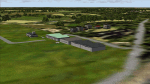
Moving towards completing my Airstrips of Western Europe project, herewith 50+ sceneries for smaller airfields in NE Germany, that I haven't included in my previous uploads, each enhanced with taxiways, parking spaces, buildings etc. and aprons as appropriate, to further facilitate the generation of lightweight AI traffic in the area, without overloading the more major airfields. If you have my "German Airstrips" folder from my previous uploads, these are in addition to that and the folders can be merged. Any apparent duplicates will be (minor) updates and can be over-written.
Again, there's no photo-realism here, just a selection of basic 'generic' buildings, more or less accurately sized and placed to reflect the airfield layout as seen on on-line satellite imagery and aerial photography. These buildings have minimal effect on frame-rates, so are ideal for this kind of job. The airfields are aligned as well as possible with the roads etc. in UT Europe and the Genesis Europe mesh, but should mostly be fine in a default installation or other configuration.
As before, the files for each airfield can be easily identified by the ICAO code, even if the airfield names vary slightly, so you can pick and choose and mix and match to suit any sceneries you already have, should you so wish. There is no requirement for any other download. Each airfield will exist as a stand-alone entity should you only want a few of them.
Very few basic library objects are used ... you can add "eye-candy" to suit your own taste should you wish, or just leave them as vague shapes in the scenery that can put a few more small aircraft into the air. As with other airfields in this series, now these are "ai-activated" you can expect to see the occasional little aircraft turn up at some of them if you've got any third-party traffic installed.
Please read the rest of this "blurb" in the enclosed text file ... there may be some details of interest.
| Filename: | Airstrips_of_NorthEast_Germany.zip |
| License: | Freeware |
| Added: | 14th April 2025, 19:55:20 |
| Downloads: | 77 |
| Author: | Chris Eve |
| Size: | 2.11 MB |
| Category: Flight Simulator X - Aircraft Repaints, Textures and Modifications | |
| Boeing B-17G 91st BG (LL-E) "Shoo shoo shoo baby" |
|
Images related to this file:
File Description:
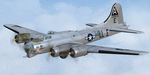
This folder contains a repaint for the A2A WoP2 B-17G in the colors B-17G-35-BO 42-32076, which rolled off Boeing's production line in Seattle in march 1944. This was around the transition from camouflaged to bare metal aircraft, which led to the odd situation that the datablock was stencilled onto a OD panel, while the rest of the aircraft was left bare metal. This was because the datablock was sprayed on right at the beginning of production. The aircraft was assigned to the 401st BS of the 91st BG, and was collected at the depot in Burtonwood by Paul McDuffee, who was so impressed with its smooth handling that he asked to be assigned to it. The aircraft was named by its crew chief, Hank Cordes, and was named after a popular song by the Andrews Sisters. Originally, the name was 'Shoo shoo baby', applied in gothic letters, which was later replaced by a Vargas girl and an additional 'shoo', painted by Cpl. Tony Starcer. McDuffee flew 13 missions with 076, before completing his tour of duty. On completion of his last flight, he buzzed the airfield and flew so low that fencing wire became entangled in the tail wheel. On the plane's 23rd mission, on 29 may 1944, Lt. Robert Guenther was flying 076 on a raid to Poznan when he suffered engine failure on one engine, and a while later, flak knocked out a second engine. 'Shoo shoo shoo baby' started to fall behind, and when a third engine started to falter, Lt Guenther decided to turn to neutral Sweden, with the crew jettisoning all loose equipment. A group of FW190's closed in, but did not open fire, peeling away. By the time 076 reached Bulltofta airfield near Malmö, it had only one engine left, but it did manage to perform a safe landing. The crew were interned, and the aircraft was impounded. The crew returned to the UK in October 1944, and 'Shoo shoo shoo baby' would later tour the world...
Repaint by Jan Kees Blom, based on the paintkit by A2A.
| Filename: | Boeing_B17G_91st_BG_LLE_Shoo_shoo_shoo_baby.zip |
| License: | Freeware |
| Added: | 7th October 2019, 18:22:46 |
| Downloads: | 106 |
| Author: | Jan Kees Blom |
| Size: | 18.03 MB |
| Category: Flight Simulator X - Scenery | |
| RAF Polebrook |
|
File Description:
On June 28, 1942, RAF Polebrook was officially turned over to the USAAF and the airbase became the base of the 97th Bombardment Group, the first USAAF heavy bomber organization to arrive in the UK. It was designated USAAF Station 110.
The 97th BG was assigned to the 1st Combat Wing, at RAF Bassingbourn. It's operational squadrons were divided between Polebrook and RAF Grafton Underwood:
340th Bomb Squadron (RAF Polebrook)
341st Bomb Squadron (RAF Polebrook)
The 97th BG conducted a total of 14 missions from Polebrook, attacking airfields, marshalling yards, industries, naval installations, and other targets in France and the Low Countries.
The group sortied 247 aircraft, dropped 395 tons of bombs on Nazi-controlled territory, and lost 14 aircraft. On October 21, 1942, the 97th Bomb Group was transferred to the Twelfth Air Force in the Mediterranean theater and Polebrook was unoccupied until April 1943.
351st Bombardment Group (Heavy)
On April 15, 1943, the 351st Bomb Group arrived at RAF Polebrook. It was assigned to the 94th Combat Wing, also at Polebrook. The group tail code was a "Triangle J". It's operational squadrons were:
508th Bomb Squadron (YB)
509th Bomb Squadron (RQ)
510th Bomb Squadron (TU)
511th Bomb Squadron (DS)
Boeing B-17G-85-BO Flying Fortress, Serial 43-38465 of the 510th Bomb Squadron. This aircraft survived the war and returned to USA on 8 June 1945
Douglas-Long Beach B-17G-30-DL Flying Fortress Serial 43-38116 of the 509th Bomb Squadron.The 351st's first completed combat mission took place on May 14, 1943, when 18 B-17's targeted a German Luftwaffe airfield at Kortrijk, Belgium. As the war progressed, the 351st operated primarily against strategic objectives in Germany, striking such targets as ball-bearing plants at Schweinfurt, communications at Mayen, marshalling yards at Koblenz, a locomotive and tank factory at Hannover, industries at Berlin, bridges at Cologne, an armaments factory at Mannheim, and oil refineries at Hamburg.This is for FSX and you will need to have Ted Andrews's RAF Hangars Library and his other great RAF Buildings. They can
be found on AVSIM. Search the FSX section for "Ted Andrews" - you'll find loads of his scenery object files for
RAF airfields. Follow his instructions on how to install them.
| Filename: | RAF_Polebrook.zip |
| License: | Freeware |
| Added: | 21st January 2009, 13:27:45 |
| Downloads: | 1,058 |
| Author: | Scott Berge |
| Size: | 15.01 KB |
| Category: Prepar3D V1-4 - Aircraft Repaints, Textures and Modifications | |
| Korean Air 1998 AI Package |
|
File Description:
Korean Air was one of only 2 airlines doing domestic Korean flights in 1998, with Korean Air having a much larger market share than Asiana and extensively flying the A300s on many domestic routes. By 1998, Korean Air had converted(to a freighter) or retired most of the 747-200s, 747-300s, MD-11s and A300B4s, but they were still in the fleet in very small numbers. The A330-300 and 777-200 were also starting to join the fleet very slowly with a few examples of each. The MD-80s and Fokker 100s were being used in decent numbers on both domestic flights and flights to Japan and China. The 747SPs were active but only picked up flying as spare airplanes, so they mostly sit in GMP but during the week do GMP-SFO-DEN, GMP-NRT-LAX-GMP, and GMP-HKG flights taken from 747-400s. As is the case with some of these plans, to upkeep 100% of the OAG flight schedule using the limitations of AI in flight simulator, there are a few extra planes(4x MD-80 and 1x Fokker 100) in these plans with fake registration numbers. The user may decided if they'd rather see all real life flights or the real amount of aircraft. Ranmori has painted a 727-200 as a bonus, and I gave these extra 4 MD-80s registration numbers from 727s and segregated them from the flightplans in case you wish to use the 727, but in real life it was retired in late 1996. Note that these plans and all 1998 plans use the Seoul-Gimpo airport(GMP/RKSS) as Incheon(ICN/RKSI) did not open until 2001. Textures by Ranmori Scythe for the AIA MD-80, Fokker 100, FAIB 747-200, 747-300, 747-400, 747SP FSPX 777-200, A330-300, MD-11, TFS A300B4 and A300-600R along with the AIA 727-200 bonus included. Flightplans by Chasen Richardson. Part of the 1998 Flight Simulator Project. Follow us on Facebook at facebook.com/flightsim98 and on instagram as @bayviationsim. For more Retro AI, check out the forums at: http://retroai.proboards.com/
| Filename: | Korean_Air_1998_AI_Package.zip |
| License: | Freeware, limited distribution |
| Added: | 21st November 2019, 19:18:41 |
| Downloads: | 279 |
| Author: | Ranmori Scythe, Chasen Richardson/Bayviation |
| Size: | 32.16 MB |
| Category: Flight Simulator X - Aircraft Repaints, Textures and Modifications | |
| FSX/P3D Thomas Ruth Air Leisure Egypt SU-GBM Airbus A340-212 |
|
Images related to this file:
File Description:

(TEXTURES ONLY)
(ONLY TESTED IN FSX: STEAM EDITION)
This was requested by Ahmed Fouad on the Facebook as well as in Flightsim. This has been requested by him for a while so I decided to do it.
Happy New Years guys! This is my first livery for the year. Sadly, as of writing this, Flightsim just went offline for renovation and may stay like that for who knows how long. Could be days, weeks, or even months.
I used the placards from Joey_C's Dragonair A330-300 Livery for the Bulk Cargo Doors as well as the Cargo Door Levers. He is the same user I asked permission from to use his decals and door placards for my Dragonair Cargo 747-300SF Livery, so thanks to him again for letting me borrow his textures with his permission! You should also check out his page if you like flying with X-Plane!
I spent a few hours on this livery just by doing the logo alone. Since I needed a high quality photo of the tail logo, I used OpenAI's ChatGPT to upscale the logo and it did, though the edges still look very pixelated. So I spent a few hours trying to re-draw every line so it could be the highest quality as possible.
I further spent the entire day trying to find photos of the cargo door placards, specifically the "CARGO DOOR OPERATIONS" Instructions text. In real life, it included both in English and Arabic. I tried looking for a photo of the instructions for hours until I found it on a YouTube Shorts video. Then I used that as a reference which also took me a few hours trying to make lines, outlines, and text for it. I didn't want to spend more time doing the same thing for the Arabic text, so I used ChatGPT to translate all of the text and I just remove the background using DXTBMP.
Instructions and more information are included in the readme file.
| Filename: | FSXP3D_Thomas_Ruth_Air_Leisure_Egypt_SUGBM_Airbus_.zip |
| License: | Freeware |
| Added: | 3rd January 2026, 14:44:37 |
| Downloads: | 37 |
| Author: | Ryubunao |
| Size: | 79.81 MB |
| Category: Flight Simulator 2004 - Original Aircraft | |
| Ansaldo S.V.A.-5 (V.01) |
|
Images related to this file:
File Description:
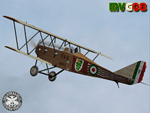
One of the faster airplane of WWI thanks to an innovative design, the S.V.A. was the first airplane conceived and built entirely in Italy. The initials "S.V.A." stand for the names of Savoia and Verduzio, the two engineers that designed it, and of Ansaldo, the firm that built over 2000 of them starting from 1917. The Ansaldo S.V.A. was an entire family of Italian reconnaissance biplane aircraft of World War I and the decade after. Originally conceived as a fighter, the S.V.A. was found inadequate for that role. Nevertheless, its impressive speed, range and operational ceiling made it an excellent reconnaissance aircraft and even light bomber.
The S.V.A. became legendary among pilots for some of its memorable flights; first, above all, the one over Vienna: this flight was an epic action performed by Italian poet and nationalist patriot Gabriele D'Annunzio on 9th August 1918. After the war, thanks to the strong determination of Arturo Ferrarin and Guido Masiero( the pilots), two S.V.A.9s (the two seater version of the S.V.A.-5) flew for 18000Km from Rome to Tokyo (14th February / 31st May 1920). Another S.V.A., piloted by Antonio Locatelli, first flew alone across the Andes (30th July 1919).
Production of the aircraft continued well after the war, with the final examples delivered in 1928. In 1919 some S.V.A.s were used in airmail routes by "Gruppo Sperimentale Comunicazioni Aeree", a group formed by the Italian Army in order to prove the feasibility of commercial air services. The Regia Aeronautica (Royal Italian Air Force, since 1923) employed the S.V.A. in operational units in Italy and North Africa (Lybia) as well as for pilot training. Many war-surplus planes were employed by commercial flying schools.
Complete aircraft, 5 Different Hi-Res GMax models (5 different versions, three S.V.A.-5 and two S.V.A.-9), features the usual moving parts, such as all flight controls. Five different liveries (three WWI and two post-war). VC and 2D Panel. Models, panels and paints by Manuele Villa, Flight dynamics, Handling notes and tutorials by FSAviator.
September 2008. Installation instructions included.
| Filename: | Ansaldo_SVA5_V01.zip |
| License: | Freeware |
| Added: | 6th May 2010, 08:49:53 |
| Downloads: | 3,207 |
| Author: | Manuele Villa |
| Size: | 40.55 MB |
| Category: Flight Simulator X - Panels | |
| Eurofighter Typhoon Panel |
|
Images related to this file:
File Description:
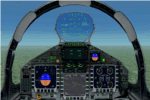
The panel has been developed for FSX Flight Simulator SP1 or SP2. It has also been tested with Microsoft Acceleration, but compatibility is not guaranteed by the author.
This panel has been designed according to a large number of technical documents, descriptions, and pictures out of the Internet. The design goal was to develop a panel and gauges as close as possible to the original aircraft. It was, however by far not possible to programming all the functions and displays, because of the complexity of the real Eurofighter panel, and also because of limitations in FSX.
However, I believe, that the panel with the MFD screen displays gives a good impression on how the real Eurofighter cockpit looks inside.The aircraft model, development by ALPHA/VIRTAVIA, has been used as the base for this panel development. The aim was to go with one model version only , the two seater air to air model. A number of parameter of the aircraft.cfg have been modified to achieve a best possible result of the flight dynamics for the model. It is up to the user to use any other model as this one, and use this panel for it.
For this package, panel and model, I decided to call it the X -Version which shall be seen as an experimental military test version, or if you like, a " Proof of Concept " version. So, you will see a neutral paint with just the Typhoon letters on the aircraft tail. This approach allows to go with deviations and differences to the current technical implementations for the cockpit displays and functions for the Eurofighter.
The panel includes gauges for the afterburner effects, sonic sound effect, callout sounds, weapon explosions effects, and a full functioning TCAS gauge (A future requirement for the Eurofighter), A2A fuel functions, target radar tracking functions and more. The panel has been developed for widescreen monitors only. No VC panel is part of this package.
This is not a load and fly package. Please take your time to read the included panel documentation carefully. Do not skip chapters because you may think, they are not important for you.
For copyrights and credits please look at the documentation for this panel.
| Filename: | Eurofighter_Typhoon_Panel.zip |
| License: | Freeware, limited distribution |
| Added: | 13th April 2016, 20:37:48 |
| Downloads: | 394 |
| Author: | Dietmar Loleit |
| Size: | 24.77 MB |


© 2001-2026 AVSIM Online
All Rights Reserved
Privacy Policy |