
Where Flight Simulation Enthusiasts Gather from Around the World!
AVSIM Library - Search Results

| Category: Flight Simulator 2004 - Aircraft Repaints, Textures and Modifications | |
| Air Ceylon, Lockheed L-749A Constellation, 1956-1958 |

|
Images related to this file:
File Description:
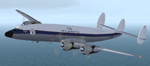
Air Ceylon was formed in 1947 by the government of the newly independent Republic of Ceylon (nowadays Sri Lanka). That same year three Lockheed L-749 Constellations were ordered for the connection Colombo-London. The order for the Connies lapsed and in 1949 Air Ceylon started a service operating Douglas DC-4s leased from Australian National Airways (ANA), who owned 49% of the shares (the other 51% were owned by the government of Ceylon). However, fierce competition from BOAC's DH-104 Comet 1 and TWA's L-749 Constellation forced Air Ceylon to close the London connection in 1953. In 1955 KLM Royal Dutch Airlines took over the shares from ANA. From 7 February 1956 till 1 November 1958 Air Ceylon leased KLM's L-749A Constellation PH-LDP for its new, weekly connection Colombo-(Bombay)-Karachi-Bahrain-Cairo-Rome-London-Amsterdam. For a limited period this route was extended from Colombo to Bangkok. PH-LDP was sprayed in a very pretty, exotic livery and received the name 'Mahadevi', its previous name having been 'Rotterdam'. In November 1958 PH-LDP was superseded by KLM's L-1049G Super Constellation PH-LKA/4R-ACH which also received a full Air Ceylon livery. On 3 November 1958 PH-LDP was written from use at Schiphol (Amsterdam) and has been scrapped sometime in 1962.
These are textures only. You will require Team 749's (Manfred Jahn & Co) Lockheed L-749 Constellation Basic Pack (lockheed749.zip), the folder Lockheed_L749_1 (twin stack exhausts). Also required Team 749's Lockheed L-749 Constellation Models Update (749_models_update.zip). Included mdl's custom made by Manfred Jahn. Repaints (based on Manfred Jahn's textures) by Maarten Brouwer.
| Filename: | Air_Ceylon_Lockheed_L749A_Constellation_19561958.zip |
| License: | Freeware, limited distribution |
| Added: | 26th April 2010, 19:25:22 |
| Downloads: | 468 |
| Author: | Maarten Brouwer |
| Size: | 7.04 MB |
| Category: Flight Simulator 2004 - Aircraft Repaints, Textures and Modifications | |
| World Fish & Agriculture Inc. "Winkys Fish" Lockheed R7V-1 / C-121J |
|
Images related to this file:
File Description:
Textures for Lockheed R7V-1/C-121J by Team 1049 - Roland Berger, Volker Boehme, Manfred Jahn, Luis Pallas, Bill Tyne and Stefan Werner. Repainted by Manfred Meyer.
A working installation of the G and H Super Constellation packs (L1049H.ZIP, L1049GZIP and r7v-1.ZIP)is required, use the 1049vc_rf model for this textures!
This aircraft was built 1953 as a R7V-1 BuNo 131643 for US Navy (c/n 4144) and 1960 redesignated as C-121J. Serving whis the Point Mugu Missile Range it was known as the "Ole Blue from Point Mugu". 1974 withdrawn from use and stored at Davis Monthan, she was sold in May 1981 to William "Winky" Crawfords Northern Peninsula Fisheries Corp. and reg. N4247K for hauling salmon in Alaska. After modification work to civil freighter in 1987 the Connie went to World Fish & Agriculture Inc. Cold Bay Alaska, another Crawford Company. Now it was the plan to hauling thunafish from Palau Island to Nagoya in Japan. It was intend to carry 38 000 lbs of fish per trip but only 33 000 lbs were practial. But the contract could not be fullfiled because no high grade AVGAS was available at Nagoya. The aircraft has to carry return fuel in drums, which reduced the payload further to only 15 000 lbs.
Only a few roundtrips were flown in 1988 and then the Connie was impounted and stored at Manila apt. due to lawsuit actions with the contractors. She remains abandonded in open storage at Manila until 2014 as the Quantas Museum from Australia bought her in auction for spares.
| Filename: | World_Fish__Agriculture_Inc_Winkys_Fish_Lockheed_R.zip |
| License: | Freeware |
| Added: | 17th November 2014, 22:44:15 |
| Downloads: | 156 |
| Author: | Manfred Meyer |
| Size: | 5.62 MB |
| Category: Flight Simulator 2004 - AFCAD Files | |
| Birmingham International Airport, Birmingham, Alabama (KBHM) |
|
File Description:
An extremely accurate rendition of the KBHM airport with appropriate gate, cargo and general aviation parkin. I've decided to make it a habit to do airports that one doesn't really see much on FS. Everyone does 300 AFCADs of KORD and there's nothing wrong with that it's a great airport but I figured I didn't need to add another KORD or KLAX to the pile unless I'd be providing something the others lack and I can't seem to find it. So, again, I'll be continuing to do AFCADs I feel are lacking or unavailable or not done well. The BHM airport is definetely not a bustling international port of call and it only receives mainline service from a few carriers but it has a decent amount of traffic and I thought it would be good to represent the airport. Thankfully this time MS did a reasonably good job with terminal space and I was able to include every gate in the two concourses. The great BHM website made my job a breeze by indicating which airlines park at which specific gate(s). Every airline is exactly where they should be as is cargo. A ramp for you VFR general aviation buffs is also available. The only time you might notice some craziness is if you start your flight super early in the morning and you have traffic at 95% +. It seems MS doesn't really "turn" planes in a realistic manner so you end up having more planes parked at the gate in the early morning hours then would be there in real life if they adheared to real world turn around times. Nothing I can do about that. Hope you enjoy your virtual trips in and out of the Birmingham International Airport.
| Filename: | Birmingham_International_Airport_Birmingham_Alabam.zip |
| License: | Freeware |
| Added: | 29th June 2004, 19:31:34 |
| Downloads: | 2,317 |
| Author: | Jason Diaz |
| Size: | 137.07 KB |
| Category: Flight Simulator 2004 - Scenery | |
| KIAH - Houston Intercontinental Airport v3.0 |
|
File Description:
Flightlevel390 is proud to present to you KIAH-Houston's George Bush Intercontinental Airport version 3.0.This scenery was created using EZ-Scenery object placer & Flightones' Instant Scenery.This scenery WILL NOT work in FS X.This will work with Default FS9 terrain,although it is optimized for use with ultimate terrain...This will be the final project under the FL390 brandname,all projects hereafter will be with BSMP...
Includes the Main terminals,Continental Maintenence Base,FedEx cargo ramp,UPS cargo ramp,City cargo ramp,fuel farm by 15R,CFR building further down 15R,CFR Building along Rwy 9-27 taxiway,FBOs on both sides of the 33s,including the big Landmark Aviation FBO,static ground equipment & some custom made signs.Also includes full ramp night lighting,aircraft gate outline markings at each gate.
This version adds some more stuff and fixing some stuff that was noted in previous versions.This also fixes the blurries that some people had reported.
Features a very good and super accurate AFCAD file and decent rendition of the real airport layout.***
Most of the objects in this scenery are all default with some of our own custom made stuff and some objects from some 3rd party EZ Object Libraries and RWY12 Object Libraries.
***You will need to download the EZ-Scenery & RWY12 Object Libraries which can be had at avsim,flightsim.com and our own website available as single downloads instead of multiple seperate downloads.I also recomend that you install our recently released EZ-Object Library Installer which is available at flightsim.com and our own website in the downloads section.File name on flightsim.com is ( EZOLIv33.zip )....
Downloading the installer will ensure that you will have all of the fixed default textures from Sid Schwartz's default libraries....As always...Enjoy!!
| Filename: | KIAH__Houston_Intercontinental_Airport_v30.zip |
| License: | Freeware |
| Added: | 15th June 2008, 17:39:45 |
| Downloads: | 8,419 |
| Author: | Joe DeGregorio |
| Size: | 3.08 MB |
| Category: Flight Simulator X - Scenery | |
| Rybachiy Submarine Base "The Hornet's Nest" |
|
Images related to this file:
File Description:
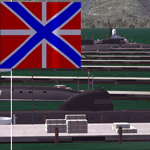
Rybachiy Nuclear Submarine Base, NATO reporting name "The Hornet's Nest." This scenery is specific to the Aerosoft addon "Kamchatka - the Lost Continent." You are welcome to use it, regardless, but in testing, only half the peninsula showed with the Aerosoft scenery inactive.
Rybachiy has a long and chequered past as the home of the Soviet Pacific submarine fleet. It launched the ill fated K-129 in 1968 and is the final stop for submarines before being "disposed" of, a process that includes either sinking the nuclear core, or interring it indefinitely on a floating platform.
I more or less copied the state depicted in Wikimapia, it shows the docks relatively clear of excess retired subs and 10 or 12 Grumble launchers at the SAM site, which is no longer the case. I wonder who's buying up the retired SA-10's..
The odd looking torpedo on the loading dock is the 240 mph, super-cavitating VA-111 Shkval, which is essentially a rocket engined defensive weapon. A consequence of the presumed and persistent superiority of Western underwater acoustics, it is understood that the enemy would "get the drop." In such a circumstance, the crew would load a Shkval and fire it in the direction of the approaching torpedo, which would force the attacking sub to sever the control wire to avoid being hit.
Elsewhere, at the SLBM dock, you can see the R-29 Vysota being loaded. It is being advertized as a launch platform for low orbit satellites, besides MIRV's, of course. The SLBM dock is removed from the main base. Steer north of west from the docks, or use Wikimapia to find it.
This is an edit and enhancement of a scenery addon already published by Blaunarwal. He did an excellent job adding detail to Yelizovo, Petropavlovsk-Kamchatsky and Avachinskiy Bay. I contacted him and asked if he would collaborate and edit his AI boat traffic to match the docks I moved and he graciously agreed. I tried to arrange the files so it would be equally easy to install to the previous version or as an original.
| Filename: | Rybachiy_Submarine_Base_The_Hornets_Nest.zip |
| License: | Freeware, limited distribution |
| Added: | 18th August 2013, 19:32:26 |
| Downloads: | 781 |
| Author: | Rick Keller |
| Size: | 198.88 MB |
| Category: Flight Simulator 2004 - Miscellaneous Files | |
| Sorted POI global cities and airports pack for FSDiscover! |
|
File Description:
README:
FSDiscover! Global Point of Interest pack.
Here is a poi pack of roughly 147 000 cities, 40 000 small airports,
1 177 seaplane bases, 4695 medium airports and 475 of the largest
airports.
Airports are split up in categories, small, medium, big, seaplane base.
Cities are split up into files of 10 000 cities each by size.
There are 15 files for cities.
The smallest cities are in xaa, xab, xac, xad, and so on.
The biggest cities are in xam, xan, until xao.
You should open the files in notepad to see for yourself which city
files to activate in FSDiscover! to balance clutter and detail.
This has been my main problem with the default populated places list;
there is no way to sort by population size
Compared to the default FSDiscover! populated places here are some
notes:
I have noticed that in the default FSDiscover! set for europe and many
other places, the coordinates are placed like on a "honeycomb" grid
which obviously is not very precise. In general, in terms of city map
precision, this pack should be better.
In the default pack, in an area I am familiar with, a city was placed on the other side of
a river compared to reality. In many other areas, you can clearly see
that the cities are not well-aligned with Ultimate Terrain europe or
even some places in UT USA. My theory is that either data was not super
precise for europe to begin with or that the dataset has been arranged
in the honeycomb grid fashion perhaps to reduce clutter or something.
Mostly though, the default populated places FSDiscover! file is very
useful for really small villages since these tend to be forgotten in
other datasets. The problems come when you want to filter out smaller
villages or airports. This is where this pack comes in handy.
Since no data is perfect, you can use this pack alone or in
combination with the FSDiscover! defaults. Personally, I put the same
files in both "Documents/FSDiscover Files" and
"Program Files/FSDiscover" so I can pick and choose a useful combo
from relevant sets inside the options.
Personally, I prefer the cities from this pack and the rest
(mountains, rivers etc.) from the default FSDiscover! pack.
INSTALLATION:
Just unzip the archived files into "C:\Users\YOURUSERNAME\Documents\FSDiscover Files"
or "C:\Program Files (x86)\FSDiscover!\geodata" or both!
I do not know if the geodata folder is completely overwritten some
times or not so keep that in mind. (probably safe, though)
AUTHOR:
fs9_2003 thanks to data made available by opendatasoft.com and ourairports.com
The source for cities:
https://public.opendatasoft.com/explore/dataset/geonames-all-cities-with-a-population-1000
The source for airports:
https://ourairports.com/data
| Filename: | Sorted_POI_global_cities_and_airports_pack_for_FSD.zip |
| License: | Freeware |
| Added: | 6th May 2024, 14:13:54 |
| Downloads: | 53 |
| Author: | Kim Husainov |
| Size: | 3.18 MB |
| Category: Prepar3D V1-4 - Utilities | |
| Flightplan Visualizer 1.15 |
|
Images related to this file:
File Description:
Flightplan Visualizer (FV) version 1.15.0. Copyright 2018-2020 by Pelle F. S. Liljendal ([email protected]), all rights reserved.
FV comes with 738 pre-imported Commercial AI flightplans (+380 BizJet flightplans are available as a separate download). However you are able to import additional (AI) flightplans yourself. Once imported these (AI) flightplans can be visualized on a map-view, and the user will be able to search accross all these. Hence you can use the program as inspiration as to which routes to fly. E.g. you can search across all imported flightplans to find all flights in an A321 flying into/out from LDDU, or simply to look for all flights in a Boeing 747-8F.
Simply run the included installer to install the software. The program will be installed into "C:\Program Files (x86)\Flightplan Visualizer" and all datafiles will be installed into: "C:\Users\[UserName]\AppData\Roaming\FlightplanVisualizer". The program comes with a full manual explaining everything, and a 3 page quick manual to get you started. The first 3 times you run the program the quick manual will automatically open. The forum is hosted here: https://forum.aerosoft.com/index.php?/forum/919-flightplan-visualizer/
Version 1.15 Contains the following changes:
- As a first, you can now import flightplans even if one or more aircraft-types cannot be automatically detected during import. These will instead be assigned to a dummy-type during import, however you need to manually assign substitute aircraft-type(s) before being able to save the imported flightplan. If/when the program gets support for the aircraft-type(s) that were missing during import, the substitute aircraft-types can either be re-detected manually or by using the "Re-process aircraft/airport-redirects" menu-item.
- Added a combo-box that can be used to filter the flightplans that are shown in the flightplan combo-box on the main-form (e.g. enter "west" to see only flightplans containing "west" in the name). Hovering the mouse over this new filter combo-box will show examples of the more complex filters (e.g. filter by provider, author, season, year, and so on).
- In version 1.14 user-airlines were added, and these could be accessed via a menu-item on the main-form. However in version 1.15 you can now also add user-airlines from the import-flightplan form, so you don't have to abort a pending import, and go to the main form in case you find you are missing a user-airline.
- Added MRU-lists (Most Recent Used) to the browser-forms used to search for: Airport, Aircraft and Airline. The text-edit in the top of these forms have been replaced by a combo-box holding up to 20 items (in chronological order, with the most recent at the top).
- Added a new chart to the Airport Info form showing: "Daily flights per international/domestic/same state".
- Added Utilization-pct to the fleet report (both total for the entire fleet, and per aircraft). The Utilization-pct is also visible for the displayed schedule (for a single aircraft) in the Leg-Info form. This value tells the pct of time the aircraft spends servicing the schedule (the remaining time the aircraft "sits at the gate", including the time spend loading/unloading passenger and cargo, loading fuel, being serviced by ground-crew and what not).
- On the main-form, renamed menu-item "Re-process airport-redirects" into "Re-process flightplans".
- Distance from selected airport to mouse-position on main-map moved from the bottom of the form to the upper/right-corner of the form (where info of selected airport is listed).
- Using the (right-click) context-menu on the main-form airports can now be toggled (on/off) as being favorites.
- A few minor changes were made to the default leg search criteria. If you have saved your own default, you should go to the leg search form, press-and-hold SHIFT while clicking the "Reset" button (to reset to "factory default"), then set the criteria to your perferences, and finally press the "Save Reset" button to re-save your preferences.
- Added MRU-list (Most Recent Used) to fuel-density combo-box on Unit Conversion form. If empty, the list will be preloaded with the values 0.7850 (old default), 0.8040 (often used as a standard for Jet-A), 0.8200 (often used as a standard for Jet-A1). The user is still able to enter another value.
- The values used in the unit-conversion form are saved with the settings file, so each time you open the form will contain the values entered last time you used the form.
- Tweaked the method for calculated flight-time. In previous version the same parameters were used for calculating flight-time for all flights. Now these parameters are dependant on distance, resulting in calculated flight times that are closer to those used in the flight-plans (based on statistic-data from +700.000 AI flights).
- Some of the aircraft have been marked as "Retro", and in settings you can choose to exclude the "Retro" (they are enabled by default).
- Improved (Boeing) aircraft-type detection when importing flightplans using non-standard naming, such as "B744F" in stead of "747-400F" or "B736" in stead of "737-600".
- Updated all libraries in use to the latest versions, and addressed some minor issues with the map.
- Fixed: Newer versions of MyRwy are outputting airport elevation as a floating point value (e.g. "629.92") whereas older versions were outputting it as an integer value (e.g. "630"). In previous versions of FV the floating point value "629.92" was wrongly read as an elevation of 62992 ft. The program can now both handle floating point and integer values, hence can be used with both old- and new versions of MkRwy.
- Fixed: When adding new user-airlines in version 1.14, callsign was being set to the name of the airline, in stead of the entered callsign. If you added any user-airlines in version 1.14, you should edit these with version 1.15, and set the callsigns again.
- Fixed: If a Leg search was active (combo-box in bottom of main-form showing "[Last Search]") and all flightplans were disabled in "Enable/Disable -flightplans" the program would shut-down with an exception.
- Fixed: The list of the airline-codes (gate-tab on Airline-Info form) started with a comma, however comma should only be used to separate the items when multiple airline-codes were associated with the same gate (3rd party scenery only).
- Fixed: In some cases the cruise-speed was not shown correctly in the Aircraft search form.
- Fixed: Some of the menu-items for launching the (YouTube) tutorial-videos were missing the tool-tip text ("Hold SHIFT to copy url to clipboard").
- Fixed: About-box can now be closed with ESC, like most other forms.
- Fixed: potential issue reading xml-data, perhaps with a the benefit of a slightly better performance.
- Data: Added support for flightplans using "retro" aircraft types such as: Aerospatiale SE-210 Caravelle, British Aerosapce ATP/BAC One Eleven, Concorde, DC-3, DC-4, DC-6, DC-8, De Havilland Comet, Fokker F28, Hawker Siddeley HS 121 Trident, Ilyushin Il-18/20/22/24/86, Lockheed Constellation/L-188 Electra, Shorts SC-5, Tupolev TU-134, Vickers VC10/Viscount, and thanks to user Aucery Lockheed 1011.
- Data: Support for additional aircraft-types added as well: BN-2A Trislander, CASA C-212/C-235, CubCrafters XCub, DHC-2 Beaver/Turbo-Beaver, DHC-3 Otter, DHC-5 Buffalo, Diamond DA-42/62, Extra EA-300, Honda HA-420, ICON A5, NAMC YS-11, Mooney, Mudry CAP 10, Pilatus PC-6/PC-24, Piper Cub/Super Cub, Robin DR-300/400, Shorts SC-7, Tecnam P2012/P2006T
- Data: Some of the aircraft-types, for which multiple ICAO/IATA-codes exists, were split into two (one for Pax and one for Freight), e.g. Convair 580, DC-9-10/30/40, and Il-96. As a result you should execute "Re-process flightplans" (found in the "Flightplan" menu), and "Re-detect all" aircraft.
- Data: A few missing aircraft IATA/ICAO codes were added, and some "behind the screen" data for multiple aircraft were updated as well.
- Data: A few Airlines were added/updated (a big THANK YOU to Bruce Nicholson for the assistance keeping these data up-to-date).
- Flightplans: The good people over at AIG (Alpha India Group) have once again been VERY busy since the last release, hence the installer comes with 298 new/updated pre-imported flightplans, bringing the total of flightplans bundled with the installer to 738.
- Flightplans: A few flightplans were bundled with the program in duplicates (2 slightly different names, or 2 different seasons). These duplicates have been marked as obsolete, and have been removed from the installer. Using the "Select all obsolete flightplans" menu-item in "Enable/disable-flightplans" you can mark these flightplans and move them to the "Disabled" folder, from where they can be deleted.
Pelle
| Filename: | Flightplan_Visualizer_115.zip |
| License: | Freeware, limited distribution |
| Added: | 20th March 2020, 17:08:52 |
| Downloads: | 378 |
| Author: | Pelle Liljendal |
| Size: | 28.9 MB |


© 2001-2026 AVSIM Online
All Rights Reserved
Privacy Policy |