
Where Flight Simulation Enthusiasts Gather from Around the World!
AVSIM Library - Search Results

| Category: Flight Simulator X - Scenery | |
| Frankfurt Main Airport (EDDF) v8 - Auto installer |

|
Images related to this file:
File Description:
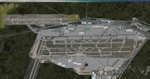
This major update represents EDDF in the July 2015 timeframe.
This version includes further expansion of the Terminal 3 area now in use as extended apron parking, with new J and K ramps for airline, general aviation and cargo aircraft, new apron night lighting, vehicular traffic/roadways as well as support for 70+ airlines coded for AI traffic.
In addition, this update features some brand new taxiways and updated airport navaids including use of the secondary 3.2 degree ILS approach paths for the Northwest runway.
For visual improvements, a new sound wall for the northern perimeter is included along with improvements in landclass to match Orbx FTX Global and inclusion of an optional 200Mb ground photo scenery layer providing even more realism.
Extended compatibility is also provided for P3D and GSX v1.9 (Ground Services for FSX) with the latter providing customized service vehicle parking for each parking position across the whole airport and in some cases, custom GSX pushback operations have been introduced at selected gates. The associated GSX airport .ini file is supplied in this package.
Last of all, more flexibility is delivered. This new scenery now comes supplied with 3 separate .BGL files - the standard .BGL AFCAD file together with the exclusions file ( _CVX) and the separate airport objects file ( _OBJ) so that the airport AFCAD can continue to be updated independently from the airport objects and exclusion files by users wishing to modify the airport layout to their own needs.
Default FSX scenery is required.
Please consult the readme and the comprehensive help manual prior to installation and for more information.
| Filename: | Frankfurt_Main_Airport_EDDF_v8__Auto_installer.zip |
| License: | Freeware |
| Added: | 5th August 2015, 18:50:05 |
| Downloads: | 15,657 |
| Author: | Mark Aldridge |
| Size: | 232.05 MB |
| Category: Flight Simulator X - Scenery | |
| Frankfurt Main Airport (EDDF) v8 - Manual installation |
|
Images related to this file:
File Description:
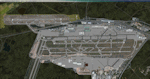
This major update represents EDDF in the July 2015 timeframe.
This version includes further expansion of the Terminal 3 area now in use as extended apron parking, with new J and K ramps for airline, general aviation and cargo aircraft, new apron night lighting, vehicular traffic/roadways as well as support for 70+ airlines coded for AI traffic.
In addition, this update features some brand new taxiways and updated airport navaids including use of the secondary 3.2 degree ILS approach paths for the Northwest runway.
For visual improvements, a new sound wall for the northern perimeter is included along with improvements in landclass to match Orbx FTX Global and inclusion of an optional 200Mb ground photo scenery layer providing even more realism.
Extended compatibility is also provided for P3D and GSX v1.9 (Ground Services for FSX) with the latter providing customized service vehicle parking for each parking position across the whole airport and in some cases, custom GSX pushback operations have been introduced at selected gates. The associated GSX airport .ini file is supplied in this package.
Last of all, more flexibility is delivered. This new scenery now comes supplied with 3 separate .BGL files - the standard .BGL AFCAD file together with the exclusions file ( _CVX) and the separate airport objects file ( _OBJ) so that the airport AFCAD can continue to be updated independently from the airport objects and exclusion files by users wishing to modify the airport layout to their own needs.
Default FSX scenery is required.
Please consult the readme and the comprehensive help manual prior to installation and for more information.
| Filename: | Frankfurt_Main_Airport_EDDF_v8__Manual_installatio.zip |
| License: | Freeware |
| Added: | 5th August 2015, 18:49:53 |
| Downloads: | 7,204 |
| Author: | Mark Aldridge |
| Size: | 230.24 MB |
| Category: Prepar3D V1-4 - Utilities | |
| Flightplan Visualizer 1.16 |
|
Images related to this file:
File Description:
Flightplan Visualizer (FV) version 1.16.0. Copyright 2018-2020 by Pelle F. S. Liljendal ([email protected]), all rights reserved.
FV comes with 765 pre-imported Commercial AI flightplans (+380 BizJet flightplans are available as a separate download). However you are able to import additional (AI) flightplans yourself. Once imported these (AI) flightplans can be visualized on a map-view, and the user will be able to search accross all these. Hence you can use the program as inspiration as to which routes to fly. E.g. you can search across all imported flightplans to find all flights in an A321 flying into/out from LDDU, or simply to look for all flights in a Boeing 747-8F.
Simply run the included installer to install the software. The program will be installed into "C:\Program Files (x86)\Flightplan Visualizer" and all datafiles will be installed into: "C:\Users\[UserName]\AppData\Roaming\FlightplanVisualizer". The program comes with a full manual explaining everything, and a 3 page quick manual to get you started. The first 3 times you run the program the quick manual will automatically open. The forum is hosted here: https://forum.aerosoft.com/index.php?/forum/919-flightplan-visualizer/
Version 1.16 Contains the following changes:
- First of all a big THANK YOU to AIG (Alpha India Group) for allowing me to add features to both download their flight-plans (actually a feature suggested by Kai Kamjunke who is one of the developers of AIG AIM and other AIG tools) and access their list of defunct/renamed flightplans. While giving thanks, I also want to thank all (AI) aircraft-model creators, repainters and those who create all the flightplans ... our virtual sky would not be the same without your hard and dedicated work.
- Added new form to download or install AIG flightplans (downloaded directly from the AIG-servers). The form will identify all flightplans that are newer than those already installed or flightplans that are not currently installed. You can simply double-click a flightplan and it will be directly installed without the need to first download the file, and then choose to import this file.
- Both the new flightplan download- and the enable/disable flightplan- form contains a button which download- and show a list of defunct/renamed flightplans (obtained directly from the AIG forum).
- If you create a user-Airline while importing a flight-plan, when you return to the import-form you will be asked if you want to use that newly created flightplan (saves you from having to open the airline-browser and search-for/select that user-airline).
- Added Flightplan-, Airline- and Aircraft-filter to the top of the leg-search form to filter the items shown in the listviews.
- The "Select All" and "Select None" buttons now only (de)select visible items (if a filter is active there might be more items not displayed). However holding SHIFT while pressing these buttons, ALL items will be (de)selected no matter if they are shown or not.
- Replaced the two airport entry fields (in the leg-search form) with filter combo-boxes (MRU) so you can now enter a filter-text to filter which airports to include (the default filter is usign ICAO-codes so the old functionallity is preserved).
- Added filters to search for legs with specific flight-numbers and/or served by aircraft with specific registrations.
- When setting up a filter, sub-elements of the same type can now be separated by "/" so you only have to enter the type-name once (e.g. "country=dnk/nor/swe"). The pipe-char ("|") can be uses in stead if you prefer (e.g. "country=dnk|nor|swe").
- Now both "?" and "%" can be used as a single char wildcard in the filters ("?" is a DOS wildcard, whereas "%" is a SQL-wildcard).
- Added "#" as a wildcard for a single numeric value (0-9) in filters.
- Added "@" as a wildcard for a single alpha value (A-Z) in filters.
- Improved detection of invalid filter-text, which changes the text-color into red, to indicatet that the filter is invalid.
- The ISO3 country-code is now visible in the country combo-boxes in the leg-search form (these codes can be used in the airline- and airport- filters).
- Likewise 3-char Region- and Sub-region -codes have been added to their respective combo-boxes (these codes can also be used in the airline- and airport- filters).
- Saving the leg-search criteria will no longer require the input to be validated. E.g. you can now save the criteria where no aircraft have been selected. If you want to make sure that the criteria is valid for a search, please perform a search before you save the criteria.
- Flightplan-filter added to the "Re-process flightplans" form.
- Aircraft-filter added to the "Choose favorite aircraft-types" form. Also a few extra columns were added to the aicraft list-view.
- The Decode-METAR/TAF form now allows the user to manually enter METAR/TAF messages, and the form can now be opened directly from the main-menu (in case you optain METAR/TAF from other sources and need to decode it).
- Added a new button to the Randomizer form which lets you pick a random route (there is already a button to pick a random flight). The difference is the statistical chance of the chosen route.
- Added 2 columns to the runways listview in the Airport-info form showing head/cross-wind based on selected wind-direction/speed (automatically updated from the obtained METAR report).
- When accepting the result of a leg-search the previous used criteria (if different) are now archived. So you are able to load the 5 last used search criteria.
- The Result-viewer form now have a "Top-most" check-box. When checked that form will be shown on top of all other windows. This allows you to have this form shown on top of other forms (e.g. if you need to enter data from a metar-message into the FMC in the simulator).
- Many of the result-viewer forms now opens non-modal, meaning it can be displayed next to the window form where it was opened and you can switch between the two (you might need to use the new "Top-most" check-box for the best result). When closing the form from where the result-viewer was opened, the result-viewer will be closed as well.
- Likewise the Unit Conversion form also got the "Top-most" check-box in case you want to display this window on top of another program (e.g. if you have paper-work with weight based on kg and you need to enter the weights into a FMC/MCDU that only accepts lbs (or vice versa).
- The "Copy to clipboard" buttons on the METAR/TAF-decode form, and the Leg-Info form have been replaced by a "Show Report" button in stead. This new button will in stead show the text in the Result-viewer form (if you need to, it can be clipped to the clipboard from there).
- Below the (left/right) list-views in the "Enable/disable flightplans" form you now find a label showing two numbers. The 1st number shows the number of items (flightplans) shown in the list-view, and the 2nd number (in the parentheses) shows the number of selected items.
- When importing a flightplan where the aircraft-type can not be detected, the "lines" assigned to the "DUMMY AIRCRAFT" are now all automatically selected. So it is easy to just hit the "Change Aircraft type" button in case there is just a single, or multiple that should have the same type assigned.
- Hoovering the mouse over the gate-markers in the Airport-info form, the tool-tip now contains the GPS-position of the gate. Likewise editing the gate the caption of the edit window contains the GPS-position.
- Added airport size to "FS Comment" column in the "Nearby Airports" form.
- Added line-breaks to the METAR/TAF tool-tips displayed in the Leg-info form (line-breaks also included in the report).
- Fixed: There was a nasty bug in the "Legs" tab-page of the Airport-Info form where the same time-zone was used for both departure- and destination-airport when showing the departure-/destination-times as local times, even if departure- and destination-airports were in different time-zones.
- Fixed: The value of the "Calculated flighttime" check-box in the leg-search form was not set to the loaded value.
- Fixed: If one of your user-airlines had a blank callsign, it would list all airlines with a blank callsign as alternatives. Now it will only try to match non-blank callsigns.
- Fixed: The METAR/TAF decoder was not able to correctly detect a fraction visibility if following variable wind (e.g. "210V290 3/8SM").
- Fixed: Some of the combo-boxes in the leg-search form were enabled for text-entry, where the user should only be able to pick a value.
- Fixed: If "[None]" was selected and you executed a leg-search the "Edit" button remained disabled when you returned to the main form.
- Data: While testing some of the new filters I saw a few erros in the aircraft data (e.g. a few freight aircraft had a non-zero passenger count and other minor issues like that), which were fixed.
- Data: Thanks to Bruce Nicholson for bringing it to my attention that DC-9-15F was not being detected in version 1.15. Now all the DC-9 sub-variants should be detected correctly (e.g. 9-11/12/13/14...51 both pax and freight). The same better sub-variant detection was added to the DC-8's and DC-10's as well.
- Data: Thanks to Aucery for bringing it to my attension that some of the (BizJet) aircraft were not being detected, or not being detected correctly. The King Air 250/300 should now be detected correctly as are Hawker-700/1000, Mitsubishi MU-300, IAI Astra Jet 1125, Cessna T210/T303, and Dornier 328JET/PROP.
- Flightplans: All new/updated flightplans have been added to the installer, and all obsolete have been removed. A total of 765 active flightplans are bundled with the installer.
Pelle
| Filename: | Flightplan_Visualizer_116.zip |
| License: | Freeware, limited distribution |
| Added: | 2nd May 2020, 23:15:38 |
| Downloads: | 318 |
| Author: | Pelle Liljendal |
| Size: | 29.27 MB |
| Category: Flight Simulator 2004 - Aircraft Repaints, Textures and Modifications | |
| Zambia Airways DHC-2 Beaver c1966 |
|
Images related to this file:
File Description:
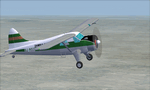
This is a repaint of a DHC-2 Beaver in Zambia Airways colors. The freeware DHC-2 Beaver (wheels) by John L. Woodward is needed for this repaint. It is an FS2004 plane, but I flew it in FSX-SE using the default Beaver panel. The plane can be downloaded here on Avsim, file name: beaver_wheels_2005.zip. Zambia Airways was formed as a subsidiary of Central African Airways (CAA) in April 1964. When CAA collapsed in 1967, Zambia Airways became a fully Zambian owned carrier. In 1968, the fleet consisted of DHC2 Beavers, DC-3s, and two newly delivered BAC-111s from the defunct CAA. They flew on regional routes to Kenya, Malawi, Tanzania, and Mauritius. Alitalia was also hired to provide support of the initiation of new international services. A Douglas DC-8-43 leased from Alitalia was used for the long-haul Lusaka to London flights, which were inaugurated in November 1968, via Nairobi and Rome. In 1970 Zambia Airways took delivery of 3 HS-748s, and in 1974 they received their first Boeing liner; the 707-343C. One year later the two BAC-111s were sold to Dan-Air. July 1976 saw the delivery of the carrier's first 737-200. Zambia Airways received their first wide-body DC-10-30 in July 1984. Zambia Airways did well financially over the years, but by the end of the 1980s and early 1990s, things were a bit more complicated. With financial difficulties facing Zambia Airways, it was forced into liquidation in December 1994. Zambia Airways operated a total of 4 DHC-2 Beavers on local services. This aircraft, 9J-RFZ, was with the airline from 1964 to 1967. This repaint should work on FSX & FS2004. Textures are 32bit BMP.
| Filename: | Zambia_Airways_DHC2_Beaver_c1966.zip |
| License: | Freeware |
| Added: | 22nd August 2019, 08:34:05 |
| Downloads: | 82 |
| Author: | Ted Giana |
| Size: | 2.48 MB |
| Category: Flight Simulator X - Aircraft Repaints, Textures and Modifications | |
| FSX/P3D TAI DC-3 1962 |
|
Images related to this file:
File Description:
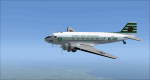
This is a repaint of the DC-3 in TAI (Transports Aeriens Intercontinentaux) colors. The freeware DC-3/C-47 v3 by Manfred Jahn is needed for this repaint. In 1946 the French government allowed the creation of some independent air carriers. On June 1 of that year TAI (Transports Aeriens Internationaux) was formed, and was based in Orly, France. Flights began on July 1, with a Junkers Ju-52. The following year they purchased 7 ex KLM DC-4s, along with 3 Bristol 170 freighters. In 1954 DC-6Bs started to replace the DC-4s. Their route network serviced mainly Africa, the Far East, the French Pacific territories, and Australasia. Prior to 1956 their network wa mainly in Africa, and Asia. On May 6, 1960, a partnership was formed with Air France, whereby TAI flew the South Pacific leg of the state carrier’s around the world service via New Caledonia and Tahiti. Later, on September 4 1960, TAI began a Douglas DC-8-32 service from Paris to Darwin via Athens, Teheran, Karachi, Bangkok, Phnom Penh, and Saigon, and on September 12, it inaugurated a route from Sydney to Los Angeles via Noumea, Nandi, Papeete, and Honolulu with the DC-8. On September 14 1961, TAI agreed, in principle, to a future merger with Union Aeromaritime de Transport (UAT). The two airlines integrated their schedules in 1962 and the amalgamation of TAI and UAT was completed on October 1, 1963, resulting in a new airline: UTA (Union de Transports Aeriens). This DC-3, F-BGXN, flew for TAI from 1956 to 1959. Textures are DXT5. This repaint was tested on FSX-SE and should work on FSX & P3D v1-3.
| Filename: | FSXP3D_TAI_DC3_1962.zip |
| License: | Freeware |
| Added: | 19th March 2019, 17:01:24 |
| Downloads: | 186 |
| Author: | Ted Giana |
| Size: | 8.29 MB |
| Category: Flight Simulator 2004 - Scenery | |
| Silver City CFQ5 in Yukon Territory Canada |
|
Images related to this file:
File Description:
Silver City is a ghost town in the Yukon Territory, Canada, amid the Rocky Mountains and around 35 miles northwest of Haines Junction. It is on the southern end of Kluane Lake and in the Kluane National Park and this probably explains it's (minimal) survival after what appears to have been the shutdown of mining for silver. There is little information readily available. The date of this scenery is, as usual, around 2010. There was no recent regular service by Yukon Air North or any other airline, and the primary user of the airfield adjacent to the lake is a company called Icefield Discovery Tours. Their activity is probably very similar to the company at Haines Junction and involves trips to the National Park amid mountains and glaciers. There is also another organisation at the airfield, the Kluane Lake Research Station of the Arctic Institute. They have four buildings there but it is unclear how much aerial activity they generate, or if in fact they fly at all for their work. The runway is 3,000 feet of unlit gravel, aligned north-south. This post will be followed by Burwash, which is at the far northwestern end of the lake. There is no video of the Silver City airfield on Youtube, and it is not the most exciting airfield in the world, but the location is enough in real life for a visit to be made. On YouTube there is a series of posts by Angle of Attack showing the preparation and then the flight of an old Cessna 172 from Homer to Oshkosh for the installation of modern instruments. Interesting for me as they visit or fly over airfields I have made: Homer, Merrill, Tok Junction, Burwash, Silver City, Haines Junction, Watson Lake, Fort Nelson, and Grande Prairie. But they fly in the winter so it all looks very different.
| Filename: | Silver_City_CFQ5_in_Yukon_Territory_Canada.zip |
| License: | Freeware, limited distribution |
| Added: | 22nd January 2022, 21:57:41 |
| Downloads: | 97 |
| Author: | Roger Wensley |
| Size: | 9.86 MB |
| Category: Flight Simulator X - Aircraft Repaints, Textures and Modifications | |
| Beech D18S repaint 6-pack |
|
Images related to this file:
File Description:
FSX Beech D18S. Six repaints for the Shupe/Thomas/Folkers
Beech D18S, which you must have previously installed in FSX.
I fly the version modified for FSX SP2/ACC by Dave Carroll,
but I'll bet these textures will work with most other Shupe
Beech 18's as well, so give them a try and see! These 18's
are fresh from the restoration shop, sporting new paint in a
variety of colors and a newly remodeled earth tone tan interior,
which will nicely match any exterior paint schemes on these or
any other Shupe Beech 18's you may already have in your hangar.
There are no registration numbers or
corporate/airline/charter/freighter/military markings, so you
are free to add whatever markings you wish in order to customize
your own personal Beech 18. If you enjoy using your 'DXTBmp'
program and your computer's default 'MS Paint' program
(or any paint program you prefer), you can quickly and easily
add your own registration numbers, and other markings,
or whatever else pleases you! Those of you who fly online in
FSX Acceleration could customize your own Beech 18's and have
a fly-in to show them off. Don't feel like finishing the paint
details? That's cool, as you can also fly them as is if you wish,
with no numbers or markings at all, as they look kinda pretty
in just their new paint against a sunny blue sky! Includes a
new shared 'texture' folder, which replaces the original
very blue cabin interior with a new earth tone tan colored interior,
to better match all of your Beech 18's exterior paints. Also includes
an FSX compatible engine smoke effect. Have fun! Easy installation.
By Tom Tiedman
| Filename: | Beech_D18S_repaint_6pack.zip |
| License: | Freeware |
| Added: | 6th October 2010, 00:08:11 |
| Downloads: | 355 |
| Author: | Tom Tiedman |
| Size: | 59.58 MB |
| Category: Flight Simulator X - AI Aircraft | |
| AI Aeronaves TSM Fairchild Swearingen Metroliner Fleet Pack |
|
Images related to this file:
File Description:

This is Aeronaves TSM Fairchild Swearingen Metroliner Fleet Pack with the registrations:
Fairchild SA226-AC Metro II with the next registrations: XA-ADQ (With New and Old Colors), XA-ADS (With New and Old Colors), XA-TSM, XA-UFO (With New Colors and No Titles).
Fairchild SA227-AC Metro III with the next registrations: XA-AFT (With 20th Anniversary Sticker, Aeropacifico Livery and Damage), XA-DCX (With DHL Logo and New Colors), XA-EEE (With 20th Anniversary Sticker, New and Old Colors and Old Titles), XA-EGC, XA-MIO (With 20th Anniversary Sticker, Old Colors and Orange Website), XA-PNG (With 20th Anniversary Sticker, New and Old Colors), XA-SLW (With 20th Anniversary, Damage, DHL Logo and Old Colors), XA-SUS (With DHL Logo and Yellow Colors), XA-TYX (With 20th Anniversary Sticker, Albine, New and Old Colors and No Titles), XA-UAJ (With Aeropacifico Livery, DHL Livery and Yellow Colors), XA-UAL, XA-UKJ (With 20th Anniversary Sticker and New Colors), XA-UKP, XA-UMW (With 20th Anniversary Sticker and Dark Props), XA-UNQ (With New and Old Colors), XA-UOS (With No Tail Logo), XA-UPP (With New Colors), XA-UQB (With New Colors), XA-URZ (With 20th Anniversary Sticker, XA-USB (With 20th Anniversary Sticker), XA-USJ (With 20th Anniversary Sticker), XA-UUL (With 20th Anniversary Sticker), XA-UUM (With 20th Anniversary Sticker), XA-VCZ, and XA-VDN.
Fairchild SA-227AT Expediter with the next registration: XA-USG (With 20th Anniversary Sticker). Aeronaves TSM are celebrating his 25th Anniversary. I am doing the complete fleet of this mexican airline cargo. The model are DJC Fairchild Metroliner II & DJC Fairchild Metroliner III.
This is my website: https://el-mundo-de-los-aviones-ai-traffic.jimdosite.com I hope enjoy it!.
| Filename: | AI_Aeronaves_TSM_Fairchild_Swearingen_Metroliner_F.zip |
| License: | Freeware |
| Added: | 25th May 2022, 23:31:49 |
| Downloads: | 164 |
| Author: | Jesus Gibran Soriano Solleiro |
| Size: | 383.48 MB |
| Category: Flight Simulator 2004 - AI Aircraft | |
| AI Aeronaves TSM Fairchild Swearingen Metroliner Fleet Pack |
|
Images related to this file:
File Description:

This is Aeronaves TSM Fairchild Swearingen Metroliner Fleet Pack with the registrations: Fairchild SA226-AC Metro II with the next registrations: XA-ADQ (With New and Old Colors), XA-ADS (With New and Old Colors), XA-TSM, XA-UFO (With New Colors and No Titles). Fairchild SA227-AC Metro III with the next registrations: XA-AFT (With 20th Anniversary Sticker, Aeropacifico Livery and Damage), XA-DCX (With DHL Logo and New Colors), XA-EEE (With 20th Anniversary Sticker, New and Old Colors and Old Titles), XA-EGC, XA-MIO (With 20th Anniversary Sticker, Old Colors and Orange Website), XA-PNG (With 20th Anniversary Sticker, New and Old Colors), XA-SLW (With 20th Anniversary, Damage, DHL Logo and Old Colors), XA-SUS (With DHL Logo and Yellow Colors), XA-TYX (With 20th Anniversary Sticker, Albine, New and Old Colors and No Titles), XA-UAJ (With Aeropacifico Livery, DHL Livery and Yellow Colors), XA-UAL, XA-UKJ (With 20th Anniversary Sticker and New Colors), XA-UKP, XA-UMW (With 20th Anniversary Sticker and Dark Props), XA-UNQ (With New and Old Colors), XA-UOS (With No Tail Logo), XA-UPP (With New Colors), XA-UQB (With New Colors), XA-URZ (With 20th Anniversary Sticker, XA-USB (With 20th Anniversary Sticker), XA-USJ (With 20th Anniversary Sticker), XA-UUL (With 20th Anniversary Sticker), XA-UUM (With 20th Anniversary Sticker), XA-VCZ, and XA-VDN. Fairchild SA-227AT Expediter with the next registration: XA-USG (With 20th Anniversary Sticker). Aeronaves TSM are celebrating his 25th Anniversary. I am doing the complete fleet of this mexican airline cargo. The model are DJC Fairchild Metroliner II & DJC Fairchild Metroliner III. This is my website: https://el-mundo-de-los-aviones-ai-traffic.jimdosite.com I hope enjoy it!.
| Filename: | AI_Aeronaves_TSM_Fairchild_Swearingen_Metroliner_F.zip |
| License: | Freeware |
| Added: | 25th May 2022, 23:31:57 |
| Downloads: | 104 |
| Author: | Jesus Gibran Soriano Solleiro |
| Size: | 383.48 MB |
| Category: Flight Simulator 2002 - AFCAD Files | |
| ScotFlight AFCADs and Flightplans V1.0 |
|
File Description:
AFCADs, flightplans and aircraft for the newly released ScotFlight commercial scenery by VisualFlight
The newly released ScotFlight scenery by Visual Flight (www.visualflight.co.uk) is a beautiful rendition of the Scottish landscape and landmarks. It contains many new airports which were not included in the default FS2002 and I have had the pleasure of beta testing it for the last 4 months or so.
My freeware add-on package is in 4 parts:
1) AFCAD files for all of the airfields and airports included in the ScotFlight scenery. This will allow the smaller airfields to appear on the FS2K2 GPS unit and all will be listed in the World/GOTO menu.
2) EditVoice files for the new airfields so you will hear the correct names on the radio. (optional)
3) General Aviation flightplans for all of the airports, which can be added using TTools v1.3.3 by Lee Swordy.
4) Scheduled airline flightplans for flights to/from Scottish airports and small islands. Including 99.9% COMPLETE UK flightplans for Eastern Airways and 15 (yes fifteen!) individual BAe Jetstream J41 models, courtesy of Tom Woods, to use as AI traffic on the Eastern Airways routes. Plus directions where to get other suitable aircraft for, ScotAirways, BA Loganair, EasyJet and Highland Airways. Many thanks to Tom for his hard work repainting all the registrations for the Eastern fleet!
PLEASE READ THE INSTALLATION INSTRUCTIONS CAREFULLY! Anyone with the AFCAD and TTools programs by Lee Swordy should have no problem installing these files but, it needs care and attention to get them right.
Special thanks to:
Lee Swordy (AFCAD and TTools)
Tom Woods (The Eastern Airways fleet)
Daniel Parrot (For a great Eastern ERJ135 and ScotAirways ATR42)
Mike Holland (GA Maker)
Lars Møllebjerg (EditVoice)
Iain Gallacher,Iain Murray and John Farrie of VisualFlight for their great scenery and approval of my add-on package.
| Filename: | ScotFlight_AFCADs_and_Flightplans_V10.zip |
| License: | Freeware, limited distribution |
| Added: | 14th March 2003, 16:29:06 |
| Downloads: | 1,042 |
| Author: | David (The Fid) Fidler |
| Size: | 4.94 MB |


© 2001-2026 AVSIM Online
All Rights Reserved
Privacy Policy |