
Where Flight Simulation Enthusiasts Gather from Around the World!
AVSIM Library - Search Results

| Category: Prepar3D V1-4 - Scenery | |
| EDJA Allgäu Memmingen (DE) - V1 |

|
Images related to this file:
File Description:
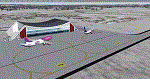
Airport: Allgäu (DE) EDJA V1
Release: January 2018
Simulation: P3D v4.1
This scenery is an update of the stock Airport (ICAO code: EDJA).
"Memmingen Airport (IATA: FMM, ICAO: EDJA), also known as Allgäu-Airport Memmingen, is an international airport in the town of Memmingerberg near Memmingen, in the Swabia region of Germany. It is the smallest of the three commercial airports in Bavaria after Munich Airport and Nuremberg Airport and has the highest altitude of any commercial airport in Germany. It is operated by Allgäu Airport GmbH & Co. KG, a limited partnership of 71 mostly local, medium-sized companies with only minor public shares.
Located about 3.8 km (2.4 mi) from the centre of Memmingen and 110 km (68 mi) from the city centre of Munich, it serves Memmingen and the Allgäu area and also provides a low-cost alternative to Munich Airport and therefore is sometimes referred to as Memmingen/Munich-West Airport or similar by some low-cost airlines, despite the fact that it is 110 kilometres from the centre of Munich. It mostly features flights to European leisure and some metropolitan destinations and handled nearly 1,18 million passengers in 2017."
Source: Wikipedia, the free encyclopedia
Link: https://en.wikipedia.org/wiki/Memmingen_Airport
What to expect?
The entire airport has been updated with correct RWY, Taxiways, APRON's, COMM's (ATIS, GND, TWR), markings and some objects. RWY 24 got it's ILS and go arround information acc. to the charts. The main Terminal is a custom building with custom day and night textures. Also all ground textures are custom made. Other objects INCLUDING the tower are from stock ADE!
In time I will add more custom buildings to further releases of this airport. Currently I have already started to work on the Tower building.
Ground textures will not receive shadows unless you turn "Buildings" receieve shadows to ON!
General:
I'm not a proffessional scenery builder or texture artist but I did try to do my best to update the stock Airport and offer it as freeware to the simming community. I have tested the scenery and did not find any issues with it. GSX services work, AI traffic with Ultimate Traffic Live works, COMM's work, APPR on ILS24 does work, and so on.
Entire work and object placing has been done using a photo overlay image from Google Earth, yet don't expect a photoreal scenery. The used background image has been removed due to Google's copyright policy.
Big thanks to the guys from FS Developer (Don, Arno) who I have kept busy during the birth of the scenery and those who offered the tools to build it (ADE, MCX, Sketchup, Gimp,...).
| Filename: | EDJA_Allgu_Memmingen_DE__V1.zip |
| License: | Freeware |
| Added: | 21st January 2018, 17:07:14 |
| Downloads: | 1,620 |
| Author: | Gerald Krutsch |
| Size: | 19.08 MB |
| Category: Flight Simulator X - Aircraft Repaints, Textures and Modifications | |
| Boeing B-17G 91st BG (OR-R) 'Nine O Nine' |
|
Images related to this file:
File Description:
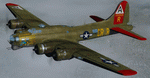
This folder contains a repaint for the A2A WoP2 B-17G in the colors of B-17G-30-BO 'Nine o nine". Nine-O-Nine was a Boeing B-17G-30-BO Flying Fortress heavy bomber, of the 323rd Bomb Squadron, 91st Bomb Group, that completed 140 combat missions during World War II, believed to be the Eighth Air Force record for most missions, without loss to the crews that flew it. The original aircraft, a block 30 B-17G manufactured by Boeing, was nicknamed after the last three digits of her serial number: 42-31909. Nine-0-Nine was added to the USAAF inventory on December 15, 1943, and flown overseas on February 5, 1944. After depot modifications, she was delivered to the 91st BG at RAF Bassingbourn, England, on February 24, 1944, as a replacement aircraft, one of the last B-17s received in factory-applied camouflage paint.
A former navigator of the 91st BG, Marion Havelaar, reported in his history of the group that Nine-O-Nine completed either 126 or 132 consecutive missions without aborting for mechanical reasons, also believed to be a record. M/Sgt. Rollin L. Davis, maintenance line chief of the bomber, received the Bronze Star for his role in achieving the record.
Her first bombing raid was on Augsburg, Germany, on February 25, 1944. She made 18 bombing raids on Berlin. In all she flew 1,129 hours and dropped 562,000 pounds of bombs. She had 21 engine changes, four wing panel changes, 15 main gas tank changes, and 18 changes of Tokyo tanks (long-range fuel tanks).
After the hostilities ceased in Europe, Nine-O-Nine was returned to the United States on June 8, 1945, and was consigned to the RFC facility at Kingman, Arizona on December 7, 1945, and eventually scrapped.
B-17G-85-DL, 44-83575, civil registration N93012, owned and flown by The Collings Foundation, Stow, Massachusetts, flew marked as the historic Nine-O-Nine until its crash on the 2nd of October 2019. Repaint by Jan Kees Blom.
| Filename: | Boeing_B17G_91st_BG_ORR_Nine_O_Nine.zip |
| License: | Freeware |
| Added: | 6th October 2019, 20:39:06 |
| Downloads: | 234 |
| Author: | Jan Kees Blom |
| Size: | 18.73 MB |
| Category: Flight Simulator 2004 - Scenery | |
| PAKN - King Salmon - Alaska, US V1 |
|
Images related to this file:
File Description:
This is the final version, complete in itself and incorporating the two modifications posted separately. King Salmon is a town with a population of just under 400, on the north bank of the Naknek River and 15 miles from the sea. The airport is adjacent to the town and was originally an airforce base; the military hangars on the airport are still usable. The airport, with its long runway (11-29 and 8,500 feet with an ILS, and a second runway 18-36 and 4,000 feet) is a transportation hub for the area in general and in particular for the salmon industry. Along the Naknek River there are numerous canneries and there are also fishing lodges on the river and nearby lakes; to speed up transportation to the lodges there are float bases on the river to the south of the airport. King Salmon has three tiers of scheduled flights: Alaska Air direct from Anchorage in a 737 (passengers and cargo), PenAir (Saab turboprop) as part of their flights up and down the peninsula, and Grant Air serving nearby small towns. There are also PenAir flights, both scheduled and unscheduled, in smaller aircraft (Piper Navajo for instance) to smaller airports for the fishing season, plus cargo flights in larger aircraft by the lowest bidder (Everts and Northern). To complete the mix the AI includes a pair of F15s. The runways cross (see the airport diagram) so read the notes re long taxi routes. There is AI for PAKN, plus revised AI made for Dutch Harbor which includes flights by PenAir to King Salmon, plus revised parking for Dutch Harbor with new replacement bgls to cater for more flights. There is also AI for the float bases on the river; I have made two runways separated into two float bases for river AI, called King Salmon Floats and King Salmon River; more AI for these will be added when other scenery along the river is made. Just land according to the wind and taxi to whatever dock takes your fancy.
| Filename: | PAKN__King_Salmon__Alaska_US_V1.zip |
| License: | Freeware, limited distribution |
| Added: | 11th April 2015, 06:20:40 |
| Downloads: | 502 |
| Author: | Roger Wensley |
| Size: | 23.67 MB |
| Category: Flight Simulator 2004 - Scenery | |
| FS9 Fort St John CYXJ in BC Canada |
|
File Description:
Fort St John is close to the border between British Columbia and Alberta, around 40 miles north-northwest of Dawson Creek. The airport was originally a Royal Canadian Air Force base, associated with the wartime construction of the Alaska Highway. The airfield was part of this construction effort and the wartime ferrying of planes to Russia. It is currently named "North Peace Regional Airport", or "North Peace Airport"; apparently there has been no final decision?
The date for this scenery is around 2006. I was given an old video tape cassette which was filmed on an uncertain date, but which had to be before the terminal building was renovated in 2007 and totally changed in appearance. The only way to view the video was to play it in the camera and watch it on a small screen. After I had completed everything except the buildings I started to view the video to establish the building appearances and within an hour or so the camera died. It was so old there was no way to repair it, so I then made some new buildings from memory of the video and what was available online. I also used some that I had already made for other scenery but which were similar. I may replace the terminal building that is in this version with a build of the new one, as I know this one is not a very accurate reproduction. The replacement, if I do it, will be towards the end of this year.
The AI included here is for GA, Air Canada Jazz, and two helicopter companies that were (and still are?) based there. One is at the western end of the apron and the other is at the eastern end but separated from the apron. To gain access to the taxiways and runways (so that all airport users follow the same procedures, for safety reasons) the eastern end helicopters just taxi across the grass. The helicopters are used for maintenance trips to the oil and gas fields in the surrounding area. My screenshots show Westjet at the terminal; this is because I have later Canadian AI installed, while the AI included here is only for the time around 2000 to 2010, when Westjet were not flying to Fort St John.
The airport is square in plan, with the apron running along the northern side and two runways forming diagonals. The two runways are 11-29 (6,882 feet long and 200 feet wide, with ILS at the 29 end and PAPI at the other) and 02-20 (6,684 feet long and 200 feet wide, and with PAPI at each end). The eastern side taxiway that runs north-south is not used. The western side taxiway is in use but only as a race track for cars.
Please email me if you find faults, such as a plane without textures.
| Filename: | FS9_Fort_St_John_CYXJ_in_BC_Canada.zip |
| License: | Freeware, limited distribution |
| Added: | 10th October 2022, 14:03:38 |
| Downloads: | 209 |
| Author: | Roger Wensley |
| Size: | 37.49 MB |
| Category: Flight Simulator 2004 - Scenery | |
| Prudhoe Bay area on Alaska North Slope US |
|
Images related to this file:
File Description:
The Prudhoe Bay area of the Alaska north slope is dominated by all the equipment and machinery that is necessary for the extraction of oil and its transfer by the pipeline that reaches south to Valdez. Prudhoe Bay airport is now closed, and its replacement just to the south is Deadhorse PASC, with numerous storage, maintenance, and accomodation areas immediately to the north of the apron, and others adjacent to the road between the two. The runway is just under 6,500 feet with approach lights at both ends and ILS on 04 (true heading of 75 degrees). This scenery reflects the overall situation in 2011 and oil production facilities and buildings are included here. The airport buildings and those close to the airport are replicas of the real life buildings; while as distance increases the accuracy fades somewhat there are everywhere replica trucks and cross country vehicles that are true to life. Deadhorse handles around 7,000 passengers per month as staff are rotated in and out on Alaska Air and ERA flights and by oil company private flights. There are also freight flights to complement the trucking effort up the Dalton Highway. The Alaska Airlines terminal building and ERA (the red buildings nearby) are at one end of the apron, while at the other end is a very large and new green terminal, storage, hangar building built by the airport authority. All of the airport components, runways, taxiways, and aprons, are built up on a gravel base to raise them above the surrounding terrain that floods with melting snow, freezes, or dries out, according to the seasons. There are other new airstrips included here that serve the oil industry. Around 33 miles to the east is Badami PABP airport servicing a subsiduary oil producing area, with 5,000 feet of gravel runway. Some 28 miles to the west of Deadhorse is Ugnu-Kuparuk UBW with just over 6,000 feet of gravel (gravel in 2011, it is now asphalted) servicing oil production by Conoco Phillips, which uses 737's to fly staff in and out. A further 32 miles west is Alpine AK15 with 5,400 feet of gravel and also served by the Conoco Phillips 737's. To the south of Alpine and connected by road is the village of Nuiqsut. To the north of Alpine and reachable only by air in the delta of the Sagavanirktok River is CD-3, an oil collection and pump station area with another gravel runway of 3,000 feet. Other airstrips that were prviously posted are now updated, Nuiqsut and Oliktok. I experimented, but decided against trying to reproduce the several hundred miles of pipelines. The are new AI aircraft, and there are notes regarding downloading. There is a new "cement" texture (not its name, but used as that by SBuilder) for the built up gravel bases. It is slightly darker than the original but not so much that any previous use will be spoilt. You may wish to download my "Alaska Frozen Rivers and Lakes" which freezes lakes and the northern sea and makes them landable on wheels.
| Filename: | Prudhoe_Bay_area_on_Alaska_North_Slope_US.zip |
| License: | Freeware, limited distribution |
| Added: | 19th December 2017, 00:38:06 |
| Downloads: | 583 |
| Author: | Roger Wensley |
| Size: | 28.54 MB |
| Category: X-Plane - Utilities | |
| X-Camera 2.2.1 |
|
Images related to this file:
File Description:
The X-Camera 2.1.1 plugin for X-Plane 9 and 10 is a replacement camera system that lets you define multiple view categories and multiple views within those categories that are associated with specific aircraft. X-Camera is similar to EzDok for FSX only for X-Plane. Watch this short X-Camera demo on YouTube: https://www.youtube.com/watch?v=PgOxG8ejq9A
Each view can have options:
- TrackIR:
Each view can enable or disable the TrackIR input. If the view is out the cockpit window having TrackIR enabled is desirable. However, if the view is a close-up of an instrument panel then having TrackIR disabled is probably the better choice since the view will be stable making it easy to click on cockpit controls with the mouse. We also support LinuxTrack on Linux and Mac systems.
- HeadShake:
If the HeadShake plugin from SimCoders is installed then the view can accept input from HeadShake. Similar to the TrackIR feature you will likely want this enabled for certain views but disabled for views on instrument panel close-ups where a stable camera makes it easier to use a mouse to control cockpit knobs and switches. The HeadShake plugin must be at version 1.3 or higher for the integration to work.
- Scenic Flyer:
If the Scenic Flyer plugin from Digital Avionics is installed then the view can choose to display either the Scenic Flyer Glass panel or GA panel.
- Smooth Transition:
When this option is enabled the camera with smoothly transition from one view to another over approximately half a second. When the option is off the view will transition immediately.
- Views can be controlled in a number of ways:
> Each view can be positioned by using keyboard keys or a control panel
> The camera'™s X, Y, Z, Heading, and Pitch can all be adjusted for each view
> Views can be assigned to a HotKey or JoyStick button for easy selection
> HotKey or JoyStick button can be used to navigate to next or previous views
> The views for a specific aircraft can be saved to a CSV file for easy editing
- Walk Mode:
Any view'™s camera can be placed in Walk Mode. While in this mode the camera can be walked or floated around using keyboard input. If you ever played the video game asteroid that is what walk mode is like. The mode is particularly useful for pre-flight inspections of your aircraft. You can create a external view and after selecting that view you can "Walk" the camera around checking out your landing gear, props, etc.
- Linear Transitions and Auto Advance:
Linear transitions allows you to define a transition between two adjacent cameras in category. This capability, in conjunction with the auto advance feature, allows you define fairly sophisticated animations that can be used for automated Pre-flight inspections, scenery viewing, and cool transitions affects that can be used when creating flight videos. All the transitions in our YouTube video were done with X-Camera.
- Bezier Curve Transitions:
Bezier curve transitions allows you to define a transition between three or more adjacent cameras in a category. This capability, in conjunction with the auto advance feature, allows you define fairly sophisticated animations that have an ultra smooth movement between the curve control points.
- Many Unique Camera Attributes:
Tracking Cameras - Camera Leveling - Smooth Camera Joining - Auto Advance to the Next Camera - Individual Zoom and Field of View Setting - External Cameras - Free Cameras - Target Following Cameras - Cineflex Cameras - Automatically Generate Unique Orbit and Fly-By Animations
X-Camera can create unique orbit and fly-by camera sequences by providing a few key parameters
- Airport Cameras:
You can define a set of free cameras associated with an airport. You can create up to 2,000 cameras per airport. X-Camera can also automatically populate airport cameras by reading the airport scenery files and creating cameras at runways, starting locations, taxiway signs, and airport viewpoints. You can map a joystick button to quickly switch between your aircraft camera set and the nearest camera at the nearest airport.
- Target Following Cameras:
Targets are locations defined by a latitude, longitude, and elevation in meters. Target following cameras are a special type of external camera that is attached to your plane and it has the ability to track a selected target. You can also view the target reciprocal which as a view from the target back to you plane.
X-Camera Tutorial Videos: There is also a four part series of tutorial videos that will help you get started with X-Camera. You can access them from the X-Camera Tutorial Page: https://www.stickandrudderstudios.com/x-camera-tutorial-videos/
The full manual is included in the zip file you can also view it here: https://www.stickandrudderstudios.com/downloads/User_Guide.pdf
| Filename: | XCamera_221.zip |
| License: | Shareware, limited functionality |
| Added: | 27th January 2017, 15:14:21 |
| Downloads: | 478 |
| Author: | Mark Ellis |
| Size: | 4.61 MB |


© 2001-2026 AVSIM Online
All Rights Reserved
Privacy Policy |