
Where Flight Simulation Enthusiasts Gather from Around the World!
AVSIM Library - Search Results

| Category: Flight Simulator X - Original Aircraft | |
| Boeing 787-942 VIP-BBJ |

|
Images related to this file:
File Description:
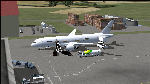
Boeing 787-942 Boeing Business Jet (VIP), AKA "DreamJet", is the Corporate version of this aircraft, modified for individual client specs. The range is extended beyond the normal 787-9 due to additional fuel tanks, a lot less payload weight, and more powerful and efficient engines. The Cabin Pressure is decreased to 6,000 ft, allowing for higher Flight Levels than normal. The tail number on this model can be changed to match the user's preference, since it is not apparent on the exterior (No Airline Call used on Private Aircraft).
This is a huge aircraft and normally seats about 300 passengers, but there are only 48 (including Pilots/Attendants) on this plane. A lot of space remains for luxuries that are well beyond any Business Jet of any kind other than the 747 or A380. Some of these luxuries include automated beds that are hidden in the floorboard and activated by the attendants when requested, and each of these includes a privacy barrier. There is one Large Screen TV with stereo surround sound with theater seating in the fore section, and separate small screen monitors located at every assigned seat (including flight data relay of all positioning and aircraft data viewable). The kitchen is fully equipped with 935 lbs of various food and drinks, with one attendant being a Master Chef. There is a automated Dance Floor that can be activated in the theater area, after the seating chairs are automatically stored below deck. The crew also experiences luxury as the pilots have a twin-bed sleeping area with a private kitchen (2 sleep while 2 fly), as do the attendants (fore and aft upper deck) with twin beds and private kitchens. The aircraft is also more luxurious in that it has 6.000 ft of pressure continuous to 47,000 ft, and has a very low interior noise level. There are also many added safety features that provide for survival in the event of a mishap, making it possible to survive a water crash for several days through the use of 6 inflatable skiff-rafts with engines, radios, and supplies. All attendants are trained and certified Registered Nurses, and they have 25 lbs of medications and supplies stored in the aft. Some of these features add to the empty weight, so the MTOW is the same as a normal aircraft of this design for commercial use (the gear are also modified for these accommodations).
This aircraft is designed for educational use protected under the Fair Use Doctrine:
(http://www.expertlaw.com/library/intellectual_property/fair_use.html)
It cannot be sold or bundled for sale, and such will never be approved by me or the original authors. FREEWARE DISTRIBUTION ONLY!!!
Model design and paint by: Camil Valiquette;
Sound by: Emil Serafino;
Engine/Aerodynamics and Details by: Douglas E. Trapp, ([email protected]) May 2018
| Filename: | Boeing_787942_VIPBBJ.zip |
| License: | Freeware |
| Added: | 20th May 2018, 16:58:42 |
| Downloads: | 885 |
| Author: | Douglas E Trapp |
| Size: | 77.99 MB |
| Category: Flight Simulator X - Utilities | |
| FSRemote |
|
File Description:
It does what the title says FSRemote controls FSX remotely through FSUIPC.
Just take a look at the (word) document that is contained in the zip file and look at some screen shots.
It can view and control the following items in FSX through FSUIPC:
1. Environment - view Date Time and Position
2. Date Time - view and set Date and Time in FSX
3. Aircraft - view and set various aircraft items like Door, Lights, Push back and De-Ice
4. Attitude - view attitude and speed in feet, meter, knots, mp/h and km/h
5. Auto Pilot - view and set various Auto Pilot items
6. Radio - view and set almost all the radio items like in the radio stack
7. Engines - auto stop and start engines, not much jet
8. Message - view and send messages to FSX
9. Weather - not implemented jet
10. FPS - view chart and check the Frames per Second in FSX
11. About box with various version information.
What do you need run use FSRemote
1. .NET 2.0 installed on the comupter where you want to run FSRemote
2. FSUIPC4 on the computer where you run FSX
3. WideClient (FSUIPC remote) if you want to run FSRemote on a remote computer
The zip file includes:
1. .NET 2.0 FSRemote executable
2. Configuration file for FSRemote
3. Document file in MSWord
Hope you like it.
| Filename: | FSRemote.zip |
| License: | Freeware |
| Added: | 4th September 2007, 11:52:19 |
| Downloads: | 1,481 |
| Author: | Hans Elzer |
| Size: | 311.67 KB |
| Category: Flight Simulator 2004 - Scenery | |
| Chennai International Airport , India ( VOMM ) |
|
Images related to this file:
File Description:
Chennai scenery has been in demand for long time and here it is ,the file also includes " the ACTIVE RNAV�1 (GNSS or DME/DME/IRU) SIDs and STARs. It also has the extended runway and the extended taxiway M3. Definitely the screen shots will help you decide if its worth downloading.T his will also work in FSX. Inside you will find a zip file that reads-"Asia.zip" if you are FSX user you will have to add this addition folder to database (FSX) 2-3 buildings used are default FS2004 object which are not in FSX . This additional will enable that thing previously if you have downloaded Chatrapatti shivaji International Scenery that I uploaded for everyone made the FSX users unhappy , because they must have found few objects hanging in air or something's missing. This asia folder included in the scenery will solve the trouble. Airport Features include- NEW models of taxiway edge fixtures, Parkable Hanger for General aviation light aircrafts. Just roll in and out sticking to the ctr guide line. You can even begin simulation parked inside the hanger .Don't worry , you won't be disappointed .. check out the pics. Oh! you'll also find surfaces painted " paraphernalia " kind of stuff at all taxiway- runway intersection and surface painting for stands numbers at one of the apron. stands 1-7 .
| Filename: | Chennai_International_Airport__India__VOMM_.zip |
| License: | Freeware |
| Added: | 10th July 2010, 02:54:43 |
| Downloads: | 6,700 |
| Author: | Ashish Singh |
| Size: | 70.84 MB |
| Category: Flight Simulator 2004 - Aircraft Repaints, Textures and Modifications | |
| AeroSur Boeing 767-284/ER "Sharko" (CP-2659) |
|
Images related to this file:
File Description:
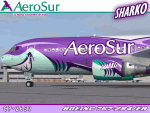
I am quite proud to present this very detailed and accurate repaint of Aerosur's Boeing 767-284/ER logojet named "Sharko", in the Project Opensky B762 V4 model. This logojet of Aerosur of Bolivia turns heads wherever she goes. She joins a rather large group of other AeroSur logojets, forming a total complement of 8. This aircraft flies into Miami (KMIA) and Dulles (KIAD) in the USA.
This repaint is almost 100% hand painted. All artwork is hand rendered except the AeroSur Eagle logo. Custom textures included in this repaint are; hand-painted realistic 3D windows with window shades, custom tires, custom night textures (and alpha), custom fuselage shading, tug with AeroSur logo, stewardess is a an actual AeroSur stewardess in AeroSur uniform, interior exit signs in Spanish (SALIDA), custom fuselage shading and many others. The screen shots included with this package showcase this detailed repaint and the outstanding Miami International Airport (KMIA) scenery recently released by LatinVFR. Fuselage, engine, wing and tail textures are 32-bit with no mips for best clarity and quality. As this has been one of the most enjoyable and challenging repaints for me, I hope you enjoy flying this wonderful aircraft as much as I did creating it. This is a complete install and contains all Project Opensky provided files current to Version 2004.8.0. The sound is from the default B737.
| Filename: | AeroSur_Boeing_767284ER__Sharko_CP2659.zip |
| License: | Freeware, limited distribution |
| Added: | 4th March 2012, 06:52:06 |
| Downloads: | 679 |
| Author: | Jeffrey S. Bryner, Project Opensky |
| Size: | 13.9 MB |
| Category: Flight Simulator X - Miscellaneous Files | |
| Metal GUI V.1.2 |
|
Images related to this file:
File Description:
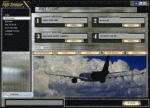
I designed this for myself to darken the default User Interface for 2 reasons. I have bad eyes that are sensitive to bright objects on the screen, and I like to fly the simulator in the evening hours with the lights turned off in the room. I hope you like my end result. I also added 2 bonus features. Instead of hearing the Windows/Internet Explorer click sound when you mouse click on a menu item, you now will hear the "Fasten Seatbelts" sound effect. Be sure to back up the original sound "checkc" in case you find the new sound annoying. Secondly, I have included 4 optional Aircraft Viewer images that give the selected aircraft a more airborne look. I will make switching these simple by adding them to the Generic Mod Enabler(JSGME) that I will include in the download. The look is created using Diamond Plate and Polished Aluminum textures, and modifying the buttons with some more color. This is Freeware, and I am giving permission to anyone that wants to create their own and upload to any site they wish. I do not wish that you have to mention my name in any credits.
Generic Mod Enabler(JSGME) can be found at JoneSoft http://www.users.on.net/~jscones/software/
This utility is freeware created by JoneSoft (Copyright© 1998-2010 JÃsen Jones)
| Filename: | Metal_GUI_V12.zip |
| License: | Freeware |
| Added: | 20th November 2011, 04:39:38 |
| Downloads: | 414 |
| Author: | Todd McCuistion |
| Size: | 7.63 MB |
| Category: Flight Simulator 2004 - Original Aircraft | |
| Grumman Albatross version 2.1 |
|
Images related to this file:
File Description:
Grumman HU-16 Albatross 2.1
Greg Pepper, Michael Verlin
May 18, 2012
I am privileged to be honored with the custodianship of this model.
Greg Pepper is no longer with us. I wish to honor his memory and I've made a few modifcations to enhance this aircraft.
WHAT'S NEW FOR 2.1
The flight model is the most significant change. The flight model has been enhanced by the use of Jerry Beckwith's AirWrench.
The performance of the Albatross is now much closer to the parameters published for it. I've also adjusted the contact points for the hull.
Please make sure you adjust the fuel and payload before flying. This is a very heavy aircraft, and will be very sluggish if you attempt flight with full tanks and a full payload.
I've also added a few liveries, and modified several others. The colors and lettering of the U.S. Navy versions have been revised. The font the Navy uses is USN Long Beach. The paint colors are accurate now as well. You will also find new spin prop textures.
I've also slightly revised the original U.S. Air Force HU-16B and two of the U.S. Coast Guard liveries.
New for this release: U.S. Navy VXE6 UF-1L triphibian that served in the Antarctic, Chalk's G-111 and two new private liveries.
Michael Verlin
May 18, 2012
[email protected]
| Filename: | Grumman_Albatross_version_21.zip |
| License: | Freeware, limited distribution |
| Added: | 19th May 2012, 05:08:32 |
| Downloads: | 3,476 |
| Author: | Greg Pepper Michael Verlin |
| Size: | 88.13 MB |
| Category: Flight Simulator 2004 - Aircraft Repaints, Textures and Modifications | |
| FSP Airbus Paint Kits |
|
File Description:
This paint kit package contains all of the FSP Airbus paint kits in one easy-to-access pack. These are full kits - models, textures, aircraft.cfg, and *.air files. These kits are CLEAN; that is there is no dirt or shading. In addition to the normal DXT3 files, there are one or more PSP detail files in each aircraft folder. The detail files eliminate most of the requirement to use layered techniques when painting aircraft. Please see the instruction files for specific painting steps. You can now use full color washes on your work and you can stop worring about replacing windows and doors when you paint. I developed these CLEAN kits for two reasons - one, I like to add shading and details that reflect the way I paint aircraft as opposed to someone else who might add things like dirt where I might not want it - and two because with most aircraft designed with dynamic shine, you really don't need shading because it is built in. NOTE: The night textures in these kits have been heavily modified. I found two discrepancies in many of the kits on the Net today - incorrect window placement (especially on doors) and the use of an incorrect BLACK color on night textures which prevented the display of textures during night operations. Paint kits are by Frank Bass and night textures by Peter Leadbeater.
| Filename: | FSP_Airbus_Paint_Kits.zip |
| License: | Freeware |
| Added: | 4th June 2005, 16:04:31 |
| Downloads: | 1,457 |
| Author: | Frank Bass |
| Size: | 11.09 MB |
| Category: Microsoft Flight Simulator (2020) - Utilities | |
| Flightplan Visualizer 1.18 |
|
Images related to this file:
File Description:
Flightplan Visualizer (FV) version 1.18.0. Copyright 2018-2020 by Pelle F. S. Liljendal ([email protected]), all rights reserved.
FV comes with 787 pre-imported Commercial AI flightplans (+380 BizJet flightplans are available as a separate download). However you are able to import additional (AI) flightplans yourself. Once imported these (AI) flightplans can be visualized on a map-view, and the user will be able to search accross all these. Hence you can use the program as inspiration as to which routes to fly. E.g. you can search across all imported flightplans to find all flights in an A321 flying into/out from LDDU, or simply to look for all flights in a Boeing 747-8F.
Simply run the included installer to install the software. The program will be installed into "C:\Program Files (x86)\Flightplan Visualizer" and all datafiles will be installed into: "C:\Users\[UserName]\AppData\Roaming\FlightplanVisualizer". The program comes with a full manual explaining everything, and a 3 page quick manual to get you started. The first 3 times you run the program the quick manual will automatically open. The forum is hosted here: https://forum.aerosoft.com/index.php?/forum/919-flightplan-visualizer/
Version 1.18 Contains the following changes:
- GREATLY improved the search-legs feature (by a factor of +50).
- In the past the application was forced to 32 bit. This is no longer the case, hence if needed its able to allocate more memory than before. I have never heard of anyone getting an "out of memory" exception, buy anyway.
- In the settings form, the field for entering the path to where to look for the Make Runways -files, have been replaced with a (MRU) combo-box, remembering the last 5 paths entered. So now you don't need to remember these paths each time you want to change it (e.g. if you switch between a set of files generated for P3D and another generated for MSFS). Remark that when this path is changed, FV will automatically restart when saving the settings, as the MkRwy-data are only loaded at startup.
- Added new command-line argument /MkRwy="G:\FS\MakeRunways". If this argument is set, FV will try to locate the files generated by Pete Dowson's MakeRunway in the specified folder, no matter the value of the MkRwy-path set in the settings-form.
- Added new command-line argument /FilePrefix=XXX. If this prefix is set (in the short-cut starting FV) it will look for files in the UserData-folder using this prefix and an underscore (e.g. open "XXX_UserAirportInfo.xml" in stead of "UserAirportInfo.xml"). If FV is started with this argument it will be displayed in the caption of the main-form to notify the user "which prefix is in use".
- Added new command-line argument /ForceReprocessFlightplans which forces all flightplans to be reprocessed on startup (e.g. process all airport redirections according to loaded redirection file).
- Added new command-line argument /? or /help. Using either of these, or having specified a wrong command-line argument will show a small example of the correct way to use these arguments.
- Added a new "Auto-activation prefixes" entry field to the "Edit owned aircraft" form where you can now enter a comma separated list of prefixes for which each aircraft should set to active. If entered, the aircraft will automatically be set active when FV have been started with the /FilePrefix argument set to the entered value (e.g. P3D). If one or more prefixes have been entered into this field, and FV have been started with another prefix, those aircraft will be set to not-active.
- Added new setting to reprocess all loaded flightplans on startup if FV was started with another /FilePrefix argument than used the previous time FV was started (e.g. if you switch between two different simulators).
- Improved how pseudo-airports tries to look-up airport data from the bundled airport-database. So there is now a higher chance that: name, country/state, and time-zone will be populated with useful data for the pseudo airports.
- In previous versions when opening the airport-info form, the checkbox "Exclude small/grass/dirt" (runways) was always checked, meaning you had to uncheck this checkbox before being able to see any runway-information for small airports. In this version a new setting have been added where you can chose if this checkbox should default to being: Checked, Unchecked or (default) Automatic. if choosing "Automatic", this checkbox will default to un-checked for airports only having few/small runways.
- Redesigned the settings-form so things are less "cluttered", and it will be more easy for me to add additional items in the future.
- The Search Airport form now contains fields that lets you specify min/max criteria for rwy-length and airport elevation, and min/max distance to a specified airport (e.g. find all airports within 20-50 Nm of XXXX). Also you can specify required rwy-type (e.g. "All Hard", "Have Soft" ...).
- Added an "Edit" menu-item to the context menu in the Search Airport form, which opens the Airport Info form, and returns back to the Search Airport form (e.g. see details for a few found airports before chooing one of them).
- If Transition Altitude (TA) is not known for a particular airport, the program will now try to estimate TA based on nearby airports in the same country, where those nearby are weighted more than those further away (its not perfect, but "better" than 0). An estimated TA will be postfixed by a asterisk to mark that it is estimated.
- Minor (internal) changes to the automatic version-check.
- Fixed: Issue importing some AigFP flightplans where airports were being redirected (e.g. "AIG_AviaTrafficCompany_Winter_2019-2020v2").
- Fixed: Using the context menu in the list-view showing all owned aircraft, the changes were sometimes not saved.
- Fixed: In the conversion-form when converting weight/volume into US-Gal, the calcuation was wrong (converting from US-Gal was not an issue).
- Fixed: In the leg-info report the value of Transition Altitude was in some cases used in stead of the length of the longest runway.
- Fixed: Leg-info report only contained taxi-out time for all airports. Now it only contains the taxi-out time for the departure airport, but both departure- and destination airports contains a taxi-in time.
- Fixed: In some cases an airport that was currently being edited, could be edited in another window at the same time (opening multiple Airport Info forms).
- Data: The bundled airport-database had a MAJOR face-lift. Various data were corrected, and it have more than doubled in number of airports/helipads contained within the database.
- Data: Improved detection of aircraft-type "IAI 1126 Galaxy" (as "Gulfstream G200"). Thanks to Bruce Nicholson for notifying me of the issue when importing a particular AIG flight-plan.
- Flightplans: All new/updated flightplans have been added to the installer, and all obsolete/defunct have been marked/removed. A total of 787 active flightplans are bundled with the installer.
Pelle
| Filename: | Flightplan_Visualizer_118.zip |
| License: | Freeware, limited distribution |
| Added: | 9th November 2020, 20:09:24 |
| Downloads: | 479 |
| Author: | Pelle Liljendal |
| Size: | 34.48 MB |
| Category: Flight Simulator 2004 - Flight Plans | |
| Ansett Flying Boat Services - Rose Bay to Lake Eucumbene, Snowy Mts. - 1971 |
|
File Description:
An historic Flight which utilises the Short Sandringham created by Jens Kristensen, this time in the 1970's livery of Ansett Flying Boat Services. A special set of textures has been created specifically for the Ansett version and is included with this package, together with instructions on its simple installation. As well as the few scheduled flights operated by Ansett to Hayman and Lord Howe Islands, Ansett also operated charter flights, usually for special-interest groups.
One that I recall was to Lake Eucumbene, in the Snowy Mountains, for the Australian Aviation Historical Society and it is that flight which is reproduced here. Full installation instructions are included.
| Filename: | Ansett_Flying_Boat_Services__Rose_Bay_to_Lake_Eucu.zip |
| License: | Freeware |
| Added: | 20th February 2006, 19:24:28 |
| Downloads: | 667 |
| Author: | Bruce Kennewell |
| Size: | 628.01 KB |
| Category: Flight Simulator 2004 - Aircraft Repaints, Textures and Modifications | |
| JPS lookalike SF260 RealAir Sim - VC TEXTURES FIX |
|
File Description:
Hi folks, I made a mistake with the original G-DARE / JPS lookalike paint job - I included the wring VC view wing textures. Here's a replacement set with an alternative one, just in case you do not like the reversed wing markings on the right hand wing. Sorry - not much I can do about that, it is the way the RAS model applies the textures.
This is a patch for the paint uploaded on March 16. I am uploading a full new kit after this.
Check the two picture attached here to see what I mean about the reversed logo. The alternate schem is the same, but without the text.
| Filename: | JPS_lookalike_SF260_RealAir_Sim____VC_TEXTURES_FIX.zip |
| License: | Freeware |
| Added: | 17th March 2006, 03:00:40 |
| Downloads: | 115 |
| Author: | Chris Brisland |
| Size: | 546.26 KB |


© 2001-2026 AVSIM Online
All Rights Reserved
Privacy Policy |