
Where Flight Simulation Enthusiasts Gather from Around the World!
AVSIM Library - Search Results

| Category: Flight Simulator X - Aircraft Repaints, Textures and Modifications | |
| P-51D Mustang "Frenesi" (N357FG) |

|
Images related to this file:
File Description:
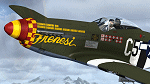
This is a repaint for the payware Warbirdsim P-51D "Mustang Tales" product. This repaint depicts the latest Mustang restoration to emerge from Midwest Aero Restorations, completely stock, which just had its first test flight from Danville, Illinois on January 30th. The aircraft is F-6K 44-12852 (restored as a P-51D), owned/operated by Dan Friedkin/Comanche Fighters, based in Texas. Sold surplus immediately following WWII, registered as NX66111, the aircraft was entered into the 1946 Cleveland Air Races as racer #80 "Full House", but its engine blew and was forced to crash-land. Later, the aircraft was sold to Jack Hardwick in the early 50's and crudely rebuilt, with a jump seat and rudimentary dual controls installed in the back of the cockpit, and would soon be sold onto the Dominican Air Force in 1954, becoming FAD 1900 (#2). The aircraft served with the Dominican AF until it was sold and imported back into the US by Brian O'Farrell in 1984. Made serviceable, the aircraft flew again on the US register as N21023 by 1990, and was sold to Jim Beasley Sr. and later owned/operated by Jim Beasley Jr., of Coatesville, PA (sharing hangar space with their P-51D "Bald Eagle"). During this time the aircraft was painted as "Frenesi", the personal mount of WWII 357th Fighter Group ace Gen. Tommy Hayes (the name inspired from a 1940 Artie Shaw tune). By the early 2000's, showing the effects of poor-quality work done on repairing/restoring the aircraft in the past, a complete rebuild of the airframe began. By 2009, the project was sold to Dan Friedkin, now registered as N357FG, and the restoration was continued at Midwest Aero Restorations, known for their award-winning authentic Mustang rebuilds. The aircraft has now emerged in early 2017, resplendent and flying again in the markings of "Frenesi".
| Filename: | P51D_Mustang_Frenesi_N357FG.zip |
| License: | Freeware |
| Added: | 5th February 2017, 19:56:49 |
| Downloads: | 84 |
| Author: | John Terrell |
| Size: | 24.84 MB |
| Category: Flight Simulator 2004 - Scenery | |
| KIAH - Houston Intercontinental Airport v3.0 |
|
File Description:
Flightlevel390 is proud to present to you KIAH-Houston's George Bush Intercontinental Airport version 3.0.This scenery was created using EZ-Scenery object placer & Flightones' Instant Scenery.This scenery WILL NOT work in FS X.This will work with Default FS9 terrain,although it is optimized for use with ultimate terrain...This will be the final project under the FL390 brandname,all projects hereafter will be with BSMP...
Includes the Main terminals,Continental Maintenence Base,FedEx cargo ramp,UPS cargo ramp,City cargo ramp,fuel farm by 15R,CFR building further down 15R,CFR Building along Rwy 9-27 taxiway,FBOs on both sides of the 33s,including the big Landmark Aviation FBO,static ground equipment & some custom made signs.Also includes full ramp night lighting,aircraft gate outline markings at each gate.
This version adds some more stuff and fixing some stuff that was noted in previous versions.This also fixes the blurries that some people had reported.
Features a very good and super accurate AFCAD file and decent rendition of the real airport layout.***
Most of the objects in this scenery are all default with some of our own custom made stuff and some objects from some 3rd party EZ Object Libraries and RWY12 Object Libraries.
***You will need to download the EZ-Scenery & RWY12 Object Libraries which can be had at avsim,flightsim.com and our own website available as single downloads instead of multiple seperate downloads.I also recomend that you install our recently released EZ-Object Library Installer which is available at flightsim.com and our own website in the downloads section.File name on flightsim.com is ( EZOLIv33.zip )....
Downloading the installer will ensure that you will have all of the fixed default textures from Sid Schwartz's default libraries....As always...Enjoy!!
| Filename: | KIAH__Houston_Intercontinental_Airport_v30.zip |
| License: | Freeware |
| Added: | 15th June 2008, 17:39:45 |
| Downloads: | 8,412 |
| Author: | Joe DeGregorio |
| Size: | 3.08 MB |
| Category: Flight Simulator X - Aircraft Repaints, Textures and Modifications | |
| Virgin Galactic Boeing 747-8i |
|
Images related to this file:
File Description:
FSX Boeing 747-8i Virgin Galactic with advanced VC by Alejandro Rojas Lucena and VC Textures Upgrade by Enrique Cornejo, founder of the Flightsim Workshop Project. This gives the b747 a payware Virtual Cockpit look and now with green leather tapestry on the sides of the seats. It even has a pilot jacket hanged in the rear of the cockpit (besides the right jumpseat). The panel.cfg and the aircraft.cfg have been assembled and edited by the Flightsim Workshop Team. Now you can pop up "My icons" window in the Virtual Cockpit to easily reach the following windows: GPS, avionics, map, ATC, Climb/Radio Altimeter/Spoiler switch, auto-break switch, throttle quadrant, clock, descent meter, kneeboard and overhead panel. A new feature in My Icons Window I added is a new Pitot Heat switch with ON and Off features, (XML gauge by Enrique Cornejo). cold weather, the Pitot Heat switch works just like in real life, so if its turned off the air speed indicator will stop working, so make sure you turn the Pitot Heat switch on before taking off!
The autopilot ON switches have green lights which make them look more realistic. Center ATC identification in this aircraft is "Boeing 747". We have also fixed the position of the strobe lights so when the aircraft is flying they are in the right place, so turn on the strobe lights switch after take off. The cockpit view from the pilots seat is now more comfortable because the distance between the cockpit and the seat is longer.
The aircraft has new engine views (from both wings) and new Virtual Cockpit interior views from the left, right and central jump seats. The brakes has a differential brake system to make smoother turns in ground. The Virgin Galactic Spaceship texture is wonderful and it has a unique paint scheme by Enrique Cornejo which also includes details such as some stains caused by humidity in the fuselage and the wing flaps and other details just like a real aircraft. Real smoke in the four engines, just select key, more cabin views, realistic cockpit and engines sound & more realistic night VC lights and fuselage night textures, in the VC just select key and reset the overhead Instrument panel light dim switch in the overhead panel. The aileron parameters have also improved, so now the right and left turns are smoother. This aircraft uses the Project Opensky FSX Boeing B747-800 Model OSX748V4_GENX(MDL), and includes the gauge window Posky Utility to view the main stairs, ground cargo servicing, etc. The engine sounds are edited like the real ones with cockpit ambient, so you can enjoy a pleasant flight. The Flight Management Computer (FMC) is fixed and looks like a payware instrument. The VC includes FMC, Primary Flight Display (PFD) and Multi-Function Display (MDF) displayed in the correct size. The virtual cockpit also has an Engine-Indicating and Crew-Alerting System also known as EICAS, Ground Proximity Warning System (GPWS), working wipers, cabin lights, fire suppression, avionics switch, fuel cross feed, and you can identify those instruments in the overhead panel because they are bordered with color lines. You can also find landing lights switches, taxi light switch, engine generators, APU generator, battery switch, starter switches, de-ice switch, general lights switches which are a great work of Alejandro. So now the whole cockpit and texture upgrade with all these improvements looks better than a payware version. The clock numbers are now in orange which makes them look better and easily recognizable. Assembled and edited for FSX by Flightsim Workshop Founder Enrique Cornejo. 78 MB
| Filename: | Virgin_Galactic_Boeing_7478i.zip |
| License: | Freeware |
| Added: | 21st February 2013, 18:56:28 |
| Downloads: | 1,940 |
| Author: | Enrique Cornejo |
| Size: | 77.73 MB |
| Category: Flight Simulator X - Aircraft Repaints, Textures and Modifications | |
| Boeing B-17G 91st BG (LL-E) "Shoo shoo shoo baby" restored |
|
Images related to this file:
File Description:
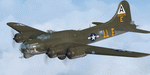
This folder contains a repaint for the A2A WoP2 B-17G in the colors of B-17G-35-BO 42-32076, the former "Shoo shoo shoo baby". In 1968, the ancestry of F-BGSH, an old B-17 languishing in derelict state on Creil Airfield in France, was discovered by the Australian aviation historian Steve Birdsall, who notified the USAF museum that this was a combat veteran that had flown operational missions, in contrast to most other surviving B-17's. Following negotiations, the B-17 was donated to the US by the French Government. Interestingly, its Swedish heritage attracted interest from Sweden as well, but nothing came of this. The aircraft was disassembled at Creil and trucked to Frankfurt and flown to the US in 1972, where it arrived, packed in 27 crates. No plans or funds for restoration were present at the time, but in 1977, Mike Leiston, a technician at Dover AFB contacted the museum about the possibility of restoring one of the museum's aircraft by volunteers at Dover AFB. With project approved, 42-32076 was transported to Dover, with the aim of restoring it to a stock wartime B-17G. Upon arrival, Paul McDuffee, who had flown her for 13 missions, was present, and the reunion was clearly an emotional one as he commented "I've just got to go over and kiss her", which he did.
The restoration continued to 1988,and after some 60.000 ma hours, "Shoo shoo shoo baby"took to the skies again for the first time on 11 september. On 14 october 1988, she flew for the last time, to the USAF museum near Dayton, Ohio, where she can still be seen. The main difference with her wartime looks is the fact that she currently sports an olive drab camouflage paint, which was necessary due to all the metal work needed to bring her back to a stock B-17G condition. Repaint by Jan Kees Blom, based on the paintkit by A2A.
| Filename: | Boeing_B17G_91st_BG_LLE_Shoo_shoo_shoo_baby_restor.zip |
| License: | Freeware |
| Added: | 7th October 2019, 18:23:08 |
| Downloads: | 146 |
| Author: | Jan Kees Blom |
| Size: | 11.57 MB |
| Category: Flight Simulator X - Aircraft Repaints, Textures and Modifications | |
| FSX/P3D ANA - All Nippon Airways 747SR-81 1980 |
|
Images related to this file:
File Description:

This is a repaint of the 747SR-81 (Short Range) in ANA - All Nippon Airways classic 1980 "Mohican" colors. The freeware 747-200 by Project Open Sky - POSKY is needed for this repaint. All Nippon Airways Company, Ltd.
(ANA) was formed on March 1, 1958 through the merger of two small companies. The Japanese government granted the carrier full certification to operate over domestic trunk routes on April 1, 1959, and by the mid 60s it was Japan's biggest domestic airline with a comprehensive network. During this time through to the 1970s, ANA expanded its fleet size greatly. ANA ordered its first jetliner, the 727-181, in 1964 and by 1978 they had a vast fleet of jetliners at their disposal, including the queen of the skies, the 747. ANA operated its first international flight, a charter flight, on July 15 and 31 1970, with YS-11s to Pusan, South Korea. However, a fully scheduled international flight was still in the distant future. In 1978 ANA held the position as the world’s sixth largest airline. Not bad for a domestic carrier. The carrier’s longest domestic route, the 2,051-km Sendai–Okinawa segment was opened in 1980. Interestingly, First-Class service was introduced on Japanese domestic flights as late as July 1985. In December 1985, the Japanese government opened international operations to all of the country’s airlines by revising its air transport policy and deregulating the industry. This included domestic carriers. ANA's desire for international routes became a reality and joined the fray It flew its first fully international scheduled route with a four times a week service to Guam, on March 3 1986. Today it has a vast network of international flights, and they are easily Japan's biggest carrier with 233 aircraft. They were also the launch customer of the 787. ANA has been going from strength to strength ever since its inception. For them, the sky's the limit. It might work on FS2004 as well. Textures are 32bit bmp.
| Filename: | FSXP3D_ANA__All_Nippon_Airways_747SR81_1980.zip |
| License: | Freeware |
| Added: | 12th May 2019, 18:39:42 |
| Downloads: | 162 |
| Author: | Ted Giana |
| Size: | 9.14 MB |
| Category: Flight Simulator 2004 - Scenery | |
| Lake Athabasca Airfields in Alberta & Saskatchewan Canada |
|
Images related to this file:
File Description:
These are four airfields around or near Lake Athabasca, in Alberta and Saskatchewan. Fort Chipewyan CYPY is at the southwestern end of the lake and the direct recipient of pollution that flows north from the Tar Sands to the south. The population of around 850 lives in one of the earliest European settlements in Alberta, founded as a trading post by Peter Pond of the Northwest Company in 1788 and named for the Chipewyan people who lived in the area. The airfield has one runway aligned 03-21 and 5,000 feet of asphalt, with PAPI at both ends. The landclass has been modified along with the grassed area of the airfield to create the village on the lakeshore. There are scheduled flights and GA flights in the AI for all four airfields. Charlot River CJP9 is on the northern shore at the western end of the lake, in Saskatchewan. It serves a nearby hydroelectric project and is used to transport technical staff in and out. There is no terminal building, only waiting pickup trucks and a generator building. There is one lit gravel runway aligned 04-22 and just over 3,200 feet long. Fond-du-Lac CZFD is on the northern shore in Saskatchewan, at the narrower eastern end. The population is around 900 and is a remotely situated "fly-in" village that has existed for over 150 years where "living off the land" is an accepted and normal way of life. The village has been created along with the airfield. The single runway is 3,800 feet of lit gravel aligned 10-28 with PAPI at the western end. Stony Rapids CYSF is east of the end of Lake Athabasca, on the Fond du Lac River. It has a population of around 250 and is only semi-connected to the rest of Canada by a rough gravel road. The runway is over 5,000 feet of gravel, aligned 06-24 with PAPI at both ends. The NorthSKlake is a flatten for an Ultimate Terrain lake that was at an incorrect elevation.
| Filename: | Lake_Athabasca_Airfields_in_Alberta__Saskatchewan_.zip |
| License: | Freeware, limited distribution |
| Added: | 7th August 2018, 12:39:52 |
| Downloads: | 178 |
| Author: | Roger Wensley |
| Size: | 20.36 MB |
| Category: Prepar3D V1-4 - Aircraft Repaints, Textures and Modifications | |
| KLM 1998 AI Package |
|
File Description:
By 1998, the KLM/Northwest alliance was in full swing, and KLM was serving MSP, DTW, and even MEM daily with it's own metal while Northwest took over from KLM from BOS, IAD, and some other cities. KLM had a vast route network spanning the globe, serving much of Africa and the Middle East with many "tag on" routes onward from Amsterdam. By 1998, KLM was flying the MD-11, 747-200SUD(stretched upper deck), 747-200SUD Combi, 747-300 Combi, 747-400, 747-400 Combi, 767-300ER, 737-300, 737-400, and 6 mainline Fokker 100s which were short lived before going to KLM UK in late 1998 then on to CityHopper. Unfortunately, in the OAG, KLM only specified if a 747 was a combi or not(as in 747=744/742 while 74M can be a combi version of the 742,743, or 744) and did not differentiate between 737-300s and 737-400s. I did my best using what data I had to make the routes realistic, but the aircraft numbers at least are correct except for some extra 767s and 737s that you may remove if you wish. I also had issues making sure the TPE flights were all operated by "KLM Asia" 747s, so I ended up assigning 1 extra 747(I have 5, in real life there were 4) the Asia livery to ensure that you do not see a standard KLM 747 at TPE as they did not visit in real life. You may switch this to a normal 747 if you choose. Repaints by Raphael Rodrigues for the AIA Fokker 100 and FAIB 737-300, 737-400, 767-300, 747-200SUD, 747-300, and 747-400 along with flightplans by Chasen Richardson are included. Note that the 747-200SUD uses the 747-300 model. As a Bonus, the KLM Cargo 747-200SUD is also included.Part of the 1998 Flight Simulator Project. Follow us on Facebook at facebook.com/flightsim98 and on instagram as @bayviationsim. For more Retro AI, check out the forums at: http://retroai.proboards.com/
| Filename: | KLM_1998_AI_Package.zip |
| License: | Freeware, limited distribution |
| Added: | 6th December 2019, 17:14:32 |
| Downloads: | 303 |
| Author: | Raphael Rodrigues, Chasen Richardson/Bayviation |
| Size: | 27.94 MB |
| Category: Flight Simulator X - Scenery | |
| EPGO Goraszka 2010 - The Airshow Challenge |
|
Images related to this file:
File Description:
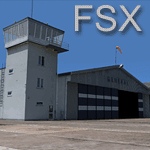
EPGO Goraszka 2010 - The Airshow Challenge is a freeware, extremely detailed scenery of a general aviation airport located 12nm (20km) south-east of Warsaw downtown and Warsaw Frederic Chopin International Airport, Poland. EPGO Goraszka airfield was built in 1994 and currently belongs to General Aviation company, which offers aero-taxi flights, air transport and special flights (air photo, patrol) and airport services. The airport has a 800m-long runway and a lightened helipad, which can be used by helicopters up to 5700kg weight. General Aviation's fleet includes Antonov AN-2, PZL-104 Wilga 80, Bell 407 and 427. Since 1996 the International Air Picnic Goraszka is organized every year by "Polish Eagles" Foundation created on initiative of Zbigniew Niemczycki.
The scenery is equipped with an automatic installer. Currently we support a safe, manual way of adding new sceneries to Scenery Library in Flight Simulator. This is just one thing users need to do for themselves. Detailed instructions will be given during the installation process.
Scenery features:
-Compatible with FSX only
-Highest level of accuracy in geographic positioning, modelling and texturing
-Incredibly high quality photoreal textures of all airport buildings. Textures are based on over 300 real world -photographs made for this project.
-Hundrieds of 3D objects like tents, exhibitions, airport buildings and surrounding buildings
-Life in the airport: people and cars will enchance your feelings
-AI traffic, animations and effects, designed specifically for FSX
-Some buildings include interior (control tower)
-High quality aerial photos of the airport surrondings (5 seasons + night) with autogen and water mask
-Ultra high quality aerial photos of the airport (with seasons)
-Plain airport scenery with no airshow objects available too (details in the manual)
-Product includes manual and airport charts in PDF format
EPGO Goraszka 2010 - The Airshow Challenge scenery is compatible with almost every payware add-on, including Ultimate Terrain Eastern Europe and Warsaw Photo Scenery by Simdesign. Scenery by Drzewiecki Design - www.drzewiecki-design.net .
| Filename: | EPGO_Goraszka_2010__The_Airshow_Challenge.zip |
| License: | Freeware |
| Added: | 16th July 2010, 12:31:42 |
| Downloads: | 4,714 |
| Author: | Drzewiecki Design - Stanislaw Drzewiecki, Jakub Paczek |
| Size: | 237.18 MB |
| Category: Flight Simulator 2004 - Scenery | |
| Airstrips of North-East Germany |
|
Images related to this file:
File Description:
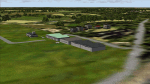
Moving towards completing my Airstrips of Western Europe project, herewith 50+ sceneries for smaller airfields in NE Germany, that I haven't included in my previous uploads, each enhanced with taxiways, parking spaces, buildings etc. and aprons as appropriate, to further facilitate the generation of lightweight AI traffic in the area, without overloading the more major airfields. If you have my "German Airstrips" folder from my previous uploads, these are in addition to that and the folders can be merged. Any apparent duplicates will be (minor) updates and can be over-written.
Again, there's no photo-realism here, just a selection of basic 'generic' buildings, more or less accurately sized and placed to reflect the airfield layout as seen on on-line satellite imagery and aerial photography. These buildings have minimal effect on frame-rates, so are ideal for this kind of job. The airfields are aligned as well as possible with the roads etc. in UT Europe and the Genesis Europe mesh, but should mostly be fine in a default installation or other configuration.
As before, the files for each airfield can be easily identified by the ICAO code, even if the airfield names vary slightly, so you can pick and choose and mix and match to suit any sceneries you already have, should you so wish. There is no requirement for any other download. Each airfield will exist as a stand-alone entity should you only want a few of them.
Very few basic library objects are used ... you can add "eye-candy" to suit your own taste should you wish, or just leave them as vague shapes in the scenery that can put a few more small aircraft into the air. As with other airfields in this series, now these are "ai-activated" you can expect to see the occasional little aircraft turn up at some of them if you've got any third-party traffic installed.
Please read the rest of this "blurb" in the enclosed text file ... there may be some details of interest.
| Filename: | Airstrips_of_NorthEast_Germany.zip |
| License: | Freeware |
| Added: | 14th April 2025, 19:55:20 |
| Downloads: | 79 |
| Author: | Chris Eve |
| Size: | 2.11 MB |
| Category: Flight Simulator 2004 - Aircraft Repaints, Textures and Modifications | |
| W91 Smith Mountain Lake Airport in Virginia |
|
File Description:
W91 Smith Mountain Lake Airport near Lynchburg, Virginia (MY soon to be NEW HOME)
This project is nearly ALL RWY12 ... I did use the Lago Scenery enhancer for the
trees.. so if you have LAgo.. the .SE2 is included, but you really don't need it.
But you will need RWY12 with all the latest additions... all freeware and all
available here at avsim.
Instructions... best to unzip to a temp directory... then do the following..
if you use Lago's Scenery Enhancer... place the .SE2 file in (Your flightsim main
folder)\LAGO\FSE\Data. Unziping will create a folder titled "Smith Mountain Lake" .. in that folder is one titled "scenery" Simply place Smith Mountain Lake in (your flightsim main folder)\Addon scenery\ folder then start the simulator.. go to settings, the library.. and - well most all know the drill .... add the folder Spring Mountain Lake then exit.. and restart.. and blamo... it is there... (Hopefully- LOL) ALSO in the scenery folder are two exclude .bgl.. this got rid of the default buildings and an AFCAD .bgl... this modified the airport properity a bit.. just leave all the .bgls where they are in the scenery folder.. all should work well.
oh.. for those who use RWY12 for scenery making... I have included the .XML file.. so you are welcome to add..subtract or change anything you find at Smith Mountain Lake.
if you have any questions or comments.. PLEASE do drop me a line.
Oh.. since I have your attention... a question for YOU... whether you download this
scenery or not.... How in the world does one get rid of that idiot "Flying Tips"
translucant window that appears.. telling you among other things .. your engines are not started... hit control E ... you ever notice how it ONLY appears when you have set up a screen shot and are ready to shoot?????? Write me and PLEASE tell me how to get rid of it.. I remember reading how somewhere, but for the life of me ..can't remember where.
| Filename: | W91_Smith_Mountain_Lake_Airport_in_Virginia.zip |
| License: | Freeware |
| Added: | 18th March 2005, 22:37:05 |
| Downloads: | 330 |
| Author: | Dale Caruso |
| Size: | 563.31 KB |


© 2001-2026 AVSIM Online
All Rights Reserved
Privacy Policy |