
Where Flight Simulation Enthusiasts Gather from Around the World!
AVSIM Library - Search Results

| Category: Flight Simulator X - Original Aircraft | |
| Project Airbus A319 FD-FMC 2.0 |

|
Images related to this file:
File Description:

Project Airbus A319 FD-FMC 2.0 is the new version of the FD-FMC project for FSX / P3D. It comes with a new ehanced virtual cockpit (3 set of HD textures), new FMC gauge fully fonctionnal in virtual cockpit (and 2D window). A 550 airport database is provided in the pack with all SID, STAR and approaches procedures (updated monthly) and Waypoints update for FSX. Vertical navigation management with all real Airbus flight mode. TCAS and TAWS on ND. Cold and dark status. Holding pattern, DME-ARC and teardrop turns management. original sound set provided. This FMC is not only a GPS like, It controls engines and aircraft to a real vertical navigation to a realistic flight experience. New folder organisation to optimize file space, with other aircraft of the family (A318 - A320 and A321). It comes with CFM and IAE engine version.
Aircraft 3D model edited to a right flightdeck position. CFM and IAE engine version. New airports added and navaids updated monthly on the freenavdbgroup website. User and install manuals provided in French and English. Have a good flight.
| Filename: | Project_Airbus_A319_FDFMC_20.zip |
| License: | Freeware, limited distribution |
| Added: | 2nd November 2019, 19:04:10 |
| Downloads: | 2,785 |
| Author: | Project Airbus / Francois Dore / Bjoern Kesten |
| Size: | 385.84 MB |
| Category: Flight Simulator X - Original Aircraft | |
| Project Airbus A318 FD-FMC 2.0 |
|
Images related to this file:
File Description:

Project Airbus A318 FD-FMC 2.0 is the new version of the FD-FMC project for FSX / P3D. It comes with a new ehanced virtual cockpit (3 set of HD textures), new FMC gauge fully fonctionnal in virtual cockpit (and 2D window). A 550 airport database is provided in the pack with all SID, STAR and approaches procedures (updated monthly) and Waypoints update for FSX. Vertical navigation management with all real Airbus flight mode. TCAS and TAWS on ND. Cold and dark status. Holding pattern, DME-ARC and teardrop turns management. original sound set provided. This FMC is not only a GPS like, It controls engines and aircraft to a real vertical navigation to a realistic flight experience. New folder organisation to optimize file space, with other aircraft of the family (A319 - A320 and A321).
Aircraft 3D model edited to a right flightdeck position. CFM and IAE engine version. New airports added and navaids updated monthly on the freenavdbgroup website. User and install manuals provided in French and English. Have a good flight.
| Filename: | Project_Airbus_A318_FDFMC_20.zip |
| License: | Freeware |
| Added: | 2nd November 2019, 18:59:14 |
| Downloads: | 2,269 |
| Author: | Project Airbus / Francois Dore / Bjoern Kesten |
| Size: | 169.5 MB |
| Category: Flight Simulator X - Original Aircraft | |
| Project Airbus A321 FD-FMC 2.0 |
|
Images related to this file:
File Description:
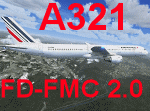
Project Airbus A321 FD-FMC 2.0 is the new version of the FD-FMC project for FSX / P3D. It comes with a new ehanced virtual cockpit (3 set of HD textures), new FMC gauge fully fonctionnal in virtual cockpit (and 2D window). A 550 airport database is provided in the pack with all SID, STAR and approaches procedures (updated monthly) and Waypoints update for FSX. Vertical navigation management with all real Airbus flight mode. TCAS and TAWS on ND. Cold and dark status. Holding pattern, DME-ARC and teardrop turns management. original sound set provided. This FMC is not only a GPS like, It controls engines and aircraft to a real vertical navigation to a realistic flight experience. New folder organisation to optimize file space, with other aircraft of the family (A318 - A319 and A320).
Aircraft 3D model edited to a right flightdeck position. CFM and IAE engine version. New airports added and navaids updated monthly on the freenavdbgroup website. User and install manuals provided in French and English. Have a good flight.
| Filename: | Project_Airbus_A321_FDFMC_20.zip |
| License: | Freeware, limited distribution |
| Added: | 2nd November 2019, 19:06:41 |
| Downloads: | 4,100 |
| Author: | Project Airbus / Francois Dore / Bjoern Kesten |
| Size: | 384.23 MB |
| Category: Flight Simulator X - Original Aircraft | |
| Project Airbus A320 FD-FMC 2.0 |
|
Images related to this file:
File Description:

Project Airbus A320 FD-FMC 2.0 is the new version of the FD-FMC project for FSX / P3D. It comes with a new ehanced virtual cockpit (3 set of HD textures), new FMC gauge fully fonctionnal in virtual cockpit (and 2D window). A 550 airport database is provided in the pack with all SID, STAR and approaches procedures (updated monthly) and Waypoints update for FSX. Vertical navigation management with all real Airbus flight mode. TCAS and TAWS on ND. Cold and dark status. Holding pattern, DME-ARC and teardrop turns management. original sound set provided. This FMC is not only a GPS like, It controls engines and aircraft to a real vertical navigation to a realistic flight experience. New folder organisation to optimize file space, with other aircraft of the family (A319 - A320 and A321).
Aircraft 3D model edited to a right flightdeck position. CFM and IAE engine version. New airports added and navaids updated monthly on the freenavdbgroup website. User and install manuals provided in French and English. Have a good flight.
| Filename: | Project_Airbus_A320_FDFMC_20.zip |
| License: | Freeware, limited distribution |
| Added: | 2nd November 2019, 19:05:39 |
| Downloads: | 6,229 |
| Author: | Project Airbus / Francois Dore / Bjoern Kesten |
| Size: | 386.01 MB |
| Category: Flight Simulator 2004 - Scenery | |
| PANC / ANC Ted Stevens Anchorage International Airport, Alaska - Version 6.0 |
|
Images related to this file:
File Description:

This is a major rebuild of Ted Stevens International airport. All terminals have been heavily upgraded from the default form. Terminals A & B have been resized and relocated to be more accurately placed. Terminal C, the newest terminal, has been rebuilt from scratch, and the cargo ramps received special treatment as well. As usual, there is plenty of eye candy placed around the airport including plenty of static general aviation aircraft. The included AFCAD has been extensively reworked, and all gates are laid out per the ANC website and sat photos.
Update: Version 6 contains various changes to the scenery which make it more accurate. There are jetway updates, afcad changes, and various structure changes. Airline parking assignments have also been updated as well as a missing taxiway. The connecting walkway between the international terminal and terminal C has been added. The cargo ramps near terminal C have been expanded and made more accurate to real life. The jetways on terminal A have been removed, and the jetways on Terminal C have also been modified for accuracy.
| Filename: | PANC__ANC_Ted_Stevens_Anchorage_International_Airp.zip |
| License: | Freeware |
| Added: | 29th December 2012, 20:34:30 |
| Downloads: | 18,406 |
| Author: | FRFStudio.net, William Morgan |
| Size: | 6.13 MB |
| Category: Flight Simulator X - Scenery | |
| EPKK KRAKOW BALICE X V2 DEMO |
|
Images related to this file:
File Description:
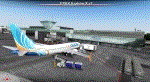
EPKK KRAKOW BALICE X V2 DEMO features the scenery of EPKK Krakow Balice airport and Krakow City, Poland, fully compatible with FSX, FSX:SE, FSW, P3Dv1-v4.
It's a fully functional DEMO version of the commercial payware product. It features same airport layout as in the full version but with limited 3D objects and low resolution textures. Using this free demo ensures no problems with online (VATSIM, IVAO, multiplayer etc.) flying in case some users use the payware scenery and some don't.
John Paul II International Airport Krakow-Balice (KRK / EPKK) is an international airport located near Krakow, in the village of Balice, 11 km (6.8 mi) west of the city centre, in southern Poland. The airport has one concrete runway, number 07/25, 2550x60m.
It's equipped with an automatic installer, which means that the scenery will be automatically added to the Flight Simulator Scenery Library.
Please uninstall all previous versions of this airport you may have installed before. Please make also sure that no duplicated AFCAD files are installed.
Enjoy your virtual flying with Drzewiecki Design!
| Filename: | EPKK_KRAKOW_BALICE_X_V2_DEMO.zip |
| License: | Freeware, limited distribution |
| Added: | 22nd November 2018, 00:56:39 |
| Downloads: | 2,835 |
| Author: | Drzewiecki Design |
| Size: | 12.67 MB |
| Category: Prepar3D V1-4 - Utilities | |
| Flightplan Visualizer 1.10 |
|
Images related to this file:
File Description:
Flightplan Visualizer (FV) version 1.10.0. Copyright 2018-2019 by Pelle F. S. Liljendal ([email protected]), all rights reserved.
FV comes with 300 Commercial-, and +380 BizJet AI pre-imported flightplans which the creators of those flightplans have gracefully allowed me to include with the installer, however you are able to import additional (AI) flightplans if you want to. Once imported these (AI) flightplans can be visualized on a map-view, and the user will be able to search accross all these. Hence you can use the program as inspiration as to which routes to fly. E.g. you can search across all imported flightplans to find all flights in an A321 flying into/out from LDDU, or simply to look for all flights in a Boeing 747-8F.
Simply run the included installer to install the software. The program will be installed into "C:\Program Files (x86)\Flightplan Visualizer" and all datafiles will be installed into: "C:\Users\[UserName]\AppData\Roaming\FlightplanVisualizer". The program comes with a full manual explaining everything, and a 3 page quick manual to get you started. The first 3 times you run the program the quick manual will automatically open. The forum is hosted here: https://forum.aerosoft.com/index.php?/forum/919-flightplan-visualizer/
Version 1.10 Contains the following changes: In the flightplan combo-box at the bottom of the main-form, "Active Search" have been renamed into "Last Search". Picking "Last Search" from the flightplan combo-box, will re-execute the last performed search, and populate the map accordingly. A new entry called "None", have been added flightplan combo-box (at the top of the list). Chosing this item will "deselect" the otherwise current search or selected flightplan, and clear the map of routes. A form have been added to assist enabling/disabling flightplans. Gate-letters/numbers are now by default written using a (5x7) Matrix-"font". If you want to revert to the segment-"font", used in previous versions, simply set the value of the "UseMatrixGateChars" tag in the settings-file to false. changed how the Gate-letters/numbers are written in the round gate-markers on the map. Previously all "chars" had the same width. Now the width is dependant on which sub-elements are in use by each "char" (e.g. a "1" is not as wide as an "8"), as a result the gate letter/number are more easy to read. Zulu- and local-time added to the "Selected airport" group-box in the upper/right corner of the main form. If no airport is selected, or no time-zone is registred for the selected airport, only zulu-time will be displayed. Selections of favorite aircraft can now be saved and loaded.⦠This selection of aircraft can be loaded as a selection of aircraft in the "Search leg" form. Video tutorials can now be accessed from the "Help" menu. These are simply "links" to the actual videos on YouTube, hence will launch the default browser. If you hold SHIFT the url will in stead be copied to the clipboard (e.g. in case you want to upen the link in another browser). In the same manner the "Help" menu now contains a link to the forum. The form with decoded METAR/TAF-messages now shows: name, city, and country/state for the selected station in the caption. This text will also be embedded when copying the content to the clipboard. Likewise UTC/Local-time is also embedded when copying the content to the clipboard as it can be used to show the "age" of the report and convert between UTC and Local -times (based on the difference of UTC- and local-time). The info presented when pressing the "Show Scenery Gates" button on the Airport Info form, can now be copied to the clipboard. Various minor "behind the scenes" changes and optimizations. Added support for additional aircraft: Airbus A220-100 (CS100), Airbus A220-300 (CS300), Boeing 777-8 and Boeing 777-9. Listviews containing both (aircraft) IATA and ICAO-codes now all list them in the following order: IATA, ICAO (both individual sortable). Hovering the mouse over gate-markers the hint window will no show the radius both in meters and feet. Editing gate-info you will now see more info for the gate being edited: Type, Size (meters and feet) and if applicable: airlines. Fixed: Minor bug in relation to how the airport size was calculated. Fixed: IATA/ICAO columns were swapped when choosing Favorite Aircraft. Fixed: Typo on the METAR/TAF-decoder form.
| Filename: | Flightplan_Visualizer_110.zip |
| License: | Freeware, limited distribution |
| Added: | 5th June 2019, 21:20:51 |
| Downloads: | 319 |
| Author: | Pelle Liljendal |
| Size: | 24.81 MB |
| Category: Prepar3D V1-4 - Utilities | |
| Flightplan Visualizer 1.14 |
|
Images related to this file:
File Description:
Flightplan Visualizer (FV) version 1.14.0. Copyright 2018-2019 by Pelle F. S. Liljendal ([email protected]), all rights reserved.
FV comes with 629 pre-imported Commercial AI flightplans (+380 BizJet flightplans are available as a separate download). However you are able to import additional (AI) flightplans yourself. Once imported these (AI) flightplans can be visualized on a map-view, and the user will be able to search accross all these. Hence you can use the program as inspiration as to which routes to fly. E.g. you can search across all imported flightplans to find all flights in an A321 flying into/out from LDDU, or simply to look for all flights in a Boeing 747-8F.
Simply run the included installer to install the software. The program will be installed into "C:\Program Files (x86)\Flightplan Visualizer" and all datafiles will be installed into: "C:\Users\[UserName]\AppData\Roaming\FlightplanVisualizer". The program comes with a full manual explaining everything, and a 3 page quick manual to get you started. The first 3 times you run the program the quick manual will automatically open. The forum is hosted here: https://forum.aerosoft.com/index.php?/forum/919-flightplan-visualizer/
Version 1.14 Contains the following changes:
- Flightplan file-format was changed, to accommodate changes to the airline-data. In previous versions the airline ICAO-code had to be unique, hence not allowing old defunct airlines still remaining in the data-file when a new airline would be issued the same ICAO-code (now they can both exists, and many of the defunct have been marked as defunct).
- On start-up old flightplans in enabled folders will automatically be updated to the new format. If you have sub-folders containing additional flightplans, you should make sure these are enabled, in order to have these updated as well. Once they have been updated you can go ahead and disable these sub-folders again as you please.
- Its now possible to add user defined airlines, in case you want to add you own fictitious airlines (e.g. VA's) or you want to add airlines missing in the official data-files that I supply with the program (if this is the case, please notify me, so I can add these in the next release of the program).
- "Favorite aircraft" have been renamed into "Favorite aircraft-types", as it is the "types" of aircraft you mark. You don't mark a particular aircraft/cofiguration (like the PMDG B737-800 NGXu) as your favorite, but rather the "type" (B737-800). The file containing the (active) favorite aircraft-type selection was renamed as well (you don't have to do anything, the file is automatically renamed on start-up).
- Added a new Unit-Conversion form, letting the user convert units of: Speed, Lenght/Distance, Weight/Volume, Pressure and Temperature. The Weight/Volumne conversions is a bit special as it lets the user convert between weight (kg/lbs) and volume (liter/gal), thanks to a Fuel Density that defaults to 0.785, but can be changed by the user.
- All search-forms (seaching for airport, aircraft and airline) was changed to ignore whitespeaces (e.g. "airBaltic" vs. "air Baltic"), and ignore diacritics (e.g. "AerolÃnea" vs. "Aerolinea"), making it more easy to find what you are searching for in one go.
- The airline search-form will by default exclude airlines that have been marked as defunct. However a new "Include defunct" check-box have been added to the form, allowing you to include these (who am I to say you can not still use "Air Berlin", "Monarch" or "Thomas Cook" flightplans if you want to).
- Added 3 new columns to the airline search form showing commence/cease-date, and wheter or not the airline is "in use" (as carrier/operator by any of the active fligthplans).
- State is now by default excluded when using the airport search form, which make it a lot more convenient to find airports in the city of "New York". State can still be included in the search by choosing a different search-type using the combo-box in the upper/right corner.
- When Flightplan Visualizer needs for perform potentially lengthy operations it will spread the workload over the available cores of the CPU. However if you want to limit which cores it uses you can now set the affinity-mask in the settings form.
- The splash-screen shown when the program starts, and when reloading active flightplans was prevoiusly always shown on top (top-most), but if you find this anoying it can now be disabled in settings.
- Fixed: Warnings/errors regarding loading flightplans were only displayed at start-up. Now they are shown whenever all active flightplans are loaded (e.g. after having enabled a sub-folder).
- Data: The airline-data got a major update, and a bunch of new airlines were added, and the data for MANY others were updated. It is a manual process to update these, almost as funny to do as to watch paint dry ;-)
- Data: A few countries had a wrong- or no sub-region code, so these were fixed/updated. As usual, if any of you spot any erros, or missing data, please use the forum to notify me.
- Data: Additional info added to the aircraft-data (in preparation for some future plans).
- Flightplans: All flightplans bundled with the installer have been updated to the new file-format.
- Flightplans: Thanks to Ryan Carson (RCAI) for allowing me to bundle the installer with a few of his flightplans, so the installer comes with the very first winter 2019-2020 flightplan.
- Flightplans: The good people over at AIG (Alpha India Group) have been VERY busy since the last release, hence the installer comes with +130 new pre-imported flightplans, bringing the total to 629. This update concludes Summer 2019, and AIG already have the first Winter 2019/2020 flight-plans in beta-test.
Pelle
| Filename: | Flightplan_Visualizer_114.zip |
| License: | Freeware, limited distribution |
| Added: | 10th December 2019, 06:59:46 |
| Downloads: | 370 |
| Author: | Pelle Liljendal |
| Size: | 31.01 MB |
| Category: Prepar3D V1-4 - Utilities | |
| FS Flight Builder |
|
Images related to this file:
File Description:

New version: Updated installer and auto-update functionality along with chart downloaded changes to support browser updated security measures.
FS Flight Builder is a utility for general aviation flying that will build flight files for FSX (flt), FSX Steam Edition (flt), and Prepar3D (fxml) based on waypoints and other data either entered manually or imported from SkyVector using the Plain Text Link information. Among other things, you can select your starting position, aircraft, and VFR or IFR flight plan.
One of the most interesting features of the application is that it will include a Briefing file, added to the aircraft's built-in kneedboard, that will include departure and destination airport information (runways, frequencies, weather, and charts) as well as navigation frequencies along the route.
Have you ever started up flight simulator and wondered “where do I want to go today� The new Destination Chooser functionality can help to solve that problem. The screen allows you to enter your departure airport and choose various parameters for your destination (like min and max distance, tower availability, ILS availability, runway length requirements, etc.).
How to install:
***************
Run Setup.exe and simply follow the installation wizard.
When you run the application for the first time (make sure your flight simulator is not running), it will build the database from your flight sim data. Be patient. It could take a few minutes.
It will attempt to locate your flight sim folder and flight plan folders automatically. If it can't find them, however, you'll need to select them from the options menu.
IMPORTANT!
Because FS Flight Builder saves to your Flight Sim directories, it MUST be run in Administrator mode. To do this, right-click on the desktop icon, select the Compatibility tab, and check the Run as administrator checkbox.
IMPORTANT!
The airport and navaid databases for FS Flight Builder are built using Peter Dowson's excellent Make Runway utility and the equally excellent BGL2XML utility from ScruffyDuck Software. The links to these utilities are below. They must be added to the main FSX or Prepar3D folder.
Peter Dowson's website: http://www.schiratti.com/dowson.html
ScruffyDick Software website: http://www.scruffyduck.org/bgl2xml/4584282773
It's also important to note that Version 1.7 of BGL2XML is required for Prepar3D V3 and higher.
Author:
*******
Tom Arduini
The latest installer can always be found at
http://www.arduiniwebdevelopment.com/fsflightbuilder/fsflightbuilder.zip
| Filename: | FS_Flight_Builder.zip |
| License: | Freeware |
| Added: | 24th December 2018, 02:41:36 |
| Downloads: | 408 |
| Author: | Tom Arduini |
| Size: | 69.56 MB |
| Category: Flight Simulator X - Aircraft Repaints, Textures and Modifications | |
| GMG Airlines Boeing 737-800 |
|
Images related to this file:
File Description:

GMG Airline was established in 1997 and started domestic operations on 6 April 1998. International services were launched six years later on 8 September 2004, with a service from Chittagong to Kolkata.
GMG began regular flights to Bangkok, Delhi and Kathmandu on 20 October 2006. It started services to Kuala Lumpur on 24 January 2007. The airline started its operation to the Middle East with daily flights to Dubai on 1 February 2008. In July 2010, GMG initiated flights to Jeddah and Riyadh.
The airline also served Abu Dhabi and Karachi as well as domestic stations Jessore and Sylhet
A GMG Airlines Bombardier Dash 8 In February 2008 the airline added a leased Boeing 747-300 to the fleet starting wide-body operations, this proved to be a White Elephant in an era which saw Global economic problems and an unprecedented peak in oil prices, thus causing a substantial loss to the carrier, the 747 was eventually phased out after just five months of service.On 17 June 2009, the largest conglomerate of Bangladesh, BEXIMCO took a 50% stake in the airline, re-branding it and raising service standards to a higher level. For the PMDG 737NGX-800
| Filename: | GMG_Airlines_Boeing_737800.zip |
| License: | Freeware |
| Added: | 27th November 2016, 22:04:14 |
| Downloads: | 136 |
| Author: | MacHelix1, PMDG |
| Size: | 19.32 MB |


© 2001-2026 AVSIM Online
All Rights Reserved
Privacy Policy |