
Where Flight Simulation Enthusiasts Gather from Around the World!
AVSIM Library - Search Results

| Category: Flight Simulator X - Scenery | |
| RJTT - Tokyo Haneda Intl - Tokyo, Japan |

|
Images related to this file:
File Description:
This scenery is a very accurate rendition of Haneda Intl airport and made only for FSX: one file with the Crosswind runways operating, where all 4 runways will be used for takeoff/landing and one file as the default runway operation: the new International terminal expansion added, Terminal 2 and gates also updated, assigned parking with extra parking including several gates for the A380, all taxiways and taxi signs updated to the latest charts, extra fuel trucks, support vehicle roads rebuilt, lighted helipad with a start location, airport views are from inside the control tower (when in tower view) please view the readme before installation
| Filename: | RJTT__Tokyo_Haneda_Intl__Tokyo_Japan.zip |
| License: | Freeware, limited distribution |
| Added: | 23rd January 2015, 17:41:03 |
| Downloads: | 44,588 |
| Author: | Ray Smith |
| Size: | 2.71 MB |
| Category: Prepar3D V1-4 - Utilities | |
| Flightplan Visualizer 1.13 |
|
Images related to this file:
File Description:
Flightplan Visualizer (FV) version 1.13.0. Copyright 2018-2019 by Pelle F. S. Liljendal ([email protected]), all rights reserved.
FV comes with 586 pre-imported Commercial AI flightplans (+380 BizJet flightplans are available as a separate download). However you are able to import additional (AI) flightplans yourself. Once imported these (AI) flightplans can be visualized on a map-view, and the user will be able to search accross all these. Hence you can use the program as inspiration as to which routes to fly. E.g. you can search across all imported flightplans to find all flights in an A321 flying into/out from LDDU, or simply to look for all flights in a Boeing 747-8F.
Simply run the included installer to install the software. The program will be installed into "C:\Program Files (x86)\Flightplan Visualizer" and all datafiles will be installed into: "C:\Users\[UserName]\AppData\Roaming\FlightplanVisualizer". The program comes with a full manual explaining everything, and a 3 page quick manual to get you started. The first 3 times you run the program the quick manual will automatically open. The forum is hosted here: https://forum.aerosoft.com/index.php?/forum/919-flightplan-visualizer/
Version 1.13 Contains the following changes: Flightplans can now be exported in AIFP/TrafficTool-format (the same format that FV is able to import). It means if you have made any changes to a flightplan (e.g. redirected some airports) the flightplan can be exported from FV, and imported into AIFP (AI Flight Planner, by Don Grovestine) where it can be compiled into an AI-traffic bgl-file (traffic "scenery"). A new setting called "Adjust flight-time on airport-redirect" have been added. This setting defaults to "false" (un-checked), however if changed to "true" (checked) the flight-time will be changed if/when departure/destination-airports are changed due to airport-redirections (both automatic and manually). The flight-time is the result of the difference between departure-/destination-time, hence if the flight-time is changed either- or both departure-/destination-time will change as well. The original flight-time is scaled based on the original- and the redirected distance between the departure/destination-airports. When importing/editing flightplans you can now select one or multiple aircraft and delete them. When deleting an aircraft all schedules attached to that aircraft will be deleted as well. One use of this feature could be to remove aircraft you don't have a AI aircraft, prior to exporting the flightplan in AIFP/TT-format, and loading it into AIFP. When importing/editing flightplans a "Similar" button will appear next to the flightplan name if a similar named flightplan exists (e.g. "same name", but different season), or other flighplans exists for the same airline (ICAO). Hoovering the mouse over this button will show the names of these flightplans as a tool-tip, and if you click the button the list will be shown in a window (with some additional information), from where it can be copied to the clipboard if you need to. On the Edit/Import-flightplan form, the Aircraft- and Airport tab-sheets have been swapped, and a new tab-sheet was added to list all routes of the flightplan. For each route the distance is listed along will all aircraft types of the flightplan servicing that route. The "Aircraft" tabsheet of the form to import/edit flightplans now contains a button called: "Fleet report". Pressing this button will generate a report showing the fleet of an airline (based on the flightplan), that is sorted by Aircraft type and registration. For each aircraft it will show a list of all the airports served by that particular aircraft. A "Word-wrap" check-box have been added to the Result-viewer to toggle word-wrap on/off (word-wrap defaults to "on"). In previous versions any changes made in the settings form resulted in all flightplans having to reload (while showing the splash-screen). Changing the path for MakeRunway-files still results in an automatic "reboot" of the program. The combo-box for choosing default direction (outbound/inbound/both) for the leg-search (on reset) have been removed from settings, and it now defaults to "Outbound or Inbound". However in the search legs form you can now save your own preferred "Reset" criteria. When you press the reset-button, it will load this Reset-file (with your preferred reset criteria). If you hold SHIFT while pressing the reset-button (or you have not saved a personal reset-file), it will reset to the default factory-criteria. In the traffic tabsheet of the airport info form there is a combo-box letting you switch between "Selected flightplan" or last-search on main-form" and "All flights to/from this airport". In previous versions it did not perform the search of flights to-/from- the viewed airport until you selected the 2nd item from the combo-box. Now this search is performed in the background as soon as the form is opened, hence choosing the 2nd item in the combo-box is now instantaneous. The "Nearby Airports" tab-sheet in the "Airport Info" form, now have a column listing direction (from the airport to the nearby airports). When listing number of runways and gates (e.g. in the form showing nearby airports, or in the redirection-report), the radius of the largest gate is now included, as there is no need to redirect any 747 traffic to an airport where the largest gate is 23m (a 747 requires a gate with a radius of at least 36m). The frequency-count was removed from the before mentioned listing of runways and gates, to make more room for listing the aircraft serving each airport. The search for airport browse now have a new optional column listing comments (e.g. length of longest rwy and largest gate). The "show" combo-box lets you choose to show comments in stead of "Size/Rank/Traffic" or "Hint-text". Opening the search airport browser from the import/edit flightplan form, will automatically choose to show the comments column, as information regarding rwy length/gate radius can be relevant when redirecting airports. Form "Nearby Airports" now show the GPS-position in the caption of the form. Added runway/gate summary to caption-bar of airport info form, so you no longer need to look at both the runway- and gate- tab-sheet in order to see: number of runways, longest runway, number of gates and largest rate (radius). New check-box added to settings allowing you to include the before mentioned runway/gate info in the airport marker tool-tip on the main map. Region/sub-region added to "Airport Info" form (top/left corner). A new setting (default to disabled) lets you add region/sub-region to the airport marker-hint on the map as well. Added a button to the "airport info" to show the airport at flightradar24 (opens the default browser), and the button on the leg info form to show route the route at flightaware (also using the browser) have been replicated on the route info form. The METAR-/TAF-buttons on the leg info form now shows the raw METAR/TAF-message - as a tool tip - when you hoover the mouse over the buttons. As before, when you press these buttons it will open a window showing the decoded messages. Various minor changes to the leg info form: added info regarding longest runway and largest gate for each airport, and re-positioned some of the fields. Likewise the info copied to the clipboard when you click the appropriate button have been re-ordered as well. Changed flightplan format to accommodate additional information, but the format remains backward compatible. Button added to about-box allowing the user to copy version-info to the clipboard. Managed to "shave off" approx ½ a second during start-up (on my pc). Not a lot but still an improvement :-) Fixed: In the form for importing/editing flightplans the leg-page showed the original distance even if the airports were redirected. Fixed: On leg info form "Dest.Country" and "Dest.Apt" column-order were swapped. Fixed: Tweaked aircraft type detecting to better detect 740-400 and 767-200/300 freighters. In previous versions a few aircrafts were wrongly detected as pax, when they should have been detected as freighter. Data: Airbus 330-800/900 Neo, Boeing 747-400LCF (Dreamlifter), and Embraer 175/190/195-E2 have been added as supported aircraft, and a few additional airlines and airports were added as well. Flightplans: Installer comes with +70 new pre-imported (Summer 2019) flightplans of which some are replacements of obsolete flightplans (from previous installers), and 2 of the "old" flightplans have been marked as defunct, as "Adria Airways" and "Aigle Azur" have filed for bankruptcy and ceased their operations. Flightplans: Among the added flightplans you will find the first flightplan I have made myself, a flightplan for Airbus Transport International covering their 5 Beluga's an 2 Beluga XL's (the latter 2 are stil performing test-flights and have yet to be implemented into their "normal schedule").
| Filename: | Flightplan_Visualizer_113.zip |
| License: | Freeware, limited distribution |
| Added: | 13th October 2019, 17:50:53 |
| Downloads: | 355 |
| Author: | Pelle Liljendal |
| Size: | 30.45 MB |
| Category: Flight Simulator 2004 - Aircraft Repaints, Textures and Modifications | |
| Lear45 Gama Aviation |
|
File Description:
GAMA AVIATION repaint and mods of the default fs9 Lear45,repaint was done using a paintkit by Joao Paz,which i modified,to add a bare metal leading edge,to the tailwing,and extended the fin bare metal leading edge,to the top of the fin,like some of the pics i saw on airliners.net.
Logo lights and mainwing LE ice lights have been added,the 2d main panel as been reworked,to look more life like,and some switches added.
Also included is a brief manual,to show the new switch positions,the mainwing ice & logo lights are set by default to ms standard,but there are alternate lines,that you can activate,in the aircraft & panel.cfg files,if you have the AFG kingair b300 for the lights and project fokker 10070 for a nav/gps switch,in your fs9 system,both aircraft can be found on avsim.
I have played around with the flight dynamics,which make it more flyable than the standard out of the box version,also the default lear fin strobe did not come on using the 2d panel light switch,it only came on if you pressed the l key,that i have fixed.
Also included are the two modified default schemes,to update the bare metal leading edges and panel lines and alpha channels.
All these paints are saved in 32bit for a sharper image,i have not noticed any drop in frame rates,due to these paints.
| Filename: | Lear45_Gama_Aviation.zip |
| License: | Freeware |
| Added: | 4th October 2007, 22:13:43 |
| Downloads: | 908 |
| Author: | Alan Cottrill |
| Size: | 17.45 MB |
| Category: Flight Simulator X - Aircraft Repaints, Textures and Modifications | |
| Delta Airlines A330-302 (242 Tonne) N828NW |
|
Images related to this file:
File Description:
BlackBox Simulations [BBS] Airbus Xtreme Series A330 V0.802 or above is required for this repaint. FSX/P3D ONLY. Airbus announced Delta Airlines as the launch customer of the increased weight, 242 tonne, A330-300 for more route
options as well as added passenger comfort. The new A330ceo is also the base of the A330neo but with the standard wings
and an upgraded General Electric GE CF6-80E1 engine option. Delta is the first of 12 customers to fly this increased
range A330. The plane can fly up to 6,100nm and has 2% less fuel consumption.
This repaint is part of FlightsimFX's HIGH DETAIL SERIES (HDS) which is essentially a study level repaint of select few
liveries. Enjoy more than 250 layers of custom texture additions/changes to the stock paintkit supplied!
BlackBox simulations has contributed to our community with the release of their advanced Airbus Aircraft series. As good
as the gauges and cockpit is, it is lacking greatly in the texture department.
I have taken initiative to fix their plastic looking, overall sub par, textures with my newer ones. There is a lot of work
that will still be added but as of now, I believe this is a stable amount of fixes to the BBS A330 Texture sets. I have
also included my "Optional BBS Common Texture Changes" folder if you are interested in the other work to make the BBS a
bit more realistic. Stay tuned for more enhancements.
| Filename: | Delta_Airlines_A330302_242_Tonne_N828NW.zip |
| License: | Freeware, limited distribution |
| Added: | 30th August 2016, 12:31:58 |
| Downloads: | 2,444 |
| Author: | Rohan Patel |
| Size: | 37.38 MB |
| Category: Flight Simulator X - Gauges | |
| V-One Gauge for Milviz Boeing 737-200 v2.0 |
|
File Description:
The following changes are in this version release:
1) All pilot/co-pilot call-outs replaced
2) V-One XML code and sound file logic updated
3) Altitude Call-Out XML code re-written & optimized
4) Corrected setting of Airspeed Cursor when SP177 is in use during approach phase
5) Added Call-out sound toggle for: 'All', 'Altitude' or 'Off' (box in upper right of Data Card)
6) Added 'Current %N1' display to Data Card
List of features: Approximately 40 sounds integrated into gauge. Take-off V-Speeds calculated for Flaps 1, 2, 5, 10, 15 or 25 including temperature and altitude correction. Take-off speed bugs and command speed bug automatically set for: V1, Vr, V2, V2 + 15 and flaps-up maneuvering speed (clean speed). Optimum altitude and optimum EPR (EPR calc for M.74) continually calculated. Flap mis-configuration is displayed in text. Tooltip indicates overweight value (LB/KG). Take-off trim calculated for current gross weight. Current Altitude, EPR, Speed (knts), Flaps and Trim displays via toggle. Display units can be toggled between LB and KG (default LB). Re-settable flight timer. Re-settable fuel use. Selectable Vref landing configurations, Vref15, Vref30 (default) or Vref40. Approach / landing speed bugs and Command speed bug automatically set for: Vref, Vref + 5, Vref + 15 and flaps-up maneuvering speed (clean speed). ZFW, Fuel, CG, Gross Weight and Barometric Pressure MSL (QNH) displayed.
| Filename: | VOne_Gauge_for_Milviz_Boeing_737200_v20.zip |
| License: | Freeware, limited distribution |
| Added: | 1st November 2015, 18:35:29 |
| Downloads: | 2,440 |
| Author: | Paul Tally |
| Size: | 4.11 MB |
| Category: Flight Simulator 2004 - Aircraft Repaints, Textures and Modifications | |
| US Airways OC Airbus A320-214 (N124US) with Lighting Effects and Updated FDE |
|
File Description:
I am proud to present this highly detailed repaint of US Airways A320-214, registration N124US, in their old livery. US Airways was founded in my home state of Pennsylvania by the DuPont family in 1939 as a mail courier service, and became a passenger carrier in 1949. US Airways has changed its name 4 times until taking the current name. This airframe was delivered to US Airways from Airbus in November of 2000 and is the last CFM equipped 214 model purchased by US Airways. Subsequent to this, US Airways has been purchasing the IAE equipped 231 and 232 models. US Airways operates 66 A320's, using them to provide domestic service throughout the US and international service to the Caribbean, Canada and Mexico. I paid attention to detail and realism as much as possible. I added some dirt and grime to the airframe in parts where it showed in photos of this aircraft. I also distressed the Vstab lines as this part of these aircraft from US Airways always look the worst. I think these details have added a realistic touch without being overdone. This full installation package includes the Project Airbus A320 CFM V2 model and air files, a modified FDE (with permission from Peter Binamira of Project Airbus), A320 lighting enhancements and 32-bit textures. Uses default 737-400 panel and sounds. Please see Install.txt for installation details.
| Filename: | US_Airways_OC_Airbus_A320214_N124US_with_Lighting_.zip |
| License: | Freeware, limited distribution |
| Added: | 21st August 2007, 21:44:34 |
| Downloads: | 2,245 |
| Author: | Project Airbus, Jeffrey S. Bryner, Grayson Ottaway |
| Size: | 6.68 MB |
| Category: Flight Simulator X - Scenery | |
| North Central Ecuador v3, including SEQM (SEQU) and SEIB |
|
Images related to this file:
File Description:
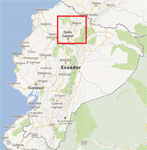
FSX/P3D Version 3 of this scenery is a completely new build of SEQM from the ground up. The entire complex is rendered using FSX objects along with the new highway that connects to the highway infrastructure with AI road traffic. The airport is now at a mean altitude that better blends with the newly included NASA SRTM GL1 30m mesh for the region. The tower is at the correct altitude. Buildings use more accurate footprints, new models, floating jetways, and updated landclass, and work seamlessly with the roads added by FTX Global/Vector. Lakes are corrected within roughly 100 square miles. Although the Ibarra/Atahualpa (SEIB) airport no longer exists, there is an option to add it back. Startup files are included to fly from the lakes and the Ibarra/Atahualpa (SEIB) airport. As a “bonusâ€, SEQU was restored in this version, because much of the footprint of the airport still remains as part of its conversion to a park. As such, a custom and fully functional SEQU is included for users who would like to revisit the old airport. AI Traffic can be restored at SEQU by simply using the "Reversed SEQU-SEQM AI Traffic" option. Scenery was created using Airport Design Editor X v1.76.6715, SBuilderX 3.13, and the FSX Object Placement Tool. Scenery objects were added and modified from stock FSX scenery to resemble as closely as possible the actual airport. Bill Leaming's Ramp Lights for P3D/FSX illuminate the aprons.
| Filename: | North_Central_Ecuador_v3_including_SEQM_SEQU_and_S.zip |
| License: | Freeware |
| Added: | 22nd March 2020, 22:13:37 |
| Downloads: | 4,105 |
| Author: | Carlyle Sharpe |
| Size: | 29.44 MB |
| Category: Prepar3D V1-4 - Scenery | |
| KCVG - Cincinnati - Northern Kentucky USA International Airport For Prepar3Dv4 |
|
Images related to this file:
File Description:
This is an enhancement of the default P3Dv4 airport. There are custom made terminal buildings included to replace the ones included in the default scenery; all aircraft gates are included and have been correctly coded using Airport Design Editor 1.76.6715, according to the latest terminal map information; all jetways and scenery objects will display, provided scenery complexity in P3Dv4 is set at normal or higher; autogen objects have been prevented from displaying on the airport grounds; the magnetic variation has been changed to the correct current value; Runway 18R-36L has been changed to 18C-36C and a new runway 18R-36L has been added, along with ILS,RNAV, and GPS approaches; a new airport vehicle network has been built; extra fuel trucks have been added throughout the airport; the tower view has been changed to display from the roof of the control tower; all taxiway designators are correct and all taxiway signs are correctly placed and named; There is the option to open all runways to AI traffic; there is a large and highly detailed cargo area for DHL; and there are two files included for GSX L2 users to enable them to have custom GSX L2 SODE jetways displayed. This airport has only been tested in P3Dv4, and is not guaranteed to work in earlier versions. Please refer to the README FIRST.txt file to insure proper installation of all files.
| Filename: | KCVG__Cincinnati__Northern_Kentucky_USA_Internatio.zip |
| License: | Freeware, limited distribution |
| Added: | 6th April 2019, 03:57:13 |
| Downloads: | 1,394 |
| Author: | Patrick Finch |
| Size: | 4.26 MB |
| Category: Flight Simulator X - Original Aircraft | |
| JELAIR - Maersk Air, Boeing 737-2L9 (OY-MBZ) - version 3 |
|
Images related to this file:
File Description:

This aircraft (for FSX, with update-patch #2) is a simulated replica of Maersk Air's 'Pocket Rocket' OY-MBZ (a Boeing 737-2L9 a.k.a. 737-200/Advanced) anno 1989. It is designed for a screen-resolution of 1280x1024. Other resolutions have not been tested. It will NOT work correctly in FS2004 (FS9). It has been tested on Windows XP (32bit) and Windows 7 (64bit) only. It is designed to be as realistic as possible, and flight-experience from the real aircraft, as well as large amounts of documentation, have been used to get it as accurate as possible. It has a fairly advanced panel with many systems simulated, such as a passenger oxygen system, a cabin pressure system, anti-skid brakes, EPR control of each engine (with the possibility of asymmetric thrust), IVSI with TCAS, Sperry SP177 autopilot with working CWS and level-change button, active yaw-damper, Quality-of-flight index (so you can see how well you operate the aircraft), windshield wiper, custom flight-computer, automatic Vspeeds for takeoff and landing, takeoff trim calculator, master caution system, PAX simulator (if you make a mistake they may die), a JT8D-17 engine with slow spin-up time (do not idle it on approach). It features a relatively realistic random-failures/error simulation which will trigger, or de-trigger, any of a variety of possible failures/errors (from small gauge-errors to large engine-failures or cabin de-compression). The chance of a failure/error is very low (you may never even get one, but they can happen, so stay alert), maybe less than 1 percent chance per 24 hours of flight-time. It features engine-management simulation, so overheating an engine will cause it to fail (now you actually need to pay attention to the EGT during engine-startup, and have your finger ready at the fuel-cutoff switch just in case you need to save the engine from heat-damage). It features sounds recorded from the actual aircraft (OY-MBZ).
This is the third release of this JELAIR addon. A very big thank you to all the following very talented people that participated directly or in-directly in the production of this add-on: Original Model by Erick Cantu, Original Panel by Pablo Contouris, Original Panel BMP by Bob Scott, Original Panel Gauges by Ken Mitchell, Doug Dawson, Pierre Fasseaux, SPanel, www.FS2X.com, Original Sound by Christoffer Petersen, Original Textures by Henry William, FDE, various modifications and adjustments for aircraft type, as well as additional gauges and sounds by JELAIR
| Filename: | JELAIR__Maersk_Air_Boeing_7372L9_OYMBZ__version_3.zip |
| License: | Freeware |
| Added: | 16th April 2011, 13:52:24 |
| Downloads: | 7,035 |
| Author: | Erick Cantu, Pablo Contouris, Bob Scott, Ken Mitchell, Doug Dawson, Pierre Fasseaux, Christoffer Petersen, Henry William, Jacob Larsen |
| Size: | 80.51 MB |
| Category: Prepar3D V1-4 - Aircraft Repaints, Textures and Modifications | |
| FSX Planes With New Lights for p3d |
|
File Description:
Multiple FSX planes, DH_Dash8_100, Airbus A_321, B747_400, Beech Baron_58, Beech_king_air_350, Lear45, Mooney_Bravo and the p3d Bombardier_CRJ_700 made flyable. I have modified the models for all of these aircraft with improved landing/taxi lights for use under p3d, which illuminate the ground in front of you so you can see wehre you are going. Most of the planes now have separate taxi/landing lights controlled by the taxi/landing lights switch. I have also added a logo light to most. For the 747_400 you should update you interior virtual cockpit model with the one from FSND at http://simviation.com//fsnd/menu.html. I have included a text file with each plane explaining how to install
| Filename: | FSX_Planes__With_New_Lights_for_p3d.zip |
| License: | Freeware |
| Added: | 6th August 2019, 16:08:28 |
| Downloads: | 98 |
| Author: | James Daniels |
| Size: | 26.19 MB |


© 2001-2026 AVSIM Online
All Rights Reserved
Privacy Policy |