
Where Flight Simulation Enthusiasts Gather from Around the World!
AVSIM Library - Search Results

| Category: Flight Simulator 2004 - Scenery | |
| 1959 Louisiana-Mississippi-Little Rock-Memphis Scenery |

|
File Description:
FS2004 scenery for the Southern USA in the 1959 to 1962 era. Includes New Orleans (pic 1), Memphis (pic 2), Little Rock (pic 3), and many smaller airports in Louisiana and Mississippi (like Natchez, pic 4). Many town's landclass reduced in size for the earlier era. Includes period billboards along many roads and drive-in theaters too. All custom objects created in GMAX and all objects placed in XML with SceneGenX, to maximize frame rates. Created by Mike Stevens with help from Tom Gibson.
| Filename: | 1959_LouisianaMississippiLittle_RockMemphis_Scener.zip |
| License: | Freeware, limited distribution |
| Added: | 13th December 2005, 23:18:47 |
| Downloads: | 8,773 |
| Author: | Mike Stevens and Tom Gibson |
| Size: | 5.46 MB |
| Category: Flight Simulator 2004 - Miscellaneous Files | |
| Active ILS - KATL v1.0 (Hartsfield Jackson Atlanta International Airport) |
|
File Description:
As most know initiating the ILS at certain airports for AI Traffic is not a function at this time when using AFCAD2. If you add a new ILS runway to an airport such as KATL (10/28) only the user aircraft can use this runway when visibility falls below 3 miles. ATC will no longer use this runway for AI Traffic because FS9 sees it as a visual runway. This will cause ATC to vector your AI Traffic back to 9R/27L which is also a South Cargo/Ramp Departure Runway. There are many additional Scenery Buildings, 274 Jetways and new Terminals (as per current Contractor plans) added to version 1.0. See the readme.txt file for additional details.
| Filename: | Active_ILS__KATL_v10_Hartsfield_Jackson_Atlanta_In.zip |
| License: | Freeware, limited distribution |
| Added: | 11th September 2005, 00:04:37 |
| Downloads: | 2,486 |
| Author: | Jim Vile |
| Size: | 553.64 KB |
| Category: Flight Simulator 2004 - Scenery | |
| City Airport - Belfast |
|
File Description:
Ok, my previous EGAC with FS Enhancer was fine until I installed Just Flight Roads and Rivers Europe. As users are aware, although it is accurate, it leaves some buildings and AFCAD in the water at coastal locations. Well this is a remake of pervious FSE scenery for RR Europe users. You will need FS Enhancer from Lago for this to work along with your Just Flight RR Europe. I have added lots of new gates and buildings. Changed the runway texture and something exclusive to Irish FS Airports, new helicopter AI. This is a trail version of the helicopter AI, it works fine but you need the MRAI installer for the flight plans. Enjoy.
| Filename: | City_Airport__Belfast.zip |
| License: | Freeware |
| Added: | 9th October 2005, 15:05:48 |
| Downloads: | 2,948 |
| Author: | René Bruun & LAGO FSE |
| Size: | 1.58 MB |
| Category: Flight Simulator X - Scenery Design | |
| YWKM - Wyalkatchem, Western Australia |
|
File Description:
YWKM Wyalkatchem is at the centre of Western Australia's wheat belt, about 200 kilometres North-East of Perth. The town is thought to have been named after the Wyalkatchem Tank which was built by sandalwood cutters in 1881. Wyalkatchem is in some of Western Australia's best wildflower country. If you haven't flown over Wyalkatchem recently, you will notice the raw freshly graded surface and new strip,
recently upgraded under Regional Airports Development Scheme. Due to the tight budget of the state funded strip, taxiways, line marking and lighting of the new strip are not completed. Requires Blencowe_LibraryKit.zip.
REQUIRES blencowe_librarykit_309494.zip (Available HERE)
| Filename: | YWKM__Wyalkatchem_Western_Australia.zip |
| License: | Freeware |
| Added: | 28th February 2013, 17:00:06 |
| Downloads: | 219 |
| Author: | Alan Blencowe |
| Size: | 3.52 MB |
| Category: Flight Simulator 2004 - Scenery | |
| Mark Twain Lake, Hannibal, Mo. V3 |
|
File Description:
FS2004 Mark Twain Lake -- Hannibal, Mo. V3.
FS2004 scenery, From Bob's Hangar. An updated
version of my Mark Twain Lake Scenery for FS2004,
includes additions and new macros. New trees, built
in Terrian, no more flat shore lines. Natural bluffs.
Cannon Dam macro from EOD and actual digital photos.
Old downtown Hannibal Historic district, cobblestone
waterfront, restored boyhood home of Samuel Clemens,
(aka "Mark Twain"). Barge traffic on the Mississippi
River. Florida, Mo. with birthplace cabin of Mark Twain.
All shoreline attractions, and a typical farming and
ranching area of northeast Missouri. Includes three
upgraded default airports. Hannibal Municipal KHAE,
Wood Acres 7M01, and Samuel L. Clemens Memorial
MU00. This scenery works equally well in Fs2002.
By Robert Palmer
| Filename: | Mark_Twain_Lake_Hannibal_Mo_V3.zip |
| License: | Freeware, limited distribution |
| Added: | 25th June 2004, 14:16:07 |
| Downloads: | 1,666 |
| Author: | Robert Palmer |
| Size: | 5.96 MB |
| Category: Flight Simulator 2004 - Scenery | |
| Catalonia version II |
|
Images related to this file:
File Description:
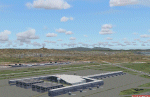
Catalonia is my small country located among Spain northeast and France southeast. Its surface it is 32000 km2 in its south area and of about 2000 kn2
In its area north. Your coastal fringe in the Mediterranean is about 630 kms. This is the whole Catalonia.
Their capital is Barcelona where the olympic games was played in recent years.
It is headquarters of the cathedral of Gaudi.It contains 7 big airports 7 airclubs and two seaports. The port of Barcelona is the first tourist port of the mediterranean of the they leave the big tourist cruises.
Airport LEBL is reconstructed with new great terminal
This scenery contents the new airport LEDA in Lleida city
| Filename: | Catalonia_version_II.zip |
| License: | Freeware |
| Added: | 17th March 2010, 23:29:15 |
| Downloads: | 7,110 |
| Author: | Toni Agramont |
| Size: | 74.05 MB |
| Category: Flight Simulator X - Original Aircraft | |
| Project Airbus A319 FD-FMC 2.0 |
|
Images related to this file:
File Description:

Project Airbus A319 FD-FMC 2.0 is the new version of the FD-FMC project for FSX / P3D. It comes with a new ehanced virtual cockpit (3 set of HD textures), new FMC gauge fully fonctionnal in virtual cockpit (and 2D window). A 550 airport database is provided in the pack with all SID, STAR and approaches procedures (updated monthly) and Waypoints update for FSX. Vertical navigation management with all real Airbus flight mode. TCAS and TAWS on ND. Cold and dark status. Holding pattern, DME-ARC and teardrop turns management. original sound set provided. This FMC is not only a GPS like, It controls engines and aircraft to a real vertical navigation to a realistic flight experience. New folder organisation to optimize file space, with other aircraft of the family (A318 - A320 and A321). It comes with CFM and IAE engine version.
Aircraft 3D model edited to a right flightdeck position. CFM and IAE engine version. New airports added and navaids updated monthly on the freenavdbgroup website. User and install manuals provided in French and English. Have a good flight.
| Filename: | Project_Airbus_A319_FDFMC_20.zip |
| License: | Freeware, limited distribution |
| Added: | 2nd November 2019, 19:04:10 |
| Downloads: | 2,802 |
| Author: | Project Airbus / Francois Dore / Bjoern Kesten |
| Size: | 385.84 MB |
| Category: Flight Simulator X - Original Aircraft | |
| Project Airbus A321 FD-FMC 2.0 |
|
Images related to this file:
File Description:
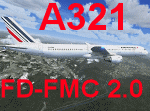
Project Airbus A321 FD-FMC 2.0 is the new version of the FD-FMC project for FSX / P3D. It comes with a new ehanced virtual cockpit (3 set of HD textures), new FMC gauge fully fonctionnal in virtual cockpit (and 2D window). A 550 airport database is provided in the pack with all SID, STAR and approaches procedures (updated monthly) and Waypoints update for FSX. Vertical navigation management with all real Airbus flight mode. TCAS and TAWS on ND. Cold and dark status. Holding pattern, DME-ARC and teardrop turns management. original sound set provided. This FMC is not only a GPS like, It controls engines and aircraft to a real vertical navigation to a realistic flight experience. New folder organisation to optimize file space, with other aircraft of the family (A318 - A319 and A320).
Aircraft 3D model edited to a right flightdeck position. CFM and IAE engine version. New airports added and navaids updated monthly on the freenavdbgroup website. User and install manuals provided in French and English. Have a good flight.
| Filename: | Project_Airbus_A321_FDFMC_20.zip |
| License: | Freeware, limited distribution |
| Added: | 2nd November 2019, 19:06:41 |
| Downloads: | 4,138 |
| Author: | Project Airbus / Francois Dore / Bjoern Kesten |
| Size: | 384.23 MB |
| Category: Flight Simulator X - Original Aircraft | |
| Project Airbus A320 FD-FMC 2.0 |
|
Images related to this file:
File Description:
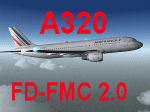
Project Airbus A320 FD-FMC 2.0 is the new version of the FD-FMC project for FSX / P3D. It comes with a new ehanced virtual cockpit (3 set of HD textures), new FMC gauge fully fonctionnal in virtual cockpit (and 2D window). A 550 airport database is provided in the pack with all SID, STAR and approaches procedures (updated monthly) and Waypoints update for FSX. Vertical navigation management with all real Airbus flight mode. TCAS and TAWS on ND. Cold and dark status. Holding pattern, DME-ARC and teardrop turns management. original sound set provided. This FMC is not only a GPS like, It controls engines and aircraft to a real vertical navigation to a realistic flight experience. New folder organisation to optimize file space, with other aircraft of the family (A319 - A320 and A321).
Aircraft 3D model edited to a right flightdeck position. CFM and IAE engine version. New airports added and navaids updated monthly on the freenavdbgroup website. User and install manuals provided in French and English. Have a good flight.
| Filename: | Project_Airbus_A320_FDFMC_20.zip |
| License: | Freeware, limited distribution |
| Added: | 2nd November 2019, 19:05:39 |
| Downloads: | 6,319 |
| Author: | Project Airbus / Francois Dore / Bjoern Kesten |
| Size: | 386.01 MB |
| Category: Flight Simulator X - Original Aircraft | |
| Project Airbus A318 FD-FMC 2.0 |
|
Images related to this file:
File Description:
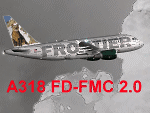
Project Airbus A318 FD-FMC 2.0 is the new version of the FD-FMC project for FSX / P3D. It comes with a new ehanced virtual cockpit (3 set of HD textures), new FMC gauge fully fonctionnal in virtual cockpit (and 2D window). A 550 airport database is provided in the pack with all SID, STAR and approaches procedures (updated monthly) and Waypoints update for FSX. Vertical navigation management with all real Airbus flight mode. TCAS and TAWS on ND. Cold and dark status. Holding pattern, DME-ARC and teardrop turns management. original sound set provided. This FMC is not only a GPS like, It controls engines and aircraft to a real vertical navigation to a realistic flight experience. New folder organisation to optimize file space, with other aircraft of the family (A319 - A320 and A321).
Aircraft 3D model edited to a right flightdeck position. CFM and IAE engine version. New airports added and navaids updated monthly on the freenavdbgroup website. User and install manuals provided in French and English. Have a good flight.
| Filename: | Project_Airbus_A318_FDFMC_20.zip |
| License: | Freeware |
| Added: | 2nd November 2019, 18:59:14 |
| Downloads: | 2,279 |
| Author: | Project Airbus / Francois Dore / Bjoern Kesten |
| Size: | 169.5 MB |


© 2001-2026 AVSIM Online
All Rights Reserved
Privacy Policy |