
Where Flight Simulation Enthusiasts Gather from Around the World!
AVSIM Library - Search Results

| Category: Flight Simulator 2004 - Panels | |
| Golovin N93 and Solomon AK26 in Alaska |

|
Images related to this file:
File Description:
Golovin is a coastal fishing village 70 miles east of Nome and around 20 miles west of Elim, with a population of under 200. The village is a check point on the Iditarod race and the name originates from a Russian admiral in the far distant past. The airfield has a gravel runway which is over 4,000 feet long; the older runway amid the village housing is still visible but not usable. The majority of flights to and from the airfield originate in Nome, but there are also others to and from nearby fields such as Elim, Unalakleet, Shaktoolik, and Koyuk. The AI includes a daily ERA flight. Most flights to villages of this size are in fact not "scheduled", but are "air taxi" being used by three or four villagers to go supermarket shopping in a larger neighbouring town, which in this case is Nome. In many cases the numbers of flights to and from a village in a year average out to one a day. There is a further scenery included here, which is Solomon AK26. Solomon is around 40 miles west of Golovin and from 1898 was suppporting a gold mining operation on the Fish and Niukluk rivers further inland at Council. Solomon, and the airfield which obviously came later, gradually faded from use in competition with Nome, leaving almost nothing behind at Solomon by the 1980's except a gravel runway and the nearby Solomon roadhouse. There are other buildings near the airfield which appear to be new and in good condition, but their function is unknown to me. The Solomon terrain modifications and grass deletion bgl's did not function until loaded in a "Top" folder; this is unusual, and may be required only in my FS9 setup or in all situations. I have no way of knowing as I can only design for my situation. A note here about my scenery making. This is post number 503 and there will not be many more to follow this as I am almost at the end of the photos I either took or found for scenery purposes. There is a limit to what can be located online and I have already been making use of the little there is; eg Unalakleet. Post 520 is unlikely. So, if you are near an airport (preferably Canadian or Alaskan) and have a camera..... Let me know.
| Filename: | Golovin_N93_and_Solomon_AK26_in_Alaska.zip |
| License: | Freeware, limited distribution |
| Added: | 5th August 2019, 16:19:07 |
| Downloads: | 83 |
| Author: | Roger Wensley |
| Size: | 4.23 MB |
| Category: Miscellaneous Files - General Utilities | |
| CONCORDE PERFORMANCE SYSTEM NEW GENERATION |
|
File Description:
CONCORDE PERFORMANCE SYSTEM
NEW GENERATION
CPS-NG (Concorde Performance System New Generation) is the successor to CPS-X, the essential flight preparation utility created in 2011
and discontinued in 2018.
Since the end of its development, still present on AVSIM despite a large number of unavailable functions, it has been downloaded more
than 3000 times.
This new CPS opus will satisfy the most demanding Concorde simulation enthusiasts.
CPS-NG now makes it possible to plan Concorde flights with the following simulators:
- FsLabs Concorde X for FSX, and P3D up to version 3.
- Colimata Concorde FXP for X-Plane and Gaston Reif's beautiful mod, Heritage Concorde Avionics Package.
With these simulators, CPS-NG can export waypoints to INS, payload and fuel to aircraft.
Like its illustrious predecessors, CPS-NG uses authentic Air France data and charts.
It offers a map of the flight including the navigation points, the points to protect from the supersonic bang, on departure and on
arriva.
The flight preparation stages are done in a user-friendly way.
the subsonic steps are configurable, the anti-noise procedures are calculated as in reality. The aircraft loading is modifiable by
the user in order to obtain the ideal centering.
The fuel is calculated as in reality and its distribution in the 11 tanks of Concorde complies with the filling law of Air France and
British Airways.
CPS-NG like its previous version also offers the user a flight report in the form of a PDF document which contains all the elements
necessary for the preparation of the aircraft.
it also offers Concorde-specific settings such as
- Initial climb angle.
- Time to anti noise procedure.
- Throttle levers angle during anti noise procedure.
- Fuel flow.
- Maximum pressure in P7 compressor.
- Trim adjustment and everything a pilot and flight engineer could want for a perfect flight.
CPS-NG also offers in the flight report, Take-off and landing forms in accordance with the real documents and the user has the choice
between the Air France form and the British Airways one.
Finally, CPS-NG allows the use of real-time weather from NOAA, personalized weather or the one generated by Active Sky 2016,
Active Sky for P3D and Active Sky for X-Plane 11 or 12.
In summary, here you have the ultimate tool for Concorde simulation.
NOTE: The manual curently in writing, thanks for your patience.
You dreamed it, we did it!
Break the sound barrier.
| Filename: | CONCORDE_PERFORMANCE_SYSTEM_NEW_GENERATION.zip |
| License: | Freeware, limited distribution |
| Added: | 20th July 2023, 05:20:23 |
| Downloads: | 131 |
| Author: | Pierre Chassang |
| Size: | 19.49 MB |
| Category: Miscellaneous Files - Miscellaneous Files | |
| CPS-NG RC 5 |
|
File Description:
CPS-NG (Concorde Performance System New Generation) is the successor to CPS-X, the essential flight preparation utility created in 2011
and discontinued in 2018.
Since the end of its development, still present on AVSIM despite a large number of unavailable functions, it has been downloaded more
than 3000 times.
This new CPS opus will satisfy the most demanding Concorde simulation enthusiasts.
CPS-NG now makes it possible to plan Concorde flights with the following simulators:
FsLabs Concorde X for FSX, and P3D up to version 3.
Colimata Concorde FXP for X-Plane and Gaston Reif's beautiful mod, Heritage Concorde Avionics Package.
With these simulators, CPS-NG can export waypoints to INS, payload and fuel to aircraft.
Like its illustrious predecessors, CPS-NG uses authentic Air France data and charts.
It offers a map of the flight including the navigation points, the points to protect from the supersonic bang, on departure and on
arrival
The flight preparation stages are done in a user-friendly way.
the subsonic levels are configurable, the anti-noise procedures are calculated as in reality. The loading of the plane is modifiable by
the user in order to obtain the ideal centering.
The fuel is calculated as in reality and its distribution in the 11 tanks of Concorde complies with the filling law of Air France and
British Airways.
CPS-NG like its previous version also offers the user a flight report in the form of a PDF document which contains all the elements
necessary for the preparation of the aircraft.
it also offers Concorde-specific settings such as initial climb angle, time until anti noise procedure, throttle levers angle during
anti noise procedure, fuel flow, maximum pressure in P7,
trim adjustment and everything a pilot and flight engineer could want for a perfect flight.
CPS-NG also offers in the flight report, Take-off and landing forms in accordance with the real documents and the user has the choice
between the Air France form and the British Airways one.
Finally, CPS-NG allows the use of real-time weather from NOAA, personalized weather or the one generated by Active Sky 2016,
Active Sky for P3D and Active Sky for X-Plane 11 or 12.
In summary, here you have the ultimate tool for Concorde simulation.
You dreamed it, we did it!
Break the sound barrier.
| Filename: | CPSNG_RC_5.zip |
| License: | Freeware |
| Added: | 10th August 2023, 15:48:00 |
| Downloads: | 74 |
| Author: | Pierre Chassang |
| Size: | 19.49 MB |
| Category: Flight Simulator X - Miscellaneous Files | |
| 737NG Normal Procedures Non-APU version |
|
Images related to this file:
File Description:
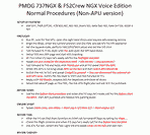
After some input and ideas from a fellow FS2Crew pilot here is a non-APU version of my flow and checklist to even closer mimic real world OPs the way many big airlines operate in real life every day at big airports around the world where the use of APU is limited to only a short period of time a couple of minutes before engine start. I also (don't I always ;-)) did some other changes and what I think improvements since my last version so give it a try and see what you think! About fitting the list on 2 A4 pages when printing it from WordPad please set all your margins to 25 mm in WordPad and uncheck the option to print the page numbers. This time I will not ask the AVSIM Library Managers to replace my old version with this one since some of you might still want the version where the APU is used depending on what kind of flights you do and to what kind of airports. Instead this will be uploaded as a new and separate version.
A flow/checklist for flying PMDG's 737NGX with FS2Crew Voice Edition. Did this mainly for my own use meaning the flow/checklist is adjusted for how I do my flying and with the addons I use like Aerosoft AES for example. Please also be aware this is not the kind of flow/checklist that includes all things you need to perform during a normal flight but instead you are expected to already have a general knowledge of both the NGX and FS2Crew. However I thought others might be helped by this too both newbies to get you going with the "flow" using FS2Crew but also for the more experienced users as a simple to print out and use memory note. It's also easy for you to change whatever you like to suit your own needs better since I created it in common rtf format using the standard Wordpad Windows application. I deliberately made it as compressed as possible leaving out stuff like all the answers to the checklists etc so it would fit on a single A4 sheet being easy to print and maybe also laminate if you like. Hope you'll enjoy it!
| Filename: | 737NG_Normal_Procedures_NonAPU_version.zip |
| License: | Freeware |
| Added: | 22nd June 2012, 03:34:37 |
| Downloads: | 1,085 |
| Author: | Richard Asberg (with input from Peter Wolf) |
| Size: | 6.36 KB |
| Category: X-Plane - Scenery | |
| London 2004 |
|
File Description:
Continuing my new free releases for this year, here is my London 2004 scenery package that I designed for my personal
use but now I want to share it with the community. I have had numerous requests to do more cities and airports so this is my third scenery for 2004. Being the lazy
person I am, no research was done and no claim to real life cities and airports is intended or implied.
I have added many objects to the airports and cities including terminals, hangers, buildings, castles, city scapes and
other fun and interesting things. All of which were culled from all the wonderful designers in the X-Plane Community
such as B. Brooks & Christian Franz, Ted Davis, Tom Curtis, Ralph Glass, Tim Chandler, Didier Chauveau and all the
other hard working and exceptionally talented designers who have inspired me. Many thanks to each of you for your
contributions to the X-Plane community.
Like all my scenery packages, the additions to the citys and airports are purely fictional. The airports themselves are
unaltered. I have enhanced London Heathrow (EGLL), London Gatwick (EGKK), London City (EGLC) airports and of
course the city of London . A special thanks to Robert Bunce for his NYEXPRO packages and Ken Spiker for his
KWIKCITIES package. If I inadvertently left out other objects and scenery designers, it was purely unintentional and I
offer my apologies.
All airports and cities come with Night Textures. Flying at dusk and dawn will add additional enjoyment to your
experience. You may want to experiment with your Autogen settings for best results. I turn mine way down in the
rendering settings so that autogen buildings don't sit on top of custom objects and roads. It will improve framerates as
well.
Installation: Place the extracted "London 2004" folder into your "Custom Scenery" folder. I have included apt.dat files
for v6.70 and v7.30. Keep the apt.dat file for your particular XP version. Apt.dat files are different formats for v6 and v7.
Please send any comments or suggestions to [email protected]. If you choose to rate my Scenery Packs and
give less than a "9" rating, I would appreciate knowing what I can do to improve them. I can only do that with your
feedback.
My Other Free Scenery Packages are:
Charlotte-Rock Hill,
Houston-Galveston,
Iraq,
Nice, France,
San Diego 2004,
San Francisco 2004.
All are available at X-Plane.org and Avsim.com.
Have fun and FLY SAFE!.
| Filename: | London_2004.zip |
| License: | Freeware |
| Added: | 18th January 2004, 22:54:38 |
| Downloads: | 6,517 |
| Author: | Bill Moore |
| Size: | 9.28 MB |
| Category: Flight Simulator 2004 - Utilities | |
| FlightSim Manager v2.6.1 |
|
File Description:
Compatible with both FS2002 and FS2004
FlightSim Manager is a great tool for managing add-ons to Microsoft Flight Simulator. Using easy to Wizard - FSM can install aircraft, panels, textures and scenery directly from distribution ZIP files you may have downloaded, with proper uninstallation of add-ons. From an easy to use Aircraft editor to add or remove aircraft variants, to an comprehensive Hangar management allows you to manage and configure your add-ons off your live FS installation.
You can now create Virtual Fleets, and enable/disable the complete fleet with ease. For serious pilots, FSM also offers a complete Logbook.
Lan View feature allows you to create virtual cockpits with multiple monitor support, using networked PCs.
With FSM, you can create Texture Sets - i.e.. different Tree Sets, and you can install any set with a single click, capture screenshots from Flight Simulator, Benchmark with log, launch it with Random Splash Screens, and fly from anywhere in the world using an map view.
You can also control Flight Simulator with speech commands using FSM. It also supports auto-saving flight, warning sytem, and custom event sounds.
Finally with a comprehensive Diagnostic Tools and Repository feature, FSM keeps your FS installation clean. Apart from the usual Missing and unused gauges, FSM can also locate Aircraft problems, Missing and unused effects, Scenery Problems with a LandClass File relocate feature - say bye-bye to all the memory leaks.
You can find the latest version from: http://www.ranainside.com/
To provide you - the user with the best Freeware FS-Addon, I need your help... if you have any suggestions, recommendations or problem using this software, please contact me through our Forum at: http://softwares.ranainside.com/forum/
You may not distribute the original archive/setup utility of the program(s) to anyone else, any Bulletin Board System, Portable Media or any web-site unless EXPRESS PERMISSION FROM THE AUTHOR is granted. You may not sell, lease, rent, or include this program or its original archive by any media without EXPRESS PERMISSION FROM THE AUTHOR. You are not required to pay for this program in any way, shape or form, but you are not licensed to distribute this program or its original archive for any financial gain.
| Filename: | FlightSim_Manager_v261.zip |
| License: | Freeware, limited distribution |
| Added: | 15th September 2004, 12:51:52 |
| Downloads: | 5,441 |
| Author: | Rana Hossain |
| Size: | 4.43 MB |
| Category: Flight Simulator 2004 - Scenery | |
| Nenana Municipal Airport PANN in Alaska |
|
Images related to this file:
File Description:
Nenana is a village on the river of the same name around 40 miles west of Fairbanks, which is the second largest urban area in Alaska after Anchorage. Nenana, as a result of this proximity, is served by road and railway and unlike other Alaskan villages is not reliant on air cargo for necessities. The current population is just under 400, which is way down from its peak of 5,000 in the 1920's when gold was being mined and the railroad being built. Nenana's main claim to fame is as the starting point for the 1925 mushing delivery to Nome of the serum to combat an outbreak of diphtheria. Any Nenana Municipal Airport history is difficult to find, even the date of construction. It has two runways 3L-21R and 3R-21L, the first being asphalt and just under 5,000 feet with PAPI at both ends, the second grass and 1,800 feet. Both are lit. It also has a further water runway similarly aligned and 3,000 feet long. Maintenance is available and there is also fuel at the end of the northern apron, close to the crashed and stripped DC4 that sits among other unwanted items that are too large to make it worth the cost of moving them off the site. There are no regular scheduled flights to the airport, with air taxi or owner operated being in the majority. The scenery, in addition to the terrain, town, bridges, and airport items also modifies the terrain in an area further south where FS9 depicted as a city an Air Force base that is mainly concerned with radar and communications and in fact has very few buildings. The AI includes some Beavers on floats that were used in previous BC scenery with the kind permission of FSAddon. As I have already posted them I have not included them again here. The float plane AI uses the same radio frequency as the land based planes, but they fly to PANX and not to PANN as FS9 has problems with getting floats and wheels separated. Or maybe I just haven't worked out how to cope with FS9. A note here about my scenery making. There will not be many more to follow this as I am almost at the end of the photos I either took or found for scenery purposes, plus I expect to move on from FS9 at some point during next year.
| Filename: | Nenana_Municipal_Airport_PANN_in_Alaska.zip |
| License: | Freeware, limited distribution |
| Added: | 2nd December 2019, 18:12:42 |
| Downloads: | 156 |
| Author: | Roger Wensley |
| Size: | 7.36 MB |
| Category: Flight Simulator X - AFCAD Files | |
| Somerset Airport (KSMQ), NJ |
|
File Description:
Located 03 miles N of Somerville, New Jersey on 210 acres of land, Somerset is a public airport with one asphalt and two grass runways, the longest of which is 2733' in length. The turf runways have no hard surfaces and you will be landing on terrain so have your mesh set as high as possible - both runways are still selectable in the ATC window for landing/takeoff announcements. AI aircraft will not use them. The helipad is a start location in front of the main terminal if a parking location is not wanted to begin helicopter flights. Parking is divvied up into three categories - GA_SMALL spots will accommodate aircraft with wingspans no greater than 40 feet. GA_MEDIUM spots will accommodate aircraft with wingspans no greater than 60 feet. GA_LARGE spots are named to identify locations suitable for starting in a glider if you wish to do so. They can also accommodate aircraft with wingspans no greater than 60 feet. In addition to tie downs, there are 13 hangars open for parking in various locations - they can be identified by GA_DOCK. Only the N Parking hangar can accommodate aircraft with wingspans no greater than 60 feet - all other hangers are suitable only for aircraft with wingspans no greater than 40 feet. Several of the hangars have attendants - look beside the doors for the NAV2 frequency to set for opening them. AI aircraft will only spawn on the north tarmac/hangars (largely to prevent AI traffic crossing the runway on taxi). All objects and static aircraft in the immediate vicinity of parking and taxiways have collision disabled. If your aircraft has a wingspan greater than 40 feet it is NOT recommended that you taxi down the middle taxiway leading to the main tarmac from N Parking as you will not clear the hangars - go either via the NW taxiway past the grass tie downs (NW Parking) or around East to the next taxi way on the other side of the east hangars (E Parking) which has more wing clearance. Fuel is available on both tarmacs north and south of the runway by stopping on the asphalt in front of the tanks/pump.
Scenery constructed with use of satellite images/streetview/aerial photos - the author has not been there in person.
This scenery is meant to be used in conjunction with MegaScenery Earth New York 005. It is not required, but apron use is minimized to allow satellite scenery to show through as much as possible, and objects are placed based on the MSE textures - lack of it may make scenery look out of place.
| Filename: | Somerset_Airport_KSMQ_NJ.zip |
| License: | Freeware |
| Added: | 27th September 2011, 01:15:53 |
| Downloads: | 306 |
| Author: | Drew Sikora |
| Size: | 1.47 MB |
| Category: Flight Simulator 2004 - Scenery | |
| St Lawrence Island AK: Gambell PAGM, Savoonga PASA, and Northeast Cape |
|
Images related to this file:
File Description:
St Lawrence Island is in Alaska, but "in" is slightly misleading as it is in fact in the Barents Sea and 120 miles from the Alaska mainland, and only 40 miles offshore of Russia. The island is around 100 miles long, with two villages and at the eastern end an old air force radar base that was cleared away some 25 years ago. Gambell is one of the two villages and is at the far western end of the island, with a population of around 700 living mainly from the sea. This northern airfield is unusual in that it has an asphalt runway and apron, the lit runway being aligned 16-34 and just over 4,500 feet long. The reason for the asphalt becomes apparent if you try walking in the vicinity, as underfoot there are rounded pebbles down to varying depths, and they are quite small and eventually slippery enough to trip you up. To base a flexible gravel runway on top of this would have been difficult, and when it was originally built it was for an air force base (closed long ago). The village is also fairly unique among northern settlements in that it has wind turbines and also solar panels. The second village is Savoonga and is around 40 miles east of Gambell with a similar population. The runway here is lit gravel aligned 5-23 and 4,900 feet long. This village also has wind turbines and solar panels. There are no vehicles (cars, pickups, trucks etc) on the island, mainly because there is nowhere far to go to and in the case of Gambell because roads as such would be difficult to create. ATV's are the standard way to go, along with small boats for fishing and whaling. At the eastern and of the island the remaining traces of the air force radar base are just the gravel runway and aprons, included with the Savoonga scenery. The AI included here is for daily flights from Nome by ERA and Bering Air, along with some GA. Also included here is the EZ library that includes the wind turbines, to save you looking for it. Installing this will also mean that a wind farm in my Cyprus scenery wii now be visible to the north of Larnaca, and there are other libraries in the series that include useful objects. The Lens_EZ_Animated library could go into your static objects folders, which is where I have it; up to you.
| Filename: | St_Lawrence_Island_AK_Gambell_PAGM_Savoonga_PASA_a.zip |
| License: | Freeware, limited distribution |
| Added: | 29th February 2020, 00:09:36 |
| Downloads: | 223 |
| Author: | Roger Wensley |
| Size: | 11.59 MB |
| Category: Flight Simulator 2004 - Scenery | |
| PAMR (Merrill Field, Anchorage), 5HO (Hope), 9Z9 (Lawing) - Alaska, USA |
|
Images related to this file:
File Description:
This stand-alone combined V2 version of Merrill Field 2016 includes: windsocks, a parked Fedex 727 that was recently donated to the University of Alaska, some missing taxiway lights, and small corrections to the apron layout. It also includes Hope 5HO and Lawing 9Z9. The 2016 version of Merrill Field PAMR dealt with a spectacular malfunction reported by one recent downloader; see the two screenshots. Merrill Field is in Anchorage Alaska, between Anchorage International to the southwest and and Elmendorf Air Force Base to the north. It caters for general aviation and is the land equivalent of the Lake Hood float plane base, with fuel and numerous maintenance facilities, and several hundred parking spots for small planes. There are three runways, and the longest is 4,000 feet of 100 feet wide asphalt, the second 2,635 feet of asphalt 75 feet wide, and the third 2,000 feet of 60 feet wide gravel. The first two have runway lights. It is a controlled airfield with a relatively new control tower to cater for the numerous flights and to coordinate with Elmensdorf and Anchorage International, the latter also controlling flights from Lake Hood and the adjacent gravel strip Z41 (see my Lake Hood scenery). The gravel runway at Merrill Field is not connected with active taxiways to the rest of the airfield; this avoids you being ordered to land on it when flying a plane too large to do so. The enclosed layout shows the runways and the taxiways complete with their assigned letters to help you find your way around, but note that this shows the current gravel runway with its wandering magnetic headings, not the ones prevailing when I made Merrill. The signage on the airfield is not total. The main taxiways are signed and each entry to a runway has a runway sign, but intermediate taxiways to or from a runway are not; if you have turned off the runway at the first possible exit you could then whether it is R or T is, I suppose, irrelevant. Try not to turn onto Merrill Field Drive at an intersection, this is a road that runs through the field. There are almost 50 buildings on the field and threequarters of them have been modelled from photographs specifically for this scenery; some of them were modelled from photos that were of not very good quality, but when the photos were taken I wasn't thinking that I would ever model the field. Which explains why there are buildings I had no photos of at all, of any sort of quality.
| Filename: | PAMR_Merrill_Field_Anchorage_5HO_Hope_9Z9_Lawing__.zip |
| License: | Freeware, limited distribution |
| Added: | 26th February 2016, 09:54:17 |
| Downloads: | 760 |
| Author: | Roger Wensley |
| Size: | 22.64 MB |


© 2001-2026 AVSIM Online
All Rights Reserved
Privacy Policy |