
Where Flight Simulation Enthusiasts Gather from Around the World!
AVSIM Library - Search Results

| Category: Flight Simulator X - Scenery | |
| KPVG - Hampton Roads Executive Airport - Virginia, USA |

|
Images related to this file:
File Description:
FSX Scenery - Hampton Roads Executive Airport (ICAO: KPVG, FAA LID: PVG) is a public-use airport located seven miles (11 km) southwest of the central business district of Norfolk and northwest of Chesapeake, both independent cities in the U.S. state of Virginia. It is privately owned by Virginia Aviation Associates, L.L.C. Although most U.S. airports use the same three-letter location identifier for the FAA and IATA, Hampton Roads Executive Airport is assigned PVG by the FAA but has no designation from the IATA (which assigned PVG to Pudong International Airport in Shanghai, China). All buildings are custom made. AI traffic contains default aircraft. Created for your flight simming pleasure by John B. Loney, Jr.
| Filename: | KPVG__Hampton_Roads_Executive_Airport__Virginia_US.zip |
| License: | Freeware, limited distribution |
| Added: | 7th September 2014, 23:05:56 |
| Downloads: | 849 |
| Author: | John B. Loney, Jr. |
| Size: | 18.89 MB |
| Category: Prepar3D V5 - Scenery | |
| VISR_P3Dv5 |
|
File Description:
Sheikh ul-Alam International Airport (IATA: SXR, ICAO: VISR) also known as Srinagar Airport or Budgam airbase is a military airbase that serves Srinagar, the summer capital of the union territory of Jammu and Kashmir, India. It is owned by the Indian Air Force, and the Airports Authority of India operates a civil enclave at the airport. Although designated an international airport in 2005, the Srinagar airport does not receive scheduled international flights as of April 2020, but has seen Hajj flights. It has an integrated terminal and one asphalt runway which is capable of handling large passenger jets like the Boeing 747 and Airbus A380. The airport is actually located in Budgam, which is 4 km from Srinagar.
| Filename: | VISR_P3Dv5.zip |
| License: | Freeware |
| Added: | 19th November 2020, 19:41:06 |
| Downloads: | 485 |
| Author: | Abhishek Banerjee |
| Size: | 23.32 MB |
| Category: Flight Simulator X - AFCAD Files | |
| RPLL - Ninoy Aquino International, Manila, Philippines (Default) - Update |
|
Images related to this file:
File Description:

This is an update to a file issued in the fourth round of Afcads issued by Alpha India Group and fully replaces the original file.
AIG Ground aims to create high quality Afcads for both FS2004 and for FSX default and Add On Scenery airports. Our Afcads are created drawing on a number of resources and aim to simulate the real world airport as closely as possible but also to take account of FS constraints and to ensure good levels of traffic and realistic traffic parking and flow around the airport.
Please read and follow installation instructions in the Readme file carefully, as these do vary.
Visit us at www.alpha-india.net for more information.
| Filename: | RPLL__Ninoy_Aquino_International_Manila_Philippine.zip |
| License: | Freeware |
| Added: | 2nd November 2009, 04:12:10 |
| Downloads: | 2,073 |
| Author: | Matthew Brooks & Alpha India Group |
| Size: | 271.6 KB |
| Category: Flight Simulator X - Scenery | |
| Crete Island, Version 2 |
|
Images related to this file:
File Description:
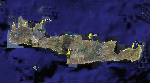
Crete is the bigger than the islands of the Greek archipelago and it is the south rampant of the Aegean sea. This scenery contains the following airports: LGIR, LGSA, LGOB, LGTL and 78 cities.
In this 2nd version I have used the mesh terrain of Yiannis Dermitzakis that offers a bigger realism to the costs. This has put under an obligation to reconstruct the entirety of the populations of the since costs they were located inside the sea. At the same time I have been able to redraw them populations with houses and real facilities that. I believe that I can offer a quite realistic scenery especially in the group of populations of the coast.
| Filename: | Crete_Island_Version_2.zip |
| License: | Freeware |
| Added: | 7th November 2009, 21:08:05 |
| Downloads: | 6,015 |
| Author: | Toni Agramont |
| Size: | 31.14 MB |
| Category: Flight Simulator X - Scenery Design | |
| YWKM - Wyalkatchem, Western Australia |
|
File Description:
YWKM Wyalkatchem is at the centre of Western Australia's wheat belt, about 200 kilometres North-East of Perth. The town is thought to have been named after the Wyalkatchem Tank which was built by sandalwood cutters in 1881. Wyalkatchem is in some of Western Australia's best wildflower country. If you haven't flown over Wyalkatchem recently, you will notice the raw freshly graded surface and new strip,
recently upgraded under Regional Airports Development Scheme. Due to the tight budget of the state funded strip, taxiways, line marking and lighting of the new strip are not completed. Requires Blencowe_LibraryKit.zip.
REQUIRES blencowe_librarykit_309494.zip (Available HERE)
| Filename: | YWKM__Wyalkatchem_Western_Australia.zip |
| License: | Freeware |
| Added: | 28th February 2013, 17:00:06 |
| Downloads: | 219 |
| Author: | Alan Blencowe |
| Size: | 3.52 MB |
| Category: Flight Simulator X - AFCAD Files | |
| KMCI - Kansas City Inl - Kansas City, USA |
|
Images related to this file:
File Description:
Kansas City International Airport, originally named Mid-Continent International Airport, is an American public airport located 15 miles North West of the central business district of Kansas City, in Platte County, Missouri, United States. It has consistently ranked in the top-five airports in the North America Airport Satisfaction Study by J. D. Power and Associates. In February 2010, the airport was the highest-rated medium-sized airport receiving five stars in all categories. Its largest carriers are Southwest Airlines and Delta Air Lines, which both operate a large number of daily flights in Terminal B.
Using ADEx 1.55, aeronautical maps and Google Earth the default AFCAD has been updated to reflect today's situation.
| Filename: | KMCI__Kansas_City_Inl__Kansas_City_USA.zip |
| License: | Freeware |
| Added: | 16th May 2013, 18:14:24 |
| Downloads: | 2,008 |
| Author: | Menno C. Robert |
| Size: | 580.54 KB |
| Category: Flight Simulator 2002 - AFCAD Files | |
| 21 Southern Holiday Destinations |
|
File Description:
A lot of European sunny holiday destinations AFCAD files for default FS2002 !
Warning : This is for DEFAULT scenery in FS2002 only ! Pay attention for that !
Please read the enclosed ReadMeFirst textfile !
These are the AFCAD files for the 21 following airports :
France : Lourdes (LFBT)
Spain : Almeria (LEAM), Reus (LERS), Jerez (LEJR), Menorca (LEMH), Girona (LEGE)
Canaries : Fuerteventura (GCFV), Santa Cruz de La Palma (GCLA)
Greece : Zakynthos (LGZA), Mykonos (LGMK), Rhodes (LGRP), Chania(LGSA), Chios (LGHI),
Kos (LGKO), Samos (LGSM), Santorin (LGSR), Heraklion (LGIR), Mytilene (LGMT)
Egypt : Hurghada (HEGN), Luxor (HELX), Sharm-El-Sheikh (HESH)
Turkey : Izmir (LTBJ)
You'll need the wonderful program named "Afcad" by Lee Swordy, to install the afcad files.
| Filename: | 21_Southern_Holiday_Destinations.zip |
| License: | Freeware |
| Added: | 21st January 2004, 23:48:02 |
| Downloads: | 2,591 |
| Author: | Philippe Stoffel |
| Size: | 40.67 KB |
| Category: Flight Simulator 2004 - Flight Plans | |
| Piper Traffic GA_Archer_Europe |
|
Images related to this file:
File Description:
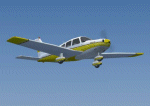
Twelve more "semi-photographic" Piper Archer repaints together with flight plans over Europe. All flights are VFR and take place between stock FS2004 airports with AI capability in Switzerland. The planes should only fly during daylight hours (per approx spring/autumn) and rest one whole day (24+ hrs) per week at a "home" airport. Aircraft fly with local reg for ATC in the following countries: Austria, Belgium, Croatia, Denmark, France, Germany, Greece, Ireland, The Netherlands, Norway, Portugal, Spain, Sweden, Switzerland the United Kingdom. Improved prop textures and animation.
See also AI_Piper_Euro_0.zip for more Archers with flight plans. Textures only; you must have the AI Piper Archer III by Pavel Toman, download details are in the readme.
| Filename: | Piper_Traffic_GA_Archer_Europe.zip |
| License: | Freeware |
| Added: | 20th February 2011, 21:05:55 |
| Downloads: | 755 |
| Author: | David Griffiths |
| Size: | 3.2 MB |
| Category: Prepar3D V1-4 - Utilities | |
| Flightplan Visualizer 1.13 |
|
Images related to this file:
File Description:
Flightplan Visualizer (FV) version 1.13.0. Copyright 2018-2019 by Pelle F. S. Liljendal ([email protected]), all rights reserved.
FV comes with 586 pre-imported Commercial AI flightplans (+380 BizJet flightplans are available as a separate download). However you are able to import additional (AI) flightplans yourself. Once imported these (AI) flightplans can be visualized on a map-view, and the user will be able to search accross all these. Hence you can use the program as inspiration as to which routes to fly. E.g. you can search across all imported flightplans to find all flights in an A321 flying into/out from LDDU, or simply to look for all flights in a Boeing 747-8F.
Simply run the included installer to install the software. The program will be installed into "C:\Program Files (x86)\Flightplan Visualizer" and all datafiles will be installed into: "C:\Users\[UserName]\AppData\Roaming\FlightplanVisualizer". The program comes with a full manual explaining everything, and a 3 page quick manual to get you started. The first 3 times you run the program the quick manual will automatically open. The forum is hosted here: https://forum.aerosoft.com/index.php?/forum/919-flightplan-visualizer/
Version 1.13 Contains the following changes: Flightplans can now be exported in AIFP/TrafficTool-format (the same format that FV is able to import). It means if you have made any changes to a flightplan (e.g. redirected some airports) the flightplan can be exported from FV, and imported into AIFP (AI Flight Planner, by Don Grovestine) where it can be compiled into an AI-traffic bgl-file (traffic "scenery"). A new setting called "Adjust flight-time on airport-redirect" have been added. This setting defaults to "false" (un-checked), however if changed to "true" (checked) the flight-time will be changed if/when departure/destination-airports are changed due to airport-redirections (both automatic and manually). The flight-time is the result of the difference between departure-/destination-time, hence if the flight-time is changed either- or both departure-/destination-time will change as well. The original flight-time is scaled based on the original- and the redirected distance between the departure/destination-airports. When importing/editing flightplans you can now select one or multiple aircraft and delete them. When deleting an aircraft all schedules attached to that aircraft will be deleted as well. One use of this feature could be to remove aircraft you don't have a AI aircraft, prior to exporting the flightplan in AIFP/TT-format, and loading it into AIFP. When importing/editing flightplans a "Similar" button will appear next to the flightplan name if a similar named flightplan exists (e.g. "same name", but different season), or other flighplans exists for the same airline (ICAO). Hoovering the mouse over this button will show the names of these flightplans as a tool-tip, and if you click the button the list will be shown in a window (with some additional information), from where it can be copied to the clipboard if you need to. On the Edit/Import-flightplan form, the Aircraft- and Airport tab-sheets have been swapped, and a new tab-sheet was added to list all routes of the flightplan. For each route the distance is listed along will all aircraft types of the flightplan servicing that route. The "Aircraft" tabsheet of the form to import/edit flightplans now contains a button called: "Fleet report". Pressing this button will generate a report showing the fleet of an airline (based on the flightplan), that is sorted by Aircraft type and registration. For each aircraft it will show a list of all the airports served by that particular aircraft. A "Word-wrap" check-box have been added to the Result-viewer to toggle word-wrap on/off (word-wrap defaults to "on"). In previous versions any changes made in the settings form resulted in all flightplans having to reload (while showing the splash-screen). Changing the path for MakeRunway-files still results in an automatic "reboot" of the program. The combo-box for choosing default direction (outbound/inbound/both) for the leg-search (on reset) have been removed from settings, and it now defaults to "Outbound or Inbound". However in the search legs form you can now save your own preferred "Reset" criteria. When you press the reset-button, it will load this Reset-file (with your preferred reset criteria). If you hold SHIFT while pressing the reset-button (or you have not saved a personal reset-file), it will reset to the default factory-criteria. In the traffic tabsheet of the airport info form there is a combo-box letting you switch between "Selected flightplan" or last-search on main-form" and "All flights to/from this airport". In previous versions it did not perform the search of flights to-/from- the viewed airport until you selected the 2nd item from the combo-box. Now this search is performed in the background as soon as the form is opened, hence choosing the 2nd item in the combo-box is now instantaneous. The "Nearby Airports" tab-sheet in the "Airport Info" form, now have a column listing direction (from the airport to the nearby airports). When listing number of runways and gates (e.g. in the form showing nearby airports, or in the redirection-report), the radius of the largest gate is now included, as there is no need to redirect any 747 traffic to an airport where the largest gate is 23m (a 747 requires a gate with a radius of at least 36m). The frequency-count was removed from the before mentioned listing of runways and gates, to make more room for listing the aircraft serving each airport. The search for airport browse now have a new optional column listing comments (e.g. length of longest rwy and largest gate). The "show" combo-box lets you choose to show comments in stead of "Size/Rank/Traffic" or "Hint-text". Opening the search airport browser from the import/edit flightplan form, will automatically choose to show the comments column, as information regarding rwy length/gate radius can be relevant when redirecting airports. Form "Nearby Airports" now show the GPS-position in the caption of the form. Added runway/gate summary to caption-bar of airport info form, so you no longer need to look at both the runway- and gate- tab-sheet in order to see: number of runways, longest runway, number of gates and largest rate (radius). New check-box added to settings allowing you to include the before mentioned runway/gate info in the airport marker tool-tip on the main map. Region/sub-region added to "Airport Info" form (top/left corner). A new setting (default to disabled) lets you add region/sub-region to the airport marker-hint on the map as well. Added a button to the "airport info" to show the airport at flightradar24 (opens the default browser), and the button on the leg info form to show route the route at flightaware (also using the browser) have been replicated on the route info form. The METAR-/TAF-buttons on the leg info form now shows the raw METAR/TAF-message - as a tool tip - when you hoover the mouse over the buttons. As before, when you press these buttons it will open a window showing the decoded messages. Various minor changes to the leg info form: added info regarding longest runway and largest gate for each airport, and re-positioned some of the fields. Likewise the info copied to the clipboard when you click the appropriate button have been re-ordered as well. Changed flightplan format to accommodate additional information, but the format remains backward compatible. Button added to about-box allowing the user to copy version-info to the clipboard. Managed to "shave off" approx ½ a second during start-up (on my pc). Not a lot but still an improvement :-) Fixed: In the form for importing/editing flightplans the leg-page showed the original distance even if the airports were redirected. Fixed: On leg info form "Dest.Country" and "Dest.Apt" column-order were swapped. Fixed: Tweaked aircraft type detecting to better detect 740-400 and 767-200/300 freighters. In previous versions a few aircrafts were wrongly detected as pax, when they should have been detected as freighter. Data: Airbus 330-800/900 Neo, Boeing 747-400LCF (Dreamlifter), and Embraer 175/190/195-E2 have been added as supported aircraft, and a few additional airlines and airports were added as well. Flightplans: Installer comes with +70 new pre-imported (Summer 2019) flightplans of which some are replacements of obsolete flightplans (from previous installers), and 2 of the "old" flightplans have been marked as defunct, as "Adria Airways" and "Aigle Azur" have filed for bankruptcy and ceased their operations. Flightplans: Among the added flightplans you will find the first flightplan I have made myself, a flightplan for Airbus Transport International covering their 5 Beluga's an 2 Beluga XL's (the latter 2 are stil performing test-flights and have yet to be implemented into their "normal schedule").
| Filename: | Flightplan_Visualizer_113.zip |
| License: | Freeware, limited distribution |
| Added: | 13th October 2019, 17:50:53 |
| Downloads: | 355 |
| Author: | Pelle Liljendal |
| Size: | 30.45 MB |
| Category: Flight Simulator 2004 - Scenery | |
| Warsaw City 2015 DEMO |
|
Images related to this file:
File Description:

WARSAW CITY 2015 DEMO is a sophisticated scenery package, featuring a detailed scenery of Warsaw city in Poland with surrounding airports, fully compatible with FS2004.
This product is a fully functional DEMO version of the commercial payware product. It features same layouts as in the full version but with limited 3D objects and low resolution textures. Using this free demo ensures no problems with online (VATSIM, IVAO, multiplayer etc.) flying in case some users use the payware scenery and some don't.
Warsaw is the capital and the largest city of Poland located on the Vistula (Wisla) River. Warsaw City 2015 gives you a possibility to fly over an extremely large area of Warsaw city. We have included a photoreal ground textures of about 5200 square km. The city centre has hundreds of custom buildings modeled, there are all VFR-important landmarks on the whole included area too. We have also created 13 variously detailed airports and heliports for the project: Modlin EPMO, Babice EPBC, Chrcynno/Nasielsk, Sobienie EPSJ, Goraszka EPGO, Konstancin-Jeziorna, Konstancin Heliport, Reczaje (lite), Kroczewo (lite), Trebki Nowe (lite), Wincentow 1 (lite), Wincentow 2 (lite), Zabia Wola (lite).
The product is equipped with an automatic installer, which means that the scenery will be automatically added to the Flight Simulator Scenery Library. Please uninstall all previous versions of similar sceneries you may have installed before. Please make also sure that no duplicate AFCAD files are installed.
Enjoy your virtual flying with Drzewiecki Design!
| Filename: | Warsaw_City_2015_DEMO.zip |
| License: | Commercial demo |
| Added: | 2nd September 2015, 22:23:02 |
| Downloads: | 931 |
| Author: | Drzewiecki Design |
| Size: | 23.41 MB |


© 2001-2026 AVSIM Online
All Rights Reserved
Privacy Policy |