
Where Flight Simulation Enthusiasts Gather from Around the World!
AVSIM Library - Search Results

| Category: Flight Simulator X - AFCAD Files | |
| CYZF - Yellowknife, NWT, Canada. |

|
File Description:
This airport was designed using the latest version of ADE (v1.45) and is made to replace the default FSX airport.
Yellowknife Airport (IATA: YZF, ICAO: CYZF) is located in Yellowknife, Northwest Territories, Canada. The airport is part of the National Airports System, and is operated by the government of the Northwest Territories. The airport has regular scheduled passenger service, and is also used as a forward operating base for the CF-188 Hornet. Yellowknife Airport is the busiest airport in Northern Canada. The Canadian Forces' CC-138 Twin Otter transport and utility aircraft are permanently based here, as 440 Squadron of 17 Wing Winnipeg.
| Filename: | CYZF__Yellowknife_NWT_Canada.zip |
| License: | Freeware |
| Added: | 5th November 2009, 02:16:48 |
| Downloads: | 5,612 |
| Author: | Robert Catherall |
| Size: | 948.97 KB |
| Category: Flight Simulator 2004 - Scenery | |
| Hellas Scenery Project (HSP) - All in One scenery package 1 of 2 |
|
Images related to this file:
File Description:
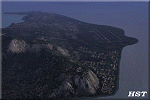
First of the two files needed. The package includes all freeware scenery created by the HSP team for Greece in FS9 up to June 2009. The package bundles all HSP released scenery in one pack which was necessary following the loss of several files after avsim's file library crash.
By using this scenery you do not need to download anything else from HSP. Included are detailed airport sceneries of LGAL Alexandroupolis, LGAV Athens Venizelos, LGIR Iraklion, LGKO Kos, LGMK Mikonos, LGSA Chania, LGSO Syros, LGSR Santorini as well as HSP base scenery with essential improvements to other airports and finally the detailed mesh terrain for all Hellenic territory.
| Filename: | Hellas_Scenery_Project_HSP__All_in_One_scenery_pac.zip |
| License: | Freeware, limited distribution |
| Added: | 20th May 2010, 13:12:04 |
| Downloads: | 165,061 |
| Author: | Hellas Scenery Team (HST) |
| Size: | 59.32 MB |
| Category: Flight Simulator 2004 - Scenery | |
| Hellas Scenery Project (HSP) - All in One scenery package 2 of 2 |
|
Images related to this file:
File Description:
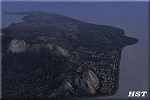
Second of the two files needed. The package includes all freeware scenery created by the HSP team for Greece in FS9 up to June 2009. The package bundles all HSP released scenery in one pack which was necessary following the loss of several files after avsim's file library crash.
By using this scenery you do not need to download anything else from HSP.
Included are detailed airport sceneries of LGAL Alexandroupolis, LGAV Athens Venizelos, LGIR Iraklion, LGKO Kos, LGMK Mikonos, LGSA Chania, LGSO Syros, LGSR Santorini as well as HSP base scenery with essential improvements to other airports and finally the detailed mesh terrain for all Hellenic territory.
| Filename: | Hellas_Scenery_Project_HSP__All_in_One_scenery_pac.zip |
| License: | Freeware, limited distribution |
| Added: | 20th May 2010, 13:14:10 |
| Downloads: | 155,869 |
| Author: | Hellas Scenery Team (HST) |
| Size: | 47.54 MB |
| Category: Flight Simulator 2002 - Utilities | |
| Royal Europe Airlines v1.1 Virtual Airlines Business Edition |
|
File Description:
A must have for all viritual commercial Pilots:
Royal Europe Airlines v1.1 Business Edition
Works with all flightsimulators!
Get a flight assignment at REA and see how many passengers you'll get this flight.
After gate arrival report at REA and log your flight.
Check out how much money you can make in a week by flying for Royal Europe Airlines.
Then look at the total profit of REA and see if you can improve it next week!(all data can be checked whenever you want)
New in v 1.1:
* Bugfixes
* Memmoryfix
* Clear documentation
* Multiple players
* A random number of passengers will fly with you each flight
* Each flight will now have ticketprices!
* REA finances including profit for this flight, fuelcosts, landingfee, etc..
* You can now enter a comment on your flight
* All data, wages, finances, flight, comments will be saved
* more.. (check it out)
Destination Airports:
Munich
Brussels
London Gatwick
Copenhagen
Berlin
London Heathrow
Paris
Maastricht Aachen Airport
Frankfurt
Zurich
Madrid
Dusseldorf
Salzburg
John F Kennedy New-York
Rome
(see documentation if you would like your personal airports in this game!).
* Viritual ticket prices (made from REAL ticket prices)
* Viritual passengers (more passengers more $$, less passengers, no good!!)
* Viritual money
* All saved, every time you fly. Total overview always availible...
tested on
WinXP home edition
1700MHz
256 mb memmory
64 MB 3dfx video
Min syst. requirements:
Win 98, 233 Mhz, 128 MB memmory, 16mb video
REA version 1.0 required
(to download you need REA version 1.0)
| Filename: | Royal_Europe_Airlines_v11_Virtual_Airlines_Busines.zip |
| License: | Freeware |
| Added: | 17th December 2002, 17:16:19 |
| Downloads: | 841 |
| Author: | M.Heuts |
| Size: | 341.76 KB |
| Category: Prepar3D V1-4 - Aircraft Repaints, Textures and Modifications | |
| Asiana Airlines 1998 AI Package |
|
File Description:
Asiana and Korean Air had full control of the Korean domestic market in 1998 as South Korea's only 2 scheduled airlines, making them appear at the vast majority of Korean airports. 737-500s were exiting the fleet, with only 3 remaining, and the first A321 had just come online. International routes were flown by 747-400 Combis or 767-300s, with several "tag on" routes onward from Seoul. Asiana served many commercial airports in Japan with 737-400s at the time, and is an important part of the Japanese traffic as well. The carrier had 2 737-500s and it's first A321 painted in a special "Experimental Color Scheme"(EC), and this is represented in the flightplans. One 737-500 also remained in a slightly different older livery dubbed as the "1994" colors, while the rest of the fleet had been modified to the "1998" colors. As a BONUS, ranmori has painted the 747-400, 747-400M and 737-400 in the 1994 livery for use with those flightplans, though there is no use for them in these 1998 plans. Repaints included for the FAIB 737-400, 737-500, 767-300, 747-400, and A321. All repaints were done by the very talented Ranmori Scythe, flightplans done by the not-so-talented Chasen Richardson. Part of the 1998 Flight Simulator Project. Follow us on Facebook at facebook.com/flightsim98 and on instagram as @bayviationsim. For more Retro AI, check out the forums at: http://retroai.proboards.com/
| Filename: | Asiana_Airlines_1998_AI_Package.zip |
| License: | Freeware, limited distribution |
| Added: | 21st November 2019, 19:17:55 |
| Downloads: | 235 |
| Author: | Ranmori Scythe, Chasen Richardson/Bayviation |
| Size: | 27.13 MB |
| Category: Flight Simulator 2004 - Miscellaneous Files | |
| Active Approach - LOWI (Innsbruck, Austria) |
|
File Description:
As most know the Approach and Final (VMC) for AI Traffic in FS9 is a straight in type landing and does not always consider high terrain at airports. This is do to the way that the coding is written in FS9 and it puts limits on IFR arriving aircraft. If you open runways at certain airports the AI Traffic will fly directly through a mountain once it is established on Final for a runway. What you will see with my file is a different type approach used for the way I control AI Traffic in FS9. No longer do the AI Planes use a straight in approach when landing at LOWI. My new AI Aircraft Approach coding for FS9 now uses a base leg approach so AI Traffic does not fly through the mountains. The Innsbruck Control Tower will clear all AI Traffic (IFR FP) landing either on 08 and 26 as a straight in landing even though the offset to final is 30 degrees from the runway center line. My testing shows excellent behavior of the FS9 default models, PAI models and the Aardvark planes of all sizes to execute this new type of visual approach. Read the text file for all the default enhancements added to LOWI along with a full understanding of how the new Approaches work *** Full set of Approach Charts included plus a FS2004 Default Scenery AFCAD ***
| Filename: | Active_Approach__LOWI_Innsbruck_Austria.zip |
| License: | Freeware, limited distribution |
| Added: | 10th April 2005, 05:16:39 |
| Downloads: | 9,147 |
| Author: | Jim Vile |
| Size: | 800.49 KB |
| Category: Prepar3D V1-4 - Utilities | |
| Flightplan Visualizer 1.11 |
|
Images related to this file:
File Description:
Flightplan Visualizer (FV) version 1.11.0. Copyright 2018-2019 by Pelle F. S. Liljendal ([email protected]), all rights reserved.
FV comes with 540 pre-imported Commercial AI flightplans (+380 BizJet flightplans are available as a separate download). However you are able to import additional (AI) flightplans yourself. Once imported these (AI) flightplans can be visualized on a map-view, and the user will be able to search accross all these. Hence you can use the program as inspiration as to which routes to fly. E.g. you can search across all imported flightplans to find all flights in an A321 flying into/out from LDDU, or simply to look for all flights in a Boeing 747-8F.
Simply run the included installer to install the software. The program will be installed into "C:\Program Files (x86)\Flightplan Visualizer" and all datafiles will be installed into: "C:\Users\[UserName]\AppData\Roaming\FlightplanVisualizer". The program comes with a full manual explaining everything, and a 3 page quick manual to get you started. The first 3 times you run the program the quick manual will automatically open. The forum is hosted here: https://forum.aerosoft.com/index.php?/forum/919-flightplan-visualizer/
Version 1.11 Contains the following changes: The file-format of the Flightplan-files was changed to accommodate some planed changes. The program remains backward compatible, so "old" flightplans can still be loaded. I wanted to implement these changes BEFORE I began importing new flightplans, to ensure these new/updated flightplans are all utilizing the new format. On startup the old flightplans will automatically be converted to the new format. The new installer now comes bundled with 540 commercial flightplans (schedules:22291, legs:699158) whereas the old one "only" contained 300 commercial flighplans (schedules:16786, legs:536198). All BizJet flightplans were removed from the installer and are now available as a separate download. A new settings-form have been added to eliminate the need to manually edit the settings-file using a text-editor. A new menu-item have been added which opens an explore window browsing the content of the UserData folder. Individual (disabled) flightplan-files can now be permanently deleted via the "Enable/disable flightplans" form. Flightplan sub-folders (with exception of "Disabled") can now be marked as "enabled" (using a check-box). Meaning that the flightplans in these will be also loaded on startup (along with the files in the root-folder). Using the "Enable/disable flightplans" form you can now both move and copy flightplans (based on the value of the radio-buttons). A creator-field have been added to flightplans, which can be entered when you import/edit a flightplan. The name of the creator is displayed as a tool tip when hoovering the mouse over the combo-box in the bottom of the main-form. When importing new Flightplans the program will try to grab creator and provider from the files bundled with the flightplan. Likewise a button is added to the import-form which list the content of the text-files (e.g. "ReadMe.txt"), in case you need to manually grab the creators name from this file. Both when importing- and editing flightplans a new column have been added to the airport list-view containing comments regarding airports that have been redirected (from one ICAO to another), or airports classified as pseudo-airports (in case the airport does not exists in the flightsim). The elevation-column from previous versions was removed to make more room for the comment-column. Added a new form to edit airport-redirections (redirect from one ICAO to another on import). In the airport-info form you can now switch between showing flights for the selected flightplan/last search and all flights to/from the airport being displayed. Added a new "Nearby Airports" tab-sheet to the Airport-info form, which shows a distance-sorted list of nearby airports. In the previous versions all new aircraft were automatically added to the selection of favorite aircraft. From version 1.11 you must manually choose which are your favorites (upgrading from a previous version, your current selection of favorites will NOT be changed). First letter of decoded-metar is now changed to uppercase, and a checkbox lets you decide if you want to perserve line-breaks in the decoded text copied to the clipboard. Switched position of "Save" and "Cancel" buttons in airport-info form, to match layout of other forms. Like elsewhere in the program, the airport search-browser now lists the icao-codes with an asterisk (*) for each airport that is a pseudo airport. Greatly improved the responsiveness/performance of the browser-forms, when searching for : Airports, Airlines and Aircraft. Managed to shave off a few 10th of a second loading/processing data at startup. Added support for additional Aircraft. Many of the Airports in the supplied data-files were updated likewise some new Airlines were added as well. Made the importer stronger to import flightplans where aircraft names are not in quotes, and multiweek days are written as "1/3" in stead of "10". Fixed: When manually redirecting an airport during import, the flightplan was not visualized corretly until re-loading the flightplan (e.g. restarting the program). Fixed: Closing the Enable/Disable-flightplan using other means than the close-button would not make the program re-load active flightplans afterwards. Fixed: Several of the combo-boxes on the airport-info form allowed text being entered into them. Fixed: Corrected an issue with map-caching.
Pelle
| Filename: | Flightplan_Visualizer_111.zip |
| License: | Freeware, limited distribution |
| Added: | 7th July 2019, 18:15:30 |
| Downloads: | 227 |
| Author: | Pelle Liljendal |
| Size: | 29.95 MB |
| Category: Prepar3D V1-4 - Scenery | |
| Grise Fiord Airport (CYGZ) N76.25.34 W82.54.36 |
|
File Description:
Grise Fiord Airport (CYGZ) N76.25.34 W82.54.36 is located in the Qikiqtaaluk Region of the territory of Nunavut, and is one of the northernmost inhabited settlements of Canada and the whole world. The scenario shows the airport infrastructure and the small town not far from the airport. This scenario goes to fill the absence of scenarios towards the North Pole. The airport is open only in the mei that go from August to October where it is practically possible to land considering also the proximity of mountains remains one of the most difficult and dangerous airports.
Within the downloaded package you will find readme files for scenery installation. Good fly VFR. Pasquale Marrulli.
| Filename: | Grise_Fiord_Airport_CYGZ_N762534_W825436.zip |
| License: | Freeware |
| Added: | 30th December 2017, 19:14:28 |
| Downloads: | 149 |
| Author: | Pasquale Marrulli |
| Size: | 2.97 KB |
| Category: X-Plane - Scenery | |
| BR MG SBPR - BH Carlos Prates Airport v1.0.0 |
|
Images related to this file:
File Description:

This is an X-Plane 11 and X-Plane 10 scenery package for Belo Horizonte's Carlos Prates Airport (ICAO: SBPR), which is one of the airports serving Belo Horizonte, Brazil. It includes corrected aprons, ramps, gates, taxiways, lighting system, city buildings, ortho-photoscenery for the airfield area, and (XP11 only) airport ground services (like push back). This scenery was tested and is operational (as of September 18, 2017) in "X-Plane 11.05 64 bit", Windows 10 Home. It was also tested and is also operational (as of September 18, 2017) in "X-Plane 10.51 64 bit", Windows 10 Home. Only the default X-Plane 11 libraries, by Laminar Research, are needed. No third party libraries are used.
| Filename: | BR_MG_SBPR__BH_Carlos_Prates_Airport_v100.zip |
| License: | Freeware |
| Added: | 19th September 2017, 14:49:10 |
| Downloads: | 63 |
| Author: | Rui Mesquita |
| Size: | 8.1 MB |
| Category: Prepar3D V1-4 - Aircraft Repaints, Textures and Modifications | |
| TAM Express 1998 AI Package |
|
File Description:
TAM Express was the regional subsidiary of TAM, operating a large fleet of Cessna Caravans connecting the major hubs with small cities across Brazil. The Caravans operated in full TAM colors and filled CGH and other busy airports while making multi-stop trips across the country of Brazil that sometimes went on for the better part of the day. The operation was so geographically vast that not all the networks are connected. Flightplans by Raphael Rodrigues, HTAI Cessna 208 texture by Jonathan Alba included. Part of the 1998 Flight Simulator Project. Follow us on Facebook at facebook.com/flightsim98 and on instagram as @bayviationsim. For more Retro AI, check out the forums at: http://retroai.proboards.com/
| Filename: | TAM_Express_1998_AI_Package.zip |
| License: | Freeware, limited distribution |
| Added: | 17th December 2019, 19:00:40 |
| Downloads: | 115 |
| Author: | Jonathan Alba, Raphael Rodrigues\Bayviation |
| Size: | 634.46 KB |


© 2001-2026 AVSIM Online
All Rights Reserved
Privacy Policy |