
Where Flight Simulation Enthusiasts Gather from Around the World!
AVSIM Library - Search Results

| Category: Flight Simulator X - Scenery | |
| US Navy Collection, with Flyable UAV |

|
Images related to this file:
File Description:

Unfortunately the Navy has cancelled or scaled down most fleet week celebrations around the nation. With this collection, you can stage your own!
Among the latest and hottest additions to the US Navy arsenal is the LCS. Two versions have been developed, the trimaran corvette by General Dynamics and Lockheed Martin's version, which promise to give a double black eye to Al Qaida, Somali pirates, or anyone else that opposes Freedom and Independence. Also are included in this package are the Arleigh-Burke class destroyer USS Fitzgerald, the Ticonderoga class cruiser Lake Champlain and two Oliver-Perry class frigates, FFG-58 Samuel B Roberts and FFG-60 Rodney M Davis. The centerpiece of the fleet is LHD-2 USS Essex and thanks to Arno's fantastic ModelConverterX, Essex is able to feature a highly detailed deck packed with 7 F-35b JSF, 6 MV-22 Osprey, 5 CH-53 and 2 Seahawks. Finally, SSN775 Texas, as part of the collection is available for patrol. All ships have landable decks, night lights and animation effects. Texas as a submarine is more of a boat, I believe, but it has navigation lights and wake effects.
I have also included another hot Navy addition, the RQ-8 fire Scout. There are two versions, a static RQ-8b lashed to the deck of Independence and an RQ-8c with the Flir Brite Star electro/optical turret which I have made flyable, largely for absence of deck space to place it as static.
Make no mistake that the Essex model is very resource intensive, with all it's polygons and what have you. The night lighting is stunning (imo) but seems to have an even heavier effect, you've been warned..
| Filename: | US_Navy_Collection_with_Flyable_UAV.zip |
| License: | Freeware, limited distribution |
| Added: | 19th October 2013, 20:27:36 |
| Downloads: | 1,288 |
| Author: | Rick Keller |
| Size: | 96.89 MB |
| Category: Flight Simulator X - Aircraft Repaints, Textures and Modifications | |
| FSX/P3D Seaboard World 707-345C 1968 |
|
Images related to this file:
File Description:
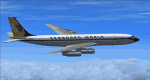
This is a repaint of the 707-345C in Seaboard World 1968 colors. The payware Captain Sim 707-300C is needed for this repaint. New York based, Seaboard & Western Airlines - an all cargo airline, was renamed Seaboard World Airlines on 26 April 1961. The "new" airline received the first of 6 CL-44 turboprops in August 1961. The CL-44 was the first modern airliner designed solely to carry freight. They were put into service after August 1961. By 1962, the Lockheed Constellations were all replaced, and Seaboard became an all-turbine-powered airline (with the exception of a solitary C-46 based in Europe). Two years later in 1964, Seaboard received their first pure jets in three DC-8-Fs. 1964 was the airline's best year ever, as profits jumped by 53%, and the future looked very bright. However, it was not to be. Seaboard was forced to compete over its routes with the freight capacity of the passenger airlines, which annually became more competent in the cargo field. Although they did have a bright spot in providing charters to the military, the air freight industry as a whole will eventually fail to achieve the traffic potential envisioned by "aviation experts". Nevertheless, Seaboard, with new jetliners at their disposal, went on and provided excellent service to its customers. They offered a wide range of cargo services to many points in Europe. Eventually, falling passenger charters and stiff competition took their toll. Seaboard was bought out in 1980 by the only real all-cargo success at the time - The Flying Tiger Line. Seaboard operated 2n 707-300Cs from 1968 to 1969. This aircraft, N7322S, was leased from VARIG in 1968. This repaint was tested on FSX-SE. It should work on FSX & P3D v1-3. Textures are DXT5 dds.
| Filename: | FSXP3D_Seaboard_World_707345C_1968.zip |
| License: | Freeware |
| Added: | 14th February 2019, 18:21:31 |
| Downloads: | 105 |
| Author: | Ted Giana |
| Size: | 3.97 MB |
| Category: Prepar3D V1-4 - Original Aircraft | |
| UV-4 V/STOL UAV (Experimental) |
|
Images related to this file:
File Description:
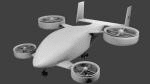
Created as a means to display the potential of a ducted fan rotorcraft powered by multiple electric motors. The system made its launch in 2015, since then advances and improvements have been completed to the airframe and power plant configurations. Delivering an efficient means of lift using smaller and therefore quieter propeller then traditional helicopters. The function of the ducted system serves as a mean of channeling pressure and vectoring thrust. Giving the UV-4 a unique control system and improved maneuverability. The design of a low speed "T-Tail" houses the function of yaw control with multiple rudders located on its vertical stabilizer, and elevators on its horizontal stabilizer. In addition the rear ducted systems may pivot up to less then sixty degrees forward and backwards to deliver the vector thrust where the aircraft needs it to be. The cargo bay may house up to four thousand pounds of deliverable payload. As its max gross take-off weight is designed to reach twelve thousand five hundred pounds. The electrical systems on the aircraft use a network of batteries, generators, and its two electrical motors. Proving five hundred horse power each, totaling an amount of one thousand horse power. An electrical charge then powers the mechanization used to spin the propeller to its desired rate per minute. Perhaps in the near future an additional system can be created to then generate electrical charges created by the spinning propeller of inside the duct back into the aircraft to then power systems or recharge the battery. We forward to providing this aircraft on Microsoft Flight Simulator X, Lockheed-Martin Prepar3d, and X-Plane 10 for download by the end of 2016. Aircraft by Rob Gomez & Kris Pyatt
| Filename: | UV4_VSTOL_UAV_Experimental.zip |
| License: | Commercial demo |
| Added: | 22nd January 2017, 04:10:41 |
| Downloads: | 184 |
| Author: | Rob Gomez & Kris Pyatt |
| Size: | 8.13 MB |
| Category: Flight Simulator 2004 - Scenery | |
| Edson CYET in Alberta, Canada |
|
Images related to this file:
File Description:
Edson is 120 miles west of Edmonton in Alberta, on Highway 16. It was originally named Heatherwood, but that was changed to honour the vice president of the Grand Trunk Pacific Railway when it was made the local railway centre. It thrived, and when Highway 16 was upgraded it thrived even more. Coal mining and industry connected with timber are the main employers of a population of around 8,500. The airport is at the western edge of the town at 3,041 feet asl, with a single lit runway 6,000 feet long and 100 feet wide aligned 07-25, with displaced thresholds and VASI at each end. The two joined aprons are at the eastern end of the airfield, with fire fighting chemical tanks beside the western one which is reserved in the summer months for the Lockheed Electra Air Spray planes; these are included in the AI. The eastern apron is for visiting charters and GA planes, next to a small terminal building. There is further parking on the grass for resident planes next to a large gravel car parking area and clubhouse. As the Air Spray planes would not be fighting fires in the winter there are in fact two editions of the AI, one for the summer fire fighting season and the other for the winter freeze. Use whichever one is appropriate for your flight time; I never strayed far from Ottawa in the winter so for me it is the summer one only. While making this I came across something new in the shape of some incorrectly installed edge lights in the stock fs9 version that refused to be deleted. There is still an "Edson TOP" folder which would normally be used to delete all unwanted taxiway edge lights, but in this case it deletes only some of them. Apologies, but there is nothing more that I can do and so I suggest you use this in daylight only.
| Filename: | Edson_CYET_in_Alberta_Canada.zip |
| License: | Freeware, limited distribution |
| Added: | 10th February 2019, 23:59:04 |
| Downloads: | 147 |
| Author: | Roger Wensley |
| Size: | 7.14 MB |
| Category: Flight Simulator X - Original Aircraft | |
| Project Opensky Boeing 747-100v4 Native Conversion Base package for FSX/P3D |
|
Images related to this file:
File Description:
The Project Opensky Boeing 747100V4 Native Conversion for FSX/P3D is the first of the initial release of the POSKY 747V4 Classic Series, and it is a new conversion of the old top-hit freeware add-on aircraft series that is known to the Flight Simulation Community since FS2002, FS2004, and onwards to FSX and has been loved by thousands of Flight-simmers across the world because of its simple-but-great model, and completely free of charge.
But with newer flight simulators on the line under the ESP Flight Simulator Type such as Lockheed Martin Prepar3DV4 and V5,
the Project Opensky Boeing 747V4 Classic Series (which was only made for FS9) were slowly falling behind and couldn’t keep up
with the current flight simulators today.
And now, for the first time in 2020; this conversion has surfaced to the public and in the eyes of the flight simulation community. Destined to fly in the current flight simulators of today like FSX, FSX: Steam Edition, Prepar3D V1 to V4 and Prepar3D V5, this classic freeware had continued to live on into the new era, bringing nostalgia not only just to those who flown it before in FS2004, but also for a new generation who can relive classic scenes of the Jumbo Jet’s illustrious history through this iconic freeware add-on aircraft series in today’s flight simulator platforms. And the permission to convert the models was acquired from the developer who was the mind of the POSKY 747V4 Classic Series: Hiroshi Igami. And he gave our conversion team the green light to do so. Leading to this conversion to surface in the public for the first time.
Follow the instructions in the Readme txt file. And read the documentation for more info and the credits on this base package.
If you have any questions/comments or any problems while installing this base package, feel free to contact me on [email protected]
| Filename: | Project_Opensky_Boeing_747100v4_Native_Conversion_.zip |
| License: | Freeware, limited distribution |
| Added: | 29th September 2020, 21:47:40 |
| Downloads: | 1,183 |
| Author: | Carl Lyndon F. Nepomuceno / Project Opensky |
| Size: | 22.86 MB |
| Category: Prepar3D V5 - Original Aircraft | |
| Prepar3Dv4/v5 POSKY Boeing 747SPv4 PBR Conversion Base package |
|
Images related to this file:
File Description:
The Project Opensky Boeing 747V4 Classic Series PBR Native Conversion for P3DV4 and V5 is a newly updated conversion of the old top-hit freeware add-on aircraft series that is known to the Flight Simulation Community since FS2002, FS2004, and onwards to FSX and has been loved by thousands of Flight-simmers across the world because of its simple-but-great model, and completely free of charge. But with newer flight simulators on the line under the ESP Flight Simulator Type such as Lockheed Martin Prepar3DV4 and V5, the Project Opensky Boeing 747V4 Classic Series (which was only made for FS9) were slowly falling behind and couldn’t keep up with the current flight simulators today. And now, for the first time in 2022; this newly-updated conversion has surfaced to the public and in the eyes of the flight simulation community. Destined to fly in the current flight simulators of today like Prepar3D V4 and Prepar3D V5, this classic freeware had continued to live on into the new era, bringing nostalgia not only just to those who flown it before in FS2004, but also for a new generation who can relive classic scenes of the Jumbo Jet’s illustrious history through this iconic freeware add-on aircraft series in today’s flight simulator platforms. It finally received an all new makeover! And the permission to convert the models was acquired from the developer who was the mind of the POSKY 747V4 Classic Series: Hiroshi Igami. And he gave our conversion team the green light to do so. Leading to this conversion to surface in the public for the first time. Follow the instructions in the Readme txt file. And read the documentation for more info and the credits on this base package. If you have any questions/comments or any problems while installing this base package, feel free to contact me.
| Filename: | Prepar3Dv4v5_POSKY_Boeing_747SPv4_PBR_Conversion_B.zip |
| License: | Freeware |
| Added: | 1st July 2022, 18:35:03 |
| Downloads: | 441 |
| Author: | Carl Lyndon F. Nepomuceno / Project Opensky |
| Size: | 37.26 MB |
| Category: Prepar3D V5 - Original Aircraft | |
| Prepar3Dv4/v5 POSKY Boeing 747-100v4 PBR Conversion Base package |
|
Images related to this file:
File Description:
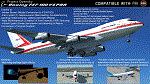
The Project Opensky Boeing 747V4 Classic Series PBR Native Conversion for P3DV4 and V5 is a newly updated conversion of the old top-hit freeware
add-on aircraft series that is known to the Flight Simulation Community since FS2002, FS2004, and onwards to FSX
and has been loved by thousands of Flight-simmers across the world because of its simple-but-great model,
and completely free of charge.
But with newer flight simulators on the line under the ESP Flight Simulator Type such as Lockheed Martin Prepar3DV4 and V5,
the Project Opensky Boeing 747V4 Classic Series (which was only made for FS9) were slowly falling behind and couldn’t keep up
with the current flight simulators today.
And now, for the first time in 2022; this newly-updated conversion has surfaced to the public and in the eyes of the flight
simulation community. Destined to fly in the current flight simulators of today like Prepar3D V4 and Prepar3D V5,
this classic freeware had continued to live on into the new era, bringing nostalgia not only just to those who flown it before in FS2004,
but also for a new generation who can relive classic scenes of the Jumbo Jet’s illustrious history through this iconic freeware add-on
aircraft series in today’s flight simulator platforms. It finally received an all new makeover!
And the permission to convert the models was acquired from
the developer who was the mind of the POSKY 747V4 Classic Series: Hiroshi Igami. And he gave our conversion team the green light to
do so. Leading to this conversion to surface in the public for the first time.
Follow the instructions in the Readme txt file. And read the documentation for more info and the credits on this base package. If you have any questions/comments or any problems while installing this base package, feel free to contact me.
| Filename: | Prepar3Dv4v5_POSKY_Boeing_747100v4_PBR_Conversion_.zip |
| License: | Freeware |
| Added: | 31st December 2021, 16:36:37 |
| Downloads: | 935 |
| Author: | Carl Lyndon F. Nepomuceno / Project Opensky |
| Size: | 30.8 MB |
| Category: Flight Simulator X - Original Aircraft | |
| AN-22 Antheus Mastered |
|
Images related to this file:
File Description:

THIS IS MY FINAL AN-22 VERSION: Unveiled to the West in 1965, the Antonov An-22 was the world's largest aircraft, until the advent of the Lockheed C-5A Galaxy. Powered by 4 contra-rotating turboprops, the design remains the world's largest turboprop-powered airplane. The An-22 was originally built for the Soviet Air Force and Aeroflot, the state airline. A total of 68 aircraft were built during 1965-1975, from which 2 never flew, 19 have been preserved, and 33 removed from service. Currently only 7 are in service. Six of them are used by the Russian Air Force and one (UR-09307) belongs to Antonov Design Bureau, used for civil needs, and operates out of UKKM. The AN-22 is designed to carry heavy loads of 80 tonnes over a 3,000 nm range at high speed and moderate altitude. The civilian model is used for long and medium range flights with updated avionics and flight controls. The wing has a forward and rear sweep effect with a low taper ratio and moderate wing area for it's size. The tail includes twin vertical fins that help maintain stability. The engines are constant speed turboprops that include 2 four bladed contra-rotating props with auto-pitch, and this gives her a thrust rating of 15,211 shp and a fuel efficiency of .353 lb/hp/hr. The cargo area is 14 ft high and wide, and 108 ft long. All fuel is contained within the wings and in the upper fuselage (7 tanks). She has 12 wheels that carry most of the weight, and two steering wheels located behind the crew cabin. Cargo is loaded through the rear loading ramp. The cockpit is located high, as well as the crew quarters. Additional passengers (when present) are seated below the cockpit forward. Original Design and Textures by: Enrique Del Rosario; Sound by: Aaron R. Swindle; Panel by: Marco Spada; Auto Smoke Effects by Richard Wisman; Engine/Aero Dynamics, effects and data by: Douglas E. Trapp. Please Read the Readme AN22.txt file before operations.
| Filename: | AN22_Antheus_Mastered.zip |
| License: | Freeware |
| Added: | 19th August 2018, 01:44:48 |
| Downloads: | 1,289 |
| Author: | Douglas E. Trapp |
| Size: | 4.62 MB |
| Category: Prepar3D V1-4 - Utilities | |
| Flightplan Visualizer 1.15 |
|
Images related to this file:
File Description:
Flightplan Visualizer (FV) version 1.15.0. Copyright 2018-2020 by Pelle F. S. Liljendal ([email protected]), all rights reserved.
FV comes with 738 pre-imported Commercial AI flightplans (+380 BizJet flightplans are available as a separate download). However you are able to import additional (AI) flightplans yourself. Once imported these (AI) flightplans can be visualized on a map-view, and the user will be able to search accross all these. Hence you can use the program as inspiration as to which routes to fly. E.g. you can search across all imported flightplans to find all flights in an A321 flying into/out from LDDU, or simply to look for all flights in a Boeing 747-8F.
Simply run the included installer to install the software. The program will be installed into "C:\Program Files (x86)\Flightplan Visualizer" and all datafiles will be installed into: "C:\Users\[UserName]\AppData\Roaming\FlightplanVisualizer". The program comes with a full manual explaining everything, and a 3 page quick manual to get you started. The first 3 times you run the program the quick manual will automatically open. The forum is hosted here: https://forum.aerosoft.com/index.php?/forum/919-flightplan-visualizer/
Version 1.15 Contains the following changes:
- As a first, you can now import flightplans even if one or more aircraft-types cannot be automatically detected during import. These will instead be assigned to a dummy-type during import, however you need to manually assign substitute aircraft-type(s) before being able to save the imported flightplan. If/when the program gets support for the aircraft-type(s) that were missing during import, the substitute aircraft-types can either be re-detected manually or by using the "Re-process aircraft/airport-redirects" menu-item.
- Added a combo-box that can be used to filter the flightplans that are shown in the flightplan combo-box on the main-form (e.g. enter "west" to see only flightplans containing "west" in the name). Hovering the mouse over this new filter combo-box will show examples of the more complex filters (e.g. filter by provider, author, season, year, and so on).
- In version 1.14 user-airlines were added, and these could be accessed via a menu-item on the main-form. However in version 1.15 you can now also add user-airlines from the import-flightplan form, so you don't have to abort a pending import, and go to the main form in case you find you are missing a user-airline.
- Added MRU-lists (Most Recent Used) to the browser-forms used to search for: Airport, Aircraft and Airline. The text-edit in the top of these forms have been replaced by a combo-box holding up to 20 items (in chronological order, with the most recent at the top).
- Added a new chart to the Airport Info form showing: "Daily flights per international/domestic/same state".
- Added Utilization-pct to the fleet report (both total for the entire fleet, and per aircraft). The Utilization-pct is also visible for the displayed schedule (for a single aircraft) in the Leg-Info form. This value tells the pct of time the aircraft spends servicing the schedule (the remaining time the aircraft "sits at the gate", including the time spend loading/unloading passenger and cargo, loading fuel, being serviced by ground-crew and what not).
- On the main-form, renamed menu-item "Re-process airport-redirects" into "Re-process flightplans".
- Distance from selected airport to mouse-position on main-map moved from the bottom of the form to the upper/right-corner of the form (where info of selected airport is listed).
- Using the (right-click) context-menu on the main-form airports can now be toggled (on/off) as being favorites.
- A few minor changes were made to the default leg search criteria. If you have saved your own default, you should go to the leg search form, press-and-hold SHIFT while clicking the "Reset" button (to reset to "factory default"), then set the criteria to your perferences, and finally press the "Save Reset" button to re-save your preferences.
- Added MRU-list (Most Recent Used) to fuel-density combo-box on Unit Conversion form. If empty, the list will be preloaded with the values 0.7850 (old default), 0.8040 (often used as a standard for Jet-A), 0.8200 (often used as a standard for Jet-A1). The user is still able to enter another value.
- The values used in the unit-conversion form are saved with the settings file, so each time you open the form will contain the values entered last time you used the form.
- Tweaked the method for calculated flight-time. In previous version the same parameters were used for calculating flight-time for all flights. Now these parameters are dependant on distance, resulting in calculated flight times that are closer to those used in the flight-plans (based on statistic-data from +700.000 AI flights).
- Some of the aircraft have been marked as "Retro", and in settings you can choose to exclude the "Retro" (they are enabled by default).
- Improved (Boeing) aircraft-type detection when importing flightplans using non-standard naming, such as "B744F" in stead of "747-400F" or "B736" in stead of "737-600".
- Updated all libraries in use to the latest versions, and addressed some minor issues with the map.
- Fixed: Newer versions of MyRwy are outputting airport elevation as a floating point value (e.g. "629.92") whereas older versions were outputting it as an integer value (e.g. "630"). In previous versions of FV the floating point value "629.92" was wrongly read as an elevation of 62992 ft. The program can now both handle floating point and integer values, hence can be used with both old- and new versions of MkRwy.
- Fixed: When adding new user-airlines in version 1.14, callsign was being set to the name of the airline, in stead of the entered callsign. If you added any user-airlines in version 1.14, you should edit these with version 1.15, and set the callsigns again.
- Fixed: If a Leg search was active (combo-box in bottom of main-form showing "[Last Search]") and all flightplans were disabled in "Enable/Disable -flightplans" the program would shut-down with an exception.
- Fixed: The list of the airline-codes (gate-tab on Airline-Info form) started with a comma, however comma should only be used to separate the items when multiple airline-codes were associated with the same gate (3rd party scenery only).
- Fixed: In some cases the cruise-speed was not shown correctly in the Aircraft search form.
- Fixed: Some of the menu-items for launching the (YouTube) tutorial-videos were missing the tool-tip text ("Hold SHIFT to copy url to clipboard").
- Fixed: About-box can now be closed with ESC, like most other forms.
- Fixed: potential issue reading xml-data, perhaps with a the benefit of a slightly better performance.
- Data: Added support for flightplans using "retro" aircraft types such as: Aerospatiale SE-210 Caravelle, British Aerosapce ATP/BAC One Eleven, Concorde, DC-3, DC-4, DC-6, DC-8, De Havilland Comet, Fokker F28, Hawker Siddeley HS 121 Trident, Ilyushin Il-18/20/22/24/86, Lockheed Constellation/L-188 Electra, Shorts SC-5, Tupolev TU-134, Vickers VC10/Viscount, and thanks to user Aucery Lockheed 1011.
- Data: Support for additional aircraft-types added as well: BN-2A Trislander, CASA C-212/C-235, CubCrafters XCub, DHC-2 Beaver/Turbo-Beaver, DHC-3 Otter, DHC-5 Buffalo, Diamond DA-42/62, Extra EA-300, Honda HA-420, ICON A5, NAMC YS-11, Mooney, Mudry CAP 10, Pilatus PC-6/PC-24, Piper Cub/Super Cub, Robin DR-300/400, Shorts SC-7, Tecnam P2012/P2006T
- Data: Some of the aircraft-types, for which multiple ICAO/IATA-codes exists, were split into two (one for Pax and one for Freight), e.g. Convair 580, DC-9-10/30/40, and Il-96. As a result you should execute "Re-process flightplans" (found in the "Flightplan" menu), and "Re-detect all" aircraft.
- Data: A few missing aircraft IATA/ICAO codes were added, and some "behind the screen" data for multiple aircraft were updated as well.
- Data: A few Airlines were added/updated (a big THANK YOU to Bruce Nicholson for the assistance keeping these data up-to-date).
- Flightplans: The good people over at AIG (Alpha India Group) have once again been VERY busy since the last release, hence the installer comes with 298 new/updated pre-imported flightplans, bringing the total of flightplans bundled with the installer to 738.
- Flightplans: A few flightplans were bundled with the program in duplicates (2 slightly different names, or 2 different seasons). These duplicates have been marked as obsolete, and have been removed from the installer. Using the "Select all obsolete flightplans" menu-item in "Enable/disable-flightplans" you can mark these flightplans and move them to the "Disabled" folder, from where they can be deleted.
Pelle
| Filename: | Flightplan_Visualizer_115.zip |
| License: | Freeware, limited distribution |
| Added: | 20th March 2020, 17:08:52 |
| Downloads: | 377 |
| Author: | Pelle Liljendal |
| Size: | 28.9 MB |
| Category: Prepar3D V1-4 - Flight Plans | |
| CargoJet Flight Plans |
|
File Description:
Attached is an Excel Flight Planner including recent (Jan/Feb 2019) scheduled flight plans for CargoJet for use with the CaptainSim 757-III Freighter expansion.
A couple of weeks ago, I made two CargoJet liveries for the CS 757-III Freighter, available at Avsim:
https://library.avsim.net/esearch.php?DLID=&Name=&FileName=&Author=meier&CatID=p3dacrp
To use these files, copy the attached .rt files to your Captain Sim route directory:
*\Lockheed Martin\Prepar3D v4\Captain_Sim\757-III\Routes\
These accompanying route files (60+) DO NOT include any SID or STAR data, nor do they include any performance information (cargo/fuel weights)...I've intentionally tried to keep these files customizable with any ATC program you may be using.
The Excel spreadsheet use should be pretty straight forward (it was designed using MS Excel 2019...you'll need MS Excel 2013 or newer for the macros to work correctly).
The spreadsheet will open to a worksheet containing CargoJet's current, scheduled route network. From this worksheet, simply select a departure location from the buttons on the world map.
Once a departure location is selected, a second "Flight Planning" worksheet will open with a UserForm Box directing you to select an airport destination based upon your selected departure location.
The UserForm box is pre-populated only with current destinations from that departure airport (based upon current CargoJet Jan/Feb 2019 schedules obtained from online flight tracking data).
I've included a weather snapshot download from each of the departure and destination airports into the flight planning worksheet.
I have not yet included enroute weather information...that may come in a "V2" of this flight planner.
As I have not yet included enroute weather information, flight fuel calculations/fuel burn are only approximate for now. Down the road, I may also include calculations for derate temperatures...that will take considerable more work.
I think this Flight Planner is a pretty good version 1 for sharing. In the absence of a website dedicated to a "CargoJet Virtual Airline", I thought this Excel spreadsheet and accompanying flight plans may be of benefit to anyone who might enjoy flying the CS757-III Freighter expansion with CargoJet livery.
Personally, I was fortunate to already have the full compliment of SimAddon airports (Canada wide) which makes for enhanced enjoyment of the CaptainSim 757-III add-on and this flight planning spreadsheet. (That statement wasn't intended as a promotion for people to go out and buy the SimAddons software!!!)
I haven't had a chance to test all the flight plans yet...I'm hoping I haven't made any errors!
Anyhow, I hope this spreadsheet and flight plans can be of benefit to others.
Feedback always appreciated!
Rob
February 15, 2019
| Filename: | CargoJet_Flight_Plans.zip |
| License: | Freeware |
| Added: | 16th February 2019, 22:00:12 |
| Downloads: | 169 |
| Author: | Rob Meier |
| Size: | 1.93 MB |


© 2001-2026 AVSIM Online
All Rights Reserved
Privacy Policy |