
Where Flight Simulation Enthusiasts Gather from Around the World!
AVSIM Library - Search Results

| Category: Flight Simulator X - AFCAD Files | |
| Vliet Airport (6NJ1), NJ |

|
File Description:
Located 02 miles SE of Washington, New Jersey, Vliet Airport is a private turf field. Trees border the runway on three sides, and a dirt mound and semi-truck are also obstacles to watch out for at the end of Runway 06 if you land long. At 1300' feet, it is a very short runway so make sure you check the capabilities of your aircraft before attempting to either land or take off here! Don't forget that in order to clear trees, usable runway space is closer to only 1000'. This airport has no lighting so daytime VFR operations only are recommended. Take note that there is also no wind sock, so be sure you are aware of the weather conditions prior to arriving/departing. There is also no hard-surfaced runway and you will be landing on terrain so it's suggested you have your mesh resolution slider as high as possible.
Scenery constructed with use of satellite images/streetview/aerial photos - the author has not been there in person.
This scenery is meant to be used in conjunction with MegaScenery Earth New York 007. It is not required, but apron use is minimized to allow satellite scenery to show through as much as possible, and objects are placed based on the MSE textures - lack of it may make scenery look out of place.
| Filename: | Vliet_Airport_6NJ1_NJ.zip |
| License: | Freeware |
| Added: | 8th February 2011, 23:20:47 |
| Downloads: | 182 |
| Author: | Drew Sikora |
| Size: | 375.28 KB |
| Category: Flight Simulator X - AFCAD Files | |
| Wide Sky Airpark Airport (JY31), NJ |
|
File Description:
Located 03 miles NW of Bridgeton, New Jersey on 23 acres of land, Wide Sky Airpark Airport is a private turf field 2550' in length. There is no fuel available, but there is tiedown space by the main hangar in the middle of the field to the west. You can start in the parking spot there if you have a plane with 40' or less wingspan (collision with static aircraft is disabled so you can put a bigger plane there if you wish with no trouble). The windsock is not lit at night and is located atop the south end of then main hangar's roof. The field is hedged in to the east with bushes but they do not cause aircraft collisions. The runway is lit for night VFR operations. There is no hard surfaced runway so set your terrain mesh settings as high as possible to enjoy rolling around on bare bumpy terrain.
Scenery constructed with use of satellite images/streetview/aerial photos - the author has not been there in person.
This scenery is meant to be used in conjunction with MegaScenery Earth New Jersey/Delaware 004. It is not required, but apron use is minimized to allow satellite scenery to show through as much as possible, and objects are placed based on the MSE textures - lack of it may make scenery look out of place.
| Filename: | Wide_Sky_Airpark_Airport_JY31_NJ.zip |
| License: | Freeware |
| Added: | 10th May 2011, 13:40:36 |
| Downloads: | 157 |
| Author: | Drew Sikora |
| Size: | 1.27 MB |
| Category: Flight Simulator X - AFCAD Files | |
| Trenton-Robbinsville Airport (N87), NJ v1.1 |
|
File Description:
Located 01 miles E of Robbinsville, New Jersey on 139 acres of land, Trenton-Robbinsville Airport is a public asphalt strip 4275' in length. Airport improvements over stock include non-precision runway markings added, PAPI lights placed accurately and glide slopes adjusted, segment circle rendered and all parking locations placed. If a parking spot is labeled RAMP_GA it is occupied or blocked by a static scenery object and should not be selected by the user. (All static scenery by parking locations has collision disabled). All tiedown locations are RAMP_GA_SMALL that can accommodate planes with wingspans up to 40 feet. There is hangar parking, noted by a DOCK_GA parking identifier, that can handle aircraft with wingspans up to 60 feet. Fuel is available by stopping next to the fuel tank in the middle of the tarmac area. Windsock (wind tee within seg circle) is out of service indefinitely. Scenery constructed with use of satellite images/streetview/aerial photos - the author has not been there in person. This scenery is meant to be used in conjunction with MegaScenery Earth New Jersey/Delaware 002. It is not required, but apron use is minimized to allow satellite scenery to show through as much as possible, and objects are placed based on the MSE textures - lack of it may make scenery look out of place.
| Filename: | TrentonRobbinsville_Airport_N87_NJ_v11.zip |
| License: | Freeware |
| Added: | 17th July 2011, 02:18:52 |
| Downloads: | 208 |
| Author: | Drew Sikora |
| Size: | 965.92 KB |
| Category: Flight Simulator 2004 - Scenery | |
| Nicholson Peninsula CWNP & Liverpool Bay CWLB DEW sites in Northwest Territories, Canada |
|
Images related to this file:
File Description:
These are DEW line sites in northern mainland Canada, to the east of Tuktoyaktuk.
Nicholson Peninsula is 100 miles east of Tuktoyaktuk and was not included in FS9. The peninsula is sometimes more like an island than a peninsula as it is barely connected to the mainland and at times is not connected at all (see the current Gogle Earth!). At the northern end there is another long and narrow gravel bar that is formed by the tide and currents and the gravel runway is on the top of this. It is now officially closed, but is still usable. The annual refuelling and maintenance to the NSW station up on the hills is carried out from a barge that lands tanker trucks onto the shore for the drive up the existing gravel roads that have been there since the early DEW station was established.
Liverpool Bay is 50 miles east of Tuktoyaktuk, up on higher land at around 300 feet ASL. The NWS (there was no previous DEW station at this site) is serviced by helicopter from Tuktoyaktuk or from a barge a mile away on the beach. There is a gravel landing pad on the north side of the station. To answer your question, the three little houses on stilts are actually fuel tanks for the generators, shaped to shed snow.
| Filename: | Nicholson_Peninsula_CWNP__Liverpool_Bay_CWLB_DEW_s.zip |
| License: | Freeware, limited distribution |
| Added: | 17th July 2012, 18:55:24 |
| Downloads: | 236 |
| Author: | Roger Wensley |
| Size: | 1.84 MB |
| Category: X-Plane - Scenery | |
| WPDL Dili International Airport v1.0.0 |
|
Images related to this file:
File Description:

This is an X-Plane 11 scenery for Presidente Nicolau Lobato International Airport (WPDL/DIL) in Dili, East Timor (Timor Leste). This airport may serve as a stopover for flights between Java and Papua, for the Susi Air scenery package. Susi Air is pictured in the 2014 TV mini-series "Worst Place to be a Pilot", that follows the highs and lows in the lives of the young British pilots who work for Susi Air, as they fly and land their planes in some of the most breath-taking, remote and dangerous locations on earth. For more info, search for "Worst Place to be a Pilot" in YouTube. This scenery was tested and is operational (as of January 16, 2017) in "X-Plane 11 Public Beta #6 64 bit", Windows 10 Home. It was also tested and is operational (as of January 16, 2017) in "X-Plane 10.51 Public Beta #3 64 bit", Windows 10 Home. In XP10, you may have a scenery error message saying the sceney may not look correct. This is due to one file used from XP11 native library. If you see this message, just ignore it, bypassing it by clicking "understood". The scenery will load and will be operational in XP10 users (as a courtesy), despite being created natively for XP11 users.
| Filename: | WPDL_Dili_International_Airport_v100.zip |
| License: | Freeware |
| Added: | 17th January 2017, 02:52:15 |
| Downloads: | 110 |
| Author: | Rui Mesquita |
| Size: | 4.38 MB |
| Category: Flight Simulator X - AFCAD Files | |
| ZSGS - Zhuhai Janwan Airport - Zhuhai, China |
|
File Description:
The Zhuhai Sanzao airport (ZGSD/ZUH, China), close to Macao, was built on request of someone who found it included in the FMC of PMDGs 737NGX, but missed in FSX. I used ADE and the Google based old version 2 of Plan-G (thanks to both authors) and some charts being available in the internet. However, it is equipped with standard buildings which are roughly adapted to the real dimensions well. Lighting, windsocks, taxisigns and moving jetways. Of course I added both ILS as well. There is a big exhibition apron on the airport which is modeled but blocked for AI traffic. You will see the lines of the taxiways nevertheless. The latest temporary chart (Nov 2012) shows a third apron which is not realised and I'm not planning to do so (obviously the whole site is still under construction).
As being built on a FSX island (which is now a peninsula) and default coast lines not fitting to the real position of the airport (Rwy05 was hanging in the water) I decided to compromise in a way that I corrected the area in the vicinity of the airport but respected the remaining part as it was in the default scenery. The attached pictures should give an impression even if I'm not using the pure default scenery. Therefore this little patch should be compatible to advanced mesh sceneries.
| Filename: | ZSGS___Zhuhai_Janwan_Airport__Zhuhai_China.zip |
| License: | Freeware |
| Added: | 2nd May 2013, 07:56:18 |
| Downloads: | 684 |
| Author: | Axel Birsul |
| Size: | 614.11 KB |
| Category: Navigation and ATC - Navigation | |
| Papua New Guinea charts for FSMMM |
|
Images related to this file:
File Description:
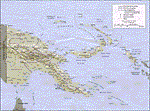
Re-upload. What these are: calibration files for use with Rana Hossain's freeware program FSM Moving Map (FSMMM) and the PNG Charts hosted by the AVSIM file library. What these are not: the charts themselves. In order to use the charts, you will need to download three additional files, which are much larger than this one: png_charts_1.zip (35mb), png_charts_2.zip (35mb), and png_charts_3.zip (36mb). Why not package everything together? To minimize file size. The original image files, which are quite large, were uploaded to AVSIM and calibrated for the payware program FSMap by David Wilson-Okamura. Within a few days, downloaders started asking how to use the charts with the freeware program FSMMM. New charts (which are quite large to store and download) weren't needed, just new calibration files (which are quite small). These were created by TERRY CARR, who is the hero of this download. To use the charts with FSMMM, first download all four of the files listed here, including this one. You don't need to download FSMMM again if you already have that installed.) Unzip all of them into the folder where you keep your FSMMM charts. Then run FSMMM and use the mass import feature. If you don't know how to do that, please read the manual or, if that doesn't help, Google is your friend.
| Filename: | Papua_New_Guinea_charts_for_FSMMM.zip |
| License: | Freeware |
| Added: | 5th June 2010, 05:21:06 |
| Downloads: | 542 |
| Author: | Terry Carr, David Wilson-Okamura |
| Size: | 11.97 KB |
| Category: Orbiter - Miscellaneous Files | |
| Venus Atmosphere and Surface Enhancement 1.0 |
|
File Description:
This addon gives Venus a facelift. As it stands in the current Venus in Orbiter, there is no actual clouds on the planet. In fact, the clouds are actually painted on the surface! If you ever wanted to fly a space probe to explore the surface of Venus, you would be dissapointed. It looks bland with no clouds (in fact, you get perpetual sunshine and clear, stary nights!) and landing on an orange surface with no features at all. This enhancement pack adds the actual cloud layers to the planet and also gives surface features and texture. So now, you get to see what it looks like from underneith the clouds, instead of just landing on them.
The real planet is covered with a perpetual cloud cover of carbon dioxide, amonia, and sulfuric acid. Quit inhospitable to both human life and equiptment. This addon also gives a realistic starless nighttime. The amount of light that reaches the surface of Venus is shown to be that of Earth on a heavy overcast day. This addon looks pretty much like it would be if you were actually decending to the surface of Venus. These clouds in the addon are not just "static", they actually drift in about the same speed as on the real planet. If on the surface or looking out in space, accellerate your time to 10,000 or 100,000 and you will see the clouds move!
| Filename: | Venus_Atmosphere_and_Surface_Enhancement_10.zip |
| License: | Freeware |
| Added: | 7th May 2003, 20:22:18 |
| Downloads: | 1,502 |
| Author: | Jim Williams |
| Size: | 4.43 MB |
| Category: Flight Simulator X - AFCAD Files | |
| Windward Farms Airport (4NJ0), NJ |
|
File Description:
Located 02 miles NW of Rosemont, New Jersey, Windward Farms Airport is a private turf strip. Like most small private turf strips this one can prove to be slightly challenging when it comes to taking off and landing - especially in a crosswind. The runway threads between two separate stands of trees to either side, and 1/4 of the Runway 11 left side is hedged by small trees and bushes. While the published dimensions for this strip are 3500x150 feet, in reality the usable runway space is really 3000x100 feet due to vegetation. This airport as rendered in FSX does not have an actual runway surface, so when you land you will be landing on actual terrain. There isn't a noticeable slope but it can be bumpy so use caution! Edge lighting is provided for the runway, although night landings/takeoffs are not recommended. There are no services provided by this airfield. After landing why not taxi over to the hangar and feed the sheep grazing in the pasture?
Scenery constructed with use of satellite images/streetview/aerial photos - the author has not been there in person.
This scenery is meant to be used in conjunction with MegaScenery Earth New York 007. It is not required, but apron use is minimized to allow satellite scenery to show through as much as possible, and objects are placed based on the MSE textures - lack of it may make scenery look out of place.
| Filename: | Windward_Farms_Airport_4NJ0_NJ.zip |
| License: | Freeware |
| Added: | 1st February 2011, 10:29:23 |
| Downloads: | 201 |
| Author: | Drew Sikora |
| Size: | 563.16 KB |
| Category: Flight Simulator X - AFCAD Files | |
| Stallone Airport (9NJ5), NJ |
|
File Description:
Located 01 miles SE of Harrisonville, New Jersey, Stallone Airport is a private turf strip 1350' in length. However it should be noted that the actual length from the road to the trees on the opposite end of the runway is actually only around 900'. It is tightly hemmed in by trees so if you are landing on Runway 29 you may want to use Slew to turn your plane around to remove the risk of bumping into a tree instead. If you land on Runway 11 you can cross the road to turn around in the field opposite the runway. The windsock can be seen from both runways. Power lines run along the heights of the trees as well for the Runway 29 approach, on the same side as the trees though so not really any additional worry there. No transient services are available. There is no hard surface runway so make sure your terrain mesh slider is set as high as possible for a suitably bumpy ground experience.
Scenery constructed with use of satellite images/streetview/aerial photos - the author has not been there in person.
This scenery is meant to be used in conjunction with MegaScenery Earth New Jersey/Delaware 004. It is not required, but apron use is minimized to allow satellite scenery to show through as much as possible, and objects are placed based on the MSE textures - lack of it may make scenery look out of place.
| Filename: | Stallone_Airport_9NJ5_NJ.zip |
| License: | Freeware |
| Added: | 5th April 2011, 07:34:54 |
| Downloads: | 170 |
| Author: | Drew Sikora |
| Size: | 332.91 KB |


© 2001-2026 AVSIM Online
All Rights Reserved
Privacy Policy |