
Where Flight Simulation Enthusiasts Gather from Around the World!
AVSIM Library - Search Results

| Category: Flight Simulator 2004 - AI Aircraft | |
| Chance-Vought F-8 Crusader (Part 3) |

|
Images related to this file:
File Description:

Chance-Vought F-8 Crusader (Part 3). I present a comprehensive AI traffic model package for this classic aircraft of modern military history.
This is an original 8-LOD model, with many animations and features thanks to a growing confidence in XML-coding and making FSDS work for me instead of the other way around.
Nicknamed "The Last Gunfighter", this aircraft was the last production aircraft for the US Navy and Marine Corps which used guns as primary armament, and was in service at the twilight of this age, as well as the dawn of the missile age. Like all combat-experienced aircraft, it had a relatively short life during its operational use (only about twenty years or so as a fighter), but was used a little longer as a recce aircraft; and beyond that in export service to France and the Philippines. The Crusader was used extensively in combat operations in Vietnam, played a crucial role in the Cuban Missile Crisis, and gave the newer F-4 Phantoms a fair run for their money in terms of air combat capability during this time. It is interesting to note that the 'elderly' F-8 Crusader had a better kill overall ratio in air combat in Vietnam than its F-4 successor.
This is part three of this model series, covering the F-8J, F-8K, F-8L, RF-8A, and RF-8G base models; with a total of 25 model options and 56 individual unit paints. I am fairly confident that if any operational squadron of the USN and USMC used this aircraft from the late 50s to the early 80s, it is covered in this project at some time frame. Base model and paint by Michael Pearson, flight dynamics by Michael McIntyre.
| Filename: | ChanceVought_F8_Crusader_Part_3.zip |
| License: | Freeware |
| Added: | 13th January 2013, 14:34:08 |
| Downloads: | 793 |
| Author: | Michael Pearson |
| Size: | 21.82 MB |
| Category: Flight Simulator X - Scenery | |
| Silloth Aerodrome plus Great Orton |
|
File Description:
RAF Station Silloth is a former Royal Air Force station located 1 mile (1.6 km) north-east of Silloth, Cumbria, England and 6.7 miles (10.8 km) south-west of Kirkbride, Cumbria. The station was used by RAF Coastal Command during WW2.
I designed this scenery primarily for my own pleasure using Airport Design Editor and FSX SDK. I use FSX Acceleration and Horizon VFR photo scenery but it should work with standard FSX SP2.
This scenery depicts the airfield as closely as i can get it with the available information. I have modelled all of the Airfield buildings as closely as I could with the information available to me and this was done using Sketchup, the models were then converted for use in FSX using Model converter X.
It is not 100% accurate and no claim is being made by the author that it is. I have depicted the buildings in wartime camo.
All the buildings can be used as as you wish. My only request is that if you should design better textures for them that you let me have a copy, my textures are pretty basic.
Some buildings have night lighting, lights and smoke effects, these should be in your FSX effects files already.
I have not yet completed the Domestic Site but i may do this in the future...(I've hit the buffers for now though!!)
Included in this scenery pack is the Satellite Airfield RAF Great Orton. Built in 1943 to accommodate the larger bombers now being used by the RAF. This airfield is very sparse as i am unable to get much info about it.
Runways, Taxiways, Watch Office and Ground Signals are all that is included in this scenery pack, along with Sloped flattens, crosswind runways and AGN files.
I have included this as a destination for the Bristol Beaufort AI aircraft that i have included with the scenery.
The Bristol Beaufort AI is a freeware model from Alphasim and is used with their permission. I have altered the model textures and aircraft file and it works well enough as AI.
I have used other scenery libraries within this scenery (mainly to depict the village of Silloth) and these will need to be downloaded from the appropriate sources and activated within FSX.
| Filename: | Silloth_Aerodrome_plus_Great_Orton.zip |
| License: | Freeware |
| Added: | 6th December 2015, 22:32:18 |
| Downloads: | 490 |
| Author: | Mark Byers |
| Size: | 357.87 MB |
| Category: Prepar3D V5 - Aircraft Repaints, Textures and Modifications | |
| Captain Sim B767-II Varig Airlines PP-VOI |
|
Images related to this file:
File Description:
Enclosed is a Varig (PP-VOI) repaint for the Captain Sim B767-II with the GE Expansion. This repaint was built in P3D v5.2.
This particular aircraft, PP-VOI (SN 24752), is a GE CF6-80C2B6 powered variant and was delivered new from Boeing to Varig (Viação Aérea Rio-Grandense) Airlines on December 12, 1989.
The relatively new ETOPS-120 certification was first awarded for TWA's B762's in May 1985 with ETOPS-180 certification for GE equipped B767's approved in 1989 through the demonstrated reliability and the continued confidence from the design of this long haul, wide bodied, twin engined aircraft.
PP-VOI was the first of sixteen B767-300's delivered that, along with the new fleet of MD11's, were intended to support Varig's long haul network and replace the aging, expensive, and limited numbers B747-300 fleet, with plans of further route expansion.
She was adorned from delivery with the "classic/retro" paint scheme seen here, which was prominent for Varig Airlines between 1961 and 1996. VOI served both scheduled and chartered North American, South American and Trans-Atlantic International Routes in this livery from Varig's bases in Rio de Janeiro (SBGL) and Sao Paulo (SBGR) for almost a dozen years before being repainted in the "newer" 1996 design scheme.
This particular airframe continued to serve Varig Airlines (once Brazil's Flag Carrier) until that airline's unfortunate split/financial restructuring into Flex Linhas Aéreas and Gol Airlines in 2006, continuing to fly charter routes for Flex until 2010.
Between 2010 and 2015, this airframe went on to be leased to Business Air Thailand continuing to fly passenger charter revenue flights under registration HS-BIC.
As of December 2021, this particular airframe continues to fly freight (an ERBDSF conversion) since 2016 for Kalitta Airways under contract to DHL as registration N761CK.
Hope you enjoy the photos and the brief history of this particular B767-341ER!
Note: This repaint was completed for the CS B767-II with the GE Expansion.
| Filename: | Captain_Sim_B767II_Varig_Airlines_PPVOI.zip |
| License: | Freeware |
| Added: | 17th December 2021, 17:11:16 |
| Downloads: | 65 |
| Author: | Rob Meier |
| Size: | 95.12 MB |
| Category: Flight Simulator X - Aircraft Repaints, Textures and Modifications | |
| FSX/P3D ANA - All Nippon Airways 747SR-81 1980 |
|
Images related to this file:
File Description:

This is a repaint of the 747SR-81 (Short Range) in ANA - All Nippon Airways classic 1980 "Mohican" colors. The freeware 747-200 by Project Open Sky - POSKY is needed for this repaint. All Nippon Airways Company, Ltd.
(ANA) was formed on March 1, 1958 through the merger of two small companies. The Japanese government granted the carrier full certification to operate over domestic trunk routes on April 1, 1959, and by the mid 60s it was Japan's biggest domestic airline with a comprehensive network. During this time through to the 1970s, ANA expanded its fleet size greatly. ANA ordered its first jetliner, the 727-181, in 1964 and by 1978 they had a vast fleet of jetliners at their disposal, including the queen of the skies, the 747. ANA operated its first international flight, a charter flight, on July 15 and 31 1970, with YS-11s to Pusan, South Korea. However, a fully scheduled international flight was still in the distant future. In 1978 ANA held the position as the world’s sixth largest airline. Not bad for a domestic carrier. The carrier’s longest domestic route, the 2,051-km Sendai–Okinawa segment was opened in 1980. Interestingly, First-Class service was introduced on Japanese domestic flights as late as July 1985. In December 1985, the Japanese government opened international operations to all of the country’s airlines by revising its air transport policy and deregulating the industry. This included domestic carriers. ANA's desire for international routes became a reality and joined the fray It flew its first fully international scheduled route with a four times a week service to Guam, on March 3 1986. Today it has a vast network of international flights, and they are easily Japan's biggest carrier with 233 aircraft. They were also the launch customer of the 787. ANA has been going from strength to strength ever since its inception. For them, the sky's the limit. It might work on FS2004 as well. Textures are 32bit bmp.
| Filename: | FSXP3D_ANA__All_Nippon_Airways_747SR81_1980.zip |
| License: | Freeware |
| Added: | 12th May 2019, 18:39:42 |
| Downloads: | 161 |
| Author: | Ted Giana |
| Size: | 9.14 MB |
| Category: Flight Simulator 2004 - AI Aircraft | |
| Chance-Vought F-8 Crusader (Part 2) |
|
Images related to this file:
File Description:

Chance-Vought F-8 Crusader (Part 2). I present a comprehensive AI traffic model package for this classic aircraft of modern military history.
This is an original 8-LOD model, with many animations and features thanks to a growing confidence in XML-coding and making FSDS work for me instead of the other way around.
Nicknamed "The Last Gunfighter", this aircraft was the last production aircraft for the US Navy and Marine Corps which used guns as primary armament, and was in service at the twilight of this age, as well as the dawn of the missile age. Like all combat-experience aircraft, it had a relatively short life during its operational use (only about twenty years or so as a fighter), but was used a little longer as a recce aircraft; and beyond that in export service to France and the Philippines. The Crusader was used extensively in combat operations in Vietnam, played a crucial role in the Cuban Missile Crisis, and gave the newer F-4 Phantoms a fair run for their money in terms of air combat capability during this time. It is interesting to note that the 'elderly' F-8 Crusader had a better kill overall ratio in air combat in Vietnam than its F-4 successor.
This is part two of this model series, covering the F-8D, F-8E, and F-8H base models; with a total of 22 model options and 54 individual squadron paints. I am fairly confident that if any operational squadron of the USN and USMC used this aircraft from the late 50s to the late 60s, it is covered here at some time frame. Subsequent releases will include the later USN/USMC models, as well as the French and Philippine exports. Extensive credits and instructions are in the documentation. Base model and paint by Michael Pearson, flight dynamics by Michael McIntyre.
| Filename: | ChanceVought_F8_Crusader_Part_2.zip |
| License: | Freeware |
| Added: | 6th January 2013, 12:10:52 |
| Downloads: | 872 |
| Author: | Michael Pearson |
| Size: | 19.65 MB |
| Category: X-Plane - Scenery | |
| XP11 German Scenery EDHK 2018+ Kiel-Holtenau |
|
File Description:
The small Zip-file will include a link for scenery download, because the scenery file size is above 500 Mbyte. Just follow the link and download EDHK 2018. This is an "install and fly" version, everything you need is already included (*see info below) and I will continously update the scenery. The story, in November 2012 the German MFG5 (Marineflieger-Geschwader) was relocated to Nordholz (ETMN). This was the end of the main military use in the southern and eastern part of the airport. Because the German harbor city Kiel needs living space for their citizens, opponents of the airport tried to convince citizens and politics to close the airport and to create there living space instead. In 2018 the citizen of Kiel voted with a citizen’s decision with the result that the majority voted for the preservation of the traditional airport. Personally, I am very happy with this decision. On the area of the airport some companies are settled, their employees should be able to sleep a little better now. In addition, there will certainly be future investments in the airport due to the election results. Since the airport has been financially in the red for years, the operator of the airport, the Port of Kiel Flughafen GmbH & Co. KG has converted large areas of the airport as parking area. These parked vehicles are part of the constantly increasing cruise ship operations within Kiel, making it possible for passengers to safely park their vehicles for extended periods of time. The taxiways “A†and “D†of EDHK are no longer in operation. This was of course taken into account in my scenery. The access to this taxiway was marked as in the original by yellow "X". The taxiway lighting was also turned off there. The on-site Luftsportverein (LSV) uses above the runway 08/26 an individually marked grass runway (not official), I called it 08S/26S and it is for the winch launch of their gliders only. The size of this provisional winch runway is about 820x20m. A glider takeoff by towing aircraft is usually handled by the Runway 08/26.(*) There is no copyright infringement, since I have received all the needed permissions to use the listed objects/libraries full or in parts within my scenery, the same for the single objects or non-Library bound objects/elements. I got all these permissions in writing from each individual author/rights holder. Take the time and read the full, included descritpion, please. If you have question, ask me first!
| Filename: | XP11_German_Scenery_EDHK_2018_KielHoltenau.zip |
| License: | Freeware |
| Added: | 28th November 2018, 22:46:11 |
| Downloads: | 69 |
| Author: | Marco Moschet |
| Size: | 1.3 KB |
| Category: X-Plane - Scenery | |
| XP11 German Scenery EDHK 2018+ Kiel-Holtenau |
|
Images related to this file:
File Description:
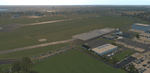
The small Zip-file will include a link for scenery download, because the scenery file size is above 500 Mbyte. Just follow the link and download EDHK 2018. This is an "install and fly" version, everything you need is already included (*see info below) and I will continously update the scenery. The story, in November 2012 the German MFG5 (Marineflieger-Geschwader) was relocated to Nordholz (ETMN). This was the end of the main military use in the southern and eastern part of the airport. Because the German harbor city Kiel needs living space for their citizens, opponents of the airport tried to convince citizens and politics to close the airport and to create there living space instead. In 2018 the citizen of Kiel voted with a citizen’s decision with the result that the majority voted for the preservation of the traditional airport. Personally, I am very happy with this decision. On the area of the airport some companies are settled, their employees should be able to sleep a little better now. In addition, there will certainly be future investments in the airport due to the election results. Since the airport has been financially in the red for years, the operator of the airport, the Port of Kiel Flughafen GmbH & Co. KG has converted large areas of the airport as parking area. These parked vehicles are part of the constantly increasing cruise ship operations within Kiel, making it possible for passengers to safely park their vehicles for extended periods of time. The taxiways “A†and “D†of EDHK are no longer in operation. This was of course taken into account in my scenery. The access to this taxiway was marked as in the original by yellow "X". The taxiway lighting was also turned off there. The on-site Luftsportverein (LSV) uses above the runway 08/26 an individually marked grass runway (not official), I called it 08S/26S and it is for the winch launch of their gliders only. The size of this provisional winch runway is about 820x20m. A glider takeoff by towing aircraft is usually handled by the Runway 08/26.(*) There is no copyright infringement, since I have received all the needed permissions to use the listed objects/libraries full or in parts within my scenery, the same for the single objects or non-Library bound objects/elements. I got all these permissions in writing from each individual author/rights holder. Take the time and read the full, included descritpion, please. If you have question, ask me first!
| Filename: | XP11_German_Scenery_EDHK_2018_KielHoltenau.zip |
| License: | Freeware |
| Added: | 29th November 2018, 19:24:38 |
| Downloads: | 65 |
| Author: | Marco Moschet |
| Size: | 1.3 KB |
| Category: Flight Simulator 2004 - Scenery | |
| St Lawrence Island AK: Gambell PAGM, Savoonga PASA, and Northeast Cape |
|
Images related to this file:
File Description:
St Lawrence Island is in Alaska, but "in" is slightly misleading as it is in fact in the Barents Sea and 120 miles from the Alaska mainland, and only 40 miles offshore of Russia. The island is around 100 miles long, with two villages and at the eastern end an old air force radar base that was cleared away some 25 years ago. Gambell is one of the two villages and is at the far western end of the island, with a population of around 700 living mainly from the sea. This northern airfield is unusual in that it has an asphalt runway and apron, the lit runway being aligned 16-34 and just over 4,500 feet long. The reason for the asphalt becomes apparent if you try walking in the vicinity, as underfoot there are rounded pebbles down to varying depths, and they are quite small and eventually slippery enough to trip you up. To base a flexible gravel runway on top of this would have been difficult, and when it was originally built it was for an air force base (closed long ago). The village is also fairly unique among northern settlements in that it has wind turbines and also solar panels. The second village is Savoonga and is around 40 miles east of Gambell with a similar population. The runway here is lit gravel aligned 5-23 and 4,900 feet long. This village also has wind turbines and solar panels. There are no vehicles (cars, pickups, trucks etc) on the island, mainly because there is nowhere far to go to and in the case of Gambell because roads as such would be difficult to create. ATV's are the standard way to go, along with small boats for fishing and whaling. At the eastern and of the island the remaining traces of the air force radar base are just the gravel runway and aprons, included with the Savoonga scenery. The AI included here is for daily flights from Nome by ERA and Bering Air, along with some GA. Also included here is the EZ library that includes the wind turbines, to save you looking for it. Installing this will also mean that a wind farm in my Cyprus scenery wii now be visible to the north of Larnaca, and there are other libraries in the series that include useful objects. The Lens_EZ_Animated library could go into your static objects folders, which is where I have it; up to you.
| Filename: | St_Lawrence_Island_AK_Gambell_PAGM_Savoonga_PASA_a.zip |
| License: | Freeware, limited distribution |
| Added: | 29th February 2020, 00:09:36 |
| Downloads: | 221 |
| Author: | Roger Wensley |
| Size: | 11.59 MB |
| Category: Flight Simulator 2004 - Original Aircraft | |
| Caproni-Vizzola C-22J Ventura |
|
Images related to this file:
File Description:
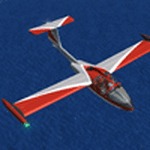
The Machine:
A fully aerobatic, very-light Jet that compares to the Bede BD-5J, but heavier and sporting two instead of one TRS-18 turbojets. Up to Mach 0.47 and 650 NM of range, with a service ceiling of 25000ft. A low stall speed (for a jet) makes the aircraft good for short field operations.
Certified for VFR operations only, yet includes a good avionics suite.
This is a "Classic" aircraft featuring "Steam" gauges and radios. Yet, controls and systems are easy to operate.
The History:
The C-22J is the last aircraft to be adorned with the legendary Caproni name. Originally known as "Caproncino", then marketed as "Ventura". A very-light jet developed in the 1980s as a military trainer, surveillance and reconnaissance aircraft. Powered by two TRS-18 turbojets fed from a dorsal NACA intake, the aircraft reached Mach 0.47 and was fully aerobatic. The airframe shows its origin in a glider design, the Caproni A-21 Calif. After the merger with SIAI Marchetti, the project was cancelled in favor of the SF-260.
The Simulation - 3D Model:
This aircraft ships with a 3-D cockpit, that incorporates realistic night lighting, in the form of a dim dome flood light, backlit gauges and luminous digital displays. The flight crew of 2 is affected by your input in the payloads menu of Flight Simulator, allowing to choose between male, female or empty seats. The Copilot Figure can be hidden with a quick click in the internal 3D view as well.
The Simulation - Realism:
This aircraft has been tuned with the invaluable help of Engineer Carlo Ferrarin, who created the real aircraft. Unique and one-off documentation has been kindly provided, and used extensively, for the creation of this product!
Just like the real aircraft, the systems are simple and of easy operation. Engines can be started with the press of a button. Systems modelling allows the following of real-world checklists as closely as Flight Simulator allows. An in-sim checklist is included, as well as a full flight manual.
The flight model is tuned with advanced aerospace techniques, resulting in a highly realistic aircraft, yet, it is very pleasant to fly, both during aerobatic displays or "A to B" cruising.
Highlights:
- High-Resolution 3D cockpit
- Full Documentation
- Aerobatic
FS-2004 Version comes with limited support and is free due to platform limitations. See Readme. FS-X & P3Dv4 (64-bit) versions are commercial products.
| Filename: | CaproniVizzola_C22J_Ventura.zip |
| License: | Freeware, limited distribution |
| Added: | 7th November 2020, 18:31:45 |
| Downloads: | 674 |
| Author: | Mario Noriega |
| Size: | 157.85 MB |
| Category: Prepar3D V1-4 - Utilities | |
| Flightplan Visualizer 1.15 |
|
Images related to this file:
File Description:
Flightplan Visualizer (FV) version 1.15.0. Copyright 2018-2020 by Pelle F. S. Liljendal ([email protected]), all rights reserved.
FV comes with 738 pre-imported Commercial AI flightplans (+380 BizJet flightplans are available as a separate download). However you are able to import additional (AI) flightplans yourself. Once imported these (AI) flightplans can be visualized on a map-view, and the user will be able to search accross all these. Hence you can use the program as inspiration as to which routes to fly. E.g. you can search across all imported flightplans to find all flights in an A321 flying into/out from LDDU, or simply to look for all flights in a Boeing 747-8F.
Simply run the included installer to install the software. The program will be installed into "C:\Program Files (x86)\Flightplan Visualizer" and all datafiles will be installed into: "C:\Users\[UserName]\AppData\Roaming\FlightplanVisualizer". The program comes with a full manual explaining everything, and a 3 page quick manual to get you started. The first 3 times you run the program the quick manual will automatically open. The forum is hosted here: https://forum.aerosoft.com/index.php?/forum/919-flightplan-visualizer/
Version 1.15 Contains the following changes:
- As a first, you can now import flightplans even if one or more aircraft-types cannot be automatically detected during import. These will instead be assigned to a dummy-type during import, however you need to manually assign substitute aircraft-type(s) before being able to save the imported flightplan. If/when the program gets support for the aircraft-type(s) that were missing during import, the substitute aircraft-types can either be re-detected manually or by using the "Re-process aircraft/airport-redirects" menu-item.
- Added a combo-box that can be used to filter the flightplans that are shown in the flightplan combo-box on the main-form (e.g. enter "west" to see only flightplans containing "west" in the name). Hovering the mouse over this new filter combo-box will show examples of the more complex filters (e.g. filter by provider, author, season, year, and so on).
- In version 1.14 user-airlines were added, and these could be accessed via a menu-item on the main-form. However in version 1.15 you can now also add user-airlines from the import-flightplan form, so you don't have to abort a pending import, and go to the main form in case you find you are missing a user-airline.
- Added MRU-lists (Most Recent Used) to the browser-forms used to search for: Airport, Aircraft and Airline. The text-edit in the top of these forms have been replaced by a combo-box holding up to 20 items (in chronological order, with the most recent at the top).
- Added a new chart to the Airport Info form showing: "Daily flights per international/domestic/same state".
- Added Utilization-pct to the fleet report (both total for the entire fleet, and per aircraft). The Utilization-pct is also visible for the displayed schedule (for a single aircraft) in the Leg-Info form. This value tells the pct of time the aircraft spends servicing the schedule (the remaining time the aircraft "sits at the gate", including the time spend loading/unloading passenger and cargo, loading fuel, being serviced by ground-crew and what not).
- On the main-form, renamed menu-item "Re-process airport-redirects" into "Re-process flightplans".
- Distance from selected airport to mouse-position on main-map moved from the bottom of the form to the upper/right-corner of the form (where info of selected airport is listed).
- Using the (right-click) context-menu on the main-form airports can now be toggled (on/off) as being favorites.
- A few minor changes were made to the default leg search criteria. If you have saved your own default, you should go to the leg search form, press-and-hold SHIFT while clicking the "Reset" button (to reset to "factory default"), then set the criteria to your perferences, and finally press the "Save Reset" button to re-save your preferences.
- Added MRU-list (Most Recent Used) to fuel-density combo-box on Unit Conversion form. If empty, the list will be preloaded with the values 0.7850 (old default), 0.8040 (often used as a standard for Jet-A), 0.8200 (often used as a standard for Jet-A1). The user is still able to enter another value.
- The values used in the unit-conversion form are saved with the settings file, so each time you open the form will contain the values entered last time you used the form.
- Tweaked the method for calculated flight-time. In previous version the same parameters were used for calculating flight-time for all flights. Now these parameters are dependant on distance, resulting in calculated flight times that are closer to those used in the flight-plans (based on statistic-data from +700.000 AI flights).
- Some of the aircraft have been marked as "Retro", and in settings you can choose to exclude the "Retro" (they are enabled by default).
- Improved (Boeing) aircraft-type detection when importing flightplans using non-standard naming, such as "B744F" in stead of "747-400F" or "B736" in stead of "737-600".
- Updated all libraries in use to the latest versions, and addressed some minor issues with the map.
- Fixed: Newer versions of MyRwy are outputting airport elevation as a floating point value (e.g. "629.92") whereas older versions were outputting it as an integer value (e.g. "630"). In previous versions of FV the floating point value "629.92" was wrongly read as an elevation of 62992 ft. The program can now both handle floating point and integer values, hence can be used with both old- and new versions of MkRwy.
- Fixed: When adding new user-airlines in version 1.14, callsign was being set to the name of the airline, in stead of the entered callsign. If you added any user-airlines in version 1.14, you should edit these with version 1.15, and set the callsigns again.
- Fixed: If a Leg search was active (combo-box in bottom of main-form showing "[Last Search]") and all flightplans were disabled in "Enable/Disable -flightplans" the program would shut-down with an exception.
- Fixed: The list of the airline-codes (gate-tab on Airline-Info form) started with a comma, however comma should only be used to separate the items when multiple airline-codes were associated with the same gate (3rd party scenery only).
- Fixed: In some cases the cruise-speed was not shown correctly in the Aircraft search form.
- Fixed: Some of the menu-items for launching the (YouTube) tutorial-videos were missing the tool-tip text ("Hold SHIFT to copy url to clipboard").
- Fixed: About-box can now be closed with ESC, like most other forms.
- Fixed: potential issue reading xml-data, perhaps with a the benefit of a slightly better performance.
- Data: Added support for flightplans using "retro" aircraft types such as: Aerospatiale SE-210 Caravelle, British Aerosapce ATP/BAC One Eleven, Concorde, DC-3, DC-4, DC-6, DC-8, De Havilland Comet, Fokker F28, Hawker Siddeley HS 121 Trident, Ilyushin Il-18/20/22/24/86, Lockheed Constellation/L-188 Electra, Shorts SC-5, Tupolev TU-134, Vickers VC10/Viscount, and thanks to user Aucery Lockheed 1011.
- Data: Support for additional aircraft-types added as well: BN-2A Trislander, CASA C-212/C-235, CubCrafters XCub, DHC-2 Beaver/Turbo-Beaver, DHC-3 Otter, DHC-5 Buffalo, Diamond DA-42/62, Extra EA-300, Honda HA-420, ICON A5, NAMC YS-11, Mooney, Mudry CAP 10, Pilatus PC-6/PC-24, Piper Cub/Super Cub, Robin DR-300/400, Shorts SC-7, Tecnam P2012/P2006T
- Data: Some of the aircraft-types, for which multiple ICAO/IATA-codes exists, were split into two (one for Pax and one for Freight), e.g. Convair 580, DC-9-10/30/40, and Il-96. As a result you should execute "Re-process flightplans" (found in the "Flightplan" menu), and "Re-detect all" aircraft.
- Data: A few missing aircraft IATA/ICAO codes were added, and some "behind the screen" data for multiple aircraft were updated as well.
- Data: A few Airlines were added/updated (a big THANK YOU to Bruce Nicholson for the assistance keeping these data up-to-date).
- Flightplans: The good people over at AIG (Alpha India Group) have once again been VERY busy since the last release, hence the installer comes with 298 new/updated pre-imported flightplans, bringing the total of flightplans bundled with the installer to 738.
- Flightplans: A few flightplans were bundled with the program in duplicates (2 slightly different names, or 2 different seasons). These duplicates have been marked as obsolete, and have been removed from the installer. Using the "Select all obsolete flightplans" menu-item in "Enable/disable-flightplans" you can mark these flightplans and move them to the "Disabled" folder, from where they can be deleted.
Pelle
| Filename: | Flightplan_Visualizer_115.zip |
| License: | Freeware, limited distribution |
| Added: | 20th March 2020, 17:08:52 |
| Downloads: | 377 |
| Author: | Pelle Liljendal |
| Size: | 28.9 MB |


© 2001-2026 AVSIM Online
All Rights Reserved
Privacy Policy |