
Where Flight Simulation Enthusiasts Gather from Around the World!
AVSIM Library - Search Results

| Category: Flight Simulator 2004 - Utilities | |
| GENav pro Navigation |

|
Images related to this file:
File Description:

Previous payware product at SimMarket, now 100% free.
With GENav pro you will view all AIRAC navigation data and terminal procedures inside Google Earth. GENav pro run under Windows and require only Google Earth for displaying. You can also edit your own routes or just copy routes into GENav to view in Google Earth. You can search for example an airport or a fix by short or long name, Google Earth will take you there.
You can connect to Microsoft Flight Simulator to view your aircraft. Moving map and heading is available.
GENav pro is highly optimized for best performance and clear views without clutter. There are smart filters to select relevant data to display, all AIRAC items are available. You will find all data such as nav-aid frequencies, airport runways with ILS frequencies by click the displayed icons in Google Earth.
You can edit routes visual direct inside Google Earth by click. The database can always be updated with Navigraph's latest AIRAC data.
With GENav you can easy build valid routes. Unlike other common autorouting program, GENav is the tool for you to build routes with correct airway direction and correct connected to SID/STAR's. You will easy draw your routes most stright and correct to destination. It is also excellent for visual and instrument navigation flights.
FEATURES:
*** Display airports, nav aids, waypoints
*** Display High/Low airways and airways direction
*** Display SID/STAR, Approaches and Transitions
*** Display ARTCC/FIR border
*** AIRAC data available by click
*** Search airport and fixes
*** AIRAC data compatible Navigraph data
*** Visual editable routes
*** VOR to VOR route navigation data
*** Display your aircraft
BASIC SYSTEM REQUIREMENTS:
*** Windows with Google Earth installed
( Notice, no flightsim program required )
OPTIONALLY REQUIREMENTS:
*** SID/STAR require the Navigraph purchase or an alternative free source
*** Airways direction & high/low info require the Navigraph purchase
*** To display aircraft, Microsoft Flight Simulator or Prepare3D v1/v2, with free FSUIPC is required.
*** To display aircraft at a separate computer, also the payware WideFS is required.
| Filename: | GENav_pro_Navigation.zip |
| License: | Freeware |
| Added: | 25th May 2016, 11:24:32 |
| Downloads: | 531 |
| Author: | Lennart Vedin |
| Size: | 4.5 MB |
| Category: Prepar3D V1-4 - Utilities | |
| GENav pro Navigation |
|
Images related to this file:
File Description:

Previous payware product at SimMarket, now 100% free.
With GENav pro you will view all AIRAC navigation data and terminal procedures inside Google Earth. GENav pro run under Windows and require only Google Earth for displaying. You can also edit your own routes or just copy routes into GENav to view in Google Earth. You can search for example an airport or a fix by short or long name, Google Earth will take you there.
You can connect to Microsoft Flight Simulator to view your aircraft. Moving map and heading is available.
GENav pro is highly optimized for best performance and clear views without clutter. There are smart filters to select relevant data to display, all AIRAC items are available. You will find all data such as nav-aid frequencies, airport runways with ILS frequencies by click the displayed icons in Google Earth.
You can edit routes visual direct inside Google Earth by click. The database can always be updated with Navigraph's latest AIRAC data.
With GENav you can easy build valid routes. Unlike other common autorouting program, GENav is the tool for you to build routes with correct airway direction and correct connected to SID/STAR's. You will easy draw your routes most stright and correct to destination. It is also excellent for visual and instrument navigation flights.
FEATURES:
*** Display airports, nav aids, waypoints
*** Display High/Low airways and airways direction
*** Display SID/STAR, Approaches and Transitions
*** Display ARTCC/FIR border
*** AIRAC data available by click
*** Search airport and fixes
*** AIRAC data compatible Navigraph data
*** Visual editable routes
*** VOR to VOR route navigation data
*** Display your aircraft
BASIC SYSTEM REQUIREMENTS:
*** Windows with Google Earth installed
( Notice, no flightsim program required )
OPTIONALLY REQUIREMENTS:
*** SID/STAR require the Navigraph purchase or an alternative free source
*** Airways direction & high/low info require the Navigraph purchase
*** To display aircraft, Microsoft Flight Simulator or Prepare3D v1/v2, with free FSUIPC is required.
*** To display aircraft at a separate computer, also the payware WideFS is required.
| Filename: | GENav_pro_Navigation.zip |
| License: | Freeware |
| Added: | 25th May 2016, 11:24:52 |
| Downloads: | 654 |
| Author: | Lennart Vedin |
| Size: | 4.5 MB |
| Category: Flight Simulator 2004 - Sounds | |
| Kosmos Airlines: Flight for Flight for FS Announcement Panel v2.0 |
|
Images related to this file:
File Description:
As a Captain of the legendary Tupolev Tu-134 take part in an international event for aviation enthusiasts called "Flight For Flight".
Depart early in the morning from Vnukovo Airport to Kaluga, where participants of the event are expected to visit the Tsiolkovsky Museum of the History of Cosmonautics, go for spotting at Kaluga Airport, meet real cosmonauts and other interesting people that devoted themselves to aviation. At the end of the event take the participants back to Moscow, Vnukovo Airport.
Your goal as a Captain is to provide effective crew management and coordination so that your experienced navigator would make the best route considering that after taking off in Kaluga your pax would have had an opportunity to enjoy its surroundings from 1,500 ft, your flight attendants would manage to serve drinks to the participants in flight, and that your piloting skills allow them to take good pictures and videos during takeoff, landing, and in flight.
The update will add welcome crew announcements and messages after landing at the airports Vnukovo, Moscow (IATA: VKO, ICAO: UUWW) and Kaluga Grabtsevo (IATA: KLF, ICAO: UUBC). IMPORTANT: Kosmos Airlines Tupolev Tu-134 CrewPack, Kosmos Airlines: Flight Levels and FS Announcement Panel v2.0 are required and should be installed prior to installing the update.
Recommended addons:
Kosmos Airlines Repaint Tupolev Tu-134A:
FS2004
https://library.avsim.net/download.php?DLID=202267
https://www.flightsim.com/vbfs/fslib.php?do=copyright&fid=199118
Vnukovo Airport:
FS2004
https://www.avsim.su/f/fs2004-scenarii-44/uuww-vnukovo-reload-56187.html
https://library.avsim.net/download.php?DLID=148796
FSX
https://www.avsim.su/f/fsx-sceneries-83/stsenariy-aeroporta-vnukovo-44098.html
https://library.avsim.net/download.php?DLID=141533
https://www.flightsim.com/vbfs/fslib.php?do=copyright&fid=141677
Kaluga Grabtsevo Airport:
FS2004
https://library.avsim.net/download.php?DLID=202279
https://www.flightsim.com/vbfs/fslib.php?do=copyright&fid=199125
https://www.flightsim.com/vbfs/fslib.php?do=copyright&fid=186623
FSX
https://www.avsim.su/f/fsx-sceneries-83/kaluga-grabtsevo-48356.html
https://library.avsim.net/download.php?DLID=196763
You can evaluate the sound quality in this video:
https://youtu.be/wzkX9Oj5zD4
| Filename: | Kosmos_Airlines_Flight_for_Flight_for_FS_Announcem.zip |
| License: | Freeware, limited distribution |
| Added: | 6th December 2017, 06:33:42 |
| Downloads: | 38 |
| Author: | Gene Churumov |
| Size: | 1.23 MB |
| Category: Flight Simulator 2004 - Sounds | |
| Kosmos Airlines: Flight for Flight for FSPassengers |
|
Images related to this file:
File Description:
You are a Captain of the legendary Tupolev Tu-134. You and your crew take part in an international event for aviation enthusiasts called "Flight For Flight".
Early in the morning depart from Vnukovo Airport to Kaluga, where participants of the event are expected to visit the Tsiolkovsky Museum of the History of Cosmonautics, go for spotting at Kaluga Airport, meet real cosmonauts and other interesting people that devoted themselves to aviation. At the end of the event take the participants back to Moscow, Vnukovo Airport.
Your goal as a Captain is to provide effective crew management and coordination so that your experienced navigator would make the best route considering that after taking off in Kaluga your pax would have had an opportunity to enjoy its surroundings from 1,500 ft, your flight attendants would manage to serve drinks to the participants in flight, and that your piloting skills allow them to take good pictures and videos during takeoff, landing, and in flight.
This update comes as complete crewpacks that allow you to make welcome crew announcements and messages after landing at the airports Vnukovo, Moscow (IATA: VKO, ICAO: UUWW) and Kaluga Grabtsevo (IATA: KLF, ICAO: UUBC). IMPORTANT: Kosmos Airlines Tupolev Tu-134 CrewPack for FSPassengers is required and should be installed prior to installing the update.
Recommended addons:
Kosmos Airlines Repaint Tupolev Tu-134A:
FS2004
https://library.avsim.net/download.php?DLID=202267
https://www.flightsim.com/vbfs/fslib.php?do=copyright&fid=199118
Vnukovo Airport:
FS2004
https://www.avsim.su/f/fs2004-scenarii-44/uuww-vnukovo-reload-56187.html
https://library.avsim.net/download.php?DLID=148796
FSX
https://www.avsim.su/f/fsx-sceneries-83/stsenariy-aeroporta-vnukovo-44098.html
https://library.avsim.net/download.php?DLID=141533
https://www.flightsim.com/vbfs/fslib.php?do=copyright&fid=141677
Kaluga Grabtsevo Airport:
FS2004
https://library.avsim.net/download.php?DLID=202279
https://www.flightsim.com/vbfs/fslib.php?do=copyright&fid=199125
https://www.flightsim.com/vbfs/fslib.php?do=copyright&fid=186623
FSX
https://www.avsim.su/f/fsx-sceneries-83/kaluga-grabtsevo-48356.html
https://library.avsim.net/download.php?DLID=196763
You can evaluate the sound quality in this video:
https://youtu.be/wzkX9Oj5zD4
| Filename: | Kosmos_Airlines_Flight_for_Flight_for_FSPassengers.zip |
| License: | Freeware, limited distribution |
| Added: | 6th December 2017, 06:33:57 |
| Downloads: | 51 |
| Author: | Gene Churumov |
| Size: | 21.84 MB |
| Category: Flight Simulator 2004 - Scenery | |
| Airstrips of the Falkland Islands |
|
Images related to this file:
File Description:
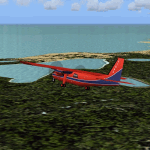
Inspired by Jim Keir's Falkland Islands mesh, coastlines and landclass, herewith a couple of dozen little strips from around the area, to give the opportunity to generate a bit of GA AI (and possibly a few scheduled flights) in an otherwise relatively ignored area in the South Atlantic. Please do note, other than Stanley, most of these airstrips are just that, a cleared strip of land in an otherwise empty landscape, (just as they are in real life), simply to provide a variety of destinations for the occasional aircraft to or from Stanley.
Most of the airfield locations are listed on WikiPedia and the layout confirmed using on-line satellite imagery. Other than the two main airports, none of these airstrips seem to have "official" ICAO codes, so I've generated a selection of alpha-numeric codes in the SF0* configuration, (as Stanley Airport has the ICAO code of SFAL), so the FS9 AI engine has some codes to work with and the airfields can be found on the map. Hopefully these pseudo-codes won't clash with anything else.
As with my other sceneries, the files for each airstrip can be easily identified by the ICAO code, even if the airfield names vary slightly, so you can pick and choose and mix and match to suit any sceneries you already have, should you so wish. There is no requirement for any other download. Each airstrip will exist as a stand-alone entity should you only want a few of them.
Having said that, Paul Denton's AFCAD and scenery for EGYP Mount Pleasant (available on AVSIM and possibly elsewhere) might be considered a worthwhile addition, especially if you want to see the twice-weekly scheduled RAF flights from Brize Norton (via Ascension Island), and the Saturday LATAM flight from Chile. Suitable AFCADs for EGVN Brize Norton and SCCI Punta Arenas may also be required. Appropriate traffic files and aircraft/texture suggestions are provided.
Please read the remainder of this "blurb" in the included text file, there may be a couple of details of interest.
| Filename: | Airstrips_of_the_Falkland_Islands.zip |
| License: | Freeware |
| Added: | 30th March 2025, 18:55:33 |
| Downloads: | 93 |
| Author: | Chris Eve |
| Size: | 295.87 KB |
| Category: Flight Simulator 2004 - Original Aircraft | |
| North American T6_Harvard |
|
Images related to this file:
File Description:
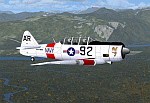
North American T6_Harvard
This aircraft has has been constructed using Gmax v1.2. The aircraft is constructed with as few polygons as possible and with a single texture file to ensure the absolute minimum impact on your framerates. There are two models- each has seven LODs.
The aircraft has had an amazing history with first prototype flying in 1935. To quote from Wikipedia "A total of 15,495 T-6s of all variants were built.During the Korean War and to a lesser extent, the Vietnam war, T-6s were pressed into service as forward air control aircraft. These aircraft were designated T-6 "Mosquito"s.[1] The RAF used the Harvard in Kenya against the Mau Mau in the 1950s where they operated with 20 lb bombs and machine guns against the gangs. Some operations took place at altitudes around 20,000 ft asl. A Harvard was the longest-serving RAF aeroplane, with an example, taken on strength in 1945, still serving in the 1990s (as a chase plane for helicopter test flights - a role the Shorts Tucano's high stall speed was ill-suited for). The T-6G was also used in a light attack or counter insurgency role by France during the Algerian war in special Escadrilles d'Aviation L�������©g�������¨re d'Appui (EALA), armed with machine guns, bombs and rockets. At its peak there were 38 EALA's active. The largest unit was the Groupe d'Aviation L�������©g�������¨re d'Appui 72, which consisted of up to 21 EALAs. Portugal also used ex-French aircraft during the Portuguese Colonial War.
Since the Second World War, the T-6 has been a regular participant at air shows, and was used in many movies. For example, in Tora! Tora! Tora! and The Final Countdown, converted single-seat T-6s painted in Japanese markings represent Mitsubishi Zeroes. The New Zealand Warbirds "Roaring 40s" aerobatic team use ex-Royal New Zealand Air Force Harvards. The Reno National Air Races also has a class specifically for the T-6 during the National Air Races each year."
This GMax model is quite fun to fly as a normal aircraft, but was originally designed specifically to enhance the AI aircraft population.
I would like to especially thank Ray Blake who has kindly made these high quality textures for this package.
A paintkit is being posted as a separate zip file.
| Filename: | North_American_T6_Harvard.zip |
| License: | Freeware, limited distribution |
| Added: | 3rd December 2009, 19:01:27 |
| Downloads: | 1,574 |
| Author: | Mike Cronin - aircraft and paintkit; Ray Blake - textures |
| Size: | 1.78 MB |
| Category: Flight Simulator 2004 - Sounds | |
| ATC Voices - Airport names set 13 |
|
File Description:
A collection of 67 additional, improved or corrected airport names, for
use with Flight Simulator 2004 and FS2002. Installation requires the
EditVoicepack software (see
http://bevelstone.xs4all.nl/FlightSimulator/EditVoicepack) by Lars
Møllebjerg which is also available as a free download from the usual
Flight Simulator download sites such as Avsim.
The airports represented here are:
1X1 Higgins (United States of America),
2E3 Cluck Ranch (United States of America),
CYCC Cornwall Regl (Canada),
EDSK Kehl-Sundheim (Germany),
EFKJ Kauhajoki (Finland),
EG74 Jurby (United Kingdom),
EKOD Odense (Denmark),
ENOP Oppdal (Norway),
ENZ6 Frya (Norway),
EPZP Przylep (Poland),
ES0G Mantorp Park (Sweden),
ESGS Stromstad/Nasinge (Sweden),
ESGV Varberg (Sweden),
ESSK Gavle-Sandviken (Sweden),
ESSW Vastervik (Sweden),
FD98 Ferguson (United States of America),
FZRA Manono (Congo DRC),
KBJJ Wayne Co (United States of America),
KDYR Dyersburg Mun (United States of America),
KELD El Dorado/South Arkansas Regional (United States of America),
KIDL Indianola (United States of America),
KLLQ Monticello Mun/Ellis (United States of America),
KPBF Grider (United States of America),
KPKD Park Rapids (United States of America),
KUOX University-Oxford (United States of America),
KVPC Cartersville (United States of America),
KWWR West Woodward (United States of America),
LFIM St Gaudens/Montrejeau (France),
LFRI Les Ajoncs (France),
LIRQ Florence/Peretola - fixed (Italy) - fixed,
LKCT Chotebor (Czech Republic),
LKPO Prerov (Czech Republic),
NFNK Lakeba (Fiji),
O07 Westheimer (United States of America),
OICS Sanandaj (Iran),
OIMN Bojnord (Iran),
ORSU Sulaymaniyah International (Iraq),
RJSC Yamagata (Japan),
RJSY Shonai (Japan),
RPUW Gasan/Marinduque (Philippines),
RPVT Tagbilaran (Philippines),
SBNF Navegantes (Brazil),
SPAS Andoas (Peru),
SPMS Yurimaguas (Peru),
SSGB Guaratuba (Brazil),
TFFS Les Saintes (Guadeloupe),
TN83 Cedar Glade (United States of America),
ULL9 Gostitilsy (Russian Federation),
ULLD Gromovo (Rusian Federation),
ULLG Gorelovo (Ruissian Federation),
ULPW Sortavala (Russian Federation),
W11 Menomonie (United States of America),
WARR Surabaya/Juanda (Indonesia),
WARS Semarang/Achmad Yani (Indonesia),
WIOD Tanjung Pandan/Buluh Tumbang/H.A.S. Hanandjoeddin (Indonesia),
XCN Coron/Busuanga (Philippines),
Y95 Hillman (United States of America),
YADD Arubiddy Station( (Australia),
YBAL Balladonia (Australia),
YECL Eucla (Australia),
YNRB Narembeen (Australia),
Z19X Aozou (Libya), plus
BOJNORD INFORMATION Beajnord (Iran),
BUDEJOVICE PRECISION Budejovice (Czech Republic),
KARSHI Karshi South (Uzbekistan), and
PRYZLEP AERO Przylep Aero (Poland),
| Filename: | ATC_Voices__Airport_names_set_13.zip |
| License: | Freeware |
| Added: | 22nd February 2008, 09:20:06 |
| Downloads: | 3,085 |
| Author: | John Hinson |
| Size: | 44.06 KB |
| Category: Flight Simulator X - Utilities | |
| GENav pro Navigation |
|
Images related to this file:
File Description:

Previous payware product at SimMarket, now 100% free.
With GENav pro you will view all AIRAC navigation data and terminal procedures inside Google Earth. GENav pro run under Windows and require only Google Earth for displaying. You can also edit your own routes or just copy routes into GENav to view in Google Earth. You can search for example an airport or a fix by short or long name, Google Earth will take you there.
You can connect to Microsoft Flight Simulator to view your aircraft. Moving map and heading is available.
GENav pro is highly optimized for best performance and clear views without clutter. There are smart filters to select relevant data to display, all AIRAC items are available. You will find all data such as nav-aid frequencies, airport runways with ILS frequencies by click the displayed icons in Google Earth.
You can edit routes visual direct inside Google Earth by click. The database can always be updated with Navigraph's latest AIRAC data.
With GENav you can easy build valid routes. Unlike other common autorouting program, GENav is the tool for you to build routes with correct airway direction and correct connected to SID/STAR's. You will easy draw your routes most straight and correct to destination. It is also excellent for visual and instrument navigation flights.
FEATURES:
*** Display airports, nav aids, waypoints
*** Display High/Low airways and airways direction
*** Display SID/STAR, Approaches and Transitions
*** Display ARTCC/FIR border
*** AIRAC data available by click
*** Search airport and fixes
*** AIRAC data compatible Navigraph data
*** Visual editable routes
*** VOR to VOR route navigation data
*** Display your aircraft
BASIC SYSTEM REQUIREMENTS:
*** Windows with Google Earth installed
( Notice, no flightsim program required )
OPTIONALLY REQUIREMENTS:
*** SID/STAR require the Navigraph purchase or an alternative free source
*** Airways direction & high/low info require the Navigraph purchase
*** To display aircraft, Microsoft Flight Simulator or Prepare3D v1/v2, with free FSUIPC is required
*** To display aircraft at a separate computer, also the payware WideFS is required
| Filename: | GENav_pro_Navigation.zip |
| License: | Freeware |
| Added: | 23rd May 2016, 19:57:35 |
| Downloads: | 1,579 |
| Author: | Lennart Vedin |
| Size: | 4.5 MB |
| Category: Flight Simulator 2004 - Utilities | |
| LJSceneGen V 1.0 |
|
File Description: LJSceneGen is a scenery creation utility for the Microsoft (MS) Flight Simulator FS9 (aka FS2004 or Century of Flight). The program presents a series of forms where various options for VORs, NDBs, Exclusion Rectangles, Markers, Waypoints and Scenery Library objects can be entered. The program will try to connect FS9 via FSUIPC or WideFS. If a FSUIPC connection is found, the location (Lat. Long. and Alt and others if available and appropriate) will be automatically retrieved. You can also move the aircraft to a new location by entering a Lat. and Long. pair and clicking "Move Aircraft". Multiple combinations VORs, NDBs, Exclusion Rectangles, Markers, Waypoints and Scenery Library objects can be saved and each saved object can be edited. After all the desired objects are created, an XML file can be created. This file can be submitted to the FS2004 SDK BGL compiler "BGLCOMP.exe". A file with an extension of .BGL will result which you then place in your Addon Scenery/scenery/ folder to view your just created scenery object(s) after you restart FS9. This or other properly formulated .XML scenery files can be imported and reviewed. For example, the FS9 file NVNAMC0.bgl can be decompiled, imported into LJSceneGen and then viewed. Alessandro Antonini's excellent BGLXMLdecompiler program makes possible the conversion from NVNAMC0.bgl. to NVNAMC0.xml which can then be read by LJSceneGen. (This file is available at Alec's site: http://www.cpinf.net ). Each VOR and NDB found in this decompiled xml file can be reviewed and if you want, you can move your aircraft to the object's location by clicking "Move Aircraft". This program is written in MS's C# language using .NET framework 1.1. The CLR .NET Framework 1.1 must be installed on your computer before the program will run. The freeware version of Pete Dowson's FSUIPC is not supported. Users should be very familar with the FS2004 scenery SDK. This version only knows VORs, NDBs, Exclusion Rectangles, Markers, Waypoints, and Scenery Library objects. It doesn't yet know about Airports Runways ILSes etc. This is not a "What You See Is What You Get" program but instead takes a semi-automated fill-in-the-blanks approach. The program is a scenery creation utility. As such, inexperienced scenery designers may not find it user friendly.
| Filename: | LJSceneGen_V_10.zip |
| License: | Freeware, limited distribution |
| Added: | 14th March 2004, 01:10:12 |
| Downloads: | 2,411 |
| Author: | Larry Jones |
| Size: | 469.34 KB |
| Category: Microsoft Flight Simulator (2020) - Utilities | |
| Flightplan Visualizer 1.21.1 |
|
Images related to this file:
File Description:
Flightplan Visualizer (FV) version 1.21.1. Copyright 2018-2021 by Pelle F. S. Liljendal ([email protected]), all rights reserved.
FV comes with 1482 pre-imported AI flightplans (of which +690 are BizJet flightplans, the rest are commercial). However you are able to import additional (AI) flightplans yourself. Once imported these (AI) flightplans can be visualized on a map-view, and the user will be able to search accross all these. Hence you can use the program as inspiration as to which routes to fly. E.g. you can search across all imported flightplans to find all flights in an A321 flying into/out from LDDU, or simply to look for all flights in a Boeing 747-8F.
Simply run the included installer to install the software. The program will be installed into "C:\Program Files (x86)\Flightplan Visualizer" and all datafiles will be installed into: "C:\Users\[UserName]\AppData\Roaming\FlightplanVisualizer". The program comes with a full manual explaining everything, and a 3 page quick manual to get you started. The first 3 times you run the program the quick manual will automatically open. The forum is hosted here: https://forum.aerosoft.com/index.php?/forum/919-flightplan-visualizer/
Version 1.21.1 Contains the following changes:
- Due to a bug introduced in version 1.19 regrading the (automatic/manual) version-check, version 1.20 was skipped and this version was released as 1.21.1 (in stead of 1.21.0).
- Beside the season based commercial flightplans, the "Download AIG flightplans" menu-item (found in the "Flightplan" menu) is now able to download (AIG) GA- and Military-flightplans. A big thank you to AIG for granting access to these.
- Reorded the download-folders (in the combo-box), so the season-based AIG commercial folders are displayed in chronological order (e.g. "SUMMER_2020" is before "WINTER_2020-2021").
- When scanning for/loading flightplans the program will now automatic look for flightplans marked as defunct or obsolete, and if found these will be move to the "Disabled" sub-folder. Two new settings have been added, so you can disable this feature if you want to.
- Aircraft-types can now be grouped in families of similar aircraft (e.g. a group containing all the Airbus A318, A319, A320 and A321). These families can be managed via the "User Aircraft" menu-item.
- Removed menu-item "Index of AIG flightplans" in the "Flightplan" menu, as its not needed since the "Download AIG flightplans" was added in version 1.16 (May 2020).
- Minor changes to the flightplan-name grooming algoritm (e.g. spaces are inserted before/after ampersand, if not already present) and prefix can be added to indicate the type of flightplan (e.g. for biz-jet, government or military flights). Detection of this prefix can be disable in settings.
- Dropped support for the old ".FPL" flightplan file-format. Since version 1.11 (july 2019) FV have been using the binary ".BFP" file-format in stead.
- Based on active flightplans, the program will try to detect primary- and secondary-hubs for each airline. An airport must have flights to atleast 10 different airports for that airline, in order to be considdered being either a primary/secondary hub for that airline. This information is displayed both in the airline edit-form and the airline usage-report.
- The airline usage-report will also list all destinations served by the airline (ordered by which airports are flying to most different airports).
- The airline usage-report will now also contain a list of the routes served by that airline (as carrier or operator). This list is sorted so the routes that are most flown (per week) comes first.
- Added an extra tab-page to the Airport-info form that shows which airlines have routes to/from the airport, and which airlines are using the airport as a primary or secondary hub.
- Added (right-click) context-menu to many aircraft/airline list-views, that lets you lookup aircraft-/airline -information.
- Added power-conversion to the unit-conversion form, to convert between HP (Horse-Power) and kW (kilo watt).
- Also added context-menu to the carrier/operator labels in the Leg-info form to show more details for the airline. Likewise the aircraft-labels have a context-menu for showing aircraft-details
- Removed a few columns from the form choosing favorite aircraft-types, as this info can now be obtained via the new context-menu.
- Added a column with engine-type/count in the aircraft browser.
- Minor changes to the airport redirection report (to align some values in columns, making it more easy to read the report).
- Added a few hard-coded names to the author-name grooming-method, to unify differnt spellings of the "same names". Also added flightplan/author-count to the "Flightplan per author" report.
- Swapped the operator/carrier-count showed next to size-category in the user-airline edit form (now first value is operator and 2nd is carrier).
- Minor change to the airline-criteria in the leg-search to simplify selection (removed options: "Carrier only" and "Operator only").
- Fixed: The "Download AIG flightplans" form was not able to download flightplans with an ampersand ("&") in the name.
- Fixed: Once again improved importing of AIGFP flightplans where airport data is using different ICAO-codes (observed with 15 or so of the new BizJet flightplans, e.g. "ESAI_Aero-TechServices(GA-C)_Winter_2020-2021").
- Fixed: Issued with the program version-check (both automatic and manual) introduced in version 1.19. Resulting in this version being released as 1.21.1.
- Fixed: Sometimes closing (without saving) the form for editing user-aircraft it would sometime report there were unsaved changes, even though it was not the case.
- Fixed: Only the active sub fp-folders were scanned for backup files. Now the main fp-folder is scanned for backups as well.
- Data: Some of the aircraft-types sharing the same IATA/ICAO-codes have been split into multiple new types (e.g. the Beechcrafts, Cessnas, Pipers and Learjets). This was done to better detect the specific aircraft-types in use (all bundled flightplans have been reprocessed to re-detect the specific types).
- Data: A few aircraft can now be detected (during flightplan import) using their millitary designation (e.g. Boeing C-22, C-32, C-40, and Gulfstream C-20 and C-37).
- Data: Improved detection of a few "De Havilland" aircraft.
- Data: Added a couple of new aircraft-types (Lockheed C-141 Starlifter, Transall C-160 and a few aircraft without official IATA/ICAO-codes, hence using "---" as the IATA-code for these).
- Flightplans: Thanks to the new feature to download (AIG) GA/Military-flightplans a LOT of new flightplans have been bundled with the installer (a few government and military flightplans, but mostly BizJet). The previous installer came bunled with 385 Bizjet flightplans, however in this version many of these have been updated and a lot more have been added, bringing the total count of BizJet flightplans to +690. All BizJet are prefixed by "Bz_", all Government are prefixed by "Gv_" and all military are prefixed by "Ml_", in case you want to move these to differnt sub-folders using the "enable/disable flightplans" menu-item.
- Flightplans: All new/updated flightplans have been added to the installer, and all obsolete/defunct have been marked/removed. A total of 1481 active flightplans are bundled with the installer (incl. all of the previous mentioned BizJet's).
Pelle
| Filename: | Flightplan_Visualizer_1211.zip |
| License: | Freeware, limited distribution |
| Added: | 20th June 2021, 19:45:19 |
| Downloads: | 791 |
| Author: | Pelle Liljendal |
| Size: | 36.74 MB |


© 2001-2026 AVSIM Online
All Rights Reserved
Privacy Policy |