
Where Flight Simulation Enthusiasts Gather from Around the World!
AVSIM Library - Search Results

| Category: Flight Simulator X - Missions | |
| MSF3 |

|
Images related to this file:
File Description:
All the MSF missions consist of several episodes. The present mission here, is the 3rd episode. It is obvious that the next episode will be the logical result of this present adventure, and so on for the following episodes.
The story of this 3rd begins on a beach near a small village of fishermen where there is a wounded young man, and ends at ENTEBBE airport.
The briefing of departure is voluntarily very short, you will find no indication for the realization of the episode, simply the description of the context there of departure. All the indications to realize the episode will be given to you by sound files. In other words, it will be necessary to you to be very attentive to the diverse dialogues, in French, sorry, which you will hear. I will try to create an English version later.
ALL EPISODES OF MSF ARE A TRIBUTE TO THE WOMEN AND MEN OF THE MEDICAL WORLD.
| Filename: | MSF3.zip |
| License: | Freeware |
| Added: | 22nd May 2021, 19:10:20 |
| Downloads: | 80 |
| Author: | Alain BOUTIE |
| Size: | 19.82 MB |
| Category: Flight Simulator X - Missions | |
| MSF4 |
|
Images related to this file:
File Description:
All the MSF missions consist of several episodes. The present mission here is the episode n°4. It is obvious that the next episode will be the logical result of this present adventure, and so on for the following episodes.
The story of this episode n°4 begins at ENTEBBE airport and ends at the small runway of BUKOBA in night conditions.
The briefing of departure is voluntarily very short, you will find no indication for the realization of the episode, simply the description of the context there of departure. All the indications to realize the episode will be given to you by sound files. In other words, it will be necessary to you to be very attentive to the diverse dialogues, in French, sorry, which you will hear. I will try to create an English version later.
ALL EPISODES OF MSF ARE A TRIBUTE TO THE WOMEN AND MEN OF THE MEDICAL WORLD.
| Filename: | MSF4.zip |
| License: | Freeware |
| Added: | 23rd May 2021, 19:39:52 |
| Downloads: | 92 |
| Author: | Alain BOUTIE |
| Size: | 4.78 MB |
| Category: Flight Simulator X - Missions | |
| MSF5 |
|
Images related to this file:
File Description:
All the MSF missions consist of several episodes. The present mission here is the episode n°5. It is obvious that the next episode will be the logical result of this present adventure, and so on for the following episodes.
The story of this episode n°5 begins at the base camp at BUKOBA and ends at the same place, after a safari trip.
The briefing of departure is voluntarily very short, you will find no indication for the realization of the episode, simply the description of the context there of departure. All the indications to realize the episode will be given to you by sound files. In other words, it will be necessary to you to be very attentive to the diverse dialogues, in French, sorry, which you will hear. I will try to create an English version later.
ALL EPISODES OF MSF ARE A TRIBUTE TO THE WOMEN AND MEN OF THE MEDICAL WORLD.
| Filename: | MSF5.zip |
| License: | Freeware |
| Added: | 25th May 2021, 22:45:39 |
| Downloads: | 77 |
| Author: | Alain BOUTIE |
| Size: | 11.05 MB |
| Category: Flight Simulator X - Missions | |
| MSF6 |
|
Images related to this file:
File Description:
All the MSF missions consist of several episodes. The present mission here is the episode n°6. It is obvious that the next episode will be the logical result of this present adventure, and so on for the following episodes.
The story of this episode n°6 begins at the airport of BUKOBA and ends at the airport of ENTEBBE, with very bad weather conditions.
The briefing of departure is voluntarily very short, you will find no indication for the realization of the episode, simply the description of the context there of departure. All the indications to realize the episode will be given to you by sound files. In other words, it will be necessary to you to be very attentive to the diverse dialogues, in French, sorry, which you will hear. I will try to create an English version later.
ALL EPISODES OF MSF ARE A TRIBUTE TO THE WOMEN AND MEN OF THE MEDICAL WORLD.
| Filename: | MSF6.zip |
| License: | Freeware |
| Added: | 27th May 2021, 21:32:14 |
| Downloads: | 76 |
| Author: | Alain BOUTIE |
| Size: | 9.39 MB |
| Category: Flight Simulator X - Missions | |
| MSF7 |
|
Images related to this file:
File Description:
All the MSF missions consist of several episodes. The present mission here is the episode n°7. It is obvious that the next episode will be the logical result of this present adventure, and so on for the following episodes.
The story of this episode n°7 begins at the airport of ENTEBBE and must ends at the airport of GOMA. But an event will happen that will change what was planned.
The briefing of departure is voluntarily very short, you will find no indication for the realization of the episode, simply the description of the context there of departure. All the indications to realize the episode will be given to you by sound files. In other words, it will be necessary to you to be very attentive to the diverse dialogues, in French, sorry, which you will hear. I will try to create an English version later.
ALL EPISODES OF MSF ARE A TRIBUTE TO THE WOMEN AND MEN OF THE MEDICAL WORLD.
| Filename: | MSF7.zip |
| License: | Freeware |
| Added: | 9th June 2021, 19:46:00 |
| Downloads: | 86 |
| Author: | Alain BOUTIE |
| Size: | 21.41 MB |
| Category: Prepar3D V1-4 - Utilities | |
| Flightplan Visualizer 1.13 |
|
Images related to this file:
File Description:
Flightplan Visualizer (FV) version 1.13.0. Copyright 2018-2019 by Pelle F. S. Liljendal ([email protected]), all rights reserved.
FV comes with 586 pre-imported Commercial AI flightplans (+380 BizJet flightplans are available as a separate download). However you are able to import additional (AI) flightplans yourself. Once imported these (AI) flightplans can be visualized on a map-view, and the user will be able to search accross all these. Hence you can use the program as inspiration as to which routes to fly. E.g. you can search across all imported flightplans to find all flights in an A321 flying into/out from LDDU, or simply to look for all flights in a Boeing 747-8F.
Simply run the included installer to install the software. The program will be installed into "C:\Program Files (x86)\Flightplan Visualizer" and all datafiles will be installed into: "C:\Users\[UserName]\AppData\Roaming\FlightplanVisualizer". The program comes with a full manual explaining everything, and a 3 page quick manual to get you started. The first 3 times you run the program the quick manual will automatically open. The forum is hosted here: https://forum.aerosoft.com/index.php?/forum/919-flightplan-visualizer/
Version 1.13 Contains the following changes: Flightplans can now be exported in AIFP/TrafficTool-format (the same format that FV is able to import). It means if you have made any changes to a flightplan (e.g. redirected some airports) the flightplan can be exported from FV, and imported into AIFP (AI Flight Planner, by Don Grovestine) where it can be compiled into an AI-traffic bgl-file (traffic "scenery"). A new setting called "Adjust flight-time on airport-redirect" have been added. This setting defaults to "false" (un-checked), however if changed to "true" (checked) the flight-time will be changed if/when departure/destination-airports are changed due to airport-redirections (both automatic and manually). The flight-time is the result of the difference between departure-/destination-time, hence if the flight-time is changed either- or both departure-/destination-time will change as well. The original flight-time is scaled based on the original- and the redirected distance between the departure/destination-airports. When importing/editing flightplans you can now select one or multiple aircraft and delete them. When deleting an aircraft all schedules attached to that aircraft will be deleted as well. One use of this feature could be to remove aircraft you don't have a AI aircraft, prior to exporting the flightplan in AIFP/TT-format, and loading it into AIFP. When importing/editing flightplans a "Similar" button will appear next to the flightplan name if a similar named flightplan exists (e.g. "same name", but different season), or other flighplans exists for the same airline (ICAO). Hoovering the mouse over this button will show the names of these flightplans as a tool-tip, and if you click the button the list will be shown in a window (with some additional information), from where it can be copied to the clipboard if you need to. On the Edit/Import-flightplan form, the Aircraft- and Airport tab-sheets have been swapped, and a new tab-sheet was added to list all routes of the flightplan. For each route the distance is listed along will all aircraft types of the flightplan servicing that route. The "Aircraft" tabsheet of the form to import/edit flightplans now contains a button called: "Fleet report". Pressing this button will generate a report showing the fleet of an airline (based on the flightplan), that is sorted by Aircraft type and registration. For each aircraft it will show a list of all the airports served by that particular aircraft. A "Word-wrap" check-box have been added to the Result-viewer to toggle word-wrap on/off (word-wrap defaults to "on"). In previous versions any changes made in the settings form resulted in all flightplans having to reload (while showing the splash-screen). Changing the path for MakeRunway-files still results in an automatic "reboot" of the program. The combo-box for choosing default direction (outbound/inbound/both) for the leg-search (on reset) have been removed from settings, and it now defaults to "Outbound or Inbound". However in the search legs form you can now save your own preferred "Reset" criteria. When you press the reset-button, it will load this Reset-file (with your preferred reset criteria). If you hold SHIFT while pressing the reset-button (or you have not saved a personal reset-file), it will reset to the default factory-criteria. In the traffic tabsheet of the airport info form there is a combo-box letting you switch between "Selected flightplan" or last-search on main-form" and "All flights to/from this airport". In previous versions it did not perform the search of flights to-/from- the viewed airport until you selected the 2nd item from the combo-box. Now this search is performed in the background as soon as the form is opened, hence choosing the 2nd item in the combo-box is now instantaneous. The "Nearby Airports" tab-sheet in the "Airport Info" form, now have a column listing direction (from the airport to the nearby airports). When listing number of runways and gates (e.g. in the form showing nearby airports, or in the redirection-report), the radius of the largest gate is now included, as there is no need to redirect any 747 traffic to an airport where the largest gate is 23m (a 747 requires a gate with a radius of at least 36m). The frequency-count was removed from the before mentioned listing of runways and gates, to make more room for listing the aircraft serving each airport. The search for airport browse now have a new optional column listing comments (e.g. length of longest rwy and largest gate). The "show" combo-box lets you choose to show comments in stead of "Size/Rank/Traffic" or "Hint-text". Opening the search airport browser from the import/edit flightplan form, will automatically choose to show the comments column, as information regarding rwy length/gate radius can be relevant when redirecting airports. Form "Nearby Airports" now show the GPS-position in the caption of the form. Added runway/gate summary to caption-bar of airport info form, so you no longer need to look at both the runway- and gate- tab-sheet in order to see: number of runways, longest runway, number of gates and largest rate (radius). New check-box added to settings allowing you to include the before mentioned runway/gate info in the airport marker tool-tip on the main map. Region/sub-region added to "Airport Info" form (top/left corner). A new setting (default to disabled) lets you add region/sub-region to the airport marker-hint on the map as well. Added a button to the "airport info" to show the airport at flightradar24 (opens the default browser), and the button on the leg info form to show route the route at flightaware (also using the browser) have been replicated on the route info form. The METAR-/TAF-buttons on the leg info form now shows the raw METAR/TAF-message - as a tool tip - when you hoover the mouse over the buttons. As before, when you press these buttons it will open a window showing the decoded messages. Various minor changes to the leg info form: added info regarding longest runway and largest gate for each airport, and re-positioned some of the fields. Likewise the info copied to the clipboard when you click the appropriate button have been re-ordered as well. Changed flightplan format to accommodate additional information, but the format remains backward compatible. Button added to about-box allowing the user to copy version-info to the clipboard. Managed to "shave off" approx ½ a second during start-up (on my pc). Not a lot but still an improvement :-) Fixed: In the form for importing/editing flightplans the leg-page showed the original distance even if the airports were redirected. Fixed: On leg info form "Dest.Country" and "Dest.Apt" column-order were swapped. Fixed: Tweaked aircraft type detecting to better detect 740-400 and 767-200/300 freighters. In previous versions a few aircrafts were wrongly detected as pax, when they should have been detected as freighter. Data: Airbus 330-800/900 Neo, Boeing 747-400LCF (Dreamlifter), and Embraer 175/190/195-E2 have been added as supported aircraft, and a few additional airlines and airports were added as well. Flightplans: Installer comes with +70 new pre-imported (Summer 2019) flightplans of which some are replacements of obsolete flightplans (from previous installers), and 2 of the "old" flightplans have been marked as defunct, as "Adria Airways" and "Aigle Azur" have filed for bankruptcy and ceased their operations. Flightplans: Among the added flightplans you will find the first flightplan I have made myself, a flightplan for Airbus Transport International covering their 5 Beluga's an 2 Beluga XL's (the latter 2 are stil performing test-flights and have yet to be implemented into their "normal schedule").
| Filename: | Flightplan_Visualizer_113.zip |
| License: | Freeware, limited distribution |
| Added: | 13th October 2019, 17:50:53 |
| Downloads: | 355 |
| Author: | Pelle Liljendal |
| Size: | 30.45 MB |
| Category: Flight Simulator 2004 - Scenery | |
| Warsaw City 2015 DEMO |
|
Images related to this file:
File Description:

WARSAW CITY 2015 DEMO is a sophisticated scenery package, featuring a detailed scenery of Warsaw city in Poland with surrounding airports, fully compatible with FS2004.
This product is a fully functional DEMO version of the commercial payware product. It features same layouts as in the full version but with limited 3D objects and low resolution textures. Using this free demo ensures no problems with online (VATSIM, IVAO, multiplayer etc.) flying in case some users use the payware scenery and some don't.
Warsaw is the capital and the largest city of Poland located on the Vistula (Wisla) River. Warsaw City 2015 gives you a possibility to fly over an extremely large area of Warsaw city. We have included a photoreal ground textures of about 5200 square km. The city centre has hundreds of custom buildings modeled, there are all VFR-important landmarks on the whole included area too. We have also created 13 variously detailed airports and heliports for the project: Modlin EPMO, Babice EPBC, Chrcynno/Nasielsk, Sobienie EPSJ, Goraszka EPGO, Konstancin-Jeziorna, Konstancin Heliport, Reczaje (lite), Kroczewo (lite), Trebki Nowe (lite), Wincentow 1 (lite), Wincentow 2 (lite), Zabia Wola (lite).
The product is equipped with an automatic installer, which means that the scenery will be automatically added to the Flight Simulator Scenery Library. Please uninstall all previous versions of similar sceneries you may have installed before. Please make also sure that no duplicate AFCAD files are installed.
Enjoy your virtual flying with Drzewiecki Design!
| Filename: | Warsaw_City_2015_DEMO.zip |
| License: | Commercial demo |
| Added: | 2nd September 2015, 22:23:02 |
| Downloads: | 932 |
| Author: | Drzewiecki Design |
| Size: | 23.41 MB |
| Category: Flight Simulator X - Scenery | |
| Warsaw City X DEMO |
|
Images related to this file:
File Description:
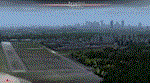
WARSAW CITY X DEMO is a sophisticated scenery package, featuring a detailed scenery of Warsaw city in Poland with surrounding airports, fully compatible with FSX, FSX:SE, P3Dv1, P3Dv2.
This product is a fully functional DEMO version of the commercial payware product. It features same layouts as in the full version but with limited 3D objects and low resolution textures. Using this free demo ensures no problems with online (VATSIM, IVAO, multiplayer etc.) flying in case some users use the payware scenery and some don't.
Warsaw is the capital and the largest city of Poland located on the Vistula (Wisla) River. Warsaw City 2015 gives you a possibility to fly over an extremely large area of Warsaw city. We have included a photoreal ground textures of about 5200 square km. The city centre has hundreds of custom buildings modeled, there are all VFR-important landmarks on the whole included area too. We have also created 13 variously detailed airports and heliports for the project: Modlin EPMO, Babice EPBC, Chrcynno/Nasielsk, Sobienie EPSJ, Goraszka EPGO, Konstancin-Jeziorna, Konstancin Heliport, Reczaje (lite), Kroczewo (lite), Trebki Nowe (lite), Wincentow 1 (lite), Wincentow 2 (lite), Zabia Wola (lite).
The product is equipped with an automatic installer, which means that the scenery will be automatically added to the Flight Simulator Scenery Library. Please uninstall all previous versions of similar sceneries you may have installed before. Please make also sure that no duplicated AFCAD files are installed.
Enjoy your virtual flying with Drzewiecki Design!
| Filename: | Warsaw_City_X_DEMO.zip |
| License: | Commercial demo |
| Added: | 5th September 2015, 01:09:15 |
| Downloads: | 3,352 |
| Author: | Drzewiecki Design |
| Size: | 36.95 MB |
| Category: Prepar3D V1-4 - Scenery | |
| Warsaw City X DEMO |
|
Images related to this file:
File Description:
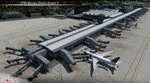
WARSAW CITY X DEMO is a sophisticated scenery package, featuring a detailed scenery of Warsaw city in Poland with surrounding airports, fully compatible with P3Dv1, P3Dv2 and P3Dv3.
This product is a fully functional DEMO version of the commercial payware product. It features same layouts as in the full version but with limited 3D objects and low resolution textures. Using this free demo ensures no problems with online (VATSIM, IVAO, multiplayer etc.) flying in case some users use the payware scenery and some don't.
Warsaw is the capital and the largest city of Poland located on the Vistula (Wisla) River. Warsaw City 2015 gives you a possibility to fly over an extremely large area of Warsaw city. We have included a photoreal ground textures of about 5200 square km. The city centre has hundreds of custom buildings modeled, there are all VFR-important landmarks on the whole included area too. We have also created 13 variously detailed airports and heliports for the project: Modlin EPMO, Babice EPBC, Chrcynno/Nasielsk, Sobienie EPSJ, Goraszka EPGO, Konstancin-Jeziorna, Konstancin Heliport, Reczaje (lite), Kroczewo (lite), Trebki Nowe (lite), Wincentow 1 (lite), Wincentow 2 (lite), Zabia Wola (lite).
The product is equipped with an automatic installer, which means that the scenery will be automatically added to the Flight Simulator Scenery Library. Please uninstall all previous versions of similar sceneries you may have installed before. Please make also sure that no duplicate AFCAD files are installed.
Enjoy your virtual flying with Drzewiecki Design!
| Filename: | Warsaw_City_X_DEMO.zip |
| License: | Freeware, limited distribution |
| Added: | 27th October 2015, 12:24:06 |
| Downloads: | 739 |
| Author: | Drzewiecki Design |
| Size: | 36.95 MB |
| Category: Flight Simulator X - Scenery | |
| Honduras Islands v3 |
|
Images related to this file:
File Description:

Version 3 includes all previous patches and updates. This version also restructures the file system to be fully compatible with the ORBX "FTX Global openLC North America" product as well as adding functionality for default FSX users. Additionally, water class scenery is updated to appear more realistic, MHRO is updated to reflect the newly expanded apron, and SRTMGL1 (30m) mesh is included. All landclass polygons and coastlines were meticulously hand-drawn directly from satellite imagery to provide the most detailed and accurate scenery available for this region.
This project rebuilds the islands of Roatán, Barbareta, Guanaja, and Utila, and adds Cayos Cochinos and the numerous cays associated with the "Islas de la Bahia" (Islands of the Bay). Roatán (MHRO), Guanaja (GJAJ/MHNJ) and Puerto Lempira (MHPL) are completely overhauled and positioning is corrected. New and fully functioning AI airports are added for Utila (MHUT), Fort Cay (MHFC) and Cochino Pequeño (MHCP) of the Cayos Cochinos chain, and La Ceiba (MHLC) is modified to accommodate more AI traffic. Accurate coastlines, lakes, road and river data, as well as corrected landclass are provided based on the latest available satellite imagery. GA flight plans are provided to add or enhance service to the smaller islands. Updates were created or rebuilt in a manner which carefully aligned airport data with current satellite imagery, when available. Scenery was created using Airport Design Editor X v1.70.6042, SBuilderX 3.13, and the FSX Object Placement Tool. Scenery objects were added and modified from stock FSX scenery to resemble as closely as possible the actual airports.
| Filename: | Honduras_Islands_v3.zip |
| License: | Freeware |
| Added: | 23rd December 2016, 08:17:26 |
| Downloads: | 1,614 |
| Author: | Carlyle Sharpe |
| Size: | 17.35 MB |


© 2001-2026 AVSIM Online
All Rights Reserved
Privacy Policy |