
Where Flight Simulation Enthusiasts Gather from Around the World!
AVSIM Library - Search Results

| Category: Miscellaneous Files - Demos from Commercial Vendors | |
| Aeroflot Russian Airlines Airbus A350 |

|
File Description:
Demoversion with banners, new VOR gauge, with new PANEL and GAUGES, new external model, sound and virtual cockpit. The A350 XWB (Xtra Wide-Body) is Airbus’ response to market demand for a medium capacity long range wide-body family. Designed with airlines’ priorities in mind, the A350 XWB confronts the challenges of high fuel prices, rising passenger expectations and increasing environmental concerns. Available from 2013, it has an entirely new, uncompromised, 21st Century design with a wider and taller fuselage for extra space and passenger comfort. A complete family of airliners sized to generate cost reductions and provide unprecedented operating flexibility for airlines; three basic passenger versions are being offered. With a range of up to 8,300nm/15,380km they include the A350-800 for 270 passengers in a spacious three-class configuration; the A350-900 for 314 passengers and the A350-1000 seating 350 passengers. An ultra long-range version, the A350–900R, will fly even further while a freighter version, the A350–900F, will complement the passenger models.
As befits the most advanced aircraft family in its segment, the A350 XWB is able to provide greater economy on long-range markets and is equally attractive as a route opener or as part of a multi-type Airbus fleet offering optimized network solutions. Thanks to the application of the latest innovations, the A350 XWB is able to offer 20 per cent lower cash operating costs per seat than competing aircraft in this size category and fuel efficiency improvements of up to 25 per cent per seat. The fly-by-wire A350 XWB Family is a significant addition to the Airbus product range. A member of the Airbus FBW Family of aircraft, it benefits from the same operational commonality as the other members of the Family. This handling and flight deck commonality allows airlines to benefit from the unique Airbus Family concept of cross crew qualification and mixed fleet flying, and will ensure smooth introduction into service. Panel, GAUGES, model, sound and textures by www.afs-design.de - Author: A.Meyer.
| Filename: | Aeroflot_Russian_Airlines_Airbus_A350.zip |
| License: | Commercial demo |
| Added: | 3rd May 2008, 02:23:35 |
| Downloads: | 3,041 |
| Author: | Andreas Meyer |
| Size: | 2.15 MB |
| Category: Miscellaneous Files - Demos from Commercial Vendors | |
| British Airways Airbus A350 |
|
File Description:
Demoversion with banners, new VOR gauge, with new PANEL and GAUGES, new external model, sound and virtuall cockpit. The A350 XWB (Xtra Wide-Body) is Airbus’ response to market demand for a medium capacity long range wide-body family. Designed with airlines’ priorities in mind, the A350 XWB confronts the challenges of high fuel prices, rising passenger expectations and increasing environmental concerns.
Available from 2013, it has an entirely new, uncompromised, 21st Century design with a wider and taller fuselage for extra space and passenger comfort. A complete family of airliners sized to generate cost reductions and provide unprecedented operating flexibility for airlines; three basic passenger versions are being offered. With a range of up to 8,300nm/15,380km they include the A350-800 for 270 passengers in a spacious three-class configuration; the A350-900 for 314 passengers and the A350-1000 seating 350 passengers. An ultra long-range version, the A350–900R, will fly even further while a freighter version, the A350–900F, will complement the passenger models.
As befits the most advanced aircraft family in its segment, the A350 XWB is able to provide greater economy on long-range markets and is equally attractive as a route opener or as part of a multi-type Airbus fleet offering optimized network solutions. Thanks to the application of the latest innovations, the A350 XWB is able to offer 20 per cent lower cash operating costs per seat than competing aircraft in this size category and fuel efficiency improvements of up to 25 per cent per seat.
The fly-by-wire A350 XWB Family is a significant addition to the Airbus product range. A member of the Airbus FBW Family of aircraft, it benefits from the same operational commonality as the other members of the Family. This handling and flight deck commonality allows airlines to benefit from the unique Airbus Family concept of cross crew qualification and mixed fleet flying, and will ensure smooth introduction into service.
Panel, GAUGES, model, sound and textures by www.afs-design.de - Author: A.Meyer.
| Filename: | British_Airways_Airbus_A350.zip |
| License: | Commercial demo |
| Added: | 3rd September 2008, 22:15:52 |
| Downloads: | 778 |
| Author: | Andreas Meyer |
| Size: | 2.11 MB |
| Category: Flight Simulator X - Original Aircraft | |
| British Airways, Airbus A350 Family |
|
Images related to this file:
File Description:
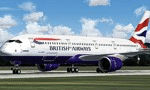
Airbus A350, British Airways, for FSX, Demoversion, The A350 XWB (Xtra Wide-Body) is Airbus response to market demand for a medium capacity long range wide-body family. Designed with airlines priorities in mind, the A350 XWB confronts the challenges of high fuel prices, rising passenger expectations and increasing environmental concerns.
Available from 2013, it has an entirely new, uncompromised, 21st Century design with a wider and taller fuselage for extra space and passenger comfort. A complete family of airliners sized to generate cost reductions and provide unprecedented operating flexibility for airlines; three basic passenger versions are being offered. With a range of up to 8,300nm/15,380km they include the A350-800 for 270 passengers in a spacious three-class configuration; the A350-900 for 314 passengers and the A350-1000 seating 350 passengers. An ultra long-range version, the A350 - 900R, will fly even further while a freighter version, the A350 - 900F, will complement the passenger models.
As befits the most advanced aircraft family in its segment, the A350 XWB is able to provide greater economy on long-range markets and is equally attractive as a route opener or as part of a multi-type Airbus fleet offering optimized network solutions. Thanks to the application of the latest innovations, the A350 XWB is able to offer 20 per cent lower cash operating costs per seat than competing aircraft in this size category and fuel efficiency improvements of up to 25 per cent per seat.
The fly-by-wire A350 XWB Family is a significant addition to the Airbus product range. A member of the Airbus FBW Family of aircraft, it benefits from the same operational commonality as the other members of the Family. This handling and flight deck commonality allows airlines to benefit from the unique Airbus Family concept of cross crew qualification and mixed fleet flying, and will ensure smooth introduction into service.
Panel, GAUGES, model, sound and textures by www.afs-design.de - Author: A.Meyer.
| Filename: | British_Airways_Airbus_A350_Family.zip |
| License: | Commercial demo |
| Added: | 20th October 2012, 20:53:41 |
| Downloads: | 1,721 |
| Author: | Andreas Meyer |
| Size: | 12.9 MB |
| Category: Flight Simulator X - Original Aircraft | |
| Airbus A359ULR |
|
Images related to this file:
File Description:
Sinapore Airlines is the launch customer for the A359ULR. The aircraft is configured in a two-class layout, with 67 Business Class seats and 94 Premium Economy Class seats. She is designed for long range flights of over 9,700 nm. Fuel has been increased at the expense of souls on board. The primary use will initially be for routes between WSSS and KJFK (or KLGA), but many others of similar distance can be added later. The flight number on this aircraft reflects the first flight from KJFK-WSSS which is only 8,275 nm (Contrary to media reports of over 9,000 nm) and about 17.5 hours duration (see You Tube video on this flight). The aircraft follows normal flight rules with a higher flight level and longer range. Almost everything is computer controlled and monitored throughout the flight, from take-off to landing. Two of Four pilots monitor the flight at all times, and shift changes occur on a schedule that allows appropriate rest for the crew. The passengers enjoy accommodations unlike provided in any other aircraft or flight, with plenty of meal servings and entertainment options. To see the seating chart, enter the Airbus A359ULR Singapore Airlines folder and click the icon named “SeatGuru Seat Map Singapore Airlines Airbus A350-900 ULR.html†and the seating map will appear. The model here has ground servicing animation. Please review the ReadMe_FSX.txt document for further info on this. Read A359ULR details.txt for aircraft details. Model Design and Panel by: Camil Valiquette; Sounds: Unknown Author and modified by Douglas E. Trapp; Auto Smoke Effects by Richard Wisman, modified by Douglas E. Trapp; Real World Aero/Engine Dynamics and Modifications by: Douglas E. Trapp, Irving, Texas, [email protected], December 2018. The use of this model, and the configuration of such, is designed for free educational purposes, and protected by the Free Use Act: (https://www.law.cornell.edu/uscode/text/17/107). This model and/or aspects of such cannot be used for monetary purposes!
| Filename: | Airbus_A359ULR.zip |
| License: | Freeware |
| Added: | 2nd December 2018, 00:56:21 |
| Downloads: | 1,010 |
| Author: | Douglas E Trapp |
| Size: | 31.63 MB |
| Category: Flight Simulator X - Aircraft Repaints, Textures and Modifications | |
| FSX/P3Dv3 Alisarda F-27-200 1973 |
|
Images related to this file:
File Description:
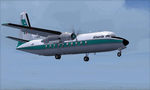
This is a repaint of the F-27-200 in Alisarda colors. The freeware FSX Native with VC F-27-200 by Bjorn Kesten is needed for this repaint. It was converted from Mike Stone's and Tom Gibson's models. The textures are 32bit DDS. It was tested on FSX-SE, but should work on FSX & P3Dv3.
Alisarda was an Italian airline based at Olbia, in Sardinia. It was established on March 28, 1963 as an air taxi company registered under the official name Linee Aerea della Sardegna SpA. Their first aircaft were two Beech 18s and Alisarda only provided a charter service. However, one year later,in 1964, they opened their fist scheduled service from Olbia to Rome. 1965 proved to be a pivotal year for the carrier. A reorganization was carried out whereby an agreement was concluded with Algenova for technical and commercial support. New investors were found, and in February 1965 two new Nord 262s were ordered from Nord Aviation. Due to this greater transport capacity, the transport figures increased strongly and in 1966 a total of 5,640 passengers were transported. The passenger loads increased dramatically in 1968 and 1969, so, Alisarda purchased three F-27 Friendships to take up the extra loads. The airline entered the 1970s with strength, and in January 1974 they received their first pure jets with the purchase of two DC-9-14s from Delta Airlines, I-SARJ and the I-SARV. 1977 saw them purchase two DC-9-32s, followed by three DC-9-50s in 1983, which replaced the aging DC-9-14s. In 1984 they received two new Maddog 82s. Their route network by 1989 consisted of domestic flights to many cities in Italy, plus international routes to Zurich, Geneva, Munich, Frankfurt, Paris, and Nice. In 1991 Alisarda merged with the Spanish carrier Universair, as the shareholders wanted to become a bigger players on the European market. The new carrier was named Meridiana. Thus, the name Alisarda ceased to exist.
| Filename: | FSXP3Dv3_Alisarda_F27200_1973.zip |
| License: | Freeware |
| Added: | 21st January 2020, 17:49:09 |
| Downloads: | 82 |
| Author: | Ted Giana |
| Size: | 4.79 MB |
| Category: Flight Simulator 2004 - AI Aircraft | |
| 43 x Boeing 737-200 (replacement of lost files) |
|
File Description:
Here are some of my repaints of B737-200 that got lost through the attack on AVSIM file library. You'll find zip-files corresponding t0 the registration numbers of the aircraft. readme-files are included in every zip-file. Just unzip the b732.zip and use what you like. Following aircraft are included:
AerolÃ�ÂÂnea Principal 737-236 Adv (CC-CZO) Chile /
Africa Charter Airline 737-200 (ZS-SIL) South Africa /
Air Corridor 737-200 (C9-BAM) Mozambique /
Air Inuit 737-200C (C-GAIG) Canada /
Air Malawi 737-200 (ZS-PUI) Malawi /
Airfast Indonesia 737-200 (PK-OCP) Indonesia /
Avolar Aerolineas 737-200 (XA-UHY) Mexico /
Best Aviation 737-200 (S2-AAI) Bangladesh /
Bionic Aviation 737-200 (ZS-PVU) South Africa /
CityLine Hungary 737-200C (HA-LEW) Hungary /
Delta Connection 737-200 (5Y-JAP) Kenya /
East Air 737-200 (EY-533) Tajikistan /
Eastok Avia 737-200 (EX-736) Kyrgyzstan /
EuroLine 737-200 (4L-EUL) Georgia /
Flying Carpet 737-200 (OD-LMB) Lebanon /
Inter Air Airlines 737-200 (ZS-SIH) South Africa /
Inter Air Airlines 737-200C (ZS-IJJ) South Africa /
Jatayu Airlines 737-200 (PK-JTY) Indonesia /
Kartika Airlines 737-200 (PK-KAD) Indonesia /
Marsland Aviation 737-200 (ST-SDA) Sudan /
NasAir 737-200 (E3-NAD) Eritrea /
NasAir 737-200 (E3-NAS) Eritrea /
National Airways Cameroon 737-200 (XU-UHZ) Cameroon /
Norse Air 737-200 (PK-YGF) South Africa /
Pacific Pearl Airways 737-232 (RP-C8777) Philippines /
Pamir Airways 737-232Adv (YA-PIR) Afghanistan /
Pamir Airways 737-268 (EX-311) Afghanistan /
PMT Air 737-200 (XU-U4F) Cambodia /
Principal Airlines 737-236 Adv (CC-CZK) Chile /
Regional Paraguaya 737-200 (ZP-CAJ) Paraguay /
Rollins Air 737-200 (N332DL) Honduras /
SAT Airlines 737-200 (RA-73003) Russia /
SCAT Airlines 737-200 (UN-B3707) Kazakhstan /
Slok Air International 737-200 (C5-NYA) Gambia /
Tahmid Air 737-200 (EY-533) Kazakhstan /
Tahmid Air 737-200 (UN-B3709) Kazakhstan /
Tahmid Air 737-200 (UP-B3703) Kazakhstan /
Tajik Air 737-200 (EY-532) Tajikistan /
Top Air 737-200 (PK-BPW) Indonesia /
Transworld Aviation 737-200C (JY-TWC) Jordan /
Weststar Aviation 737-200 (N413JG) Malaysia /
Xpress Air 737-200 (PK-TXF) Indonesia /
Zara Airways 737-200 (ZS-SIL) Tanzania /
| Filename: | 43_x_Boeing_737200_replacement_of_lost_files.zip |
| License: | Freeware, limited distribution |
| Added: | 6th June 2010, 09:00:58 |
| Downloads: | 3,441 |
| Author: | Uwe Hoffmann |
| Size: | 20.21 MB |
| Category: Flight Simulator 2004 - Scenery | |
| PABR - Barrow - Alaska, USA |
|
Images related to this file:
File Description:
The town of Barrow is in the far north of Alaska, and is best known in flying circles as the place where Wiley Post crashed his floatplane on takeoff and killed himself and Will Rogers. The crash was some 15 miles south of Barrow and was "assisted" by the mismatched fuselage, wings, and floats that had been assembled to create the floatplane. The Barrow population is largely Inupiat and totals some 4,400. The downtown area of Barrow is immediately north of the airport. The second and largest part of Barrow is further north past a string of lagoons and is locally called Browerville. To the northeast along the coast is the smallest part around what used to be the Naval Arctic Research Lab, and is now a college. To the east of this are the DEW buildings, plus two large navy hangars and the gravel runway that was used to serve the DEW station. The PABR runway is aligned 06-24 in FS9 and is 7,100 feet long and 150 feet wide, built on top of a gravel base and surround that copes with the underlying permafrost. There is PAPI at both ends and an ILS and approach lights on 06; 06 circuits are to the right. The airport notes include a warning that the apron is not a standard width and that large planes that are enroute to the far end of the runway will not be able to taxi past a plane parked at the gate and should use the runway as a taxiway, then turn and takeoff. FS9 AI cannot cope with that, so the apron here is wider. There are, in real life and the AI, daily flights by Air Alaska (three at least) and Era (several, and which is now called Ravn, hence the new hangar door motif) and air cargo flights by Northern Air Cargo and Everts, plus GA. The buildings have been made with photographic textures or textures made from reference photos. I decided that while 500+ scenery objects was probably ok for most people the required 900+ to "make" the town of Barrow would likely not be. The auto-generated FS9 town objects could not be left as Barrow with trees would not look at all like reality; I have "faded" the density of the town buildings into the distance from the airport.
| Filename: | PABR__Barrow__Alaska_USA.zip |
| License: | Freeware, limited distribution |
| Added: | 17th May 2016, 09:32:36 |
| Downloads: | 977 |
| Author: | Roger Wensley |
| Size: | 15.12 MB |
| Category: Flight Simulator 2004 - Scenery | |
| Prudhoe Bay area on Alaska North Slope US |
|
Images related to this file:
File Description:
The Prudhoe Bay area of the Alaska north slope is dominated by all the equipment and machinery that is necessary for the extraction of oil and its transfer by the pipeline that reaches south to Valdez. Prudhoe Bay airport is now closed, and its replacement just to the south is Deadhorse PASC, with numerous storage, maintenance, and accomodation areas immediately to the north of the apron, and others adjacent to the road between the two. The runway is just under 6,500 feet with approach lights at both ends and ILS on 04 (true heading of 75 degrees). This scenery reflects the overall situation in 2011 and oil production facilities and buildings are included here. The airport buildings and those close to the airport are replicas of the real life buildings; while as distance increases the accuracy fades somewhat there are everywhere replica trucks and cross country vehicles that are true to life. Deadhorse handles around 7,000 passengers per month as staff are rotated in and out on Alaska Air and ERA flights and by oil company private flights. There are also freight flights to complement the trucking effort up the Dalton Highway. The Alaska Airlines terminal building and ERA (the red buildings nearby) are at one end of the apron, while at the other end is a very large and new green terminal, storage, hangar building built by the airport authority. All of the airport components, runways, taxiways, and aprons, are built up on a gravel base to raise them above the surrounding terrain that floods with melting snow, freezes, or dries out, according to the seasons. There are other new airstrips included here that serve the oil industry. Around 33 miles to the east is Badami PABP airport servicing a subsiduary oil producing area, with 5,000 feet of gravel runway. Some 28 miles to the west of Deadhorse is Ugnu-Kuparuk UBW with just over 6,000 feet of gravel (gravel in 2011, it is now asphalted) servicing oil production by Conoco Phillips, which uses 737's to fly staff in and out. A further 32 miles west is Alpine AK15 with 5,400 feet of gravel and also served by the Conoco Phillips 737's. To the south of Alpine and connected by road is the village of Nuiqsut. To the north of Alpine and reachable only by air in the delta of the Sagavanirktok River is CD-3, an oil collection and pump station area with another gravel runway of 3,000 feet. Other airstrips that were prviously posted are now updated, Nuiqsut and Oliktok. I experimented, but decided against trying to reproduce the several hundred miles of pipelines. The are new AI aircraft, and there are notes regarding downloading. There is a new "cement" texture (not its name, but used as that by SBuilder) for the built up gravel bases. It is slightly darker than the original but not so much that any previous use will be spoilt. You may wish to download my "Alaska Frozen Rivers and Lakes" which freezes lakes and the northern sea and makes them landable on wheels.
| Filename: | Prudhoe_Bay_area_on_Alaska_North_Slope_US.zip |
| License: | Freeware, limited distribution |
| Added: | 19th December 2017, 00:38:06 |
| Downloads: | 588 |
| Author: | Roger Wensley |
| Size: | 28.54 MB |
| Category: Prepar3D V1-4 - Utilities | |
| Flightplan Visualizer 1.13 |
|
Images related to this file:
File Description:
Flightplan Visualizer (FV) version 1.13.0. Copyright 2018-2019 by Pelle F. S. Liljendal ([email protected]), all rights reserved.
FV comes with 586 pre-imported Commercial AI flightplans (+380 BizJet flightplans are available as a separate download). However you are able to import additional (AI) flightplans yourself. Once imported these (AI) flightplans can be visualized on a map-view, and the user will be able to search accross all these. Hence you can use the program as inspiration as to which routes to fly. E.g. you can search across all imported flightplans to find all flights in an A321 flying into/out from LDDU, or simply to look for all flights in a Boeing 747-8F.
Simply run the included installer to install the software. The program will be installed into "C:\Program Files (x86)\Flightplan Visualizer" and all datafiles will be installed into: "C:\Users\[UserName]\AppData\Roaming\FlightplanVisualizer". The program comes with a full manual explaining everything, and a 3 page quick manual to get you started. The first 3 times you run the program the quick manual will automatically open. The forum is hosted here: https://forum.aerosoft.com/index.php?/forum/919-flightplan-visualizer/
Version 1.13 Contains the following changes: Flightplans can now be exported in AIFP/TrafficTool-format (the same format that FV is able to import). It means if you have made any changes to a flightplan (e.g. redirected some airports) the flightplan can be exported from FV, and imported into AIFP (AI Flight Planner, by Don Grovestine) where it can be compiled into an AI-traffic bgl-file (traffic "scenery"). A new setting called "Adjust flight-time on airport-redirect" have been added. This setting defaults to "false" (un-checked), however if changed to "true" (checked) the flight-time will be changed if/when departure/destination-airports are changed due to airport-redirections (both automatic and manually). The flight-time is the result of the difference between departure-/destination-time, hence if the flight-time is changed either- or both departure-/destination-time will change as well. The original flight-time is scaled based on the original- and the redirected distance between the departure/destination-airports. When importing/editing flightplans you can now select one or multiple aircraft and delete them. When deleting an aircraft all schedules attached to that aircraft will be deleted as well. One use of this feature could be to remove aircraft you don't have a AI aircraft, prior to exporting the flightplan in AIFP/TT-format, and loading it into AIFP. When importing/editing flightplans a "Similar" button will appear next to the flightplan name if a similar named flightplan exists (e.g. "same name", but different season), or other flighplans exists for the same airline (ICAO). Hoovering the mouse over this button will show the names of these flightplans as a tool-tip, and if you click the button the list will be shown in a window (with some additional information), from where it can be copied to the clipboard if you need to. On the Edit/Import-flightplan form, the Aircraft- and Airport tab-sheets have been swapped, and a new tab-sheet was added to list all routes of the flightplan. For each route the distance is listed along will all aircraft types of the flightplan servicing that route. The "Aircraft" tabsheet of the form to import/edit flightplans now contains a button called: "Fleet report". Pressing this button will generate a report showing the fleet of an airline (based on the flightplan), that is sorted by Aircraft type and registration. For each aircraft it will show a list of all the airports served by that particular aircraft. A "Word-wrap" check-box have been added to the Result-viewer to toggle word-wrap on/off (word-wrap defaults to "on"). In previous versions any changes made in the settings form resulted in all flightplans having to reload (while showing the splash-screen). Changing the path for MakeRunway-files still results in an automatic "reboot" of the program. The combo-box for choosing default direction (outbound/inbound/both) for the leg-search (on reset) have been removed from settings, and it now defaults to "Outbound or Inbound". However in the search legs form you can now save your own preferred "Reset" criteria. When you press the reset-button, it will load this Reset-file (with your preferred reset criteria). If you hold SHIFT while pressing the reset-button (or you have not saved a personal reset-file), it will reset to the default factory-criteria. In the traffic tabsheet of the airport info form there is a combo-box letting you switch between "Selected flightplan" or last-search on main-form" and "All flights to/from this airport". In previous versions it did not perform the search of flights to-/from- the viewed airport until you selected the 2nd item from the combo-box. Now this search is performed in the background as soon as the form is opened, hence choosing the 2nd item in the combo-box is now instantaneous. The "Nearby Airports" tab-sheet in the "Airport Info" form, now have a column listing direction (from the airport to the nearby airports). When listing number of runways and gates (e.g. in the form showing nearby airports, or in the redirection-report), the radius of the largest gate is now included, as there is no need to redirect any 747 traffic to an airport where the largest gate is 23m (a 747 requires a gate with a radius of at least 36m). The frequency-count was removed from the before mentioned listing of runways and gates, to make more room for listing the aircraft serving each airport. The search for airport browse now have a new optional column listing comments (e.g. length of longest rwy and largest gate). The "show" combo-box lets you choose to show comments in stead of "Size/Rank/Traffic" or "Hint-text". Opening the search airport browser from the import/edit flightplan form, will automatically choose to show the comments column, as information regarding rwy length/gate radius can be relevant when redirecting airports. Form "Nearby Airports" now show the GPS-position in the caption of the form. Added runway/gate summary to caption-bar of airport info form, so you no longer need to look at both the runway- and gate- tab-sheet in order to see: number of runways, longest runway, number of gates and largest rate (radius). New check-box added to settings allowing you to include the before mentioned runway/gate info in the airport marker tool-tip on the main map. Region/sub-region added to "Airport Info" form (top/left corner). A new setting (default to disabled) lets you add region/sub-region to the airport marker-hint on the map as well. Added a button to the "airport info" to show the airport at flightradar24 (opens the default browser), and the button on the leg info form to show route the route at flightaware (also using the browser) have been replicated on the route info form. The METAR-/TAF-buttons on the leg info form now shows the raw METAR/TAF-message - as a tool tip - when you hoover the mouse over the buttons. As before, when you press these buttons it will open a window showing the decoded messages. Various minor changes to the leg info form: added info regarding longest runway and largest gate for each airport, and re-positioned some of the fields. Likewise the info copied to the clipboard when you click the appropriate button have been re-ordered as well. Changed flightplan format to accommodate additional information, but the format remains backward compatible. Button added to about-box allowing the user to copy version-info to the clipboard. Managed to "shave off" approx ½ a second during start-up (on my pc). Not a lot but still an improvement :-) Fixed: In the form for importing/editing flightplans the leg-page showed the original distance even if the airports were redirected. Fixed: On leg info form "Dest.Country" and "Dest.Apt" column-order were swapped. Fixed: Tweaked aircraft type detecting to better detect 740-400 and 767-200/300 freighters. In previous versions a few aircrafts were wrongly detected as pax, when they should have been detected as freighter. Data: Airbus 330-800/900 Neo, Boeing 747-400LCF (Dreamlifter), and Embraer 175/190/195-E2 have been added as supported aircraft, and a few additional airlines and airports were added as well. Flightplans: Installer comes with +70 new pre-imported (Summer 2019) flightplans of which some are replacements of obsolete flightplans (from previous installers), and 2 of the "old" flightplans have been marked as defunct, as "Adria Airways" and "Aigle Azur" have filed for bankruptcy and ceased their operations. Flightplans: Among the added flightplans you will find the first flightplan I have made myself, a flightplan for Airbus Transport International covering their 5 Beluga's an 2 Beluga XL's (the latter 2 are stil performing test-flights and have yet to be implemented into their "normal schedule").
| Filename: | Flightplan_Visualizer_113.zip |
| License: | Freeware, limited distribution |
| Added: | 13th October 2019, 17:50:53 |
| Downloads: | 355 |
| Author: | Pelle Liljendal |
| Size: | 30.45 MB |


© 2001-2026 AVSIM Online
All Rights Reserved
Privacy Policy |