
Where Flight Simulation Enthusiasts Gather from Around the World!
AVSIM Library - Search Results

| Category: Flight Simulator X - Scenery | |
| USCG Air Station Kodiak Alaska PADQ Scenery Package with AI Aircraft |

|
Images related to this file:
File Description:
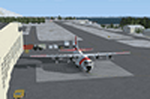
Thanks to Airport Design Editor(ADE), Military AI Works (MAIW) scenery and aircraft, along with AI Flight Planner3 (AIFP3), I did my best to re-create USCG Air Station Kodiak for FSX. Creating this airport scenery was my first BIG (for me) project in ADE, but thanks to MAIW and their Global Scenery Library Objects, I think I've succeed in re-creating the airbase. You'll need to go to MAIW's website and download the "Global Scenery" package for any of this to work for you, so I've copied that website link below (in STEP 1). I also painted Kodiak markings onto all the MAIW AI Aircraft for added realism.
And just for fun, I placed a USCG Cutter and a "fishing boat in distress" (complete with green smoke) out in the harbor as a "Practice Recue Scenario". The Cutter has a "hard deck" to land on and I've also illuminated both it and the Fishing boat for DUSK and NIGHT practice.
| Filename: | USCG_Air_Station_Kodiak_Alaska_PADQ_Scenery_Packag.zip |
| License: | Freeware |
| Added: | 31st January 2021, 06:43:03 |
| Downloads: | 998 |
| Author: | Daniel W Gregory |
| Size: | 25.65 MB |
| Category: Flight Simulator 2004 - Scenery | |
| Iles de la Madeleine CYGR in Quebec Canada |
|
Images related to this file:
File Description:
The Iles de la Madeleine are a group of spit islands linked by bridges in the Gulf of St Lawrence. They are east of New Brunswick, north of Cape Breton Island, west of the Island of Newfoundland, and south of the mainland coast of Quebec. On a southwest to northeast axis they are 40 miles in length and the airport CYGR is pretty much at the midpoint of the southern line of islands. Take a look at the overhead from FS9 to see what I mean. CYGR has two runways, one is aligned 08-26 and is just under 4,400 feet long and 150 feet wide with lighting and PAPI at both ends. The second is aligned 16-34 and is 3,600 feet long and 150 feet wide, without lights or PAPI. Both are asphalt. The apron is not huge, and a newish (in 2010) hangar was built with separate access to the 16-34 runway. There are daily flights by Air Canada and Pascan Aviation included in the AI. The AI also includes some boats and a ferry, and I first used these with my Dutch Harbor scenery, so if you have that already.... This scenery also includes Cindy Hook, a small boat harbour just 2 miles southwest of the airport, and the larger harbour at Cap aux Meules a further 3 miles away that accommodates the daily ferry trips, along with fishing boats etc. Also included here is a further addition to the Homer PAHO scenery in the shape of a boat that is included in the Homer Spit harbour. Just add the contents of the scenery folder to the Homer scenery folder of your Homer installation, and the texture folder contents to the Homer texture folder. This is hopefully the last PAHO addition, and again apologies. If you find an error email me please, and note that my email address has been changed to rogwens at Gmail dot com.
| Filename: | Iles_de_la_Madeleine_CYGR_in_Quebec_Canada.zip |
| License: | Freeware, limited distribution |
| Added: | 28th July 2021, 17:02:18 |
| Downloads: | 188 |
| Author: | Roger Wensley |
| Size: | 26.7 MB |
| Category: Flight Simulator 2004 - Scenery | |
| Seward PAWD in Alaska V2 plus 6AK5 |
|
Images related to this file:
File Description:
This is V2, the combined original and also V1. If you have already installed V1 then you do not need this. The town of Seward (population around 2,700) is on the east coast of the Kenai Peninsula, 70 miles east of Kenai town and also 70 miles southeast of Anchorage, amid mountains and glaciers at the northern end of the 20 mile long and fjord-like Resurrection Bay. It is also at the southern end of both the Alaska Railway and the Seward Highway, and has a sheltered dock for freight and also for cruise liners. Passengers from the liners can enjoy local attractions (dog sledging on a glacier?) and also easily continue further north by bus or train to Anchorage or to other tourist attractions such as Denali. The airport is next to the port and the town, with two runways aligned (in FS9, not taking account of the recently wandering magnetic north) 15-33 and 12-30, both asphalt and 2,100 and 4,200 feet long respectively. Only 12-30 (and its taxiways) is lit, with VASI on 30. There are no regularly scheduled flights to Seward; with buses and trains running direct from Anchorage there is no money to be made. There are some charter flights coordinated with cruise liners, and some freight flights, the very occasional visit by the Coastguard, but most flights are GA, air taxi,or short scenery-viewing trips for summer tourists. In a mountainous area the only sure thing about the behaviour of AI aircraft is that it is unpredictable but often involves a mountain; nothing to be done about it. At Seward there is also marine AI from and to the port, in the shape of a cruise liner and an Alaskan ferry, but the latter only if you have Holger Sandmann's Alaska scenery installed. Also included with this is a correction for Fire Island 6AK5, near Anchorage, that takes the airfield out of the water; this is something I have meant to do for the last 5 years.
| Filename: | Seward_PAWD_in_Alaska_V2_plus_6AK5.zip |
| License: | Freeware, limited distribution |
| Added: | 19th January 2016, 18:27:26 |
| Downloads: | 591 |
| Author: | Roger Wensley |
| Size: | 12.47 MB |
| Category: Flight Simulator 2004 - Scenery | |
| Edson CYET in Alberta, Canada |
|
Images related to this file:
File Description:
Edson is 120 miles west of Edmonton in Alberta, on Highway 16. It was originally named Heatherwood, but that was changed to honour the vice president of the Grand Trunk Pacific Railway when it was made the local railway centre. It thrived, and when Highway 16 was upgraded it thrived even more. Coal mining and industry connected with timber are the main employers of a population of around 8,500. The airport is at the western edge of the town at 3,041 feet asl, with a single lit runway 6,000 feet long and 100 feet wide aligned 07-25, with displaced thresholds and VASI at each end. The two joined aprons are at the eastern end of the airfield, with fire fighting chemical tanks beside the western one which is reserved in the summer months for the Lockheed Electra Air Spray planes; these are included in the AI. The eastern apron is for visiting charters and GA planes, next to a small terminal building. There is further parking on the grass for resident planes next to a large gravel car parking area and clubhouse. As the Air Spray planes would not be fighting fires in the winter there are in fact two editions of the AI, one for the summer fire fighting season and the other for the winter freeze. Use whichever one is appropriate for your flight time; I never strayed far from Ottawa in the winter so for me it is the summer one only. While making this I came across something new in the shape of some incorrectly installed edge lights in the stock fs9 version that refused to be deleted. There is still an "Edson TOP" folder which would normally be used to delete all unwanted taxiway edge lights, but in this case it deletes only some of them. Apologies, but there is nothing more that I can do and so I suggest you use this in daylight only.
| Filename: | Edson_CYET_in_Alberta_Canada.zip |
| License: | Freeware, limited distribution |
| Added: | 10th February 2019, 23:59:04 |
| Downloads: | 147 |
| Author: | Roger Wensley |
| Size: | 7.14 MB |
| Category: Flight Simulator 2004 - Scenery | |
| Port Hardy CAW5 in British Columbia, Canada |
|
Images related to this file:
File Description:
This is the sixth in a series of new and renovated float bases in BC. Port Hardy CAW5 is in a sheltered inlet on the northeast coast of Vancouver Island, close to the town and just 6 miles northwest of the Port Hardy airport. There is fuel (both JetA and 100LL) and also oil available, and the base acts as a refuelling centre for the other float bases in the neighbourhood. The dock is one-sided as the northern side borders a shallow area that is in fact exposed at low tide, as is most of the inlet to the south of BC Packers (adjacent to the float base, to the south). The parking along the dock is maximised by backing up each plane by hand so that it is close to the one behind it; this is not possible to replicate with AI in FS9 (watch the video). Watch out for the log boom on the other side of the inlet, it is there to protect fish farm "pools". The AI involves several Beavers and Otters, as listed in the AI folder. At Port Hardy all the AI works for both landing and takeoff for all of the planes, no matter what is the wind direction. There is a pic of the Supplement Port Hardy page, showing the two take-off and landing areas plus the third area that is to be used for take-off before 7am. All of these float bases can be installed together in the same folders, with a saving in duplicate textures. So a series called BC Floats (or whatever you want to call it) or individually installed float bases; your choice. The next in the series was suposed to be Sullivan Bay, another floating marina, but I digressed to Port Hardy and Port McNeill (next to be posted). The two hotels by the nearby marina are included. One of them gave me weird problems and I gave up on achieving the correct shape.
| Filename: | Port_Hardy_CAW5_in_British_Columbia_Canada.zip |
| License: | Freeware, limited distribution |
| Added: | 19th January 2017, 15:01:45 |
| Downloads: | 201 |
| Author: | Roger Wensley |
| Size: | 8.27 MB |
| Category: Flight Simulator X - Scenery | |
| Merrill Field PAMR |
|
Images related to this file:
File Description:
This is a version for FSX of the Merrill Field made by Roger Wensley (me) for FS9, converted by John B Loney jnr. "PAMR read this first" explains this but I have modified John's original procedure, and instead of first installing the Merrill Field original plus two updates I have included here the current FS9 version as installed on my computer. Note that to see the apron lighting working in FS9 it was necessary to have Sidney Schwartz's light library installed, along with his updated textures (to avoid severe blurries caused by a faulty texture). The original installation instructions are included giving file library priorities etc. Just ignore the bits that do not apply, such as installing AI that is not included. I have of course omitted the original AI as this is replaced by John's version. I have no comment to make on installing in FSX as I have not done so, and I have not tested it in FSX. If you have comments or questions I will respond as much as I am able. Merrill Field is in Anchorage Alaska, between Anchorage International to the southwest and and Elmendorf Air Force Base to the north. It caters for general aviation and is the land equivalent of the Lake Hood float plane base, with fuel and numerous maintenance facilities, and several hundred parking spots for small planes. There are three runways, and the longest is 4,000 feet of 100 feet wide asphalt, the second 2,635 feet of asphalt 75 feet wide, and the third 2,000 feet of 60 feet wide gravel. The first two have runway lights. It is a controlled airfield with a relatively new control tower to cater for the numerous flights and to coordinate with Elmensdorf and Anchorage International, the latter also controlling flights from Lake Hood and the adjacent gravel strip Z41. (See my Lake Hood scenery). The gravel runway at Merrill Field is not connected with active taxiways to the rest of the airfield; this avoids you being ordered to land on it when flying a plane too large to do so.
| Filename: | Merrill_Field_PAMR.zip |
| License: | Freeware, limited distribution |
| Added: | 3rd July 2017, 18:00:19 |
| Downloads: | 451 |
| Author: | Roger Wensley and John B loney jnr |
| Size: | 21.73 MB |
| Category: Prepar3D V1-4 - Utilities | |
| GENav pro Navigation |
|
Images related to this file:
File Description:

Previous payware product at SimMarket, now 100% free.
With GENav pro you will view all AIRAC navigation data and terminal procedures inside Google Earth. GENav pro run under Windows and require only Google Earth for displaying. You can also edit your own routes or just copy routes into GENav to view in Google Earth. You can search for example an airport or a fix by short or long name, Google Earth will take you there.
You can connect to Microsoft Flight Simulator to view your aircraft. Moving map and heading is available.
GENav pro is highly optimized for best performance and clear views without clutter. There are smart filters to select relevant data to display, all AIRAC items are available. You will find all data such as nav-aid frequencies, airport runways with ILS frequencies by click the displayed icons in Google Earth.
You can edit routes visual direct inside Google Earth by click. The database can always be updated with Navigraph's latest AIRAC data.
With GENav you can easy build valid routes. Unlike other common autorouting program, GENav is the tool for you to build routes with correct airway direction and correct connected to SID/STAR's. You will easy draw your routes most stright and correct to destination. It is also excellent for visual and instrument navigation flights.
FEATURES:
*** Display airports, nav aids, waypoints
*** Display High/Low airways and airways direction
*** Display SID/STAR, Approaches and Transitions
*** Display ARTCC/FIR border
*** AIRAC data available by click
*** Search airport and fixes
*** AIRAC data compatible Navigraph data
*** Visual editable routes
*** VOR to VOR route navigation data
*** Display your aircraft
BASIC SYSTEM REQUIREMENTS:
*** Windows with Google Earth installed
( Notice, no flightsim program required )
OPTIONALLY REQUIREMENTS:
*** SID/STAR require the Navigraph purchase or an alternative free source
*** Airways direction & high/low info require the Navigraph purchase
*** To display aircraft, Microsoft Flight Simulator or Prepare3D v1/v2, with free FSUIPC is required.
*** To display aircraft at a separate computer, also the payware WideFS is required.
| Filename: | GENav_pro_Navigation.zip |
| License: | Freeware |
| Added: | 25th May 2016, 11:24:52 |
| Downloads: | 654 |
| Author: | Lennart Vedin |
| Size: | 4.5 MB |
| Category: Flight Simulator 2004 - Utilities | |
| GENav pro Navigation |
|
Images related to this file:
File Description:

Previous payware product at SimMarket, now 100% free.
With GENav pro you will view all AIRAC navigation data and terminal procedures inside Google Earth. GENav pro run under Windows and require only Google Earth for displaying. You can also edit your own routes or just copy routes into GENav to view in Google Earth. You can search for example an airport or a fix by short or long name, Google Earth will take you there.
You can connect to Microsoft Flight Simulator to view your aircraft. Moving map and heading is available.
GENav pro is highly optimized for best performance and clear views without clutter. There are smart filters to select relevant data to display, all AIRAC items are available. You will find all data such as nav-aid frequencies, airport runways with ILS frequencies by click the displayed icons in Google Earth.
You can edit routes visual direct inside Google Earth by click. The database can always be updated with Navigraph's latest AIRAC data.
With GENav you can easy build valid routes. Unlike other common autorouting program, GENav is the tool for you to build routes with correct airway direction and correct connected to SID/STAR's. You will easy draw your routes most stright and correct to destination. It is also excellent for visual and instrument navigation flights.
FEATURES:
*** Display airports, nav aids, waypoints
*** Display High/Low airways and airways direction
*** Display SID/STAR, Approaches and Transitions
*** Display ARTCC/FIR border
*** AIRAC data available by click
*** Search airport and fixes
*** AIRAC data compatible Navigraph data
*** Visual editable routes
*** VOR to VOR route navigation data
*** Display your aircraft
BASIC SYSTEM REQUIREMENTS:
*** Windows with Google Earth installed
( Notice, no flightsim program required )
OPTIONALLY REQUIREMENTS:
*** SID/STAR require the Navigraph purchase or an alternative free source
*** Airways direction & high/low info require the Navigraph purchase
*** To display aircraft, Microsoft Flight Simulator or Prepare3D v1/v2, with free FSUIPC is required.
*** To display aircraft at a separate computer, also the payware WideFS is required.
| Filename: | GENav_pro_Navigation.zip |
| License: | Freeware |
| Added: | 25th May 2016, 11:24:32 |
| Downloads: | 529 |
| Author: | Lennart Vedin |
| Size: | 4.5 MB |
| Category: Flight Simulator 2004 - Scenery | |
| Frazier Lake Airpark (1C9) California Scenery |
|
File Description:
This is a scenery upgrade for Frazier Lake, California (1C9). This is part Eight of a series of small airstrip and minor airfield scenery enhancements which are based on real world data from Google Earth. The scenery mainly reflects the appearance of the airpark from directly above. If you are familiar with the place when on the ground, due to the limited number of buildings available it probably looks quite different. There is now however, a water strip for float planes which was missing from the default. It is proper FS9 water so you may land on it. Also, a few images from the net show that the ground varies from green grass to bare earth so I have made four .bgl files for the base texture. Note, I am using Flight1 Ground Environment; the default fields will look different. You must have rwy12 and EZ scenery libraries installed for the buildings to show. Both libraries of objects are free. EZ Library is available at http://www.abacuspub.com/pub/AbacusEZLibraries.exe. Rwy12 and additional EZ Custom libraries from Avsim. Search under Scenery design.
| Filename: | Frazier_Lake_Airpark_1C9_California_Scenery.zip |
| License: | Freeware |
| Added: | 31st March 2006, 01:00:25 |
| Downloads: | 501 |
| Author: | Kim Gowney |
| Size: | 400.27 KB |
| Category: Flight Simulator 2004 - Scenery | |
| Funny Farm (4CA2) Brentwood, California Scenery |
|
File Description:
This is a scenery upgrade for Funny Farm Airport, Brentwood, California (4CA2) (Why Funny Farm?) This is part Nine of a series of small airstrip and minor airfield scenery enhancements which are based on real world data from Google Earth. The scenery mainly reflects the appearance of the airpark from directly above, so if you are familiar with the place then on the ground it probably looks quite different, due to the limited number of buildings available. This scenery includes the Private lake and dwellings to the southwest of the airstrip proper plus extensive landclass alterations to make the small paddocks in the same area. This is a tough place to land neatly in anything past a C172 in calm weather; the runway is only 20 feet wide! Built using EZ_Scenery, Lee Swordy's AFCAD and SBuilder. You must have rwy12 and EZ scenery libraries installed for the buildings to show. Both libraries of objects are free: EZ Library is available from http://www.abacuspub.com/pub/AbacusEZLibraries.exe and rwy12 and additional EZ Custom libraries from Avsim. Search under Scenery design.
| Filename: | Funny_Farm_4CA2_Brentwood_California_Scenery.zip |
| License: | Freeware |
| Added: | 1st April 2006, 23:42:42 |
| Downloads: | 547 |
| Author: | Kim Gowney |
| Size: | 359.43 KB |


© 2001-2026 AVSIM Online
All Rights Reserved
Privacy Policy |