
Where Flight Simulation Enthusiasts Gather from Around the World!
AVSIM Library - Search Results

| Category: Prepar3D V5 - Original Aircraft | |
| Prepar3Dv4/v5 POSKY Boeing 747-100v4 PBR Conversion Base package |

|
Images related to this file:
File Description:
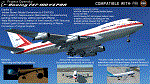
The Project Opensky Boeing 747V4 Classic Series PBR Native Conversion for P3DV4 and V5 is a newly updated conversion of the old top-hit freeware
add-on aircraft series that is known to the Flight Simulation Community since FS2002, FS2004, and onwards to FSX
and has been loved by thousands of Flight-simmers across the world because of its simple-but-great model,
and completely free of charge.
But with newer flight simulators on the line under the ESP Flight Simulator Type such as Lockheed Martin Prepar3DV4 and V5,
the Project Opensky Boeing 747V4 Classic Series (which was only made for FS9) were slowly falling behind and couldn’t keep up
with the current flight simulators today.
And now, for the first time in 2022; this newly-updated conversion has surfaced to the public and in the eyes of the flight
simulation community. Destined to fly in the current flight simulators of today like Prepar3D V4 and Prepar3D V5,
this classic freeware had continued to live on into the new era, bringing nostalgia not only just to those who flown it before in FS2004,
but also for a new generation who can relive classic scenes of the Jumbo Jet’s illustrious history through this iconic freeware add-on
aircraft series in today’s flight simulator platforms. It finally received an all new makeover!
And the permission to convert the models was acquired from
the developer who was the mind of the POSKY 747V4 Classic Series: Hiroshi Igami. And he gave our conversion team the green light to
do so. Leading to this conversion to surface in the public for the first time.
Follow the instructions in the Readme txt file. And read the documentation for more info and the credits on this base package. If you have any questions/comments or any problems while installing this base package, feel free to contact me.
| Filename: | Prepar3Dv4v5_POSKY_Boeing_747100v4_PBR_Conversion_.zip |
| License: | Freeware |
| Added: | 31st December 2021, 16:36:37 |
| Downloads: | 938 |
| Author: | Carl Lyndon F. Nepomuceno / Project Opensky |
| Size: | 30.8 MB |
| Category: Flight Simulator X - Miscellaneous Files | |
| Solomon Islands 1943 AI Boat Traffic |
|
Images related to this file:
File Description:
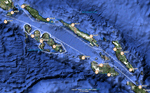
This project was inspired by Mark Schimmer's World War II-era Solomon Islands scenery, with routes are based on his outline. There are two US carrier groups, light carriers, destroyers, supply boats, PT boats, and IJN destroyer patrols. All ship models and textures are included, with permission from their respective authors.
| Filename: | Solomon_Islands_1943_AI_Boat_Traffic.zip |
| License: | Freeware |
| Added: | 26th October 2010, 22:48:31 |
| Downloads: | 1,217 |
| Author: | David Wilson-Okamura, Mike Barnes, Phil Crowther, Mark Fitch, Bruce Fitzgerald, Alberto Garcia, Ron Jeffers, and Ian Thatcher |
| Size: | 28.76 MB |
| Category: Prepar3D V1-4 - Flight Plans | |
| CargoJet Flight Plans |
|
File Description:
Attached is an Excel Flight Planner including recent (Jan/Feb 2019) scheduled flight plans for CargoJet for use with the CaptainSim 757-III Freighter expansion.
A couple of weeks ago, I made two CargoJet liveries for the CS 757-III Freighter, available at Avsim:
https://library.avsim.net/esearch.php?DLID=&Name=&FileName=&Author=meier&CatID=p3dacrp
To use these files, copy the attached .rt files to your Captain Sim route directory:
*\Lockheed Martin\Prepar3D v4\Captain_Sim\757-III\Routes\
These accompanying route files (60+) DO NOT include any SID or STAR data, nor do they include any performance information (cargo/fuel weights)...I've intentionally tried to keep these files customizable with any ATC program you may be using.
The Excel spreadsheet use should be pretty straight forward (it was designed using MS Excel 2019...you'll need MS Excel 2013 or newer for the macros to work correctly).
The spreadsheet will open to a worksheet containing CargoJet's current, scheduled route network. From this worksheet, simply select a departure location from the buttons on the world map.
Once a departure location is selected, a second "Flight Planning" worksheet will open with a UserForm Box directing you to select an airport destination based upon your selected departure location.
The UserForm box is pre-populated only with current destinations from that departure airport (based upon current CargoJet Jan/Feb 2019 schedules obtained from online flight tracking data).
I've included a weather snapshot download from each of the departure and destination airports into the flight planning worksheet.
I have not yet included enroute weather information...that may come in a "V2" of this flight planner.
As I have not yet included enroute weather information, flight fuel calculations/fuel burn are only approximate for now. Down the road, I may also include calculations for derate temperatures...that will take considerable more work.
I think this Flight Planner is a pretty good version 1 for sharing. In the absence of a website dedicated to a "CargoJet Virtual Airline", I thought this Excel spreadsheet and accompanying flight plans may be of benefit to anyone who might enjoy flying the CS757-III Freighter expansion with CargoJet livery.
Personally, I was fortunate to already have the full compliment of SimAddon airports (Canada wide) which makes for enhanced enjoyment of the CaptainSim 757-III add-on and this flight planning spreadsheet. (That statement wasn't intended as a promotion for people to go out and buy the SimAddons software!!!)
I haven't had a chance to test all the flight plans yet...I'm hoping I haven't made any errors!
Anyhow, I hope this spreadsheet and flight plans can be of benefit to others.
Feedback always appreciated!
Rob
February 15, 2019
| Filename: | CargoJet_Flight_Plans.zip |
| License: | Freeware |
| Added: | 16th February 2019, 22:00:12 |
| Downloads: | 169 |
| Author: | Rob Meier |
| Size: | 1.93 MB |
| Category: Microsoft Flight Simulator (2020) - Utilities | |
| Flightplan Visualizer 1.19 |
|
Images related to this file:
File Description:
Flightplan Visualizer (FV) version 1.19.0. Copyright 2018-2021 by Pelle F. S. Liljendal ([email protected]), all rights reserved.
FV comes with 1164 pre-imported AI flightplans (of which +380 are BizJet flightplans, the rest are commercial). However you are able to import additional (AI) flightplans yourself. Once imported these (AI) flightplans can be visualized on a map-view, and the user will be able to search accross all these. Hence you can use the program as inspiration as to which routes to fly. E.g. you can search across all imported flightplans to find all flights in an A321 flying into/out from LDDU, or simply to look for all flights in a Boeing 747-8F.
Simply run the included installer to install the software. The program will be installed into "C:\Program Files (x86)\Flightplan Visualizer" and all datafiles will be installed into: "C:\Users\[UserName]\AppData\Roaming\FlightplanVisualizer". The program comes with a full manual explaining everything, and a 3 page quick manual to get you started. The first 3 times you run the program the quick manual will automatically open. The forum is hosted here: https://forum.aerosoft.com/index.php?/forum/919-flightplan-visualizer/
Version 1.19 Contains the following changes:
- The release-version of the application is now aimed at 64-bit (granting access to more memory if needed). Enabling 64-bit adds a memory overhead of approx 50% compared to 32-bit, but its the "price to pay" to have access to more memory (for those of you with many active flightplans loaded into memory at the same time).
- FV can now connect to your simulator using FSUIPC (tested both with P3D and MSFS). By default you will have to manually connect/disconnect (using new menu-items in the File-menu). However in settings you can choose to do it automatic. When automatic-connection is selected the connect/disconnect menu-items becomes inactive.
- When connected to a sim, the location/heading of your aircraft can be displayed on the map, using an orange aircraft-marker, and hoovering the mouse over this marker will display some key data (GPS-location, altitude, heading, speed and so on).
- Added abillity to playback audio-files. In settings you can choose which audio-device to use, and set the volume at which these files are played (defaults to 50%). If volume>0 these files will automatically be played back whenever FV connects to/disconnects from the Sim.
- Added additional icons that are automatically selected to indicate when the program is connected to the simulator. Hence the icon in the main-form will indicate if FV is connected to a simulator or not.
- In the form for editing (user)-airlines and in the form for searching airlines the context menu now have a menu-item called "Show usage". When selected, it will generate a report showing all the (active) flightplans in which the airline is used.
- Added a new "Manual" check-box next to the load-factor when editing user-airlines. This check-box needs to be checked if you want to manually enter a load-factor. When not checked (default) the load-factor will automatically be set to the default value of the selected country.
- When editing user-airlines, the airline just added/edited will be visible and selected in the list-view. Likewise when deleting an airline, the previous item will be be visible/selected (in stead of always scrolling to the top afterwards, as in previous versions).
- The Insert/Delete keyboard-keys can now be used as shortcuts adding/deleting user-airlines and user-aircraft (both owned and types).
- The gate-map context-menu (Airport Info), now allows you to re-center the map (in case your have been panning the map, and can't locate the airport again).
- Added a new menu-item/form to calculate head/cross-wind from manually entered flight/runway-heading and wind-direction/speed. Don't forget the runways tab-page in the Airport-info form already calculates this for each runway (and wind-direction/speed is automatically obtained from METAR).
- Added a new menu-item/form to convert plain-text into morse-code. There is also a button that lets you listen to the generated morse-code, so you can practice your morse-code listening skills (e.g. entering an ILS/VOR-ident, to know which morse-code to listen for in the aircraft, to verify the correct ident is reqeived).
- The "Cruise speed" column have been removed from the aircraft tab-page of the Edit Flightplan form to make more room for the Carrier/Operator-columns. In the past these simply contained the ICAO for the airlines. Now it both contains: ICAO, IATA (if not blank) and Name.
- The criteria in the leg-search window now allows you to filter on departure/arrival week-days (e.g. only include flights departing a particular airport on a Saturday or Sunday).
- When using the flightplan-filter on the main-form, it will favour the current active flightplan (as in previous versions), however if not able to, it will select the first flightplan included in the filtered list (in stead of choosing "[None]").
- Improved import of AIGFP-flightplans where the airport is not contained within the embedded airport.txt file and is using a different ICAO-code in route-files (observed for "AIG_UTair_Summer2018v6" and "AIG_S7Airlines_Winter2019-2020v3").
- Added runway-info (for both Departure/Destination-airports) to the flightplan leg-report. For ILS-eqiupped runways its lists the ID (both as text, as morse-code), frequency and ils-slope.
- Morse-code also added to ILS-ID column on the "Runways" tab-page of the airport-info form. Above the list-view there is also a label showing the morse-code (using a larger font), and next to it there is a button that lets you listen to the morse-code.
- Traffic-pattern direction (for take-off and landing) are now displayed for each runway. These data are extracted from the scenery by MakeRunways, hence the info can't be "better" than the info in the scenery (hence most default airports simly shows 'Left').
- Current/peak- memory usage is now logged at various stages while running, and when closing the program. These values can also be observed opening the about-box, which will also forcefully append these values to the log.
- When using MkRwy with MSFS it can't obtain the country-name, hence these are taken from the airport-database embedded with FV. However the name for USA ("United States of America") is too long to be shown together with state-name, hence code have beed added it to shorten it to "United States" (which was the default country-name used in FSX/P3D).
- Changed font in Comments-box for user-aircraft to a fixed font, in case some users what to enter text "in columns" (e.g. if you make "tables" with speed-restrictions).
- Changed the color of the splitter-bars in the Airport-info and leg-search forms to a draker color, to better indicate where it is.
- The build-part of the version-number can now be ignored when performing the automatic version-check at start-up. This new setting is by default disabled. If enabled it will ignore changes from version 1.x.0 to 1.x.1 (e.g. an update from 1.19.0 to 1.19.1). However major/minor versions-updates (e.g. from 1.19.x to 1.20.x) will not be ignored.
- Fixed: Excessive logging while importing AIGFP flightplans removed (leftover from fixing a bug before the release of version 1.18).
- Fixed: When using kg in the leg-info report, the weight of Luggage incl. pax weight (shown in parentees) was wrong.
- Fixed: Button to open filter-manual on Gate-page of the Airport-info form was not visible/position was not fixed.
- Fixed: The wind-speed obtained from the METAR and used to calc head/tail-wind on the Runway tab-page of the Airport-info form, did not considder the unit (e.g. Khp or meters-per-second).
- Data: A VERY BIG THANK YOU to Bruce Nicholson for assistance updating the Airline-database, both with new/missing entries and marking defunct airlines as such.
- Data: A lot of "fictios airlines" was added as well. These are used for companies without official ICAO/IATA codes. To indicate they are fictios the ICAO-code is set to "---" and the IATA-code is used to indicate the kind of traffic (e.g. the combination "---/BZ" is used for biz-jet flights).
- Data: Also thanks to Bruce for pointing out that a few aircraft were not being detected as they should. So this version should do a better job with Cessna T206H, Cessna Citation SII/S550 and Global 7500.
- Flightplans: The bundled AIG flightplans have been updated to the latests versions/revisions available from AIG (there were a few defunct that was removed, a few new versions that was added, and a lot of new revisions being updated).
- Flightplans: Eric Steinmetz's Bizjet (AI) flightplans that have previously been available as a separate download are once again bundled with the installer (they are only installed if you choose the option during installation). These have all been updated to use the new "---/BZ" airlines (for companies without official ICAO/IATA-codes), and the Author/Provider have been set to "Eric Steinmetz"/"ESAI" (the previous/separate download was created before adding author/provider to the software).
Pelle
| Filename: | Flightplan_Visualizer_119.zip |
| License: | Freeware, limited distribution |
| Added: | 2nd May 2021, 00:02:01 |
| Downloads: | 279 |
| Author: | Pelle Liljendal |
| Size: | 35.71 MB |
| Category: Flight Simulator X - Aircraft Repaints, Textures and Modifications | |
| P-47D 334th FS "Miss Plainfield" |
|
File Description:
This folder contains a repaint for the A2A Wings of Power III P-47D Thunderbolt, representing P-47C 42-7945 flown by Lieutenant Spiros 'the Greek' Pisanos of the 334th FS, 4th FG, Finschhafen, New Guinea, 1944. Born in Athens, Greece, in the suburb of Kolonos, on 10 November 1919, Spiros Nicholas "Steve" Pisanos, the son of a subway motorman, came to America in April 1938, as a crew member on a Greek Merchant ship. Arriving in Baltimore, Maryland and unable to speak English, Steve found his way to New York City, where he worked in bakeries and restaurants. As he earned money he started flying lessons at Floyd Bennett Field. In August 1940, he setled i Plainfield, New Jersey, his adopted home town, and continued flying lessons at Westfield Airport. He earned a private pilot's license and, although still a Greek national, in October 1941 he joined the British Royal Air Force sponsored by the Clayton Knight Committee in New York City.
Steve began his military flight training at Polaris Flight Academy in Glendale, California. Upon graduation, Pilot Officer Pisanos was transferred to England where he completed RAF Officers Training School at Cosford, England and OTU (Operational Training Unit) at Old Sarum Aerodrome in Salisbury. Pilot Officer Pisanos was posted to the 268 Fighter Squadron at Snailwell Aerodrome in Newmarket flying P-51A's. He later transferred to the 71 Eagle Squadron, one of the three Eagle squadrons in the RAF, comprised of American volunteers flyin Spitfires at Debden RAF Aerodrome.
When the USAAF 4th Fighter Group absorbed the American members of the Eagle Squadrons in September and October 1942, Pilot Officer Pisanos was commissioned a lieutenant in the U.S. Army Air Forces. On 3 May 1943, Lt. Pisanos was naturalized as an American citizen in London, England, becoming the first individual in American history to be naturalized outside the Continental United States.
Flying his first mission in his P-47 "Miss Plainfield" out of Debden Aerodrome with the 334th Fighter Squadron, 4th Fighter Group, Lt. Pisanos, "The Flying Greek," scored his first victory on 21 May 1943, when he downed a German FW-190 over Ghent, Belgium. by 1 January 1944 he had become an ace with five confirmed victories. On 5 March 1944, he obtained his 10th victory and while returning from that B-17 escort mission to Limoges and Bordeaux, France, Steve experienced engine failure in his P-51B and crash-landed south of Le Havre. For six months he evaded the Germans and worked with the French Resistance and the American OSS sabotaging the German war machine in occupied France. Lt. Pisanos returned to England on 2 September 1944, following the liberation of Paris.
Upon returning to the United States, Captain Pisanos was assigned to the Flight Test Division at Wright Field, Ohio. He attended the USAF Test Pilot School and subsequently served as a test pilot at Wright Field and Muroc Lake, California, testing the YP-80 jet aircraft. During his career in the USAF, Steve graduated from the University of Maryland, attended the Air Command and Staff College and the Air War College. In December 1973, after a distinguished thirty years of service in the United States Air Force, he retired with the rank of Colonel. Repaint by Jan Kees Blom, based on the paintkit by Martin Catney
| Filename: | P47D_334th_FS_Miss_Plainfield.zip |
| License: | Freeware |
| Added: | 14th March 2009, 10:55:44 |
| Downloads: | 730 |
| Author: | Jan Kees Blom |
| Size: | 7.17 MB |
| Category: Flight Simulator 2004 - Utilities | |
| Servinfo Update 5(Nov 01, 2010) |
|
File Description:
Thank you for downloading this 5th update of Servinfo 2.02.
This update actualised with logos and data the following Airlines and Air Forces:Air Zimbabwe, Basler Flight Service, Bristow Helicopters, British International Helicopters,RAF Barkston Heath, Braniff International Airways, BQB LÃ�ÂÂneas A�©reas, China Northern Airlines,China Southern Airlines, Canadian Western Airlines, Centurion Air Cargo, Air Comores International,Dominicana de Aviaci�³n, DAS Air Cargo, Ecuatoriana De Aviaci�³n, Georgian National Airlines,Caribbean Star Airlines, Ghana International Airlines, Royal Tongan Airlines, Turkish Air Force,Ju-Air, RAF Leuchars, Albanian Airlines, South African Air Force, 32th Squadron RAF,USAF 100th Air Refuelling Wing, RAF(Support Helicopter Force),RAF Scampton, RAF St Athan,RAF Topcliffe Flying Training Unit, Vladivostok Air and RAF Valley Flying Training Unit.
The following aircrafts are now identified by Servinfo in all his flights:
Antonov An-2,Antonov An-8,Antonov An-12,Antonov An-22,Antonov An-24,Antonov An-26,Antonov An-28,Antonov An-30,Antonov An-32 Sutley/Firekiller,Antonov An-38,Antonov An-70,Antonov An-72,Antonov An-74-100/200, Antonov A124 Ruslan ,Antonov A140,Antonov A148,Antonov A225 Mriya,Antonov An-74-300,Avro Lancaster,Avro Lancastrian,Boeing B-17 Flying Fortress,Boeing B-29 Superfortress,Bristol Blenheim,B�¼cker B�¼ 131 Jungmann,B�¼cker B�¼ 131 Jungmeister,Consolidated B-24 Liberator,Curtiss P-40 Warhawk/Kittyhawk
Curtiss SNC-1 Falcon,De Havilland DH.98 Mosquito,Douglas AD Skyraider,
Douglas A-20 Havoc/Boston/P-70/DB-7,Douglas B-26 Invader,Douglas SBD Dauntless
Fairey Swordfish,Grumman F4F Wildcat,Grumman F6F Hellcat,Grumman F7F Tigercat,
Grumman F8F Bearcat,Grumman TBF Avenger,Grumman F9F Panther,Grumman S-2/S-2F Tracker,Grumman S-2 Turbo Tracker,Hawker Hurricane/Sea Hurricane, Hawker Fury-Sea Fury,Hawker Hunter,Hawker Hind,Heinkel He-111,Ilyushin A-50,Ilyushin IL-103,Ilyushin IL-114,Ilyushin IL-2M3,Ilyushin IL-4,Ilyushin IL-10,Ilyushin IL-12,Ilyushin IL-14,Ilyushin IL-18/IL-20/IL-22"Coot"/IL-22 Zebra/IL-24,Ilyushin IL-28,Ilyushin IL-38,Ilyushin IL-62,Ilyushin IL-76/IL-78/IL-82/IL-76 Gajaraj
Ilyushin IL-86/IL-87,Ilyushin IL-96,Kamov Ka-25 "Hormone",Kamov Ka-27"Helix"
Martin B-26B Marauder,Messerschmitt 109,Messerschmitt 262 Schwalbe,MiG-15,
MiG-17,MiG-19,MiG-21,MiG-25,MiG-27,MiG-29,MiG-31,Mitsubishi A6M Rei-Sen"Zero",
North American F-82 Twin Mustang,Northrop P-61 Black Widow,Vought F4U Corsair,
Short S-25 Sandringham,SIAI Marchetti SF.260,Sukhoi Su-7,Sukhoi Su-15,Sukhoi Su-17/Su-20/Su-22,Sukhoi Su-24,Sukhoi Su-25/Su-28/Su-39,Sukhoi Su-26,Sukhoi Su-29,Sukhoi Su-31,Sukhoi Su-38,Sukhoi Su-47 Berkut,Sukhoi Su-80,Sukhoi Superjet 100-95,Tupolev Tu-2,Tupolev Tu-4,Tupolev Tu-14,Tupolev Tu-16,Tupolev Tu-20/95/142,Tupolev Tu-22,Tupolev Tu-22M,Tupolev Tu-114,Tupolev Tu-124, Tupolev Tu-134,Tupolev Tu-144,Tupolev Tu-154,Tupolev Tu-160,Tupolev Tu-204/214/224/234,Tupolev Tu-334 and Vickers Supermarine Spitfire/SeaFire.
| Filename: | Servinfo_Update_5Nov_01_2010.zip |
| License: | Freeware |
| Added: | 2nd November 2010, 01:43:39 |
| Downloads: | 935 |
| Author: | Daniel Nole |
| Size: | 1.44 MB |
| Category: Microsoft Flight Simulator (2020) - Utilities | |
| Flightplan Visualizer 1.18 |
|
Images related to this file:
File Description:
Flightplan Visualizer (FV) version 1.18.0. Copyright 2018-2020 by Pelle F. S. Liljendal ([email protected]), all rights reserved.
FV comes with 787 pre-imported Commercial AI flightplans (+380 BizJet flightplans are available as a separate download). However you are able to import additional (AI) flightplans yourself. Once imported these (AI) flightplans can be visualized on a map-view, and the user will be able to search accross all these. Hence you can use the program as inspiration as to which routes to fly. E.g. you can search across all imported flightplans to find all flights in an A321 flying into/out from LDDU, or simply to look for all flights in a Boeing 747-8F.
Simply run the included installer to install the software. The program will be installed into "C:\Program Files (x86)\Flightplan Visualizer" and all datafiles will be installed into: "C:\Users\[UserName]\AppData\Roaming\FlightplanVisualizer". The program comes with a full manual explaining everything, and a 3 page quick manual to get you started. The first 3 times you run the program the quick manual will automatically open. The forum is hosted here: https://forum.aerosoft.com/index.php?/forum/919-flightplan-visualizer/
Version 1.18 Contains the following changes:
- GREATLY improved the search-legs feature (by a factor of +50).
- In the past the application was forced to 32 bit. This is no longer the case, hence if needed its able to allocate more memory than before. I have never heard of anyone getting an "out of memory" exception, buy anyway.
- In the settings form, the field for entering the path to where to look for the Make Runways -files, have been replaced with a (MRU) combo-box, remembering the last 5 paths entered. So now you don't need to remember these paths each time you want to change it (e.g. if you switch between a set of files generated for P3D and another generated for MSFS). Remark that when this path is changed, FV will automatically restart when saving the settings, as the MkRwy-data are only loaded at startup.
- Added new command-line argument /MkRwy="G:\FS\MakeRunways". If this argument is set, FV will try to locate the files generated by Pete Dowson's MakeRunway in the specified folder, no matter the value of the MkRwy-path set in the settings-form.
- Added new command-line argument /FilePrefix=XXX. If this prefix is set (in the short-cut starting FV) it will look for files in the UserData-folder using this prefix and an underscore (e.g. open "XXX_UserAirportInfo.xml" in stead of "UserAirportInfo.xml"). If FV is started with this argument it will be displayed in the caption of the main-form to notify the user "which prefix is in use".
- Added new command-line argument /ForceReprocessFlightplans which forces all flightplans to be reprocessed on startup (e.g. process all airport redirections according to loaded redirection file).
- Added new command-line argument /? or /help. Using either of these, or having specified a wrong command-line argument will show a small example of the correct way to use these arguments.
- Added a new "Auto-activation prefixes" entry field to the "Edit owned aircraft" form where you can now enter a comma separated list of prefixes for which each aircraft should set to active. If entered, the aircraft will automatically be set active when FV have been started with the /FilePrefix argument set to the entered value (e.g. P3D). If one or more prefixes have been entered into this field, and FV have been started with another prefix, those aircraft will be set to not-active.
- Added new setting to reprocess all loaded flightplans on startup if FV was started with another /FilePrefix argument than used the previous time FV was started (e.g. if you switch between two different simulators).
- Improved how pseudo-airports tries to look-up airport data from the bundled airport-database. So there is now a higher chance that: name, country/state, and time-zone will be populated with useful data for the pseudo airports.
- In previous versions when opening the airport-info form, the checkbox "Exclude small/grass/dirt" (runways) was always checked, meaning you had to uncheck this checkbox before being able to see any runway-information for small airports. In this version a new setting have been added where you can chose if this checkbox should default to being: Checked, Unchecked or (default) Automatic. if choosing "Automatic", this checkbox will default to un-checked for airports only having few/small runways.
- Redesigned the settings-form so things are less "cluttered", and it will be more easy for me to add additional items in the future.
- The Search Airport form now contains fields that lets you specify min/max criteria for rwy-length and airport elevation, and min/max distance to a specified airport (e.g. find all airports within 20-50 Nm of XXXX). Also you can specify required rwy-type (e.g. "All Hard", "Have Soft" ...).
- Added an "Edit" menu-item to the context menu in the Search Airport form, which opens the Airport Info form, and returns back to the Search Airport form (e.g. see details for a few found airports before chooing one of them).
- If Transition Altitude (TA) is not known for a particular airport, the program will now try to estimate TA based on nearby airports in the same country, where those nearby are weighted more than those further away (its not perfect, but "better" than 0). An estimated TA will be postfixed by a asterisk to mark that it is estimated.
- Minor (internal) changes to the automatic version-check.
- Fixed: Issue importing some AigFP flightplans where airports were being redirected (e.g. "AIG_AviaTrafficCompany_Winter_2019-2020v2").
- Fixed: Using the context menu in the list-view showing all owned aircraft, the changes were sometimes not saved.
- Fixed: In the conversion-form when converting weight/volume into US-Gal, the calcuation was wrong (converting from US-Gal was not an issue).
- Fixed: In the leg-info report the value of Transition Altitude was in some cases used in stead of the length of the longest runway.
- Fixed: Leg-info report only contained taxi-out time for all airports. Now it only contains the taxi-out time for the departure airport, but both departure- and destination airports contains a taxi-in time.
- Fixed: In some cases an airport that was currently being edited, could be edited in another window at the same time (opening multiple Airport Info forms).
- Data: The bundled airport-database had a MAJOR face-lift. Various data were corrected, and it have more than doubled in number of airports/helipads contained within the database.
- Data: Improved detection of aircraft-type "IAI 1126 Galaxy" (as "Gulfstream G200"). Thanks to Bruce Nicholson for notifying me of the issue when importing a particular AIG flight-plan.
- Flightplans: All new/updated flightplans have been added to the installer, and all obsolete/defunct have been marked/removed. A total of 787 active flightplans are bundled with the installer.
Pelle
| Filename: | Flightplan_Visualizer_118.zip |
| License: | Freeware, limited distribution |
| Added: | 9th November 2020, 20:09:24 |
| Downloads: | 479 |
| Author: | Pelle Liljendal |
| Size: | 34.48 MB |
| Category: Prepar3D V1-4 - Utilities | |
| Flightplan Visualizer 1.15 |
|
Images related to this file:
File Description:
Flightplan Visualizer (FV) version 1.15.0. Copyright 2018-2020 by Pelle F. S. Liljendal ([email protected]), all rights reserved.
FV comes with 738 pre-imported Commercial AI flightplans (+380 BizJet flightplans are available as a separate download). However you are able to import additional (AI) flightplans yourself. Once imported these (AI) flightplans can be visualized on a map-view, and the user will be able to search accross all these. Hence you can use the program as inspiration as to which routes to fly. E.g. you can search across all imported flightplans to find all flights in an A321 flying into/out from LDDU, or simply to look for all flights in a Boeing 747-8F.
Simply run the included installer to install the software. The program will be installed into "C:\Program Files (x86)\Flightplan Visualizer" and all datafiles will be installed into: "C:\Users\[UserName]\AppData\Roaming\FlightplanVisualizer". The program comes with a full manual explaining everything, and a 3 page quick manual to get you started. The first 3 times you run the program the quick manual will automatically open. The forum is hosted here: https://forum.aerosoft.com/index.php?/forum/919-flightplan-visualizer/
Version 1.15 Contains the following changes:
- As a first, you can now import flightplans even if one or more aircraft-types cannot be automatically detected during import. These will instead be assigned to a dummy-type during import, however you need to manually assign substitute aircraft-type(s) before being able to save the imported flightplan. If/when the program gets support for the aircraft-type(s) that were missing during import, the substitute aircraft-types can either be re-detected manually or by using the "Re-process aircraft/airport-redirects" menu-item.
- Added a combo-box that can be used to filter the flightplans that are shown in the flightplan combo-box on the main-form (e.g. enter "west" to see only flightplans containing "west" in the name). Hovering the mouse over this new filter combo-box will show examples of the more complex filters (e.g. filter by provider, author, season, year, and so on).
- In version 1.14 user-airlines were added, and these could be accessed via a menu-item on the main-form. However in version 1.15 you can now also add user-airlines from the import-flightplan form, so you don't have to abort a pending import, and go to the main form in case you find you are missing a user-airline.
- Added MRU-lists (Most Recent Used) to the browser-forms used to search for: Airport, Aircraft and Airline. The text-edit in the top of these forms have been replaced by a combo-box holding up to 20 items (in chronological order, with the most recent at the top).
- Added a new chart to the Airport Info form showing: "Daily flights per international/domestic/same state".
- Added Utilization-pct to the fleet report (both total for the entire fleet, and per aircraft). The Utilization-pct is also visible for the displayed schedule (for a single aircraft) in the Leg-Info form. This value tells the pct of time the aircraft spends servicing the schedule (the remaining time the aircraft "sits at the gate", including the time spend loading/unloading passenger and cargo, loading fuel, being serviced by ground-crew and what not).
- On the main-form, renamed menu-item "Re-process airport-redirects" into "Re-process flightplans".
- Distance from selected airport to mouse-position on main-map moved from the bottom of the form to the upper/right-corner of the form (where info of selected airport is listed).
- Using the (right-click) context-menu on the main-form airports can now be toggled (on/off) as being favorites.
- A few minor changes were made to the default leg search criteria. If you have saved your own default, you should go to the leg search form, press-and-hold SHIFT while clicking the "Reset" button (to reset to "factory default"), then set the criteria to your perferences, and finally press the "Save Reset" button to re-save your preferences.
- Added MRU-list (Most Recent Used) to fuel-density combo-box on Unit Conversion form. If empty, the list will be preloaded with the values 0.7850 (old default), 0.8040 (often used as a standard for Jet-A), 0.8200 (often used as a standard for Jet-A1). The user is still able to enter another value.
- The values used in the unit-conversion form are saved with the settings file, so each time you open the form will contain the values entered last time you used the form.
- Tweaked the method for calculated flight-time. In previous version the same parameters were used for calculating flight-time for all flights. Now these parameters are dependant on distance, resulting in calculated flight times that are closer to those used in the flight-plans (based on statistic-data from +700.000 AI flights).
- Some of the aircraft have been marked as "Retro", and in settings you can choose to exclude the "Retro" (they are enabled by default).
- Improved (Boeing) aircraft-type detection when importing flightplans using non-standard naming, such as "B744F" in stead of "747-400F" or "B736" in stead of "737-600".
- Updated all libraries in use to the latest versions, and addressed some minor issues with the map.
- Fixed: Newer versions of MyRwy are outputting airport elevation as a floating point value (e.g. "629.92") whereas older versions were outputting it as an integer value (e.g. "630"). In previous versions of FV the floating point value "629.92" was wrongly read as an elevation of 62992 ft. The program can now both handle floating point and integer values, hence can be used with both old- and new versions of MkRwy.
- Fixed: When adding new user-airlines in version 1.14, callsign was being set to the name of the airline, in stead of the entered callsign. If you added any user-airlines in version 1.14, you should edit these with version 1.15, and set the callsigns again.
- Fixed: If a Leg search was active (combo-box in bottom of main-form showing "[Last Search]") and all flightplans were disabled in "Enable/Disable -flightplans" the program would shut-down with an exception.
- Fixed: The list of the airline-codes (gate-tab on Airline-Info form) started with a comma, however comma should only be used to separate the items when multiple airline-codes were associated with the same gate (3rd party scenery only).
- Fixed: In some cases the cruise-speed was not shown correctly in the Aircraft search form.
- Fixed: Some of the menu-items for launching the (YouTube) tutorial-videos were missing the tool-tip text ("Hold SHIFT to copy url to clipboard").
- Fixed: About-box can now be closed with ESC, like most other forms.
- Fixed: potential issue reading xml-data, perhaps with a the benefit of a slightly better performance.
- Data: Added support for flightplans using "retro" aircraft types such as: Aerospatiale SE-210 Caravelle, British Aerosapce ATP/BAC One Eleven, Concorde, DC-3, DC-4, DC-6, DC-8, De Havilland Comet, Fokker F28, Hawker Siddeley HS 121 Trident, Ilyushin Il-18/20/22/24/86, Lockheed Constellation/L-188 Electra, Shorts SC-5, Tupolev TU-134, Vickers VC10/Viscount, and thanks to user Aucery Lockheed 1011.
- Data: Support for additional aircraft-types added as well: BN-2A Trislander, CASA C-212/C-235, CubCrafters XCub, DHC-2 Beaver/Turbo-Beaver, DHC-3 Otter, DHC-5 Buffalo, Diamond DA-42/62, Extra EA-300, Honda HA-420, ICON A5, NAMC YS-11, Mooney, Mudry CAP 10, Pilatus PC-6/PC-24, Piper Cub/Super Cub, Robin DR-300/400, Shorts SC-7, Tecnam P2012/P2006T
- Data: Some of the aircraft-types, for which multiple ICAO/IATA-codes exists, were split into two (one for Pax and one for Freight), e.g. Convair 580, DC-9-10/30/40, and Il-96. As a result you should execute "Re-process flightplans" (found in the "Flightplan" menu), and "Re-detect all" aircraft.
- Data: A few missing aircraft IATA/ICAO codes were added, and some "behind the screen" data for multiple aircraft were updated as well.
- Data: A few Airlines were added/updated (a big THANK YOU to Bruce Nicholson for the assistance keeping these data up-to-date).
- Flightplans: The good people over at AIG (Alpha India Group) have once again been VERY busy since the last release, hence the installer comes with 298 new/updated pre-imported flightplans, bringing the total of flightplans bundled with the installer to 738.
- Flightplans: A few flightplans were bundled with the program in duplicates (2 slightly different names, or 2 different seasons). These duplicates have been marked as obsolete, and have been removed from the installer. Using the "Select all obsolete flightplans" menu-item in "Enable/disable-flightplans" you can mark these flightplans and move them to the "Disabled" folder, from where they can be deleted.
Pelle
| Filename: | Flightplan_Visualizer_115.zip |
| License: | Freeware, limited distribution |
| Added: | 20th March 2020, 17:08:52 |
| Downloads: | 377 |
| Author: | Pelle Liljendal |
| Size: | 28.9 MB |
| Category: Prepar3D V1-4 - Utilities | |
| Flightplan Visualizer 1.16 |
|
Images related to this file:
File Description:
Flightplan Visualizer (FV) version 1.16.0. Copyright 2018-2020 by Pelle F. S. Liljendal ([email protected]), all rights reserved.
FV comes with 765 pre-imported Commercial AI flightplans (+380 BizJet flightplans are available as a separate download). However you are able to import additional (AI) flightplans yourself. Once imported these (AI) flightplans can be visualized on a map-view, and the user will be able to search accross all these. Hence you can use the program as inspiration as to which routes to fly. E.g. you can search across all imported flightplans to find all flights in an A321 flying into/out from LDDU, or simply to look for all flights in a Boeing 747-8F.
Simply run the included installer to install the software. The program will be installed into "C:\Program Files (x86)\Flightplan Visualizer" and all datafiles will be installed into: "C:\Users\[UserName]\AppData\Roaming\FlightplanVisualizer". The program comes with a full manual explaining everything, and a 3 page quick manual to get you started. The first 3 times you run the program the quick manual will automatically open. The forum is hosted here: https://forum.aerosoft.com/index.php?/forum/919-flightplan-visualizer/
Version 1.16 Contains the following changes:
- First of all a big THANK YOU to AIG (Alpha India Group) for allowing me to add features to both download their flight-plans (actually a feature suggested by Kai Kamjunke who is one of the developers of AIG AIM and other AIG tools) and access their list of defunct/renamed flightplans. While giving thanks, I also want to thank all (AI) aircraft-model creators, repainters and those who create all the flightplans ... our virtual sky would not be the same without your hard and dedicated work.
- Added new form to download or install AIG flightplans (downloaded directly from the AIG-servers). The form will identify all flightplans that are newer than those already installed or flightplans that are not currently installed. You can simply double-click a flightplan and it will be directly installed without the need to first download the file, and then choose to import this file.
- Both the new flightplan download- and the enable/disable flightplan- form contains a button which download- and show a list of defunct/renamed flightplans (obtained directly from the AIG forum).
- If you create a user-Airline while importing a flight-plan, when you return to the import-form you will be asked if you want to use that newly created flightplan (saves you from having to open the airline-browser and search-for/select that user-airline).
- Added Flightplan-, Airline- and Aircraft-filter to the top of the leg-search form to filter the items shown in the listviews.
- The "Select All" and "Select None" buttons now only (de)select visible items (if a filter is active there might be more items not displayed). However holding SHIFT while pressing these buttons, ALL items will be (de)selected no matter if they are shown or not.
- Replaced the two airport entry fields (in the leg-search form) with filter combo-boxes (MRU) so you can now enter a filter-text to filter which airports to include (the default filter is usign ICAO-codes so the old functionallity is preserved).
- Added filters to search for legs with specific flight-numbers and/or served by aircraft with specific registrations.
- When setting up a filter, sub-elements of the same type can now be separated by "/" so you only have to enter the type-name once (e.g. "country=dnk/nor/swe"). The pipe-char ("|") can be uses in stead if you prefer (e.g. "country=dnk|nor|swe").
- Now both "?" and "%" can be used as a single char wildcard in the filters ("?" is a DOS wildcard, whereas "%" is a SQL-wildcard).
- Added "#" as a wildcard for a single numeric value (0-9) in filters.
- Added "@" as a wildcard for a single alpha value (A-Z) in filters.
- Improved detection of invalid filter-text, which changes the text-color into red, to indicatet that the filter is invalid.
- The ISO3 country-code is now visible in the country combo-boxes in the leg-search form (these codes can be used in the airline- and airport- filters).
- Likewise 3-char Region- and Sub-region -codes have been added to their respective combo-boxes (these codes can also be used in the airline- and airport- filters).
- Saving the leg-search criteria will no longer require the input to be validated. E.g. you can now save the criteria where no aircraft have been selected. If you want to make sure that the criteria is valid for a search, please perform a search before you save the criteria.
- Flightplan-filter added to the "Re-process flightplans" form.
- Aircraft-filter added to the "Choose favorite aircraft-types" form. Also a few extra columns were added to the aicraft list-view.
- The Decode-METAR/TAF form now allows the user to manually enter METAR/TAF messages, and the form can now be opened directly from the main-menu (in case you optain METAR/TAF from other sources and need to decode it).
- Added a new button to the Randomizer form which lets you pick a random route (there is already a button to pick a random flight). The difference is the statistical chance of the chosen route.
- Added 2 columns to the runways listview in the Airport-info form showing head/cross-wind based on selected wind-direction/speed (automatically updated from the obtained METAR report).
- When accepting the result of a leg-search the previous used criteria (if different) are now archived. So you are able to load the 5 last used search criteria.
- The Result-viewer form now have a "Top-most" check-box. When checked that form will be shown on top of all other windows. This allows you to have this form shown on top of other forms (e.g. if you need to enter data from a metar-message into the FMC in the simulator).
- Many of the result-viewer forms now opens non-modal, meaning it can be displayed next to the window form where it was opened and you can switch between the two (you might need to use the new "Top-most" check-box for the best result). When closing the form from where the result-viewer was opened, the result-viewer will be closed as well.
- Likewise the Unit Conversion form also got the "Top-most" check-box in case you want to display this window on top of another program (e.g. if you have paper-work with weight based on kg and you need to enter the weights into a FMC/MCDU that only accepts lbs (or vice versa).
- The "Copy to clipboard" buttons on the METAR/TAF-decode form, and the Leg-Info form have been replaced by a "Show Report" button in stead. This new button will in stead show the text in the Result-viewer form (if you need to, it can be clipped to the clipboard from there).
- Below the (left/right) list-views in the "Enable/disable flightplans" form you now find a label showing two numbers. The 1st number shows the number of items (flightplans) shown in the list-view, and the 2nd number (in the parentheses) shows the number of selected items.
- When importing a flightplan where the aircraft-type can not be detected, the "lines" assigned to the "DUMMY AIRCRAFT" are now all automatically selected. So it is easy to just hit the "Change Aircraft type" button in case there is just a single, or multiple that should have the same type assigned.
- Hoovering the mouse over the gate-markers in the Airport-info form, the tool-tip now contains the GPS-position of the gate. Likewise editing the gate the caption of the edit window contains the GPS-position.
- Added airport size to "FS Comment" column in the "Nearby Airports" form.
- Added line-breaks to the METAR/TAF tool-tips displayed in the Leg-info form (line-breaks also included in the report).
- Fixed: There was a nasty bug in the "Legs" tab-page of the Airport-Info form where the same time-zone was used for both departure- and destination-airport when showing the departure-/destination-times as local times, even if departure- and destination-airports were in different time-zones.
- Fixed: The value of the "Calculated flighttime" check-box in the leg-search form was not set to the loaded value.
- Fixed: If one of your user-airlines had a blank callsign, it would list all airlines with a blank callsign as alternatives. Now it will only try to match non-blank callsigns.
- Fixed: The METAR/TAF decoder was not able to correctly detect a fraction visibility if following variable wind (e.g. "210V290 3/8SM").
- Fixed: Some of the combo-boxes in the leg-search form were enabled for text-entry, where the user should only be able to pick a value.
- Fixed: If "[None]" was selected and you executed a leg-search the "Edit" button remained disabled when you returned to the main form.
- Data: While testing some of the new filters I saw a few erros in the aircraft data (e.g. a few freight aircraft had a non-zero passenger count and other minor issues like that), which were fixed.
- Data: Thanks to Bruce Nicholson for bringing it to my attention that DC-9-15F was not being detected in version 1.15. Now all the DC-9 sub-variants should be detected correctly (e.g. 9-11/12/13/14...51 both pax and freight). The same better sub-variant detection was added to the DC-8's and DC-10's as well.
- Data: Thanks to Aucery for bringing it to my attension that some of the (BizJet) aircraft were not being detected, or not being detected correctly. The King Air 250/300 should now be detected correctly as are Hawker-700/1000, Mitsubishi MU-300, IAI Astra Jet 1125, Cessna T210/T303, and Dornier 328JET/PROP.
- Flightplans: All new/updated flightplans have been added to the installer, and all obsolete have been removed. A total of 765 active flightplans are bundled with the installer.
Pelle
| Filename: | Flightplan_Visualizer_116.zip |
| License: | Freeware, limited distribution |
| Added: | 2nd May 2020, 23:15:38 |
| Downloads: | 318 |
| Author: | Pelle Liljendal |
| Size: | 29.27 MB |


© 2001-2026 AVSIM Online
All Rights Reserved
Privacy Policy |