
Where Flight Simulation Enthusiasts Gather from Around the World!
AVSIM Library - Search Results

| Category: Flight Simulator X - Aircraft Repaints, Textures and Modifications | |
| FS2004/FSX/P3D Overseas National - ONA DC-6A 1959 |

|
Images related to this file:
File Description:
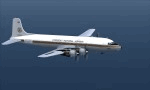
This is a repaint of the Douglas DC-6A (CB17 model) in Overseas National Airways - ONA 1959 colors. The freeware CalClassic DC-6A CB-17 model by Greg Pepper and Tom Gibson is needed for this repaint. ONA was originally formed in 1950 by George Tompkins to undertake overseas contracts on behalf of the USAF. Douglas DC-4s were initially used, with DC-6s joining them later. However, due to underbidding on contracts, ONA declared itself bankrupt on October 29 1963. After this, the airline was extensively re-organized and began operations once again in October 1965, with a fleet of 7 DC-7s. Soon after, in June and July 1966 the airline's first jetliners joined the fleet in the form of DC-8-50Fs. After a 1966 ruling by the CAB, ONA was granted permission to undertake inclusive tour charters, affinity group charters, and single entity charters to transatlantic and Caribbean markets. This was a godsend to the airline and it started to become quite profitable. Over the next decade, the fleet expanded to include: L-188s, DC-8-61/63CFs, DC-8-20/30s, DC-9-30s, and the granddaddy of them all; the DC-10-30CF. During the winter of 1975/76 tragedy struck. Two ONA DC-10s were lost in accidents in the space of two months (November 1975 & January 1976). This was a major blow to the airline and its image. This, coupled with financial difficulties, led the the filing of its second bankruptcy on September 7, 1978. That was the final nail in the coffin. This repaint is on DC-6A N660NA, which joined the airline in 1958, ans was sold to AAXICO in 1961. Textures are 32bit bmp. This repaint was tested on FSX-SE and should work on FSX, P3D v1-3, & FS2004.
| Filename: | FS2004FSXP3D_Overseas_National__ONA_DC6A_1959.zip |
| License: | Freeware |
| Added: | 19th June 2019, 15:55:19 |
| Downloads: | 71 |
| Author: | Ted Giana |
| Size: | 7.57 MB |
| Category: Prepar3D V5 - Aircraft Repaints, Textures and Modifications | |
| Captain Sim B767-II Varig Airlines PP-VOI |
|
Images related to this file:
File Description:
Enclosed is a Varig (PP-VOI) repaint for the Captain Sim B767-II with the GE Expansion. This repaint was built in P3D v5.2.
This particular aircraft, PP-VOI (SN 24752), is a GE CF6-80C2B6 powered variant and was delivered new from Boeing to Varig (Viação Aérea Rio-Grandense) Airlines on December 12, 1989.
The relatively new ETOPS-120 certification was first awarded for TWA's B762's in May 1985 with ETOPS-180 certification for GE equipped B767's approved in 1989 through the demonstrated reliability and the continued confidence from the design of this long haul, wide bodied, twin engined aircraft.
PP-VOI was the first of sixteen B767-300's delivered that, along with the new fleet of MD11's, were intended to support Varig's long haul network and replace the aging, expensive, and limited numbers B747-300 fleet, with plans of further route expansion.
She was adorned from delivery with the "classic/retro" paint scheme seen here, which was prominent for Varig Airlines between 1961 and 1996. VOI served both scheduled and chartered North American, South American and Trans-Atlantic International Routes in this livery from Varig's bases in Rio de Janeiro (SBGL) and Sao Paulo (SBGR) for almost a dozen years before being repainted in the "newer" 1996 design scheme.
This particular airframe continued to serve Varig Airlines (once Brazil's Flag Carrier) until that airline's unfortunate split/financial restructuring into Flex Linhas Aéreas and Gol Airlines in 2006, continuing to fly charter routes for Flex until 2010.
Between 2010 and 2015, this airframe went on to be leased to Business Air Thailand continuing to fly passenger charter revenue flights under registration HS-BIC.
As of December 2021, this particular airframe continues to fly freight (an ERBDSF conversion) since 2016 for Kalitta Airways under contract to DHL as registration N761CK.
Hope you enjoy the photos and the brief history of this particular B767-341ER!
Note: This repaint was completed for the CS B767-II with the GE Expansion.
| Filename: | Captain_Sim_B767II_Varig_Airlines_PPVOI.zip |
| License: | Freeware |
| Added: | 17th December 2021, 17:11:16 |
| Downloads: | 65 |
| Author: | Rob Meier |
| Size: | 95.12 MB |
| Category: Flight Simulator X - Aircraft Repaints, Textures and Modifications | |
| Airlift International C-46 1965 |
|
Images related to this file:
File Description:

This is a repaint of the C-46 in Airlift International 1965 colors. The freeware C-46 by Libardo Guzman and Tom Gibson is needed for this repaint. My previous uploads were the of Riddle Airline's fleet. This is a continuation of that airline's affairs. Riddle Airlines faced financial difficulties and in June 1962 all services were suspended. This crisis led to a reorganization of the airline in July 1962, under an entirely new management team. Subsequently, the airline was renamed Airlift International on November 29, 1963, and the corporate takeover took effect in March 1964. Airlift, got off on the right foot as they received 31 of Riddle's aircraft. They started international operations to Rome and Milan with their solo DC-8F aircraft, with another DC-8F joining the fleet in June 1964. By 1965 Airlift was on cloud nine as they earned and a net profit of $1,744,907. In 1966 they were able to take over Slick Airways, itself a big cargo carrier. In fact, it was previously the largest all-cargo airline in the USA, in 1951. Also, in 1966 they recorded a net profit of $3 million dollars. Airlift went from strength to strength, posting profits, and enhancing the quality of their fleet. In 1967 they received L-100 Hercules, 727-172Cs, and 707-365Cs. In 1970 however, they had a downturn due to the U.S. recession, and cutbacks in Vietnam airlift operations. For Airlift the 1970s did not allow them to reach the heights of the 1960s. They battled on, but financial problems plagued them that by 1981 Airlift had no physical assets and only $44,000 in cash on hand. They almost collapsed that year, but with restructuring, and a few ups and downs, they survived until 1993, when they eventually ceased operations. This repaint is of an Airlift C-46 (N75388) which was with the airline from 1956 to 1966.Airlift International had a lot of C-46s in their fleet over the years, 48 in total. N75388 was with Airlift from 1963 to 1966. Before that it was with Riddle Airlines from 1956 to 1963. This repaint was tested on FSX-SE. Textures are 32bit bmp. It should work on FSX, P3D v1-3, & FS2004.
| Filename: | Airlift_International_C46_1965.zip |
| License: | Freeware |
| Added: | 16th April 2019, 22:50:05 |
| Downloads: | 178 |
| Author: | Ted Giana |
| Size: | 4.14 MB |
| Category: Flight Simulator X - Utilities | |
| FSTramp v8.84 for MSFS, FSX(-SE), Prepart3D, X-Plane (Win) |
|
Images related to this file:
File Description:
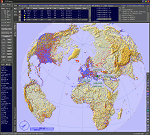
This add-on is an EXE application for Microsoft Flight Simulator and a DLL module for all other simulators. The DLL variant is activated via hotkeys or the simulator menu add-ons or plugins. Window size and layout are configurable for one or more screens. To avoid dazzling, the brightness of the entire application is customizable. Primarily it is a flight management system (FMS) with automatic control from start to landing. This also includes the observance of SID, STAR and Approaches in unmatched quality. The flight plan required for the FMS can be created manually or automatically, interactive changes and additions during the flight are possible. The basis of the flight planner is the 3D world map and the search function for airfields and navigation aids. The FMS by FSTramp relies on the autopilot of the aircraft. In case of incompatibility, the autopilot integrated in FSTramp will be used. This allows FSTramp to control almost all aircraft from airport to airport. The altitude profile of the flight plan, SID, STAR and approach is taken into account. This means that FSTramp extends the often incomplete airport procedures to and from the runway so that they can be flown completely automatically. During the fully automatic flight, the autopilot values ​​for HDG, ALT, VSPEED, SPD and MACH can be manually overridden. This is e.g. useful for being able to react to the instructions of the tower in the final approach without completely stopping the automatic flight. The rotating or north pointing 3D world map with numeric display of the terrain elevation under the mouse arrow is another special feature. It does not need an internet but is synthesized from included height profiles of the globe. The Data of continents, mountains and rivers are included in the setup. Airspaces, Airways, Waypoints and SID, STAR and Approaches are also included in the setup, but can be updated by installing additional AIRAC cycles. Airfields and navigation stations are taken from the simulator. NVIDIA: If the frame rate of the simulator drops sharply about 20 seconds after FSTramp's visibility, the power management of the GPU slows down prematurely. In the NVIDIA Control Panel, change the 'Manage 3D settings - Power management mode' option to 'Adaptive'.
| Filename: | FSTramp_v884_for_MSFS_FSXSE_Prepart3D_XPlane_Win.zip |
| License: | Shareware, time limited |
| Added: | 7th July 2023, 04:35:43 |
| Downloads: | 130 |
| Author: | Helge Schroeder |
| Size: | 358.21 MB |
| Category: Prepar3D V5 - Utilities | |
| FSTramp v8.84 for Prepart3D 2-6, MSFS, FSX(-SE), X-Plane (Win) |
|
Images related to this file:
File Description:
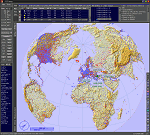
This add-on is an EXE application for Microsoft Flight Simulator and a DLL module for all other simulators. The DLL variant is activated via hotkeys or the simulator menu add-ons or plugins. Window size and layout are configurable for one or more screens. To avoid dazzling, the brightness of the entire application is customizable. Primarily it is a flight management system (FMS) with automatic control from start to landing. This also includes the observance of SID, STAR and Approaches in unmatched quality. The flight plan required for the FMS can be created manually or automatically, interactive changes and additions during the flight are possible. The basis of the flight planner is the 3D world map and the search function for airfields and navigation aids. The FMS by FSTramp relies on the autopilot of the aircraft. In case of incompatibility, the autopilot integrated in FSTramp will be used. This allows FSTramp to control almost all aircraft from airport to airport. The altitude profile of the flight plan, SID, STAR and approach is taken into account. This means that FSTramp extends the often incomplete airport procedures to and from the runway so that they can be flown completely automatically. During the fully automatic flight, the autopilot values ​​for HDG, ALT, VSPEED, SPD and MACH can be manually overridden. This is e.g. useful for being able to react to the instructions of the tower in the final approach without completely stopping the automatic flight. The rotating or north pointing 3D world map with numeric display of the terrain elevation under the mouse arrow is another special feature. It does not need an internet but is synthesized from included height profiles of the globe. The Data of continents, mountains and rivers are included in the setup. Airspaces, Airways, Waypoints and SID, STAR and Approaches are also included in the setup, but can be updated by installing additional AIRAC cycles. Airfields and navigation stations are taken from the simulator. NVIDIA: If the frame rate of the simulator drops sharply about 20 seconds after FSTramp's visibility, the power management of the GPU slows down prematurely. In the NVIDIA Control Panel, change the 'Manage 3D settings - Power management mode' option to 'Adaptive'.
| Filename: | FSTramp_v884_for_Prepart3D_26_MSFS_FSXSE_XPlane_Wi.zip |
| License: | Shareware, time limited |
| Added: | 7th July 2023, 04:35:26 |
| Downloads: | 42 |
| Author: | Helge Schroeder |
| Size: | 358.21 MB |
| Category: Microsoft Flight Simulator (2020) - Utilities | |
| FSTramp v8.84 for MSFS, FSX(-SE), Prepart3D, X-Plane (Win) |
|
Images related to this file:
File Description:

This add-on is an EXE application for Microsoft Flight Simulator and a DLL module for all other simulators. The DLL variant is activated via hotkeys or the simulator menu add-ons or plugins. Window size and layout are configurable for one or more screens. To avoid dazzling, the brightness of the entire application is customizable. Primarily it is a flight management system (FMS) with automatic control from start to landing. This also includes the observance of SID, STAR and Approaches in unmatched quality. The flight plan required for the FMS can be created manually or automatically, interactive changes and additions during the flight are possible. The basis of the flight planner is the 3D world map and the search function for airfields and navigation aids. The FMS by FSTramp relies on the autopilot of the aircraft. In case of incompatibility, the autopilot integrated in FSTramp will be used. This allows FSTramp to control almost all aircraft from airport to airport. The altitude profile of the flight plan, SID, STAR and approach is taken into account. This means that FSTramp extends the often incomplete airport procedures to and from the runway so that they can be flown completely automatically. During the fully automatic flight, the autopilot values ​​for HDG, ALT, VSPEED, SPD and MACH can be manually overridden. This is e.g. useful for being able to react to the instructions of the tower in the final approach without completely stopping the automatic flight. The rotating or north pointing 3D world map with numeric display of the terrain elevation under the mouse arrow is another special feature. It does not need an internet but is synthesized from included height profiles of the globe. The Data of continents, mountains and rivers are included in the setup. Airspaces, Airways, Waypoints and SID, STAR and Approaches are also included in the setup, but can be updated by installing additional AIRAC cycles. Airfields and navigation stations are taken from the simulator. NVIDIA: If the frame rate of the simulator drops sharply about 20 seconds after FSTramp's visibility, the power management of the GPU slows down prematurely. In the NVIDIA Control Panel, change the 'Manage 3D settings - Power management mode' option to 'Adaptive'.
| Filename: | FSTramp_v884_for_MSFS_FSXSE_Prepart3D_XPlane_Win.zip |
| License: | Shareware, time limited |
| Added: | 7th July 2023, 04:35:12 |
| Downloads: | 111 |
| Author: | Helge Schroeder |
| Size: | 358.21 MB |
| Category: Flight Simulator X - Scenery | |
| Freeware Project Kobe X (RJBE) Japan |
|
Images related to this file:
File Description:
Freeware project KOBE X (RJBE) Japan. Contains fully detailed airport with custom ground polygons. Accurate 3d model and texture of all the building of the airport including the terminal, control tower, hangars, bridge and many more. Please note that this project was my initial experience in many fields of scenery design so take it as it is and enjoy flying in Japan. The design is never done but I think it was ready to be released. Still have some work to do with the animated jetways and night lighting for my next "payware" project (KSAN, San Diego Intl). It's going to be far better than this freeware.
You can download the world of ai installer and install the All Nippon Airways package and maybe the JAL too. The jetways are not animated but you can park a 747 in gate 1, a 767 in gate 5 and a 737 in gate 6 and be perfectly aligned with the jetway door.
Also I've not try this scenery in a less powerful computer than mine. I run a Windows 7, I7-950 @ 3.8 GHz and a GTX 570. So don't get mad if you're having bad performances :). With all sliders in the "display settings" set to max I've around 20 fps in the virtual cockpit of the level-d 767. You'll get a nicer airport with also the global texture resolution set to max, water effects set to High 2.x and traffic to ultra-high. Do not turn on Ground scenery shadows as it will make a shadow for the entire airport (ground poly).
I've some tutorial on my YouTube channel (n170toga) on how to make fsx sceneries if you are interested. Don't forget to subscribe there and have updates for the upcoming scenery. Please review this airport if you like as I will learn a lot for my next
project and it's only going to be better.
This scenery is a freeware and should be considered as a freeware. Arigato, Sagga Toure (Devinci), Devinci Design and Development (3De)
| Filename: | Freeware_Project_Kobe_X_RJBE_Japan.zip |
| License: | Freeware |
| Added: | 12th June 2011, 08:28:51 |
| Downloads: | 6,653 |
| Author: | Sagga Toure |
| Size: | 66.48 MB |
| Category: Flight Simulator 2004 - Utilities | |
| Servinfo Update 5(Nov 01, 2010) |
|
File Description:
Thank you for downloading this 5th update of Servinfo 2.02.
This update actualised with logos and data the following Airlines and Air Forces:Air Zimbabwe, Basler Flight Service, Bristow Helicopters, British International Helicopters,RAF Barkston Heath, Braniff International Airways, BQB LÃ�ÂÂneas A�©reas, China Northern Airlines,China Southern Airlines, Canadian Western Airlines, Centurion Air Cargo, Air Comores International,Dominicana de Aviaci�³n, DAS Air Cargo, Ecuatoriana De Aviaci�³n, Georgian National Airlines,Caribbean Star Airlines, Ghana International Airlines, Royal Tongan Airlines, Turkish Air Force,Ju-Air, RAF Leuchars, Albanian Airlines, South African Air Force, 32th Squadron RAF,USAF 100th Air Refuelling Wing, RAF(Support Helicopter Force),RAF Scampton, RAF St Athan,RAF Topcliffe Flying Training Unit, Vladivostok Air and RAF Valley Flying Training Unit.
The following aircrafts are now identified by Servinfo in all his flights:
Antonov An-2,Antonov An-8,Antonov An-12,Antonov An-22,Antonov An-24,Antonov An-26,Antonov An-28,Antonov An-30,Antonov An-32 Sutley/Firekiller,Antonov An-38,Antonov An-70,Antonov An-72,Antonov An-74-100/200, Antonov A124 Ruslan ,Antonov A140,Antonov A148,Antonov A225 Mriya,Antonov An-74-300,Avro Lancaster,Avro Lancastrian,Boeing B-17 Flying Fortress,Boeing B-29 Superfortress,Bristol Blenheim,B�¼cker B�¼ 131 Jungmann,B�¼cker B�¼ 131 Jungmeister,Consolidated B-24 Liberator,Curtiss P-40 Warhawk/Kittyhawk
Curtiss SNC-1 Falcon,De Havilland DH.98 Mosquito,Douglas AD Skyraider,
Douglas A-20 Havoc/Boston/P-70/DB-7,Douglas B-26 Invader,Douglas SBD Dauntless
Fairey Swordfish,Grumman F4F Wildcat,Grumman F6F Hellcat,Grumman F7F Tigercat,
Grumman F8F Bearcat,Grumman TBF Avenger,Grumman F9F Panther,Grumman S-2/S-2F Tracker,Grumman S-2 Turbo Tracker,Hawker Hurricane/Sea Hurricane, Hawker Fury-Sea Fury,Hawker Hunter,Hawker Hind,Heinkel He-111,Ilyushin A-50,Ilyushin IL-103,Ilyushin IL-114,Ilyushin IL-2M3,Ilyushin IL-4,Ilyushin IL-10,Ilyushin IL-12,Ilyushin IL-14,Ilyushin IL-18/IL-20/IL-22"Coot"/IL-22 Zebra/IL-24,Ilyushin IL-28,Ilyushin IL-38,Ilyushin IL-62,Ilyushin IL-76/IL-78/IL-82/IL-76 Gajaraj
Ilyushin IL-86/IL-87,Ilyushin IL-96,Kamov Ka-25 "Hormone",Kamov Ka-27"Helix"
Martin B-26B Marauder,Messerschmitt 109,Messerschmitt 262 Schwalbe,MiG-15,
MiG-17,MiG-19,MiG-21,MiG-25,MiG-27,MiG-29,MiG-31,Mitsubishi A6M Rei-Sen"Zero",
North American F-82 Twin Mustang,Northrop P-61 Black Widow,Vought F4U Corsair,
Short S-25 Sandringham,SIAI Marchetti SF.260,Sukhoi Su-7,Sukhoi Su-15,Sukhoi Su-17/Su-20/Su-22,Sukhoi Su-24,Sukhoi Su-25/Su-28/Su-39,Sukhoi Su-26,Sukhoi Su-29,Sukhoi Su-31,Sukhoi Su-38,Sukhoi Su-47 Berkut,Sukhoi Su-80,Sukhoi Superjet 100-95,Tupolev Tu-2,Tupolev Tu-4,Tupolev Tu-14,Tupolev Tu-16,Tupolev Tu-20/95/142,Tupolev Tu-22,Tupolev Tu-22M,Tupolev Tu-114,Tupolev Tu-124, Tupolev Tu-134,Tupolev Tu-144,Tupolev Tu-154,Tupolev Tu-160,Tupolev Tu-204/214/224/234,Tupolev Tu-334 and Vickers Supermarine Spitfire/SeaFire.
| Filename: | Servinfo_Update_5Nov_01_2010.zip |
| License: | Freeware |
| Added: | 2nd November 2010, 01:43:39 |
| Downloads: | 935 |
| Author: | Daniel Nole |
| Size: | 1.44 MB |
| Category: Prepar3D V1-4 - Utilities | |
| Flightplan Visualizer 1.13 |
|
Images related to this file:
File Description:
Flightplan Visualizer (FV) version 1.13.0. Copyright 2018-2019 by Pelle F. S. Liljendal ([email protected]), all rights reserved.
FV comes with 586 pre-imported Commercial AI flightplans (+380 BizJet flightplans are available as a separate download). However you are able to import additional (AI) flightplans yourself. Once imported these (AI) flightplans can be visualized on a map-view, and the user will be able to search accross all these. Hence you can use the program as inspiration as to which routes to fly. E.g. you can search across all imported flightplans to find all flights in an A321 flying into/out from LDDU, or simply to look for all flights in a Boeing 747-8F.
Simply run the included installer to install the software. The program will be installed into "C:\Program Files (x86)\Flightplan Visualizer" and all datafiles will be installed into: "C:\Users\[UserName]\AppData\Roaming\FlightplanVisualizer". The program comes with a full manual explaining everything, and a 3 page quick manual to get you started. The first 3 times you run the program the quick manual will automatically open. The forum is hosted here: https://forum.aerosoft.com/index.php?/forum/919-flightplan-visualizer/
Version 1.13 Contains the following changes: Flightplans can now be exported in AIFP/TrafficTool-format (the same format that FV is able to import). It means if you have made any changes to a flightplan (e.g. redirected some airports) the flightplan can be exported from FV, and imported into AIFP (AI Flight Planner, by Don Grovestine) where it can be compiled into an AI-traffic bgl-file (traffic "scenery"). A new setting called "Adjust flight-time on airport-redirect" have been added. This setting defaults to "false" (un-checked), however if changed to "true" (checked) the flight-time will be changed if/when departure/destination-airports are changed due to airport-redirections (both automatic and manually). The flight-time is the result of the difference between departure-/destination-time, hence if the flight-time is changed either- or both departure-/destination-time will change as well. The original flight-time is scaled based on the original- and the redirected distance between the departure/destination-airports. When importing/editing flightplans you can now select one or multiple aircraft and delete them. When deleting an aircraft all schedules attached to that aircraft will be deleted as well. One use of this feature could be to remove aircraft you don't have a AI aircraft, prior to exporting the flightplan in AIFP/TT-format, and loading it into AIFP. When importing/editing flightplans a "Similar" button will appear next to the flightplan name if a similar named flightplan exists (e.g. "same name", but different season), or other flighplans exists for the same airline (ICAO). Hoovering the mouse over this button will show the names of these flightplans as a tool-tip, and if you click the button the list will be shown in a window (with some additional information), from where it can be copied to the clipboard if you need to. On the Edit/Import-flightplan form, the Aircraft- and Airport tab-sheets have been swapped, and a new tab-sheet was added to list all routes of the flightplan. For each route the distance is listed along will all aircraft types of the flightplan servicing that route. The "Aircraft" tabsheet of the form to import/edit flightplans now contains a button called: "Fleet report". Pressing this button will generate a report showing the fleet of an airline (based on the flightplan), that is sorted by Aircraft type and registration. For each aircraft it will show a list of all the airports served by that particular aircraft. A "Word-wrap" check-box have been added to the Result-viewer to toggle word-wrap on/off (word-wrap defaults to "on"). In previous versions any changes made in the settings form resulted in all flightplans having to reload (while showing the splash-screen). Changing the path for MakeRunway-files still results in an automatic "reboot" of the program. The combo-box for choosing default direction (outbound/inbound/both) for the leg-search (on reset) have been removed from settings, and it now defaults to "Outbound or Inbound". However in the search legs form you can now save your own preferred "Reset" criteria. When you press the reset-button, it will load this Reset-file (with your preferred reset criteria). If you hold SHIFT while pressing the reset-button (or you have not saved a personal reset-file), it will reset to the default factory-criteria. In the traffic tabsheet of the airport info form there is a combo-box letting you switch between "Selected flightplan" or last-search on main-form" and "All flights to/from this airport". In previous versions it did not perform the search of flights to-/from- the viewed airport until you selected the 2nd item from the combo-box. Now this search is performed in the background as soon as the form is opened, hence choosing the 2nd item in the combo-box is now instantaneous. The "Nearby Airports" tab-sheet in the "Airport Info" form, now have a column listing direction (from the airport to the nearby airports). When listing number of runways and gates (e.g. in the form showing nearby airports, or in the redirection-report), the radius of the largest gate is now included, as there is no need to redirect any 747 traffic to an airport where the largest gate is 23m (a 747 requires a gate with a radius of at least 36m). The frequency-count was removed from the before mentioned listing of runways and gates, to make more room for listing the aircraft serving each airport. The search for airport browse now have a new optional column listing comments (e.g. length of longest rwy and largest gate). The "show" combo-box lets you choose to show comments in stead of "Size/Rank/Traffic" or "Hint-text". Opening the search airport browser from the import/edit flightplan form, will automatically choose to show the comments column, as information regarding rwy length/gate radius can be relevant when redirecting airports. Form "Nearby Airports" now show the GPS-position in the caption of the form. Added runway/gate summary to caption-bar of airport info form, so you no longer need to look at both the runway- and gate- tab-sheet in order to see: number of runways, longest runway, number of gates and largest rate (radius). New check-box added to settings allowing you to include the before mentioned runway/gate info in the airport marker tool-tip on the main map. Region/sub-region added to "Airport Info" form (top/left corner). A new setting (default to disabled) lets you add region/sub-region to the airport marker-hint on the map as well. Added a button to the "airport info" to show the airport at flightradar24 (opens the default browser), and the button on the leg info form to show route the route at flightaware (also using the browser) have been replicated on the route info form. The METAR-/TAF-buttons on the leg info form now shows the raw METAR/TAF-message - as a tool tip - when you hoover the mouse over the buttons. As before, when you press these buttons it will open a window showing the decoded messages. Various minor changes to the leg info form: added info regarding longest runway and largest gate for each airport, and re-positioned some of the fields. Likewise the info copied to the clipboard when you click the appropriate button have been re-ordered as well. Changed flightplan format to accommodate additional information, but the format remains backward compatible. Button added to about-box allowing the user to copy version-info to the clipboard. Managed to "shave off" approx ½ a second during start-up (on my pc). Not a lot but still an improvement :-) Fixed: In the form for importing/editing flightplans the leg-page showed the original distance even if the airports were redirected. Fixed: On leg info form "Dest.Country" and "Dest.Apt" column-order were swapped. Fixed: Tweaked aircraft type detecting to better detect 740-400 and 767-200/300 freighters. In previous versions a few aircrafts were wrongly detected as pax, when they should have been detected as freighter. Data: Airbus 330-800/900 Neo, Boeing 747-400LCF (Dreamlifter), and Embraer 175/190/195-E2 have been added as supported aircraft, and a few additional airlines and airports were added as well. Flightplans: Installer comes with +70 new pre-imported (Summer 2019) flightplans of which some are replacements of obsolete flightplans (from previous installers), and 2 of the "old" flightplans have been marked as defunct, as "Adria Airways" and "Aigle Azur" have filed for bankruptcy and ceased their operations. Flightplans: Among the added flightplans you will find the first flightplan I have made myself, a flightplan for Airbus Transport International covering their 5 Beluga's an 2 Beluga XL's (the latter 2 are stil performing test-flights and have yet to be implemented into their "normal schedule").
| Filename: | Flightplan_Visualizer_113.zip |
| License: | Freeware, limited distribution |
| Added: | 13th October 2019, 17:50:53 |
| Downloads: | 355 |
| Author: | Pelle Liljendal |
| Size: | 30.45 MB |


© 2001-2026 AVSIM Online
All Rights Reserved
Privacy Policy |