
Where Flight Simulation Enthusiasts Gather from Around the World!
AVSIM Library - Search Results

| Category: Flight Simulator X - AFCAD Files | |
| Lhasa Gonggar (ZULS) Update 1.1 - Tibet, China |

|
Images related to this file:
File Description:
This update to the ZULS airport I created using the freeware Airport Design Editor X (v1.47.07) includes:
- a vehicle taxi network for the fuel truck and other FSX vehicles
- additional stationary airport vehicles and light aircrafts
- touch up on some objects' appearance and/or position
with FSX object libraries. Some new objects (lightposts and car parking lots) from the Acceleration pack are added for more realism, but may not be visible for the FSX RTM users.
This scenery is designed based on photos taken from Google Maps and other sites about the Lhasa Gonggar Airport.
| Filename: | Lhasa_Gonggar_ZULS_Update_11__Tibet_China.zip |
| License: | Freeware |
| Added: | 25th June 2010, 02:10:26 |
| Downloads: | 501 |
| Author: | Harry Sung |
| Size: | 7.87 KB |
| Category: Flight Simulator X - Scenery | |
| FSX Scenery ZWKL Korla Licheng Airport China |
|
Images related to this file:
File Description:
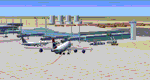
A flight sim colleague requested this airport as there is no ZWKL in the default FSX setup, nor are there any free 3rd party offerings on the major websites. This is my first attempt at an Asian airport and it is "built from scratch", so there are known issues.
ZWKL Korla Licheng Airport serves the city of Korla in Xinjiang autonomous region of the People's Republic of China.
The airport features custom made hangars, buildings, and terminal, some with interiors and transparent glass for night lighting.
Some previous scenery files required.
By Dan French.
| Filename: | FSX_Scenery_ZWKL_Korla_Licheng_Airport_China.zip |
| License: | Freeware, limited distribution |
| Added: | 13th June 2023, 00:27:35 |
| Downloads: | 178 |
| Author: | Dan French |
| Size: | 1.16 MB |
| Category: Flight Simulator X - Scenery | |
| Grise fiord New 2017+A full approach and landing video+Grise Fiord village! |
|
File Description:
This is Grise Fiord a beautiful small airport in Nunavut, Canada. I hand placed every single object and re-positioned the runway, aprons and parking spaces too make it 99.9% accurate! This scenery features Grise Fiord Airport and Grise Fiord village, with a static First Air ATR-72-300. As well as that, I included a video showing you how to land at the airport without crashing (easier said than done!) I hope you have lots of fun with this airport and expect high quality freeware scenery in the future-Ols. Requires UTX Canada
| Filename: | Grise_fiord_New_2017A_full_approach_and_landing_vi.zip |
| License: | Freeware |
| Added: | 22nd December 2017, 18:09:52 |
| Downloads: | 477 |
| Author: | Ollie Seaward |
| Size: | 90.46 MB |
| Category: Microsoft Flight Simulator (2020) - AFCAD Files | |
| FSX - WICT, Radin Inten II International Airport, Lampung, Indonesia |
|
File Description:
Hi,Thank you for download my creation. This is AFCAD file for WICT - Radin Inten II International Airport, Lampung, Indonesia. The airport is located in Brati, Lampung, Indonesia.
I create this airport because the stock airport only have runway and control tower. I bring correct runway possition, appron, terminal building and ILS.
I hope you enjoy use this scenery.
Instalation:
1. Copy and Paste WICT_ADEX_ADE.bgl and WICT_ADEX_ADE_CVX to Program Files\Microsoft Games\Microsoft Flight Simulator X\Addon Scenery\scenery
2. Run FSX, please enjoy :)
Regards,
Fajriansyah Hendra P
| Filename: | FSX__WICT_Radin_Inten_II_International_Airport_Lam.zip |
| License: | Freeware |
| Added: | 14th June 2024, 13:45:43 |
| Downloads: | 95 |
| Author: | Fajriansyah Hendra Pratama |
| Size: | 1.53 MB |
| Category: Prepar3D V5 - Scenery | |
| VEBS_P3Dv5 |
|
File Description:
Biju Patnaik Airport (IATA: BBI, ICAO: VEBS), also known as the Bhubaneswar Airport, is the primary airport serving Bhubaneswar, the capital city of Odisha. It is situated around 4 kilometres (2.5 mi) south-west from Bhubaneswar railway station and 6 kilometres (3.7 mi) away from the city center.[4] Named after the former chief minister of Odisha, Biju Patnaik, a famed aviator and freedom fighter, it is the 16th busiest airport in India & 11th busiest among the airports maintained by Airports Authority of India, registering a 11.7% fall in traffic over the previous year.
| Filename: | VEBS_P3Dv5.zip |
| License: | Freeware |
| Added: | 7th November 2020, 18:29:56 |
| Downloads: | 373 |
| Author: | Abhishek Banerjee |
| Size: | 25.71 MB |
| Category: Flight Simulator 2004 - Scenery | |
| LESU - Pirineus-la Seu d'Urgel - Catalan, Spain |
|
File Description:
La Seu d'Urgell airport, officially Pirineus - la Seu d'Urgel airport and also known as Pirineus-Andorra airport is an airport facility owned by the Government of Catalonia and hosts general aviation and emergency flights. It will be the main hub for Air Andorra, airline which starts serving Andorra on 8 January 2015. It is located in the comarca of Alt Urgell, south of la Seu d'Urgell (Spain) and 12 km south of Andorra, in the mountain of Ensiula between the towns of Montferrer i Castellbo and Ribera d'Urgellet.
| Filename: | LESU__Pirineusla_Seu_dUrgel___Catalan_Spain.zip |
| License: | Freeware |
| Added: | 10th December 2014, 11:58:34 |
| Downloads: | 638 |
| Author: | Billy Guo |
| Size: | 722.03 KB |
| Category: Prepar3D V1-4 - Scenery | |
| OZx YBWW Toowoomba Wellcamp Airport FSX/P3Dv4 |
|
Images related to this file:
File Description:
Toowoomba Wellcamp Airport is an airport in Wellcamp, 15.6 km west from the CBD of Toowoomba, Queensland, Australia. It was known as Brisbane West Wellcamp Airport until November 2017. The airport is rated at Code E and with its 2,870-metre (9,416 ft) long by 45-metre (148 ft) wide runway can handle aircraft the size and weight of the Boeing 747-400 and Boeing 747-8 and currently see's services from Airnorth, Qantaslink and Regional Express Airlines to/from Sydney, Melbourne, Brisbane, Cairns, Townsville, Mt Isa and many remote regional towns in Western QLD.
| Filename: | OZx_YBWW_Toowoomba_Wellcamp_Airport_FSXP3Dv4.zip |
| License: | Freeware, limited distribution |
| Added: | 13th July 2019, 17:03:22 |
| Downloads: | 1,717 |
| Author: | Robert Fluke |
| Size: | 210.2 MB |
| Category: Flight Simulator X - Scenery | |
| VTBS - Suvarnabhumi Intl - Bangkok, Thailand **Custom Airport Background** |
|
Images related to this file:
File Description:
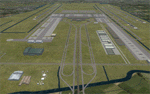
Provided is an airport background for Ray Smith's VTBS - Suvarnabhumi Intl - Bangkok, Thailand airport. This custom background can be easily added without disturbing the original airport, and it will also resolve water canal scenery conflicts for FTX Vector users. This background should work for all users, but it is optimized to take advantage of FTX Vector, and the airport road/highway system is now connected with all of the FTX Vector roads. Scenery was created using SBuilderX 3.13 and the FSX Object Placement Tool.
This scenery requires Ray Smith's VTBS - Suvarnabhumi Intl "fsx_vtbs_v1.5_rs.zip".
| Filename: | VTBS__Suvarnabhumi_Intl__Bangkok_Thailand_Custom_A.zip |
| License: | Freeware |
| Added: | 5th January 2015, 00:31:57 |
| Downloads: | 5,467 |
| Author: | Carlyle Sharpe |
| Size: | 1.32 MB |
| Category: Flight Simulator X - Scenery | |
| KSFO San Francisco Inlt (Asbuilt Scenery v1a) |
|
File Description:
Scenery and airport design (using AFX and FSX developer tools) adds photo-based terrain in and around the airport with seasonal and night variations. All runways and taxiways are placed at correct geographic coordinates. Shoulders along the runways and taxiways have been added and surfaces changed to present an appearance that looks a little more realistic than the default airport. Default scenery for terminals and buildings are reused, parking and jetways have been adjusted to match current assignments. A current copy of the FAA Airport Diagram is included for reference.
| Filename: | KSFO__San_Francisco_Inlt_Asbuilt_Scenery_v1a.zip |
| License: | Freeware, limited distribution |
| Added: | 15th May 2008, 23:52:00 |
| Downloads: | 13,304 |
| Author: | Dan Downs |
| Size: | 1.82 MB |
| Category: Prepar3D V1-4 - Utilities | |
| Flightplan Visualizer 1.16 |
|
Images related to this file:
File Description:
Flightplan Visualizer (FV) version 1.16.0. Copyright 2018-2020 by Pelle F. S. Liljendal ([email protected]), all rights reserved.
FV comes with 765 pre-imported Commercial AI flightplans (+380 BizJet flightplans are available as a separate download). However you are able to import additional (AI) flightplans yourself. Once imported these (AI) flightplans can be visualized on a map-view, and the user will be able to search accross all these. Hence you can use the program as inspiration as to which routes to fly. E.g. you can search across all imported flightplans to find all flights in an A321 flying into/out from LDDU, or simply to look for all flights in a Boeing 747-8F.
Simply run the included installer to install the software. The program will be installed into "C:\Program Files (x86)\Flightplan Visualizer" and all datafiles will be installed into: "C:\Users\[UserName]\AppData\Roaming\FlightplanVisualizer". The program comes with a full manual explaining everything, and a 3 page quick manual to get you started. The first 3 times you run the program the quick manual will automatically open. The forum is hosted here: https://forum.aerosoft.com/index.php?/forum/919-flightplan-visualizer/
Version 1.16 Contains the following changes:
- First of all a big THANK YOU to AIG (Alpha India Group) for allowing me to add features to both download their flight-plans (actually a feature suggested by Kai Kamjunke who is one of the developers of AIG AIM and other AIG tools) and access their list of defunct/renamed flightplans. While giving thanks, I also want to thank all (AI) aircraft-model creators, repainters and those who create all the flightplans ... our virtual sky would not be the same without your hard and dedicated work.
- Added new form to download or install AIG flightplans (downloaded directly from the AIG-servers). The form will identify all flightplans that are newer than those already installed or flightplans that are not currently installed. You can simply double-click a flightplan and it will be directly installed without the need to first download the file, and then choose to import this file.
- Both the new flightplan download- and the enable/disable flightplan- form contains a button which download- and show a list of defunct/renamed flightplans (obtained directly from the AIG forum).
- If you create a user-Airline while importing a flight-plan, when you return to the import-form you will be asked if you want to use that newly created flightplan (saves you from having to open the airline-browser and search-for/select that user-airline).
- Added Flightplan-, Airline- and Aircraft-filter to the top of the leg-search form to filter the items shown in the listviews.
- The "Select All" and "Select None" buttons now only (de)select visible items (if a filter is active there might be more items not displayed). However holding SHIFT while pressing these buttons, ALL items will be (de)selected no matter if they are shown or not.
- Replaced the two airport entry fields (in the leg-search form) with filter combo-boxes (MRU) so you can now enter a filter-text to filter which airports to include (the default filter is usign ICAO-codes so the old functionallity is preserved).
- Added filters to search for legs with specific flight-numbers and/or served by aircraft with specific registrations.
- When setting up a filter, sub-elements of the same type can now be separated by "/" so you only have to enter the type-name once (e.g. "country=dnk/nor/swe"). The pipe-char ("|") can be uses in stead if you prefer (e.g. "country=dnk|nor|swe").
- Now both "?" and "%" can be used as a single char wildcard in the filters ("?" is a DOS wildcard, whereas "%" is a SQL-wildcard).
- Added "#" as a wildcard for a single numeric value (0-9) in filters.
- Added "@" as a wildcard for a single alpha value (A-Z) in filters.
- Improved detection of invalid filter-text, which changes the text-color into red, to indicatet that the filter is invalid.
- The ISO3 country-code is now visible in the country combo-boxes in the leg-search form (these codes can be used in the airline- and airport- filters).
- Likewise 3-char Region- and Sub-region -codes have been added to their respective combo-boxes (these codes can also be used in the airline- and airport- filters).
- Saving the leg-search criteria will no longer require the input to be validated. E.g. you can now save the criteria where no aircraft have been selected. If you want to make sure that the criteria is valid for a search, please perform a search before you save the criteria.
- Flightplan-filter added to the "Re-process flightplans" form.
- Aircraft-filter added to the "Choose favorite aircraft-types" form. Also a few extra columns were added to the aicraft list-view.
- The Decode-METAR/TAF form now allows the user to manually enter METAR/TAF messages, and the form can now be opened directly from the main-menu (in case you optain METAR/TAF from other sources and need to decode it).
- Added a new button to the Randomizer form which lets you pick a random route (there is already a button to pick a random flight). The difference is the statistical chance of the chosen route.
- Added 2 columns to the runways listview in the Airport-info form showing head/cross-wind based on selected wind-direction/speed (automatically updated from the obtained METAR report).
- When accepting the result of a leg-search the previous used criteria (if different) are now archived. So you are able to load the 5 last used search criteria.
- The Result-viewer form now have a "Top-most" check-box. When checked that form will be shown on top of all other windows. This allows you to have this form shown on top of other forms (e.g. if you need to enter data from a metar-message into the FMC in the simulator).
- Many of the result-viewer forms now opens non-modal, meaning it can be displayed next to the window form where it was opened and you can switch between the two (you might need to use the new "Top-most" check-box for the best result). When closing the form from where the result-viewer was opened, the result-viewer will be closed as well.
- Likewise the Unit Conversion form also got the "Top-most" check-box in case you want to display this window on top of another program (e.g. if you have paper-work with weight based on kg and you need to enter the weights into a FMC/MCDU that only accepts lbs (or vice versa).
- The "Copy to clipboard" buttons on the METAR/TAF-decode form, and the Leg-Info form have been replaced by a "Show Report" button in stead. This new button will in stead show the text in the Result-viewer form (if you need to, it can be clipped to the clipboard from there).
- Below the (left/right) list-views in the "Enable/disable flightplans" form you now find a label showing two numbers. The 1st number shows the number of items (flightplans) shown in the list-view, and the 2nd number (in the parentheses) shows the number of selected items.
- When importing a flightplan where the aircraft-type can not be detected, the "lines" assigned to the "DUMMY AIRCRAFT" are now all automatically selected. So it is easy to just hit the "Change Aircraft type" button in case there is just a single, or multiple that should have the same type assigned.
- Hoovering the mouse over the gate-markers in the Airport-info form, the tool-tip now contains the GPS-position of the gate. Likewise editing the gate the caption of the edit window contains the GPS-position.
- Added airport size to "FS Comment" column in the "Nearby Airports" form.
- Added line-breaks to the METAR/TAF tool-tips displayed in the Leg-info form (line-breaks also included in the report).
- Fixed: There was a nasty bug in the "Legs" tab-page of the Airport-Info form where the same time-zone was used for both departure- and destination-airport when showing the departure-/destination-times as local times, even if departure- and destination-airports were in different time-zones.
- Fixed: The value of the "Calculated flighttime" check-box in the leg-search form was not set to the loaded value.
- Fixed: If one of your user-airlines had a blank callsign, it would list all airlines with a blank callsign as alternatives. Now it will only try to match non-blank callsigns.
- Fixed: The METAR/TAF decoder was not able to correctly detect a fraction visibility if following variable wind (e.g. "210V290 3/8SM").
- Fixed: Some of the combo-boxes in the leg-search form were enabled for text-entry, where the user should only be able to pick a value.
- Fixed: If "[None]" was selected and you executed a leg-search the "Edit" button remained disabled when you returned to the main form.
- Data: While testing some of the new filters I saw a few erros in the aircraft data (e.g. a few freight aircraft had a non-zero passenger count and other minor issues like that), which were fixed.
- Data: Thanks to Bruce Nicholson for bringing it to my attention that DC-9-15F was not being detected in version 1.15. Now all the DC-9 sub-variants should be detected correctly (e.g. 9-11/12/13/14...51 both pax and freight). The same better sub-variant detection was added to the DC-8's and DC-10's as well.
- Data: Thanks to Aucery for bringing it to my attension that some of the (BizJet) aircraft were not being detected, or not being detected correctly. The King Air 250/300 should now be detected correctly as are Hawker-700/1000, Mitsubishi MU-300, IAI Astra Jet 1125, Cessna T210/T303, and Dornier 328JET/PROP.
- Flightplans: All new/updated flightplans have been added to the installer, and all obsolete have been removed. A total of 765 active flightplans are bundled with the installer.
Pelle
| Filename: | Flightplan_Visualizer_116.zip |
| License: | Freeware, limited distribution |
| Added: | 2nd May 2020, 23:15:38 |
| Downloads: | 318 |
| Author: | Pelle Liljendal |
| Size: | 29.27 MB |


© 2001-2026 AVSIM Online
All Rights Reserved
Privacy Policy |