
Where Flight Simulation Enthusiasts Gather from Around the World!
AVSIM Library - Search Results

| Category: Flight Simulator 2004 - Original Aircraft | |
| FS2004 Miles M9A. Master Mk. 1a. An advanced training aircraft for the RAF. |

|
File Description:
FS2004 Miles M9A. Master Mk. 1a.
An advanced training aircraft for the RAF.
Aircraft of ATA Training Unit.
Based at White Waltham in 1942.
Ver.2, By Edward Cook [27/06/14]
| Filename: | FS2004__Miles_M9A_Master_Mk_1a_An_advanced_trainin.zip |
| License: | Freeware |
| Added: | 12th September 2020, 00:46:29 |
| Downloads: | 93 |
| Author: | Edward Cook |
| Size: | 3.42 MB |
| Category: Flight Simulator 2004 - AI Flight Plans | |
| PIA - Pakistan International Airlines (aircraft repaints included) - winter 2008-09 with Hajj flights |
|
File Description:
Flightplans and AI repaints of PIA ATRs, B747s and part of the B737 fleet. Pakistan International Airlines (PIA) is operating a fleet of ATR 42s, Airbus A310s and various Boeing aircraft on mainly domestic flights and flights to destinations in the Middle East and Asia. They also have some long distance flights to the USA, Canada, Great Britain and various destinations in Europe. The EU restrictions have been lifted again so in these flight plans the A310s are back on flights to European destinations. The flight plans are based on information from PIA's own website for the week 5th to 12th of January. At this time - apart from their regular schedule - PIA was also operating Hajj (pilgrimage to Mecca) flights to Saudi Arabia which are included in the flight plans. Repaints of the whole ATR and 747 fleet are included as well as missing repaints of the 737 fleet. File for use with MRAI installer included.
| Filename: | PIA__Pakistan_International_Airlines_aircraft_repa.zip |
| License: | Freeware, limited distribution |
| Added: | 28th February 2009, 10:01:16 |
| Downloads: | 1,683 |
| Author: | Juergen Baumbusch / Rene Tanggaard |
| Size: | 13.06 MB |
| Category: Prepar3D V1-4 - Aircraft Repaints, Textures and Modifications | |
| FS2004/P3D TDS Singapore Airlines Airbus A350-941 9V-SMF 10,000th Airbus Aircraft |
|
File Description:
In 2016 Singapore Airlines brought in the 6th Airbus A350 with registration 9V-SMF with the 10,000 Airbus Aircraft sticker as a token of gratitude from Airbus which has produced 10,000 Airbus aircraft. Textures only for freeware TDS Airbus A350, repainted by Andi Bibby
| Filename: | FS2004P3D_TDS_Singapore_Airlines_Airbus_A350941_9V.zip |
| License: | Freeware |
| Added: | 29th December 2021, 04:11:20 |
| Downloads: | 230 |
| Author: | Andi Bibby / Tenkuu Developers Studio |
| Size: | 5.89 MB |
| Category: Civil Flight Simulators - Looking Glass Flight Unlimited 3 | |
| FU3 Outer Terrain GTL Tile Editor v2.0 |
|
Images related to this file:
File Description:
This spreadsheet allows you to view, edit and save changes to the outer terrain's GTL tiles. Tiles are loaded into a 256x256 grid and the 13 default terrain textures are represented by cell background colours, i.e. the Mesa texture is represented by a reddish-brown background colour. The controls for loading and saving tiles are deliberately located on a separate worksheet. When loading and saving tiles I recommend that you do NOT select the main FU3 GTL Editor worksheet until a message box informs you that the load/save has finished. Otherwise, load/saves times (approx. 30 seconds for an average tile) will increase dramatically if you watch the tile while it is being populated or saved.
This 2.0 version also allows you to load a tile's terrain elevation. This is useful because the rules-based approach to modifying the OT was based on altitude constraints and it helps to be able to view the elevation (on the same scale as the tile itself) when modifying the terrain. However, in order to load the elevation you must first load the corresponding GTL tile. There is no provision to modify or save the elevation, because we already have Andre's excellent tools for that.
A complete map of the outer terrain's 2296 GTL files (plus Andre's 164 tile extension to the north) is provided in a separate worksheet. This includes a search facility you can use to identify tiles based on FU3 world co-ordinates.
| Filename: | FU3_Outer_Terrain_GTL_Tile_Editor_v20.zip |
| License: | Freeware |
| Added: | 26th December 2009, 02:11:13 |
| Downloads: | 49 |
| Author: | Jonathan Stonehouse |
| Size: | 103.36 KB |
| Category: Flight Simulator 2002 - Panels | |
| Purple Panel Project Black (v5) |
|
File Description:
This is a new release for the purple panel project - it includes panels for Single Piston
Engine, Twin Piston Engine, Single Jet, Twin Jet, Twin TurboProp, along with 3 and 4 Jet
aircraft (also included are instructions on adding a water rudder to any of the panels). These
are 'all-in-one' panels that include everything needed to fly in one window/panel. Features
include pushback, switches for lights, door and power along with a variety of other things
(all switches have tooltip IDs), radio altimeter, EADI w/Glideslope indicator, OAT, Clock,
Taxi Control, APU (where applicable), GPS, Smoke, AutoBrake, TCAS, Spoiler Arming, full fuel
control, Dual Needle RMI, the 'blue' radio plus all the bells and whistles I could fit in the
panel like warning lights, pressure and windspeed indicators ect... This release corrects some
minor issues with v3 and is a major rework with new taxi and pushback gauges, a minimum of
gauge relocation from panel to panel and a improved background bitmap. As with v3 prop and
mixture control are in place on applicable aircraft plus the ADF radio and transponder are the
same from panel to panel and do not move as they did in v3. It is the perfect 'standard panel' for use with nearly all the aircraft one can fly in FS2002... No previous versions are
required to use these panels.
| Filename: | Purple_Panel_Project_Black_v5.zip |
| License: | Freeware, limited distribution |
| Added: | 5th May 2003, 12:18:13 |
| Downloads: | 1,654 |
| Author: | Don Janusz |
| Size: | 11.77 MB |
| Category: Flight Simulator X - Scenery | |
| Kennedy Space Center (KSC) Launch Complex 39 |
|
File Description:
This is a rebuild of Kennedy Space Center Launch Complex 39 which includes the Vertical Assembly Building (VAB) relocated to its proper location, Photo background, removal of the ficticious Mobile Launch Platforms (MLP's of which there are only three, not five) with the old style Atlas towers, and addition of three realistic MLP's. Orbiter Processing Facilities have been added along with the other LC-39 complex buildings. There is also a heli-pad adjacent to the External Tank recieving wharf where it belongs. All textures used are origional FSX so there are no additional textures to add (the buildings were designed as close a possible to the origionals using what is available in FSX.
| Filename: | Kennedy_Space_Center_KSC_Launch_Complex_39.zip |
| License: | Freeware |
| Added: | 24th January 2008, 00:22:08 |
| Downloads: | 3,357 |
| Author: | Steve Gruber |
| Size: | 281.87 KB |
| Category: Flight Simulator 2004 - Scenery | |
| Southern Ontario Canada LOD 9 Mesh |
|
File Description:
Please note that I forgot to cut the one side of the screenshots so the right side of the image is what was present on my second monitor which in the first two pictures was my background.
The default mesh for Southern Ontario Canada was pretty flat and did not show the small rolling hills that are present throughout the province. This is LOD9 (90 meter) mesh that covers ALL of Southern Ontario from Elliot Lake, Sudbury and North Bay in the North, to near Montreal in the east, to Windsor in the southwest and all points in between. This mesh covers the entire area of Ontario shown in the Toronto VNC.
| Filename: | Southern_Ontario_Canada_LOD_9_Mesh.zip |
| License: | Freeware, limited distribution |
| Added: | 16th January 2004, 02:01:29 |
| Downloads: | 6,541 |
| Author: | David Voogd |
| Size: | 41.32 MB |
| Category: Flight Simulator 2004 - Utilities | |
| Autower - Automatic Tower Position, version 2.4.0 |
|
File Description:
Have you ever been annoyed by the fact that when you want to see this perfect touchdown you just made from an outside perspective, the tower is anywhere but where it should be? Got frustrated trying to get the tower where you think it is in reality, or at least somewhere where it fits well? If the answer is yes, then take a look at autower. Designed to operate in the background without any user intervention, it automatically moves the tower to the airport where you want it to be, to the spot where the tower sits in reality (well, at least somewhere close). Source code, support (and possibly newer versions) can be found at https://christoph.rosenkeller.org/fs/autower/
| Filename: | Autower__Automatic_Tower_Position_version_240.zip |
| License: | Freeware |
| Added: | 4th November 2011, 22:51:57 |
| Downloads: | 1,427 |
| Author: | Christoph Langguth |
| Size: | 66.4 KB |
| Category: Prepar3D V1-4 - Scenery | |
| LFTZv1 for FSX/P3D |
|
File Description:
LFTZ - La Môle is the small international airport of the famous city Saint-Tropez in the south of France near Nice (LFMN).
Its runway is 1162m (3812ft) long. This airport is ideal for light aircrafts, private jets ... Even the Q400s of Baboo came from Geneva.
It's a simple scenery done in three months, I hope you will enjoy it! :)
FEATURES:
- Custom 3D objects and buildings made with photoreal textures took from the real airport
- Custom taxiway marks
- Photoreal background
- Custom surrounding landclass
- Static vehicles + animated figure
- Intelligent use of default library objects of simple custom textures for more realism and more FPS
- FPS friendly
Scenery made for FSX/P3D (from v1 to v4)
| Filename: | LFTZv1_for_FSXP3D.zip |
| License: | Freeware |
| Added: | 11th February 2018, 01:39:35 |
| Downloads: | 1,655 |
| Author: | Romain Iovene / Florent Martinot |
| Size: | 11.74 MB |
| Category: Flight Simulator X - Gauges | |
| GPS2020 – V12.4 |
|
Images related to this file:
File Description:
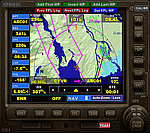
For those that still want to use FSX/P3D, it is recommended to replace GPS2020 V12.0 with this V12.4!
V12.4: Major fault corrected:
- When flying a normal flight plan, then setting a Direct-To destination, quite regularly after a few seconds the DTO was aborted prematurely
and the normal flight plan was restored. Obviously, this is intolerable. A solid cure has been found.
Some additions and smaller corrections:
- WPT infobox upper left: if GPS NAV Lock set, background gets color of active leg (purple).
- When the aircraft reaches the Direct-To destination, normally it starts circling around it (only with the autopilot).
From now on, if a flight plan was active before the Direct-To was started, it will automatically be resumed when the destination is reached.
- Direct-To flight plan: occasionally, the destination waypoint shown in the 2-point DTO flight plan changed to 'Aircraft', although the autopilot navigation
functioned correctly. Now the Direct-To flight plan should always be correct.
- Adding an approach procedure (PROC) to the flight plan, then removing it, then Direct-To to a WP, then cancel DTO:
the flight plan should be restored WITHOUT the PROC, but it was restored WITH the previously deleted PROC. Corrected now.
| Filename: | GPS2020__V124.zip |
| License: | Freeware |
| Added: | 29th August 2020, 20:48:56 |
| Downloads: | 808 |
| Author: | Hugo Jansen |
| Size: | 4.61 MB |


© 2001-2026 AVSIM Online
All Rights Reserved
Privacy Policy |