
Where Flight Simulation Enthusiasts Gather from Around the World!
AVSIM Library - Search Results

| Category: Flight Simulator 2004 - Scenery | |
| Anahim Lake CAJ4 in British Columbia, Canada |

|
Images related to this file:
File Description:
Anahim Lake is around 55 miles east of Bella Coola by air, and clear of the deep and rugged valley that connects the two with a road that is over 75 miles long. The two are also linked by a daily Pacific Coastal flight. A further 150 miles east is Williams Lake (200 miles by road). The town of Anahim Lake is small, but renowned for numerous surrounding fishing lodges on the lakes and the enjoyment of "nature" in what is known as the Chilcotin Wilderness. The Anahim Lake airport is an odd one. It appears to have fallen into disuse over a period of years, but is now in the process of being upgraded, with some new hangars (though oddly situated, and with only dirt track taxiway access) and a recently completed terminal building. There is also a plan to upgrade the runway (lights etc, there are currently no runway or taxiway lights) and in general to greatly improve the facilities on offer. The only current airline to fly there is Pacific Coastal. The runway is just under 4,000 feet of asphalt aligned 13-31 and 75 feet wide. There used to be another runway which is still visible but is now unusable, gravel that has not been maintained for several years. The notes for Anahim Lake airfield in the Nav Canada manual warn of "Extensive float plane activity at Nimpo Lake to the south" and of "possible large animals within the airport perimeter". Nimpo Lake activity will follow in further posts.
| Filename: | Anahim_Lake_CAJ4_in_British_Columbia_Canada.zip |
| License: | Freeware, limited distribution |
| Added: | 29th November 2018, 19:21:59 |
| Downloads: | 153 |
| Author: | Roger Wensley |
| Size: | 5.72 MB |
| Category: Flight Simulator X - Aircraft Repaints, Textures and Modifications | |
| Douglas C-47 (VH-AGU) Adastra Aerial Surveys |
|
Images related to this file:
File Description:
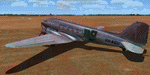
This folder contains a repaint for version 3.14 of the Douglas C-47 by Manfred Jahn and colleagues in the colors of C-47 VH-AGU of Adastra Aerial Surveys. It was originally constructed for the USAAF in 1944 as a C-47B-35-DK and allocated the military serial 44-76336. In February 1945 it was acquired by the RAAF and allocated the serial A65-72. Operated until 1959, it was then sold to Adastra Airways and converted for civil use. In October 1964 the aircraft was re-registered to Sepal Pty Ltd, but in October 1969 it was acquired by Adastra Aerial Surveys Pty Ltd. Adastra Aerial Surveys was acquired by East-West Airlines Ltd in April 1973 and VH-AGU was re-registered to East-West Airlines on 12 November 1974. East-West won the MLS trials support contract in December 1974 and VH-AGU was re-painted in East-West colours at Tamworth in the month prior to positioning at Melbourne/Essendon for the commencement of the contract on 25 January 1975. At some stage in the late 1970s the aircraft was transferred to South Coast Aviation, another East-West subsidiary. The aircraft was withdrawn from service in August 1979 at Essendon at the conclusion of its Departmental charter, and sold to Aerodyne Pty Ltd of Moorabbin. Since then, it has had several owners, and is still airworthy, flying in a USAF Vietnam war scheme from Morwell, Victoria. Repaint by Jan Kees Blom for Manfred Jahn's C-47 version 3.14, based on the paintkit by Gman5250.
| Filename: | Douglas_C47_VHAGU_Adastra_Aerial_Surveys.zip |
| License: | Freeware |
| Added: | 22nd August 2018, 15:12:21 |
| Downloads: | 192 |
| Author: | Jan Kees Blom |
| Size: | 15.68 MB |
| Category: Microsoft Flight Simulator (2020) - Utilities | |
| Flightplan Visualizer 1.18 |
|
Images related to this file:
File Description:
Flightplan Visualizer (FV) version 1.18.0. Copyright 2018-2020 by Pelle F. S. Liljendal ([email protected]), all rights reserved.
FV comes with 787 pre-imported Commercial AI flightplans (+380 BizJet flightplans are available as a separate download). However you are able to import additional (AI) flightplans yourself. Once imported these (AI) flightplans can be visualized on a map-view, and the user will be able to search accross all these. Hence you can use the program as inspiration as to which routes to fly. E.g. you can search across all imported flightplans to find all flights in an A321 flying into/out from LDDU, or simply to look for all flights in a Boeing 747-8F.
Simply run the included installer to install the software. The program will be installed into "C:\Program Files (x86)\Flightplan Visualizer" and all datafiles will be installed into: "C:\Users\[UserName]\AppData\Roaming\FlightplanVisualizer". The program comes with a full manual explaining everything, and a 3 page quick manual to get you started. The first 3 times you run the program the quick manual will automatically open. The forum is hosted here: https://forum.aerosoft.com/index.php?/forum/919-flightplan-visualizer/
Version 1.18 Contains the following changes:
- GREATLY improved the search-legs feature (by a factor of +50).
- In the past the application was forced to 32 bit. This is no longer the case, hence if needed its able to allocate more memory than before. I have never heard of anyone getting an "out of memory" exception, buy anyway.
- In the settings form, the field for entering the path to where to look for the Make Runways -files, have been replaced with a (MRU) combo-box, remembering the last 5 paths entered. So now you don't need to remember these paths each time you want to change it (e.g. if you switch between a set of files generated for P3D and another generated for MSFS). Remark that when this path is changed, FV will automatically restart when saving the settings, as the MkRwy-data are only loaded at startup.
- Added new command-line argument /MkRwy="G:\FS\MakeRunways". If this argument is set, FV will try to locate the files generated by Pete Dowson's MakeRunway in the specified folder, no matter the value of the MkRwy-path set in the settings-form.
- Added new command-line argument /FilePrefix=XXX. If this prefix is set (in the short-cut starting FV) it will look for files in the UserData-folder using this prefix and an underscore (e.g. open "XXX_UserAirportInfo.xml" in stead of "UserAirportInfo.xml"). If FV is started with this argument it will be displayed in the caption of the main-form to notify the user "which prefix is in use".
- Added new command-line argument /ForceReprocessFlightplans which forces all flightplans to be reprocessed on startup (e.g. process all airport redirections according to loaded redirection file).
- Added new command-line argument /? or /help. Using either of these, or having specified a wrong command-line argument will show a small example of the correct way to use these arguments.
- Added a new "Auto-activation prefixes" entry field to the "Edit owned aircraft" form where you can now enter a comma separated list of prefixes for which each aircraft should set to active. If entered, the aircraft will automatically be set active when FV have been started with the /FilePrefix argument set to the entered value (e.g. P3D). If one or more prefixes have been entered into this field, and FV have been started with another prefix, those aircraft will be set to not-active.
- Added new setting to reprocess all loaded flightplans on startup if FV was started with another /FilePrefix argument than used the previous time FV was started (e.g. if you switch between two different simulators).
- Improved how pseudo-airports tries to look-up airport data from the bundled airport-database. So there is now a higher chance that: name, country/state, and time-zone will be populated with useful data for the pseudo airports.
- In previous versions when opening the airport-info form, the checkbox "Exclude small/grass/dirt" (runways) was always checked, meaning you had to uncheck this checkbox before being able to see any runway-information for small airports. In this version a new setting have been added where you can chose if this checkbox should default to being: Checked, Unchecked or (default) Automatic. if choosing "Automatic", this checkbox will default to un-checked for airports only having few/small runways.
- Redesigned the settings-form so things are less "cluttered", and it will be more easy for me to add additional items in the future.
- The Search Airport form now contains fields that lets you specify min/max criteria for rwy-length and airport elevation, and min/max distance to a specified airport (e.g. find all airports within 20-50 Nm of XXXX). Also you can specify required rwy-type (e.g. "All Hard", "Have Soft" ...).
- Added an "Edit" menu-item to the context menu in the Search Airport form, which opens the Airport Info form, and returns back to the Search Airport form (e.g. see details for a few found airports before chooing one of them).
- If Transition Altitude (TA) is not known for a particular airport, the program will now try to estimate TA based on nearby airports in the same country, where those nearby are weighted more than those further away (its not perfect, but "better" than 0). An estimated TA will be postfixed by a asterisk to mark that it is estimated.
- Minor (internal) changes to the automatic version-check.
- Fixed: Issue importing some AigFP flightplans where airports were being redirected (e.g. "AIG_AviaTrafficCompany_Winter_2019-2020v2").
- Fixed: Using the context menu in the list-view showing all owned aircraft, the changes were sometimes not saved.
- Fixed: In the conversion-form when converting weight/volume into US-Gal, the calcuation was wrong (converting from US-Gal was not an issue).
- Fixed: In the leg-info report the value of Transition Altitude was in some cases used in stead of the length of the longest runway.
- Fixed: Leg-info report only contained taxi-out time for all airports. Now it only contains the taxi-out time for the departure airport, but both departure- and destination airports contains a taxi-in time.
- Fixed: In some cases an airport that was currently being edited, could be edited in another window at the same time (opening multiple Airport Info forms).
- Data: The bundled airport-database had a MAJOR face-lift. Various data were corrected, and it have more than doubled in number of airports/helipads contained within the database.
- Data: Improved detection of aircraft-type "IAI 1126 Galaxy" (as "Gulfstream G200"). Thanks to Bruce Nicholson for notifying me of the issue when importing a particular AIG flight-plan.
- Flightplans: All new/updated flightplans have been added to the installer, and all obsolete/defunct have been marked/removed. A total of 787 active flightplans are bundled with the installer.
Pelle
| Filename: | Flightplan_Visualizer_118.zip |
| License: | Freeware, limited distribution |
| Added: | 9th November 2020, 20:09:24 |
| Downloads: | 479 |
| Author: | Pelle Liljendal |
| Size: | 34.48 MB |
| Category: Flight Simulator 2004 - Sounds | |
| Rolls-Royce Merlin Sound Package |
|
File Description:
A few weeks ago at an airshow, I had the opportunity to get up close up to the Spitfire and get some recordings of that beautiful Rolls Royce Merlin engine. I have used some of these sounds for this sound pack and the result is absolutely amazing. Now I've got a spitfire which truly sounds like it should. This is a small file but don't be fooled, you'll love it, guaranteed! Obviously I don't know how a Spitfire sounds on the inside, so I've tried using FS9 default sounds along with some sounds downloaded from the internet and from a sound effects disk and wow, what a result. This file was created using the Alpha Spitfire as a test bed, so I'm not sure what it will be like in any other model. If you want to know what it sounds like, try putting these sounds into the Cessna 182S model as they run perfectly in that plane except it doesn't have retractable landing gear! I promise, you won't be disappointed!!
| Filename: | RollsRoyce_Merlin_Sound_Package.zip |
| License: | Freeware |
| Added: | 26th August 2006, 21:02:42 |
| Downloads: | 4,036 |
| Author: | Des Braban |
| Size: | 6.85 MB |
| Category: Flight Simulator 2004 - Aircraft Repaints, Textures and Modifications | |
| Spanish army and air force textures for aerospatiale superpuma |
|
File Description:
Spanish textures for the Eurocopter AS-332C1 Super Puma. Compatible with FS2002 and FS 2004.
Original helicopter model made by Dirk Fassbender [email protected].
Panel design and flight dynamics by Nick Karatzides [email protected] or [email protected].
Super puma serves in the Spanish Ejército de Tierra (land forces) and in the Spanish Air Force. Four paintschemes are included in this pack: normal low visibility grey for the Spanish Airforce 802 y 803 squadrons, the same scheme with ISAF markings (Afghanistan international troops, Herat base), and green and camo schemes for the FAMET (Fuerzas Aeromóviles del Ejército de Tierra).
You need to have the model with the panel and flight dynamics from avsim (available as as-332c1_haf_v1).
Just drop the folders in the texture folder and overwrite the aircraft config file. Remember to make a
backup copy of your previous aircraft file.
This is freeware. It is strictly forbidden the use of the model or textures as payware, and also to post it
in FSplanet.
All suggestion are welcome.
Alberto García Lledó [email protected]
| Filename: | Spanish_army_and_air_force_textures_for_aerospatia.zip |
| License: | Freeware |
| Added: | 27th September 2007, 17:42:58 |
| Downloads: | 675 |
| Author: | Alberto García Lledó |
| Size: | 4.11 MB |
| Category: Flight Simulator 2004 - Scenery | |
| HSSS Khartoum, Sudan |
|
File Description:
Googly scenery for HSSS Khartoum, Sudan. For Sudan's main international airport,
the Flight Simulator depiction is somewhat simplified, depicting just a few
buildings which are badly located. These scenery files attempt to reproduce
the real atmosphere of the airport - from the huge clutter of small hangars
and workshops and large quantities of inactive planes through to the aircraft
dump at the north end of the airport.
The scenery does not purport to be ultra-accurate. Based on high-detail satellite
imagery from Google Earth, the layout is proportionally correct but the added
airport features, such as buildings, are built from default Microsoft objects
and third-party object libraries so will not look like the real thing.
You are not obliged to download and install any additional scenery libraries,
but to enjoy this scenery in its entirety, you may wish to. It will work fine,
with or without. These files complement the Sudan Airways AI Fleet Pack by Billy Rutherford &
John Hinson, updating the scenery files contained therein, but the two are not
inter-dependent.
| Filename: | HSSS_Khartoum_Sudan.zip |
| License: | Freeware |
| Added: | 9th March 2007, 17:29:13 |
| Downloads: | 4,417 |
| Author: | John Hinson |
| Size: | 38.74 KB |
| Category: Miscellaneous Files - General Utilities | |
| SimPicShot 1.5 |
|
File Description:
It makes storage of Screenshots and at the same time it's possible modify the picture before storing on the harddisk. It uses in addition routines of the popular Freeware program "IrfanView". The author has me permitted to pack its program in my ZIP file. It probably functions like that to nearly each well-known program "FSSCREEN". The most substantial differences are: picture numbers of 1-99999 + freely selectable Prefix, storage begins always after the largest number (gaps are not filled), a cutting off of the circulating edge possible (FS2004 1 pixel, FSX of 2 pixels), upper and lower edge can be removed (status bars), arbitrary scaling (with Resample), sharpnesses with selectable value, save in the JPEG format, not changed screenshot can be saved, place of the pictures freely selectable (new folder can be provided in the dialogue box), sound for key pressing, brightness and contrast changeable, cursor in Screenshot yes/no, black and white picture provide, multi-SHOT function with 2 variants, Tray Icon, display in the task bar (accessibility over ALT+TAB) yes/no
| Filename: | SimPicShot_15.zip |
| License: | Freeware, limited distribution |
| Added: | 18th January 2008, 23:50:51 |
| Downloads: | 2,382 |
| Author: | Gunnar Daehling |
| Size: | 1.63 MB |
| Category: Flight Simulator 2002 - Original Aircraft | |
| Lockheed Hercules C130J (v.2) |
|
File Description:
The Lockheed C130 J Hercules is the newest version of the trusty military transport aircraft. With its six-blade propellers and more powerful engines, it can fly higher, faster and further than any previous Hercules. This is my second version of this aircraft (with more than 11 000 downloads of the first one) with an all-new FSDS model. It features animation of all control surfaces, landing gear and propellers; full lighting effects; opening front door and rear cargo ramp as well as a pilot getting into- and out of the aircraft as it takes off and a flight attendant opening and closing the front door. The panel is a photo-realistic rendition, designed from photographs downloaded from the Lockheed-Martin website. It includes a Heads Up Display ("HUD"), WORKING radar unit and Multi Function Display ("MFD") for the engine-instruments ("EICAS"). A sound pack is also included. An experienced Hercules pilot checked the flight dynamics to ensure that flying this aircraft is AS REAL AS IT GETS!
| Filename: | Lockheed_Hercules_C130J_v2.zip |
| License: | Freeware |
| Added: | 1st January 2003, 13:49:53 |
| Downloads: | 8,244 |
| Author: | Vasco Ferreira |
| Size: | 8.99 MB |
| Category: Flight Simulator 2004 - Aircraft Repaints, Textures and Modifications | |
| Fuerza Aerea Ecuatoriana C-47A-DK FAE-92066 |
|
File Description:
Fuerza Aerea Ecuatoriana C-47A-DK FAE92066(HC-AVC),C/N 11825 builded by the
Oklahoma City production plant for the USAAF as 42-92066.One of the first early series C-47A builded in Oklahoma.The first C-47 was received by the FAE in 1946,together with a batch of P-47 Thunderbolts; 18 mixed planes(DC-3s,C-53Ds,C-49F,C-47D-L,C-47A and C-47B) were operated by the FAE and his transport service TAME founded in May 1962.After service with TAME, FAE92066 was sold to Colombia and operated as SAEP HK-3349,TAGUA HK-3349,Air Villavo HK-3349,Aerovilla HK-3349,SADELCA HK-3349X,ALCOM HK-3349,and VIARCO HK-3349(Active)(Reported also as derelict at Villavicencio).
The base textures for repainting are by Mark Beaumont,original textures are by Jan Visser.Repainted by Daniel Nole.In order to use these textures, you must already have the MAAM-SIM payware DC3 and the MAAM-SIM D-Day C-47 'Skytrain' and Dakota Mk III Expansion Pack installed in your FS2004 aircraft folder.
| Filename: | Fuerza_Aerea_Ecuatoriana_C47ADK_FAE92066.zip |
| License: | Freeware |
| Added: | 6th August 2005, 05:26:19 |
| Downloads: | 298 |
| Author: | Daniel Nole |
| Size: | 7.13 MB |
| Category: Flight Simulator X - Scenery | |
| Thomas Hudner AFB |
|
File Description:
Thomas Hudner AFB is a fictitious Air Force Base located at Henderson Island, a member of the Pitcairn Islands in the Pacific. Located in a sheltered bay on the east side of the island, the airport features a 7500' x 120' paved runway, several hangars, barracks, and a fire dept. This airport also features a Delta V rocket and launch pad, a container ship being unloaded offshore by hovercrafts, and a small military ship. The default FSX scenery at this island has been completely replaced with custom scenery and terrain based on satellite photos.
This scenery requires the FSX Acceleration expansion pack for all of the objects to show up properly. Also, for some reason, Ground Environment X causes the sand textures to show up as rain forest. This is purely a visual quirk and the airport will still work, but it is up to you. This airport is not designed for FS2004, but you may try it at your own risk. Special thanks to Ashton Lawson for his invaluable help on this project.
| Filename: | Thomas_Hudner_AFB.zip |
| License: | Freeware, limited distribution |
| Added: | 31st January 2009, 01:29:20 |
| Downloads: | 541 |
| Author: | Daniel Otto |
| Size: | 1.57 MB |


© 2001-2026 AVSIM Online
All Rights Reserved
Privacy Policy |