
Where Flight Simulation Enthusiasts Gather from Around the World!
AVSIM Library - Search Results

| Category: Flight Simulator X - Gauges | |
| TCAS and Traffic Display Gauge V2.0 |

|
Images related to this file:
File Description:
This TCAS and Traffic Display Gauge Version 2.0 includes significant improvements from V1.0. It has been developed for the FSX Flight Simulator SP1/2 also. It should also work with Acceleration.The functionality for the TCAS part is based on general specs for commercial aircrafts. It does not provide in detail the function for a specific aircraft model. It is a generic gauge, and can be simple added to any aircraft as a standalone popup window.
In addition the gauge provides a AI traffic display in the ranges of 10,20, and 40 miles.Within this display mode, no TCAS rules are valid, which means all AI aircraft are displayed independent of any altitude or distance.
Improvements in V2.0 are: 1: Full TCAS and traffic display capability is provided even though your aircraft is on the ground. Only the trigger of the alarm/warn sound and the blinking lamp display willbe blocked. 2: An AI HDG pointer will be displayed. It shows in which direction the AI is moving. 3: A bearing pointer has been introduced. It allows the pilot to point to a specific AI.4: The AI additional text info display follows the structure of an ATC text.5:The AI additional text can be selected individually per AI with a mouse click.
6: Each AI display contains a ID index number (0 � 20).7: The design of the TCAS and Traffic Display Box has been updated.8: Increased the number of AIs displayed on the screen in display mode.
For installation and functional description look at the doc inside the ZIp.
CREDIT goes to :
Stefan Schneider for his support on special XML issues and TCAS functionality.
Bob Familton for his review of the documentation and testing for SP1 FSX.
Doug Dawson for his dsd-XML-sound interface in order to generate the sounds.
| Filename: | TCAS_and_Traffic_Display_Gauge_V20.zip |
| License: | Freeware |
| Added: | 25th October 2010, 13:37:36 |
| Downloads: | 3,752 |
| Author: | Dietmar Loleit |
| Size: | 981.32 KB |
| Category: Flight Simulator X - Aircraft Repaints, Textures and Modifications | |
| FS2004/FSX/P3D Overseas National - ONA DC-6A 1959 |
|
Images related to this file:
File Description:
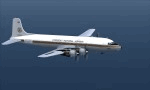
This is a repaint of the Douglas DC-6A (CB17 model) in Overseas National Airways - ONA 1959 colors. The freeware CalClassic DC-6A CB-17 model by Greg Pepper and Tom Gibson is needed for this repaint. ONA was originally formed in 1950 by George Tompkins to undertake overseas contracts on behalf of the USAF. Douglas DC-4s were initially used, with DC-6s joining them later. However, due to underbidding on contracts, ONA declared itself bankrupt on October 29 1963. After this, the airline was extensively re-organized and began operations once again in October 1965, with a fleet of 7 DC-7s. Soon after, in June and July 1966 the airline's first jetliners joined the fleet in the form of DC-8-50Fs. After a 1966 ruling by the CAB, ONA was granted permission to undertake inclusive tour charters, affinity group charters, and single entity charters to transatlantic and Caribbean markets. This was a godsend to the airline and it started to become quite profitable. Over the next decade, the fleet expanded to include: L-188s, DC-8-61/63CFs, DC-8-20/30s, DC-9-30s, and the granddaddy of them all; the DC-10-30CF. During the winter of 1975/76 tragedy struck. Two ONA DC-10s were lost in accidents in the space of two months (November 1975 & January 1976). This was a major blow to the airline and its image. This, coupled with financial difficulties, led the the filing of its second bankruptcy on September 7, 1978. That was the final nail in the coffin. This repaint is on DC-6A N660NA, which joined the airline in 1958, ans was sold to AAXICO in 1961. Textures are 32bit bmp. This repaint was tested on FSX-SE and should work on FSX, P3D v1-3, & FS2004.
| Filename: | FS2004FSXP3D_Overseas_National__ONA_DC6A_1959.zip |
| License: | Freeware |
| Added: | 19th June 2019, 15:55:19 |
| Downloads: | 71 |
| Author: | Ted Giana |
| Size: | 7.57 MB |
| Category: Flight Simulator X - Scenery | |
| VOHS-VOBL package for FSX and FSX-SE |
|
Images related to this file:
File Description: Rajiv Gandhi International Airport (IATA: HYD, ICAO: VOHS) is an international airport that serves Hyderabad,
the largest city in the Indian state of Telangana. It is located in Shamshabad, about 24 kilometres (15 mi) south of Hyderabad.
The airport is operated by GMR Hyderabad International Airport Ltd, a public–private venture.
It was opened in March 2008 to replace Begumpet Airport as the primary commercial airport for Hyderabad.
It is named after Rajiv Gandhi, former Prime Minister of India. _______________________________________________________________________________________ Kempegowda International Airport (IATA: BLR, ICAO: VOBL) is an international airport serving Bangalore, the capital of the Indian state of Karnataka.
Spread over 4,000 acres (1,600 ha), it is located about 40 kilometres (25 mi) north of the city near the village of Devanahalli.
It is owned and operated by Bangalore International Airport Limited (BIAL), a public–private consortium.
The airport opened in May 2008 as an alternative to increased congestion at HAL Airport,
the original primary commercial airport serving the city. It is named after Kempe Gowda I, the founder of Bangalore.
Kempegowda International Airport became Karnataka's first fully solar powered airport developed by CleanMax Solar.[2][3] As of 2016, Kempegowda Airport is the third-busiest airport by passenger traffic in the country,
behind the airports in Delhi, Mumbai and is the 35th-busiest airport in Asia. It handled over 22.2 million passengers in 2016 with little less than 500 aircraft movements a day.
The airport also handled about 314,060 tonnes (346,190 short tons) of cargo. By 2020, it is expected to handle at least 40 million passengers per year,
with 45 international airlines and more than 1000 aircraft movements per day.
| Filename: | VOHSVOBL_package_for_FSX_and_FSXSE.zip |
| License: | Freeware |
| Added: | 28th January 2018, 17:03:17 |
| Downloads: | 4,456 |
| Author: | morten thomas van der linden |
| Size: | 171.62 MB |
| Category: Miscellaneous Files - Demos from Commercial Vendors | |
| AirFxEz Smoke System effects generator. Version 1.0.6.6 |
|
Images related to this file:
File Description:

Re-upload. People who are new to FlightSim often ask; "Can you shoot guns, drop bombs, etc.?"
Unfortunately, FlightSim has no way to add these things.
AirFxEz was made to easily add these features and more to FlightSim 2002/2004.
1. Quickly and easily add effects to your Fs2002 / Fs2004 smoke system.
2. New effects including FxPax #1: Bomb, Flak, Engine fire, Machine gun, Water dump, Crop duster, Smoke in 5 colors, longer lasting smoke for Skywriting.
Just $8.99 / FREE for registered AirFx users.
Included Effects Templates w/images:50Cal
50Cal_x2 fireball range 500ft
50Cal_x2 fireball range 700ft
50Cal_x2 fireball range 1000ft
50Cal_x2
Bomb200ft Timer with flak
Bomb200ft Timer
Bomb2000ft Timer with flak
Bomb2000ft Timer
Bombing Run with Flak
Bombing Run
C182 Engine Fire
Shooting Gallery
Smoke Blue
Smoke Green
Smoke Red White Blue
Smoke Red
Smoke White Smoke Yellow
SmokeWriter 5 Minute
SmokeWriter 10 Minute
SmokeWriter 30 Minute
Strafe
Water Dump
737 Engine 1 Fire
737 Engine 2 Fire
747 Engine 1 Fire
747 Engine 2 Fire
747 Engine 3 Fire
747 Engine 4 Fire
747 Engine 4 Fire
777 Engine 1 Fire
777 Engine 2 Fire
Beech Baron Engine 1 Fire
Beech Baron Engine 2 Fire
Beech KingAir Engine 1 Fire
Beech KingAir Engine 2 Fire
FREE FXPAX INCLUDED
01. Colored contrail sets with long-lasting smoke for skywriting.[Available as of 04/26/2004]
02. Colored water dump sets.
03. High and low wing effect offsets sets for all smokes and fires.
04. High and low wing jet engine afterburner and heat distortion effects.
05. Distance-based targeting reticules for strafing.
06. Multiple sized bombs and explosion effects for different sized aircraft.
07. Guns and bomb systems with effect placement based on distance/altitude from target.
08. Plasma weapons, Explosion sets, Cluster bomb sets, Squirt gun, Laser.
09. Monster sized Bowling ball.
10. Sounds for the effects
| Filename: | AirFxEz_Smoke_System_effects_generator_Version_106.zip |
| License: | Check within download |
| Added: | 15th July 2010, 01:34:41 |
| Downloads: | 2,166 |
| Author: | grant bovee |
| Size: | 7.49 MB |
| Category: Prepar3D V1-4 - Utilities | |
| Flightplan Visualizer 1.14 |
|
Images related to this file:
File Description:
Flightplan Visualizer (FV) version 1.14.0. Copyright 2018-2019 by Pelle F. S. Liljendal ([email protected]), all rights reserved.
FV comes with 629 pre-imported Commercial AI flightplans (+380 BizJet flightplans are available as a separate download). However you are able to import additional (AI) flightplans yourself. Once imported these (AI) flightplans can be visualized on a map-view, and the user will be able to search accross all these. Hence you can use the program as inspiration as to which routes to fly. E.g. you can search across all imported flightplans to find all flights in an A321 flying into/out from LDDU, or simply to look for all flights in a Boeing 747-8F.
Simply run the included installer to install the software. The program will be installed into "C:\Program Files (x86)\Flightplan Visualizer" and all datafiles will be installed into: "C:\Users\[UserName]\AppData\Roaming\FlightplanVisualizer". The program comes with a full manual explaining everything, and a 3 page quick manual to get you started. The first 3 times you run the program the quick manual will automatically open. The forum is hosted here: https://forum.aerosoft.com/index.php?/forum/919-flightplan-visualizer/
Version 1.14 Contains the following changes:
- Flightplan file-format was changed, to accommodate changes to the airline-data. In previous versions the airline ICAO-code had to be unique, hence not allowing old defunct airlines still remaining in the data-file when a new airline would be issued the same ICAO-code (now they can both exists, and many of the defunct have been marked as defunct).
- On start-up old flightplans in enabled folders will automatically be updated to the new format. If you have sub-folders containing additional flightplans, you should make sure these are enabled, in order to have these updated as well. Once they have been updated you can go ahead and disable these sub-folders again as you please.
- Its now possible to add user defined airlines, in case you want to add you own fictitious airlines (e.g. VA's) or you want to add airlines missing in the official data-files that I supply with the program (if this is the case, please notify me, so I can add these in the next release of the program).
- "Favorite aircraft" have been renamed into "Favorite aircraft-types", as it is the "types" of aircraft you mark. You don't mark a particular aircraft/cofiguration (like the PMDG B737-800 NGXu) as your favorite, but rather the "type" (B737-800). The file containing the (active) favorite aircraft-type selection was renamed as well (you don't have to do anything, the file is automatically renamed on start-up).
- Added a new Unit-Conversion form, letting the user convert units of: Speed, Lenght/Distance, Weight/Volume, Pressure and Temperature. The Weight/Volumne conversions is a bit special as it lets the user convert between weight (kg/lbs) and volume (liter/gal), thanks to a Fuel Density that defaults to 0.785, but can be changed by the user.
- All search-forms (seaching for airport, aircraft and airline) was changed to ignore whitespeaces (e.g. "airBaltic" vs. "air Baltic"), and ignore diacritics (e.g. "AerolÃnea" vs. "Aerolinea"), making it more easy to find what you are searching for in one go.
- The airline search-form will by default exclude airlines that have been marked as defunct. However a new "Include defunct" check-box have been added to the form, allowing you to include these (who am I to say you can not still use "Air Berlin", "Monarch" or "Thomas Cook" flightplans if you want to).
- Added 3 new columns to the airline search form showing commence/cease-date, and wheter or not the airline is "in use" (as carrier/operator by any of the active fligthplans).
- State is now by default excluded when using the airport search form, which make it a lot more convenient to find airports in the city of "New York". State can still be included in the search by choosing a different search-type using the combo-box in the upper/right corner.
- When Flightplan Visualizer needs for perform potentially lengthy operations it will spread the workload over the available cores of the CPU. However if you want to limit which cores it uses you can now set the affinity-mask in the settings form.
- The splash-screen shown when the program starts, and when reloading active flightplans was prevoiusly always shown on top (top-most), but if you find this anoying it can now be disabled in settings.
- Fixed: Warnings/errors regarding loading flightplans were only displayed at start-up. Now they are shown whenever all active flightplans are loaded (e.g. after having enabled a sub-folder).
- Data: The airline-data got a major update, and a bunch of new airlines were added, and the data for MANY others were updated. It is a manual process to update these, almost as funny to do as to watch paint dry ;-)
- Data: A few countries had a wrong- or no sub-region code, so these were fixed/updated. As usual, if any of you spot any erros, or missing data, please use the forum to notify me.
- Data: Additional info added to the aircraft-data (in preparation for some future plans).
- Flightplans: All flightplans bundled with the installer have been updated to the new file-format.
- Flightplans: Thanks to Ryan Carson (RCAI) for allowing me to bundle the installer with a few of his flightplans, so the installer comes with the very first winter 2019-2020 flightplan.
- Flightplans: The good people over at AIG (Alpha India Group) have been VERY busy since the last release, hence the installer comes with +130 new pre-imported flightplans, bringing the total to 629. This update concludes Summer 2019, and AIG already have the first Winter 2019/2020 flight-plans in beta-test.
Pelle
| Filename: | Flightplan_Visualizer_114.zip |
| License: | Freeware, limited distribution |
| Added: | 10th December 2019, 06:59:46 |
| Downloads: | 370 |
| Author: | Pelle Liljendal |
| Size: | 31.01 MB |
| Category: Prepar3D V1-4 - Aircraft Repaints, Textures and Modifications | |
| North American P-51D 3rd ACG (C) 'Bad Angel' |
|
Images related to this file:
File Description:
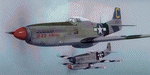
This folder contains a second repaint for the A2A WoP3 P-51D Mustang, in the colors of P-51D-20 44-63272 “Bad Angelâ€, flown by Lt. Louis Curdes of the 4th Fighter Squadron, 3rd Air Commando Group. He is one of a very few American pilots to have kills against each of the three major Axis powers, and I believe the only US pilot to display an American flag among his victory markings.
While serving in the MTO, Curdes downed several Fw-190’s, and one of the Macchi C.202’s he downed is now on display at the National Air & Space Museum in Washington DC. He was shot down over Italy and spent a short time as a POW before escaping. Because he was an escaped POW, he couldn’t fly again against the Germans for security reasons.
He was transferred to the PTO, and on February 10, 1945, during a sweep to Bataan Island, he saw a P-51 pilot parachute into the sea. Curdes circled around him to pinpoint his position to rescuers. While circling, he saw a USAAF C-47 that was preparing to land on the Japanese-held strip on Batan. The C-47 crew didn’t respond to repeated attempts at radio contact and, unable to shepherd the C-47 to safety, Curdes saw only two possibilities – first that it was a Japanese plane bearing false US markings (the DC-3 having been built under licence in Japan prior to the war), or it was a US plane whose crew was unaware the field had fallen to the Japanese. He therefore carefully shot out both engines, causing the plane to land in the sea. All 13 people on board the C-47 were rescued – and they were indeed Americans, including a nurse Curdes had previously dated. Repaint by Jan Kees Blom.
| Filename: | North_American_P51D_3rd_ACG_C_Bad_Angel.zip |
| License: | Freeware |
| Added: | 3rd November 2018, 23:18:24 |
| Downloads: | 47 |
| Author: | Jan Kees Blom |
| Size: | 6.11 MB |
| Category: Flight Simulator X - Scenery | |
| RAF Tholthorpe |
|
File Description:
RAF Tholthorpe opened in the late 1930s as a grass airfield, and operated as a sub-station of RAF Linton-on-Ouse.
From August 1940 to December 1940, Tholthorpe was a landing field for Whitley bombers of No. 58 Squadron RAF and No. 51 Squadron RAF based at Linton. From January 1941 to June 1943, Tholthorpe underwent maintenance to upgrade to Class A standards, with three intersecting concrete runways.
RAF Tholthorpe was assigned to No. 6 Group RCAF in June 1943. RCAF squadrons stationed here included No. 434 Squadron "Bluenose", 431 Squadron "Iroquois", 420 Squadron "Snowy Owl", and 425 Squadron "Alouette".
No. 434 Squadron, flying Halifax bombers, was formed and headquartered at Tholthorpe airfield from June 1943 until the squadron was moved to Croft. In July 1943, 431 Squadron moved to Tholthorpe airfield from Burn. It was later moved to Croft airfield as well. Not only were the operational squadrons quartered here, also their service echelons, - respectively Nos. 9431 and 9434 Service Echelon - which were formed from the ground crew of nos. 431 and 434 Squadron on 3 November 1943 and who moved with their squadrons on to Croft in December 1943.
In December 1943 No. 420 and No. 425 Squadrons (together with their service echelons, nos. 9420 and 9425 Service Echelon were moved to Tholthorpe airfield from Dalton and Dishforth respectively. These squadrons had returned from service with Wellingtons in North Africa, and it took them several weeks to work up on the newly acquired Halifax bombers. They were therefore unable to fly their first raids from Tholthorpe until mid-February 1944.
No. 420 Squadron flew 160 operations from Tholthorpe airfield and lost 25 Halifax’s. No. 425 squadron flew 162 operations from Tholthorpe airfield and lost 28 Halifax’s. In all, 119 Halifax bombers were lost from Tholthorpe. In April and May 1945 nos. 420 and 425 Squadron converted to Avro Lancaster’s, which they took with them when they left for RCAF Debert, Nova Scotia, Canada in June 1945.
The station closed in June 1945.
| Filename: | RAF_Tholthorpe.zip |
| License: | Freeware |
| Added: | 9th May 2017, 20:41:48 |
| Downloads: | 138 |
| Author: | Terry Boissel |
| Size: | 4.63 MB |
| Category: X-Plane - Scenery | |
| San Diego, Ca. 2004 - v6.70thru v7.30 |
|
File Description:
San Diego Scenery Package
for X-Plane v6.51+v7.XX
by Bill Moore
January 3, 2004
Here is a new San Diego scenery package that I designed for my personal use. I have had numerous requests to do more cities and airports so this is my first free scenery for 2004. Being the lazy person I am, no research was done and no claim to real life designs are implied.
I have added many objects to the airports and cities including terminals, hangers, buildings, stadiums, balloons, city scapes and other fun and interesting things. All of which were begged, borrowed or stolen from all the wonderful designers in the X-Plane Community such as Ken Spiker, Christian Franz, Ted Davis, Robert Bunce, Tom Curtis, B. Brooks and all the others who have inspired me. Many thanks to each of you for your contributions to the X-Plane community.
Like all my scenery packages, the additions to the citys and airports are purely fictional. The airports themselves are unaltered. I have enhanced "San Diego Intl.-Lindburg Fld. (KSAN), "North Island NAS. (KNZY), Miramar MCAS (KNKX), Imperial Beach NOLF (KNRS), General Abelardo L. Rodriquez Intl. (MMTJ) and a few other near by airports. A special thanks to Ted Davis for creating the orignal San Diego scenery that led me to adding to his great work. Also, Ken Spikers new KWIKCITYS package contributed to the completion of my version of San Diego and surrounding areas. His cities really added the crowning touch. Thanks Ken. If I inadvertently left out other object designers, it was purely unintentional and I offer my apologies.
Installation: Place the extracted "San Diego" folders in your "Custom Scenery" folder.
Please send any comments or suggestions to [email protected]. If you choose to rate my Scenery Packs and give less than a "9" rating, I would appreciate knowing what I can do to improve them. I can only do that with your feedback.
Have fun and FLY SAFE!
| Filename: | San_Diego_Ca_2004__v670thru_v730.zip |
| License: | Freeware |
| Added: | 4th January 2004, 05:18:56 |
| Downloads: | 814 |
| Author: | Bill Moore |
| Size: | 7.96 MB |
| Category: Flight Simulator 2002 - Scenery | |
| Caticlan-Boracay Version 2003 |
|
File Description:
Caticlan Airport is located in Malay, Aklan, northwest of the island of Panay, Philippines.
Boracay Island ,meanwhile, is the internationally known tourist spot destination for travellers and vacationers worldwide for its COOL WHITE SANDY BEACHES. Caticlan Airport is the gateway to BORACAY ISLAND due to its close proximity to the island resorts. Today,Asian Spirit serves the MANILA-CATICLAN route with a total of 9 flights daily,and the CEBU-CATICLAN route with a total of 2 flights daily. Southeast Asian Airlines (SEAIR) also serves Caticlan with 10 flights daily from Manila and 1 flight daily from Cebu. Other smaller airline companies also serve the Manila-Caticlan route such as Pacific Air.
This CATICLAN-BORACAY SCENERY features the most real replicas of structures in Caticlan airport.It features the Godofredo P. Ramos Airport Terminal building, Air Transportation Office and Pacific Air Terminal Building, Crash and Fire Rescue Station, Old Caticlan Control Tower, Pactrans Building, Asian Spirit Departure Lounge, Alice in Wonderland, the new Caticlan Control Tower Complex, Duty Free Philippines-Caticlan and the Caticlan Pier area.
Boracay Island also features different aqua sports activities in most realistic forms such as Jetskiing, Windsurfing, Banana Boating, Parasailing, Catamaran Sailing, Birds Watching, Girls Watching, and a static volleyball tournament along the White Beach area. Also featured in Boracay Island are the following resorts: FRIDAY'S BEACH RESORT, CLUB PANOLY BEACH RESORT, WILLY'S ROCK BEACH RESORT and LORENZO SOUTH BEACH RESORT. Shipping Companies are also featured in the nearby vicinity of the Boracay Oceans such as WG&A SUPERFERRY2, CEBU FERRIES and SULPICIO LINES' PRINCESS OF THE UNIVERSE.
Caticlan-Boracay Scenery Version 2003 is developed for FS2002 by Ver Walter L. Gulfan and the Philippine Flightsimmers Group, with the aim of helping promote the Boracay Island and Philippine Tourism. (A Caticlan-Boracay Scenery version for FS2004 will be released soon).
Inclusions in this release: 1. RPVE afcad file 2. RPVE scenery.cfg file 3. RPVE TTools airports.cfg file 4. RPVE and Caticlan VCPMOD file for Editvoicepack.
| Filename: | CaticlanBoracay_Version_2003.zip |
| License: | Freeware |
| Added: | 20th August 2003, 17:43:24 |
| Downloads: | 2,864 |
| Author: | Ver Walter L. Gulfan/ Philippine FlightSimmers Group |
| Size: | 10.17 MB |
| Category: Flight Simulator X - Aircraft Repaints, Textures and Modifications | |
| Southwest Airlines Boeing 737-700 v2.2 Final Package |
|
File Description:
**** THIS FILE SUPERCEEDS MY ORIGINAL FILE b737_700_southwest_v21.zip **** v2.2 - REPORTED BUGS HAVE BEEN CORRECTED. The 737 was born out of Boeing's need to field a competitor in the short-range, small capacity jetliner market which had been opened up by the BAC 1-11 and the Douglas DC-9. Boeing was badly behind however when the 737 program was initiated in 1964, as both of these rivals were already into their flight certification programmes. The 737 was cheaper and quicker to design, featuring six-abreast seating compared to the 1-11 and DC-9's five-abreast layout.By the 1990s, the 737 had lost ground technologically to the newer Airbus A320. In 1993, Boeing initiated the 737-X or Next Generation (NG) program. The Next-Generation 737 encompasses the -600, -700, -800 and -900, and amounted to a complete redesign of the 30-year old airliner. The 737NG is an entirely new aircraft, sharing very little with previous 737s, other than fuselage frames. New wings, new avionics and revised engines were the biggest engineering changes. The 737 was given a glass cockpit with CRT screens (except the -900, which had newer and higher tech LCD screens) and digital systems inspired by the ones that were used on the 777. The parts count is down by about 33%, reducing weight and simplifying maintenance. Additional changes since its introduction include a new interior and performance enhancing winglets which reduce fuel consumption and improve take-off and climb performance. All textures have been modified in DXT-3 format for crisp visuals without comprimising frame rates. Includes the default FS-X Boeing 737 panel. Sounds have been defaulted to the FS-X 737-800, however I recommend the excellent 737 CFM56 "the real deal" version 2 soundpack (file name:737_cfm56__the_real_deal_version_2.zip located at AVSIM.com) for this aircraft series. Additionally, this aircraft series has no Virtual Cockpit (VC), therefore you must fly them using the 2-D default panel view only! This package includes Southwest Airlines liveries (Canyon Blue, Maryland One, Nevada One, Old Color & Shamu).
| Filename: | Southwest_Airlines_Boeing_737700__v22_Final_Packag.zip |
| License: | Freeware |
| Added: | 9th December 2006, 20:24:49 |
| Downloads: | 11,832 |
| Author: | Brian C. Selb |
| Size: | 13.59 MB |


© 2001-2026 AVSIM Online
All Rights Reserved
Privacy Policy |