
Where Flight Simulation Enthusiasts Gather from Around the World!
AVSIM Library - Search Results

| Category: Flight Simulator 2004 - Scenery | |
| PAKN - King Salmon - Alaska, US V1 |

|
Images related to this file:
File Description:
This is the final version, complete in itself and incorporating the two modifications posted separately. King Salmon is a town with a population of just under 400, on the north bank of the Naknek River and 15 miles from the sea. The airport is adjacent to the town and was originally an airforce base; the military hangars on the airport are still usable. The airport, with its long runway (11-29 and 8,500 feet with an ILS, and a second runway 18-36 and 4,000 feet) is a transportation hub for the area in general and in particular for the salmon industry. Along the Naknek River there are numerous canneries and there are also fishing lodges on the river and nearby lakes; to speed up transportation to the lodges there are float bases on the river to the south of the airport. King Salmon has three tiers of scheduled flights: Alaska Air direct from Anchorage in a 737 (passengers and cargo), PenAir (Saab turboprop) as part of their flights up and down the peninsula, and Grant Air serving nearby small towns. There are also PenAir flights, both scheduled and unscheduled, in smaller aircraft (Piper Navajo for instance) to smaller airports for the fishing season, plus cargo flights in larger aircraft by the lowest bidder (Everts and Northern). To complete the mix the AI includes a pair of F15s. The runways cross (see the airport diagram) so read the notes re long taxi routes. There is AI for PAKN, plus revised AI made for Dutch Harbor which includes flights by PenAir to King Salmon, plus revised parking for Dutch Harbor with new replacement bgls to cater for more flights. There is also AI for the float bases on the river; I have made two runways separated into two float bases for river AI, called King Salmon Floats and King Salmon River; more AI for these will be added when other scenery along the river is made. Just land according to the wind and taxi to whatever dock takes your fancy.
| Filename: | PAKN__King_Salmon__Alaska_US_V1.zip |
| License: | Freeware, limited distribution |
| Added: | 11th April 2015, 06:20:40 |
| Downloads: | 506 |
| Author: | Roger Wensley |
| Size: | 23.67 MB |
| Category: Flight Simulator 2004 - Scenery | |
| CYKF - Kitchener, Regional Muni of Waterloo - Ontario Canada |
|
Images related to this file:
File Description:
The town of Kitchener is in southern Ontario, 40 miles southwest of Toronto. The population is just over half a million, including the adjoining Cambridge and Waterloo which are known locally as the Tri Cities. The Kitchener name was adopted in 1916, replacing the former "City of Berlin".
The airport is on the northeastern side of the town, with the main runway aligned 08-26 and just over 7,000 feet of asphalt 150 feet wide, lit, with PAPI at both ends and approach lighting and ILS on 26. The second runway is aligned 14-32 and is 4,100 feet long, lit and with PAPI at both ends; right hand circuits for 32. The airport is being steadily enlarged and improved, with new hangars for rental, operators, and maintenance companies. The largest and most visible presence is the training operation located just off the southwest end of taxiway A, where there are 14 Cessna 172, 2 Cessna 152, 2 Piper Seminole, and others. These are represented in the AI. There are morning and evening scheduled flights by Westjet to Calgary and American Eagle to Chicago, also in the AI. To the southwest, past taxiway C, there is GA parking; request taxi to what is named here "southwest parking" where there are spaces on both grass and asphalt. To the southeast, along a taxiway off the southeast corner of the main apron, are mainly operators and maintenance facilities. This version of CYKF includes the new(ish) terminal, the first of the new central rental hangars alongside the new taxiway and access road, and the very new large hangar off taxiway C, but not the new airport services building (fire and snow clearance) that is off to the southeast of taxiway A, and not the new car park to the south of the airport access road. So an uncertain and possibly historically innacurate date, but with the correct taxiway lighting and signage, and building textures from photographs.
| Filename: | CYKF__Kitchener_Regional_Muni_of_Waterloo__Ontario.zip |
| License: | Freeware, limited distribution |
| Added: | 7th May 2016, 21:13:28 |
| Downloads: | 549 |
| Author: | Roger Wensley |
| Size: | 28.69 MB |
| Category: Flight Simulator 2002 - Gauges | |
| Reality XP 737-500 ADI True Display XP Unlocked Demo |
|
File Description:
Not to be redistributed in any form without prior approval from Reality XP
Reality XP 737 ADI in True Display XP Demo Important information
This is the readme for the fully unlocked version 1.1
Dear Flight Simulator Enthusiast, we thank you for flying with Flight Line Avionics, and are pleased to offer an example of our unique technology: True Display XP.
As you might have been aware off, we are currently designing the overall systems and avionics of the upcoming Flight1’s Piper Meridian. This extraordinary aircraft features an advanced cockpit panel, with Glass Cockpit Meggitt Avionics EADI, EHSI and EDU, coupled with a state of the art S-TEC Autopilot System and a full featured Garmin Radio Stack and Navigation System. Rest assured that our rendition of the Meridian avionics far above the standards of the Flight Line Avionics depth and accuracy, and even more!
To let you prefigure what our unique technology brings to the overall simulated experience, we have especially designed this 737 ADI Demo to showcase a small fraction of the overall design techniques and tools we have built: True Display XP.
True Display XP is meant to provide enough visual cues and precision, while not sacrificing the accuracy at any resolution. This is achieved with both a high refresh rate and a highly sophisticated rendering engine, while virtually having no impact to the FS2002 Frame Rate. With this technology in any aircraft product, you’ll be able to precisely hand fly any ILS approach to a level of precision you’ve never been used to with any other FS2002 add-on. Seeing is believing!
Unlike the other “vector gauges”, our unique technology not only resembles and feels like a real CRT/LCD, but is more elaborate than an Anti Aliasing Line Drawing system. This prevent any “jitter” in effectively rendering all the display at a sub pixel resolution.
We are glad to let you share our excitement for the Flight1’s Meridian with this demo which showcases our unique technology.
We thank you for your fidelity to Reality XP.
Best Regards,
Reality XP
www.reality-xp.com
| Filename: | Reality_XP_737500_ADI_True_Display_XP_Unlocked_Dem.zip |
| License: | Freeware, limited distribution |
| Added: | 11th December 2002, 00:53:03 |
| Downloads: | 4,030 |
| Author: | Reality XP |
| Size: | 361.33 KB |
| Category: Flight Simulator 2004 - Scenery | |
| Chicoutimi / St-Honore CYRC in Quebec Canada |
|
Images related to this file:
File Description:
This is the third of five sceneries around Lac Saint-Jean in Quebec, Canada. Saint-Honore is a village on a crossroads 32 miles east of the lake, and the airport, called Chicoutimi in the Nav Canada Flight Supplement, is a mile or so east of the village. It is of the familiar triangular military design with three runways 12-30, 06-24, and 18-36. Of these, the longest is 12-30 at over 6,000 feet and has approach lighting and glide slope indicators. Of the other two 06-24 is now closed, but this scenery is based on the 2010 situation with all three open. There are two apron areas, one just to the south of 12-30 and a second to the northwest of 06-24 and served by a separate taxiway. The largest operator is a training establishment based on the northern apron and with a sizeable fleet of Beechcraft trainers (Skipper) that does not exist as an FS9 plane, so these are represented by a similar stand-in substitute. There is also a helicopter emergency evacuation operation to the east of the large control tower, and other hangars. The south apron has two main companies, Max Aviation and Exact Air, both of which run local regular scheduled flights in the area (though both appear to have now subcontracted these out to other companies) and also engage in training and charter flights. There is also a parachute training company. The ai includes flights by the companies on the field and also GA. The list of AI planes is explained in the AI folder, with details of downloads etc. The fleet of training aircraft is one of the planes in the revised (by Nick Tselepides) Piper Aircraft, designed for AI Traffic by Andras Neumann with a Paintkit by Charles Dayhuff adapted by Graham Eccleston, and Paints by Graham Eccleston, Andras Neuman and Frank Cooper along with the trainer repaint by Nick Tselepides. The Max and Exact aircraft textures are approximations by me; apologies. The use of the runways also as taxiways complicates the AI on runway 12-30 as directed by ATC. The AI will always leave 12-30 by the earliest exit, which means that the fleet of trainers will exit to the southern apron but will then taxi back onto the runway to reach taxiway A or runway 36 (according to wind direction) to proceed to the northern apron. In real life they land long and then taxi straight to the end of the runway to reach taxiway A or runway 36 without using the south apron at all. There is no way to correct this so just be ready to go around.
| Filename: | Chicoutimi__StHonore_CYRC_in_Quebec_Canada.zip |
| License: | Freeware, limited distribution |
| Added: | 12th November 2017, 17:35:21 |
| Downloads: | 344 |
| Author: | Roger Wensley |
| Size: | 29.03 MB |
| Category: Microsoft Flight Simulator (2020) - Aircraft Repaints, Textures and Modifications | |
| Bleriot XI Britannia |
|
Images related to this file:
File Description:
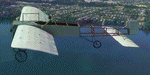
This folder contains a repaint for the Bleriot XI by Wings42 in the colors of Bleriot XI-2 Britannia. The third Bleriot XI imported into New Zealand, it was a two seater presented by the Imperial Air Fleet committee to the New Zealand government. The committee's aim was to promote the development of aviation in the British empire, and the presentation was intended to stimulate military aviation in New Zealand. The aircraft was a proven one, having been flown 347km non-stop from Dover to Cologne by Gustav Hamel in 4 hours 18 minutes on April 17, 1913. The aircraft was dubbed "Britannia' at a ceremony at Hendon on May 22, and Hamel then took former New Zealand Prime Minister Sir Joseph Ward for a short flight. The committee was composed primarily of London businessmen and Sir Joseph was the deputy-Chairman. The aircraft was paid for by public subscription and was valued for insurance purposes at 1400 pounds. The aircraft was disassembled and shipped to New Zealand aboard the Athenic. The aircraft arrived in Wellington on September 29, 1913, where it was discovered that the propeller was not in the shipment. This was soon shipped to New Zealand. In the meantime the aircraft was stored in a purpose built shed at the Buckle street Defence stores. In late 1913 Joseph 'Joe' Hammond had been appointed official Government pilot.
Mr Hammond suggested flying the aircraft to Auckland for display at an Exhibition. However the aircraft was railed north and was assembled in Auckland on January 14, 1914. On January 17, 1914 Mr Hammond made his first flight in the aircraft from the Epsom showgrounds. The following day he completed an hour long flight over Auckland at low level. A flight on the 19th with a journalist as passenger was aborted during takeoff when Hammond found he had no rudder control. Repairs were made and the aircraft flown again on January 24th. Another flight with a passenger then took place. Rather than a member of the media or any of the officials present Hammond chose to take Miss Esme McLalland as passenger. Miss McLalland was a member of the touring Royal Pantomime Company which was performing in Auckland, and the choice failed to impress the officials - Joe Hammonds employment as official pilot was terminated. The aircraft remained on static display for the remainder of the Exhibition and was returned to Wellington at the end of April 1914. Without a pilot (there were several Army Officers training in England - 2nd Lt. A. Piper and 2nd Lt. W. Burn) any official role for the aircraft (and officials did not seem to know what to do with it), it was placed in storage at the Mt Cook barracks in Wellington. Soon after, a report by General Hamilton, the Imperial Inspector of Overseas Forces discouraged further aviation development. With the outbreak of war an offer was made to send the aircraft with the New Zealand Expeditionary Force. It was shipped back to England, departing on the Arawa on October 16. It was unloaded in London on January 15, 1915 and and went from there to Brooklands where it is believed to have been used as a trainer. Repaint by Jan Kees Blom
| Filename: | Bleriot_XI_Britannia.zip |
| License: | Freeware |
| Added: | 8th May 2021, 17:39:55 |
| Downloads: | 17 |
| Author: | Jan Kees Blom |
| Size: | 38.51 MB |
| Category: Prepar3D V1-4 - Utilities | |
| Flightplan Visualizer 1.15 |
|
Images related to this file:
File Description:
Flightplan Visualizer (FV) version 1.15.0. Copyright 2018-2020 by Pelle F. S. Liljendal ([email protected]), all rights reserved.
FV comes with 738 pre-imported Commercial AI flightplans (+380 BizJet flightplans are available as a separate download). However you are able to import additional (AI) flightplans yourself. Once imported these (AI) flightplans can be visualized on a map-view, and the user will be able to search accross all these. Hence you can use the program as inspiration as to which routes to fly. E.g. you can search across all imported flightplans to find all flights in an A321 flying into/out from LDDU, or simply to look for all flights in a Boeing 747-8F.
Simply run the included installer to install the software. The program will be installed into "C:\Program Files (x86)\Flightplan Visualizer" and all datafiles will be installed into: "C:\Users\[UserName]\AppData\Roaming\FlightplanVisualizer". The program comes with a full manual explaining everything, and a 3 page quick manual to get you started. The first 3 times you run the program the quick manual will automatically open. The forum is hosted here: https://forum.aerosoft.com/index.php?/forum/919-flightplan-visualizer/
Version 1.15 Contains the following changes:
- As a first, you can now import flightplans even if one or more aircraft-types cannot be automatically detected during import. These will instead be assigned to a dummy-type during import, however you need to manually assign substitute aircraft-type(s) before being able to save the imported flightplan. If/when the program gets support for the aircraft-type(s) that were missing during import, the substitute aircraft-types can either be re-detected manually or by using the "Re-process aircraft/airport-redirects" menu-item.
- Added a combo-box that can be used to filter the flightplans that are shown in the flightplan combo-box on the main-form (e.g. enter "west" to see only flightplans containing "west" in the name). Hovering the mouse over this new filter combo-box will show examples of the more complex filters (e.g. filter by provider, author, season, year, and so on).
- In version 1.14 user-airlines were added, and these could be accessed via a menu-item on the main-form. However in version 1.15 you can now also add user-airlines from the import-flightplan form, so you don't have to abort a pending import, and go to the main form in case you find you are missing a user-airline.
- Added MRU-lists (Most Recent Used) to the browser-forms used to search for: Airport, Aircraft and Airline. The text-edit in the top of these forms have been replaced by a combo-box holding up to 20 items (in chronological order, with the most recent at the top).
- Added a new chart to the Airport Info form showing: "Daily flights per international/domestic/same state".
- Added Utilization-pct to the fleet report (both total for the entire fleet, and per aircraft). The Utilization-pct is also visible for the displayed schedule (for a single aircraft) in the Leg-Info form. This value tells the pct of time the aircraft spends servicing the schedule (the remaining time the aircraft "sits at the gate", including the time spend loading/unloading passenger and cargo, loading fuel, being serviced by ground-crew and what not).
- On the main-form, renamed menu-item "Re-process airport-redirects" into "Re-process flightplans".
- Distance from selected airport to mouse-position on main-map moved from the bottom of the form to the upper/right-corner of the form (where info of selected airport is listed).
- Using the (right-click) context-menu on the main-form airports can now be toggled (on/off) as being favorites.
- A few minor changes were made to the default leg search criteria. If you have saved your own default, you should go to the leg search form, press-and-hold SHIFT while clicking the "Reset" button (to reset to "factory default"), then set the criteria to your perferences, and finally press the "Save Reset" button to re-save your preferences.
- Added MRU-list (Most Recent Used) to fuel-density combo-box on Unit Conversion form. If empty, the list will be preloaded with the values 0.7850 (old default), 0.8040 (often used as a standard for Jet-A), 0.8200 (often used as a standard for Jet-A1). The user is still able to enter another value.
- The values used in the unit-conversion form are saved with the settings file, so each time you open the form will contain the values entered last time you used the form.
- Tweaked the method for calculated flight-time. In previous version the same parameters were used for calculating flight-time for all flights. Now these parameters are dependant on distance, resulting in calculated flight times that are closer to those used in the flight-plans (based on statistic-data from +700.000 AI flights).
- Some of the aircraft have been marked as "Retro", and in settings you can choose to exclude the "Retro" (they are enabled by default).
- Improved (Boeing) aircraft-type detection when importing flightplans using non-standard naming, such as "B744F" in stead of "747-400F" or "B736" in stead of "737-600".
- Updated all libraries in use to the latest versions, and addressed some minor issues with the map.
- Fixed: Newer versions of MyRwy are outputting airport elevation as a floating point value (e.g. "629.92") whereas older versions were outputting it as an integer value (e.g. "630"). In previous versions of FV the floating point value "629.92" was wrongly read as an elevation of 62992 ft. The program can now both handle floating point and integer values, hence can be used with both old- and new versions of MkRwy.
- Fixed: When adding new user-airlines in version 1.14, callsign was being set to the name of the airline, in stead of the entered callsign. If you added any user-airlines in version 1.14, you should edit these with version 1.15, and set the callsigns again.
- Fixed: If a Leg search was active (combo-box in bottom of main-form showing "[Last Search]") and all flightplans were disabled in "Enable/Disable -flightplans" the program would shut-down with an exception.
- Fixed: The list of the airline-codes (gate-tab on Airline-Info form) started with a comma, however comma should only be used to separate the items when multiple airline-codes were associated with the same gate (3rd party scenery only).
- Fixed: In some cases the cruise-speed was not shown correctly in the Aircraft search form.
- Fixed: Some of the menu-items for launching the (YouTube) tutorial-videos were missing the tool-tip text ("Hold SHIFT to copy url to clipboard").
- Fixed: About-box can now be closed with ESC, like most other forms.
- Fixed: potential issue reading xml-data, perhaps with a the benefit of a slightly better performance.
- Data: Added support for flightplans using "retro" aircraft types such as: Aerospatiale SE-210 Caravelle, British Aerosapce ATP/BAC One Eleven, Concorde, DC-3, DC-4, DC-6, DC-8, De Havilland Comet, Fokker F28, Hawker Siddeley HS 121 Trident, Ilyushin Il-18/20/22/24/86, Lockheed Constellation/L-188 Electra, Shorts SC-5, Tupolev TU-134, Vickers VC10/Viscount, and thanks to user Aucery Lockheed 1011.
- Data: Support for additional aircraft-types added as well: BN-2A Trislander, CASA C-212/C-235, CubCrafters XCub, DHC-2 Beaver/Turbo-Beaver, DHC-3 Otter, DHC-5 Buffalo, Diamond DA-42/62, Extra EA-300, Honda HA-420, ICON A5, NAMC YS-11, Mooney, Mudry CAP 10, Pilatus PC-6/PC-24, Piper Cub/Super Cub, Robin DR-300/400, Shorts SC-7, Tecnam P2012/P2006T
- Data: Some of the aircraft-types, for which multiple ICAO/IATA-codes exists, were split into two (one for Pax and one for Freight), e.g. Convair 580, DC-9-10/30/40, and Il-96. As a result you should execute "Re-process flightplans" (found in the "Flightplan" menu), and "Re-detect all" aircraft.
- Data: A few missing aircraft IATA/ICAO codes were added, and some "behind the screen" data for multiple aircraft were updated as well.
- Data: A few Airlines were added/updated (a big THANK YOU to Bruce Nicholson for the assistance keeping these data up-to-date).
- Flightplans: The good people over at AIG (Alpha India Group) have once again been VERY busy since the last release, hence the installer comes with 298 new/updated pre-imported flightplans, bringing the total of flightplans bundled with the installer to 738.
- Flightplans: A few flightplans were bundled with the program in duplicates (2 slightly different names, or 2 different seasons). These duplicates have been marked as obsolete, and have been removed from the installer. Using the "Select all obsolete flightplans" menu-item in "Enable/disable-flightplans" you can mark these flightplans and move them to the "Disabled" folder, from where they can be deleted.
Pelle
| Filename: | Flightplan_Visualizer_115.zip |
| License: | Freeware, limited distribution |
| Added: | 20th March 2020, 17:08:52 |
| Downloads: | 378 |
| Author: | Pelle Liljendal |
| Size: | 28.9 MB |


© 2001-2026 AVSIM Online
All Rights Reserved
Privacy Policy |