
Where Flight Simulation Enthusiasts Gather from Around the World!
AVSIM Library - Search Results

| Category: Flight Simulator X - Aircraft Repaints, Textures and Modifications | |
| North American Mustang III FZ152 S-S |

|
Images related to this file:
File Description:
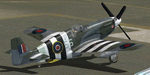
This folder contains a repaint for the P-51B/C model for FSX by Warbirdsim. North American Mustang Mk.III, FZ-152 SS, the aircraft of Wing Commander Stanislaw Skalski when he was the C/O of 133 (Polish) Fighter Wing in June 1944. He was the first allied ace of the war, having shot down six german aircraft by 16 september 1939. After the Polish defeat, he fled Poland and joined the RAF, fighting in the battle of Britain. In 1942, he was given command of the Polish Fighting Team (PFT), or so called "Cyrk Skalskiego" (Skalski's Circus) - a Special Flight consisting of fifteen experienced Polish fighter pilot volunteers. They fought in the North African campaign until may 1943. Skalski then became commander of 601 (County of London) Squadron the first Pole to command an RAF Squadron. He then took part in the invasion of Sicily and invasion of Italy. From December 1943 to April 1944 he flew with 131 Polish Fighter Wing. On 4 April 1944 he was appointed commander of No. 133 Polish Fighter Wing flying the Mustang Mk III. Stanislaw Skalski was the most successful Polish ace of WW II, with a record of 22 confirmed victories, 1 probable, and 1 damaged enemy aircraft. Three times he was awarded the British DFC, and he received many other medals. After the war he returned to Poland in 1947 and joined the Air Force of the Polish Army. In 1948 however he was arrested by the communist regime under the false charge of espionage. Sentenced to death, he spent three years awaiting the execution, after which his sentence was changed to life imprisonment in Wronki Prison. After the end of Stalinism in Poland, in 1956 he was released, rehabilitated, and allowed to join the military. He served at various posts in the Headquarters of the Polish Air Forces. Stanislaw Skalski died in Warsaw on 12 November 2004. Repaint by Jan Kees Blom, based on the warbirdsim paintkit.
| Filename: | North_American_Mustang_III_FZ152_SS.zip |
| License: | Freeware |
| Added: | 6th February 2011, 15:10:01 |
| Downloads: | 324 |
| Author: | Jan Kees Blom |
| Size: | 8.01 MB |
| Category: Flight Simulator X - Aircraft Repaints, Textures and Modifications | |
| Southwest Airlines Boeing 737-700 v2.2 Final Package |
|
File Description:
**** THIS FILE SUPERCEEDS MY ORIGINAL FILE b737_700_southwest_v21.zip **** v2.2 - REPORTED BUGS HAVE BEEN CORRECTED. The 737 was born out of Boeing's need to field a competitor in the short-range, small capacity jetliner market which had been opened up by the BAC 1-11 and the Douglas DC-9. Boeing was badly behind however when the 737 program was initiated in 1964, as both of these rivals were already into their flight certification programmes. The 737 was cheaper and quicker to design, featuring six-abreast seating compared to the 1-11 and DC-9's five-abreast layout.By the 1990s, the 737 had lost ground technologically to the newer Airbus A320. In 1993, Boeing initiated the 737-X or Next Generation (NG) program. The Next-Generation 737 encompasses the -600, -700, -800 and -900, and amounted to a complete redesign of the 30-year old airliner. The 737NG is an entirely new aircraft, sharing very little with previous 737s, other than fuselage frames. New wings, new avionics and revised engines were the biggest engineering changes. The 737 was given a glass cockpit with CRT screens (except the -900, which had newer and higher tech LCD screens) and digital systems inspired by the ones that were used on the 777. The parts count is down by about 33%, reducing weight and simplifying maintenance. Additional changes since its introduction include a new interior and performance enhancing winglets which reduce fuel consumption and improve take-off and climb performance. All textures have been modified in DXT-3 format for crisp visuals without comprimising frame rates. Includes the default FS-X Boeing 737 panel. Sounds have been defaulted to the FS-X 737-800, however I recommend the excellent 737 CFM56 "the real deal" version 2 soundpack (file name:737_cfm56__the_real_deal_version_2.zip located at AVSIM.com) for this aircraft series. Additionally, this aircraft series has no Virtual Cockpit (VC), therefore you must fly them using the 2-D default panel view only! This package includes Southwest Airlines liveries (Canyon Blue, Maryland One, Nevada One, Old Color & Shamu).
| Filename: | Southwest_Airlines_Boeing_737700__v22_Final_Packag.zip |
| License: | Freeware |
| Added: | 9th December 2006, 20:24:49 |
| Downloads: | 11,832 |
| Author: | Brian C. Selb |
| Size: | 13.59 MB |
| Category: Flight Simulator 2004 - Scenery | |
| Alaska South Slope 7; Kobuk OBU & Dahl Creek DCK |
|
Images related to this file:
File Description:
There are four main northwestern Alaska towns which are serviced by Alaska Airlines, and from which local flights spread out. The northernmost is Barrow. Southwest of Barrow is Kotzebue, then Nome, and the furthest south is Bethel (not yet made). This is a continuation of the series for the flights from Kotzebue, 170 miles to the east where Kobuk is on the bank of the Kobuk River, and Dahl Creek is 2 miles to the north. Kobuk is a small village on the Kobuk River, like Ambler and Shungnak, but with a population of only around 150. The river is the reason for the existance of the villages as it served (and still does) as both a source of food and a transport route. The airfield is just beside the village, with a runway around 4,500 feet of lit gravel and aligned 09-27, with PAPI on both ends. There are scheduled flights by Era (now renamed Ravn) and by Bering Air, both of them originating in Kotzebue and routing east to Ambler, Shungnak, Kobuk, and then back again. The AI includes these flights along with Everts Air and GA. The FS9 airfield has been relocated by approximately a mile to the correct position, and the elevation accordingly adjusted. The Dahl Creek strip is publicly owned, with no maintenance and a deteriorating gravel runway that has not long to survive. This probably does not work properly without Ultimate Terrain Alaska Canada as the village is now on the river bank. I am presuming that you have downloaded and installed Nome PAOM, along with the instructions on how to adjust Ultimate Terrain Alaska Canada to get the most realistic results. If you are not making the UT adjustments then you may be seeing duplicated roads, as I am including new local dirt or gravel roads to connect village to airfield etc to get the best overall result; I will not be making alternate versions.
| Filename: | Alaska_South_Slope_7_Kobuk_OBU__Dahl_Creek_DCK.zip |
| License: | Freeware, limited distribution |
| Added: | 13th October 2016, 18:10:08 |
| Downloads: | 233 |
| Author: | Roger Wensley |
| Size: | 2.94 MB |
| Category: Flight Simulator 2004 - Scenery | |
| Edson CYET in Alberta, Canada |
|
Images related to this file:
File Description:
Edson is 120 miles west of Edmonton in Alberta, on Highway 16. It was originally named Heatherwood, but that was changed to honour the vice president of the Grand Trunk Pacific Railway when it was made the local railway centre. It thrived, and when Highway 16 was upgraded it thrived even more. Coal mining and industry connected with timber are the main employers of a population of around 8,500. The airport is at the western edge of the town at 3,041 feet asl, with a single lit runway 6,000 feet long and 100 feet wide aligned 07-25, with displaced thresholds and VASI at each end. The two joined aprons are at the eastern end of the airfield, with fire fighting chemical tanks beside the western one which is reserved in the summer months for the Lockheed Electra Air Spray planes; these are included in the AI. The eastern apron is for visiting charters and GA planes, next to a small terminal building. There is further parking on the grass for resident planes next to a large gravel car parking area and clubhouse. As the Air Spray planes would not be fighting fires in the winter there are in fact two editions of the AI, one for the summer fire fighting season and the other for the winter freeze. Use whichever one is appropriate for your flight time; I never strayed far from Ottawa in the winter so for me it is the summer one only. While making this I came across something new in the shape of some incorrectly installed edge lights in the stock fs9 version that refused to be deleted. There is still an "Edson TOP" folder which would normally be used to delete all unwanted taxiway edge lights, but in this case it deletes only some of them. Apologies, but there is nothing more that I can do and so I suggest you use this in daylight only.
| Filename: | Edson_CYET_in_Alberta_Canada.zip |
| License: | Freeware, limited distribution |
| Added: | 10th February 2019, 23:59:04 |
| Downloads: | 148 |
| Author: | Roger Wensley |
| Size: | 7.14 MB |
| Category: Flight Simulator 2004 - Scenery | |
| Airports Northern Coast Alaska (PALU, PPIZ, PAWI, AK03) |
|
Images related to this file:
File Description:
The town of Barrow is in the far north of Alaska, and these are coastal villages or radar installations to the west of Barrow, and there will be additions. Cape Lisburne is a gravel runway right next to the coast with radar gear and accomodation buildings close by, and what was called "Top Camp" at the end of a long and steep road to the top of a nearby hill, or mountain. The runway is lit, as are most of them in this area of long dark winter nights. Barrow is 270 miles to the northeast. Point Lay PPIZ used to have a radar installation as well as a village, but the old buildings have now been removed and the gravel runway 05-23 has been lengthened to 5,000 feet to serve the village throughout the year. The population is around 270, living mostly traditionally and with an annual beluga whale hunt. Barrow is 180 miles to the northeast.
Wainwright PAWI, some 80 miles southwest of Barrow and on the coast, has a population of around 570. The PAWI runway is just under 5,000 feet long and like PPIZ is aligned 05-23, lit, and with PAPI on each end. The original runway of some 2,000 feet is still visible next to the apron. Three miles to the southeast there is a third runway, at AK03, serving the Wainwright DEW station. It was decided in 2007 to close the station and to remove the buildings both there and at Point Lay because of subsidence, but everything at Wainwright was still in place in 2009 and beyond. The villages have been "sketched" as opposed to replicated exactly. The texture folder includes the missing car textures for Barrow PABR, and the AI is modified PABR to include passenger flights by Ravn and cargo flights by Northern Air Cargo, plus limited GA. There are no flattened grassed areas at these airfields; they are runways and taxiways and aprons on a bed of gravel on permafrost.
| Filename: | Airports_Northern_Coast_Alaska_PALU_PPIZ_PAWI_AK03.zip |
| License: | Freeware, limited distribution |
| Added: | 16th June 2016, 15:59:24 |
| Downloads: | 360 |
| Author: | Roger Wensley |
| Size: | 10.84 MB |
| Category: Flight Simulator X - Aircraft Repaints, Textures and Modifications | |
| Boeing B-17G 91st BG (LL-E) "Shoo shoo shoo baby" restored |
|
Images related to this file:
File Description:
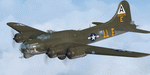
This folder contains a repaint for the A2A WoP2 B-17G in the colors of B-17G-35-BO 42-32076, the former "Shoo shoo shoo baby". In 1968, the ancestry of F-BGSH, an old B-17 languishing in derelict state on Creil Airfield in France, was discovered by the Australian aviation historian Steve Birdsall, who notified the USAF museum that this was a combat veteran that had flown operational missions, in contrast to most other surviving B-17's. Following negotiations, the B-17 was donated to the US by the French Government. Interestingly, its Swedish heritage attracted interest from Sweden as well, but nothing came of this. The aircraft was disassembled at Creil and trucked to Frankfurt and flown to the US in 1972, where it arrived, packed in 27 crates. No plans or funds for restoration were present at the time, but in 1977, Mike Leiston, a technician at Dover AFB contacted the museum about the possibility of restoring one of the museum's aircraft by volunteers at Dover AFB. With project approved, 42-32076 was transported to Dover, with the aim of restoring it to a stock wartime B-17G. Upon arrival, Paul McDuffee, who had flown her for 13 missions, was present, and the reunion was clearly an emotional one as he commented "I've just got to go over and kiss her", which he did.
The restoration continued to 1988,and after some 60.000 ma hours, "Shoo shoo shoo baby"took to the skies again for the first time on 11 september. On 14 october 1988, she flew for the last time, to the USAF museum near Dayton, Ohio, where she can still be seen. The main difference with her wartime looks is the fact that she currently sports an olive drab camouflage paint, which was necessary due to all the metal work needed to bring her back to a stock B-17G condition. Repaint by Jan Kees Blom, based on the paintkit by A2A.
| Filename: | Boeing_B17G_91st_BG_LLE_Shoo_shoo_shoo_baby_restor.zip |
| License: | Freeware |
| Added: | 7th October 2019, 18:23:08 |
| Downloads: | 146 |
| Author: | Jan Kees Blom |
| Size: | 11.57 MB |
| Category: Prepar3D V1-4 - Utilities | |
| Flightplan Visualizer 1.16 |
|
Images related to this file:
File Description:
Flightplan Visualizer (FV) version 1.16.0. Copyright 2018-2020 by Pelle F. S. Liljendal ([email protected]), all rights reserved.
FV comes with 765 pre-imported Commercial AI flightplans (+380 BizJet flightplans are available as a separate download). However you are able to import additional (AI) flightplans yourself. Once imported these (AI) flightplans can be visualized on a map-view, and the user will be able to search accross all these. Hence you can use the program as inspiration as to which routes to fly. E.g. you can search across all imported flightplans to find all flights in an A321 flying into/out from LDDU, or simply to look for all flights in a Boeing 747-8F.
Simply run the included installer to install the software. The program will be installed into "C:\Program Files (x86)\Flightplan Visualizer" and all datafiles will be installed into: "C:\Users\[UserName]\AppData\Roaming\FlightplanVisualizer". The program comes with a full manual explaining everything, and a 3 page quick manual to get you started. The first 3 times you run the program the quick manual will automatically open. The forum is hosted here: https://forum.aerosoft.com/index.php?/forum/919-flightplan-visualizer/
Version 1.16 Contains the following changes:
- First of all a big THANK YOU to AIG (Alpha India Group) for allowing me to add features to both download their flight-plans (actually a feature suggested by Kai Kamjunke who is one of the developers of AIG AIM and other AIG tools) and access their list of defunct/renamed flightplans. While giving thanks, I also want to thank all (AI) aircraft-model creators, repainters and those who create all the flightplans ... our virtual sky would not be the same without your hard and dedicated work.
- Added new form to download or install AIG flightplans (downloaded directly from the AIG-servers). The form will identify all flightplans that are newer than those already installed or flightplans that are not currently installed. You can simply double-click a flightplan and it will be directly installed without the need to first download the file, and then choose to import this file.
- Both the new flightplan download- and the enable/disable flightplan- form contains a button which download- and show a list of defunct/renamed flightplans (obtained directly from the AIG forum).
- If you create a user-Airline while importing a flight-plan, when you return to the import-form you will be asked if you want to use that newly created flightplan (saves you from having to open the airline-browser and search-for/select that user-airline).
- Added Flightplan-, Airline- and Aircraft-filter to the top of the leg-search form to filter the items shown in the listviews.
- The "Select All" and "Select None" buttons now only (de)select visible items (if a filter is active there might be more items not displayed). However holding SHIFT while pressing these buttons, ALL items will be (de)selected no matter if they are shown or not.
- Replaced the two airport entry fields (in the leg-search form) with filter combo-boxes (MRU) so you can now enter a filter-text to filter which airports to include (the default filter is usign ICAO-codes so the old functionallity is preserved).
- Added filters to search for legs with specific flight-numbers and/or served by aircraft with specific registrations.
- When setting up a filter, sub-elements of the same type can now be separated by "/" so you only have to enter the type-name once (e.g. "country=dnk/nor/swe"). The pipe-char ("|") can be uses in stead if you prefer (e.g. "country=dnk|nor|swe").
- Now both "?" and "%" can be used as a single char wildcard in the filters ("?" is a DOS wildcard, whereas "%" is a SQL-wildcard).
- Added "#" as a wildcard for a single numeric value (0-9) in filters.
- Added "@" as a wildcard for a single alpha value (A-Z) in filters.
- Improved detection of invalid filter-text, which changes the text-color into red, to indicatet that the filter is invalid.
- The ISO3 country-code is now visible in the country combo-boxes in the leg-search form (these codes can be used in the airline- and airport- filters).
- Likewise 3-char Region- and Sub-region -codes have been added to their respective combo-boxes (these codes can also be used in the airline- and airport- filters).
- Saving the leg-search criteria will no longer require the input to be validated. E.g. you can now save the criteria where no aircraft have been selected. If you want to make sure that the criteria is valid for a search, please perform a search before you save the criteria.
- Flightplan-filter added to the "Re-process flightplans" form.
- Aircraft-filter added to the "Choose favorite aircraft-types" form. Also a few extra columns were added to the aicraft list-view.
- The Decode-METAR/TAF form now allows the user to manually enter METAR/TAF messages, and the form can now be opened directly from the main-menu (in case you optain METAR/TAF from other sources and need to decode it).
- Added a new button to the Randomizer form which lets you pick a random route (there is already a button to pick a random flight). The difference is the statistical chance of the chosen route.
- Added 2 columns to the runways listview in the Airport-info form showing head/cross-wind based on selected wind-direction/speed (automatically updated from the obtained METAR report).
- When accepting the result of a leg-search the previous used criteria (if different) are now archived. So you are able to load the 5 last used search criteria.
- The Result-viewer form now have a "Top-most" check-box. When checked that form will be shown on top of all other windows. This allows you to have this form shown on top of other forms (e.g. if you need to enter data from a metar-message into the FMC in the simulator).
- Many of the result-viewer forms now opens non-modal, meaning it can be displayed next to the window form where it was opened and you can switch between the two (you might need to use the new "Top-most" check-box for the best result). When closing the form from where the result-viewer was opened, the result-viewer will be closed as well.
- Likewise the Unit Conversion form also got the "Top-most" check-box in case you want to display this window on top of another program (e.g. if you have paper-work with weight based on kg and you need to enter the weights into a FMC/MCDU that only accepts lbs (or vice versa).
- The "Copy to clipboard" buttons on the METAR/TAF-decode form, and the Leg-Info form have been replaced by a "Show Report" button in stead. This new button will in stead show the text in the Result-viewer form (if you need to, it can be clipped to the clipboard from there).
- Below the (left/right) list-views in the "Enable/disable flightplans" form you now find a label showing two numbers. The 1st number shows the number of items (flightplans) shown in the list-view, and the 2nd number (in the parentheses) shows the number of selected items.
- When importing a flightplan where the aircraft-type can not be detected, the "lines" assigned to the "DUMMY AIRCRAFT" are now all automatically selected. So it is easy to just hit the "Change Aircraft type" button in case there is just a single, or multiple that should have the same type assigned.
- Hoovering the mouse over the gate-markers in the Airport-info form, the tool-tip now contains the GPS-position of the gate. Likewise editing the gate the caption of the edit window contains the GPS-position.
- Added airport size to "FS Comment" column in the "Nearby Airports" form.
- Added line-breaks to the METAR/TAF tool-tips displayed in the Leg-info form (line-breaks also included in the report).
- Fixed: There was a nasty bug in the "Legs" tab-page of the Airport-Info form where the same time-zone was used for both departure- and destination-airport when showing the departure-/destination-times as local times, even if departure- and destination-airports were in different time-zones.
- Fixed: The value of the "Calculated flighttime" check-box in the leg-search form was not set to the loaded value.
- Fixed: If one of your user-airlines had a blank callsign, it would list all airlines with a blank callsign as alternatives. Now it will only try to match non-blank callsigns.
- Fixed: The METAR/TAF decoder was not able to correctly detect a fraction visibility if following variable wind (e.g. "210V290 3/8SM").
- Fixed: Some of the combo-boxes in the leg-search form were enabled for text-entry, where the user should only be able to pick a value.
- Fixed: If "[None]" was selected and you executed a leg-search the "Edit" button remained disabled when you returned to the main form.
- Data: While testing some of the new filters I saw a few erros in the aircraft data (e.g. a few freight aircraft had a non-zero passenger count and other minor issues like that), which were fixed.
- Data: Thanks to Bruce Nicholson for bringing it to my attention that DC-9-15F was not being detected in version 1.15. Now all the DC-9 sub-variants should be detected correctly (e.g. 9-11/12/13/14...51 both pax and freight). The same better sub-variant detection was added to the DC-8's and DC-10's as well.
- Data: Thanks to Aucery for bringing it to my attension that some of the (BizJet) aircraft were not being detected, or not being detected correctly. The King Air 250/300 should now be detected correctly as are Hawker-700/1000, Mitsubishi MU-300, IAI Astra Jet 1125, Cessna T210/T303, and Dornier 328JET/PROP.
- Flightplans: All new/updated flightplans have been added to the installer, and all obsolete have been removed. A total of 765 active flightplans are bundled with the installer.
Pelle
| Filename: | Flightplan_Visualizer_116.zip |
| License: | Freeware, limited distribution |
| Added: | 2nd May 2020, 23:15:38 |
| Downloads: | 318 |
| Author: | Pelle Liljendal |
| Size: | 29.27 MB |
| Category: Flight Simulator 2004 - Aircraft Repaints, Textures and Modifications | |
| Royal Air Force 101Sqn Douglas DC10-30 (Fictional) |
|
Images related to this file:
File Description:

SGA/FFX DC10-30 Royal Air Force 101 Squadron: This is a fictional repaint based on the paint scheme used on the Lockheed Tristar of Transport Command. To the best of my knowledge, 101 Squadron has never used DC10-30's. SGA DC-10 model included - This is a complete package containing the aircraft, panel, gauges & sounds. Credit for the work is contained within the readme file.
Number 101 Squadron was formed at South Farnborough on 12 July 1917, and two weeks later went to St Andre-aux Bois, France with FE2s as a night bomber squadron. It main tasks involved attacking enemy communications and aerodromes in Northern France and Belgium, with occasional strafing attacks on troops aimed at drowning the noise of tanks and soldiers positioning for battle in the trenches. In March 1919, the squadron was reduced to a cadre and returned to the UK before disbandment at the end of the year. It remained dormant until March 1928, when it reformed at Bircham Newton and flew Sidestrands in the day-bomber role until these were replaced by Overstrands in early 1935.
At the outbreak of World War II, the squadron was equipped with Blenheim IVs and was involved in attacks against enemy barge concentrations in the Channel Ports. In mid-1941, No. 101 Sqn became part of Bomber Command's medium-bomber force with Wellingtons and flew many night sorties against Germany and Italy. These aircraft were replaced barely 18 months later by the Lancaster and became specialised in airborne radar jamming to disrupt German night-fighters interceptions. After the war, Lincolns replaced the Lancasters and the unit moved to Binbrook. In June 1951, No. 101 became the RAF's first jet-bomber squadron when it received Canberras, and it was with this aircraft that the squadron was involved in operations in both Malaya and Suez before once again disbanding on 1 Feb 1957.
A brief period of inactivity ended on 15 Oct 1957, when No. 101 Sqn joined the V-bomber force with Vulcans as part of the Finningley Wing before moving to Waddington four years later. The squadron became synonymous with the type, and took part in Operation Corporate, the Falklands Conflict, operating from Ascension Island. Shortly after the conflict, the squadron relinquished its Vulcans and disbanded again, until it reformed on 1 May 1984 to operate VC10s in the air-to-air-refuelling role, and has since demonstrated the flexibility the aerial refuelling offers to combat aircraft in such operations as the Gulf War and Operation Allied Force.
Following the disbanding of sister VC10 squadron, No 10, 101 became the sole operator of the type in October 2005.
| Filename: | Royal_Air_Force_101Sqn_Douglas_DC1030_Fictional.zip |
| License: | Freeware |
| Added: | 18th August 2013, 15:04:44 |
| Downloads: | 392 |
| Author: | Andy Kewley, SGA |
| Size: | 36.36 MB |
| Category: Prepar3D V1-4 - Aircraft Repaints, Textures and Modifications | |
| Republic P-47D-25 86th FG (11) "Miss Tennessee / Stump Lifter" |
|
Images related to this file:
File Description:
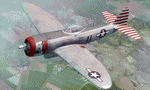
This folder contains a repaint for the P_47D-25 Bubbletop by Aeroplane Heaven, in the colors of P-47D-25-RA 42-8601 #11 "Stump Lifter", as flown by Lt Benny Flake of the 525th FS, 86th FG. The painting on the left hand side was of a moviestar, Marilyn Maxwell, with the name "Miss Tennessee". The name 'Stump Lifter' on the right side stems from that fact that one of Lt Flakes friends, Lt. Riley Stewart said that his bombs never hit their target and that all he ever saw during sorties with Lt Flake were large tree stumps flying through the air. Lt. Stewart paid the squadron's artist to put the "stump lifter" art on Lt Flake's cowling without his permission, but he came to like it over time. Repaint by Jan Kees Blom, based on the paintkit by Aeroplane Heaven.
| Filename: | Republic_P47D25_86th_FG_11_Miss_Tennessee__Stump_L.zip |
| License: | Freeware |
| Added: | 16th December 2018, 17:57:21 |
| Downloads: | 42 |
| Author: | Jan Kees Blom |
| Size: | 66.06 MB |
| Category: Flight Simulator 2004 - Original Aircraft | |
| Grumman Albatross version 2.1 FDE Landing Lights |
|
File Description:
Grumman HU-16 Albatross 2.1
Greg Pepper, Michael Verlin
revised FDE with landing lights
This package contains revised aircraft.cfg and air files.
I've modified the contact points for the hull and nose gear and retractable landing lights
The contact points for the landing lights were omitted in previous uploads.
The lights are tied to the water rudder (Shift+W). It has been 5 years since version 2.0 was released.
Fortunately, I kept copies of my correspondence with Greg Pepper, which had the information for the missing contact points. They are now included.
My apologies for the error. This should finish matters for version 2.1
Instructions
unzip this file into the Grumman Albatross G64 section of your FS9 Aircraft folder.
overwrite the existing aircraft.cfg and HU16.air files with the files in this package.
Michael Verlin
[email protected]
May 24, 2012
| Filename: | Grumman_Albatross_version_21__FDE_Landing_Lights.zip |
| License: | Freeware, limited distribution |
| Added: | 24th May 2012, 23:01:05 |
| Downloads: | 1,363 |
| Author: | Greg Pepper Michael Verlin |
| Size: | 12.84 KB |


© 2001-2026 AVSIM Online
All Rights Reserved
Privacy Policy |