
Where Flight Simulation Enthusiasts Gather from Around the World!
AVSIM Library - Search Results

| Category: Flight Simulator X - Gauges | |
| Advanced Radar System 4 (ARS4) |

|
Images related to this file:
File Description:
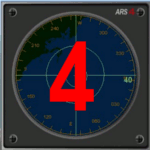
This gauge has been developed for FSX Flight Simulator SP1 or SP2. It
has also been tested with Microsoft Acceleration also, but compatibility is not guaranteed by the author.
This new Advanced Radar System (ARS 4) includes significant new features,
functions and displays for FSX AI traffic. The new key features are:
1)AI traffic display for air targets and boat/ship targets.
2)Auto landing on carrier if the carrier is part of the scenery MECOPS.
3)Allows switching between air target display and boat target display.
4) Provides for air and boat display to optionally insert airport and/or basic terrain display on the screen.
5)Different screen presentations for air and boat targets.
6)Simplified installation procedure.
7)The A2A re-fuel function remains the same as in the ARS2 version.
8)The auto tracking function remains the same as well as in the ARS2 version.
All displays for air, or boat/ship traffic, can be selected in a range of 5, 10, 20, and 40 miles.
For installation and additional information look at the ARS4 documentation inside the zip file. For copyrights and credits please look at the documentation for this gauge.
| Filename: | Advanced_Radar_System_4__ARS4.zip |
| License: | Freeware |
| Added: | 5th March 2013, 15:53:52 |
| Downloads: | 3,809 |
| Author: | Dietmar Loleit |
| Size: | 1.18 MB |
| Category: Flight Simulator 2002 - Panels | |
| 767-400 Panel |
|
File Description:
A simple, intuitive, all-glass panel for the Boeing 767-400 based on default gauges and a few freeware gauges that are used by permission from the original authors. This panel contains all the necessary simicons (ATC, MAP, etc)an autospoiler deployment gauge, and Bill Morad's very cool TCAS gauge. A nifty RUNWAY INFO gauge allows you to select and tune the ILS to most major world aiports without leaving the main panel view. Original panel bitmap by Jorge Alsina.
| Filename: | 767400_Panel.zip |
| License: | Freeware |
| Added: | 5th July 2003, 02:10:48 |
| Downloads: | 5,411 |
| Author: | Alex Christoff |
| Size: | 6.34 MB |
| Category: Fly! II - Development | |
| AI Traffic Coordinates V2.0 |
|
File Description:
AI TRAFFIC COORDINATES TOOL (V2.0)
This Tool gives you a txt file with decimal LAT/LONG data in the main FLY!II.
(TXT format fixed)
Please remove previous AI_TRAFFIC_COORDINATES.zip added on 5th april 2003.
Sorry !
| Filename: | AI_Traffic_Coordinates_V20.zip |
| License: | Freeware |
| Added: | 7th April 2003, 12:45:27 |
| Downloads: | 285 |
| Author: | l-claudet(rotw team) |
| Size: | 24.49 KB |
| Category: Flight Simulator 2002 - Gauges | |
| Helicopter HUD |
|
File Description:
To help all the budding chopper pilots here is HEAD UP DISPLAY gauge for the defafult Bell B206, but will work with any aircraft.The gauge includes a hover indicator, radio altimeter and all nav pointers. This gauge does not alter the original aircraft but adds to it as a new window and can be switched on and off.
| Filename: | Helicopter_HUD.zip |
| License: | Freeware |
| Added: | 12th September 2002, 19:57:00 |
| Downloads: | 1,434 |
| Author: | Tom Woods |
| Size: | 102.96 KB |
| Category: Flight Simulator 2004 - Panels | |
| CRJ Update |
|
File Description:
This update brings my original crj panel to FS9 functionality. The panel now includes Lee Hetherington's TCAS/Transponder system, the FS9 GPS with autopilot integration, and retains Tom Woods' HUD and Bill Morad's ATC panel. A few gauge issues were also resolved. Panel by Leon Seale.
| Filename: | CRJ_Update.zip |
| License: | Freeware, limited distribution |
| Added: | 7th October 2004, 03:28:53 |
| Downloads: | 14,742 |
| Author: | Leon Seale |
| Size: | 2.53 MB |
| Category: Flight Simulator 2004 - Panels | |
| Golding/Seale MD80 Fix |
|
File Description:
This update corrects the panel.cfg included with the Golding/Seale md80 panel updated for FS9. The file currently displays an epr gauge over the fuel flow gauge on the recently released gsmd80fs9 panel and gsmd80_9u update. Cfg files are included to fix the version with the white Concorde autopilot display as well as the version with the original red autopilot display released a few days ago.
| Filename: | GoldingSeale_MD80_Fix.zip |
| License: | Freeware, limited distribution |
| Added: | 28th November 2004, 06:48:26 |
| Downloads: | 1,659 |
| Author: | Leon Seale |
| Size: | 9 KB |
| Category: Flight Simulator X - Gauges | |
| TCAS and Radar for Flight Instrument Panels FS9 Compatible |
|
Images related to this file:
File Description:

TCAS (traffic collision avoidance system) shows aircraft in the vicinity of
your own aircraft and warns when other aircraft are in close proximity or when
they their projected paths cross your path within 40 seconds.
TCAS features:
- It shows AI (artificial intelligence) aircraft
- It shows IVAO and VATSIM traffic when connected to IVAO or VATSIM networks
- It shows traffic on all altitudes
- It shows relative altitude and climbing/descending indication
- It shows intruders and gives proximity alerts (traffic advisories, TA)
- It shows traffic on the ground
- It does not give resolution advisories (RA)
- It shows the callsigns of the 9 aircraft closest to your aircraft
- Range is adjustable from 2 to 40 nm
- Display can be dimmed
- Take a screenshot anytime
(due to the size limit, the thumbnail picture looks a bit blurred. In the zip file, a screenshot of actual resolution (320x240) is included.
| Filename: | TCAS_and_Radar_for_Flight_Instrument_Panels_FS9_Co.zip |
| License: | Freeware |
| Added: | 5th July 2011, 04:09:05 |
| Downloads: | 2,394 |
| Author: | Emile van Gerwen |
| Size: | 69.8 KB |
| Category: Flight Simulator X - Gauges | |
| Radar Gauge |
|
File Description:
This is a generic Radar-Display (Version 1) with a moving sweep and range rings. The gauge can be used for any aircraft in the FSX-Environment. The gauge can be installed as a single gauge in the main panel window or as a extra window to be opened via a little icon on the panel. The gauge includes a control panel which allows the user to turn on/off individual displays like APTs, ILS, TAGs on ground and/or on Air etc.. Very helpful for hunting AI traffic and specifically useful for military aircrafts.
Installation:
Follow the installation/operational instructions on the pdf-documentation inside the zip-file .
| Filename: | Radar_Gauge.zip |
| License: | Freeware |
| Added: | 20th March 2009, 10:02:22 |
| Downloads: | 4,203 |
| Author: | Dietmar Loleit |
| Size: | 548.46 KB |
| Category: Flight Simulator X - Gauges | |
| CS737-200 ISG FMS Control Gauge |
|
Images related to this file:
File Description:
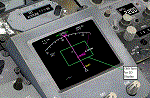
You must own Integrated Simavionics Group 1 (ISG1) ver 1.8.0 Update/Patch for this gauge to function properly.
This gauge allows the ISG Smiths FMS to function with Captain Sim's 737-200.
Additionally, the heading bug will automatically adjust while in 'LNAV' mode.
A Navigation Display can optionally be integrated in the virtual cockpit placed in the radar display location.
| Filename: | CS737200_ISG_FMS_Control_Gauge.zip |
| License: | Freeware, limited distribution |
| Added: | 13th March 2017, 00:01:24 |
| Downloads: | 975 |
| Author: | Paul Tally |
| Size: | 234.42 KB |
| Category: Flight Simulator 2004 - Panels | |
| Optional Enhancement to Targan Unutmaz's 737NG panel - 2 XML gauges. |
|
File Description:
A small change to Targan Unutmaz's excellent B737NG panel - Tungv1/Tungv1a.zip.
This adds a registration to the panel other than the one shown by default (TC-JFT) by placing a gauge over the plate that displays the registration from your aircraft.cfg file. It also adds a new Icon (similar to the one for popping-up the FS9 GPS) that will pop-up Lee Hetherington's TCAS gauge.
This archive requires that you install Lee's gauge as per his instructions.
| Filename: | Optional_Enhancement_to_Targan_Unutmazs_737NG_pane.zip |
| License: | Check within download |
| Added: | 20th November 2004, 04:12:43 |
| Downloads: | 1,371 |
| Author: | Matthew Ministry |
| Size: | 34.75 KB |


© 2001-2026 AVSIM Online
All Rights Reserved
Privacy Policy |