
Where Flight Simulation Enthusiasts Gather from Around the World!
AVSIM Library - Search Results

| Category: Civil Flight Simulators - Micro Flight | |
| Micro Flight 5 |

|
File Description:
Micro Flight is a state of the art flight simulator specializing in simulating ultralight flying vehicles and micro meteorological conditions.
Unlike other flight simulators, Micro Flight simulates the intricate flow of air over the ground and the effects of thermals created by the sun, making it ideal for simulating gliders of all types.
Micro Flight also simulates types of vehicles not simulated by other general aviation programs, such as: Hanggliders, Paragliders, Gyroplanes, Helicopters, Trikes, Balloons and more.
Flight instrumentation and navigational aids were made to resemble real ones, this includes the hand held GPS, standard flight instruments, head up display and more.
The whole enviroment which the user interacts with is three dimentional, even operating the instruments in the cockpit is made by manipulating them with the mouse and not just by pressing keys.
The terrain model used is detailed and optimized, giving the terrain a photorealistic look while still maintaing a high frame rate during run.
The program supports a wide variety of scenery formats, and can import aerial photography and USGS digital elevation data directly.
The program includes flight recording and anaylis, giving the user the ability to study the flight in detail and export it's path in digital form for any purpose.
The program has netplay mode which enables users to fly and communicate with each other.
All this and more make the program a unique and valueable tool for flight simulation.
Copyright Ilan Papini 1999 - 2004 ©
| Filename: | Micro_Flight_5.zip |
| License: | Commercial demo |
| Added: | 16th December 2004, 04:03:44 |
| Downloads: | 543 |
| Author: | Ilan Papini |
| Size: | 6.46 MB |
| Category: Prepar3D V1-4 - Utilities | |
| Random Flight Database v2.2.5 |
|
File Description:
Random Flight Database is a simple and easy to use application.
It will allow you to randomly choose a flight according to your criteria.
A default database is already included, but also the possibility for each user to create his own database.
But it's not all, you can also extract the flights of the day for an airport, or extract flights on a full week.
Windows Only
2.2.5 :
Replace winter by summer 2019 :
Cyprus Airways
Flyadeal
Flynas
Frontier Airlines
GetJet Airlines
Saudia Cargo
Saudia
SkyUp Airlines
Uzbekistan Airways Cargo
Uzbekistan Airways
Improved code for extracting data from Flightpedia and FlightAware sites
Added in "Extraction of scheduled flights and random choice in the list" :
- Flight Aware Departure (Longest Extraction, 3 Day Extraction, No Codeshare Extract)
- Flight Aware Departure (Longest Extraction, Last Week's Flight Extraction, No Codeshare Preview)
- Flight Aware Arrival (Longest Extraction, 3 Day Extraction, No Codeshare Extract)
- Flight Aware Arrival (Longest Extraction, Last Week's Flight Extraction, No Codeshare Preview)
Install : Execute .exe
Contact [email protected]
https://mikoulprostgrandprix.wixsite.com/randomflightdatabase
Other install : execute the shortcut "Check Update Random Flight Database"
Do not hesitate to send me bugs, or proposals. Thanks
| Filename: | Random_Flight_Database_v225.zip |
| License: | Freeware |
| Added: | 15th September 2019, 20:52:26 |
| Downloads: | 90 |
| Author: | mikoulprostgrandprix |
| Size: | 79.06 MB |
| Category: Flight Simulator X - Utilities | |
| JANTT - *Just a Night Texture Tool* - Ver. 1.0 |
|
Images related to this file:
File Description:
JANTT is free graphic tool whose purpose is to create night textures from satellite photo textures. I created it first for my own use, now I'm offering it to all those who are making satellite sceneries for FSX (or an other flight simulator). JANTT is probably far from perfect — sometimes the achieved result will not be ideal - but in most cases it will achieve a better result than simple darkening of original (day) image. The basic idea of JANTT is to perform several complex algorithms on the original image, in attempt to single out important parts (colors) which will be then changed to "night colored parts" (streets, yards, structures) and the other areas of the image will be darkened. To improve final result JANTT offers more settings to adjust the transformation procedure, such as determining intensity and color of the illuminated parts, the amount of darkened areas, random and intentionally created "street lights" etc. JANTT does not make any changes to your computer or registry; no special installation procedure is needed, just place the unzipped three files to the folder of your choice.
| Filename: | JANTT__Just_a_Night_Texture_Tool__Ver_10.zip |
| License: | Freeware |
| Added: | 26th June 2018, 04:10:03 |
| Downloads: | 227 |
| Author: | Darko Tralic |
| Size: | 1.07 MB |
| Category: Flight Simulator X - Gauges | |
| Flypad Gauge V2.0 |
|
Images related to this file:
File Description:
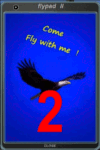
FSX, Flypad Gauge Version 2.0
This gauge has been developed on Win7 for FSX Flight Simulator SP2 or SP1.It should also work with Acceleration, but this is not guaranteed by the author. The gauge is a little extra addon based on the design of a smart phone and provides 9 different displays which are different from all of the standard gauge displays on a regular aircraft panel. It is mainly helpful for the user flying small propeller aircraft, and old timer aircraft.
However, the displays are as well attractive for sim pilots flying modern jet aircraft. Use it as if you just grabbed to your smart phone during a flight and check on the status of your aircraft, or how the terrain awareness situation looks like, how the AI traffic on the radar is, while you proceed with your flight plan. Enjoy the new design of a simple aircraft attitude display during an ILS approach. A new screen for LAT/LON coordination control and distance/bearing calculation has been added to this version in addition with a number of improvements.For credits look at the pdf documentation inside the zip file. By Dietmar Loleit
| Filename: | Flypad_Gauge_V20.zip |
| License: | Freeware |
| Added: | 2nd August 2014, 17:50:45 |
| Downloads: | 778 |
| Author: | Dietmar Loleit |
| Size: | 4 MB |
| Category: Flight Simulator 2002 - Aircraft Repaints, Textures and Modifications | |
| Delta Air Lines NNC Boeing 777-200ER |
|
File Description:
This aircraft model, by Hiroshi Igami & Mitsushi Yutaka of Project Open Sky, has all the features of their previous Boeing 747 model which include a 48 sided fuselage, flashing strobes & beacons, tilting boogies, animated flaps, spoilers, ailerons, thrust reversers and elevators, turning nose gear, detailed gear bays, fully detailed night lighting, and transparent windows with 3D pilots. This 777 introduces a brand new feature, flexing wings, a first for FSDS modelled aircraft. FDE by Warren C. Daniel, advice and data given by Simon Ng Hin Tat, tested by all Project Open Sky members. Master textures by C. Vincent Cho, Paint Kit & Night Mask by Bob Jones. This Delta texture have a metallic looking belly, but is not reflective due to the restrictions of FSDS modelled aircraft. They were painted in the reference of many high quality photographs available from Airliners.Net. This package is also equipped with version 4.2 of Project Open Sky's Rolls-Royce Trent 895 FDE, the newest one as of now. Also included are newer, more realistic tire textures and vapour trails by DJPrev that can be turned on and off anytime during flight with a simple push of 'I' on your keyboard.
| Filename: | Delta_Air_Lines_NNC_Boeing_777200ER.zip |
| License: | Freeware |
| Added: | 21st July 2002, 17:26:04 |
| Downloads: | 1,909 |
| Author: | ZX Lee |
| Size: | 5.16 MB |
| Category: Flight Simulator 2004 - Aircraft Repaints, Textures and Modifications | |
| Aeromexico Boeing 757-2Q8 |
|
File Description: The Project Opensky 757-200 series aircraft. Below are just some of the features included!, you will need to download the Virtual Cockpit textures which can be found in the library!.(POSKY 757 VC.zip) Please read the simple install instructions included! Repaint includes highly realistic textures made using both handpainted and photoreal methods to create a realistic depictation of the Aeromexico 757-2Q8. Textures are saved in 32-bit format with no mip maps to ensure they are sharp and clear. Reg (N703AM)
Dynamic shine,
Wingview or Virtual Cockpit,
Opening Doors & cargo doors, 3d Flight Attendants in the cabin, All normal animations, realistic FDE, accurate dimensions, accurate specifications, accurate flight performance based on performance charts, accurate flight performance based on certified pilot input, full damage profiles for major body locations, flaps, struts, tires and engines, different engine variants
different engine performance, thrust maps, and fuel burn per different engine type, default and alternate gear points for aircraft look vs. performance feel and new detailed lighting effects for FS2004.
| Filename: | Aeromexico_Boeing_7572Q8.zip |
| License: | Freeware, limited distribution |
| Added: | 7th August 2004, 13:36:42 |
| Downloads: | 5,124 |
| Author: | Daniel Halpern, Sam Needs, Project Opensky |
| Size: | 7.38 MB |
| Category: Flight Simulator 2004 - Gauges | |
| Display_Smoke_ Cntrl_ Gauge |
|
File Description:
This simple gauge is for the Alphasim T6 Harvard/Texan airplane (airplane package required), design to stop the 3 display smoke effects from coming on when the lights are first turned on from the spot view mode.
Since both the Harvard or Texan are not using the Taxi lights, this gauge works based on the state of the Taxi light bool. When you first turn on all lights via the "L" key from the keyboard, the on state of the Taxi lights in turn, turns off the 3 Display Smoke Switches, then after a 2 second delay the Taxi lights are reset to the off state again, ready for the next cycle of the keyboard "L" key.
Just want to reiterate, this is not a auto display smoke gauge in the sense, this is an invisible gauge (no visual references) that just stops the 3 display smoke switches from being turned on with the lights, so you don't get that big ball of colored smoke around the airplane when in "spot view" mode, and you turn the lights on via the "L" key on the keyboard.
Note: Has not been verified in FSX, but should work though!
| Filename: | Display_Smoke__Cntrl__Gauge.zip |
| License: | Freeware |
| Added: | 15th March 2007, 13:16:45 |
| Downloads: | 537 |
| Author: | Greg Spellmen |
| Size: | 2.33 KB |
| Category: Flight Simulator 2004 - Sounds | |
| Synchro-Soft 737NG Soundset |
|
File Description:
The advanced recording technology now allows us to have high quality sounds and this is the case of the 737NG Synchro-Soft CFM56-7B Soundset, it will not be so simple! If not a sound almost so real as if we really gave power to these beautiful engines.
Now you will be able to listen from the quiet beginning of the startup to the moment of the takeoff, the roar of the engines will make an exceptional moment, Complete new sounds and the most important thing is that the sound is recorded in real time from a Boeing 737 Next Generation and that means quiet sound, pleasant sound in movement, smooth but at the same time powerful roar.
Details:
. You can choose two types of CFM56-7B sounds, Between 32 bits and 24 bits variants.
. Contains small details that will make of your flight an unforgettable experience
. Feels the power of these beautiful engines, like in the real life.
. Recorded with high fidelity from a real 737.
. Environment done specially for the lovers of aviation and this beautiful airplane.
. Enjoys listening the pleasant sound of the 737NG cockpit and cabin.
| Filename: | SynchroSoft_737NG_Soundset.zip |
| License: | Commercial demo |
| Added: | 12th February 2007, 18:44:59 |
| Downloads: | 10,813 |
| Author: | Henry Carcamo |
| Size: | 11.17 MB |
| Category: Flight Simulator X - Sounds | |
| Editvoicepack ATC Phraseology Modifications Set 6 |
|
File Description:
Nine simple changes via EditVoicePack to the default FSX ATC, all to do with flight following, VFR Class B and C airspace transits, and VFR transponder codes.
To make things sound slightly more international, the term VFR "flight following" has been changed to "radar information service" (i.e. a generic term which indicates radar-based traffic info in Class G airspace, but no avoidance vectors).
When requesting a VFR transit of Class B or C airspace (whether or not you're on flight following), ATC will now mention that they're giving you/upgrading you to a "radar advisory service". In other words, you're now in controlled airspace, so ATC can suggest vectors to avoid traffic if the situation warrants it. Of course, FSX's ATC doesn't actually give vectors for traffic, so we'll have to suspend belief here! ATC will also cancel your radar advisory service when you leave that unit's Class B or C.
Finally, "squawk 1200" is changed to "squawk VFR", for those in the world who don't use 1200 as the VFR code.
Install with EditVoicePack 4.0 (see here if you need information on how to do this: http://www.editvoicepack.com/).
| Filename: | Editvoicepack_ATC_Phraseology_Modifications_Set_6.zip |
| License: | Freeware |
| Added: | 7th October 2013, 09:47:02 |
| Downloads: | 2,815 |
| Author: | David Atkinson |
| Size: | 13.47 KB |
| Category: Flight Simulator X - Scenery Design | |
| Airfield Lights Toolbox (AFLT) |
|
File Description:
Airfield Lights Toolbox (or AFLT for short) is a comprehensive utility for the creation of standard airfield lights and light arrays for Microsoft Flight Simulator and Prepare3D v1.4 (collectively referred to as "FlightSim") airports. AFLT includes 3D models for the usual airfield light fixtures (runway/taxiway edge and centerline lights, runway threshold/end split lights, obstruction lights and beacons, PAPI/VASIs, wigwags and various approach light configurations) from which you should be able to create just about any airfield light arrangement. AFLT generates complete approach and threshold light arrays (including strobes) based on simple text configuration files. As well, pilot-control of airfield lighting is fully implemented.
The light sources in AFLT's light models are BGL_LIGHTs. Unfortunately, P3D Version 2 does not (yet) support BGL_LIGHTs and does not provide any alternative. (We had hoped that v2.1 would have fixed this, but "no joy". Hopefully, Lockheed Martin will see fit to rectify this deficiency.) Consequently, AFLT is only "P3Dv2-ready".
ALFT is not a library of airfield lights; it is a utility for creating object libraries and light arrays. A general knowledge of FlightSim scenery file organization and airport design is necessary for its use.
| Filename: | Airfield_Lights_Toolbox_AFLT.zip |
| License: | Freeware, limited distribution |
| Added: | 23rd February 2014, 01:21:14 |
| Downloads: | 1,790 |
| Author: | Don Grovestine |
| Size: | 3.85 MB |


© 2001-2026 AVSIM Online
All Rights Reserved
Privacy Policy |