
Where Flight Simulation Enthusiasts Gather from Around the World!
AVSIM Library - Search Results

| Category: Flight Simulator 2004 - Aircraft Repaints, Textures and Modifications | |
| Varig Boeing 767-300 GE |

|
File Description:
A 767-300 from AI Aardvark designed especially for AI traffic. Features 10 LOD models and moving parts. Very detailed, includes animated gear, flaps & spoilers, antennas, flap canoes and simulated gear bays and specular highlights. Extremely frame rate friendly. Includes optional reflective model.
| Filename: | Varig_Boeing_767300_GE.zip |
| License: | Freeware, limited distribution |
| Added: | 29th October 2003, 03:01:42 |
| Downloads: | 4,677 |
| Author: | AI Aardvark / Peter Pavlin - model by Craig Crawley, FDE by David Rawlins, Mr Hiro and Tanaka |
| Size: | 724.29 KB |
| Category: Flight Simulator 2004 - Scenery | |
| Africa 1960 |
|
Images related to this file:
File Description:
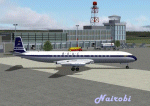
We've produced this scenery to provide taxiways, buildings and details as they
were around 1960 for airports with airline service in Africa. We've added custom GMAX or Sketchup terminals for the major airports, usually
with many other details included. We've added a library object terminal and
details to virtually every African airport that was served by an airline in the early 1960's. We have been working on this project for 13 months, and there are 105 airports/fields. All have scenery - some very sparse, others full of action. All airports have flags, lighting, windsocks, and rotating beacons. If possible, the airports are placed accurately with maps2bgl as reference.
| Filename: | Africa_1960.zip |
| License: | Freeware, limited distribution |
| Added: | 20th October 2010, 22:31:35 |
| Downloads: | 4,985 |
| Author: | Wolfgang Gersch, Harry Biard, Jaap de Baare, Mike Stevens, Tom Gibson, Nikko Yaginuma and Johan Dees |
| Size: | 15.45 MB |
| Category: Flight Simulator X - Original Aircraft | |
| Fouga Zephyr version v2.0 for Acceleration |
|
Images related to this file:
File Description:
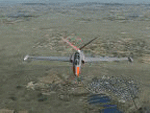
The Zephyr was the naval version of the Fouga. This french light jet was used since 1960 for training the pilots of the French Navy, especially for the carrier operations. This is a new version, fully reworked to be used with FSX Acceleration. It is provided in two configurations: solo and "dual command" (DC) adapted to shared cockpit flights. This model is developed by Restauravia with the cooperation of the "Royale French Navy design group"
| Filename: | Fouga_Zephyr__version_v20_for_Acceleration.zip |
| License: | Freeware, limited distribution |
| Added: | 19th January 2011, 23:07:28 |
| Downloads: | 4,591 |
| Author: | Andre Chancel and Restauravia team with the cooperation of the "Royale French Navy design group" ( RFN ) |
| Size: | 50.31 MB |
| Category: Flight Simulator 2004 - AI Aircraft | |
| Re-upload of five repaints of Rysiek Winawer's A-10 in the colors of the 511th TFS and one in of the Wing's CO, all during 1988/1989, textures only |
|
Images related to this file:
File Description:
Re-upload of five repaints of Rysiek Winawer's A-10 in the colors of the 511th TFS and one in of the Wing's CO, all during 1988/1989, textures only
| Filename: | Reupload_of_five_repaints_of_Rysiek_Winawers_A10_i.zip |
| License: | Freeware |
| Added: | 16th May 2010, 23:34:59 |
| Downloads: | 336 |
| Author: | Bert Dekker |
| Size: | 1.08 MB |
| Category: Flight Simulator 2004 - Aircraft Repaints, Textures and Modifications | |
| Air France Dedicate Airbus A319LR |
|
File Description:
Airbus A319-115LR; I did a few changes to use the iFDG A319 as A319LR.
Air France uses the A319LR on some routes between Paris CDG and cities in Middle Africa.
| Filename: | Air_France_Dedicate_Airbus_A319LR.zip |
| License: | Freeware, limited distribution |
| Added: | 23rd April 2005, 18:56:57 |
| Downloads: | 3,615 |
| Author: | Model: iFDG Textures: Thomas Lo Gerfo (Air France base textures), Nicolas Ammann (Dedicate texture and LR-update) |
| Size: | 3.13 MB |
| Category: Flight Simulator 2004 - Original Aircraft | |
| Douglas XC-47C Amphibian Transport |
|
File Description:
The Douglas XC-47C Amphibian Transport is a free add-on for MAAM-SIM R4D/DC-3 CD owners. This download requires previous installation of that package before the self-installer will operate. This 1943 prototype was equipped with huge Edo 78 floats with retractable landing gear. It led to a handful of C-47's with field installed pontoons serving in the Pacific and Alaskan theaters. The R4D/DC-3 CD may be obtained from www.maam.org.
| Filename: | Douglas_XC47C_Amphibian_Transport.zip |
| License: | Freeware |
| Added: | 19th October 2004, 03:25:32 |
| Downloads: | 11,898 |
| Author: | MAAM-SIM - Bill Rambow, Jan Visser, Fred Banting, Rob Young, Bill Womack, Howard Sodja, and Mark Beaumont |
| Size: | 4.47 MB |
| Category: Flight Simulator X - Original Aircraft | |
| Beech D18S float plane of Rusty Myers Flying Service ltd. |
|
File Description:
This is a FSX adoptation of FS9 Beech D18S Floatplane by Milton Shupe, representing a real aircraft of The Rusty Myers Flying Service ltd. The Rusty Myers fleet provides deliveries of people and goods to the Rusty Myers remote outposts located in the Wabakimi Provincial Park area (Ontario, Canada).
| Filename: | Beech_D18S_float_plane_of_Rusty_Myers_Flying_Service_ltd.zip |
| License: | Freeware |
| Added: | 19th February 2010, 02:38:58 |
| Downloads: | 3,032 |
| Author: | Vladimir Gonchar (with the use of the original model, air file, basic texture and gaugepack by Milton Shupe) |
| Size: | 29.18 MB |
| Category: Flight Simulator X - AI Flight Plans | |
| D18S loatplane of Kenora Air Services Ltd. |
|
File Description:
This float D18S is a former RCAF Expeditor Mk.3NMT (CT-128), now operated by Kenora Air Service Ltd. (Ontario), which offers a fishing from waters bordering Woodland Caribou Provincial Park in Ontario and Atikaki Wilderness Park in Manitoba.This is a FSX adaptation of the wonderful FS9 D18S Float cargo plane by Milton Shupe with two optional VC panels (VFR and IFR), more or less authentic to those of former RCAF Twin Beeches, being used now as float planes. FSX adoptation: VC panels, gauges, texture, aircraft and air files - by Vladimir Gonchar
| Filename: | D18S_loatplane_of_Kenora_Air_Services_Ltd.zip |
| License: | Freeware |
| Added: | 3rd March 2010, 21:23:51 |
| Downloads: | 435 |
| Author: | Vladimir Gonchar (with the use of the original model, air file, basic texture and gaugepack by Milton Shupe) |
| Size: | 31.05 MB |
| Category: Flight Simulator 2004 - Original Aircraft | |
| Avia 56 - 4 Pack |
|
Images related to this file:
File Description:
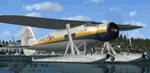
Package includes seven Aircraft models (wheels, floats, amphibs, skis) with 13 textures, a great flight model, authentic and awesome radial custom sounds, custom panels, easy-to-read clickable virtual cockpits, and superbly crafted exterior and interior textures.
This aircraft release is one in series of real world Avia aircraft designed by Czech engineer Robert Nebesar. The first was the Avia 51 and 156. This Avia 56 was a prototype that was changed because of engine availability, and became the 156. The next and last aircraft in the series is the Avia 57, a 14-passenger, 3-engine monoplane currently under development.
Technical/Consulting: Moses03, Michal Beran, Tom Rusek - consultant, John Smith (Hurricane91) - research assistance - metric panel repaint, Michal Plavec - Curator of the Aviation Collection National Technical Museum, Prague, R. Berger, Karel Kriz - Newspaper and poster materials.
Important note for FSX users:
NOT INTENDED FOR USE IN FSX, BUT TESTED IN SP2 ACCEL DX9 AS A PORTOVER. THERE IS A FOLDER WITH FSX UPDATES FOR EACH AIRCRAFT SHOULD YOU CHOOSE TO TRY IT THERE. NOT SUPPORTED.
| Filename: | Avia_56__4_Pack.zip |
| License: | Freeware |
| Added: | 4th April 2012, 05:21:35 |
| Downloads: | 1,910 |
| Author: | Milton Shupe, Nigel Richards, Matt Wynn, with contributions by Bill Ortis and Oleboy with help from SOH members |
| Size: | 95.94 MB |
| Category: Flight Simulator 2002 - Aircraft Repaints, Textures and Modifications | |
| Dassault Mirage IIIRS, Swiss Air Force, R-2103 |
|
File Description:
The subject of this repaint, R-2103, became the first Mirage IIIRS to
reach 3000 hours flying time. To commemerate this operational milestone,
the port side (only) of the fin was painted with a large 10 Squadron badge.
This special paint scheme has been retained throughout the remainder of the
aircraft's carreer.
| Filename: | Dassault_Mirage_IIIRS_Swiss_Air_Force_R2103.zip |
| License: | Freeware |
| Added: | 7th October 2003, 22:15:34 |
| Downloads: | 417 |
| Author: | Visual model by Denis and Daniel da Silva Oliveira, Repaint by Frank Safranek, Flight model by Jason Ashworth |
| Size: | 785.59 KB |


© 2001-2026 AVSIM Online
All Rights Reserved
Privacy Policy |